Last updated at 09/09/2026 15:15:20
Crucial 16GB (1x16GB) CT16G4DFS8266 2666MHz DDR4 RAM
Crucial 16GB (1x16GB) CT16G4DFS8266 2666MHz DDR4 RAM
30-day returns
Crucial 16GB (1x16GB) CT16G4DFD8266 2666MHz DDR4 RAM
30-day returns
Crucial 16GB (1x16GB) CT16G4DFS8266 2666MHz DDR4 RAM
30-day returns
Crucial 16GB (1x16GB) CT16G4DFD8266 2666MHz DDR4 RAM
30-day returns
Crucial 16GB (1x16GB) DDR4 UDIMM 2666MHz CL19 Single Rank Desktop PC Memory RAM ~CT16G4DFRA266
Crucial 16GB (1x 16GB) DDR4 2666MHz Desktop Memory
Free delivery between 12–19 Sept
Crucial 16GB (1x16GB) CT16G4DFD8266 DDR4 2666MHz Ram [PC]
Delivery between 11–17 Sept $12.70
Crucial 16GB (1x16GB) DDR4 UDIMM 2666MHz CL19 Dual Rank Desktop PC Memory RAM
Delivery $10
16GB DDR4 2666 MHz UDIMM Module Acer Compatible
Delivery between Fri – Tue $12.90
originally posted on bhphotovideo.com
I have a Mac mini 2018 with i7 and 8 GB of RAM with a 5700 XT as the eGPU setup. I play lots of video games and using this previous setup to run at max graphics at 4k is impossible for most games. Many games crashed because of insufficient memory issue, so I decided to upgrade the RAM to 16 GB betting this could improve the situation, and honestly I didn't have high expectation.To my surprise, it paid off! I can now reliably play Monster Hunter World: Iceborne at max graphical settings in 4k with high resolution texture. Resident Evil 2 and 3 Remakes also work at almost max graphical settings in 4k flawlessly. If you are like me and want to play modern video games at pretty much the highest settings with the Mac mini with eGPU setups, I highly recommend this 16 GB ... MoreI have a Mac mini 2018 with i7 and 8 GB of RAM with a 5700 XT as the eGPU setup. I play lots of video games and using this previous setup to run at max graphics at 4k is impossible for most games. Many games crashed because of insufficient memory issue, so I decided to upgrade the RAM to 16 GB betting this could improve the situation, and honestly I didn't have high expectation.To my surprise, it paid off! I can now reliably play Monster Hunter World: Iceborne at max graphical settings in 4k with high resolution texture. Resident Evil 2 and 3 Remakes also work at almost max graphical settings in 4k flawlessly. If you are like me and want to play modern video games at pretty much the highest settings with the Mac mini with eGPU setups, I highly recommend this 16 GB RAM kit.
originally posted on bhphotovideo.com
My Lenovo (brand) Legion (model) 15.6 screen laptop can support a maximum of 32GB of RAM. I replaced the initial 8GB (of another brand that looks the same) by a pair of Crucial 16GB, beacause I understand by intuition that I ought to choose 2666MH instead of 3200MH (of same price).Among those who didn't take that precaution, some have induced overeating inside their computer, thus have +/-- damaged their computer.With half an hour -use of this pair of RAM metal plates, I had no trouble to install a 2007 Autodesk AuoCAD software; and to buy 7 get an uploading my computer system _from Windows 10 Family to Windows 10 Professionnal_.I feel B&H is a synonyme of quality.
originally posted on bhphotovideo.com
There's not much I can really say about the RAM other than that it works! I bought it to give a slight upgrade to my Synology DS224+ NAS from the stock 2GB up to a total of 6GB, and it worked flawlessly.For anyone else looking for a 4GB RAM stick for their Synology NAS, I can confirm this one worked perfectly with no incompatibility messages displaying in DSM!
| General | |
| Capacity | 16 GB |
| Upgrade Type | Generic |
| Memory | |
| Type | DRAM memory module |
Crucial 16GB (1x16GB) CT16G4DFS8266 2666MHz DDR4 RAM
Crucial 16GB (1x16GB) CT16G4DFS8266 2666MHz DDR4 RAM
30-day returns
Crucial 16GB (1x16GB) CT16G4DFD8266 2666MHz DDR4 RAM
30-day returns
Crucial 16GB (1x16GB) CT16G4DFS8266 2666MHz DDR4 RAM
30-day returns
Crucial 16GB (1x16GB) CT16G4DFD8266 2666MHz DDR4 RAM
30-day returns
I have a Mac mini 2018 with i7 and 8 GB of RAM with a 5700 XT as the eGPU setup. I play lots of video games and using this previous setup to run at max graphics at 4k is impossible for most games. Many games crashed because of insufficient memory issue, so I decided to upgrade the RAM to 16 GB betting this could improve the situation, and honestly I didn't have high expectation.To my surprise, it paid off! I can now reliably play Monster Hunter World: Iceborne at max graphical settings in 4k with high resolution texture. Resident Evil 2 and 3 Remakes also work at almost max graphical settings in 4k flawlessly. If you are like me and want to play modern video games at pretty much the highest settings with the Mac mini with eGPU setups, I highly recommend this 16 GB ... MoreI have a Mac mini 2018 with i7 and 8 GB of RAM with a 5700 XT as the eGPU setup. I play lots of video games and using this previous setup to run at max graphics at 4k is impossible for most games. Many games crashed because of insufficient memory issue, so I decided to upgrade the RAM to 16 GB betting this could improve the situation, and honestly I didn't have high expectation.To my surprise, it paid off! I can now reliably play Monster Hunter World: Iceborne at max graphical settings in 4k with high resolution texture. Resident Evil 2 and 3 Remakes also work at almost max graphical settings in 4k flawlessly. If you are like me and want to play modern video games at pretty much the highest settings with the Mac mini with eGPU setups, I highly recommend this 16 GB RAM kit.
My Lenovo (brand) Legion (model) 15.6 screen laptop can support a maximum of 32GB of RAM. I replaced the initial 8GB (of another brand that looks the same) by a pair of Crucial 16GB, beacause I understand by intuition that I ought to choose 2666MH instead of 3200MH (of same price).Among those who didn't take that precaution, some have induced overeating inside their computer, thus have +/-- damaged their computer.With half an hour -use of this pair of RAM metal plates, I had no trouble to install a 2007 Autodesk AuoCAD software; and to buy 7 get an uploading my computer system _from Windows 10 Family to Windows 10 Professionnal_.I feel B&H is a synonyme of quality.
There's not much I can really say about the RAM other than that it works! I bought it to give a slight upgrade to my Synology DS224+ NAS from the stock 2GB up to a total of 6GB, and it worked flawlessly.For anyone else looking for a 4GB RAM stick for their Synology NAS, I can confirm this one worked perfectly with no incompatibility messages displaying in DSM!
Have had occasional memory issues since with my iMac using this memory. I thought it was strange to have these issues, but I always brushed it off. It's now been just under 2 years and the memory has completely failed. I'm currently using the factory 8GB RAM until I get my replacement.
I upgraded a Imac 27 B&H purchase with Crucial memory a few months ago. I've been working with computers now since 1983 when Windows was a DOS machine, and they were struggling with windows 3.1. Memory? I've replace a lot of memory boards in 71 years, and learned decades ago that Crucial memory was unsurpassed! I did have to replace one Crucial memory board in a computer that was struck by lightning through the dial-up modem. (Whats that!)Before buying an Imac 27 from B&H, I already planed to buy it with the minimum memory, and buy/add Crucial memory and save a ton of money! I wasn't looking forward to chasing down the memory I wanted, and I wanted Crucial... While mulling this over, I took a peek into B&H' accessories tab: What luck! They offered all the ... MoreI upgraded a Imac 27 B&H purchase with Crucial memory a few months ago. I've been working with computers now since 1983 when Windows was a DOS machine, and they were struggling with windows 3.1. Memory? I've replace a lot of memory boards in 71 years, and learned decades ago that Crucial memory was unsurpassed! I did have to replace one Crucial memory board in a computer that was struck by lightning through the dial-up modem. (Whats that!)Before buying an Imac 27 from B&H, I already planed to buy it with the minimum memory, and buy/add Crucial memory and save a ton of money! I wasn't looking forward to chasing down the memory I wanted, and I wanted Crucial... While mulling this over, I took a peek into B&H' accessories tab: What luck! They offered all the accessories for this Imac, And they were specifying Crucial! That was easy.I have yet to be disappointed with B&H in years of dealing with them! All their picks for accessories were top of the line and well priced! My gain!!
I want to tell you about my experience when installing these new RAMs: - When the first time I tried to install all of them (4 modules) but my iMac didn't boot. - So I removed the RAMs and install them step by step. - First, I install (2x16GB) modules where the original Mac Memories were (slot 2 and slot 4) and boot the system. iMac recognizes them and shows 32GB. - After I shut down the system and install the second kit to slot 1 and slot 3 and boot the system again. Finally, iMac recognizes all of the new modules and show up 64GB. This does not mean these RAMs are bad. There are too many topics on the web for people who face this issue with replacing new RAMs. I think with the third part RAMs iMac cannot always recognize all of the modules immediately so you need ... MoreI want to tell you about my experience when installing these new RAMs: - When the first time I tried to install all of them (4 modules) but my iMac didn't boot. - So I removed the RAMs and install them step by step. - First, I install (2x16GB) modules where the original Mac Memories were (slot 2 and slot 4) and boot the system. iMac recognizes them and shows 32GB. - After I shut down the system and install the second kit to slot 1 and slot 3 and boot the system again. Finally, iMac recognizes all of the new modules and show up 64GB. This does not mean these RAMs are bad. There are too many topics on the web for people who face this issue with replacing new RAMs. I think with the third part RAMs iMac cannot always recognize all of the modules immediately so you need to install them step by step. But after that, it works great! Newegg, thank you so much for the fast shipping to Turkey!
Bought for iMac 2020 27'. The factory memory SKhynix 2x4Gb did not work properly. The problem is a known issue in iMac 2020 (only need bars with the same volume and CAS latency). The original bars have been removed. Ordered another 2x32Gb up to a maximum of 128Gb. Delivery is fast.
I recently bought theCrucial 32GB DDR4 2666 MHz SO-DIMM Memory Kit for Mac (2 x 16GB). My Mac previously was running on Apple's original 2 x 4GB cards. I wanted to save money and not send my computer to Apple to have them instal more RAM so I decided to purchase RAM from B&H and instal it myself. So far adding the 2 x 16GBs to my Mac has helped my RAM greatly, making my overall RAW now 40 GBs. My Mac has not become frozen at all or slowed down, the 2 x 16 GBs has greatly helped me complete my work faster and more efficiently as a photographer and designer. For installing the RAM, it was an easy process (took less than 10 minutes), I watched multiple videos on YouTube to help me do the job, without damaging my MAC. Love B&H and their service. Great every time!
(review has been updated 2020-07-03) This ram seemed to operate correctly (recognized by Windows 10 with multi-bit correction) but initially my ASRock x470 Master SLI/ac motherboard didn't like warm reboot with this ram. A BIOS update was required. (Update 10/22/2019) After a few days passed after submitting a ticket with ASRock they replied and I was able to successfully test a beta BIOS. The initial recognition after installing the ram is fixed along with the warm reboot and boot loop problems are fixed when using this RAM. Working well. Thank you ASRock! Stock Timings: 19-19-19-43-61 @1.2v (Update 12/04/2019) Working on beta BIOS L3.67 "AMD AGESA Combo-AM4 1.0.0.4 Patch B" with Ryzen 7 3800x 32GB DDR4-2666 ok and overclock to DDR4-3200 - ok (2 dimms) 64GB ... More(review has been updated 2020-07-03) This ram seemed to operate correctly (recognized by Windows 10 with multi-bit correction) but initially my ASRock x470 Master SLI/ac motherboard didn't like warm reboot with this ram. A BIOS update was required. (Update 10/22/2019) After a few days passed after submitting a ticket with ASRock they replied and I was able to successfully test a beta BIOS. The initial recognition after installing the ram is fixed along with the warm reboot and boot loop problems are fixed when using this RAM. Working well. Thank you ASRock! Stock Timings: 19-19-19-43-61 @1.2v (Update 12/04/2019) Working on beta BIOS L3.67 "AMD AGESA Combo-AM4 1.0.0.4 Patch B" with Ryzen 7 3800x 32GB DDR4-2666 ok and overclock to DDR4-3200 - ok (2 dimms) 64GB DDR4-2666 ok and overclock to DDR4-3200 - ok (4 dimms) Overclock Timings: 20-20-20-44-66 tRFC=480 @1.35v Also works on ASRock B450M Pro4 w/ BIOS/UEFI 3.50 & Ryzen 5 2600 CPU. (Update 07/03/2020) Working on official BIOS P3.70 "AMD AGESA Combo-AM4 1.0.0.4 Patch B" with Ryzen 9 3950x 64GB DDR4-2666 ok - overclock to DDR4-3200 - ok (4 dimms) Overclock Timings: 20-20-20-44-66 tRFC=480 @1.35v Also works on ASRock B450M Pro4 w/ BIOS/UEFI 3.50 & Ryzen 5 2700 CPU.
Added to my 2020 iMac 27 for a total of 40GB (8GB + 32GB). HEre's how:Moved the original 8GB Apple RAM sticks (4GB + 4GB) to the first two slots/top two slots. Installed the (2) Crucial 16GB sticks in the bottom two slots.Powered on. First time takes about 1 min before Apple logo appears. Reboot at login screen. Hold down CMD + Option + P + R to reset NVRAM. Hold those keys until after Apple Logo appears.Voila. 40GB with all sticks running @ 2666mhz.B&H fast shipping and next day delivery is awesome!
| General | |
| Capacity | 16 GB |
| Upgrade Type | Generic |
| Memory | |
| Type | DRAM memory module |
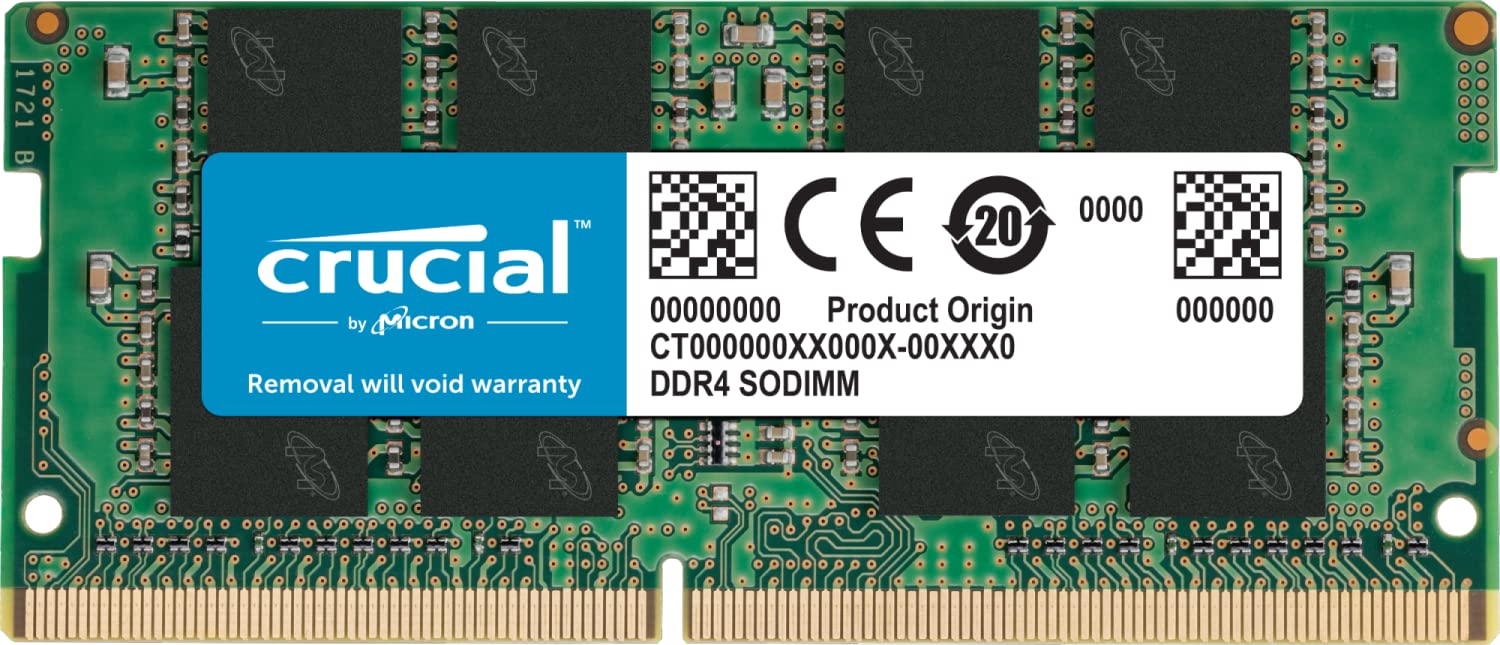
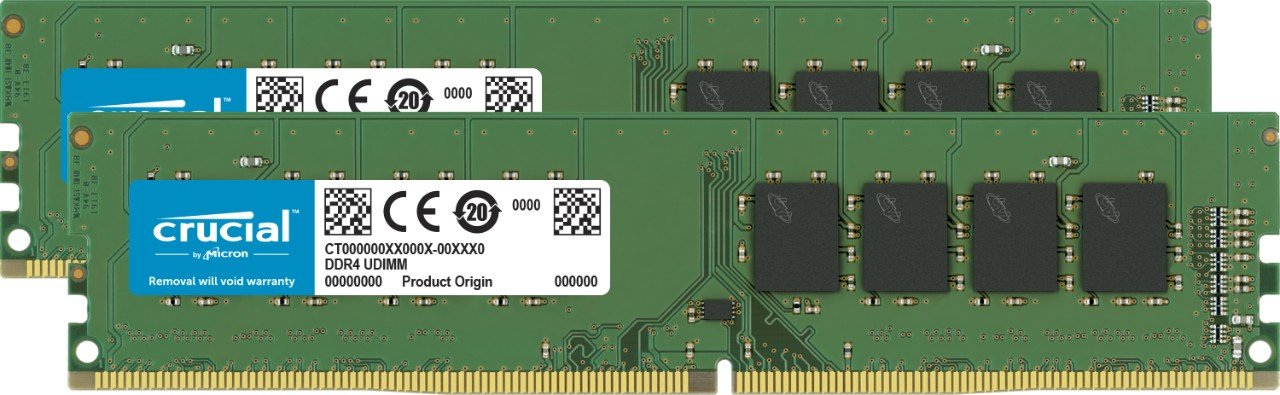
Crucial Memory DDR4 16GB 2666MHz CT16G4DFD8266
ECC Type=NonECC, Form Factor=UDIMM, Pin Count=288pin, PC Speed=PC421300, Voltage=1.2V, Rank and Configuration=1Rx16, 1Rx8 or 2Rx8. Micron quality and reliability is backed by superior component and module level testing and 42 years of memory expertise. Compatibility assurance when using the Crucial System Scanner or Crucial Advisor Tool. Install with ease; no computer skills required. Howto guides available at Crucial. Improve your system's responsiveness, run apps faster and multitask with ease.
ECC Type=NonECC, Form Factor=UDIMM, Pin Count=288pin, PC Speed=PC421300, Voltage=1.2V, Rank and Configuration=1Rx16, 1Rx8 or 2Rx8. Micron quality and reliability is backed by superior component and module level testing and 42 years of memory expertise. Compatibility assurance when using the Crucial System Scanner or Crucial Advisor Tool. Install with ease; no computer skills required. Howto guides available at Crucial. Improve your system's responsiveness, run apps faster and multitask with ease.
ECC Type=NonECC, Form Factor=UDIMM, Pin Count=288pin, PC Speed=PC421300, Voltage=1.2V, Rank and Configuration=1Rx16, 1Rx8 or 2Rx8. Micron quality and reliability is backed by superior component and module level testing and 42 years of memory expertise. Compatibility assurance when using the Crucial System Scanner or Crucial Advisor Tool. Install with ease; no computer skills required. Howto guides available at Crucial. Improve your system's responsiveness, run apps faster and multitask with ease.
ECC Type=NonECC, Form Factor=UDIMM, Pin Count=288pin, PC Speed=PC421300, Voltage=1.2V, Rank and Configuration=1Rx16, 1Rx8 or 2Rx8. Micron quality and reliability is backed by superior component and module level testing and 42 years of memory expertise. Compatibility assurance when using the Crucial System Scanner or Crucial Advisor Tool. Install with ease; no computer skills required. Howto guides available at Crucial. Improve your system's responsiveness, run apps faster and multitask with ease.
in 17 offers
The lowest price for Crucial Memory DDR4 16GB 2666MHz CT16G4DFD8266 right now is $49.00 at PCByte AU, compared across 11 retailers.
The all-time low was $28.35 on 11 Nov 2024 — today's price is 73% above the lowest ever. It has been notably cheaper before — worth setting a price alert.
Prices last updated 9 Sept 2026.

