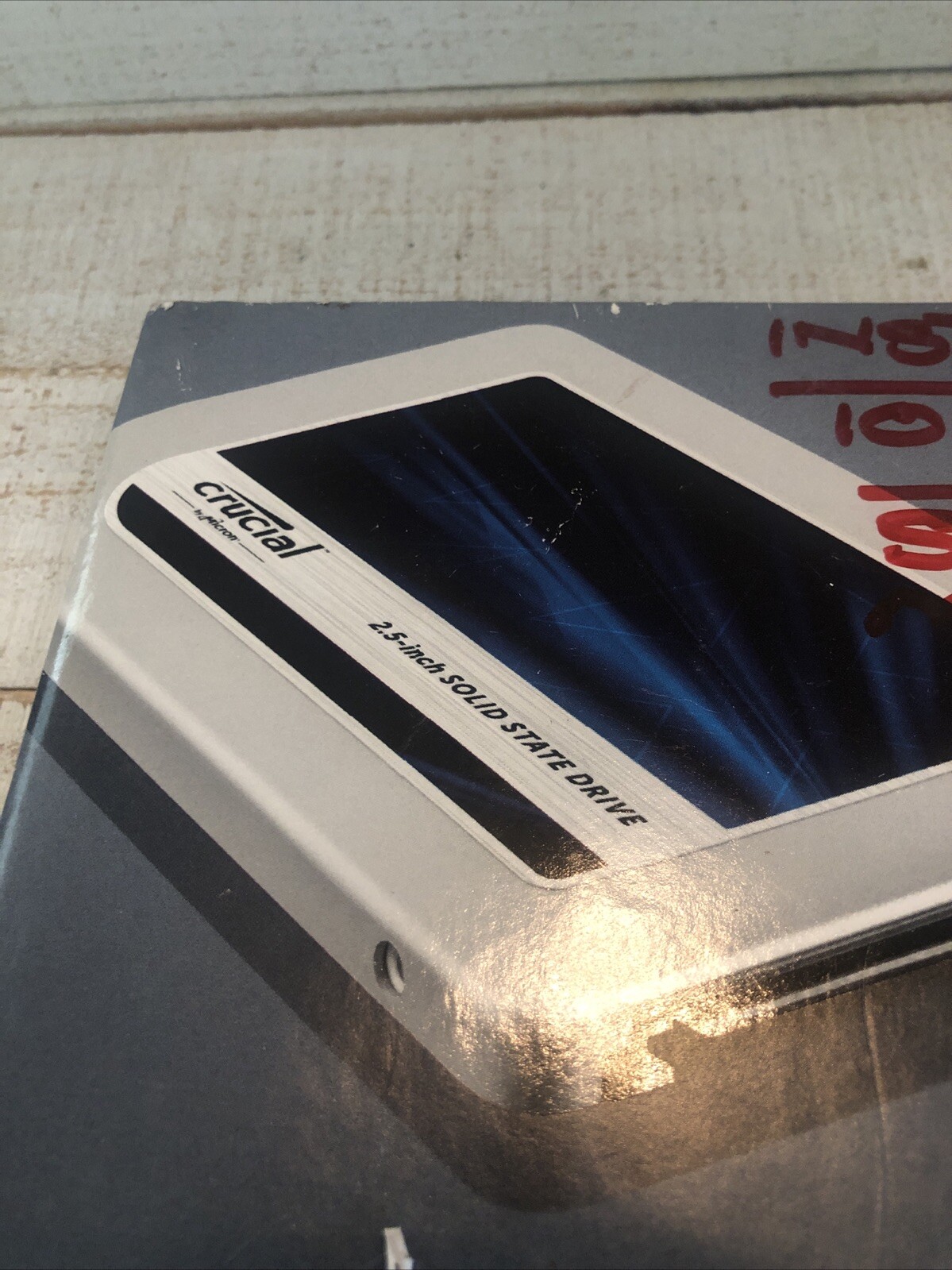
Sequential reads/writes up to 530 / 510 MB/s on all file types Random reads/writes up to 92K / 83K on all file types Over 90x more energy efficient than a typical hard drive Accelerated by Micron 3D NAND technology Dynamic Write acceleration delivers faster saves and file transfers
Sequential reads/writes up to 530 / 510 MB/s on all file types Random reads/writes up to 92K / 83K on all file types Over 90x more energy efficient than a typical hard drive Accelerated by Micron 3D NAND technology Dynamic Write acceleration delivers faster saves and file transfers
in 3 offers
The lowest price for Crucial MX300 1TB 3D NAND SATA 2.5 Inch Internal SSD - CT1050MX300SSD1 right now is $176.27 at eBay.com.au, compared across 2 retailers.
The all-time low was $79.73 on 7 June 2026 — today's price is 121% above the lowest ever. It has been notably cheaper before — worth setting a price alert.
Prices last updated 8 June 2026.
Crucial MX300 1TB 3D NAND SATA 2.5 Inch Internal SSD - CT1050MX300SSD1
Sequential reads/writes up to 530 / 510 MB/s on all file types Random reads/writes up to 92K / 83K on all file types Over 90x more energy efficient than a typical hard drive Accelerated by Micron 3D NAND technology Dynamic Write acceleration delivers faster saves and file transfers
Sequential reads/writes up to 530 / 510 MB/s on all file types Random reads/writes up to 92K / 83K on all file types Over 90x more energy efficient than a typical hard drive Accelerated by Micron 3D NAND technology Dynamic Write acceleration delivers faster saves and file transfers
Last updated at 08/06/2026 11:16:31
Crucial Mx300 Ct1050mx300ssd1 1 Tb Sata Iii 2.5" Solid State Drive
Delivery $390.02
Affiliate Disclosure: We may receive a small commission for purchases made through this link at no extra cost to you. This helps support our site. Thank you!
Crucial CT1050MX300SSD1 1TB 2.5" SATA Solid State Drive
Crucial CT1000MX200SSD1 1TB 2.5" SATA Solid State Drive
originally posted on newegg.com
I installed this drive in a Late 2011 MacBook Pro and the process was incredibly smooth. The cloning process went a bit more slowly than I expected but I put that down to the speed of the external enclosure I was using. I used El Capitan's Disk Utility to clone the drive over and, after about 2 hours the process was complete. I booted from the SSD in the external enclosure and things were still a bit slow but the drive booted with no problem and showed the correct capacity. Once I installed the drive in the laptop, I knew there would be a difference but I was truly amazed at what I got. This drive is faster than I expected in every way. Booting takes about 10 seconds from start to login, applications open quicker, Web Pages load quicker, even Malware scans and Virus ... MoreI installed this drive in a Late 2011 MacBook Pro and the process was incredibly smooth. The cloning process went a bit more slowly than I expected but I put that down to the speed of the external enclosure I was using. I used El Capitan's Disk Utility to clone the drive over and, after about 2 hours the process was complete. I booted from the SSD in the external enclosure and things were still a bit slow but the drive booted with no problem and showed the correct capacity. Once I installed the drive in the laptop, I knew there would be a difference but I was truly amazed at what I got. This drive is faster than I expected in every way. Booting takes about 10 seconds from start to login, applications open quicker, Web Pages load quicker, even Malware scans and Virus scans are quicker. I do a lot of Video editing; IMovie and Lightworks open(s) almost instantaneously and there is no lag applying edits. Also, I test a LOT of software and so run several Virtual Machines. Boot time on my VM's has fallen to nearly no time. Even the Windows 10 VM only takes about 20 seconds to load and that is even with using 99% of my memory. Using 75% or less of memory, boot time for Windows 10 is about 12 seconds. Because I do an insane amount of multitasking, I am nearly always running at between 90-99 percent of available RAM used. Before I installed this disk, I would regularly get the beachball or the machine would stutter, (and sometimes freeze to the point where I had to hard restart), while trying to swap to disk. No such happenings since I installed this disk. After buying this disk, I maxed out my RAM, (8Gb -> 16Gb), and I rarely see the beachball any more. Obviously, longevity is an issue, (as with any SSD), but this is a good start. If you own an early model MacBook, this is a great way to extend the life, and usefulness, of your computer. I won't try to speak for all, but in my case, Crucial's Price Point + their known compatibility with Mac = one very happy MacBook owner.
originally posted on neweggbusiness.com
This one is a replacement of 3 years old OCZ Vertex 4 256GB drive. I needed more room. Here are its benchmarks ----------------------------------------------------------------------- CrystalDiskMark 5.1.2 x64 (C) 2007-2016 hiyohiyo ----------------------------------------------------------------------- Sequential Read (Q= 32,T= 1) : 480.872 MB/s Sequential Write (Q= 32,T= 1) : 431.963 MB/s Random Read 4KiB (Q= 32,T= 1) : 184.793 MB/s [ 45115.5 IOPS] Random Write 4KiB (Q= 32,T= 1) : 163.755 MB/s [ 39979.2 IOPS] Sequential Read (T= 1) : 419.897 MB/s Sequential Write (T= 1) : 430.082 MB/s Random Read 4KiB (Q= 1,T= 1) : 25.735 MB/s [ 6283.0 IOPS] Random Write 4KiB (Q= 1,T= 1) : 58.955 MB/s [ 14393.3 IOPS] ============================================================== ... MoreThis one is a replacement of 3 years old OCZ Vertex 4 256GB drive. I needed more room. Here are its benchmarks ----------------------------------------------------------------------- CrystalDiskMark 5.1.2 x64 (C) 2007-2016 hiyohiyo ----------------------------------------------------------------------- Sequential Read (Q= 32,T= 1) : 480.872 MB/s Sequential Write (Q= 32,T= 1) : 431.963 MB/s Random Read 4KiB (Q= 32,T= 1) : 184.793 MB/s [ 45115.5 IOPS] Random Write 4KiB (Q= 32,T= 1) : 163.755 MB/s [ 39979.2 IOPS] Sequential Read (T= 1) : 419.897 MB/s Sequential Write (T= 1) : 430.082 MB/s Random Read 4KiB (Q= 1,T= 1) : 25.735 MB/s [ 6283.0 IOPS] Random Write 4KiB (Q= 1,T= 1) : 58.955 MB/s [ 14393.3 IOPS] ============================================================== The new drive benchmark: Sequential Read (Q= 32,T= 1) : 525.762 MB/s Sequential Write (Q= 32,T= 1) : 502.062 MB/s Random Read 4KiB (Q= 32,T= 1) : 154.485 MB/s [ 37716.1 IOPS] Random Write 4KiB (Q= 32,T= 1) : 139.459 MB/s [ 34047.6 IOPS] Sequential Read (T= 1) : 401.848 MB/s Sequential Write (T= 1) : 473.933 MB/s Random Read 4KiB (Q= 1,T= 1) : 12.936 MB/s [ 3158.2 IOPS] Random Write 4KiB (Q= 1,T= 1) : 37.580 MB/s [ 9174.8 IOPS] As you can see, except Sequential Read/Write (Q= 32,T= 1) new drive performance is substantially lower. During normal operations the difference is non-distinguishable. Cloning was very simple and fast (30 min using ActiveBoot) One more note. The size of the unformatted HD is 750GB - where 1 GB is 1,000,000,000. Windows reports the size in power of 2 values 1Gb = 1,073,741,824. And the size is 698gb. Despite of the critic I definitely recommend this drive as fast and roomy.
originally posted on ebay.com
The MX300 is essentially a TLC version of the MX200, but with 3D NAND. This opens up higher capacities. TLC Is generally not as durable as MLC, so one might consider that a 'downgrade,' but under normal write conditions it will still last long enough for pretty much anyone. Also, it's enough cheaper that I'd say this one is worth it. Let's face it- most of us aren't going to be keeping the same drive for 20 years... probably not even 10. In fact, I don't think I've ever used the same drive for more than 5 years on a machine I actually use on a daily basis. If you're like me, and you tend to use a machine daily for 2-4 years, then relegate it to a secondary role and only use it once a month... this drive will probably last longer than you will. Ditto if you're ... MoreThe MX300 is essentially a TLC version of the MX200, but with 3D NAND. This opens up higher capacities. TLC Is generally not as durable as MLC, so one might consider that a 'downgrade,' but under normal write conditions it will still last long enough for pretty much anyone. Also, it's enough cheaper that I'd say this one is worth it. Let's face it- most of us aren't going to be keeping the same drive for 20 years... probably not even 10. In fact, I don't think I've ever used the same drive for more than 5 years on a machine I actually use on a daily basis. If you're like me, and you tend to use a machine daily for 2-4 years, then relegate it to a secondary role and only use it once a month... this drive will probably last longer than you will. Ditto if you're basically going to write a couple of programs to it and then rarely ever either remove or change any of it. In my case, I got this to hold a bunch of games and videos I've recorded. Once or twice a month, I might move some of these off to make space, but that's about it. At that rate, this drive will probably outlive me. It's been about a year so far and not a prob yet. If for some reason you're planning on using the same machine daily for 10+ years, or you are fond of doing something that requires a massive amount of datatransfer/rewrite, you may want to get something more expensive with MLC flash (e.g. the MX200 or Samsung Pro series). If you're looking at that kind of long-term/long-wear use, then that would be a worthwhile investment. Regarding the interface, yes- NVMe is out now if your machine supports it. Yes, it is faster, but in most cases the difference is going to be pretty small. As far as SATA SSDs go, this one is about as fast as they come. So unless you're willing to pay a really hefty premium to step up to NVMe, you're just fine with the MX300.
Crucial Mx300 Ct1050mx300ssd1 1 Tb Sata Iii 2.5" Solid State Drive
Delivery $390.02
Affiliate Disclosure: We may receive a small commission for purchases made through this link at no extra cost to you. This helps support our site. Thank you!
Crucial CT1050MX300SSD1 1TB 2.5" SATA Solid State Drive
Crucial CT1000MX200SSD1 1TB 2.5" SATA Solid State Drive
I installed this drive in a Late 2011 MacBook Pro and the process was incredibly smooth. The cloning process went a bit more slowly than I expected but I put that down to the speed of the external enclosure I was using. I used El Capitan's Disk Utility to clone the drive over and, after about 2 hours the process was complete. I booted from the SSD in the external enclosure and things were still a bit slow but the drive booted with no problem and showed the correct capacity. Once I installed the drive in the laptop, I knew there would be a difference but I was truly amazed at what I got. This drive is faster than I expected in every way. Booting takes about 10 seconds from start to login, applications open quicker, Web Pages load quicker, even Malware scans and Virus ... MoreI installed this drive in a Late 2011 MacBook Pro and the process was incredibly smooth. The cloning process went a bit more slowly than I expected but I put that down to the speed of the external enclosure I was using. I used El Capitan's Disk Utility to clone the drive over and, after about 2 hours the process was complete. I booted from the SSD in the external enclosure and things were still a bit slow but the drive booted with no problem and showed the correct capacity. Once I installed the drive in the laptop, I knew there would be a difference but I was truly amazed at what I got. This drive is faster than I expected in every way. Booting takes about 10 seconds from start to login, applications open quicker, Web Pages load quicker, even Malware scans and Virus scans are quicker. I do a lot of Video editing; IMovie and Lightworks open(s) almost instantaneously and there is no lag applying edits. Also, I test a LOT of software and so run several Virtual Machines. Boot time on my VM's has fallen to nearly no time. Even the Windows 10 VM only takes about 20 seconds to load and that is even with using 99% of my memory. Using 75% or less of memory, boot time for Windows 10 is about 12 seconds. Because I do an insane amount of multitasking, I am nearly always running at between 90-99 percent of available RAM used. Before I installed this disk, I would regularly get the beachball or the machine would stutter, (and sometimes freeze to the point where I had to hard restart), while trying to swap to disk. No such happenings since I installed this disk. After buying this disk, I maxed out my RAM, (8Gb -> 16Gb), and I rarely see the beachball any more. Obviously, longevity is an issue, (as with any SSD), but this is a good start. If you own an early model MacBook, this is a great way to extend the life, and usefulness, of your computer. I won't try to speak for all, but in my case, Crucial's Price Point + their known compatibility with Mac = one very happy MacBook owner.
This one is a replacement of 3 years old OCZ Vertex 4 256GB drive. I needed more room. Here are its benchmarks ----------------------------------------------------------------------- CrystalDiskMark 5.1.2 x64 (C) 2007-2016 hiyohiyo ----------------------------------------------------------------------- Sequential Read (Q= 32,T= 1) : 480.872 MB/s Sequential Write (Q= 32,T= 1) : 431.963 MB/s Random Read 4KiB (Q= 32,T= 1) : 184.793 MB/s [ 45115.5 IOPS] Random Write 4KiB (Q= 32,T= 1) : 163.755 MB/s [ 39979.2 IOPS] Sequential Read (T= 1) : 419.897 MB/s Sequential Write (T= 1) : 430.082 MB/s Random Read 4KiB (Q= 1,T= 1) : 25.735 MB/s [ 6283.0 IOPS] Random Write 4KiB (Q= 1,T= 1) : 58.955 MB/s [ 14393.3 IOPS] ============================================================== ... MoreThis one is a replacement of 3 years old OCZ Vertex 4 256GB drive. I needed more room. Here are its benchmarks ----------------------------------------------------------------------- CrystalDiskMark 5.1.2 x64 (C) 2007-2016 hiyohiyo ----------------------------------------------------------------------- Sequential Read (Q= 32,T= 1) : 480.872 MB/s Sequential Write (Q= 32,T= 1) : 431.963 MB/s Random Read 4KiB (Q= 32,T= 1) : 184.793 MB/s [ 45115.5 IOPS] Random Write 4KiB (Q= 32,T= 1) : 163.755 MB/s [ 39979.2 IOPS] Sequential Read (T= 1) : 419.897 MB/s Sequential Write (T= 1) : 430.082 MB/s Random Read 4KiB (Q= 1,T= 1) : 25.735 MB/s [ 6283.0 IOPS] Random Write 4KiB (Q= 1,T= 1) : 58.955 MB/s [ 14393.3 IOPS] ============================================================== The new drive benchmark: Sequential Read (Q= 32,T= 1) : 525.762 MB/s Sequential Write (Q= 32,T= 1) : 502.062 MB/s Random Read 4KiB (Q= 32,T= 1) : 154.485 MB/s [ 37716.1 IOPS] Random Write 4KiB (Q= 32,T= 1) : 139.459 MB/s [ 34047.6 IOPS] Sequential Read (T= 1) : 401.848 MB/s Sequential Write (T= 1) : 473.933 MB/s Random Read 4KiB (Q= 1,T= 1) : 12.936 MB/s [ 3158.2 IOPS] Random Write 4KiB (Q= 1,T= 1) : 37.580 MB/s [ 9174.8 IOPS] As you can see, except Sequential Read/Write (Q= 32,T= 1) new drive performance is substantially lower. During normal operations the difference is non-distinguishable. Cloning was very simple and fast (30 min using ActiveBoot) One more note. The size of the unformatted HD is 750GB - where 1 GB is 1,000,000,000. Windows reports the size in power of 2 values 1Gb = 1,073,741,824. And the size is 698gb. Despite of the critic I definitely recommend this drive as fast and roomy.
The MX300 is essentially a TLC version of the MX200, but with 3D NAND. This opens up higher capacities. TLC Is generally not as durable as MLC, so one might consider that a 'downgrade,' but under normal write conditions it will still last long enough for pretty much anyone. Also, it's enough cheaper that I'd say this one is worth it. Let's face it- most of us aren't going to be keeping the same drive for 20 years... probably not even 10. In fact, I don't think I've ever used the same drive for more than 5 years on a machine I actually use on a daily basis. If you're like me, and you tend to use a machine daily for 2-4 years, then relegate it to a secondary role and only use it once a month... this drive will probably last longer than you will. Ditto if you're ... MoreThe MX300 is essentially a TLC version of the MX200, but with 3D NAND. This opens up higher capacities. TLC Is generally not as durable as MLC, so one might consider that a 'downgrade,' but under normal write conditions it will still last long enough for pretty much anyone. Also, it's enough cheaper that I'd say this one is worth it. Let's face it- most of us aren't going to be keeping the same drive for 20 years... probably not even 10. In fact, I don't think I've ever used the same drive for more than 5 years on a machine I actually use on a daily basis. If you're like me, and you tend to use a machine daily for 2-4 years, then relegate it to a secondary role and only use it once a month... this drive will probably last longer than you will. Ditto if you're basically going to write a couple of programs to it and then rarely ever either remove or change any of it. In my case, I got this to hold a bunch of games and videos I've recorded. Once or twice a month, I might move some of these off to make space, but that's about it. At that rate, this drive will probably outlive me. It's been about a year so far and not a prob yet. If for some reason you're planning on using the same machine daily for 10+ years, or you are fond of doing something that requires a massive amount of datatransfer/rewrite, you may want to get something more expensive with MLC flash (e.g. the MX200 or Samsung Pro series). If you're looking at that kind of long-term/long-wear use, then that would be a worthwhile investment. Regarding the interface, yes- NVMe is out now if your machine supports it. Yes, it is faster, but in most cases the difference is going to be pretty small. As far as SATA SSDs go, this one is about as fast as they come. So unless you're willing to pay a really hefty premium to step up to NVMe, you're just fine with the MX300.
Although my netbook is running better than it ever did before, I CANNOT give this product a full 5 eggs. Read on........ I bought the Crucial Mx300 52 GB SSD to upgrade an aging (2012) Acer Aspire One 722 netbook (running Windows 10 Pro) that I use mostly for travel commo. I wanted a disk larger than the supplied 320GB WD drive in the Acer instead of dropping down to a cheaper 250GB (about $99). The process of cloning the disk was pretty straight-forward; luckily, I had bought an external USB cable for SSDs before so I did not have to get the Crucial transfer kit. Transfer took a few hours, I did not time it exactly (set it and forget it for a while). I then set about physically swapping the two disks which again was very easy involving three very small screws; one ... MoreAlthough my netbook is running better than it ever did before, I CANNOT give this product a full 5 eggs. Read on........ I bought the Crucial Mx300 52 GB SSD to upgrade an aging (2012) Acer Aspire One 722 netbook (running Windows 10 Pro) that I use mostly for travel commo. I wanted a disk larger than the supplied 320GB WD drive in the Acer instead of dropping down to a cheaper 250GB (about $99). The process of cloning the disk was pretty straight-forward; luckily, I had bought an external USB cable for SSDs before so I did not have to get the Crucial transfer kit. Transfer took a few hours, I did not time it exactly (set it and forget it for a while). I then set about physically swapping the two disks which again was very easy involving three very small screws; one for the case bottom and two for the drive connection itself. (While inside, you should check the netbook fan for dust buildup that may affect cooling.) The netbook booted very rapidly (about 45 seconds to sign-on window) , but it began to have freezing issues that were only solvable by a hard reboot. I used an article from the web about ten things to do when switching to a SSD and at first, it seemed as if the problem was solved. However, after 5 or 10 minutes, programs were unresponsive and the netbook was frozen again. I tried using the 'sfc /scannow' as admin which found no OS errors. However, when the computer froze, the disk usage had jumped to 100% in Task Manager. The forum on Crucial.com yielded the solution. It seems that Acronis Backup is incompatible with many SSD's and on many different laptops. People who had the issue finally called Crucial support and were advised to remove Acronis Backup. It does not seem as though it is a new problem affecting only the MX300 as earlier SSD models had the same issue way back to 2012. Once the cloned disk is mounted in the laptop and booted, your first step SHOULD BE TO UNINSTALL ACRONIS. Then go to a search engine and look for articles on 10 things to do when switching to a SSD from a HDD. The actions you need to take include turning off auto-defrag and disk indexing. Other changes also will give you better performance and life from the SSD. Acronis needs to address this issue as it dates back at least 5 years and Crucial needs to include instructions to uninstall the Acronis backup immediately on the first reboot. I will use Macrium Reflect for any backups on this netbook. At least one person claimed that the WD version of Acronis did not freeze their computer; however, since I have a solution, I don't need to check out that claim The netbook is now acting like a much faster new laptop and no longer freezes. But not a 5 egg review unless they fix the issues with Acronis on the cloned disk instructions.
My current system was so slow because of the HDD, and I already had what I thought was too much data to replace it with an SSD. When I saw that Crucial has a 1TB SSD for a reasonable price, I decided to get it along with an installation kit. The install could not have been simpler because of the bundled Acronis cloning software, plus the SATA-USB cable in the installation kit. I simply cloned my old 1TB HDD to the new 1TB SSD using the SATA-USB cable and Acronis software, used the installation kit to mount it, and connected it in place of the old HDD. The system booted right up, and it functions identically to what it had been with the HDD, EXCEPT that it is at least 10x faster! I downloaded the Crucial Storage Executive software, and enabled the Momentum cache for ... MoreMy current system was so slow because of the HDD, and I already had what I thought was too much data to replace it with an SSD. When I saw that Crucial has a 1TB SSD for a reasonable price, I decided to get it along with an installation kit. The install could not have been simpler because of the bundled Acronis cloning software, plus the SATA-USB cable in the installation kit. I simply cloned my old 1TB HDD to the new 1TB SSD using the SATA-USB cable and Acronis software, used the installation kit to mount it, and connected it in place of the old HDD. The system booted right up, and it functions identically to what it had been with the HDD, EXCEPT that it is at least 10x faster! I downloaded the Crucial Storage Executive software, and enabled the Momentum cache for even higher performance, which is pretty safe since my PC is on a UPS. My PC used to be barely usable, and we would dread the 2-3 minute boot time, and the slowness launching applications. The system now boots in 10 seconds, and it is completely ready to use in less than 30 seconds. All applications launch quickly. Since the SSD is a clone of the old HDD, I'm pretty confident that all features of the PC, including the recovery partition, will still work. I'm so glad I did this.
I replaced the hard drive in my Gateway E-475M laptop with a Crucial SSD. The native I/O (sequential?) speed capability of the laptop is supposedly 3 Gbps, which was the speed of the hard drive as well. So theoretically the faster (sequential?) speed of the SSD should not make any difference if I understand the specs correctly. However, I was hoping that the elimination of hard-drive's seek time would substantially improve overall performance. But I could find no info on specs in that regard. So buying the SSD was a bit of a gamble in that regard. It turns out that some programs that were extremely slow to start up and shut down before SSD installation were made substantially faster for start-up and shut-down after the SSD was installed. So there is definite ... MoreI replaced the hard drive in my Gateway E-475M laptop with a Crucial SSD. The native I/O (sequential?) speed capability of the laptop is supposedly 3 Gbps, which was the speed of the hard drive as well. So theoretically the faster (sequential?) speed of the SSD should not make any difference if I understand the specs correctly. However, I was hoping that the elimination of hard-drive's seek time would substantially improve overall performance. But I could find no info on specs in that regard. So buying the SSD was a bit of a gamble in that regard. It turns out that some programs that were extremely slow to start up and shut down before SSD installation were made substantially faster for start-up and shut-down after the SSD was installed. So there is definite improvement in performance. I have not bothered to put the resulting laptop through more rigorous testing because there is nothing I would do differently with improved info. I imagine that maybe I could perhaps--like similar improvement on another laptop--also be able to have many more windows opened simultaneously without the system becoming bogged down, but I have made no such test in this case. In particular, I imagine that the Windows RAM paging and virtual memory operation could perhaps be substantially improved, but I have not verified this either. The most crucial concern was being able to clone the hard drive and install the SSD without any puzzling messages or the like to make me wonder whether I did something wrong. I earlier installed a similar SSD on a faster, more modern laptop, and so this installation procedure was not entirely new to me. But it did seem that the cloning software or the disk initialization software did skip a step this time (different versions of Win 7, both 64-bit), and so that made me wonder whether I made a mistake. But the cloning and installation evidently proved quite successful when I subsequently tested the laptop.
The Good: The installation was the easy part but trying to do a ""clean install" was not as easy. There is lots of information about how to COPY the old hard drive (HD) over to the new Solid State Drive (SSD) but not so much, hardly any, about how to do a clean install and then copy ISP settings, emails, photos (into a new Photos application from iPhoto, and things like that. Copying documents was easy. Finally got there but not being a full-fledged computer guru, making the transfer of data, it wasn't the easiest. I did buy a case for the old HD which I would highly recommend and think that everyone would do that anyway. The new SSD boots in seconds, battery life is much longer, and everything is just sooo much faster. Editing Final Cut Pro X is a breeze. Also had ... MoreThe Good: The installation was the easy part but trying to do a ""clean install" was not as easy. There is lots of information about how to COPY the old hard drive (HD) over to the new Solid State Drive (SSD) but not so much, hardly any, about how to do a clean install and then copy ISP settings, emails, photos (into a new Photos application from iPhoto, and things like that. Copying documents was easy. Finally got there but not being a full-fledged computer guru, making the transfer of data, it wasn't the easiest. I did buy a case for the old HD which I would highly recommend and think that everyone would do that anyway. The new SSD boots in seconds, battery life is much longer, and everything is just sooo much faster. Editing Final Cut Pro X is a breeze. Also had upped the memory to 16 GB earlier but it was the new SSD install that really, really, helped. The good thing about having the old HD in a case is, if in the event there is a setup problem with the new drive and it takes time to resolve, one still has the old drive available and it can easily be popped back in. Bang-for-the-buck, this is an excellent upgrade. The Bad: There isn't anything bad abut the product. My clean install .... that's another story. Wish it could be made easier but it was worth the effort.
I installed the Crucial MX300 525GB SSD in a MacBook Pro (13in. Late 2011) which was becoming slow as cold syrup with each Apple upgrade. I created a clone of the original Hitachi drive to an external drive using SuperDuper which takes a few hours, then replaced the Hitachi with the Crucial in about 5 minutes. Booted from the external drive, formatted the Crucial drive as Mac OS Extended (Journaled) using Disk Utility, cloned the external drive back to the installed Crucial drive, reset the startup disk to the Crucial drive, rebooted and my laptop is like a blazing-fast new computer now! I knew it would be faster with an SSD, but my laptop is unbelievably fast now. No more bouncing icons for minutes on end or spinning beach balls! An Apple tech I know has said that ... MoreI installed the Crucial MX300 525GB SSD in a MacBook Pro (13in. Late 2011) which was becoming slow as cold syrup with each Apple upgrade. I created a clone of the original Hitachi drive to an external drive using SuperDuper which takes a few hours, then replaced the Hitachi with the Crucial in about 5 minutes. Booted from the external drive, formatted the Crucial drive as Mac OS Extended (Journaled) using Disk Utility, cloned the external drive back to the installed Crucial drive, reset the startup disk to the Crucial drive, rebooted and my laptop is like a blazing-fast new computer now! I knew it would be faster with an SSD, but my laptop is unbelievably fast now. No more bouncing icons for minutes on end or spinning beach balls! An Apple tech I know has said that Apple is designing the OS upgrades for optimal use with SSDs, so if you are experiencing excruciating slowness on your older Macs with spinning drives, I highly recommend upgrading to an SSD. The Crucial drive formatted at 524.77 GB. Well worth the extra GB of storage and for way less money, which is why I went with the Crucial instead of a Samsung.
Short version - get a cloner unit, thirty smackers, get a small kit cheap from same or similar manufacturer as cloner unit, get the free software utility for doing partitions, be able to browse on a separate device eg smartphone for online guidance, and you can do this. 3 to 10 times as fast now my PC at real-world jobs like startup, and rousing from sleep mode, and bringing my screen up that's lousy with icons all over the place etc. Clone is the best way to go but your existing spinning HDD must be smaller or same size as the SSD you are replacing as the primary drive. I settled on doing this, rather than getting just a 500Gb SSD, I got a 2Tb one. The reasons are technical, but basically it makes the entire process of migrating more certain. When doing a new task ... MoreShort version - get a cloner unit, thirty smackers, get a small kit cheap from same or similar manufacturer as cloner unit, get the free software utility for doing partitions, be able to browse on a separate device eg smartphone for online guidance, and you can do this. 3 to 10 times as fast now my PC at real-world jobs like startup, and rousing from sleep mode, and bringing my screen up that's lousy with icons all over the place etc. Clone is the best way to go but your existing spinning HDD must be smaller or same size as the SSD you are replacing as the primary drive. I settled on doing this, rather than getting just a 500Gb SSD, I got a 2Tb one. The reasons are technical, but basically it makes the entire process of migrating more certain. When doing a new task unfamiliar in the world of IT, that is my preference. SSD is about 200 smackers per Terabyte. Expensive. Depends on how big, who made by, and the exact tech. I was not, am not, and will not be paid or rewarded in any way for this review. Unfortunately. However, this is an easy sell anyway, because there is only the price that is against these. Cloning took 3 or 4 hours for my 1.86Tb (actual) to migrate a copy to my new SSD 1.89Tb (actual), and it started right off the bat, once physically installed - the cables come with the little kit I mentioned. I do video editing (loading up and initially converting a video on Movie Maker is maybe only twice as fast - ha only twice as fast, could be four times, it's miles better), and also audio recording multiple tracks. Extends the life of a PC by maybe double, check Microsoft's experience index tool, suddenly there is no bottleneck with your HDD now, the SSD has fixed the slowest component in the machine. I got this Crucial SSD, but there are others available out there. They are the next evolution, and although I put this in my Tower PC (the thing Judge Dredd rides around on that nuclear-powered two wheeled monstrosity, when there's block wars - that's the sort of thing I have), it is the exact same 2.5" unit that a laptop would take. It's tiny - like two pieces of credit-card sized corrugated cardboard put together. About the same weight. If I had not put it in and seen it work, I would have said it was a mock-up of what tech will look like in ten years time. It's that good.
Like stated before the ssd I had gotten had to remap some of the nand blocks after a week use. The only reason I noticed it is due to the fact the drive was not bootable after a power down cycle and I had to wipe and reinstall to drive to get it going again. I was directed to the crucial after bring my concern to newegg. The response from crucial was this "The SMART data result you are experiencing is completely normal. The article below goes in depth about why this happens: http://forums.crucial.com/t5/Crucial-SSDs/My-SSD-has-bad-sectors/ta-p/111486". They also recommend that, "changing your settings so that there is continued power to the SSD during sleep." The reason for this is "Normally sleep mode will kill power to the SSD and although this shouldn't cause any ... MoreLike stated before the ssd I had gotten had to remap some of the nand blocks after a week use. The only reason I noticed it is due to the fact the drive was not bootable after a power down cycle and I had to wipe and reinstall to drive to get it going again. I was directed to the crucial after bring my concern to newegg. The response from crucial was this "The SMART data result you are experiencing is completely normal. The article below goes in depth about why this happens: http://forums.crucial.com/t5/Crucial-SSDs/My-SSD-has-bad-sectors/ta-p/111486". They also recommend that, "changing your settings so that there is continued power to the SSD during sleep." The reason for this is "Normally sleep mode will kill power to the SSD and although this shouldn't cause any long term problems, it can stop our Garbage Collection (TRIM) function from running correctly." According to crucial this might cause problem if it has not had adequate time to operate. Overall, I would like to have know the information before had purchasing the drive. I never had issue pop up so early in a drive life like this one and the only reason I purchase the drive was due to the sale at the time. If you are look for a drive that might not have issue off the bat, then I would recommend going with another manufacturer.