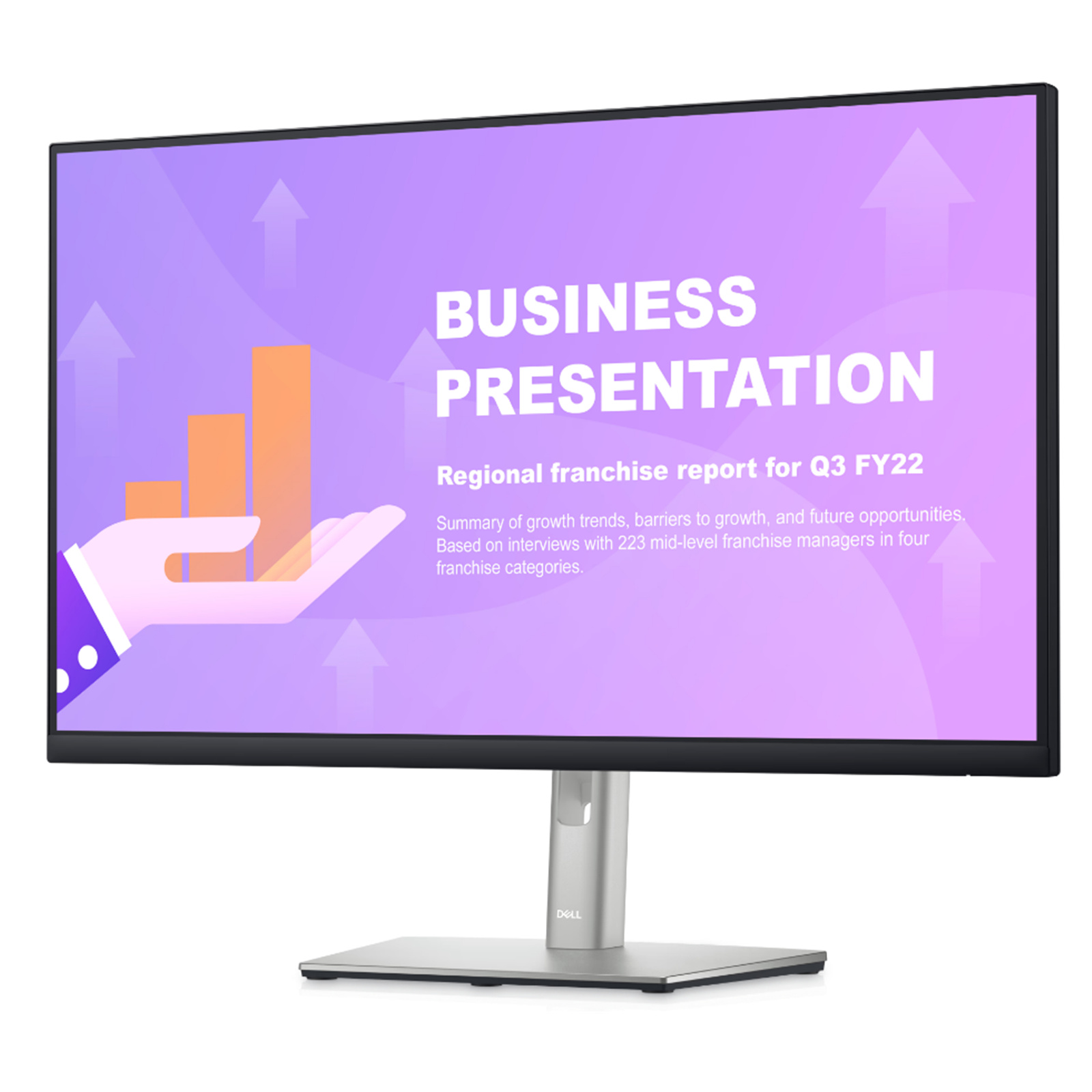
Dell P2419H Monitor Usage and Troubleshooting Guide | Dell Australia
Dell P2419H Monitor Usage and Troubleshooting Guide | Dell Australia
in 3 offers
The lowest price for Dell P2419H 24" IPS FHD Monitor 1080p, HDMI, DisplayPort, USB Hub, Refurbished right now is $109.00 at MegaBuy, compared across 3 retailers.
The all-time low was $32.83 on 30 May 2026 — today's price is 232% above the lowest ever. It has been notably cheaper before — worth setting a price alert.
Prices last updated 27 July 2026.
Dell P2419H 24" IPS FHD Monitor 1080p, HDMI, DisplayPort, USB Hub, Refurbished
Dell P2419H Monitor Usage and Troubleshooting Guide | Dell Australia
Dell P2419H Monitor Usage and Troubleshooting Guide | Dell Australia
Last updated at 27/07/2026 10:39:59
Dell P2419H 23.8" FHD IPS Ultrathin Bezel HDMI Monitor
Delivery between 29 July – 4 Aug $23.95
Dell P2419H 24" FHD IPS Monitor - 1920x1080, HDMI, DisplayPort, VGA, Height Adjustable Stand, Refurbished
Free delivery
Dell P2419H 24" FHD IPS Monitor - 1920x1080, HDMI, DisplayPort, VGA, Height Adjustable Stand, Refurbished
Free delivery
originally posted on neweggbusiness.com
I have two P2719H monitors. One I bought a year ago (Feb 2020) and the other I just bought (March 2021). They have different panels.My original panel has a truly great picture - this is the one reviewed on 3rd party sites when it came out.My new panel has colors that are washed out and orangey (especially on grey) compared to the original. However, the biggest issue is how it displays blue and orange colors. Blue and orange are made up of pixel-wide vertical lines (i.e. every other pixel) of blue and light-blue and orange and light-orange. I found lowering the refresh to 50,000 Hz reduces this affect a lot, but that is not an acceptable solution to me since I don't want headaches.People have complained about this same problem on Dell's community site regarding their ... MoreI have two P2719H monitors. One I bought a year ago (Feb 2020) and the other I just bought (March 2021). They have different panels.My original panel has a truly great picture - this is the one reviewed on 3rd party sites when it came out.My new panel has colors that are washed out and orangey (especially on grey) compared to the original. However, the biggest issue is how it displays blue and orange colors. Blue and orange are made up of pixel-wide vertical lines (i.e. every other pixel) of blue and light-blue and orange and light-orange. I found lowering the refresh to 50,000 Hz reduces this affect a lot, but that is not an acceptable solution to me since I don't want headaches.People have complained about this same problem on Dell's community site regarding their U2414H and S2718H monitors, including accusations that they switched panels without updating model numbers.In the attached picture, the monitor on the left was purchased in Feb. 2020; the monitor on the right in March 2021.
originally posted on bhphotovideo.com
Bought one of these and liked it so much I bought a second to replace another monitor.The build quality isnt as good as Ultrasharps from 5 years ago or so but is on par with current Ultrasharp build quality. Doesnt feel overly cheap, feels solid on the stand, buttons feel of decent quality.Very little if no backlight bleed on both of my units.Picture and colors are pretty great, definitely try both an HDMI and Displayport cable before you decide the colors arent right for you. Many graphics card and Intel integrated graphics will wash out an HDMI until changed in the settings to display full color range. With full range enabled, the HDMI cable gives me a slightly better picture & color than the displayport (using the Dell DP cable that was included) using ... MoreBought one of these and liked it so much I bought a second to replace another monitor.The build quality isnt as good as Ultrasharps from 5 years ago or so but is on par with current Ultrasharp build quality. Doesnt feel overly cheap, feels solid on the stand, buttons feel of decent quality.Very little if no backlight bleed on both of my units.Picture and colors are pretty great, definitely try both an HDMI and Displayport cable before you decide the colors arent right for you. Many graphics card and Intel integrated graphics will wash out an HDMI until changed in the settings to display full color range. With full range enabled, the HDMI cable gives me a slightly better picture & color than the displayport (using the Dell DP cable that was included) using Intel integrated graphics on an 8th gen Intel cpu.Display Menu is pretty intuitive, no issues.Dont use the USB 3.0 functionality but is a nice feature to have.Exterior looks of the monitors are 10/10. Love the dark grey stands and black frame. Does not look cheap in person whatsoever, very professional.Have used these with both PC gaming and Xbox One gaming for FPS, the monitor performed great with no issues even though it isnt classified as a gaming monitor.Have owned these for around 6 months now and not a single issue.Would highly recommend at this price point (bought both for $209 each).
originally posted on dell.com
This review is based on first impression. Received the monitor yesterday, got it set up, and have been using it all day today. I had to use a VGA cable to utilize the monitor but I'm hoping that I'll be able to use the display port when my new G5 special edition laptop comes in. I believe my current computer that will be replaced by the laptop just doesn't have the capabilities to use the display port even though it provides the port at the back of the computer. But that's an issue with my computer and not the monitor.So back to the monitor. I purchased two of these P2719H monitors. The 27in screen is ideal for me. It nice, big, and provides a clear picture and readable text. I'm not leaning in to read what on the screen anymore which reduces the eye strain I was ... MoreThis review is based on first impression. Received the monitor yesterday, got it set up, and have been using it all day today. I had to use a VGA cable to utilize the monitor but I'm hoping that I'll be able to use the display port when my new G5 special edition laptop comes in. I believe my current computer that will be replaced by the laptop just doesn't have the capabilities to use the display port even though it provides the port at the back of the computer. But that's an issue with my computer and not the monitor.So back to the monitor. I purchased two of these P2719H monitors. The 27in screen is ideal for me. It nice, big, and provides a clear picture and readable text. I'm not leaning in to read what on the screen anymore which reduces the eye strain I was having on my old 22in screen. Colors are what you would expect on a 1920x1080 FDH screen. They are accurate enough for my eyes and since I'm not doing anything that needs 100% color accuracy this screen is just perfect for what I'll be doing and for a much more affordable price than a 4k screen. I also love that I can turn, swivel, and angle the monitors however I please. I ended up purchasing two for better production purposes. I have one directly in front of me at landscape and the one to the side turned to portrait mode. I'm excited to see what they look like when I finally get a chance to utilize both of them at the same time. Again this is a first impression review and for now I'm only able to use one screen. I will try to update my review when I get everything set up and use the screens for a while. But for anyone doing their research on what screen to get, this P2719H is great for general use, school, work, and/or programming. I'm sure if you're looking to play games on a budget friendly screen this will work as well. It's only 60hz so it wont be the latest and greatest hardware but it will work. All in all, this screen has been awesome to use all day for online school work and coding.
| Resolution | 1920 × 1080 |
| Aspect Ratio | 16:9 |
| Colour Support | 16.7 Million |
Dell P2419H 23.8" FHD IPS Ultrathin Bezel HDMI Monitor
Delivery between 29 July – 4 Aug $23.95
Dell P2419H 24" FHD IPS Monitor - 1920x1080, HDMI, DisplayPort, VGA, Height Adjustable Stand, Refurbished
Free delivery
Dell P2419H 24" FHD IPS Monitor - 1920x1080, HDMI, DisplayPort, VGA, Height Adjustable Stand, Refurbished
Free delivery
I have two P2719H monitors. One I bought a year ago (Feb 2020) and the other I just bought (March 2021). They have different panels.My original panel has a truly great picture - this is the one reviewed on 3rd party sites when it came out.My new panel has colors that are washed out and orangey (especially on grey) compared to the original. However, the biggest issue is how it displays blue and orange colors. Blue and orange are made up of pixel-wide vertical lines (i.e. every other pixel) of blue and light-blue and orange and light-orange. I found lowering the refresh to 50,000 Hz reduces this affect a lot, but that is not an acceptable solution to me since I don't want headaches.People have complained about this same problem on Dell's community site regarding their ... MoreI have two P2719H monitors. One I bought a year ago (Feb 2020) and the other I just bought (March 2021). They have different panels.My original panel has a truly great picture - this is the one reviewed on 3rd party sites when it came out.My new panel has colors that are washed out and orangey (especially on grey) compared to the original. However, the biggest issue is how it displays blue and orange colors. Blue and orange are made up of pixel-wide vertical lines (i.e. every other pixel) of blue and light-blue and orange and light-orange. I found lowering the refresh to 50,000 Hz reduces this affect a lot, but that is not an acceptable solution to me since I don't want headaches.People have complained about this same problem on Dell's community site regarding their U2414H and S2718H monitors, including accusations that they switched panels without updating model numbers.In the attached picture, the monitor on the left was purchased in Feb. 2020; the monitor on the right in March 2021.
Bought one of these and liked it so much I bought a second to replace another monitor.The build quality isnt as good as Ultrasharps from 5 years ago or so but is on par with current Ultrasharp build quality. Doesnt feel overly cheap, feels solid on the stand, buttons feel of decent quality.Very little if no backlight bleed on both of my units.Picture and colors are pretty great, definitely try both an HDMI and Displayport cable before you decide the colors arent right for you. Many graphics card and Intel integrated graphics will wash out an HDMI until changed in the settings to display full color range. With full range enabled, the HDMI cable gives me a slightly better picture & color than the displayport (using the Dell DP cable that was included) using ... MoreBought one of these and liked it so much I bought a second to replace another monitor.The build quality isnt as good as Ultrasharps from 5 years ago or so but is on par with current Ultrasharp build quality. Doesnt feel overly cheap, feels solid on the stand, buttons feel of decent quality.Very little if no backlight bleed on both of my units.Picture and colors are pretty great, definitely try both an HDMI and Displayport cable before you decide the colors arent right for you. Many graphics card and Intel integrated graphics will wash out an HDMI until changed in the settings to display full color range. With full range enabled, the HDMI cable gives me a slightly better picture & color than the displayport (using the Dell DP cable that was included) using Intel integrated graphics on an 8th gen Intel cpu.Display Menu is pretty intuitive, no issues.Dont use the USB 3.0 functionality but is a nice feature to have.Exterior looks of the monitors are 10/10. Love the dark grey stands and black frame. Does not look cheap in person whatsoever, very professional.Have used these with both PC gaming and Xbox One gaming for FPS, the monitor performed great with no issues even though it isnt classified as a gaming monitor.Have owned these for around 6 months now and not a single issue.Would highly recommend at this price point (bought both for $209 each).
This review is based on first impression. Received the monitor yesterday, got it set up, and have been using it all day today. I had to use a VGA cable to utilize the monitor but I'm hoping that I'll be able to use the display port when my new G5 special edition laptop comes in. I believe my current computer that will be replaced by the laptop just doesn't have the capabilities to use the display port even though it provides the port at the back of the computer. But that's an issue with my computer and not the monitor.So back to the monitor. I purchased two of these P2719H monitors. The 27in screen is ideal for me. It nice, big, and provides a clear picture and readable text. I'm not leaning in to read what on the screen anymore which reduces the eye strain I was ... MoreThis review is based on first impression. Received the monitor yesterday, got it set up, and have been using it all day today. I had to use a VGA cable to utilize the monitor but I'm hoping that I'll be able to use the display port when my new G5 special edition laptop comes in. I believe my current computer that will be replaced by the laptop just doesn't have the capabilities to use the display port even though it provides the port at the back of the computer. But that's an issue with my computer and not the monitor.So back to the monitor. I purchased two of these P2719H monitors. The 27in screen is ideal for me. It nice, big, and provides a clear picture and readable text. I'm not leaning in to read what on the screen anymore which reduces the eye strain I was having on my old 22in screen. Colors are what you would expect on a 1920x1080 FDH screen. They are accurate enough for my eyes and since I'm not doing anything that needs 100% color accuracy this screen is just perfect for what I'll be doing and for a much more affordable price than a 4k screen. I also love that I can turn, swivel, and angle the monitors however I please. I ended up purchasing two for better production purposes. I have one directly in front of me at landscape and the one to the side turned to portrait mode. I'm excited to see what they look like when I finally get a chance to utilize both of them at the same time. Again this is a first impression review and for now I'm only able to use one screen. I will try to update my review when I get everything set up and use the screens for a while. But for anyone doing their research on what screen to get, this P2719H is great for general use, school, work, and/or programming. I'm sure if you're looking to play games on a budget friendly screen this will work as well. It's only 60hz so it wont be the latest and greatest hardware but it will work. All in all, this screen has been awesome to use all day for online school work and coding.
I didn't really know what to expect with the purchase of this Dell Monitor. I surely was pleasantly surprised! Particularly about the screen size, it's so wide!One minor set back: it does not come with a VGA cable (only HDMI and one other cable I'm not familiar with). Once you turn on the monitor, it forcibly only scans for a VGA cable connection. Not sure if there was any way around this, but a quick trip to Amazon surely fixed it. For you Macbook users, you'll definitely need a VGA adapter. Keep that in mind.Overall great product. B&H shipped it RIGHT out, pretty much overnight, and arrived next day! Thanks B&H.
I manage around 100 desktops. All with dual monitors. Mostly the 2217H and 2317H monitors.Bought the 2219H and 2319H and still great monitor, beautiful thin bezel now. But so disappointed that they moved the monitor's button controls to the bottom underside edge of the monitor versus on the front side of the monitor. Mainly because of their thin bezel. Which means they had to remove the sound bar mounting holes to allow a sound bar to mount directly to the screen. The Dell AC511 sound bars requires a mount that attaches to the display stand neck instead of mounting to the monitor itself. You can buy the AC511 sound bar with the mount, AC511M. Regardless it means if you plan on using the Dell dual monitor stand or any other Vesa mount/stand you cannot mount the ... MoreI manage around 100 desktops. All with dual monitors. Mostly the 2217H and 2317H monitors.Bought the 2219H and 2319H and still great monitor, beautiful thin bezel now. But so disappointed that they moved the monitor's button controls to the bottom underside edge of the monitor versus on the front side of the monitor. Mainly because of their thin bezel. Which means they had to remove the sound bar mounting holes to allow a sound bar to mount directly to the screen. The Dell AC511 sound bars requires a mount that attaches to the display stand neck instead of mounting to the monitor itself. You can buy the AC511 sound bar with the mount, AC511M. Regardless it means if you plan on using the Dell dual monitor stand or any other Vesa mount/stand you cannot mount the sound bar directly to the monitor. Also although the thin bezel means more screen there is about 1/8" border on 3 sides of the monitor so the screen display doesnt truly utilize the entire screen space.
This is the second one of these I've bought--my wife has enjoyed hers for 2 years & when I needed a new one, I bought the same thing (was happy I could still get it!) Yes it is not 4k and no I can't vouch for it in extreme-refresh-rate situations like gaming since I'm not a gamer, but I sit in front of it for 8 hours a day for work and I'm completely happy with the picture quality.Also one of its main selling points for me is that it can get VERY dim--I'm pretty sensitive to bright light, & a cheaper monitor I bought before this one didn't have nearly as wide a range of brightness adjustability.It comes with a very nice stand that provides a good range of height adjustability, as well as swivel and vertical angle.Lastly, it's just very nice looking--extremely ... MoreThis is the second one of these I've bought--my wife has enjoyed hers for 2 years & when I needed a new one, I bought the same thing (was happy I could still get it!) Yes it is not 4k and no I can't vouch for it in extreme-refresh-rate situations like gaming since I'm not a gamer, but I sit in front of it for 8 hours a day for work and I'm completely happy with the picture quality.Also one of its main selling points for me is that it can get VERY dim--I'm pretty sensitive to bright light, & a cheaper monitor I bought before this one didn't have nearly as wide a range of brightness adjustability.It comes with a very nice stand that provides a good range of height adjustability, as well as swivel and vertical angle.Lastly, it's just very nice looking--extremely thin front bezels on the top and sides, and not too thick on the bottom. Also its curved back makes it look less than 1/2 deep at the edges. Whether on its stand or mounted to an arm, it's sleeker-looking than almost any other monitor I've seen.Hope this helps!
I've had an Ultra Sharp and an Alienware monitor for 10 years. They are built like tanks,as an example, there is no wobble when pressing the OSD buttons. This P2219H has tiny tic-tac size buttons in the bottom of the right side of the screen's frame, which when pressed make the whole screen shake/wobble a little bit. In my opinion, the placement of the buttons and the stiffness of pressing them is the cause. My UltraSharp monitor has the buttons on the right front vertical frame area, and the Alienware has touch sensitive one in the same area. I think these are a much better design. The really thin bezel of this P2219H prevents such placement unless on the bottom forward facing edge.Also this monitor is extremely bright. I'm sure it can be adjusted by a ... MoreI've had an Ultra Sharp and an Alienware monitor for 10 years. They are built like tanks,as an example, there is no wobble when pressing the OSD buttons. This P2219H has tiny tic-tac size buttons in the bottom of the right side of the screen's frame, which when pressed make the whole screen shake/wobble a little bit. In my opinion, the placement of the buttons and the stiffness of pressing them is the cause. My UltraSharp monitor has the buttons on the right front vertical frame area, and the Alienware has touch sensitive one in the same area. I think these are a much better design. The really thin bezel of this P2219H prevents such placement unless on the bottom forward facing edge.Also this monitor is extremely bright. I'm sure it can be adjusted by a professional, but for the layperson it's been a trial, especially with how hard it is to press the OSD (on screen display) buttons.And as a deviation from the norm, the power light doesn't turn amber when in sleep mode, it "glows" which means the button slowly fades on and off from its normal white on color
This is a great monitor for use with a Dell Dock and laptop. I have two set up with displayport daisychaining to the docking station, with the laptop screen used as a third. The 27" allows me to sit at an adequate distance without eyestrain. Colors are good, resolution is good, brightness are good. Monitors can be height, swivel and tilt adjusted and rotated between landscape and portrait. One small quibble is the lack of internal speakers. The ones on my laptop are really too quiet so having just a couple of basic speakers, with a bit more wattage than the laptop would have been helpful. All around, this is a really good monitor for those looking to use business applications and internet. We have one of the ultrasharps at work, and those are much better if you are ... MoreThis is a great monitor for use with a Dell Dock and laptop. I have two set up with displayport daisychaining to the docking station, with the laptop screen used as a third. The 27" allows me to sit at an adequate distance without eyestrain. Colors are good, resolution is good, brightness are good. Monitors can be height, swivel and tilt adjusted and rotated between landscape and portrait. One small quibble is the lack of internal speakers. The ones on my laptop are really too quiet so having just a couple of basic speakers, with a bit more wattage than the laptop would have been helpful. All around, this is a really good monitor for those looking to use business applications and internet. We have one of the ultrasharps at work, and those are much better if you are going to do graphics/CAD/GIS applications. Great value for this monitor and very good quality.
I bought this monitor a few weeks ago for general home use. I do not game, I do not spend all day in front of the screen, I just use it to surf the web a bit, do a bit of shopping, and a couple of hours a day visiting web sites I frequent. For me, this monitor is outstanding. Color is great, operation is simple, absolutely no eye strain, and even though it came with almost no instructions (one folded sheet of pictures), it was relatively easy to set up. After going on-line to get the manual and more complete instructions, I found it was a waste of time downloading it because I was already done. It would have been nice if the instructions had at least told one about the more than one way to hook up the monitor since there are three different ways of doing so, but ... MoreI bought this monitor a few weeks ago for general home use. I do not game, I do not spend all day in front of the screen, I just use it to surf the web a bit, do a bit of shopping, and a couple of hours a day visiting web sites I frequent. For me, this monitor is outstanding. Color is great, operation is simple, absolutely no eye strain, and even though it came with almost no instructions (one folded sheet of pictures), it was relatively easy to set up. After going on-line to get the manual and more complete instructions, I found it was a waste of time downloading it because I was already done. It would have been nice if the instructions had at least told one about the more than one way to hook up the monitor since there are three different ways of doing so, but they are all the same i the end: plug in your cable in the slot that fits your computer and and get on with it. I used the HDMI and USB cables (I needed hot USB ports in the monitor for the keyboard) to get it up and running and while I am not that tech savvy, it was easy enough to figure out, even if there were only pictures.The only thing I wish was different is that Office Depot had carried the 27 inch version of this monitor because that was what I really wanted, but it was not available in the stores, special order, or on line, so I went with this one, the 24 inch (23.8"). It's good enough for me but I would have been more than willing to pay a bit more to have been able to get the 27 inch.
First, let me state that I am not a gamer and cannot speak for this monitor in any gaming context. I am a hobbyist photographer, not a professional by any means, who shoots in RAW format and edits those RAW files in Light Room on my computer. I don't need an expensive high end monitor required by a professional photographer, but wanted something reasonably comparable in the budget monitor category. I read at least 2 good reviews that included this monitor in its budget category for photographers. I have not owned a Dell monitor since purchasing a complete Dell computer setup prior to my first home build in 2005. This monitor checks almost all of my boxes. Reviews did state that it needs to be calibrated for photography use and I did calibrate mine with a now ... MoreFirst, let me state that I am not a gamer and cannot speak for this monitor in any gaming context. I am a hobbyist photographer, not a professional by any means, who shoots in RAW format and edits those RAW files in Light Room on my computer. I don't need an expensive high end monitor required by a professional photographer, but wanted something reasonably comparable in the budget monitor category. I read at least 2 good reviews that included this monitor in its budget category for photographers. I have not owned a Dell monitor since purchasing a complete Dell computer setup prior to my first home build in 2005. This monitor checks almost all of my boxes. Reviews did state that it needs to be calibrated for photography use and I did calibrate mine with a now obsolete X-Rite Color Munki Smile, and the difference was noticeable - colors were richer and more vivid.I keep my monitor in a rolltop desk. I need an adjustable height monitor so I can roll my desk top down and close it up in my desk. Although this monitor screen is 2 larger than my last monitor, it fits nicely in my desk and takes up less room front to back as it is thinner and my last monitor stand bent outwards as it was pushed down closer to the desk, and this one moves straight up and down on its stand. It's very well made, looks professional, has a very nice finish and doesn't feel flimsy. I was a little worried about the maximum brightness rating, but I found that I had to turn the brightness down from the factory setting of 75%. Images are sharp to my eyes and screen has no glare. Cables can be threaded through the hole in the stand behind the screen. It comes with a Power Cable, DisplayPort cable and USB 3.0 Upstream Cable to power the two USB ports on side of the monitor. These ports are factory set to go to sleep when the monitor is in standby mode, but this can be set to stay on during standby in the Menu system under Personalize. One thing that could potentially be a problem for some users are the power cords on these newer monitors. Many have a proprietary cord with a brick adapter, either in the middle of the power cord or at the plug itself, and they don't usually tell you that it does, or where it is, in the description. I was initially looking at a Samsung monitor and one of the reviewers stated that it had a brick at the plug. This is a deal breaker for me because I already have two brick at the plug devices on my surge protector strip. A brick at the plug can make it difficult to plug something in next to it and I don't want any more on my strip. This is the only monitor I saw that still uses the standard 3 prong computer power cord, and I have a drawer full of these cords if something happens to this one.I would highly recommend this monitor for everyday computing (email, documents, Internet surfing, etc.), and hobbyist photographers like myself. I am very happy with my purchase!
| Resolution | 1920 × 1080 |
| Aspect Ratio | 16:9 |
| Colour Support | 16.7 Million |