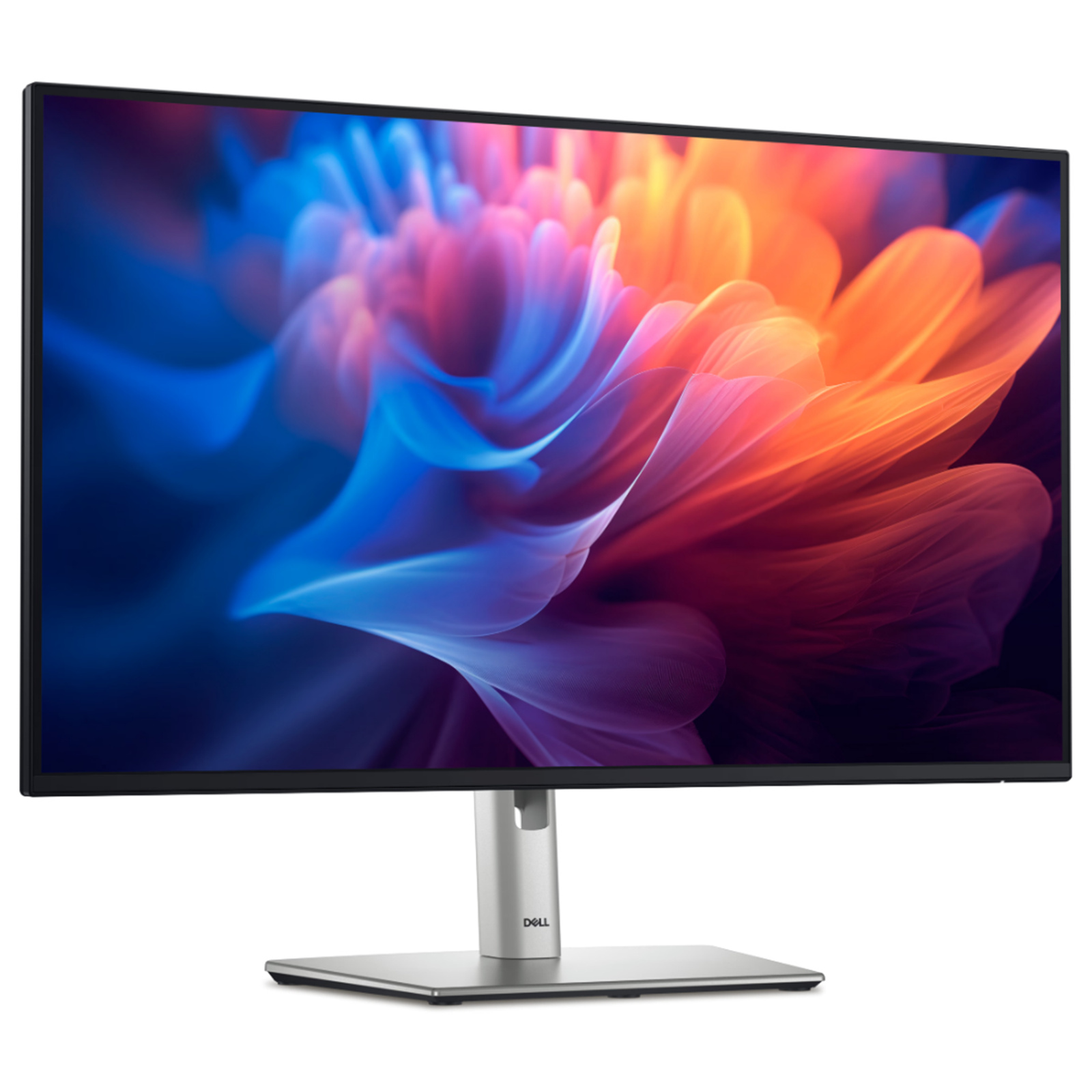
A 27′′ 4K UHD monitor that lets you enjoy unrivaled clarity for an amazing entertainment experience. Featuring simplified USB-C connectivity.
A 27′′ 4K UHD monitor that lets you enjoy unrivaled clarity for an amazing entertainment experience. Featuring simplified USB-C connectivity.
in 2 offers
The lowest price for Dell S2722QC 27" 4K UHD USB-C IPS Monitor 3840x2160 - HDMI+ USB-C with PD - right now is $1,451.03 at desertcart.co.za, compared across 2 retailers.
The all-time low was $65.00 on 25 Feb 2026 — today's price is 2132% above the lowest ever. It has been notably cheaper before — worth setting a price alert.
Prices last updated 28 July 2026.
Dell S2722QC 27" 4K UHD USB-C IPS Monitor 3840x2160 - HDMI+ USB-C with PD -
A 27′′ 4K UHD monitor that lets you enjoy unrivaled clarity for an amazing entertainment experience. Featuring simplified USB-C connectivity.
A 27′′ 4K UHD monitor that lets you enjoy unrivaled clarity for an amazing entertainment experience. Featuring simplified USB-C connectivity.
Last updated at 28/07/2026 07:28:06
S2722QC 27-inch 4K UHD 3840 x 2160 60Hz Monitor, 8MS Grey-to-Grey Response Time (Normal Mode), Built-in Dual 3W Integrated Speakers, 1.07 Billion Colo
Free delivery between 5–7 Aug
Dell 27 4K Uhd Usb-C Monitor S2722QC | Part # 210-BBQT (210BBQT)
originally posted on lazada.sg
1. Monitor received in 3rd day after place order. Packing is not professional only a bag wrapping the monitor, but no damage found. 2. Type c cable with worn tag, not sure if it is new or used. 3. Manufacturer Warranty was activated on 29/12/2023 before purchase date 08/01/2024, seller hided this to me. It is seller warranty instead of manufacturer warranty, be careful if you minded on this, too, ad you will not know what have happened to this monitor.4. Opened and tested, display is normal, can use but really not friendly to eyes, felt eye tired and blurry in 30 mins, worst than my previous old one, I would say this is not as described with TUV certified ComfortView. 5. Seller is rude and dishonest on warranty, refused return and refund requst. Disappointed with ... More1. Monitor received in 3rd day after place order. Packing is not professional only a bag wrapping the monitor, but no damage found. 2. Type c cable with worn tag, not sure if it is new or used. 3. Manufacturer Warranty was activated on 29/12/2023 before purchase date 08/01/2024, seller hided this to me. It is seller warranty instead of manufacturer warranty, be careful if you minded on this, too, ad you will not know what have happened to this monitor.4. Opened and tested, display is normal, can use but really not friendly to eyes, felt eye tired and blurry in 30 mins, worst than my previous old one, I would say this is not as described with TUV certified ComfortView. 5. Seller is rude and dishonest on warranty, refused return and refund requst. Disappointed with Lazada platform which will never protect buyer and postponed my return request (intended to delay my request longer than 7 days ).So, this is my true review. You can consider and decide to buy items from this seller and Lazada.I do not recommend with this bad experience.
originally posted on dell.com
A wonderful 4k monitor at a price that's just right! Colors and contrast pop. Bright enough and balanced just where it should be. The panel is pretty close to what an IPS panel should look and feel like; even backlight without any visible or upsetting spots or unevenness. Out of the box the panel was decently calibrated as one of the "presets" came very close to my 5k iMac. Having these two side by side, I can hardly tell the difference. Some HDR images, would come a bit (just a little tiny bit) weaker than my 5k iMac monitor but the difference is minimal and having these two side by side isn't not at all upsetting to the eyes.I bought this for the wife's home office. She runs patient centered medical programs 90% of the time and she needs to look at diagnostic ... MoreA wonderful 4k monitor at a price that's just right! Colors and contrast pop. Bright enough and balanced just where it should be. The panel is pretty close to what an IPS panel should look and feel like; even backlight without any visible or upsetting spots or unevenness. Out of the box the panel was decently calibrated as one of the "presets" came very close to my 5k iMac. Having these two side by side, I can hardly tell the difference. Some HDR images, would come a bit (just a little tiny bit) weaker than my 5k iMac monitor but the difference is minimal and having these two side by side isn't not at all upsetting to the eyes.I bought this for the wife's home office. She runs patient centered medical programs 90% of the time and she needs to look at diagnostic imaging from time to time. When she does that, she can flip the Dell screen in portrait mode in less than one second! The monitor can be adjusted on all axis ("tilting", "rotating", "pivoting", or "swiveling"). And it's very easy to do using just one hand. That was a key feature we really liked!At 60Mhz, this is not a "gaming" panel but we didn't buy it for that reason. Movies and videos play flawlessly. For all-day computer tasks (and even some gaming) this is a great panel!Text and image are super sharp. Very easy on the eyes even after hours of use.Aesthetically pleasing. Maybe a bit thicker than some other monitors in the same class but minimal. I love how there's virtually no border around the screen (we got the 27"). They did a nice job with connectivity and port availability, as well.Speakers are OK. We don't use them but they're there if needed for sound output.Overall, a nice unit.
originally posted on bestbuy.com
This 27" IPS 4K monitor is just the right size for general computer use. Image is gorgeous and with display resolution set to 3840 x 2160 scaled 150% its very easy on the eyes. I can even use it at 100% scale if I work fairly close (like using your phone) and the only way I can see the pixels is with a very strong magnifier.And even though many complain about the built-in speakers, they save desk space, they are fine for non-music (nothing beats a good pair of earbuds for music), and are loud enough (set monitor volume at 100% and use the computer's volume control). It's true the speakers are lacking in bass, but they have good clear mid and hi frequencies. Since the monitor's Line Out jack is not controlled by the monitor's volume, I'm tempted to try a small ... MoreThis 27" IPS 4K monitor is just the right size for general computer use. Image is gorgeous and with display resolution set to 3840 x 2160 scaled 150% its very easy on the eyes. I can even use it at 100% scale if I work fairly close (like using your phone) and the only way I can see the pixels is with a very strong magnifier.And even though many complain about the built-in speakers, they save desk space, they are fine for non-music (nothing beats a good pair of earbuds for music), and are loud enough (set monitor volume at 100% and use the computer's volume control). It's true the speakers are lacking in bass, but they have good clear mid and hi frequencies. Since the monitor's Line Out jack is not controlled by the monitor's volume, I'm tempted to try a small amplified sub-woofer to fill in the low frequencies without taking up any desk space.Don't be tempted like I was by 32" 4K monitors. They don't look like it in the store, but they are too tall for normal use and your neck will suffer. And the 34" Ultra-wides are lower 1440p so the picture just can't compare with a 4k screen. Also, they have huge stands with long feet that push the screen a foot from the back of your desk so that huge screen is in-your-face and too close.And IPS screens are the best. I started my monitor search with 27" 4K monitors and the Dell's were the best, but then I got drawn toward the 32" 4K's because they don't look much bigger in the store and I thought the extra screen area would be nice, but then I saw the Dell QD-OLED 34" Ultra-wide on sale for $999 and in the store it looked so awesome. However this huge gaming monitor consumed my entire desk and it didn't have speakers so a pair of small speakers took additional desk space. I realized the downsides: 1) stand was so big that when positioned at back of my 24" deep desk the actual screen was in center of desk, so the wide monitor was a "wall" that prevented most of desk from being used, and only left a foot in front which was barely enough room for my keyboard 2) the monitor sat forward and 1440p is not high enough resolution so the QD-OLED pixels were visible at normal viewing distance and their triangular spacing makes text fuzzy with color fringes visible around edges of letters 3) to prevent burn-in it has to do pixel refreshes every 4 hours which blacks out screen for 10 minutes, it will wait until you let screen go into standby, but seems to happen at the worst possible times and then you don't have a computer for 10 minutes (sure boss, I'll get right on that critical issue as soon as my computer finishes its pixel break) 5) after reading up on OLED burn-in I realized I had to get rid of desktop icons, auto-hide the taskbar, and use dark wallpaper rather than the bright colorful wallpaper I can use on an IPS screen. So I returned the "top of the line" Dell and got the S2722QC and I am so much happier.
| Standing screen display size | 27 Inches |
| Screen Resolution | 3840 x 2160 pixels |
| Max Screen Resolution | 3840 x 2160 Pixels |
| Specific uses for product | Education, Gaming, Business |
| Refresh rate | 60 Hz |
S2722QC 27-inch 4K UHD 3840 x 2160 60Hz Monitor, 8MS Grey-to-Grey Response Time (Normal Mode), Built-in Dual 3W Integrated Speakers, 1.07 Billion Colo
Free delivery between 5–7 Aug
Dell 27 4K Uhd Usb-C Monitor S2722QC | Part # 210-BBQT (210BBQT)
1. Monitor received in 3rd day after place order. Packing is not professional only a bag wrapping the monitor, but no damage found. 2. Type c cable with worn tag, not sure if it is new or used. 3. Manufacturer Warranty was activated on 29/12/2023 before purchase date 08/01/2024, seller hided this to me. It is seller warranty instead of manufacturer warranty, be careful if you minded on this, too, ad you will not know what have happened to this monitor.4. Opened and tested, display is normal, can use but really not friendly to eyes, felt eye tired and blurry in 30 mins, worst than my previous old one, I would say this is not as described with TUV certified ComfortView. 5. Seller is rude and dishonest on warranty, refused return and refund requst. Disappointed with ... More1. Monitor received in 3rd day after place order. Packing is not professional only a bag wrapping the monitor, but no damage found. 2. Type c cable with worn tag, not sure if it is new or used. 3. Manufacturer Warranty was activated on 29/12/2023 before purchase date 08/01/2024, seller hided this to me. It is seller warranty instead of manufacturer warranty, be careful if you minded on this, too, ad you will not know what have happened to this monitor.4. Opened and tested, display is normal, can use but really not friendly to eyes, felt eye tired and blurry in 30 mins, worst than my previous old one, I would say this is not as described with TUV certified ComfortView. 5. Seller is rude and dishonest on warranty, refused return and refund requst. Disappointed with Lazada platform which will never protect buyer and postponed my return request (intended to delay my request longer than 7 days ).So, this is my true review. You can consider and decide to buy items from this seller and Lazada.I do not recommend with this bad experience.
A wonderful 4k monitor at a price that's just right! Colors and contrast pop. Bright enough and balanced just where it should be. The panel is pretty close to what an IPS panel should look and feel like; even backlight without any visible or upsetting spots or unevenness. Out of the box the panel was decently calibrated as one of the "presets" came very close to my 5k iMac. Having these two side by side, I can hardly tell the difference. Some HDR images, would come a bit (just a little tiny bit) weaker than my 5k iMac monitor but the difference is minimal and having these two side by side isn't not at all upsetting to the eyes.I bought this for the wife's home office. She runs patient centered medical programs 90% of the time and she needs to look at diagnostic ... MoreA wonderful 4k monitor at a price that's just right! Colors and contrast pop. Bright enough and balanced just where it should be. The panel is pretty close to what an IPS panel should look and feel like; even backlight without any visible or upsetting spots or unevenness. Out of the box the panel was decently calibrated as one of the "presets" came very close to my 5k iMac. Having these two side by side, I can hardly tell the difference. Some HDR images, would come a bit (just a little tiny bit) weaker than my 5k iMac monitor but the difference is minimal and having these two side by side isn't not at all upsetting to the eyes.I bought this for the wife's home office. She runs patient centered medical programs 90% of the time and she needs to look at diagnostic imaging from time to time. When she does that, she can flip the Dell screen in portrait mode in less than one second! The monitor can be adjusted on all axis ("tilting", "rotating", "pivoting", or "swiveling"). And it's very easy to do using just one hand. That was a key feature we really liked!At 60Mhz, this is not a "gaming" panel but we didn't buy it for that reason. Movies and videos play flawlessly. For all-day computer tasks (and even some gaming) this is a great panel!Text and image are super sharp. Very easy on the eyes even after hours of use.Aesthetically pleasing. Maybe a bit thicker than some other monitors in the same class but minimal. I love how there's virtually no border around the screen (we got the 27"). They did a nice job with connectivity and port availability, as well.Speakers are OK. We don't use them but they're there if needed for sound output.Overall, a nice unit.
This 27" IPS 4K monitor is just the right size for general computer use. Image is gorgeous and with display resolution set to 3840 x 2160 scaled 150% its very easy on the eyes. I can even use it at 100% scale if I work fairly close (like using your phone) and the only way I can see the pixels is with a very strong magnifier.And even though many complain about the built-in speakers, they save desk space, they are fine for non-music (nothing beats a good pair of earbuds for music), and are loud enough (set monitor volume at 100% and use the computer's volume control). It's true the speakers are lacking in bass, but they have good clear mid and hi frequencies. Since the monitor's Line Out jack is not controlled by the monitor's volume, I'm tempted to try a small ... MoreThis 27" IPS 4K monitor is just the right size for general computer use. Image is gorgeous and with display resolution set to 3840 x 2160 scaled 150% its very easy on the eyes. I can even use it at 100% scale if I work fairly close (like using your phone) and the only way I can see the pixels is with a very strong magnifier.And even though many complain about the built-in speakers, they save desk space, they are fine for non-music (nothing beats a good pair of earbuds for music), and are loud enough (set monitor volume at 100% and use the computer's volume control). It's true the speakers are lacking in bass, but they have good clear mid and hi frequencies. Since the monitor's Line Out jack is not controlled by the monitor's volume, I'm tempted to try a small amplified sub-woofer to fill in the low frequencies without taking up any desk space.Don't be tempted like I was by 32" 4K monitors. They don't look like it in the store, but they are too tall for normal use and your neck will suffer. And the 34" Ultra-wides are lower 1440p so the picture just can't compare with a 4k screen. Also, they have huge stands with long feet that push the screen a foot from the back of your desk so that huge screen is in-your-face and too close.And IPS screens are the best. I started my monitor search with 27" 4K monitors and the Dell's were the best, but then I got drawn toward the 32" 4K's because they don't look much bigger in the store and I thought the extra screen area would be nice, but then I saw the Dell QD-OLED 34" Ultra-wide on sale for $999 and in the store it looked so awesome. However this huge gaming monitor consumed my entire desk and it didn't have speakers so a pair of small speakers took additional desk space. I realized the downsides: 1) stand was so big that when positioned at back of my 24" deep desk the actual screen was in center of desk, so the wide monitor was a "wall" that prevented most of desk from being used, and only left a foot in front which was barely enough room for my keyboard 2) the monitor sat forward and 1440p is not high enough resolution so the QD-OLED pixels were visible at normal viewing distance and their triangular spacing makes text fuzzy with color fringes visible around edges of letters 3) to prevent burn-in it has to do pixel refreshes every 4 hours which blacks out screen for 10 minutes, it will wait until you let screen go into standby, but seems to happen at the worst possible times and then you don't have a computer for 10 minutes (sure boss, I'll get right on that critical issue as soon as my computer finishes its pixel break) 5) after reading up on OLED burn-in I realized I had to get rid of desktop icons, auto-hide the taskbar, and use dark wallpaper rather than the bright colorful wallpaper I can use on an IPS screen. So I returned the "top of the line" Dell and got the S2722QC and I am so much happier.
I bought this monitor to use with my new Mac mini M2 as I wanted a reasonably priced 4K monitor. and I am generally very pleased with it. It produces a very crisp and bright image and the screen size is a huge step up from my old iMac's 21.5 display.The stand is nice and solid with good cable management and I like the fairly "clean line " aesthetic of the monitor.Colours are, I think, a little oversaturated but this probably wouldn't bother all but the most demanding users who require very good colour accuracy.I have not as yet experienced any problems with flicker which some have criticised this monitor for in the past.The four button settings menu system is a bit cumbersome but it is OK as I do not make frequent adjustments to the screen.There is a good ... MoreI bought this monitor to use with my new Mac mini M2 as I wanted a reasonably priced 4K monitor. and I am generally very pleased with it. It produces a very crisp and bright image and the screen size is a huge step up from my old iMac's 21.5 display.The stand is nice and solid with good cable management and I like the fairly "clean line " aesthetic of the monitor.Colours are, I think, a little oversaturated but this probably wouldn't bother all but the most demanding users who require very good colour accuracy.I have not as yet experienced any problems with flicker which some have criticised this monitor for in the past.The four button settings menu system is a bit cumbersome but it is OK as I do not make frequent adjustments to the screen.There is a good port selection though the ports are difficult to access as they face downwards on the rear of the monitor rather than outwards.The only other criticism I would make is that the power plug does not fit tightly into the socket on the back (at least not on my monitor) and it can fairly easily get dislodged if the monitor is moved or knocked. This can result in the monitor making a buzzing sound and occasionally a temporary loss of power until the plug is pushed in again properly. However, I would emphasise that this is only an issue if the monitor is knocked or moved.On the whole, for the price, this an excellent monitor and completely suitable for the average user's needs especially if, like me, you are able to get it at a reduced price in Dell's sale!
Sleek modern design. Considering it's a 27in monitor it doesn't take up a ton of room on the desk and in fact takes up less space from the previous competitors monitor I had prior. This monitor is used as part of a design workstation, tethered to a laptop and along side another 30in Dell monitor that is set vertically. The display options are easy to access via the controls on the front and the ports are easy to access on the back. The monitor displays colors very accurately, which is important to the work I do on a daily basis. Although colors are vibrant and true the screen is not harsh on the eyes even after longs hours of use. I'm extremely pleased with this monitor. Very professional monitor at a great price point. Would definitely recommend this monitor to ... MoreSleek modern design. Considering it's a 27in monitor it doesn't take up a ton of room on the desk and in fact takes up less space from the previous competitors monitor I had prior. This monitor is used as part of a design workstation, tethered to a laptop and along side another 30in Dell monitor that is set vertically. The display options are easy to access via the controls on the front and the ports are easy to access on the back. The monitor displays colors very accurately, which is important to the work I do on a daily basis. Although colors are vibrant and true the screen is not harsh on the eyes even after longs hours of use. I'm extremely pleased with this monitor. Very professional monitor at a great price point. Would definitely recommend this monitor to anyone needing hi-res accuracy, either for design purposes or gaming. Should satisfy a wide variety of hi-res needs.
I bought this to replace an aging 1080, 22" Dell monitor I had purchased last year used at a local used PC place. It's image was fantastic, for a TFT panel, dating back to 2013, but it must've had plenty of hours on it when I got it, though the image it displayed was fantastic and bright, even a bit better than the even older Dell 1080 monitor I had purchased new in 2009 along with a Dell Studio XPS desktop. While the original computer was scrapped in 2019, the old monitor soldiered on until last year when it just upped and died. Would not power on at all, so replaced it with this used Dell monitor.I have had to raise the brightness over time and even so, it was not terribly bright and since late April, had it cranked all the way up, and tweaked the contrast and ... MoreI bought this to replace an aging 1080, 22" Dell monitor I had purchased last year used at a local used PC place. It's image was fantastic, for a TFT panel, dating back to 2013, but it must've had plenty of hours on it when I got it, though the image it displayed was fantastic and bright, even a bit better than the even older Dell 1080 monitor I had purchased new in 2009 along with a Dell Studio XPS desktop. While the original computer was scrapped in 2019, the old monitor soldiered on until last year when it just upped and died. Would not power on at all, so replaced it with this used Dell monitor.I have had to raise the brightness over time and even so, it was not terribly bright and since late April, had it cranked all the way up, and tweaked the contrast and the display was still lackluster and watching videos of tornadoes via storm chasers, which many of the shots taken late afternoon, through evening/night, the contrast/brightness was pretty bad and details lost so had to replace it.Since I had decided to eventually upgrade from a 2017 era Dell SFF Optiplex, running the core i5 processor with 32G of RAM and an Nvidia GT 1030 graphics card that I purchased refurbished with Windows 11 and a fresh NVME drive for a desktop I plan to build, based on a 13th gen Core i7, with the capabilities for editing in 4K, I decided to get this 27" 4K IPS panel as reviews all indicated it'll work wonderful for editing, with accurate colors etc. Plus, the IPS was the best of the 3 current LCD monitors still being made, with OLED (Q/QD, or WOLED displays being better and costlier).Purchased it in late May and so far have been impressed with the brightness and the deep colors (for an LCD panel) and IPS has been recommended for LCD monitors if color accuracy is important for color correction work and can now watch storm footage with detail in the darker scenes with very dark clouds, evening/dusk/night shots as the storms fire up in early to mid spring in the Midwest. I agree, the 27" is the minimum for 4K viewing/work, the real estate it offers is fantastic as I can more fully immerse myself into the videos I watch.Unfortunately, as with all 4K displays, the text runs on the small side, thus the recommendation to not go below 27" for that alone. Even when I up the text size in Windows, this monitor still shows the text on the small size on most things.I really like this monitor, it's bright, clear, sharp and just enjoy it and as someone who edits photos and works in video (including editing), this monitor fit the bill for creative work, and viewing of full def content as well and not break the bank, especially when you need to upgrade the rest of the computer to match.
I purchased two of these monitors. The monitors have sharp, clear text when used with my Mac Mini and connected with ease. It was plug and play with no messing. Very easy to assemble and I had them unboxed, on their stands and working on my Mac within 5 minutes. Even though I have scaled to 1920 x 1080 they are a significant upgrade over my previous native 1080p monitors. It is useful to have USB-C ports and the stands work well, snap on neatly and offer a good range of height, although I will be replacing with an LX dual monitor arm to free my desk space. The ports are hard to access but on on the plus side their location does mean that they are protected from being accidentally dislodged. It would have been nice to have better cable management. I chose these ... MoreI purchased two of these monitors. The monitors have sharp, clear text when used with my Mac Mini and connected with ease. It was plug and play with no messing. Very easy to assemble and I had them unboxed, on their stands and working on my Mac within 5 minutes. Even though I have scaled to 1920 x 1080 they are a significant upgrade over my previous native 1080p monitors. It is useful to have USB-C ports and the stands work well, snap on neatly and offer a good range of height, although I will be replacing with an LX dual monitor arm to free my desk space. The ports are hard to access but on on the plus side their location does mean that they are protected from being accidentally dislodged. It would have been nice to have better cable management. I chose these monitors on the basis of USB-C connection and integrated speakers. The integrated speakers are poor and I won't ever use them, my own fault for being naive about what to expect from integrated speakers. My screens are in front of a window and they handle reflection well. Overall I am pleased with my new monitors, but my experienced has been soured by the fact that the monitors were reduced by £99 each within a few days of my purchase. If it had been a £30 or £40 off sale, I would have said to myself 'oh well, that is the way the cookie crumbles' but to find that I paid nearly £200 over the odds for 2 monitors left me feeling robbed and removed some of the good feeling from my new monitors. Perhaps Dell shouldn't ask customers to review when they have just heavily discounted a product purchased.
It’s a pretty good monitor. Picture is crisp. Colour seems good. But I was a little surprised by the amount of IPS glow. I didn’t notice that as with my 10 year old U2713HM, but maybe because that was an UltraSharp (though a 10yo one)? The glow really shocked me at first on a screen with a black background. I thought it was glare, then a poor viewing angle. I’ve gotten used to it now though, but it did surprise me. i have the monitor at arms-length, which is ergnomic standard. If I move back another half arms length or so there’s less glow. But when there is something brighter on the screen it’s fine, and now that I’m used to it I’m fairly happy with the display, though slight regret not getting the UltraSharp on sale. Colours seem bright and vibrant. I haven’t ... MoreIt’s a pretty good monitor. Picture is crisp. Colour seems good. But I was a little surprised by the amount of IPS glow. I didn’t notice that as with my 10 year old U2713HM, but maybe because that was an UltraSharp (though a 10yo one)? The glow really shocked me at first on a screen with a black background. I thought it was glare, then a poor viewing angle. I’ve gotten used to it now though, but it did surprise me. i have the monitor at arms-length, which is ergnomic standard. If I move back another half arms length or so there’s less glow. But when there is something brighter on the screen it’s fine, and now that I’m used to it I’m fairly happy with the display, though slight regret not getting the UltraSharp on sale. Colours seem bright and vibrant. I haven’t really had a chance to test it. I also found the Standard setting a bit too yellow. And very surprised no sRGB setting. Seems an odd oversight. But, overall, fairly happy with it. USB-C works great. I think for the majority of people this is the monitor of choice at this price.
Got tired of squinting at an older 21" display connected by VGA to an older PC with an H170 chipset and integrated graphics (used my PCs HDMI to connect to an AVR for music and streaming). I thought a 27" might be too large a jump for me and/or my desk but, it fits both easily. I cannot connect my former PC speakers to the display but, find the built-in speakers, though unremarkable, more than adequate. Similarly, I have not yet tested the USB Type C or DP ports by connecting my laptop and, having never used dual monitors before, am not bothered by the inability to daisychain monitors. Also, I have yet to compare the 4K display to either my laptop's 4K OLED or TVs 4K LED or try Rtings calibration settings. To date I have only configured the monitor's zoom using ... MoreGot tired of squinting at an older 21" display connected by VGA to an older PC with an H170 chipset and integrated graphics (used my PCs HDMI to connect to an AVR for music and streaming). I thought a 27" might be too large a jump for me and/or my desk but, it fits both easily. I cannot connect my former PC speakers to the display but, find the built-in speakers, though unremarkable, more than adequate. Similarly, I have not yet tested the USB Type C or DP ports by connecting my laptop and, having never used dual monitors before, am not bothered by the inability to daisychain monitors. Also, I have yet to compare the 4K display to either my laptop's 4K OLED or TVs 4K LED or try Rtings calibration settings. To date I have only configured the monitor's zoom using Windows 10 settings and everything else is out of the box, which is more than adequate for normal productivity software. For now, I no longer need to squint, the monitor gives me more flexibility than I am using, I particular like the pivot to portrait mode, and the monitor should serve me well when I upgrade my PC and reattach and recalibrate it to/for my multimedia network. At that time I will also modify my Hz settings to eliminate a small but noticeable lag that isn't overly bothersome for now (I am not a gamer). Finally, Dell service and support has always been good to me and the occasional discounts are always welcome. I am pleased my OCD need to over analyze market offerings has come to an end and am very satisfied with both the purchase and its timely delivery.
i bought this monitor with student discount for 219 pounds plus VAT (promo plus student discount) and i had high expectations, just because it's the first big computer product i've bought in the past ten years (aside from my laptop).this thing has lived up to my expectations. the USB-C upstream port charges my 2019 CTO MBP 16 without any issue.even better, however, is being able to use my kingston nucleum usb-c hub (with a 10Gbps USB-C female->USB A 3.1 male plug) THROUGH the USB A 3.1 upstream port (the one that's on the bottom of the bezel, not the back), and get FULL connectivity on my macbook.so now i only have one USB-C port consumed (by the monitor) and i have yet another USB-C hub connected to it (though the USB-C->USB-A adapter, plugged into the bottom ... Morei bought this monitor with student discount for 219 pounds plus VAT (promo plus student discount) and i had high expectations, just because it's the first big computer product i've bought in the past ten years (aside from my laptop).this thing has lived up to my expectations. the USB-C upstream port charges my 2019 CTO MBP 16 without any issue.even better, however, is being able to use my kingston nucleum usb-c hub (with a 10Gbps USB-C female->USB A 3.1 male plug) THROUGH the USB A 3.1 upstream port (the one that's on the bottom of the bezel, not the back), and get FULL connectivity on my macbook.so now i only have one USB-C port consumed (by the monitor) and i have yet another USB-C hub connected to it (though the USB-C->USB-A adapter, plugged into the bottom bezel) and i am able to get (from what i can see) full speed and performance (or maybe it's close).a good deal, even with VAT. makes me wonder if i'm being baited into staying here, since it will be a challenge getting this back to New Atlantisknew i was getting a deal for a USB-C monitor, but i didnt really appreciate how good of a deal this was.
| Standing screen display size | 27 Inches |
| Screen Resolution | 3840 x 2160 pixels |
| Max Screen Resolution | 3840 x 2160 Pixels |
| Specific uses for product | Education, Gaming, Business |
| Refresh rate | 60 Hz |