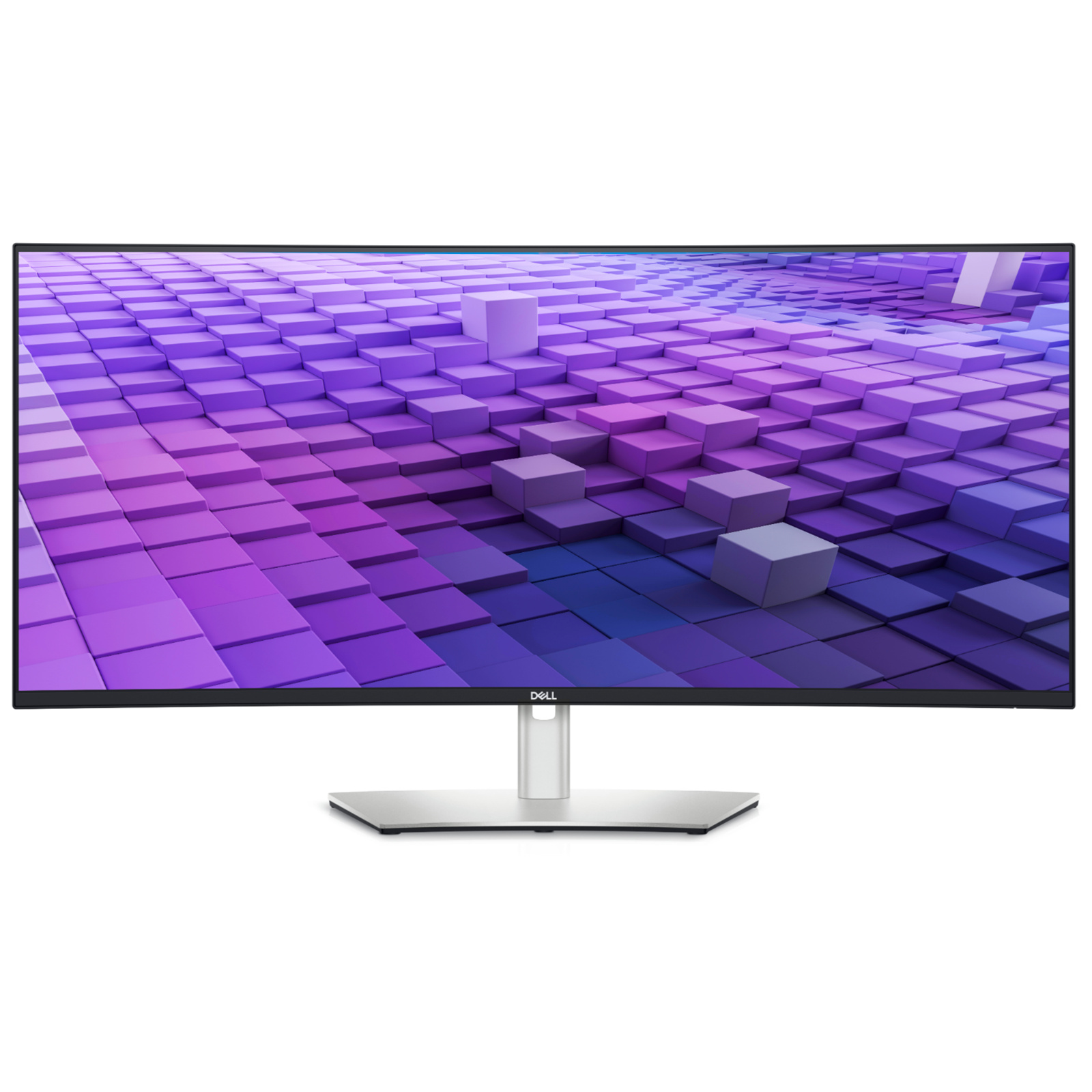
Dell U2723QE UltraSharp 27in 4K USB-C Hub IPS Monitor
The stand of this monitor allows very flexible adjustment options: Adjust the height of the monitor, tilt it down and up, swivel it left or right, or rotate it 90° to portrait mode (pivot). The perfect monitor orientation for any sitting position or activity is just a flick of the wrist away. You'll be doing your eyes a favor with this monitor. The Flicker-Free technology prevents annoying screen flickering, which has a tiring effect on the eyes over time. Not only unpleasant, but even harmful is short-wave blue light, which has a similar effect on the retina as UV radiation. This Dell monitor features ComfortView technology, which filters out this light component. Save yourself from uncomfortable contortions: This monitor has an integrated USB hub. This means that suitable connection options for your peripherals and storage media are just a flick of the wrist away. This monitor features an IPS (in-plane switching) panel. IPS technology combines two major advantages. First, it delivers a very wide viewing angle, so even multiple viewers can see content at the same time with ease. Secondly, IPS technology ensures high color fidelity. Thus, this monitor is also suitable for more color-sensitive applications like image editing.
The stand of this monitor allows very flexible adjustment options: Adjust the height of the monitor, tilt it down and up, swivel it left or right, or rotate it 90° to portrait mode (pivot). The perfect monitor orientation for any sitting position or activity is just a flick of the wrist away. You'll be doing your eyes a favor with this monitor. The Flicker-Free technology prevents annoying screen flickering, which has a tiring effect on the eyes over time. Not only unpleasant, but even harmful is short-wave blue light, which has a similar effect on the retina as UV radiation. This Dell monitor features ComfortView technology, which filters out this light component. Save yourself from uncomfortable contortions: This monitor has an integrated USB hub. This means that suitable connection options for your peripherals and storage media are just a flick of the wrist away. This monitor features an IPS (in-plane switching) panel. IPS technology combines two major advantages. First, it delivers a very wide viewing angle, so even multiple viewers can see content at the same time with ease. Secondly, IPS technology ensures high color fidelity. Thus, this monitor is also suitable for more color-sensitive applications like image editing.
The stand of this monitor allows very flexible adjustment options: Adjust the height of the monitor, tilt it down and up, swivel it left or right, or rotate it 90° to portrait mode (pivot). The perfect monitor orientation for any sitting position or activity is just a flick of the wrist away. You'll be doing your eyes a favor with this monitor. The Flicker-Free technology prevents annoying screen flickering, which has a tiring effect on the eyes over time. Not only unpleasant, but even harmful is short-wave blue light, which has a similar effect on the retina as UV radiation. This Dell monitor features ComfortView technology, which filters out this light component. Save yourself from uncomfortable contortions: This monitor has an integrated USB hub. This means that suitable connection options for your peripherals and storage media are just a flick of the wrist away. This monitor features an IPS (in-plane switching) panel. IPS technology combines two major advantages. First, it delivers a very wide viewing angle, so even multiple viewers can see content at the same time with ease. Secondly, IPS technology ensures high color fidelity. Thus, this monitor is also suitable for more color-sensitive applications like image editing.
The stand of this monitor allows very flexible adjustment options: Adjust the height of the monitor, tilt it down and up, swivel it left or right, or rotate it 90° to portrait mode (pivot). The perfect monitor orientation for any sitting position or activity is just a flick of the wrist away. You'll be doing your eyes a favor with this monitor. The Flicker-Free technology prevents annoying screen flickering, which has a tiring effect on the eyes over time. Not only unpleasant, but even harmful is short-wave blue light, which has a similar effect on the retina as UV radiation. This Dell monitor features ComfortView technology, which filters out this light component. Save yourself from uncomfortable contortions: This monitor has an integrated USB hub. This means that suitable connection options for your peripherals and storage media are just a flick of the wrist away. This monitor features an IPS (in-plane switching) panel. IPS technology combines two major advantages. First, it delivers a very wide viewing angle, so even multiple viewers can see content at the same time with ease. Secondly, IPS technology ensures high color fidelity. Thus, this monitor is also suitable for more color-sensitive applications like image editing.
in 8 offers
The lowest price for Dell U2723QE UltraSharp 27in 4K USB-C Hub IPS Monitor right now is $649.00 at PCByte AU, compared across 7 retailers.
The all-time low was $15.00 on 24 May 2026 — today's price is 4227% above the lowest ever. It has been notably cheaper before — worth setting a price alert.
Prices last updated 6 Sept 2026.
Last updated at 06/09/2026 17:46:25
Dell UltraSharp 27in 4K UHD IPS USB-C Hub Monitor (U2723QE)
Dell UltraSharp 27in 4K UHD IPS USB-C Hub Monitor (U2723QE)
30-day returns
Dell UltraSharp 27in 4K UHD IPS USB-C Hub Monitor (U2723QE)
30-day returns
Dell UltraSharp U2723QE 27" 4K IPS Business Monitor (90W USB-C + Hub)
Free delivery between 9–16 Sept
Dell UltraSharp 27" 4K USB-C Hub IPS Monitor | HDMI, DP, Tilt, Swivel, Pivot
Delivery between 9–14 Sept $26.05
Dell UltraSharp U2723QE - LED Monitor - 27-3840 x 2160 4K : U2723QE (Monitors > Monitors)
Delivery between 11–15 Sept $35.88
Dell UltraSharp U2723QE 27-Inch 4K UHD LED LCD Monitor - IPS Technology, KVM Switch | 7stores
Free delivery between Tue – Sat
originally posted on dell.com
I purchased the Dell UltraSharp 27 4K USB-C Hub Monitor after hours of reviewing specifications and reviews of other monitors. It has proven to have been a good decision, as the built-in hub works well to link all of the devices that I would have had to connect with an external dock and does so more elegantly than would be possible with and external dock. The quality of image with this monitor is superb: it provides clear and sharp text and impressive detail in video. I find that my eyes really do not tire after extended use: this is remarkable and is a first in my experience, unlike that of any other of the many monitors that I have used previously. I like the simplicity of the onboard display controls and learned to use them comfortably within a couple of days of ... MoreI purchased the Dell UltraSharp 27 4K USB-C Hub Monitor after hours of reviewing specifications and reviews of other monitors. It has proven to have been a good decision, as the built-in hub works well to link all of the devices that I would have had to connect with an external dock and does so more elegantly than would be possible with and external dock. The quality of image with this monitor is superb: it provides clear and sharp text and impressive detail in video. I find that my eyes really do not tire after extended use: this is remarkable and is a first in my experience, unlike that of any other of the many monitors that I have used previously. I like the simplicity of the onboard display controls and learned to use them comfortably within a couple of days of setting up the monitor. If I were to have just two wishes to improve the utility of the monitor, they would be having some sort of a legend to the ports that could be flipped down from the bottom of the monitor case to identify the position and type of ports of the hub, and, a standard adjustable screw mount at the top of the monitor to affix a webcam. The webcam mount is needed because the upper bezel of the monitor is too thin for clamping a standard webcam without partly obscuring the screen and the back of the monitor case is beveled which is unlikely to provide stable clamping of a webcam. Time from unboxing to using the monitor was minimal as the package and instruction was well designed.I like the Dell UltraSharp 27 4K USB-C Hub Monitor - U2723QE more each day I use it!
originally posted on dell.com
This has become my main monitor I use at work and I have not been disappointed with it at all. Image quality is great, build quality seems sturdy and built to last, like most all Dell monitors I've had in the past.The KVM has been a fun addition for when I am working with another PC, it has eliminated my need to have a secondary station setup for PC configs and troubleshooting. Having a single 4K monitor along side 2 1080 monitors can be a little awkward at times with the resolution difference but not enough to outweigh the benefits of moving to 4K UHD. Being able to use 1 monitor as basically 4 could eliminate the need for extra monitors for some people. I don't think a 27' monitor will be able to do that for most people, as you would probably need something more ... MoreThis has become my main monitor I use at work and I have not been disappointed with it at all. Image quality is great, build quality seems sturdy and built to last, like most all Dell monitors I've had in the past.The KVM has been a fun addition for when I am working with another PC, it has eliminated my need to have a secondary station setup for PC configs and troubleshooting. Having a single 4K monitor along side 2 1080 monitors can be a little awkward at times with the resolution difference but not enough to outweigh the benefits of moving to 4K UHD. Being able to use 1 monitor as basically 4 could eliminate the need for extra monitors for some people. I don't think a 27' monitor will be able to do that for most people, as you would probably need something more like 32', but this will at the very least function as 2 monitors if you are fine working with apps in split screen.I unfortunately don't have a second one so I can't really attest to how well the daisy chaining feature works. I could see it being very useful for someone in a situation where they need multiple monitors but only have a single video port on say a laptop, and want to avoid buying usb adapters or a docking station.Overall if you're looking for a 4K UHD monitor with some extra bells and whistles this will be a great addition to any home or office setup.
originally posted on dell.com
Pros:1. Excellent colour calibration.2. Great build quality.3. Very flexible with tilt, swivel, pivot and height adjustment options.4. Wide range of connectivity options and the KVM feature.Cons:1. KVM - the feature for which I chose this particular monitor - is the very one I am having trouble with due to Dell's "Power Button Sync (PBS)" feature. I have two laptops (one is Dell XPS), and I wanted to use this monitor simultaneously with both of them using the KVM feature. But if you connect the monitor to a compatible Dell laptop/desktop PC through the USB-C Charging port, the monitor's power button and the laptop's power button will automatically sync! That means, if you turn off your PC, the monitor will also turn off automatically, and vice-versa! The ... MorePros:1. Excellent colour calibration.2. Great build quality.3. Very flexible with tilt, swivel, pivot and height adjustment options.4. Wide range of connectivity options and the KVM feature.Cons:1. KVM - the feature for which I chose this particular monitor - is the very one I am having trouble with due to Dell's "Power Button Sync (PBS)" feature. I have two laptops (one is Dell XPS), and I wanted to use this monitor simultaneously with both of them using the KVM feature. But if you connect the monitor to a compatible Dell laptop/desktop PC through the USB-C Charging port, the monitor's power button and the laptop's power button will automatically sync! That means, if you turn off your PC, the monitor will also turn off automatically, and vice-versa! The monitor will go black even when the Dell PC goes to sleep! Seems cool until you want to use two PCs together with this monitor! No matter whether your other PC is turned on/off or in sleep, the monitor will turn off/standby at the instant your Dell PC turns off/sleeps. That means your Dell PC will have to be always ON and non-sleeping if you want to use the other PC! And this PBS feature is not an "option", you can NOT turn it off anywhere. The only practical solution is disconnecting your Dell pc from the monitor every time, which is pretty annoying and hampers the benefits of KVM. Another workaround is to avoid connecting your Dell PC through the USB-C Charging port at all. But then Windows will notify you every time that "the display connection might be limited". In other words, you have to give up the luxury of using only one USB-C cable to connect (and charge) your Dell laptop through the USB-C charging port. At the least, there should have been an option to turn this PBS thing off! Moreover, they do not advertise the PBS feature on the monitor's website, so people may make the same mistake like me not knowing about it.2. No built-in speaker. There is an audio line-out port, but alas, it doesn't support headphones!3. The USB-C charging output is a max of 90W. So if you have an XPS like me with a 130W charging adapter, the laptop will show a warning every time that "a slow charger is connected". It might be bad for your battery's health.4. All the ports on the back of the monitor are down-faced. It makes it very hard and inconvenient to connect/disconnect the cables.5. The hole on the stand for cable management is not very well-placed. It's a bit higher, so adjusting the monitor's height to the lowest possible point is risky because the cable heads become cambered and may break.6. HDR experience is slightly above average at best. Expected more at this price range.
| Display | |
| RGB colour space | sRGB |
| Screen shape | Flat |
| Backlight type | LED |
| Pixel density | 163.18 ppi |
Dell UltraSharp 27in 4K UHD IPS USB-C Hub Monitor (U2723QE)
Dell UltraSharp 27in 4K UHD IPS USB-C Hub Monitor (U2723QE)
30-day returns
Dell UltraSharp 27in 4K UHD IPS USB-C Hub Monitor (U2723QE)
30-day returns
Dell UltraSharp U2723QE 27" 4K IPS Business Monitor (90W USB-C + Hub)
Free delivery between 9–16 Sept
Dell UltraSharp 27" 4K USB-C Hub IPS Monitor | HDMI, DP, Tilt, Swivel, Pivot
Delivery between 9–14 Sept $26.05
I purchased the Dell UltraSharp 27 4K USB-C Hub Monitor after hours of reviewing specifications and reviews of other monitors. It has proven to have been a good decision, as the built-in hub works well to link all of the devices that I would have had to connect with an external dock and does so more elegantly than would be possible with and external dock. The quality of image with this monitor is superb: it provides clear and sharp text and impressive detail in video. I find that my eyes really do not tire after extended use: this is remarkable and is a first in my experience, unlike that of any other of the many monitors that I have used previously. I like the simplicity of the onboard display controls and learned to use them comfortably within a couple of days of ... MoreI purchased the Dell UltraSharp 27 4K USB-C Hub Monitor after hours of reviewing specifications and reviews of other monitors. It has proven to have been a good decision, as the built-in hub works well to link all of the devices that I would have had to connect with an external dock and does so more elegantly than would be possible with and external dock. The quality of image with this monitor is superb: it provides clear and sharp text and impressive detail in video. I find that my eyes really do not tire after extended use: this is remarkable and is a first in my experience, unlike that of any other of the many monitors that I have used previously. I like the simplicity of the onboard display controls and learned to use them comfortably within a couple of days of setting up the monitor. If I were to have just two wishes to improve the utility of the monitor, they would be having some sort of a legend to the ports that could be flipped down from the bottom of the monitor case to identify the position and type of ports of the hub, and, a standard adjustable screw mount at the top of the monitor to affix a webcam. The webcam mount is needed because the upper bezel of the monitor is too thin for clamping a standard webcam without partly obscuring the screen and the back of the monitor case is beveled which is unlikely to provide stable clamping of a webcam. Time from unboxing to using the monitor was minimal as the package and instruction was well designed.I like the Dell UltraSharp 27 4K USB-C Hub Monitor - U2723QE more each day I use it!
This has become my main monitor I use at work and I have not been disappointed with it at all. Image quality is great, build quality seems sturdy and built to last, like most all Dell monitors I've had in the past.The KVM has been a fun addition for when I am working with another PC, it has eliminated my need to have a secondary station setup for PC configs and troubleshooting. Having a single 4K monitor along side 2 1080 monitors can be a little awkward at times with the resolution difference but not enough to outweigh the benefits of moving to 4K UHD. Being able to use 1 monitor as basically 4 could eliminate the need for extra monitors for some people. I don't think a 27' monitor will be able to do that for most people, as you would probably need something more ... MoreThis has become my main monitor I use at work and I have not been disappointed with it at all. Image quality is great, build quality seems sturdy and built to last, like most all Dell monitors I've had in the past.The KVM has been a fun addition for when I am working with another PC, it has eliminated my need to have a secondary station setup for PC configs and troubleshooting. Having a single 4K monitor along side 2 1080 monitors can be a little awkward at times with the resolution difference but not enough to outweigh the benefits of moving to 4K UHD. Being able to use 1 monitor as basically 4 could eliminate the need for extra monitors for some people. I don't think a 27' monitor will be able to do that for most people, as you would probably need something more like 32', but this will at the very least function as 2 monitors if you are fine working with apps in split screen.I unfortunately don't have a second one so I can't really attest to how well the daisy chaining feature works. I could see it being very useful for someone in a situation where they need multiple monitors but only have a single video port on say a laptop, and want to avoid buying usb adapters or a docking station.Overall if you're looking for a 4K UHD monitor with some extra bells and whistles this will be a great addition to any home or office setup.
Pros:1. Excellent colour calibration.2. Great build quality.3. Very flexible with tilt, swivel, pivot and height adjustment options.4. Wide range of connectivity options and the KVM feature.Cons:1. KVM - the feature for which I chose this particular monitor - is the very one I am having trouble with due to Dell's "Power Button Sync (PBS)" feature. I have two laptops (one is Dell XPS), and I wanted to use this monitor simultaneously with both of them using the KVM feature. But if you connect the monitor to a compatible Dell laptop/desktop PC through the USB-C Charging port, the monitor's power button and the laptop's power button will automatically sync! That means, if you turn off your PC, the monitor will also turn off automatically, and vice-versa! The ... MorePros:1. Excellent colour calibration.2. Great build quality.3. Very flexible with tilt, swivel, pivot and height adjustment options.4. Wide range of connectivity options and the KVM feature.Cons:1. KVM - the feature for which I chose this particular monitor - is the very one I am having trouble with due to Dell's "Power Button Sync (PBS)" feature. I have two laptops (one is Dell XPS), and I wanted to use this monitor simultaneously with both of them using the KVM feature. But if you connect the monitor to a compatible Dell laptop/desktop PC through the USB-C Charging port, the monitor's power button and the laptop's power button will automatically sync! That means, if you turn off your PC, the monitor will also turn off automatically, and vice-versa! The monitor will go black even when the Dell PC goes to sleep! Seems cool until you want to use two PCs together with this monitor! No matter whether your other PC is turned on/off or in sleep, the monitor will turn off/standby at the instant your Dell PC turns off/sleeps. That means your Dell PC will have to be always ON and non-sleeping if you want to use the other PC! And this PBS feature is not an "option", you can NOT turn it off anywhere. The only practical solution is disconnecting your Dell pc from the monitor every time, which is pretty annoying and hampers the benefits of KVM. Another workaround is to avoid connecting your Dell PC through the USB-C Charging port at all. But then Windows will notify you every time that "the display connection might be limited". In other words, you have to give up the luxury of using only one USB-C cable to connect (and charge) your Dell laptop through the USB-C charging port. At the least, there should have been an option to turn this PBS thing off! Moreover, they do not advertise the PBS feature on the monitor's website, so people may make the same mistake like me not knowing about it.2. No built-in speaker. There is an audio line-out port, but alas, it doesn't support headphones!3. The USB-C charging output is a max of 90W. So if you have an XPS like me with a 130W charging adapter, the laptop will show a warning every time that "a slow charger is connected". It might be bad for your battery's health.4. All the ports on the back of the monitor are down-faced. It makes it very hard and inconvenient to connect/disconnect the cables.5. The hole on the stand for cable management is not very well-placed. It's a bit higher, so adjusting the monitor's height to the lowest possible point is risky because the cable heads become cambered and may break.6. HDR experience is slightly above average at best. Expected more at this price range.
I was looking for a 4K monitor with reasonably wide gamut and good colour accuracy at an affordable price for amateur photography work. This monitor goes further than that in providing a hub for my Dell XPS 15 laptop and external disks, allowing me to ditch my old TB16 dock, thereby simplifying my setup and clearing a bit of space on my desk. In fact, after researching the available 4K monitors, that turned out to be the deciding factor for me.I verified the gamut and colour accuracy using an X-Rite ColorMunki Display colorimeter with DisplayCAL/Argyll CMS software using the most thorough calibration and test available. The IPS Black technology shows through in the improved dynamic range achieved. While there are monitors offering a wider gamut, they come with a ... MoreI was looking for a 4K monitor with reasonably wide gamut and good colour accuracy at an affordable price for amateur photography work. This monitor goes further than that in providing a hub for my Dell XPS 15 laptop and external disks, allowing me to ditch my old TB16 dock, thereby simplifying my setup and clearing a bit of space on my desk. In fact, after researching the available 4K monitors, that turned out to be the deciding factor for me.I verified the gamut and colour accuracy using an X-Rite ColorMunki Display colorimeter with DisplayCAL/Argyll CMS software using the most thorough calibration and test available. The IPS Black technology shows through in the improved dynamic range achieved. While there are monitors offering a wider gamut, they come with a considerable step up in price.I've been using the U2723QE for a month now and am pleased with it in all respects - a step-up from my old Dell U2410, which was still serviceable after 10 years. Scorptec offered the most competitive price together with the option to pick up, which saved a bit more on P&H and time-to-deliver. In fact, they had it in stock and I picked it up the next day for a hassle-free purchase.
As described, this is exactly what I need. I have two of them. One is my primary monitor and docking station for my Latitude 5520. This is ideal for minimizing wires and easing the movement of the laptop from briefcase to desktop. The laptop power cord stays in my briefcase. On my desktop the laptop has a single usb-c connection to my monitor. The monitor stand is highly adjustable and I love knowing the worst part of the blue spectrum is filtered out. My second monitor is used not only as a secondary monitor for my laptop, but it's also a secondary monitor for my iMac. I haven't gotten this working yet, purely due to not having the time to work on it, but in theory it should work great. One monitor plays the part of two monitors. However, I must warn users that I ... MoreAs described, this is exactly what I need. I have two of them. One is my primary monitor and docking station for my Latitude 5520. This is ideal for minimizing wires and easing the movement of the laptop from briefcase to desktop. The laptop power cord stays in my briefcase. On my desktop the laptop has a single usb-c connection to my monitor. The monitor stand is highly adjustable and I love knowing the worst part of the blue spectrum is filtered out. My second monitor is used not only as a secondary monitor for my laptop, but it's also a secondary monitor for my iMac. I haven't gotten this working yet, purely due to not having the time to work on it, but in theory it should work great. One monitor plays the part of two monitors. However, I must warn users that I am currently working with Dell support because the primary monitor does not go into standby mode when the laptop goes to sleep. This appears to be related to my setup, which I expect would be pretty common. When the laptop is kept closed, as mine is, and the laptop is put to sleep by using the monitor to select Start -> Power -> Sleep, the monitor should then go into Standby mode but it doesn't. Its screen goes blank except that it continues to emit a faint white glow and the LED in the lower right never starts blinking. At night this glow is perceivable from the adjacent room, which is how I realized the monitor was never going into Standby mode. When I purchased the first monitor I didn't buy premium support and when I reported this problem I got nowhere. I decided I needed a second monitor so I purchased the second one with premium support. I reported the problem again and quickly got escalated to tier 3. So, Dell is looking into the problem. If they could solve this Standby problem, I would give this monitor 5 stars.
Great monitor for photo editing with tonnes of features. While the gamut isn’t quite as wide as my existing PremiereColor 24”, it has much deeper blacks and far more contrast than any IPS monitor I’ve seen. Colours were extremely accurate out of the box and while calibration is still a wise idea, the adjustments were pretty subtle. Naturally the 4K picture is extraordinarily sharp and makes editing high resolution photos much easier with less zooming in and out than on a 1920x1200 screen.Feature wise it’s incredibly well equipped - with my mouse, keyboard and wacom tablet hooked up to it I can seamlessly switch from my workstation (via Displayport) and my laptop (via USB-C) at the press of a button. Powers the laptop and provides display, input and ethernet with a ... MoreGreat monitor for photo editing with tonnes of features. While the gamut isn’t quite as wide as my existing PremiereColor 24”, it has much deeper blacks and far more contrast than any IPS monitor I’ve seen. Colours were extremely accurate out of the box and while calibration is still a wise idea, the adjustments were pretty subtle. Naturally the 4K picture is extraordinarily sharp and makes editing high resolution photos much easier with less zooming in and out than on a 1920x1200 screen.Feature wise it’s incredibly well equipped - with my mouse, keyboard and wacom tablet hooked up to it I can seamlessly switch from my workstation (via Displayport) and my laptop (via USB-C) at the press of a button. Powers the laptop and provides display, input and ethernet with a single wire saving my from having to haul out a bunch of equipment to hook it up like normal!Could use a longer set of USB-C cables to match the supplied 6’ Displayport cable, especially given the demanding requirements of this monitor (hard to find a cable rated for both 10Gb/s support and 90w PD) but that’s nitpicking as most vendors don’t include any wires. Have been using Dell monitors for nearly two decades now and they’ve never let me down, and so far this unit appears to be carrying on that tradition.
I bought three of these monitors (based solely on various reviews on the net) for my desk. I'm in information technology, and commonly have three monitors full of lots of windows connected to various Linux servers. Text gets small when you have that many open. I needed to replace the cheap, fuzzy monitors with something that I could actually SEE.These monitors are astoundingly clear and sharp. UltraSharp is an accurate moniker, and well deserved for these. My eye strain from sitting in front of cheap, fuzzy monitors seems to have disappeared.Pros: Everything in the reviews about goodness is really true. Packaging was more than adequate to prevent transit damage. Instructions are clear, easy to follow, and have so many configuration choices that yours will likely ... MoreI bought three of these monitors (based solely on various reviews on the net) for my desk. I'm in information technology, and commonly have three monitors full of lots of windows connected to various Linux servers. Text gets small when you have that many open. I needed to replace the cheap, fuzzy monitors with something that I could actually SEE.These monitors are astoundingly clear and sharp. UltraSharp is an accurate moniker, and well deserved for these. My eye strain from sitting in front of cheap, fuzzy monitors seems to have disappeared.Pros: Everything in the reviews about goodness is really true. Packaging was more than adequate to prevent transit damage. Instructions are clear, easy to follow, and have so many configuration choices that yours will likely be detailed there. These have so many optional features that I'll likely have to learn to use them (Laughing: Learn to use a computer monitor!!). For now, I'm only using the basics, and it is worth the purchase just for that.Dell received my order, shipped the same day, and I had them the next afternoon. Didn't even ask for that kind of handling.Cons: I had to go get a little piece of adhesive velcro to keep the monitors aligned on a non-Dell stand. Not their fault. I have an 18 lb. cat who sleeps under the monitors and bumps them.Honestly, I cannot find anything to be picky about with these monitors. They are a perfect fit for long hours of staring at them.
Nice Monitor With Lots of Potential, but execution is lacking. The 4K display itself is phenomenal. Nothing to complain about here. Deep blacks and vivid, but not in-your-face vivid colors along with a great framerate make this a formidable 27" monitor for home, business, and light gaming. The monitor's control is a single push-button menu stick device. It wasn't terribly difficult to navigate through all of the setup menus. The USB-C hub performed well under several different platforms, but getting all of your USB and network devices plugged into the hub proved to be quite a headache as they were all downfacing instead of rear facing.This was also challenging with the monitor's main inputs. The ports face down and they are so close to the case that you need some ... MoreNice Monitor With Lots of Potential, but execution is lacking. The 4K display itself is phenomenal. Nothing to complain about here. Deep blacks and vivid, but not in-your-face vivid colors along with a great framerate make this a formidable 27" monitor for home, business, and light gaming. The monitor's control is a single push-button menu stick device. It wasn't terribly difficult to navigate through all of the setup menus. The USB-C hub performed well under several different platforms, but getting all of your USB and network devices plugged into the hub proved to be quite a headache as they were all downfacing instead of rear facing.This was also challenging with the monitor's main inputs. The ports face down and they are so close to the case that you need some pretty narrow cables to connect to them. I would consider this to be a set it and forget it type of monitor. I would not have purchased this if I planned on moving it on a regular basis due to these issues alone. If your main interest is the quality of the screen, then go for it. Just be prepared for some potential issues with your video and USB cabling, especially if your cabling has embedded adapters in it.
This is a great monitor. It provides a very good image and is easy to setup with the USB C hub system. The hub system significantly reduces the number of wires going into your laptop. This makes plugging and unplugging very easy when you're on the go. I purchased two of these monitors and had two existing Dell monitor arms that I am using to stand these up. Very easy to install and use with the press and release system. I use these monitors for work and personal. For work, I have a company issued Dell laptop and I love how I can daisy chain the two monitors by only plugging in one USB C into the computer. My personal computer is a Mac and I cannot experience the same benefits of daisy chaining through one USB C. Unfortunately, to get dual screens with my Mac I have ... MoreThis is a great monitor. It provides a very good image and is easy to setup with the USB C hub system. The hub system significantly reduces the number of wires going into your laptop. This makes plugging and unplugging very easy when you're on the go. I purchased two of these monitors and had two existing Dell monitor arms that I am using to stand these up. Very easy to install and use with the press and release system. I use these monitors for work and personal. For work, I have a company issued Dell laptop and I love how I can daisy chain the two monitors by only plugging in one USB C into the computer. My personal computer is a Mac and I cannot experience the same benefits of daisy chaining through one USB C. Unfortunately, to get dual screens with my Mac I have to have two USB C wires going into my Mac. This is the only way I can utilize both screens to increase my personal productivity. In the grand scheme of things, not a big issue but I would like to see a solution that accommodates both Mac and PC users. I know it can be difficult with intellectual property restrictions, however, having the ability to plug in only one USB C for both my computers would be ideal. That being said, I know many users usually only purchase one monitor so this is not a problem for them at all. In fact, often, I find myself using just one monitor with my Mac. Though, for tasks that require me to toggle between multiple windows and apps, having two monitors enhances productivity. For this, I must have two USB C wires going into my Mac.
I bought this display to replace my aging setup of 2 x Dell 21” Monitors and Dell Hub. I wanted to reduce the clutter on my desktop and be able to fit more of my spreadsheets and drawings on a single larger screen. This monitor delivers all I needed and more.As a hub it has all the ports I need including a have RJ45 ethernet connector. The USB C port supports 90W charging and alternate mode, DP 1.4 So I get full resolution video and all the speed I need for my USB drives. I might add another monitor later so the downstream DP port is a nice to have.The display lives up to its 4K resolution with great detail over the full range of color and brightness. The colors just pop, better contrast than I expected with nice deep blacks.Setup using the rear Joystick to ... MoreI bought this display to replace my aging setup of 2 x Dell 21” Monitors and Dell Hub. I wanted to reduce the clutter on my desktop and be able to fit more of my spreadsheets and drawings on a single larger screen. This monitor delivers all I needed and more.As a hub it has all the ports I need including a have RJ45 ethernet connector. The USB C port supports 90W charging and alternate mode, DP 1.4 So I get full resolution video and all the speed I need for my USB drives. I might add another monitor later so the downstream DP port is a nice to have.The display lives up to its 4K resolution with great detail over the full range of color and brightness. The colors just pop, better contrast than I expected with nice deep blacks.Setup using the rear Joystick to access the OSD is both easy to get to and simple to navigate. Attaching it to my new XPS 13 9315 was just plug and play.Desktop clutter is down. I went from 4 power connections (Laptop, Hub and 2 Monitors) to one and the stand has a nice built-in cable channel to keep everything neat and tidy.The monitor vertical adjustment range (just about 6”) is more than adequate and the tilt range covers all I need.The manual says the audio out does not support headphones (I assume this means low impedance headphone) my high impedance headphones work.Some negatives, it is a bit pricy and the down facing ports are a bit awkward to work with, but overall, this is a nice display, it works, looks and feels like a high-quality piece of equipment and I am very happy with my purchase.
| Display | |
| RGB colour space | sRGB |
| Screen shape | Flat |
| Backlight type | LED |
| Pixel density | 163.18 ppi |