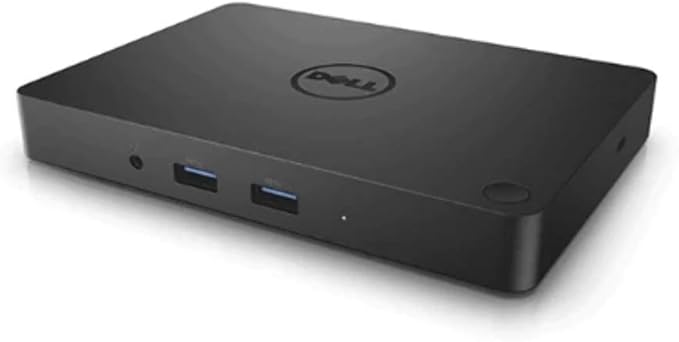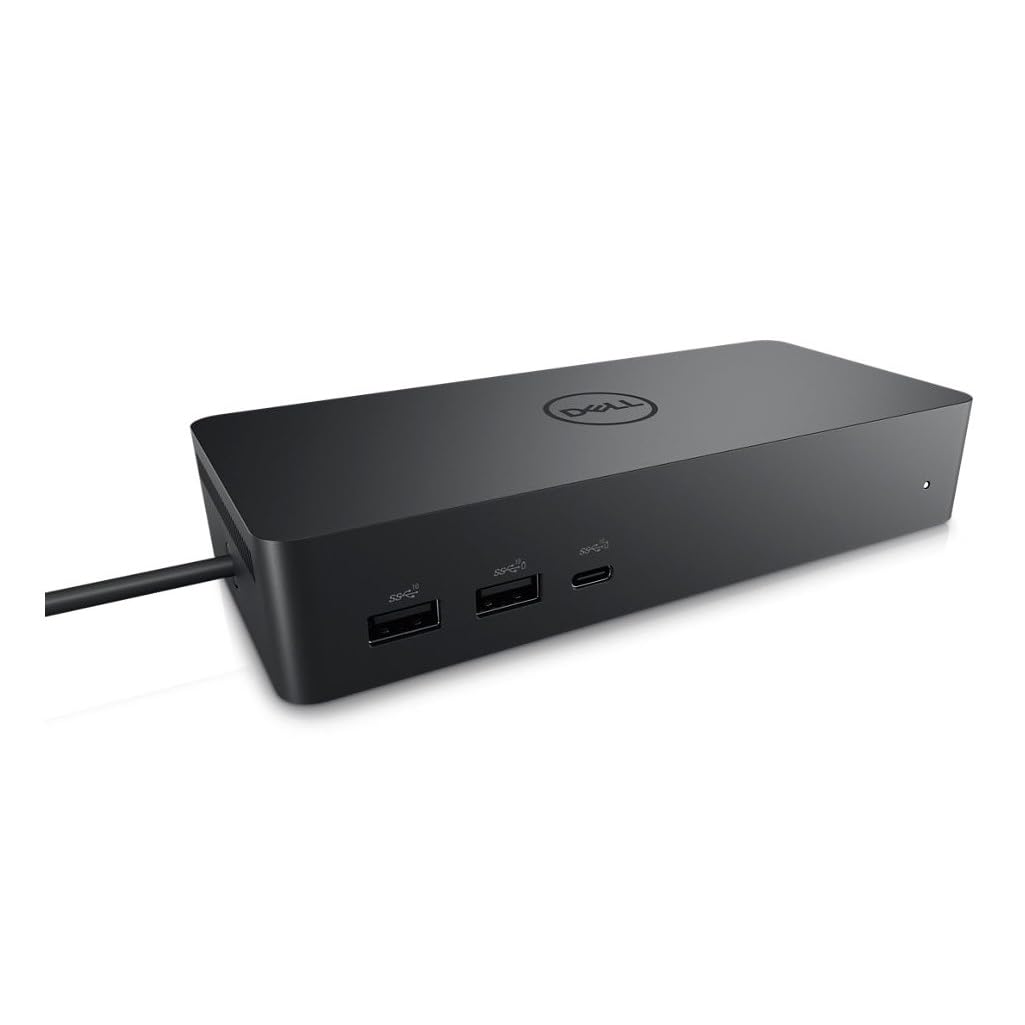
Dell UD22 Universal USB-C Docking Station
The Dell Universal Dock is a highly versatile and efficient docking station designed to streamline your work setup. With its USB-C interface it provides seamless connectivity for your devices including HDMI two DisplayPort and USB-C video interfaces ensuring excellent display options. Its Gigabit Ethernet allows for stable and fast networking connections. Moreover it delivers an impressive 96 Watts of power making it capable of charging even power-hungry devices. The dock is equipped with essential security features such as a lock slot wake on LAN and MAC address pass-through.
The Dell Universal Dock is a highly versatile and efficient docking station designed to streamline your work setup. With its USB-C interface it provides seamless connectivity for your devices including HDMI two DisplayPort and USB-C video interfaces ensuring excellent display options. Its Gigabit Ethernet allows for stable and fast networking connections. Moreover it delivers an impressive 96 Watts of power making it capable of charging even power-hungry devices. The dock is equipped with essential security features such as a lock slot wake on LAN and MAC address pass-through.
The Dell Universal Dock is a highly versatile and efficient docking station designed to streamline your work setup. With its USB-C interface it provides seamless connectivity for your devices including HDMI two DisplayPort and USB-C video interfaces ensuring excellent display options. Its Gigabit Ethernet allows for stable and fast networking connections. Moreover it delivers an impressive 96 Watts of power making it capable of charging even power-hungry devices. The dock is equipped with essential security features such as a lock slot wake on LAN and MAC address pass-through.
The Dell Universal Dock is a highly versatile and efficient docking station designed to streamline your work setup. With its USB-C interface it provides seamless connectivity for your devices including HDMI two DisplayPort and USB-C video interfaces ensuring excellent display options. Its Gigabit Ethernet allows for stable and fast networking connections. Moreover it delivers an impressive 96 Watts of power making it capable of charging even power-hungry devices. The dock is equipped with essential security features such as a lock slot wake on LAN and MAC address pass-through.
in 8 offers
The lowest price for Dell UD22 Universal USB-C Docking Station right now is $108.00 at eBay.com.au, compared across 7 retailers.
The all-time low was $85.00 on 22 June 2026 — today's price is 27% above the lowest ever. It has been notably cheaper before — worth setting a price alert.
Prices last updated 14 Oct 2026.
Last updated at 14/10/2026 01:55:55
Dell UD22 96W USB-C Universal Docking Station, Black
Free delivery
Affiliate Disclosure: We may receive a small commission for purchases made through this link at no extra cost to you. This helps support our site. Thank you!
Dell UD22 USB-C Docking Station Dual 4K DisplayPort/HDMI With Power Supply
Affiliate Disclosure: We may receive a small commission for purchases made through this link at no extra cost to you. This helps support our site. Thank you!
Dell USB-C Universal Dock UD22 With PSU - Black
Free delivery between Wed – Fri
Genuine Dell USB-C Universal Dock UD22 130W HDMI 4K Ethernet | Used Dell Docking Stations
Free delivery between 16–22 Oct
Dell 210-BFCG, UD22 USB-C Universal Dock, Dual 4K, 1xHDMI, 2xDP, 6xUSB port, 1xRJ-45, Black, 3 Year Warranty
Delivery $28
Dell Universal Dock UD22, USB-C Docking Station With 130W Power Adapter, 96W Power Delivery, 10 Ports, HDMI, DisplayPort, Dual Monitor Support, Black
Delivery $28.60
DELL UD22 USB-C Universal Dock - USB-C (2), USB (4), HDMI, DP (2), LAN, 130W (Replaces 452-BDSX)
Free delivery between 21–28 Oct
originally posted on pbtech.co.nz
Firstly my own fault for not checking, but this may also catch others out... There is no audio output plug! I'm now having to get clever about hooking up my speakers with a headphone jack.I purchased this as an upgrade to my existing Dell Docking station which only has one DP output, and my new monitor gives a poor picture through HDMINext, I couldn't update the firmware. Dell was no help on the issue, and when I finally got through the usual maze of gateway blockers, they just told me to take it back to PB for a replacement. I seriously doubt the hardware is the problem.After deciding not to bother with the firmware update, I can only get one monitor working. The whole point was to have multiple DP options, so this is infuriating.Not sure what I'm going to ... MoreFirstly my own fault for not checking, but this may also catch others out... There is no audio output plug! I'm now having to get clever about hooking up my speakers with a headphone jack.I purchased this as an upgrade to my existing Dell Docking station which only has one DP output, and my new monitor gives a poor picture through HDMINext, I couldn't update the firmware. Dell was no help on the issue, and when I finally got through the usual maze of gateway blockers, they just told me to take it back to PB for a replacement. I seriously doubt the hardware is the problem.After deciding not to bother with the firmware update, I can only get one monitor working. The whole point was to have multiple DP options, so this is infuriating.Not sure what I'm going to do next!
originally posted on dell.com
This dock is amazing. It has four usb type A ports, two type C ports and one HDMI and two displayports. It also has a built in ethernet. It passes power across the type C to the laptop. I can plug in my laptop using one cable and have a fullsized keyboard mouse and two displays at my fingertips in seconds. I stopped using a desktop and started using a laptop since it's so easy to connect and disconnect. I've had a couple docks in my time, but so far for stability of image and speed of use, this one has been the best.
originally posted on dell.com
My home set up contains two Dell U2722DE Monitors, a home laptop (Microsoft Surface Laptop 5), a work laptop (Dell Latitude 5400) and a Dell desktop pc (Optiplex 7000 micro form factor desktop pc with an added USB C DP). To connect all of these to my monitors I had daisy chained the monitors using a display port cable and the used one of the monitors powered USB C display port, which I plugged into USB C port of each pc when I was using it. The monitors powered the laptops (but not the Optiplex), but shifting these around was a pain. I did have an excellent dock but this only worked with the Surface laptop. I needed a dock that would work with all of these computers, so I decided to buy this Dell UD22 dock. Upon opening the dock, you need to update the firmware and ... MoreMy home set up contains two Dell U2722DE Monitors, a home laptop (Microsoft Surface Laptop 5), a work laptop (Dell Latitude 5400) and a Dell desktop pc (Optiplex 7000 micro form factor desktop pc with an added USB C DP). To connect all of these to my monitors I had daisy chained the monitors using a display port cable and the used one of the monitors powered USB C display port, which I plugged into USB C port of each pc when I was using it. The monitors powered the laptops (but not the Optiplex), but shifting these around was a pain. I did have an excellent dock but this only worked with the Surface laptop. I needed a dock that would work with all of these computers, so I decided to buy this Dell UD22 dock. Upon opening the dock, you need to update the firmware and drivers for the dock. This to me seemed a bit weird as I would have expected the dock to do this automatically but it doesn't. Anyway, it was simple enough to do this. Once updated, I plugged the two monitors into the back of the dock using the display port cables. I then connected the dock to the Surface Laptop 5 and switched it on. The dock powered the laptop and the laptop showed up on each monitor it was a flawless set up after that. Next I plugged in the work laptop (Dell Latitude 5400) and again the dock powered the laptop. Once connected only one monitor worked. After 30 minutes of fiddling I gave up and was doing some research on this problem using the other laptop. By that time the monitor went to sleep and the second monitor suddenly became active. I then switched the first monitor on again and voila, both monitors worked. After adjusting the setting in the laptop the monitors worked as expected with the Latitude 5400. Next I plugged in the Optiplex. NOTE: the Optiplex will require its supplied power cable and power unit and cannot be powered from the dock. The dock and Optiplex had issues when used together. It sort of worked and then didn't then did then I had an issue with a phantom 3rd screen. I think the dock's USB C port somehow convinced the Optiplex that there were two monitors connected using the display port cables and a third using the USB C cable. Anyway after a long time of fiddling with the settings I managed to get the Optiplex to work with the dock. All three computers seem to work ok. The latitude 5400 seems stable after the initial set up. The surface laptop 5 was a breeze to set up with this dock. The Optiplex will has ongoing issues from time to time with this dock. I would have expected ALL of the Dell products to work seamlessly together, but they didn't. Please also be aware that this dock has a fan. Yes a Fan! I didn't realise that and the sales people from Dell did not mention this either. The fan kicks in after a few minutes of using the dock and it isn't exactly whisper quiet. You will hear it, so please be aware of this.
| Compatible OS | Windows 11, Windows 10 |
| Compatible Brand | Dell |
| Compatible Device Type | Laptop |
| Universal Compatibility | Universal |
| Supported Resolutions | Maximum digital resolution: 5120 x 2880 pixels |

Dell UD22 96W USB-C Universal Docking Station, Black
Free delivery
Affiliate Disclosure: We may receive a small commission for purchases made through this link at no extra cost to you. This helps support our site. Thank you!
Dell UD22 USB-C Docking Station Dual 4K DisplayPort/HDMI With Power Supply
Affiliate Disclosure: We may receive a small commission for purchases made through this link at no extra cost to you. This helps support our site. Thank you!
Dell USB-C Universal Dock UD22 With PSU - Black
Free delivery between Wed – Fri
Genuine Dell USB-C Universal Dock UD22 130W HDMI 4K Ethernet | Used Dell Docking Stations
Free delivery between 16–22 Oct
Dell 210-BFCG, UD22 USB-C Universal Dock, Dual 4K, 1xHDMI, 2xDP, 6xUSB port, 1xRJ-45, Black, 3 Year Warranty
Delivery $28
Firstly my own fault for not checking, but this may also catch others out... There is no audio output plug! I'm now having to get clever about hooking up my speakers with a headphone jack.I purchased this as an upgrade to my existing Dell Docking station which only has one DP output, and my new monitor gives a poor picture through HDMINext, I couldn't update the firmware. Dell was no help on the issue, and when I finally got through the usual maze of gateway blockers, they just told me to take it back to PB for a replacement. I seriously doubt the hardware is the problem.After deciding not to bother with the firmware update, I can only get one monitor working. The whole point was to have multiple DP options, so this is infuriating.Not sure what I'm going to ... MoreFirstly my own fault for not checking, but this may also catch others out... There is no audio output plug! I'm now having to get clever about hooking up my speakers with a headphone jack.I purchased this as an upgrade to my existing Dell Docking station which only has one DP output, and my new monitor gives a poor picture through HDMINext, I couldn't update the firmware. Dell was no help on the issue, and when I finally got through the usual maze of gateway blockers, they just told me to take it back to PB for a replacement. I seriously doubt the hardware is the problem.After deciding not to bother with the firmware update, I can only get one monitor working. The whole point was to have multiple DP options, so this is infuriating.Not sure what I'm going to do next!
This dock is amazing. It has four usb type A ports, two type C ports and one HDMI and two displayports. It also has a built in ethernet. It passes power across the type C to the laptop. I can plug in my laptop using one cable and have a fullsized keyboard mouse and two displays at my fingertips in seconds. I stopped using a desktop and started using a laptop since it's so easy to connect and disconnect. I've had a couple docks in my time, but so far for stability of image and speed of use, this one has been the best.
My home set up contains two Dell U2722DE Monitors, a home laptop (Microsoft Surface Laptop 5), a work laptop (Dell Latitude 5400) and a Dell desktop pc (Optiplex 7000 micro form factor desktop pc with an added USB C DP). To connect all of these to my monitors I had daisy chained the monitors using a display port cable and the used one of the monitors powered USB C display port, which I plugged into USB C port of each pc when I was using it. The monitors powered the laptops (but not the Optiplex), but shifting these around was a pain. I did have an excellent dock but this only worked with the Surface laptop. I needed a dock that would work with all of these computers, so I decided to buy this Dell UD22 dock. Upon opening the dock, you need to update the firmware and ... MoreMy home set up contains two Dell U2722DE Monitors, a home laptop (Microsoft Surface Laptop 5), a work laptop (Dell Latitude 5400) and a Dell desktop pc (Optiplex 7000 micro form factor desktop pc with an added USB C DP). To connect all of these to my monitors I had daisy chained the monitors using a display port cable and the used one of the monitors powered USB C display port, which I plugged into USB C port of each pc when I was using it. The monitors powered the laptops (but not the Optiplex), but shifting these around was a pain. I did have an excellent dock but this only worked with the Surface laptop. I needed a dock that would work with all of these computers, so I decided to buy this Dell UD22 dock. Upon opening the dock, you need to update the firmware and drivers for the dock. This to me seemed a bit weird as I would have expected the dock to do this automatically but it doesn't. Anyway, it was simple enough to do this. Once updated, I plugged the two monitors into the back of the dock using the display port cables. I then connected the dock to the Surface Laptop 5 and switched it on. The dock powered the laptop and the laptop showed up on each monitor it was a flawless set up after that. Next I plugged in the work laptop (Dell Latitude 5400) and again the dock powered the laptop. Once connected only one monitor worked. After 30 minutes of fiddling I gave up and was doing some research on this problem using the other laptop. By that time the monitor went to sleep and the second monitor suddenly became active. I then switched the first monitor on again and voila, both monitors worked. After adjusting the setting in the laptop the monitors worked as expected with the Latitude 5400. Next I plugged in the Optiplex. NOTE: the Optiplex will require its supplied power cable and power unit and cannot be powered from the dock. The dock and Optiplex had issues when used together. It sort of worked and then didn't then did then I had an issue with a phantom 3rd screen. I think the dock's USB C port somehow convinced the Optiplex that there were two monitors connected using the display port cables and a third using the USB C cable. Anyway after a long time of fiddling with the settings I managed to get the Optiplex to work with the dock. All three computers seem to work ok. The latitude 5400 seems stable after the initial set up. The surface laptop 5 was a breeze to set up with this dock. The Optiplex will has ongoing issues from time to time with this dock. I would have expected ALL of the Dell products to work seamlessly together, but they didn't. Please also be aware that this dock has a fan. Yes a Fan! I didn't realise that and the sales people from Dell did not mention this either. The fan kicks in after a few minutes of using the dock and it isn't exactly whisper quiet. You will hear it, so please be aware of this.
This dock seems like a good fit for an individual user but has enough downsides that I wouldn't recommend for corporate deployment. The charging ability appears to be 65W...which doesn't match some of the higher Latitude requirements (or at best would provide for slower charging) and there is also a requirement for software to be installed. In our enterprise environment, we try to minimize additional software installations whenever possible to reduce complexity (we use WD19S and WD19TB docks now for this reason.)
I bought 3 Dell SE2723DS monitors to go with this dock and the dock/monitors are great. I initially set everything up with a 2016 MacBook Pro (which runs an Intel chip) running Windows 10 Pro with Bootcamp, and using the built-in USB-C cable that the dock has, everything worked perfectly out-of-the-box. This included the ability to correctly extend the MacBook display from one built-in, to 4 total displays. As soon as I switched over to the new M1 MacBook Pro, the monitors did could not be extended properly. I presume it is the fault of the M1 MacBook Drivers that should correctly extend the laptop display and utilize the additional 3 monitors. I searched the Dell documentation and support for these monitors, they say that they support macOS 12.21+, but there are no ... MoreI bought 3 Dell SE2723DS monitors to go with this dock and the dock/monitors are great. I initially set everything up with a 2016 MacBook Pro (which runs an Intel chip) running Windows 10 Pro with Bootcamp, and using the built-in USB-C cable that the dock has, everything worked perfectly out-of-the-box. This included the ability to correctly extend the MacBook display from one built-in, to 4 total displays. As soon as I switched over to the new M1 MacBook Pro, the monitors did could not be extended properly. I presume it is the fault of the M1 MacBook Drivers that should correctly extend the laptop display and utilize the additional 3 monitors. I searched the Dell documentation and support for these monitors, they say that they support macOS 12.21+, but there are no drivers available that can fix this issue. Without getting a separate cable that connects each monitor to the MacBook (which defeats the purpose of having the dock), more than one monitor does not work with the dock connected to the MacBook Pro.
Hefty item, plenty of power and knowing it comes from Dell will make me feel safer than buying a Chinese made USB Hub. Like I said, it had plenty of power, however I wish it had more. I wish it had more USB ports and a Mic and 3.5mm Audio input. This brick Dock Station could have been easily filled with more USB ports and USB-C. Also I would like to ask Dell to make this Hub with a bracket to be able to screw on wood so it can go underneath a desk, wall, or under a monitor riser. Ports could have been made to lit up with an LED light to make it look techie. I also installed this in an AIO Dell Desktop.
The necessary firmware update of this dock behaved oddly on 3 out of 6 devices. The Dell Command Update software sat there "updating" for hours while the dock sat there making a peculiar ticking sound. Power cycling both the laptop and dock seemed to resolve this.As with all of these Dell docks, Windows 10 is prone to setting this "USB Root Hub (USB 3) " into a non-working device that causes all it's connected monitors, mice, keyboards to become non-functional. Windows admin permissions are required to deactivate/ reactivate or uninstall / reinstall in Windows device Manager.Would it be sensible to have an easily accessed USB reset "windows troubleshooter" app that didn't need administrator permissions?It seems to behave oddly where on some Latitude laptops, ... MoreThe necessary firmware update of this dock behaved oddly on 3 out of 6 devices. The Dell Command Update software sat there "updating" for hours while the dock sat there making a peculiar ticking sound. Power cycling both the laptop and dock seemed to resolve this.As with all of these Dell docks, Windows 10 is prone to setting this "USB Root Hub (USB 3) " into a non-working device that causes all it's connected monitors, mice, keyboards to become non-functional. Windows admin permissions are required to deactivate/ reactivate or uninstall / reinstall in Windows device Manager.Would it be sensible to have an easily accessed USB reset "windows troubleshooter" app that didn't need administrator permissions?It seems to behave oddly where on some Latitude laptops, connecting with 1 x HDMI + 1 x Displayport monitor works; but connecting with 2 x Displayport monitors leaves one screen not working. Updating the (intel) graphics card drivers may fix, or cause the problem depending on the version.
I have a last year laptop and a nearly 10 year old work laptop. This works with both which is why I got it. Snow days (and other work from home days) I bring the work laptop and tada! Two monitors (like I have at work) and no problems. And if I have reason to use my laptop (rather than my desktop) at home - two monitors as well.And the work from home - my monitors are better than the work monitors so ta da! Not as good as my main rig, but not bad when I use MY laptop.
This device works really well with our fleet of different Dell Laptop models and Macbooks. The DisplayLink driver makes it extremely easy to connect to any device seamlessly with very little additional configuration required. I was able to connect it successfully to 4 additional monitors with no issues. This dock has a generous number of USB-A and USB-C ports for all necessary peripherals. In today's world where the focus on size and portability of devices is paramount, it is nice to have a docking station option that includes an abundance of necessary ports when you really need them.
This solved all the issues I was hoping it would. My two external monitors were a constant fight to keep working properly when plugged directly into my laptop (daisy-chained) not to mention the multiple cables I had to constantly be plugging/unplugging whenever I disconnect my laptop. I was able to get rid of my USB multiplug adaptor as well. Now everything just plugs in to the dock, everything works properly, and I only have the one USB-C plug to plug/unplug whenever I take my laptop from my desk.
| Compatible OS | Windows 11, Windows 10 |
| Compatible Brand | Dell |
| Compatible Device Type | Laptop |
| Universal Compatibility | Universal |
| Supported Resolutions | Maximum digital resolution: 5120 x 2880 pixels |