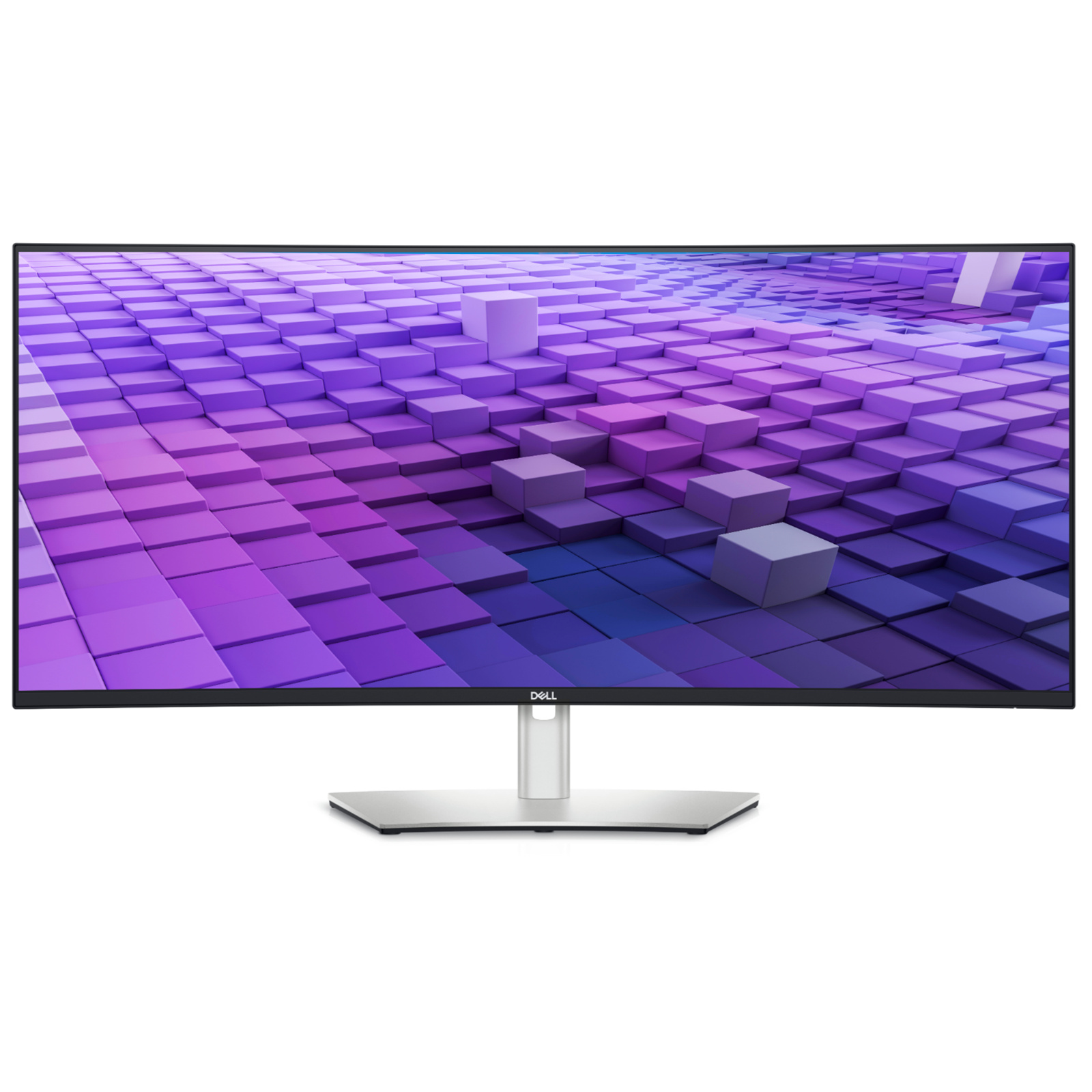
Multiply your productivity with this 42.5'' monitor featuring multi-PC connectivity, 4 unique FHD partitions via iMST, ComfortView Plus and wired Ethernet.
Multiply your productivity with this 42.5'' monitor featuring multi-PC connectivity, 4 unique FHD partitions via iMST, ComfortView Plus and wired Ethernet.
in 3 offers
The lowest price for Dell UltraSharp 43" 4K IPS USB-C Hub Quadruple View Monitor right now is $1,339.00 at Computers & Parts Land, compared across 3 retailers.
The all-time low was $1,045.05 on 3 June 2026 — today's price is 28% above the lowest ever. It has been notably cheaper before — worth setting a price alert.
Prices last updated 15 Aug 2026.
Dell UltraSharp 43" 4K IPS USB-C Hub Quadruple View Monitor
Multiply your productivity with this 42.5'' monitor featuring multi-PC connectivity, 4 unique FHD partitions via iMST, ComfortView Plus and wired Ethernet.
Multiply your productivity with this 42.5'' monitor featuring multi-PC connectivity, 4 unique FHD partitions via iMST, ComfortView Plus and wired Ethernet.
Last updated at 15/08/2026 08:23:33
DELL UltraSharp U4323QE 43" UHD IPS Monitor
Delivery between 19–24 Aug $87
Dell U4323QE 43\
Affiliate Disclosure: We may receive a small commission for purchases made through this link at no extra cost to you. This helps support our site. Thank you!
Dell UltraSharp 43" 4K UHD Monitor - IPS, USB-C, HDMI, DisplayPort, VESA Mount - U4323QE
originally posted on dell.com
Great monitor with lots of inputs and KVM functionality with up to 4 separate inputs that you can seamlessly switch while using the same KB/Mouse. Dell display manager makes it easy to split/snap windows into quadruple view to expand your productivity. There's also a pop up front facing USB A and C ports. A single USB C connection that can power (90W) your laptop while outputting the display for clean desk setup. Overall, this is a great productivity monitor. The only downside is it has pretty bad light bleed but that's to be expected from IPS panel.
originally posted on dell.com
The Dell UltraSharp 43 4K monitor is amazing. The screen size is huge! It has a lot of built in technology that makes it easy to use. It has a builtin KVM and USB hub that simplifies having multiple peripherals connected. I have not tested the functionality using the LAN, so I don't have much to add there. Overall, this monitor is extremely versatile and is great at displaying data for people to consume or use it with a gaming conosle for 4k gaming.
originally posted on dell.com
Make sure you have lots of desk space for this one! It really is a fantastic display - especially if you have it connected via USB-C and use the built-in hub features. One cable to the laptop and everything just works.Dell Display Manager is a great piece of software for this monitor, allowing you to create custom layouts for easy drag and drop snapping of windows to help you make the most of all that real estate with minimum effort. Definitely install it and definitely take a few minutes to set it up to your liking!The built-in KVM and Auto KVM is incredibly useful too. I use it on other Dell monitors (like the C3423WE) in the office and it works very well for switching between multiple computers with a single keyboard/mouse/monitor. This beast will handle up ... MoreMake sure you have lots of desk space for this one! It really is a fantastic display - especially if you have it connected via USB-C and use the built-in hub features. One cable to the laptop and everything just works.Dell Display Manager is a great piece of software for this monitor, allowing you to create custom layouts for easy drag and drop snapping of windows to help you make the most of all that real estate with minimum effort. Definitely install it and definitely take a few minutes to set it up to your liking!The built-in KVM and Auto KVM is incredibly useful too. I use it on other Dell monitors (like the C3423WE) in the office and it works very well for switching between multiple computers with a single keyboard/mouse/monitor. This beast will handle up to 4 computers, although I haven't had a reason to try it yet. Side-by-side with two is great on its own though!The stand is solid and is very easy to adjust up/down, side-to-side, and tilting. Moving to this from a pair of 27" 1080p screens AND a 34" Ultrawide really cleaned up the desktop.I want one for home too...
| Screen Area | 37.055 x 20.843" / 941.184 x 529.416 mm |
| Panel Type | IPS-Type LCD |
| Touchscreen | No |
| Resolution | 3840 x 2160 |
| Aspect Ratio | 16-9 |
DELL UltraSharp U4323QE 43" UHD IPS Monitor
Delivery between 19–24 Aug $87
Dell U4323QE 43\
Affiliate Disclosure: We may receive a small commission for purchases made through this link at no extra cost to you. This helps support our site. Thank you!
Dell UltraSharp 43" 4K UHD Monitor - IPS, USB-C, HDMI, DisplayPort, VESA Mount - U4323QE
Great monitor with lots of inputs and KVM functionality with up to 4 separate inputs that you can seamlessly switch while using the same KB/Mouse. Dell display manager makes it easy to split/snap windows into quadruple view to expand your productivity. There's also a pop up front facing USB A and C ports. A single USB C connection that can power (90W) your laptop while outputting the display for clean desk setup. Overall, this is a great productivity monitor. The only downside is it has pretty bad light bleed but that's to be expected from IPS panel.
The Dell UltraSharp 43 4K monitor is amazing. The screen size is huge! It has a lot of built in technology that makes it easy to use. It has a builtin KVM and USB hub that simplifies having multiple peripherals connected. I have not tested the functionality using the LAN, so I don't have much to add there. Overall, this monitor is extremely versatile and is great at displaying data for people to consume or use it with a gaming conosle for 4k gaming.
Make sure you have lots of desk space for this one! It really is a fantastic display - especially if you have it connected via USB-C and use the built-in hub features. One cable to the laptop and everything just works.Dell Display Manager is a great piece of software for this monitor, allowing you to create custom layouts for easy drag and drop snapping of windows to help you make the most of all that real estate with minimum effort. Definitely install it and definitely take a few minutes to set it up to your liking!The built-in KVM and Auto KVM is incredibly useful too. I use it on other Dell monitors (like the C3423WE) in the office and it works very well for switching between multiple computers with a single keyboard/mouse/monitor. This beast will handle up ... MoreMake sure you have lots of desk space for this one! It really is a fantastic display - especially if you have it connected via USB-C and use the built-in hub features. One cable to the laptop and everything just works.Dell Display Manager is a great piece of software for this monitor, allowing you to create custom layouts for easy drag and drop snapping of windows to help you make the most of all that real estate with minimum effort. Definitely install it and definitely take a few minutes to set it up to your liking!The built-in KVM and Auto KVM is incredibly useful too. I use it on other Dell monitors (like the C3423WE) in the office and it works very well for switching between multiple computers with a single keyboard/mouse/monitor. This beast will handle up to 4 computers, although I haven't had a reason to try it yet. Side-by-side with two is great on its own though!The stand is solid and is very easy to adjust up/down, side-to-side, and tilting. Moving to this from a pair of 27" 1080p screens AND a 34" Ultrawide really cleaned up the desktop.I want one for home too...
The 43 inch monitor is a large screen that provides you with many capabilities, for example you can split the screen to meet your needs through the Dell Display Manager. The 4K resolution brings the brilliance of the image and colors to life. User friendly set up. Ease of switching back and forth from screen to screen.
This monitor is Large and clear, it can be split into 4 areas that can support 4 screen from 4 different computer of from just one with 4 monitors. the menu's are easy to maneuver with the toggle on the back side of the monitor. This is a really great monitor.
Ordered this from work from home and also to double as new home monitor. I have yet to test the KVM / built in hub, but looking forward to that capability. Panel is big and crisp. Out of the box VESA mounts are great - plan on mounting it to the wall to free up some desk space. Love the drop-down USB charger on the bottom of the monitor. A nice to have would be an extra power enabled USB-C port on the back. Support advised me there was only one power port - I have a USB-C powered set of speakers that I'm no longer able to use without plugging directly into my laptop. Not the end of the world, but I was surprised.
The Dell U4323QE monitor is a great option for those looking to improve their productivity by consolidating multiple monitors into one. The monitor features a large 43-inch display with a 4K resolution, which is great for multitasking and working on multiple projects simultaneously.The built-in KVM switch is a handy feature that allows users to connect and control multiple devices with just one cable. This makes it easy to dock a laptop or other device, reducing cable clutter and making it easier to switch between devices.However, the monitor's low refresh rate and lack of HDR make it less suitable for gaming or other applications that require fast refresh rates and vivid colors. Additionally, the lack of a curved design may be a disadvantage for some users who ... MoreThe Dell U4323QE monitor is a great option for those looking to improve their productivity by consolidating multiple monitors into one. The monitor features a large 43-inch display with a 4K resolution, which is great for multitasking and working on multiple projects simultaneously.The built-in KVM switch is a handy feature that allows users to connect and control multiple devices with just one cable. This makes it easy to dock a laptop or other device, reducing cable clutter and making it easier to switch between devices.However, the monitor's low refresh rate and lack of HDR make it less suitable for gaming or other applications that require fast refresh rates and vivid colors. Additionally, the lack of a curved design may be a disadvantage for some users who prefer a more immersive viewing experience.Overall, the Dell U4323QE is an excellent option for those looking for a large, high-resolution monitor to improve productivity. However, its drawbacks make it less suitable for other use cases, such as gaming or media consumption. Additionally, its size may require a deeper desk, so users should ensure that they have sufficient space before purchasing.
This is a great option if you’re trying to decide between two smaller monitors vs. this one giant one. Personally I think it’s great when paired with my laptop screen to the side. If your focus is programming and spreadsheets it will be great, if you want to game look elsewhere as the 60hz is all you get.I like how the one usb c cord gives powers my laptop too so it’s great for cable management, no need for an adapter.
This is massive, would be perfect for security console or wall mounted display boards. We are using it in our information security bull pen. Docking station built in that powers 90-watt laptop. however, what makes this shine is the built in 4 panel input that can be selected from the on-screen display. Other view options are available too like three monitors, vertical tiles, horizontal tiles, grid. If you need a large group display monitor this has lots of options for you.
This monitor replaced three monitors for me. It is huge and amazingly sharp. Very good packaging and fast shipping as always with Dell. Went from a 34 ultra wide and two 21 inch monitors to this with my ultra wide as a 2nd monitor. Don't regret it a bit.
| Screen Area | 37.055 x 20.843" / 941.184 x 529.416 mm |
| Panel Type | IPS-Type LCD |
| Touchscreen | No |
| Resolution | 3840 x 2160 |
| Aspect Ratio | 16-9 |