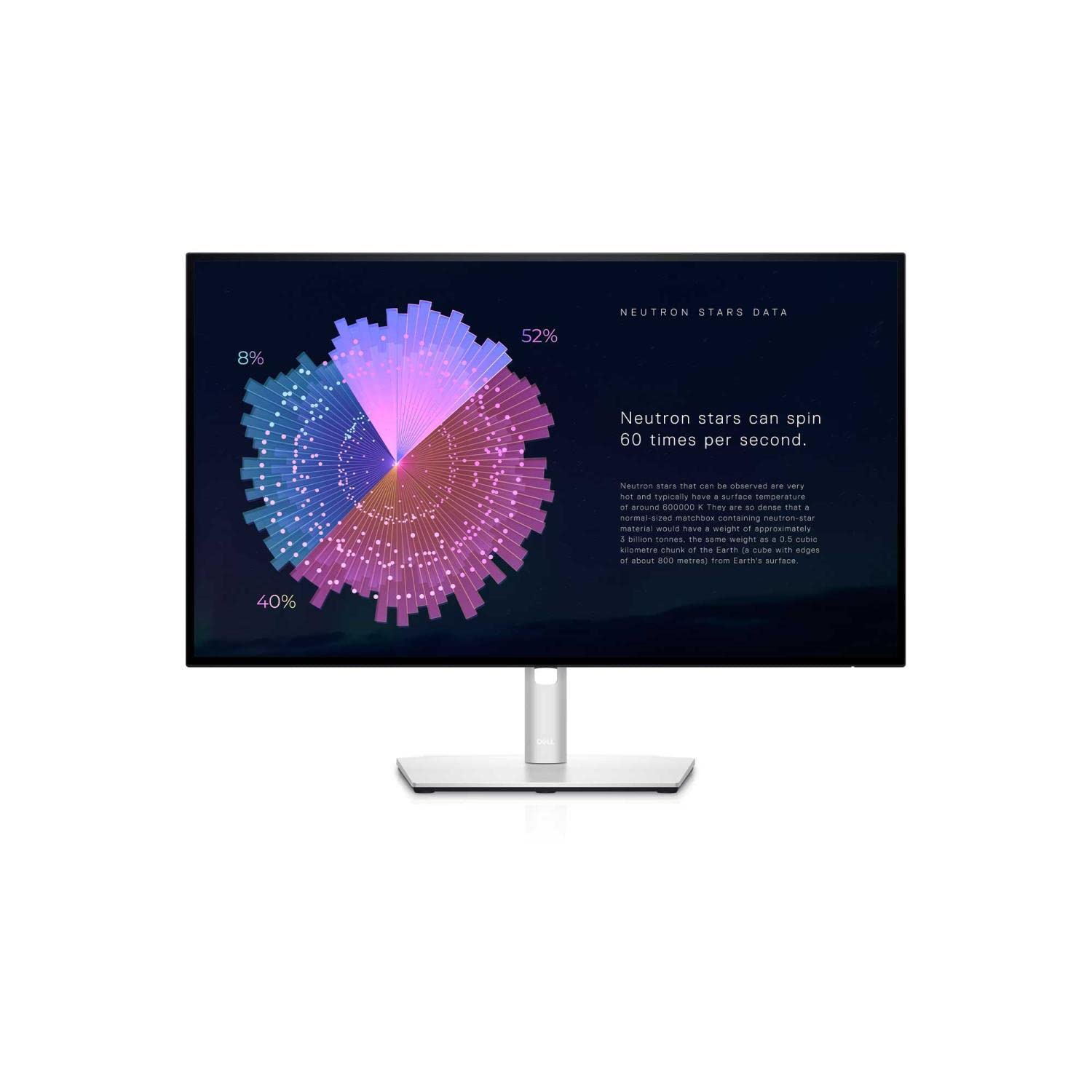
Superior screen resolution and real estate for a view you can't wait to get your eyes on. Work the way you want. Position your monitor for ultimate comfort with a full range of tilt, pivot, swivel and height adjustments along with easy connections to your PC and peripherals. Your Dell UltraSharp 27 monitor - U2715H is designed to be pixel perfect. Complete your Dell monitor experience. Your Dell UltraSharp 27 monitor - U2715H is just the start.
Superior screen resolution and real estate for a view you can't wait to get your eyes on. Work the way you want. Position your monitor for ultimate comfort with a full range of tilt, pivot, swivel and height adjustments along with easy connections to your PC and peripherals. Your Dell UltraSharp 27 monitor - U2715H is designed to be pixel perfect. Complete your Dell monitor experience. Your Dell UltraSharp 27 monitor - U2715H is just the start.
in 3 offers
The lowest price for Dell UltraSharp U2715H 27" QHD IPS Monitor right now is $192.50 at Amazon.com.au, compared across 3 retailers.
The all-time low was $181.49 on 3 Mar 2026 — today's price is 6% above the lowest ever. That's a little above the best price we've seen.
Prices last updated 24 June 2026.
Dell UltraSharp U2715H 27" QHD IPS Monitor
Superior screen resolution and real estate for a view you can't wait to get your eyes on. Work the way you want. Position your monitor for ultimate comfort with a full range of tilt, pivot, swivel and height adjustments along with easy connections to your PC and peripherals. Your Dell UltraSharp 27 monitor - U2715H is designed to be pixel perfect. Complete your Dell monitor experience. Your Dell UltraSharp 27 monitor - U2715H is just the start.
Superior screen resolution and real estate for a view you can't wait to get your eyes on. Work the way you want. Position your monitor for ultimate comfort with a full range of tilt, pivot, swivel and height adjustments along with easy connections to your PC and peripherals. Your Dell UltraSharp 27 monitor - U2715H is designed to be pixel perfect. Complete your Dell monitor experience. Your Dell UltraSharp 27 monitor - U2715H is just the start.
Last updated at 24/06/2026 09:44:53
Dell UltraSharp U2715H 27" QHD 2K (2560 x 1440) 16:9 Widescreen IPS Monitor – HDMI Connectivity with Stand (Renewed)
Affiliate Disclosure: We may receive a small commission for purchases made through this link at no extra cost to you. This helps support our site. Thank you!
DELL U2715H 27" IPS QHD WLED Monitor,2560x1440/HDMI/DP/H-ADJ/sRGB-99
7-day returns
DELL U2715H UltraSharp 27" (16:9) QHD 2560x1440 IPS LED Monitor
30-day returns
originally posted on cclonline.com
This monitor is a bit of a disappointment. The things I don't like about it are;- The on/off and menu "buttons" are not buttons at all, but touch-sensitive areas. However, they do not work particularly well. Sometimes it takes a while to switch the monitor on/off for example. I would far prefer proper physical buttons.- It does not auto-detect the input. This is bizarre, as there are at least 4 input ports on the back. So, if you change your source, you have to fiddle around with the menu system. It can take a while, unless you know exactly what "DP", "mDP", "HDMI (MHL) 1" and "HDMI (MHL) 2" actually mean. Compare this to my much cheaper Iiyama 27-inch monitor, which does auto-detect.Another issue which is probably my fault - at native resolution text becomes ... MoreThis monitor is a bit of a disappointment. The things I don't like about it are;- The on/off and menu "buttons" are not buttons at all, but touch-sensitive areas. However, they do not work particularly well. Sometimes it takes a while to switch the monitor on/off for example. I would far prefer proper physical buttons.- It does not auto-detect the input. This is bizarre, as there are at least 4 input ports on the back. So, if you change your source, you have to fiddle around with the menu system. It can take a while, unless you know exactly what "DP", "mDP", "HDMI (MHL) 1" and "HDMI (MHL) 2" actually mean. Compare this to my much cheaper Iiyama 27-inch monitor, which does auto-detect.Another issue which is probably my fault - at native resolution text becomes tiny and difficult to read. I don't quite understand this, as my MacBook Retina display is actually higher (2880 x 1800) but I can see text perfectly well. So I've had to reduce the resolution to HD (1080p), which completely negates the reason for buying this monitor!
originally posted on influenster.com
This monitor was recommended to me to help with my worsening vision. Once acquired, I find my sight much improved due to the larger screen. I had 2 but now 1 as it slid into the wall when my table collapsed now doesn’t work. Dell will not replace monitor even though under warranty when contacted. Any ideas to make it work again would be appreciated.
originally posted on influenster.com
I have the Dell P series monitor (professional). It is great. It has a special blue light filter, and it is designed for people who look at the monitor for seven hours a day. It is easy on the eyes. I have not had any issues with this and I am very happy with it.
| General | |
| Display Type | LED-backlit LCD monitor / TFT active matrix |
| Energy Class | Class B |
| Energy Consumption per Year | 48 kWh |
| Diagonal Size | 27" |
Dell UltraSharp U2715H 27" QHD 2K (2560 x 1440) 16:9 Widescreen IPS Monitor – HDMI Connectivity with Stand (Renewed)
Affiliate Disclosure: We may receive a small commission for purchases made through this link at no extra cost to you. This helps support our site. Thank you!
DELL U2715H 27" IPS QHD WLED Monitor,2560x1440/HDMI/DP/H-ADJ/sRGB-99
7-day returns
DELL U2715H UltraSharp 27" (16:9) QHD 2560x1440 IPS LED Monitor
30-day returns
This monitor is a bit of a disappointment. The things I don't like about it are;- The on/off and menu "buttons" are not buttons at all, but touch-sensitive areas. However, they do not work particularly well. Sometimes it takes a while to switch the monitor on/off for example. I would far prefer proper physical buttons.- It does not auto-detect the input. This is bizarre, as there are at least 4 input ports on the back. So, if you change your source, you have to fiddle around with the menu system. It can take a while, unless you know exactly what "DP", "mDP", "HDMI (MHL) 1" and "HDMI (MHL) 2" actually mean. Compare this to my much cheaper Iiyama 27-inch monitor, which does auto-detect.Another issue which is probably my fault - at native resolution text becomes ... MoreThis monitor is a bit of a disappointment. The things I don't like about it are;- The on/off and menu "buttons" are not buttons at all, but touch-sensitive areas. However, they do not work particularly well. Sometimes it takes a while to switch the monitor on/off for example. I would far prefer proper physical buttons.- It does not auto-detect the input. This is bizarre, as there are at least 4 input ports on the back. So, if you change your source, you have to fiddle around with the menu system. It can take a while, unless you know exactly what "DP", "mDP", "HDMI (MHL) 1" and "HDMI (MHL) 2" actually mean. Compare this to my much cheaper Iiyama 27-inch monitor, which does auto-detect.Another issue which is probably my fault - at native resolution text becomes tiny and difficult to read. I don't quite understand this, as my MacBook Retina display is actually higher (2880 x 1800) but I can see text perfectly well. So I've had to reduce the resolution to HD (1080p), which completely negates the reason for buying this monitor!
This monitor was recommended to me to help with my worsening vision. Once acquired, I find my sight much improved due to the larger screen. I had 2 but now 1 as it slid into the wall when my table collapsed now doesn’t work. Dell will not replace monitor even though under warranty when contacted. Any ideas to make it work again would be appreciated.
I have the Dell P series monitor (professional). It is great. It has a special blue light filter, and it is designed for people who look at the monitor for seven hours a day. It is easy on the eyes. I have not had any issues with this and I am very happy with it.
This Dell monitor is perfect for the work place! The display quality is on point for those office applications! They’re built to last with a very strong base, with a lot of adjustability. They’re very efficient with energy efficiency mode built in! Easily plug and play to get work done! A must have Dell monitor for all work places!
Dell UltraI Sharp monitor was easy to set up and connect to my Dell laptop. It's very affordable and displayed from the laptop in crystal clear vision. There are several options to use and adjust to your viewing, but right out the box, it was great. It is an LED backlit LCD monitor that is easy on the eyes and doesn't dim or fade after hours of use. This was such a great purchase and valuable asset to have as I work from home, and using this monitor makes it so much easier to multi task.
I love Dell products!All my office computers/monitors are from Dell. Our whole office uses them. Easy to use for anyone, long lasting and durable, high performance with little to no glitching. High screen resolution and easy options to adjust screen settings.
Overall, the Dell U2715H UltraSharp 27" QHD LED-Backlit LCD Monitor is a decent product. The display quality is sharp and the QHD resolution is impressive. The size is just right for my workspace, and the thin bezels provide a sleek look. However, I've encountered some issues with the user interface and the menu navigation. It can be a bit clunky and unintuitive at times. While the monitor itself is good, I wish the user experience was more streamlined. It's a solid choice, but the interface leaves something to be desired.
This monitor was fast to deliver, fast to set up (literally about 10 minutes) and when I connected it to my Mac desktop (via the provided USB-C cord) it automatically saw it and worked perfectly. I changed some settings to allow the monitor to sit vertically but those took me probably 10 seconds to set up. Works great every day and had no hassle or fuss. Doesn't have the clarity my Mac does, but I do my design work on the Mac and the management and web coding work on the Dell monitor.
Hard to find a monitor for a retina Mac, even more so for an older (2013). This Dell caught my eye after extensive research, in part because it had a mini-displayport connection. After I took delivery, I tried to get the monitor to be recognized with a Thunderbolt cable I had, but had barely used. Didn't work after repeated tries, restarts, settings. I had tried the enclosed DP to Thunderbolt cable without success, but I tried it again after learning a bit more about the monitor's controls. Immediate success, and absolutely no problems since. I thought that the Dell might be inferior to my retina Mac, but the details and fonts are just as crisp in my working distance from both screens. The Dell stand also adjusts for height, pans, and tilts. Obviously different ... MoreHard to find a monitor for a retina Mac, even more so for an older (2013). This Dell caught my eye after extensive research, in part because it had a mini-displayport connection. After I took delivery, I tried to get the monitor to be recognized with a Thunderbolt cable I had, but had barely used. Didn't work after repeated tries, restarts, settings. I had tried the enclosed DP to Thunderbolt cable without success, but I tried it again after learning a bit more about the monitor's controls. Immediate success, and absolutely no problems since. I thought that the Dell might be inferior to my retina Mac, but the details and fonts are just as crisp in my working distance from both screens. The Dell stand also adjusts for height, pans, and tilts. Obviously different worlds between Dell and Apple, but this match fits.
Product works good, and represents an excellent value for me. The reason for my 4-star rating instead of five stars is because the front power LED does not work, and this was not disclosed at the time of sale. However, this is a minor issue for me and so all is well. Aside from that, this is an amazing 27 display. I love having so many inputs for all of my devices, and the 1440p resolution is perfect for this size monitor. Colors are excellent as well. I also love the near-bevel less design, very minimalistic. Overall, an excellent value.
| General | |
| Display Type | LED-backlit LCD monitor / TFT active matrix |
| Energy Class | Class B |
| Energy Consumption per Year | 48 kWh |
| Diagonal Size | 27" |