Last updated at 06/09/2026 03:34:06
Eufy Security Indoor Cam C120 | Plug-in Security Camera 3 Mp | 2k With
Free delivery
Affiliate Disclosure: We may receive a small commission for purchases made through this link at no extra cost to you. This helps support our site. Thank you!
Indoor Cam 2K
Free delivery
eufy security Solo IndoorCam C24, 2K Security Indoor Camera, Plug-in Camera with Wi-Fi, IP Camera, Human & Pet AI, Voice Assistant Compatibility,
Delivery between 8–19 Sept $27.77
Eufy 2K Indoor Tilt Camera T8400CW4
Free delivery by Tue
originally posted on eufylife.com
I would say I'm not a normal user of these security camera's. I purchased a few of these to replace some very old 10+ year old camera's that I had connected to my Zone Minder system via the rtsp web link.I'm here to write completely about RTSP and it works great. The app calls it NAS/RTSP but basically it's a URL that you can use software to access the camera. Most of the camera manufacturers will only allow you access via their app and have you pay to keep recordings of the feed if you need to review it. I purchased these as a few of the reviews indicate RTSP support. I have them connected to my ZoneMinder dedicated computer system, recording all the time so I don't need to pay anything or keep a memory card in them. I have not tried the specific camera features ... MoreI would say I'm not a normal user of these security camera's. I purchased a few of these to replace some very old 10+ year old camera's that I had connected to my Zone Minder system via the rtsp web link.I'm here to write completely about RTSP and it works great. The app calls it NAS/RTSP but basically it's a URL that you can use software to access the camera. Most of the camera manufacturers will only allow you access via their app and have you pay to keep recordings of the feed if you need to review it. I purchased these as a few of the reviews indicate RTSP support. I have them connected to my ZoneMinder dedicated computer system, recording all the time so I don't need to pay anything or keep a memory card in them. I have not tried the specific camera features as ZoneMinder handles recording and motion detection for me. There are specific instructions on how to setup ZoneMinder with these camera's, just google search them. Also as an extra security measure, once you set these up with ZoneMinder you can disable internet access for the camera to make it harder to be hacked (just enable to update the firmware).I took a star away as a few of them have randomly become inaccessible until either I unplug them or after 24 hours they seem to reset themselves. They do not show up in the app, nor does the RTSP feed work.I also cannot ping the camera's during these issues. Being used as a security measure, I want these to be reliable to continuously be available if/when I would need to review the footage. The cameras have not done this continuously so I do not think it's an issue with hardware but I will monitor to see if the same ones have issues.
originally posted on eufylife.com
NOTE: I have been using WyzeCams for almost 2 years now, so my review will be heavily revolving around that comparison.I was looking to upgrade due to the fact that Wyze - against numerous customer requests - has zero intentions of making their cameras compatible with Apple HomeKit. Also, I was over dealing with all the little quirks that came with using WyzeCams (random disconnections, tiny bugs with every firmware update etc.), I don’t need special face detection or pet detection features - for my usage all really I need is streaming video and motion notifications. After looking into what my options were I decided to try the Eufy 2k Indoor Camera since it is HomeKit compatible.The 2K camera is made of plastic, but it has a better finish to it compared to other ... MoreNOTE: I have been using WyzeCams for almost 2 years now, so my review will be heavily revolving around that comparison.I was looking to upgrade due to the fact that Wyze - against numerous customer requests - has zero intentions of making their cameras compatible with Apple HomeKit. Also, I was over dealing with all the little quirks that came with using WyzeCams (random disconnections, tiny bugs with every firmware update etc.), I don’t need special face detection or pet detection features - for my usage all really I need is streaming video and motion notifications. After looking into what my options were I decided to try the Eufy 2k Indoor Camera since it is HomeKit compatible.The 2K camera is made of plastic, but it has a better finish to it compared to other cameras, with a simple, understated but nice looking modern design. Installing the 2k camera is like most others; inside the package you get the camera, a micro USB cables and a standard USB AC power supply. Installation hardware is included, and I like how the camera features a detachable base plate that makes positioning the camera much easier if it’s being wall-mounted. After installing the camera, I downloaded the Eufy security app from the App Store and fired it up.First of all, pairing the 2k camera within the Eufy app literally took seconds to do, and I was up and running in no time. Second (and more importantly) I could see that the Eufy's 2k video quality was much, much clearer than WyzeCams lower-quality HD video. The "live view" video streaming on the 2k was crisp, smooth and never choppy (something that anyone who has used Wyzecams will tell you does happen regularly). Response was quick as well, whenever I went into the camera view it connected with no problem. I have the 2k camera in the exact same location as a WyzeCam that would on occasion take 5-10 seconds to connect to. Speaking of the Eufy app, it has a similar layout when compared to the Wyze app so learning my way around didn't take much time to get used to. I did notice though that when compared to the Wyze app interface, the Eufy app felt much more polished and complete.The best features though for me so far are related to Apple's HomeKit and the Home app. Before, I had to open the Home app to check the status or control any of my smart home products (lights, fans, etc.) and then open the Wyze app separately to check all the Wyze cameras. Because the Eufy 2k Indoor camera is HomeKit compatible, I could now see the camera's live feed directly from the Home app! Also, because the Eufy 2k works with Apple's HomeKit Secure Video, I know all of my video footage is more secure and stored privately. Honestly, I didn't realize how much of an issue having to open multiple apps was until I had the means to view and control everything within one central app on my phone, and HomeKit compatibility makes this possible.So if you're looking for a HomeKit compatible camera that has excellent features, excellent video quality, and effortless setup, the Eufy 2k indoor camera is an awesome choice. Granted, I am still not through trying out all the other features this camera has (person or pet detection, etc.) but as of this writing, I am already a happy customer. I actually went and ordered a second Eufy 2k Indoor camera to replace my other WyzeCam V2, and I'm already planning on buying their 2K Indoor Cam Pan & Tilt cameras to possibly replace my WyzeCam Pans. As much as I liked the low cost and decent features that Wyze cameras gave me, upgrading to the Eufy 2k cameras was an eye-opening experience and a great choice after all. They are only marginally more expensive than Wyzecams but well worth the price!
originally posted on eufylife.com
I bought one of these for $40 or so to try the system out. I've seen dozens of companies online but some of the "nice" ones cost hundreds or thousands of dollars. I figured I'd try this out and even if it's junk I'd only be out 40 bucks. Set it up fairly easily, it's wired so it plugs into a usb wall adapter. It has to have wifi to work and it really seems like something that is primarily meant to be used with a smartphone and app for notifications. It can be programmed to turn on and off based on a schedule or work with your phone to turn off when you're within range, or a number of other options that I don't use. It stores recordings on a micro sd card in the device or can store to the internet / cloud if you pay a monthly fee (I think its around $3/camera or $10 ... MoreI bought one of these for $40 or so to try the system out. I've seen dozens of companies online but some of the "nice" ones cost hundreds or thousands of dollars. I figured I'd try this out and even if it's junk I'd only be out 40 bucks. Set it up fairly easily, it's wired so it plugs into a usb wall adapter. It has to have wifi to work and it really seems like something that is primarily meant to be used with a smartphone and app for notifications. It can be programmed to turn on and off based on a schedule or work with your phone to turn off when you're within range, or a number of other options that I don't use. It stores recordings on a micro sd card in the device or can store to the internet / cloud if you pay a monthly fee (I think its around $3/camera or $10 for 10 cameras for a month of storage at a time, per month). Theyve also got the option of having their security team monitor movement and call you and then 911. I like all this because it gives me the option to 'scale up' if one day I decide I want those extra features, or if I'm going to be gone an extended time. There's also the ability to set it up to sound an alarm if someone is detected. There's also a speaker that lets you be creepy and talk through the camera (wife hates this, so I don't use it). Finally, the night vision is pretty neat, it has IR lights that we can't see, but basically will 'light up' a small room to the camera. I tried it in my bathroom with the lights off and I could clearly see everything. In my main room it can make out the close details even with all the lights out but the other side of the room is faded. Still a really nice option. One last thing, I didn't think it came with a usb power supply or cord, but it does, so that's nice.Basically, for $40 I've got it set up in a location that can view all entrances to my house and send me pictures and a notification to my phone for free. If I ever go on a vacation I can pay for extra features. One downside of not paying for the online storage is that if a criminal breaks in and sees the device, they could just steal it, or unplug it, making it so I lose access to any evidence of them being there (since I'm storing the footage locally on the device's micro sd card, sold separately).For the price, it seems like a great deal for home use, user friendly as well so that's nice.
| Color | Black+White |
| Size | 1 Count (Pack of 1) |
Eufy Security Indoor Cam C120 | Plug-in Security Camera 3 Mp | 2k With
Free delivery
Affiliate Disclosure: We may receive a small commission for purchases made through this link at no extra cost to you. This helps support our site. Thank you!
Indoor Cam 2K
Free delivery
eufy security Solo IndoorCam C24, 2K Security Indoor Camera, Plug-in Camera with Wi-Fi, IP Camera, Human & Pet AI, Voice Assistant Compatibility,
Delivery between 8–19 Sept $27.77
Eufy 2K Indoor Tilt Camera T8400CW4
Free delivery by Tue
I would say I'm not a normal user of these security camera's. I purchased a few of these to replace some very old 10+ year old camera's that I had connected to my Zone Minder system via the rtsp web link.I'm here to write completely about RTSP and it works great. The app calls it NAS/RTSP but basically it's a URL that you can use software to access the camera. Most of the camera manufacturers will only allow you access via their app and have you pay to keep recordings of the feed if you need to review it. I purchased these as a few of the reviews indicate RTSP support. I have them connected to my ZoneMinder dedicated computer system, recording all the time so I don't need to pay anything or keep a memory card in them. I have not tried the specific camera features ... MoreI would say I'm not a normal user of these security camera's. I purchased a few of these to replace some very old 10+ year old camera's that I had connected to my Zone Minder system via the rtsp web link.I'm here to write completely about RTSP and it works great. The app calls it NAS/RTSP but basically it's a URL that you can use software to access the camera. Most of the camera manufacturers will only allow you access via their app and have you pay to keep recordings of the feed if you need to review it. I purchased these as a few of the reviews indicate RTSP support. I have them connected to my ZoneMinder dedicated computer system, recording all the time so I don't need to pay anything or keep a memory card in them. I have not tried the specific camera features as ZoneMinder handles recording and motion detection for me. There are specific instructions on how to setup ZoneMinder with these camera's, just google search them. Also as an extra security measure, once you set these up with ZoneMinder you can disable internet access for the camera to make it harder to be hacked (just enable to update the firmware).I took a star away as a few of them have randomly become inaccessible until either I unplug them or after 24 hours they seem to reset themselves. They do not show up in the app, nor does the RTSP feed work.I also cannot ping the camera's during these issues. Being used as a security measure, I want these to be reliable to continuously be available if/when I would need to review the footage. The cameras have not done this continuously so I do not think it's an issue with hardware but I will monitor to see if the same ones have issues.
NOTE: I have been using WyzeCams for almost 2 years now, so my review will be heavily revolving around that comparison.I was looking to upgrade due to the fact that Wyze - against numerous customer requests - has zero intentions of making their cameras compatible with Apple HomeKit. Also, I was over dealing with all the little quirks that came with using WyzeCams (random disconnections, tiny bugs with every firmware update etc.), I don’t need special face detection or pet detection features - for my usage all really I need is streaming video and motion notifications. After looking into what my options were I decided to try the Eufy 2k Indoor Camera since it is HomeKit compatible.The 2K camera is made of plastic, but it has a better finish to it compared to other ... MoreNOTE: I have been using WyzeCams for almost 2 years now, so my review will be heavily revolving around that comparison.I was looking to upgrade due to the fact that Wyze - against numerous customer requests - has zero intentions of making their cameras compatible with Apple HomeKit. Also, I was over dealing with all the little quirks that came with using WyzeCams (random disconnections, tiny bugs with every firmware update etc.), I don’t need special face detection or pet detection features - for my usage all really I need is streaming video and motion notifications. After looking into what my options were I decided to try the Eufy 2k Indoor Camera since it is HomeKit compatible.The 2K camera is made of plastic, but it has a better finish to it compared to other cameras, with a simple, understated but nice looking modern design. Installing the 2k camera is like most others; inside the package you get the camera, a micro USB cables and a standard USB AC power supply. Installation hardware is included, and I like how the camera features a detachable base plate that makes positioning the camera much easier if it’s being wall-mounted. After installing the camera, I downloaded the Eufy security app from the App Store and fired it up.First of all, pairing the 2k camera within the Eufy app literally took seconds to do, and I was up and running in no time. Second (and more importantly) I could see that the Eufy's 2k video quality was much, much clearer than WyzeCams lower-quality HD video. The "live view" video streaming on the 2k was crisp, smooth and never choppy (something that anyone who has used Wyzecams will tell you does happen regularly). Response was quick as well, whenever I went into the camera view it connected with no problem. I have the 2k camera in the exact same location as a WyzeCam that would on occasion take 5-10 seconds to connect to. Speaking of the Eufy app, it has a similar layout when compared to the Wyze app so learning my way around didn't take much time to get used to. I did notice though that when compared to the Wyze app interface, the Eufy app felt much more polished and complete.The best features though for me so far are related to Apple's HomeKit and the Home app. Before, I had to open the Home app to check the status or control any of my smart home products (lights, fans, etc.) and then open the Wyze app separately to check all the Wyze cameras. Because the Eufy 2k Indoor camera is HomeKit compatible, I could now see the camera's live feed directly from the Home app! Also, because the Eufy 2k works with Apple's HomeKit Secure Video, I know all of my video footage is more secure and stored privately. Honestly, I didn't realize how much of an issue having to open multiple apps was until I had the means to view and control everything within one central app on my phone, and HomeKit compatibility makes this possible.So if you're looking for a HomeKit compatible camera that has excellent features, excellent video quality, and effortless setup, the Eufy 2k indoor camera is an awesome choice. Granted, I am still not through trying out all the other features this camera has (person or pet detection, etc.) but as of this writing, I am already a happy customer. I actually went and ordered a second Eufy 2k Indoor camera to replace my other WyzeCam V2, and I'm already planning on buying their 2K Indoor Cam Pan & Tilt cameras to possibly replace my WyzeCam Pans. As much as I liked the low cost and decent features that Wyze cameras gave me, upgrading to the Eufy 2k cameras was an eye-opening experience and a great choice after all. They are only marginally more expensive than Wyzecams but well worth the price!
I bought one of these for $40 or so to try the system out. I've seen dozens of companies online but some of the "nice" ones cost hundreds or thousands of dollars. I figured I'd try this out and even if it's junk I'd only be out 40 bucks. Set it up fairly easily, it's wired so it plugs into a usb wall adapter. It has to have wifi to work and it really seems like something that is primarily meant to be used with a smartphone and app for notifications. It can be programmed to turn on and off based on a schedule or work with your phone to turn off when you're within range, or a number of other options that I don't use. It stores recordings on a micro sd card in the device or can store to the internet / cloud if you pay a monthly fee (I think its around $3/camera or $10 ... MoreI bought one of these for $40 or so to try the system out. I've seen dozens of companies online but some of the "nice" ones cost hundreds or thousands of dollars. I figured I'd try this out and even if it's junk I'd only be out 40 bucks. Set it up fairly easily, it's wired so it plugs into a usb wall adapter. It has to have wifi to work and it really seems like something that is primarily meant to be used with a smartphone and app for notifications. It can be programmed to turn on and off based on a schedule or work with your phone to turn off when you're within range, or a number of other options that I don't use. It stores recordings on a micro sd card in the device or can store to the internet / cloud if you pay a monthly fee (I think its around $3/camera or $10 for 10 cameras for a month of storage at a time, per month). Theyve also got the option of having their security team monitor movement and call you and then 911. I like all this because it gives me the option to 'scale up' if one day I decide I want those extra features, or if I'm going to be gone an extended time. There's also the ability to set it up to sound an alarm if someone is detected. There's also a speaker that lets you be creepy and talk through the camera (wife hates this, so I don't use it). Finally, the night vision is pretty neat, it has IR lights that we can't see, but basically will 'light up' a small room to the camera. I tried it in my bathroom with the lights off and I could clearly see everything. In my main room it can make out the close details even with all the lights out but the other side of the room is faded. Still a really nice option. One last thing, I didn't think it came with a usb power supply or cord, but it does, so that's nice.Basically, for $40 I've got it set up in a location that can view all entrances to my house and send me pictures and a notification to my phone for free. If I ever go on a vacation I can pay for extra features. One downside of not paying for the online storage is that if a criminal breaks in and sees the device, they could just steal it, or unplug it, making it so I lose access to any evidence of them being there (since I'm storing the footage locally on the device's micro sd card, sold separately).For the price, it seems like a great deal for home use, user friendly as well so that's nice.
Excellent camera for the price. Had some major connectivity and stability issues with the Wyze cams, so gave these a shot. I've since replaced all Wyze cams with these.Great, crisp, clear picture during sufficient lighting conditions. The night vision looks pretty good, ya just have to be careful not to place too close to surroundings so reflections don't wash out the image. I've got a couple in the toddler's bedrooms and a third just installed on covered porch. Understand these are indoor cams, so testing my luck outside on the covered porch to see how it works.The ability to modify the motion alert area in the image was very important for the porch cam. It took some tweaking and trial and error to remove cars (and their headlights) from setting it off, but ... MoreExcellent camera for the price. Had some major connectivity and stability issues with the Wyze cams, so gave these a shot. I've since replaced all Wyze cams with these.Great, crisp, clear picture during sufficient lighting conditions. The night vision looks pretty good, ya just have to be careful not to place too close to surroundings so reflections don't wash out the image. I've got a couple in the toddler's bedrooms and a third just installed on covered porch. Understand these are indoor cams, so testing my luck outside on the covered porch to see how it works.The ability to modify the motion alert area in the image was very important for the porch cam. It took some tweaking and trial and error to remove cars (and their headlights) from setting it off, but thanks to the people and pet motion options (vice all other motion option) I was able to reduce 17 notifications overnight (all cars/headlights), to 0.Definitely recommend over Wyze. App, picture, and 2-way audio is far superior for just a few bucks more per camera.
I've tried a few of these low cost security cameras including blink, ring and wyze and they all fell short in some way in terms of detection issues or app problems. So I wasn't looking forward to the Eufy camera experience especially after reading some of the complaints here.Well, I've only had it a day, but so far I think this Eufy camera is excellent, even taking the low price out of the equation. It is made by Anker, a company that also makes power banks and things like that. First off, it does offer 2fa security by email and phone to secure the account. It also lets you choose the server you want it to interact with. The video image quality is very good. The sound quality is very good. The night vision is black and white but it has good clarity. So far ... MoreI've tried a few of these low cost security cameras including blink, ring and wyze and they all fell short in some way in terms of detection issues or app problems. So I wasn't looking forward to the Eufy camera experience especially after reading some of the complaints here.Well, I've only had it a day, but so far I think this Eufy camera is excellent, even taking the low price out of the equation. It is made by Anker, a company that also makes power banks and things like that. First off, it does offer 2fa security by email and phone to secure the account. It also lets you choose the server you want it to interact with. The video image quality is very good. The sound quality is very good. The night vision is black and white but it has good clarity. So far detection is flawless. It can detect sounds as well as motions. It is easy to disable detection or turn off camera completely. Updating the firmware was also simple The app is nice and works well. I just use the Eufy security app from the Apple store.I like that you don't need to buy some plan to see your videos or download them etc. They do offer a cloud plan for $2.99 a month, which I guess could be useful, but you don't need it. I just put a 32gb memory card in it and it works fine. I can even download the videos to the photos app on the iPhone. The head of the camera swivels so you can easily position it. And I think it looks pretty nice. You can turn off the indicator light in the settings. I unplugged it once from power and thought it might be a hassle to reconnect it. Nope. Plugged it back in It did it all by itself. In my view, so far at least, this is a far superior product to these other offerings.
The camera requires a proprietary app to setup, even if using HomeKit. Some other HomeKit accessories have a QR code to install at Apple Home app directly. This is not the case for C24 - it needs a proprietary app to initialize the camera first.However, iCloud+/ HomeKit functionality is more limited that Eufy's native app:- Eufy has 2K video recording which is disabled when you are using iCloud- Eufy has sound / baby cry detection which is not possible with iCloudA very nice feature available in the native app is ability to record all video to a SD card, not just the events detected my sound and motion.Overall it's a great camera that work well even without monthly subscription and have decent HomeKit / iCloud support. However, I feel iCloud itself is behind ... MoreThe camera requires a proprietary app to setup, even if using HomeKit. Some other HomeKit accessories have a QR code to install at Apple Home app directly. This is not the case for C24 - it needs a proprietary app to initialize the camera first.However, iCloud+/ HomeKit functionality is more limited that Eufy's native app:- Eufy has 2K video recording which is disabled when you are using iCloud- Eufy has sound / baby cry detection which is not possible with iCloudA very nice feature available in the native app is ability to record all video to a SD card, not just the events detected my sound and motion.Overall it's a great camera that work well even without monthly subscription and have decent HomeKit / iCloud support. However, I feel iCloud itself is behind other systems (like Nest Aware) in terms of features.Not possible to add the camera to home kit without both:1. Purchasing an additional Homebase 2 accessory2. Using proprietary app to handle the data. The qr code on the camera itself is not HomeKit compatible.
Let's be clear - people (including me) are buying this camera because it's "the cheapest" native Homekit Secure Video camera. That being considered, it's a great value. Although the price changes often, I bought this camera for $29 after a coupon. Ultimately, for that $29, you get what they say - it's a 2K (HKSV maxes out at 1080p right now) wifi IP camera that fully supports Homekit Secure Video. True.Here's what they don't tell you - which may make it worth paying the extra ~$20 for the competitor's camera:As a Homekit Secure Video camera, you are supposed to be able to simply scan the QR code on the device from within the Home app to add the camera to your smart home, and all communications are kept local within your network. This DOES NOT WORK for multiple ... MoreLet's be clear - people (including me) are buying this camera because it's "the cheapest" native Homekit Secure Video camera. That being considered, it's a great value. Although the price changes often, I bought this camera for $29 after a coupon. Ultimately, for that $29, you get what they say - it's a 2K (HKSV maxes out at 1080p right now) wifi IP camera that fully supports Homekit Secure Video. True.Here's what they don't tell you - which may make it worth paying the extra ~$20 for the competitor's camera:As a Homekit Secure Video camera, you are supposed to be able to simply scan the QR code on the device from within the Home app to add the camera to your smart home, and all communications are kept local within your network. This DOES NOT WORK for multiple reasons:1. Although the included instructions say you can connect directly to Apple's Home app WITHOUT using the Eufy app, by holding the reset button on the camera for 10 seconds, it doesn't work. You MUST download the Eufy app and add the camera THERE, then use a fuction in their app to export that camera into the Home app. This is a hassle and probably isn't consistent with Apple's Homekit branding guidelines. (Granted, once you are able to add the camera into the home app, you CAN delete the Eufy app)2. As a simple homekit camera, there's no reason this camera should be making any connections outside of my network. HOWEVER, if you actually block the camera from accessing the internet on your router (retaining local LAN connectivity), the camera will work fine UNTIL it reboots. Then it won't work. In other words, this camera phones home to China while booting up, and will refuse to function unless it can reach their server. This is bad for multiple reasons. Firstly, who knows what data is being transferred, and why? Secondly, what happens when they eventually stop supporting/selling this product and take the server down? The cameras just won't work ever again?With those items out of the way, I really only have one other complaint - LIGHTING changes trigger motion detection. I can see why you might want this to be the case, but I wish it was configurable. Why? The simplest/most common automation to use in the Home app with a camera is "turn on the light in this room when motion is detected". Easy enough, right? And yes, it works! But... if you have it turn the lights back off after x minutes - the lights going back OFF are seen as motion, which turns them back on - in a loop - forever. Seems like a major oversight.
I have bought two of these now and am quite pleased. One thing to note: the cameras *will not work* if they do not have a memory card in them so, word to the wise, buy a memory card at the same time.(a) Set up the camera 1 using the Eufy app: B/B+. Downloading the app was fine and connecting to the camera was ok but, the set up process did not identify the memory card issue by itself. I had to figure it out on my own. I don't really remember connecting to my HomeKit so I guess it went ok. It's on all the time and works well, day or night.(b) As for camera 2, requirements were different because it's inside the house. The only tough part (and it wasn't really that tough because I learned some stuff from the first time) was connecting to HomeKit. And then I got into ... MoreI have bought two of these now and am quite pleased. One thing to note: the cameras *will not work* if they do not have a memory card in them so, word to the wise, buy a memory card at the same time.(a) Set up the camera 1 using the Eufy app: B/B+. Downloading the app was fine and connecting to the camera was ok but, the set up process did not identify the memory card issue by itself. I had to figure it out on my own. I don't really remember connecting to my HomeKit so I guess it went ok. It's on all the time and works well, day or night.(b) As for camera 2, requirements were different because it's inside the house. The only tough part (and it wasn't really that tough because I learned some stuff from the first time) was connecting to HomeKit. And then I got into configuring the camera because it's going to work differently from the one in the garage (which is on all the time). So, some issues with connecting to HomeKit but nothing major. And then if was really a matter of trial and error to get it configured (via HomeKit) to work exactly the way I wanted. And it does! But it took some experimentation and some of the verbiage isn't really intuitive. Still, all that aside, it now works *exactly* as I had hoped it would.
Works as expected as it pertains to the app and the camera being able to detect stuff.When it comes to RTSP, the camera does not record at 2k quality...only 1080p, and the fps only goes up to 15fps. Good for basic recording my not detail enough! Cannot make out words on a side of a car that's about 20 ft away. The only reason I did RTSP is to avoid the subscription cost for my 2 cams. Bought a Synology DS120J and a 1TB drive and have 28 days of storage and to be honest can go up to 140 days of 24/7 recording if I choose to.I also had the camera linked with Apple Homekit before I had RTSP. I don't know if it is a camera issue or an Apple issue but it always takes long to view the clips that were saved with Homekit Secure Video. Again, I got fed up paying for HKSV ... MoreWorks as expected as it pertains to the app and the camera being able to detect stuff.When it comes to RTSP, the camera does not record at 2k quality...only 1080p, and the fps only goes up to 15fps. Good for basic recording my not detail enough! Cannot make out words on a side of a car that's about 20 ft away. The only reason I did RTSP is to avoid the subscription cost for my 2 cams. Bought a Synology DS120J and a 1TB drive and have 28 days of storage and to be honest can go up to 140 days of 24/7 recording if I choose to.I also had the camera linked with Apple Homekit before I had RTSP. I don't know if it is a camera issue or an Apple issue but it always takes long to view the clips that were saved with Homekit Secure Video. Again, I got fed up paying for HKSV (iCloud+). Also, I have an Apple TV and have notifications set up for people detection and it will never work properly. However, if I don't have recordings on and just live view, notifications work perfectly and live view pulls up instantly.I would recommend this cam as a starter cam whether or not you are using RTSP or Apple Homekit but in the future, I would not buy this if you plan to use it with Apple HKSV or RTSP.I would get a POE IP cam for RTSP. Better fps and quality.
I have tried the following indoor cameras: Vimtag, LaView, and Wyze.Vimtag had great picture and sound, but all the playback had out-of-sync audio every time. I tried everything and their support was not helpful and they also didn't really understand my problem. Maybe other people have better luck, but I returned it.LaView had fair picture and poor sound. I bought Wyze to test side by side and Wyze won out only by a small amount. The video was better, but the audio was still fuzzy and kinda fair.I bought THIS products, eufy, to test side by side with Wyze. Eufy is miles better than Wyze and the others. The video is really clear, the night vision is just as clear, and the audio is the loudest and clearest I could've hoped for in a small camera like this. In fact, ... MoreI have tried the following indoor cameras: Vimtag, LaView, and Wyze.Vimtag had great picture and sound, but all the playback had out-of-sync audio every time. I tried everything and their support was not helpful and they also didn't really understand my problem. Maybe other people have better luck, but I returned it.LaView had fair picture and poor sound. I bought Wyze to test side by side and Wyze won out only by a small amount. The video was better, but the audio was still fuzzy and kinda fair.I bought THIS products, eufy, to test side by side with Wyze. Eufy is miles better than Wyze and the others. The video is really clear, the night vision is just as clear, and the audio is the loudest and clearest I could've hoped for in a small camera like this. In fact, I hear clear words from another room, not just the living room where this is set up. Wyze is being returned as we speak.What other positives are there? My 128gb micro SD card works great; I have it set to only record when it detects human or pet. No cloud subscription is required. It seems to have a solid connection to my wifi, better than LaView and Wyze, and I put it in the exact same spot as those. The app is easy to navigate, fast to load, and has basic options. I do have to say that it has just basic options and configuration, less options than the others, but I'm also not looking for bells and whistles.I'm glad I had the others to compare because I've never had surveillance cameras before. This is the absolute best one for the price. I hope this review helps.
| Color | Black+White |
| Size | 1 Count (Pack of 1) |
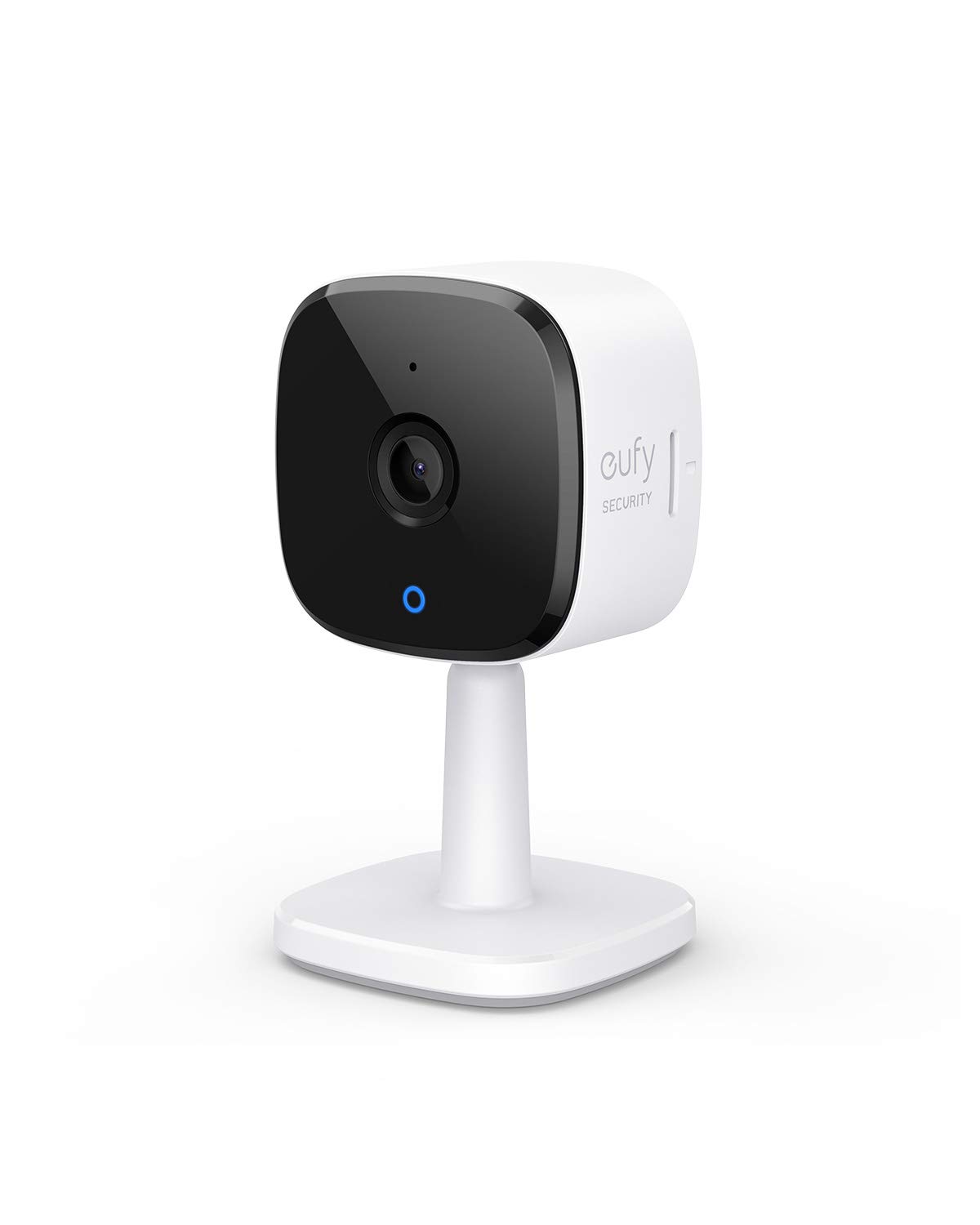
Eufy Security Solo IndoorCam C24, 2K Security Indoor Camera, Plug-in Camera with Wi-Fi, IP Camera, Human & Pet AI, Voice Assistant Compatibility, Nigh
Ensure the safety of your home with the eufy Indoor Cam C120. Enjoy clear 2K surveillance, real-time communication via two-way audio, and smart AI that recognizes humans and pets.
Ensure the safety of your home with the eufy Indoor Cam C120. Enjoy clear 2K surveillance, real-time communication via two-way audio, and smart AI that recognizes humans and pets.
Ensure the safety of your home with the eufy Indoor Cam C120. Enjoy clear 2K surveillance, real-time communication via two-way audio, and smart AI that recognizes humans and pets.
Ensure the safety of your home with the eufy Indoor Cam C120. Enjoy clear 2K surveillance, real-time communication via two-way audio, and smart AI that recognizes humans and pets.
in 6 offers
The lowest price for Eufy Security Solo IndoorCam C24, 2K Security Indoor Camera, Plug-in Camera with Wi-Fi, IP Camera, Human & Pet AI, Voice Assistant Compatibility, Nigh right now is $90.27 at eBay.com.au, compared across 4 retailers.
The all-time low was $39.99 on 27 May 2026 — today's price is 126% above the lowest ever. It has been notably cheaper before — worth setting a price alert.
Prices last updated 6 Sept 2026.

