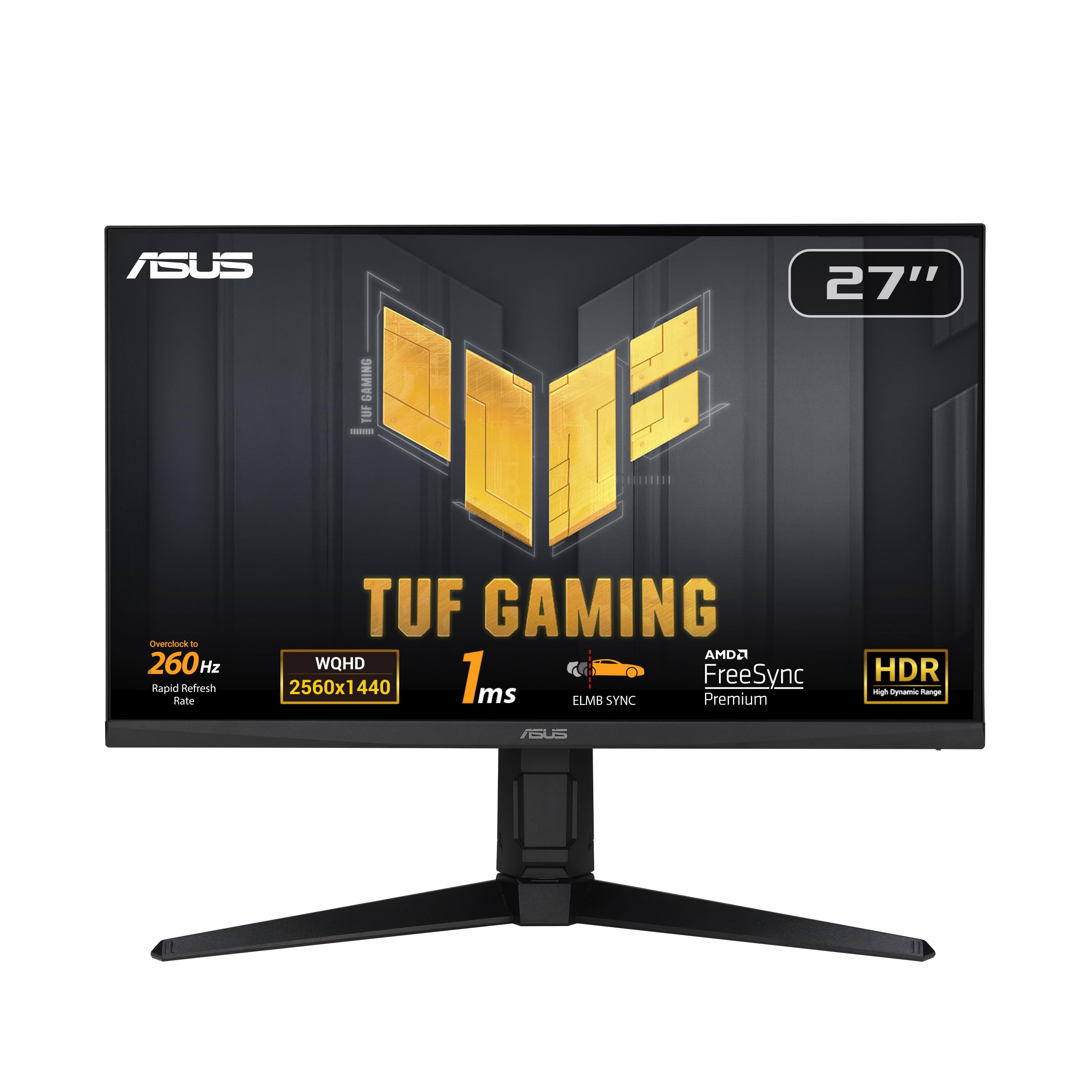
This ROG Swift Gaming Monitor is the perfect addition to your setup. It's got an ultra-fast 240Hz refresh rate and a 0.03 ms response time. Plus, it comes with an OLED panel to ensure that you're always getting best picture possible.
This ROG Swift Gaming Monitor is the perfect addition to your setup. It's got an ultra-fast 240Hz refresh rate and a 0.03 ms response time. Plus, it comes with an OLED panel to ensure that you're always getting best picture possible.
Gaming Monitor Asus 4K Ultra HD 32" 31,5" 240 Hz
This ROG Swift Gaming Monitor is the perfect addition to your setup. It's got an ultra-fast 240Hz refresh rate and a 0.03 ms response time. Plus, it comes with an OLED panel to ensure that you're always getting best picture possible.
This ROG Swift Gaming Monitor is the perfect addition to your setup. It's got an ultra-fast 240Hz refresh rate and a 0.03 ms response time. Plus, it comes with an OLED panel to ensure that you're always getting best picture possible.
in 5 offers
The lowest price for Gaming Monitor Asus 4K Ultra HD 32" 31,5" 240 Hz right now is $1,899.00 at Umart, compared across 3 retailers.
The all-time low was $345.00 on 13 July 2026 — today's price is 450% above the lowest ever. It has been notably cheaper before — worth setting a price alert.
Prices last updated 2 Sept 2026.
Last updated at 02/09/2026 00:57:24
Asus ROG Swift 32in UHD QD-OLED 240Hz Gaming Monitor (PG32UCDM)
30-day returns
Asus ROG Swift 31.5in 4K UHD QD-OLED FreeSync Premium Pro Gaming Monitor (PG32UCDMR)
30-day returns
Asus ROG Swift 32in UHD QD-OLED 240Hz Gaming Monitor (PG32UCDM)
30-day returns
Asus ROG Swift 31.5in 4K UHD QD-OLED FreeSync Premium Pro Gaming Monitor (PG32UCDMR)
30-day returns
Refurbished - ASUS ROG Swift PG32UCDM 31.5" 240Hz 4K 0.03ms USB-C 90W QD-OLED Gaming Monitor (Avail: In Stock )
Free delivery between 4–11 Sept
originally posted on inet.se/
I paid roughly 15k SEK for this PC monitor. In my book, this is a luxury purchase and not a utility one. The question whether it's worth it should then be whether you like it.To me, I love it. I held out on purchasing an OLED monitor for quite some time. It's a big jump in quality from my 1440p 144 Hz IPS display.I was worried about text fringing as I read a lot, but so far any fringing is not noticeable to my eyes.One thing to note is the monitor stand. Unlike other reviewers, I do not have any problem with the large desk area it takes (about 61x33 cm2), and I find the tripod quite stable even on a shaky desk. Another plus is the option to disable all the lightings. However, I think ASUS should pay more attention to its assembly; The stand is misaligned and ... MoreI paid roughly 15k SEK for this PC monitor. In my book, this is a luxury purchase and not a utility one. The question whether it's worth it should then be whether you like it.To me, I love it. I held out on purchasing an OLED monitor for quite some time. It's a big jump in quality from my 1440p 144 Hz IPS display.I was worried about text fringing as I read a lot, but so far any fringing is not noticeable to my eyes.One thing to note is the monitor stand. Unlike other reviewers, I do not have any problem with the large desk area it takes (about 61x33 cm2), and I find the tripod quite stable even on a shaky desk. Another plus is the option to disable all the lightings. However, I think ASUS should pay more attention to its assembly; The stand is misaligned and would result in the monitor being tilted. A quick search would show that this is not an uncommon issue. To fix this, you would have to remove the four screws, realign the plate using the two tabs to the sides as reference, and retighten the screws. Use PH#2 driver so you don't strip the heads of the loctited scews. See attached pictures.Overall, happy with my purchase and the inherent quality of the monitor (the image), but can't believe that for a monitor this price, ASUS could not pay more attention to the assembly of the stand.
originally posted on centrecom.com
As I was in the market for a high-end OLED monitor, my biggest challenge was deciding between W-OLED or QD-OLED. Specifically, the 3rd gen OLEDs found in the ASUS PG32 UCDP and UCDM. So, I did a lot of research and comparisons and ended up with Asus PG32UCDP.My main reasons for choosing the PG32UCDP were obviously a better price (at least in Australia, as compared to PG32UCDM), better handling of ambient light, better brightness, better HDR and features such as 1080p 480Hz.Well, I guess both of these monitors are the top options currently available in the market for gaming. They are quite similar in terms of features yet they have some key differences also that set them apart.Coating: The UCDP has a matte coating, while the UCDM has a glossy one. It’s ... MoreAs I was in the market for a high-end OLED monitor, my biggest challenge was deciding between W-OLED or QD-OLED. Specifically, the 3rd gen OLEDs found in the ASUS PG32 UCDP and UCDM. So, I did a lot of research and comparisons and ended up with Asus PG32UCDP.My main reasons for choosing the PG32UCDP were obviously a better price (at least in Australia, as compared to PG32UCDM), better handling of ambient light, better brightness, better HDR and features such as 1080p 480Hz.Well, I guess both of these monitors are the top options currently available in the market for gaming. They are quite similar in terms of features yet they have some key differences also that set them apart.Coating: The UCDP has a matte coating, while the UCDM has a glossy one. It’s important to note that the matte finish on the UCDP is nowhere near as aggressive as traditional “gaming” monitors, and the glossy finish on the UCDM isn’t as glossy as OLED TVs, such as LG C3/C4.Screen: When displaying black the UCDP is simply pitch black in any light condition, making content “pop” in any situation. The only mark against the UCDP and its matte coating is when displaying full white and getting really close to the screen, and there is a slight visible grainy look. IMO, it’s not noticeable at all in normal use.Colors: I think the UCDM does get slightly more vibrant, but the UCDP gets brighter, especially when displaying white. There is a quick trick to fix that color punch in UCDP. Go to your ‘nVidia control panel’ (if you have an nVidia GPU) and increase the ‘digital vibrance’ to 65%, and it's almost as punchy as UCDM in the colour department.HDR: According to my research, I think the UCDP looks slightly better due to its higher brightness.Conclusion: I think it’s a no-brainer to pick the UDCP, and no need to pay the extra AUD 350. Save that money and spend it on something else.It’s an absolute treat monitor that you will enjoy for years but don’t forget it will leave a hole in your wallet. 😊Enjoy!
originally posted on asus.com
For quite some time, I was looking for a reasonably sized 4K (3840x2160) OLED monitor to be used for both gaming and productivity. When ASUS announced the 32” ROG PG32UCDM Gaming Monitor, I immediately signed up to be notified when it became available in stock. Unfortunately, as soon as I got an e-mail notification and went to their site, it was already out of stock again. I decided to visit my favorite online retailer, Amazon.com, to see if they were available.I can confidently state without hyperbole that this is the best monitor I've ever used in my lifetime. The blacks are zero-nit infinite blacks, the highlights are brilliant and crisp, the connectivity and feature set are absolutely top notch, and the heft and build quality are really second to none. Used ... MoreFor quite some time, I was looking for a reasonably sized 4K (3840x2160) OLED monitor to be used for both gaming and productivity. When ASUS announced the 32” ROG PG32UCDM Gaming Monitor, I immediately signed up to be notified when it became available in stock. Unfortunately, as soon as I got an e-mail notification and went to their site, it was already out of stock again. I decided to visit my favorite online retailer, Amazon.com, to see if they were available.I can confidently state without hyperbole that this is the best monitor I've ever used in my lifetime. The blacks are zero-nit infinite blacks, the highlights are brilliant and crisp, the connectivity and feature set are absolutely top notch, and the heft and build quality are really second to none. Used for both FPS and MMORPG, as well as business applications (e-mail, web-based work, MS Office apps, etc.), I've never used a monitor with text and graphics that were easier to read with zero eyestrain. I was a bit concerned about the gloss finish of the monitor, having a window right behind me, but even with a black screen I can barely see any reflections from light behind me. It's witchcraft, I swear!I could gush on for a while, but I'll wrap up with a pleasant HDR Windows 11 surprise. Anyone who has enabled HDR on a Windows 10/11 PC has immediately noticed all contrast and colors become muted and dull. Firing up an UHD HDR video on YouTube in full screen looked fantastic, but "regular" Windows was bleached out and mostly unusable. Well, ASUS has a solution for that called "DisplayHDR 400 True Black". When enabled for HDR, almost all the contrast lost by enabling HDR in Windows is restored. Plus, you still get that jaw-dropping stunning "infinite depth" from 4k HDR videos. It's truly the best of both worlds.The ASUS PG32UCDM 32” 4K OLED Gaming Monitor gets my highest recommendations! Buy one now!
| Mounting Standard VESA in mm | 100x100 |
| Wall Mount | Optional at Extra Cost |
| Data Transfer | Yes |
| Trade Mark | Asus |
| Resolution | 4K / Ultra HD |
Asus ROG Swift 32in UHD QD-OLED 240Hz Gaming Monitor (PG32UCDM)
30-day returns
Asus ROG Swift 31.5in 4K UHD QD-OLED FreeSync Premium Pro Gaming Monitor (PG32UCDMR)
30-day returns
Asus ROG Swift 32in UHD QD-OLED 240Hz Gaming Monitor (PG32UCDM)
30-day returns
Asus ROG Swift 31.5in 4K UHD QD-OLED FreeSync Premium Pro Gaming Monitor (PG32UCDMR)
30-day returns
Refurbished - ASUS ROG Swift PG32UCDM 31.5" 240Hz 4K 0.03ms USB-C 90W QD-OLED Gaming Monitor (Avail: In Stock )
Free delivery between 4–11 Sept
I paid roughly 15k SEK for this PC monitor. In my book, this is a luxury purchase and not a utility one. The question whether it's worth it should then be whether you like it.To me, I love it. I held out on purchasing an OLED monitor for quite some time. It's a big jump in quality from my 1440p 144 Hz IPS display.I was worried about text fringing as I read a lot, but so far any fringing is not noticeable to my eyes.One thing to note is the monitor stand. Unlike other reviewers, I do not have any problem with the large desk area it takes (about 61x33 cm2), and I find the tripod quite stable even on a shaky desk. Another plus is the option to disable all the lightings. However, I think ASUS should pay more attention to its assembly; The stand is misaligned and ... MoreI paid roughly 15k SEK for this PC monitor. In my book, this is a luxury purchase and not a utility one. The question whether it's worth it should then be whether you like it.To me, I love it. I held out on purchasing an OLED monitor for quite some time. It's a big jump in quality from my 1440p 144 Hz IPS display.I was worried about text fringing as I read a lot, but so far any fringing is not noticeable to my eyes.One thing to note is the monitor stand. Unlike other reviewers, I do not have any problem with the large desk area it takes (about 61x33 cm2), and I find the tripod quite stable even on a shaky desk. Another plus is the option to disable all the lightings. However, I think ASUS should pay more attention to its assembly; The stand is misaligned and would result in the monitor being tilted. A quick search would show that this is not an uncommon issue. To fix this, you would have to remove the four screws, realign the plate using the two tabs to the sides as reference, and retighten the screws. Use PH#2 driver so you don't strip the heads of the loctited scews. See attached pictures.Overall, happy with my purchase and the inherent quality of the monitor (the image), but can't believe that for a monitor this price, ASUS could not pay more attention to the assembly of the stand.
As I was in the market for a high-end OLED monitor, my biggest challenge was deciding between W-OLED or QD-OLED. Specifically, the 3rd gen OLEDs found in the ASUS PG32 UCDP and UCDM. So, I did a lot of research and comparisons and ended up with Asus PG32UCDP.My main reasons for choosing the PG32UCDP were obviously a better price (at least in Australia, as compared to PG32UCDM), better handling of ambient light, better brightness, better HDR and features such as 1080p 480Hz.Well, I guess both of these monitors are the top options currently available in the market for gaming. They are quite similar in terms of features yet they have some key differences also that set them apart.Coating: The UCDP has a matte coating, while the UCDM has a glossy one. It’s ... MoreAs I was in the market for a high-end OLED monitor, my biggest challenge was deciding between W-OLED or QD-OLED. Specifically, the 3rd gen OLEDs found in the ASUS PG32 UCDP and UCDM. So, I did a lot of research and comparisons and ended up with Asus PG32UCDP.My main reasons for choosing the PG32UCDP were obviously a better price (at least in Australia, as compared to PG32UCDM), better handling of ambient light, better brightness, better HDR and features such as 1080p 480Hz.Well, I guess both of these monitors are the top options currently available in the market for gaming. They are quite similar in terms of features yet they have some key differences also that set them apart.Coating: The UCDP has a matte coating, while the UCDM has a glossy one. It’s important to note that the matte finish on the UCDP is nowhere near as aggressive as traditional “gaming” monitors, and the glossy finish on the UCDM isn’t as glossy as OLED TVs, such as LG C3/C4.Screen: When displaying black the UCDP is simply pitch black in any light condition, making content “pop” in any situation. The only mark against the UCDP and its matte coating is when displaying full white and getting really close to the screen, and there is a slight visible grainy look. IMO, it’s not noticeable at all in normal use.Colors: I think the UCDM does get slightly more vibrant, but the UCDP gets brighter, especially when displaying white. There is a quick trick to fix that color punch in UCDP. Go to your ‘nVidia control panel’ (if you have an nVidia GPU) and increase the ‘digital vibrance’ to 65%, and it's almost as punchy as UCDM in the colour department.HDR: According to my research, I think the UCDP looks slightly better due to its higher brightness.Conclusion: I think it’s a no-brainer to pick the UDCP, and no need to pay the extra AUD 350. Save that money and spend it on something else.It’s an absolute treat monitor that you will enjoy for years but don’t forget it will leave a hole in your wallet. 😊Enjoy!
For quite some time, I was looking for a reasonably sized 4K (3840x2160) OLED monitor to be used for both gaming and productivity. When ASUS announced the 32” ROG PG32UCDM Gaming Monitor, I immediately signed up to be notified when it became available in stock. Unfortunately, as soon as I got an e-mail notification and went to their site, it was already out of stock again. I decided to visit my favorite online retailer, Amazon.com, to see if they were available.I can confidently state without hyperbole that this is the best monitor I've ever used in my lifetime. The blacks are zero-nit infinite blacks, the highlights are brilliant and crisp, the connectivity and feature set are absolutely top notch, and the heft and build quality are really second to none. Used ... MoreFor quite some time, I was looking for a reasonably sized 4K (3840x2160) OLED monitor to be used for both gaming and productivity. When ASUS announced the 32” ROG PG32UCDM Gaming Monitor, I immediately signed up to be notified when it became available in stock. Unfortunately, as soon as I got an e-mail notification and went to their site, it was already out of stock again. I decided to visit my favorite online retailer, Amazon.com, to see if they were available.I can confidently state without hyperbole that this is the best monitor I've ever used in my lifetime. The blacks are zero-nit infinite blacks, the highlights are brilliant and crisp, the connectivity and feature set are absolutely top notch, and the heft and build quality are really second to none. Used for both FPS and MMORPG, as well as business applications (e-mail, web-based work, MS Office apps, etc.), I've never used a monitor with text and graphics that were easier to read with zero eyestrain. I was a bit concerned about the gloss finish of the monitor, having a window right behind me, but even with a black screen I can barely see any reflections from light behind me. It's witchcraft, I swear!I could gush on for a while, but I'll wrap up with a pleasant HDR Windows 11 surprise. Anyone who has enabled HDR on a Windows 10/11 PC has immediately noticed all contrast and colors become muted and dull. Firing up an UHD HDR video on YouTube in full screen looked fantastic, but "regular" Windows was bleached out and mostly unusable. Well, ASUS has a solution for that called "DisplayHDR 400 True Black". When enabled for HDR, almost all the contrast lost by enabling HDR in Windows is restored. Plus, you still get that jaw-dropping stunning "infinite depth" from 4k HDR videos. It's truly the best of both worlds.The ASUS PG32UCDM 32” 4K OLED Gaming Monitor gets my highest recommendations! Buy one now!
Theres so much to say about this monitor, with the price tag, you definitely want to know every little detail about it and how to get the most out of itthere's a bunch of reviews and info on this monitor already but I will try to include my own points on my personal experience with itFirst and Foremost, this is a gaming monitor, and normally ASUS ROG tailored stuff is strong when it comes to that stuff, I considered all the other options on the market quite thoroughly, but settled on this oneI originally came from an ASUS PG279Q (1440p/165Hz), which is still a very solid monitor, but with the TV world getting to enjoy OLEDs for many years now, its was about time the desktop market got a share.For a very brief period, I owned the OLED 1440p version of this ... MoreTheres so much to say about this monitor, with the price tag, you definitely want to know every little detail about it and how to get the most out of itthere's a bunch of reviews and info on this monitor already but I will try to include my own points on my personal experience with itFirst and Foremost, this is a gaming monitor, and normally ASUS ROG tailored stuff is strong when it comes to that stuff, I considered all the other options on the market quite thoroughly, but settled on this oneI originally came from an ASUS PG279Q (1440p/165Hz), which is still a very solid monitor, but with the TV world getting to enjoy OLEDs for many years now, its was about time the desktop market got a share.For a very brief period, I owned the OLED 1440p version of this monitor (PG279AQDM), I was very impressed, and sold it on shortly after in anticipation for this 4K version, and I was finally excited to move to the fabled 4K resolution.Pros:-The jump in quality from TN/IPS to OLED is astounding, akin to the wow factor we had when we moved from CRTs to Plasma/LCD HDTVs and then to IPS/High Refresh/4K-The motion clarity in game is just unbelievable, you know sometimes you are playing a shooter in a 'hits the fan' situation and theres all kinds of things going on the screen and it's difficult to stay on your targetthe responsiveness of this monitor gives you a huge boost to focus and clarity during such situations-With OLED, the simple fact of how a dark area in a game is pure black on your screen, makes an incredible difference to the picture, this alone among many other things makes OLED worth it (the monitor also has many other useful gaming features that would take too long to cover individually)-Brightness (at least in SDR) is more than acceptable, I have no idea how people were complaining about this, I have Brightness/Contrast at 40/40 and it is plenty bright for me for both gaming and desktop use during the day in a bright room-Item is Very Well Packaged and simple to set up/assemble, zero scratches or issues with the screen or dead pixels, beautiful (I can't say that for many past monitors I bought from ASUS)-The monitor is also exceptional for productivity and media, everything just looks so clear and crisp, even basic desktop applications are honestly a joy to look at on top of the 240Hz refresh-A 32" sized screen is borderline too big for desktop use, it took a few days to adjust, but now I probably wouldn't want to go back to something smaller-Another concern I had was 4K over a large screen with desktop viewing distances, but the 140ppi (pixel) Density with a sitting/viewing distance of around 85cm (upright gaming mode so to speak), there is essentially no discernable pixelation, and text fringing, it is non existent and looks possibly just as good as any IPS monitor, a huge improvement over last gens 1440p version as it was very bad on the previous gen, I am quite sensitive to it, but on this monitor it is imperceptible to me-This has what is described as a semi-glossy coating, but is for the most part a glossy coating (you'll see a lot of people arguing online about which is better), but I can say it produces a much nicer image compared to the previous matt coating,-A huge question I had ever since 4K monitors came about, does 4K and a larger screen size make me more competitive? and my concerns were realised, 4K 32", just is not IdealThere are some things to consider:-The Increased resolution and screen size (for desktop use) will hurt your ability to process and respond as fast, while the overall image is much more pleasing to the eye, -aliasing is reduced and lessens your ability to make out distant targets or shimmering pixels-4K 240hz is still a bit strenuous to run, even on a 4090 (unless you are playing a super optimized competitive shooter)-you just can't sit far back enough with a mouse and keyboard and this makes shooters quite difficult to play and you end up with tunnel vision, there is just too much screen real estate to cover, and I frequently got eye strain from using such a large monitor up close.Again all this is largely dependent on what you are playing, in my case mostly shooters,though I will mention one big and clear benefit is slower paced games which rely greatly on your situational awareness and spotting distant targets(Tarkov/Squad/Hell Let Loose etc) the resolution and screen size will actually net you an advantageThe screen shrink feature which is an incredibly useful tool, With a 27" and 24.5" option, (I didn't really see this as part of any marketing)these simulated sizes are not akin to 1440p/1080p and are instead using some arbitrary resolution,setting your windows resolution to 1440p/1080p respectively in these simulated modes results in quite a poor image-The native resolution of these shrinked sizes works well, but they are more pixel dense than 1440p/1080p (akin to 3K and 2.5K resolution) and just dont seem to have as much clarity as running a native monitorI would still not use this monitor to replace a dedicated 1080/1440p Monitor high refresh if you are looking to keep it purely competitive.generally speaking however, you are getting 2 Monitors in one, Best used as a 4K Full size for relaxed singleplayer/movies/media/work, and Simulated Screens for Faster paced games-A small one, but the relocation of the power buttons to the middle makes it a lot easier to useNeutral:-There is a large debate regarding the ports on these monitors, but as it stands, I don't believe it's a major issueThe only card on the market really capable of pushing these kind of frames and resolutions at decent settings is a 4090, which is dp 1.4adp 1.4a with DSC meets the bandwidth requirement for 4K 240hz with next to no image quality loss(Please give this a read if you aren't convinced https://tftcentral.co.uk/articles/when-is-displayport-2-1-going-to-be-used-on-monitors)I did not experience any visual artifacting or significant quality/pixelation in my testing-The Stand, was hoping for a redesign since their previous monitors, but it'll do-You still need to somewhat control the lighting in the room this is situated in,direct light on the monitor will produce a magenta-ish colour as well as reflections, still worthy compromise with the benefits of a glossy coating-Dolby Vision Support yet to be properly released-Burn in remains to be seen, with this or previous gen-Be sure to update your firmware (mine shipped with mcm101 at the time of writing which was also extremely simple and easy to do if you check the provided PDF from ASUS)-You will need to run the pixel cleaning every 6-8 hours with an on screen prompt, but its not intrusive and only takes around 6 minutes to do-oled panels are EXTREMELY sensitive to any kind of foreign substances, I would only use purified distilled water and a completely sterile microfibre cloth (one for wet, one for dry pass)even then, its almost impossible to avoid micro scratchesCons:-Alt+Tabbing can be a bit painful, it takes absolutely forever sometimes to tab into and out of games using fullscreen mode, especially when using the simulated screen size, sometimes the screen will just freeze,it's worse if you are running multiple monitors, games will constantly launch in the wrong monitor and you have to mess around with windows display settings too oftenI believe this is due to DSC, but a simple fix is to run all your games borderless windowed-HDR, this is a large part of why these monitors are worth buying, but it still falls a bit shortit varies massively between the game or movie you are wanting to use HDR in, but to name a few titles with HDR enabled which look mind-blowingly good (BF1, Star Wars BF2, RE7/8/Doom Eternal/RE4 Remake, just to name a few)improvements regarding brightness in HDR are yet to be seen with future firmware updatesthere are much more detailed discussions online regarding this, but dont buy this purely to enjoy HDR content, though any kind of 4K high bit-rate content still looks exceptional on this monitor-With DSC enabled, you cannot use DLDSR to downsample resolutions above 4K (I assume due to bandwidth limitations), this is quite a bummer as even with 4K you will still experience Aliasing in some games,older games can easily be run in 5K or higher to get that extra resolution boost which would still benefit this monitor,you are stuck at an absolute max of 4K 240hz with this display (or 120Hz with BFI if you want higher than 4K)BFI should help make 120hz seem a lot smoother, but the higher refresh you go, the harder it is to go back-The price, not much else to say there, just the price we pay for the bleeding edge.Undoubtedly there will be a 4K 360Hz version next year when 5000 series and dp 2.1 is properly adopted at double the priceIn closing, When you think of your gaming computer, every penny you spent on it is all in the pursuit of producing an image in the smoothest and highest quality possible, and this is as good as it currently getsOverall, this is the absolute best monitor asus has released in yearsto which I am struggling to find things to complain about for this one, this really is a do-it-all kind of monitorYou can't go wrong with any of these 4K OLEDs as they are all basically the same panel with their own gaming related flair, they are the current peak of display techLastly, this monitor gives you a reason to go back and watch every single movie, play every single game you have ever played to experience the level of visual joy this display offers
The Monitor looks great and Dolby Vision makes Movies look fantastic. The reason I'm only giving it three stars is due to the worry about Screen burn-in(Which is a real concern on QD-OLED monitors). Also, price is way too high, and the lack of detailed information on settings in the OSD. First, I had to change my whole windows layout and spent hours researching the best settings to avoid screen burn-in, because I would like to use this monitor for more than gaming. I set my windows background to Black and I also moved Icons off this screen to another screen so the icons don't cause burn-in - this is ridiculous. Basically, this monitor is good for gaming and watching movies, in a dark room and that's it. If you leave anything static on the screen for long periods of ... MoreThe Monitor looks great and Dolby Vision makes Movies look fantastic. The reason I'm only giving it three stars is due to the worry about Screen burn-in(Which is a real concern on QD-OLED monitors). Also, price is way too high, and the lack of detailed information on settings in the OSD. First, I had to change my whole windows layout and spent hours researching the best settings to avoid screen burn-in, because I would like to use this monitor for more than gaming. I set my windows background to Black and I also moved Icons off this screen to another screen so the icons don't cause burn-in - this is ridiculous. Basically, this monitor is good for gaming and watching movies, in a dark room and that's it. If you leave anything static on the screen for long periods of time it can ruin the screen. The Price I paid was $1,299. Not worth it for a monitor that can only be used for gaming and watching movies. As a result, If all you are doing is gaming and watching movies than this is the best monitor in the world. If you want to use it for more... then I suggest you buy an IPS monitor or wait until the technology has improved to the point of solving the burn-in issue. Either way, $1,299 is too high for this monitor even with a three year warranty - under $999 would be more reasonable -
Absolutely love this monitor. I use it for both PC gaming and work on my MacBook via USB-C. Love how I can plug the K&M into the monitor and it will serve those inputs over whichever input is active. It also charges my MacBook from the same connection which is super convenient.Love the efforts placed into caring for the QD-OLED panel with features such as pixel cleaning, beefy heatsink, external power brick and a decent warranty period.Other users report issues with QD-OLED's purplish blacks and the screen's glossy finish making it less ideal in light room conditions but I don't even notice these even during the daytime. For me the better colour saturation is preferred over its matte WOLED alternative.The monitor has full RGB on the back however I keep this ... MoreAbsolutely love this monitor. I use it for both PC gaming and work on my MacBook via USB-C. Love how I can plug the K&M into the monitor and it will serve those inputs over whichever input is active. It also charges my MacBook from the same connection which is super convenient.Love the efforts placed into caring for the QD-OLED panel with features such as pixel cleaning, beefy heatsink, external power brick and a decent warranty period.Other users report issues with QD-OLED's purplish blacks and the screen's glossy finish making it less ideal in light room conditions but I don't even notice these even during the daytime. For me the better colour saturation is preferred over its matte WOLED alternative.The monitor has full RGB on the back however I keep this switched off as I find the effect too weak to bee worthwhile. It also has a red projected light underneath with customisable stencil disk however this along with the illuminated front logo are fixed to red only. Could be cool if these were RGB instead
When the ASUS monitor was unveiled at CES 2024, it sparked a wave of excitement that turned into a quest to secure one. The demand was so high that it felt like a part-time job trying to track it down, using notifications, Wishlist, and even bots. After diving deep into reviews, scouring ASUS's website, and combing through Reddit, I was convinced that this OLED monitor was the missing piece in my ASUS Gaming setup.A month later, I was greeted by a beautifully packaged monitor that lived up to ASUS's reputation for top-notch presentation. Opening the box felt like a Christmas morning ritual, complete with every cable imaginable: HDMI Highspeed (ROG branded), DisplayPort, USB A to B, and even Type-C Highspeed making it a breeze to set up without needing additional ... MoreWhen the ASUS monitor was unveiled at CES 2024, it sparked a wave of excitement that turned into a quest to secure one. The demand was so high that it felt like a part-time job trying to track it down, using notifications, Wishlist, and even bots. After diving deep into reviews, scouring ASUS's website, and combing through Reddit, I was convinced that this OLED monitor was the missing piece in my ASUS Gaming setup.A month later, I was greeted by a beautifully packaged monitor that lived up to ASUS's reputation for top-notch presentation. Opening the box felt like a Christmas morning ritual, complete with every cable imaginable: HDMI Highspeed (ROG branded), DisplayPort, USB A to B, and even Type-C Highspeed making it a breeze to set up without needing additional accessories. The inclusion of a ROG carrying bag added a touch of luxury.Now, onto the monitor itself. The color and resolution were stunning, almost to the point of needing to adjust the brightness. The QD-OLED technology truly shines, surpassing W-OLED in color vibrancy. Running it requires a powerful GPUI use a 4090 and achieve around 160fps on max settings in Fortnite, making the 240Hz refresh rate a comfortable fit for future GPU upgrades.Navigating the menu system was straightforward, although a comprehensive FAQ from ASUS on the settings would be a welcome addition for gamers looking to optimize their experience. Overall, I'm enamored with this monitor it's a true work of art in cutting-edge technology that enhances every aspect of gaming. I have to address some reasons why I couldn't give this monitor a perfect rating. These concerns are valid and worth noting. Firstly, the HDR performance is underwhelming. The colors appear washed out, which is disappointing considering the potential of this monitor. When using HDR, it's frustrating that you're restricted to Racing Mode in the color preset settings with no option to change it. Given that this monitor boasts capabilities like 1000 nits brightness and HDR 400, it's crucial for ASUS to clarify the settings' effects and improve color accuracy. Additionally, the absence of Dolby Vision, although acknowledged on the ASUS website as forthcoming, is a notable omission. Beyond that, there's a need for overall HDR color enhancement and clearer guidance on achieving optimal settings for various uses such as desktop work, gaming, or photo editing. These improvements would significantly elevate the monitor's performance and user experience. If Asus fixes this....5 Stars for sure.
This is definitely a gaming monitor and the build quality is one of the best I've seen...but it isn't great as a regular productivity monitor.The refresh rate is great, colours are generally quite good but difficult to adjust to realistic colours - ended up using the user mode as the others were way off. The monitor is fairly reflective, which probably improves the colours a bit but sucks when you have a window behind you - there is anti-reflective coatings that help a bit but when I have it side-by-side with a Dell 27" 4K monitor, it's noticeably worse than the Dell.As an office monitor, the brightness is lacking, again compared to the Dell beside it - moving a white background window between the two monitors really demonstrates the huge difference in ... MoreThis is definitely a gaming monitor and the build quality is one of the best I've seen...but it isn't great as a regular productivity monitor.The refresh rate is great, colours are generally quite good but difficult to adjust to realistic colours - ended up using the user mode as the others were way off. The monitor is fairly reflective, which probably improves the colours a bit but sucks when you have a window behind you - there is anti-reflective coatings that help a bit but when I have it side-by-side with a Dell 27" 4K monitor, it's noticeably worse than the Dell.As an office monitor, the brightness is lacking, again compared to the Dell beside it - moving a white background window between the two monitors really demonstrates the huge difference in brightness. The biggest issue though, is the text fringing. Since I mostly use this for browsing, Office applications, etc...it's very noticeable to me. I prefer to use the IPS Dell 4K monitor rather than the OLED.Now you wonder, why the heck did you buy this monitor if you're not just a hard-core gamer? I had a choice of monitor for work that I didn't pay for...so thought I'd give it a try as a second monitor. Would I buy this for home use at this price...no way! Maybe when it's half the price...as it was, I bought it for 300 off as an open box product. Even then, way too much!
This panel is in several different models from different manufacturers so really what you're buying is feature set surrounding the panel, and the support system go with it. Colors are beautiful out of the box and calibration is spot on.ASUS Supports an explicit 3 year burn in warranty, which is excellent. Gives me the ease of mind to use this monitor as a monitor, without feeling the need to have to baby it. (source: https://rog.asus.com/articles/gaming-monitors/asus-oled-premium-)care-protects-the-rog-swift-oled-pg32ucdm-against-burn-in/I play in a dark room with a monitor light bar. For me the glossy-like coating is perfect and allows for deep inky blacks and sharp text. Lots of opinions out there about the best coating, this one being more on the glossy ... MoreThis panel is in several different models from different manufacturers so really what you're buying is feature set surrounding the panel, and the support system go with it. Colors are beautiful out of the box and calibration is spot on.ASUS Supports an explicit 3 year burn in warranty, which is excellent. Gives me the ease of mind to use this monitor as a monitor, without feeling the need to have to baby it. (source: https://rog.asus.com/articles/gaming-monitors/asus-oled-premium-)care-protects-the-rog-swift-oled-pg32ucdm-against-burn-in/I play in a dark room with a monitor light bar. For me the glossy-like coating is perfect and allows for deep inky blacks and sharp text. Lots of opinions out there about the best coating, this one being more on the glossy side.Asus support has been great, I just installed the update for Dolby Vision HDR and that has been working without a problem.The last differentiating factor for me when shopping was the KVM / USB-C output. I have a Macbook Pro of the M1 variety which typically doesn't play nice with HDMI at high refresh rates, so having a single cable out that contains my peripherals, with auto detect swapping, has been awesome.Other bells and whistles like monitor alignment / FPS gimmicky things (crosshairs etc) are all there and function. One feature I was really happy with was the proximity sensor. Wasn't even on my radar while shopping, but having the panel turn off when I walk away is a great idea.
3.5 Stars -The PG32UCDP is a great OLED option If you plan to use the display in a well lit room, but make sure you're ok with the trade-offs detailed below. All of the current OLED models are impressive in a lot of ways, but there's a steep early adopters fee given the tradeoffs.Pros1. Black Levels - Impressive in all lighting conditions. Reflections and raised black levels due to lighting aren't an issue like with QD-OLED.2. Refresh Rate - Can't ask for much more here3. Text Clarity - Close enough to my 4K IPS that I don't even notice the difference when workingCons1. Grain / noise in larger areas of mid to dark uniform color is the biggest issue. I prefer matte displays, but this is significantly more grain than a matte IPS for solid darker colors. The ... More3.5 Stars -The PG32UCDP is a great OLED option If you plan to use the display in a well lit room, but make sure you're ok with the trade-offs detailed below. All of the current OLED models are impressive in a lot of ways, but there's a steep early adopters fee given the tradeoffs.Pros1. Black Levels - Impressive in all lighting conditions. Reflections and raised black levels due to lighting aren't an issue like with QD-OLED.2. Refresh Rate - Can't ask for much more here3. Text Clarity - Close enough to my 4K IPS that I don't even notice the difference when workingCons1. Grain / noise in larger areas of mid to dark uniform color is the biggest issue. I prefer matte displays, but this is significantly more grain than a matte IPS for solid darker colors. The display is noticeably more glossy than an IPS matte, so I'm not sure what's going on here. It's to the point that some uniform colors look like a fine grain texture has been intentionally added. It's usually not that noticeable during games or movies, so I wouldn't worry about it if that's your main use. Given the price, I'm surprised Asus/LG would even ship a display with this issue. It'd be easy to recommend otherwise. I've attached a photo of the display showing a full screen solid color to help show the issue. I'd consider a QD-OLED model if you mainly plan to use the display in a dim/dark light controlled area because of this.2. Too much unnecessary lighting. Even the logo power indicator could be toned down. It can all be disabled, but I'd rather have all the distracting lighting removed for a lower price.4. The stand is well made but the back leg requires the display to be pulled forward, losing more desk space than necessary. I ended up putting it on a monitor arm because of this, so it'd be great to have a cheaper option without the stand.5. Needs more useful emulation modes, only includes sRGB. The other presets are mostly useless, giving inaccurate and exaggerated colors.6. Overpriced given these issues and risk of burn in the long-term. It has a 3 year burn in warranty, but a display in this price range should be able to last well past that without needing to worry about degradation. I wouldn't consider purchasing this unless it's heavily discounted.
| Mounting Standard VESA in mm | 100x100 |
| Wall Mount | Optional at Extra Cost |
| Data Transfer | Yes |
| Trade Mark | Asus |
| Resolution | 4K / Ultra HD |