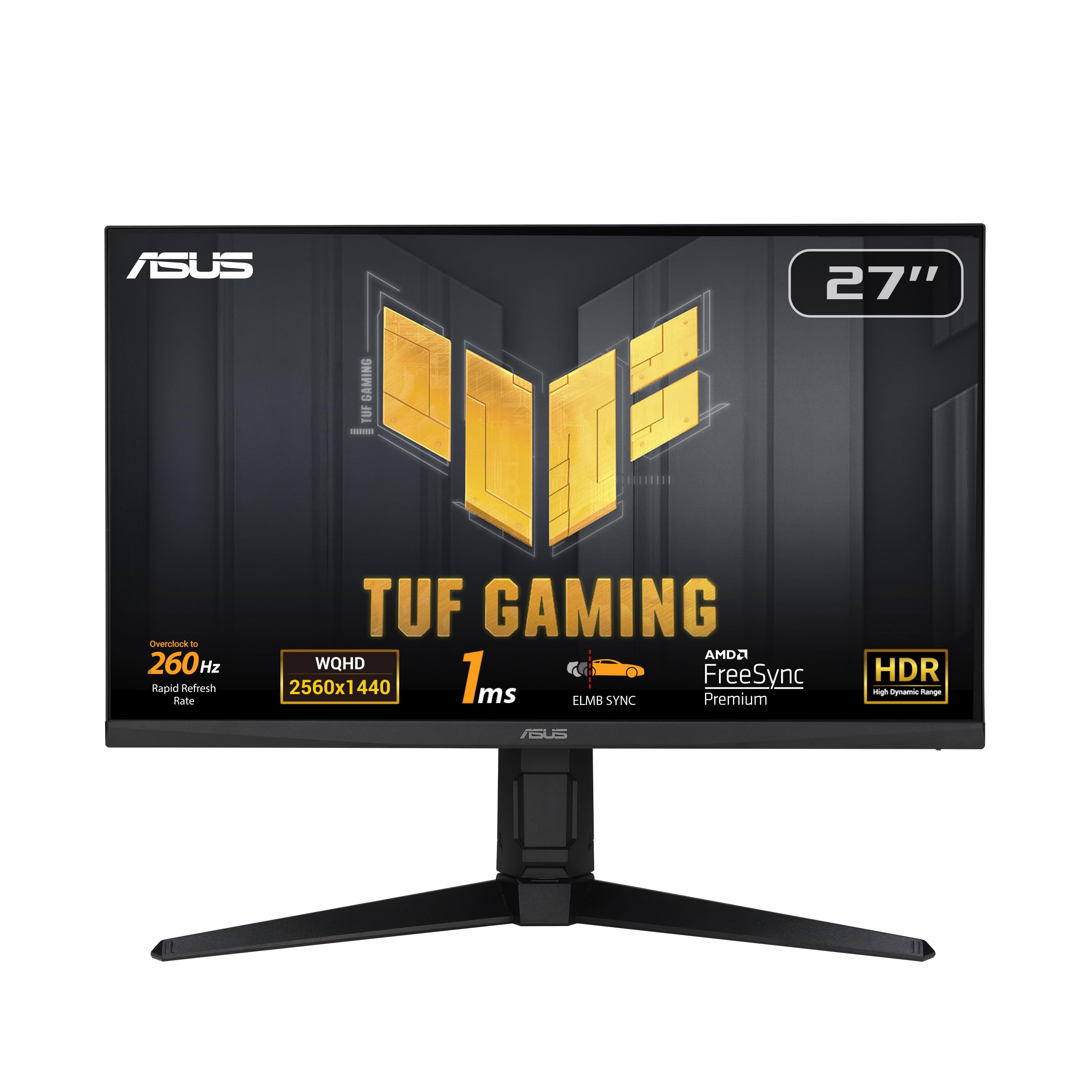
Immerse yourself in the world of gaming with an OLED. It ensures bright scenes and vivid colours, no matter what you're playing. Enhance your gaming experience with this brilliant OLED display, which has a brightness of 275 nits in standard mode and can reach up to 1,000 nits at maximum brightness. The OLED screen keeps images bright and vivid, so you won't be playing in the dark. HDR True Black 400 brings every scene, bright or dark, to life with realistic detail and a contrast ratio of 1,500,000. Immerse yourself in the more vivid gaming environment created by DCI-P3 98.5% (type). To enjoy a brighter OLED experience in the gaming environment, switch off the Smart Energy Saving mode. To enjoy a brighter OLED experience in the gaming environment, switch off the Smart Energy Saving mode. LG's UltraGear monitor offers an ultra-fast refresh rate of 240Hz and a response time of 0.03ms (GtG) on the OLED display.
Immerse yourself in the world of gaming with an OLED. It ensures bright scenes and vivid colours, no matter what you're playing. Enhance your gaming experience with this brilliant OLED display, which has a brightness of 275 nits in standard mode and can reach up to 1,000 nits at maximum brightness. The OLED screen keeps images bright and vivid, so you won't be playing in the dark. HDR True Black 400 brings every scene, bright or dark, to life with realistic detail and a contrast ratio of 1,500,000. Immerse yourself in the more vivid gaming environment created by DCI-P3 98.5% (type). To enjoy a brighter OLED experience in the gaming environment, switch off the Smart Energy Saving mode. To enjoy a brighter OLED experience in the gaming environment, switch off the Smart Energy Saving mode. LG's UltraGear monitor offers an ultra-fast refresh rate of 240Hz and a response time of 0.03ms (GtG) on the OLED display.
in 2 offers
The lowest price for Gaming Monitor LG 27GS95QE-B 240 Hz Quad HD 27" right now is $868.42 at Playthek.com, compared across 2 retailers.
The all-time low was $868.42 on 24 Aug 2026. That's the lowest price we've ever tracked — a great time to buy.
Prices last updated 24 Aug 2026.
Gaming Monitor LG 27GS95QE-B 240 Hz Quad HD 27"
Immerse yourself in the world of gaming with an OLED. It ensures bright scenes and vivid colours, no matter what you're playing. Enhance your gaming experience with this brilliant OLED display, which has a brightness of 275 nits in standard mode and can reach up to 1,000 nits at maximum brightness. The OLED screen keeps images bright and vivid, so you won't be playing in the dark. HDR True Black 400 brings every scene, bright or dark, to life with realistic detail and a contrast ratio of 1,500,000. Immerse yourself in the more vivid gaming environment created by DCI-P3 98.5% (type). To enjoy a brighter OLED experience in the gaming environment, switch off the Smart Energy Saving mode. To enjoy a brighter OLED experience in the gaming environment, switch off the Smart Energy Saving mode. LG's UltraGear monitor offers an ultra-fast refresh rate of 240Hz and a response time of 0.03ms (GtG) on the OLED display.
Immerse yourself in the world of gaming with an OLED. It ensures bright scenes and vivid colours, no matter what you're playing. Enhance your gaming experience with this brilliant OLED display, which has a brightness of 275 nits in standard mode and can reach up to 1,000 nits at maximum brightness. The OLED screen keeps images bright and vivid, so you won't be playing in the dark. HDR True Black 400 brings every scene, bright or dark, to life with realistic detail and a contrast ratio of 1,500,000. Immerse yourself in the more vivid gaming environment created by DCI-P3 98.5% (type). To enjoy a brighter OLED experience in the gaming environment, switch off the Smart Energy Saving mode. To enjoy a brighter OLED experience in the gaming environment, switch off the Smart Energy Saving mode. LG's UltraGear monitor offers an ultra-fast refresh rate of 240Hz and a response time of 0.03ms (GtG) on the OLED display.
Last updated at 24/08/2026 14:48:49
LG 27GS95QE-B computer monitor 67.3 cm (26.5") 2560 x 1440 pixels Black
Free delivery
Lg 27gs95qe-b Computer Monitor 67.3 Cm (26.5") 2560 X 1440 Pixels Quad
Delivery $40
Affiliate Disclosure: We may receive a small commission for purchases made through this link at no extra cost to you. This helps support our site. Thank you!
originally posted on scan.co.uk
Once again, perfect communication and customer service from Scan UK.The monitor is very easy to assemble and comes pre-calibrated out of the box to get the most out of the colours. For PC HDR using the remote, Gamer 1 is the most accurate setting out of the box to ensure a true representation of colour, while Gamer 2 adds more colour and saturation, so it all comes down to personal preference. However, I use Gamer 1 and adjust the digital vibrance to 55% using the Nvidia control panel, and it’s absolutely perfect for me.I’m currently using an Asus PG279Q IPS as my second monitor, and side by side, the blacks on the 27GS95QE are far superior.An added advantage is that it has true HDMI 2.1 for consoles, so it can support 4K and 2K at 120Hz and the colours you ... MoreOnce again, perfect communication and customer service from Scan UK.The monitor is very easy to assemble and comes pre-calibrated out of the box to get the most out of the colours. For PC HDR using the remote, Gamer 1 is the most accurate setting out of the box to ensure a true representation of colour, while Gamer 2 adds more colour and saturation, so it all comes down to personal preference. However, I use Gamer 1 and adjust the digital vibrance to 55% using the Nvidia control panel, and it’s absolutely perfect for me.I’m currently using an Asus PG279Q IPS as my second monitor, and side by side, the blacks on the 27GS95QE are far superior.An added advantage is that it has true HDMI 2.1 for consoles, so it can support 4K and 2K at 120Hz and the colours you can get out of this monitor is amazing.It is a definite upgrade to its predecessor (27GR95QE-B) with higher brightness.Of course, there are other OLED monitor competitors, including the Asus and Alienware 1440p OLED, but if you're looking for a decent middle ground, especially if you play console games like myself and PC, it is perfect. It even has regular Image and Pixel cleaning built in for peace of mind, which you can access using the remote.
originally posted on LG
This monitor looks great, the blacks are inky and the colors pop.Things to note for LG perhaps as an update, which would be ideal:its time for oled to abandon the sample and hold method if displaying images and switch to a rolling scan.240hz is nice, and I can get a few games to hit that, but I still have crt at my desk and the crt still looks cleaner when things get moving.This monitor is still better than an lcd screen, but the crt continues to dominate.Ive also had to send the monitor back for a repair and may have to send it back again due to a new issue it didnt have before I sent it in.LG oled tvs have a form of black frame insertion to improve motion clarity and it is not present on this monitor to my knowledge, which this monitor would benefit from in ... MoreThis monitor looks great, the blacks are inky and the colors pop.Things to note for LG perhaps as an update, which would be ideal:its time for oled to abandon the sample and hold method if displaying images and switch to a rolling scan.240hz is nice, and I can get a few games to hit that, but I still have crt at my desk and the crt still looks cleaner when things get moving.This monitor is still better than an lcd screen, but the crt continues to dominate.Ive also had to send the monitor back for a repair and may have to send it back again due to a new issue it didnt have before I sent it in.LG oled tvs have a form of black frame insertion to improve motion clarity and it is not present on this monitor to my knowledge, which this monitor would benefit from in gaming. as well as reduce burn in as the bfi or rolling scan would have the monitor not as "on" as long.Other monitors have these features at similar prices, so Im a bit disapointed that despite LGs long experience with oled tvs, that this did not carry over to their monitors, and that companies new to oled are doing a better job.Again, my issue could be resolved as an update. A rolling scan, or bfi would elevate this monitor and really all of their monitors. If brightness is an issue, let it be something the user can enable and adjust in a buried menu option. Oleds are best in darker rooms anyways.Outside of all that, the lights behind the monitor arent distracting and actually help illuminate my desk without making it bright. Very useful when I need to look for something without needing to turn on any lights, and not distracting at all when gaming or watching content. Cant even tell its on when normal lights are on.Havent tried the headset jack on it, but it is nice to have there when testing things since I wont have to get to the back of my pc.The menu gives you a lot of control when not in hdr, but you can still adjust a few things when in hdr, and the remote thing is kinda neat but not ideal when you have desk clutter as it is or an lg tv in the room lol. Though it does feel more enjoyable than using a little joystick.Overall, this monitor shines when you can feed it right. For the first time it made me turn down my settings in enlisted to minimum so I can hit 240hz, and it is very smooth. Alan Wake 2 shines at 60 hz with the settings turned up too. I havent tried retro gaming because of the issues I mentioned, but anything from the 360 and up will probably be nice. Honeslty oled is great, but just do your reading to take care of it and it will last you a while and its going to be without peer as a display format for a while as well. Its not cheap, and until they address my needs, I suggest getting their oled tvs instead for a display.
originally posted on LG
I preordered this in December after desperately trying to find a monitor that fits my very specific requirements and desires, but oddly enough the market is rather devoid of the area I'd like to see a monitor in. The only sacrifice you make with this monitor is the resolution. With the size of the monitor, it comes in at only 83.8 pixels per inch. This was actually LOWER than my old monitor which was smaller and significantly cheaper, but I was really hopeful that given the monitor size and other redeeming picture qualities it would not be as noticable.Unfortunately, if you need this monitor for anything that requires sharp pixel recognition, coding, reading, spreadsheets, work etc, this is probably NOT the monitor for you, and this is ultimately why I sadly had ... MoreI preordered this in December after desperately trying to find a monitor that fits my very specific requirements and desires, but oddly enough the market is rather devoid of the area I'd like to see a monitor in. The only sacrifice you make with this monitor is the resolution. With the size of the monitor, it comes in at only 83.8 pixels per inch. This was actually LOWER than my old monitor which was smaller and significantly cheaper, but I was really hopeful that given the monitor size and other redeeming picture qualities it would not be as noticable.Unfortunately, if you need this monitor for anything that requires sharp pixel recognition, coding, reading, spreadsheets, work etc, this is probably NOT the monitor for you, and this is ultimately why I sadly had to return it.The Good:If you want a purely gaming monitor, this is probably the best one I've ever seen or used, the color, contrast, and backlighting is spectacular, going back and forth between my old monitor and the new one was a DRASTIC difference in color even without HDR, and after having used the OLED now I think I have to update my dream monitor to include that as a requirement because it's so much easier on the eyes.The Ugly:Sadly I had to return the monitor, as at this price-point I could not justify the use-case of the monitor, I love the idea very much, and if it was only a higher resolution this would be the perfect monitor on the market. The steep curvature of the display is perfect for normal desk depth distance, and is fantastic, however, it is at odds with the low pixel density. On the one hand the strong curvature requires you to sit closer (normal desk sitting distance) to properly utilize the screen, but on the other end of the spectrum the pixel density is so low that you quickly notice the pixels and blurriness of text at that same distance. If you sit back far enough not to see the pixels, the curvature is a bit too aggressive to be viewed properly, which is unfortunate, because I really loved the curvature of this screen at this size.I have attached two photographs highlighting the blurriness and fuzziness of text on this display. Again I can't emphasize enough how if the pixel density and resolution had just been a bit higher I would be extremely happy with this monitor.If it was say: 5120x2160, which is technically higher than 4K, it would have 124.88 PPI, making it a perfect density, but 83.8 PPI on a monitor this price just isn't justifiable unfortunately.More realistically, at the oddball resolution of 3840x1600, which is basically the 21:9 version of 4K (but less vertical pixels), it would come in at 93.48 PPI, which while still considered to be on the "low" side of modern displays, would at least be acceptable for mixed use, but still definitely a bit low for the price point.Hopefully this helps clarify anything for anyone else on the fence with this display, I've been saving up for a nice big high refresh mixed-use monitor for my work from home desktop and gaming setup, and I took the risk with this monitor and unfortunately it didn't work out. If it was only for gaming though this display would still be my top choice I think, as you get much better performance at 1440p and can better utilize the 240HZ refresh than if you actually tried to get 4K at even 100 FPS.
| Feet colour | Black |
| Illuminated stand | Yes |
| Market positioning | Gaming |
| Panel type | OLED |
| Power supply type | External |
LG 27GS95QE-B computer monitor 67.3 cm (26.5") 2560 x 1440 pixels Black
Free delivery
Lg 27gs95qe-b Computer Monitor 67.3 Cm (26.5") 2560 X 1440 Pixels Quad
Delivery $40
Affiliate Disclosure: We may receive a small commission for purchases made through this link at no extra cost to you. This helps support our site. Thank you!
Once again, perfect communication and customer service from Scan UK.The monitor is very easy to assemble and comes pre-calibrated out of the box to get the most out of the colours. For PC HDR using the remote, Gamer 1 is the most accurate setting out of the box to ensure a true representation of colour, while Gamer 2 adds more colour and saturation, so it all comes down to personal preference. However, I use Gamer 1 and adjust the digital vibrance to 55% using the Nvidia control panel, and it’s absolutely perfect for me.I’m currently using an Asus PG279Q IPS as my second monitor, and side by side, the blacks on the 27GS95QE are far superior.An added advantage is that it has true HDMI 2.1 for consoles, so it can support 4K and 2K at 120Hz and the colours you ... MoreOnce again, perfect communication and customer service from Scan UK.The monitor is very easy to assemble and comes pre-calibrated out of the box to get the most out of the colours. For PC HDR using the remote, Gamer 1 is the most accurate setting out of the box to ensure a true representation of colour, while Gamer 2 adds more colour and saturation, so it all comes down to personal preference. However, I use Gamer 1 and adjust the digital vibrance to 55% using the Nvidia control panel, and it’s absolutely perfect for me.I’m currently using an Asus PG279Q IPS as my second monitor, and side by side, the blacks on the 27GS95QE are far superior.An added advantage is that it has true HDMI 2.1 for consoles, so it can support 4K and 2K at 120Hz and the colours you can get out of this monitor is amazing.It is a definite upgrade to its predecessor (27GR95QE-B) with higher brightness.Of course, there are other OLED monitor competitors, including the Asus and Alienware 1440p OLED, but if you're looking for a decent middle ground, especially if you play console games like myself and PC, it is perfect. It even has regular Image and Pixel cleaning built in for peace of mind, which you can access using the remote.
This monitor looks great, the blacks are inky and the colors pop.Things to note for LG perhaps as an update, which would be ideal:its time for oled to abandon the sample and hold method if displaying images and switch to a rolling scan.240hz is nice, and I can get a few games to hit that, but I still have crt at my desk and the crt still looks cleaner when things get moving.This monitor is still better than an lcd screen, but the crt continues to dominate.Ive also had to send the monitor back for a repair and may have to send it back again due to a new issue it didnt have before I sent it in.LG oled tvs have a form of black frame insertion to improve motion clarity and it is not present on this monitor to my knowledge, which this monitor would benefit from in ... MoreThis monitor looks great, the blacks are inky and the colors pop.Things to note for LG perhaps as an update, which would be ideal:its time for oled to abandon the sample and hold method if displaying images and switch to a rolling scan.240hz is nice, and I can get a few games to hit that, but I still have crt at my desk and the crt still looks cleaner when things get moving.This monitor is still better than an lcd screen, but the crt continues to dominate.Ive also had to send the monitor back for a repair and may have to send it back again due to a new issue it didnt have before I sent it in.LG oled tvs have a form of black frame insertion to improve motion clarity and it is not present on this monitor to my knowledge, which this monitor would benefit from in gaming. as well as reduce burn in as the bfi or rolling scan would have the monitor not as "on" as long.Other monitors have these features at similar prices, so Im a bit disapointed that despite LGs long experience with oled tvs, that this did not carry over to their monitors, and that companies new to oled are doing a better job.Again, my issue could be resolved as an update. A rolling scan, or bfi would elevate this monitor and really all of their monitors. If brightness is an issue, let it be something the user can enable and adjust in a buried menu option. Oleds are best in darker rooms anyways.Outside of all that, the lights behind the monitor arent distracting and actually help illuminate my desk without making it bright. Very useful when I need to look for something without needing to turn on any lights, and not distracting at all when gaming or watching content. Cant even tell its on when normal lights are on.Havent tried the headset jack on it, but it is nice to have there when testing things since I wont have to get to the back of my pc.The menu gives you a lot of control when not in hdr, but you can still adjust a few things when in hdr, and the remote thing is kinda neat but not ideal when you have desk clutter as it is or an lg tv in the room lol. Though it does feel more enjoyable than using a little joystick.Overall, this monitor shines when you can feed it right. For the first time it made me turn down my settings in enlisted to minimum so I can hit 240hz, and it is very smooth. Alan Wake 2 shines at 60 hz with the settings turned up too. I havent tried retro gaming because of the issues I mentioned, but anything from the 360 and up will probably be nice. Honeslty oled is great, but just do your reading to take care of it and it will last you a while and its going to be without peer as a display format for a while as well. Its not cheap, and until they address my needs, I suggest getting their oled tvs instead for a display.
I preordered this in December after desperately trying to find a monitor that fits my very specific requirements and desires, but oddly enough the market is rather devoid of the area I'd like to see a monitor in. The only sacrifice you make with this monitor is the resolution. With the size of the monitor, it comes in at only 83.8 pixels per inch. This was actually LOWER than my old monitor which was smaller and significantly cheaper, but I was really hopeful that given the monitor size and other redeeming picture qualities it would not be as noticable.Unfortunately, if you need this monitor for anything that requires sharp pixel recognition, coding, reading, spreadsheets, work etc, this is probably NOT the monitor for you, and this is ultimately why I sadly had ... MoreI preordered this in December after desperately trying to find a monitor that fits my very specific requirements and desires, but oddly enough the market is rather devoid of the area I'd like to see a monitor in. The only sacrifice you make with this monitor is the resolution. With the size of the monitor, it comes in at only 83.8 pixels per inch. This was actually LOWER than my old monitor which was smaller and significantly cheaper, but I was really hopeful that given the monitor size and other redeeming picture qualities it would not be as noticable.Unfortunately, if you need this monitor for anything that requires sharp pixel recognition, coding, reading, spreadsheets, work etc, this is probably NOT the monitor for you, and this is ultimately why I sadly had to return it.The Good:If you want a purely gaming monitor, this is probably the best one I've ever seen or used, the color, contrast, and backlighting is spectacular, going back and forth between my old monitor and the new one was a DRASTIC difference in color even without HDR, and after having used the OLED now I think I have to update my dream monitor to include that as a requirement because it's so much easier on the eyes.The Ugly:Sadly I had to return the monitor, as at this price-point I could not justify the use-case of the monitor, I love the idea very much, and if it was only a higher resolution this would be the perfect monitor on the market. The steep curvature of the display is perfect for normal desk depth distance, and is fantastic, however, it is at odds with the low pixel density. On the one hand the strong curvature requires you to sit closer (normal desk sitting distance) to properly utilize the screen, but on the other end of the spectrum the pixel density is so low that you quickly notice the pixels and blurriness of text at that same distance. If you sit back far enough not to see the pixels, the curvature is a bit too aggressive to be viewed properly, which is unfortunate, because I really loved the curvature of this screen at this size.I have attached two photographs highlighting the blurriness and fuzziness of text on this display. Again I can't emphasize enough how if the pixel density and resolution had just been a bit higher I would be extremely happy with this monitor.If it was say: 5120x2160, which is technically higher than 4K, it would have 124.88 PPI, making it a perfect density, but 83.8 PPI on a monitor this price just isn't justifiable unfortunately.More realistically, at the oddball resolution of 3840x1600, which is basically the 21:9 version of 4K (but less vertical pixels), it would come in at 93.48 PPI, which while still considered to be on the "low" side of modern displays, would at least be acceptable for mixed use, but still definitely a bit low for the price point.Hopefully this helps clarify anything for anyone else on the fence with this display, I've been saving up for a nice big high refresh mixed-use monitor for my work from home desktop and gaming setup, and I took the risk with this monitor and unfortunately it didn't work out. If it was only for gaming though this display would still be my top choice I think, as you get much better performance at 1440p and can better utilize the 240HZ refresh than if you actually tried to get 4K at even 100 FPS.
My previous monitor experiences include an Acer gaming display, a Dell curved 32”, and ViewSonic 24’ with various display types, LCD in the early 2000’s TN in 2010’s and VA in late 2015-ish. Stepping up to this LG model in 2024 has showed me companies are producing quality displays designed specifically for PC users that mainly game. This is my first OLED but not my first display.Firstly, the matte coating on this screen should be noted really as a semi matte coating, why you may ask, let me explain. Simply put, although most You Tuber’s will show us in reviews the obvious matte coating, the point they fail to share is, if you get close enough to the screen with a light source, for example, a smart phones flashlight, you will see the reflection of the phone on the ... MoreMy previous monitor experiences include an Acer gaming display, a Dell curved 32”, and ViewSonic 24’ with various display types, LCD in the early 2000’s TN in 2010’s and VA in late 2015-ish. Stepping up to this LG model in 2024 has showed me companies are producing quality displays designed specifically for PC users that mainly game. This is my first OLED but not my first display.Firstly, the matte coating on this screen should be noted really as a semi matte coating, why you may ask, let me explain. Simply put, although most You Tuber’s will show us in reviews the obvious matte coating, the point they fail to share is, if you get close enough to the screen with a light source, for example, a smart phones flashlight, you will see the reflection of the phone on the screen which is a clear indication of a semi matte coating and sitting closer to this screen because it’s 27’ allows the colors to pop, reduces glare from behind and the matte coating allows for the display to not be hindered in anyway by overhead lights or lights from sources behind the screen which results in less of a need in increasing brightness, it’s a beautiful thing because my VA panel, would noticeably need extra brightness once the lights in my room were turned on. I was pleasantly surprised by the ability of this screen to not need that intervention which is a real upgrade in viewing performnance.The display has auto running features that pixel clean for 1 minute after a certain amount of usage time and image clean for 10 minutes after 4 hours. With the image cleaning feature, I’ve heard horror stories were users complained of other branded displays running for much longer, thinking 1 hour. I much prefer the shorter time to run on this display and you will too.There is pixel shift too, mode 1 is the shortest amount of time between shifting and it’s never noticed by me. I’m 35 hours into usage, there is a built in counter that tracks this and the display has been awesome using it. I was going to go with 32”, 4K, Dell but decided, since my last display was 32” VA from Dell, I’d rather downgrade to 27”, sit closer and take less performance hit to gaming since this is 1440P. With the new Nvidia App, this display, and i9 12900kf and the rtx 2060 super, I’m in bliss while playing and there’s nothing ignorant about this version of bliss.There are many more positive things to say about this display but I will leave it at, the sale price goes as low as $649.99, regularly 899.99 and it is definitely worth both prices but better to pay the lesser in the current economy. I highly recommend this LG Ultra Display!I added some comparison pictures from the Dell VA 32’ and the OLED on the right.
I was hesitant to make the switch to OLED because of the high cost and the fear of burn-in. But I was tired of having to pick between the ghosting problems that come with VA panels and the risk of backlight bleed that seems to plague a lot IPS panels these days. I have to say that so far, I've been very happy with this monitor for the $700 I spent.Obviously, the black levels are incredible to see. I will say that with this particular monitor, I don't think the colors on every image you see on it will look THAT much better than a good IPS or VA display to the average person. But dark scenes in particular look especially great, like playing a game in a night-time environment or in a cave. The deep blacks make it feel very immersive. The incredibly low response time ... MoreI was hesitant to make the switch to OLED because of the high cost and the fear of burn-in. But I was tired of having to pick between the ghosting problems that come with VA panels and the risk of backlight bleed that seems to plague a lot IPS panels these days. I have to say that so far, I've been very happy with this monitor for the $700 I spent.Obviously, the black levels are incredible to see. I will say that with this particular monitor, I don't think the colors on every image you see on it will look THAT much better than a good IPS or VA display to the average person. But dark scenes in particular look especially great, like playing a game in a night-time environment or in a cave. The deep blacks make it feel very immersive. The incredibly low response time combined with the 240hz refresh rate is also great. Anything that can run at 240fps (including your desktop environment) feels very smooth with absolutely no ghosting as far as I can see, unless you're playing a game that has built in motion blur or a similar effect. Overall, I'm very satisfied with the image quality and motion clarity. The included remote is also very convenient to have, and the build quality is great.As for the drawbacks, I can't necessarily comment on burn-in because I haven't owned it long enough. But LG's WOLEDs are supposed to be more resistant to it than the QD-OLEDs that other brands produce. That's what made it worth it to me to spend $700 on this instead of going for some of the $600 options from other brands. I will at least say that the built in features to help prevent burn-in are very unobtrusive. The monitor will run an image cleaning process automatically when it goes to sleep if it's been 4 hours or more of screen-on time since the last time it was run. There's also an option to enable a pixel shift feature, which is not turned on by default (and I have not turned it on). There's also the text clarity issue, which seems to exist on every OLED. It doesn't personally bother me, especially since I have the option to view any particularly bad text on another monitor on my desk. It is barely noticeable to me on smaller text, but it definitely stands out on larger text. Your tolerance of this issue just comes down to personal preference and use cases. If you're going to use this monitor to do a lot of typing or reading, it may bother you. But for a gaming display that you also do some web browsing on, I don't think it's a big deal. And lastly, there's the matte coating on this display. This also comes down to personal preference. It's not a dealbreaker at all for me, especially at this price for an OLED. But you almost certainly will see it. It's not always that noticeable, but it sticks out like a sore thumb on bright images with light colors (the sky, white backgrounds, etc.). It gives a sort of grainy effect to these images, but the grain doesn't move around of course, so it doesn't feel like film grain or noise.Overall, from what I have seen so far, this is a great choice for an OLED that doesn't completely break the bank compared to the higher end options.
With all the OLED monitors on the market it was a tough decision, if you’re reading this you’re probably going through a similar dilemma.I went with the LG because I’ve owned LG’s oled big screen tv’s for years now, two of which are there very early models, they still look amazing and work flawlessly.You don’t go to a restaurant you love over and over again without having your favorite meal from that particular restaurant do you? No! You go to that restaurant to get that particular meal, over and over again, because you know they make it better than anyone else!That’s how I feel about LG’s oled technology. They’re the pioneers. I know they look amazing and I haven’t had a single issue with the 3 LG tv’s that I own. I know monitors are different but I wouldn’t ... MoreWith all the OLED monitors on the market it was a tough decision, if you’re reading this you’re probably going through a similar dilemma.I went with the LG because I’ve owned LG’s oled big screen tv’s for years now, two of which are there very early models, they still look amazing and work flawlessly.You don’t go to a restaurant you love over and over again without having your favorite meal from that particular restaurant do you? No! You go to that restaurant to get that particular meal, over and over again, because you know they make it better than anyone else!That’s how I feel about LG’s oled technology. They’re the pioneers. I know they look amazing and I haven’t had a single issue with the 3 LG tv’s that I own. I know monitors are different but I wouldn’t drop this kind of money on a monitor from anyone else.Now to the monitor, it’s amazing. The crispness of the image, the contrast, the detail, everything is just nice on the eyes. My favorite part though…the response time! As someone who only plays FPS shooters on a pretty competitive level, the response time is what I really noticed, it’s something you don’t realize until you play on one, the input is instant.I see a lot of people complain about the brightness or lack of on these monitors and I don’t see how, unless your using it in a sunroom on a bright sunny day or something, in which case maybe they should go outside. The monitor is plenty bright, bright enough for me to turn down the brightness because if it’s all the way up it makes my eyes tired…that’s my test on brightness you nits!Anyways, I’m very happy with my purchase. If I had to make the decision of which monitor to buy again, I would gladly purchase the same exact monitor.
The LG UltraGear 27" OLED QHD 240Hz 0.03ms FreeSync and NVIDIA G-SYNC Compatible Gaming Monitor is a standout in terms of visual performance and design. One of the most impressive features is the OLED panel, which delivers exceptional picture quality with deep blacks, vivid colors, and outstanding contrast. Watching movies and playing games on this display is an immersive experience, with the vibrant hues and crisp details truly standing out.The monitor is surprisingly lightweight for an OLED, making it easy to move and set up. This is a nice touch, especially when compared to heavier displays with similar specs. The included controller is another standout feature. It makes navigating the on-screen menu intuitive and efficient, allowing for quick adjustments ... MoreThe LG UltraGear 27" OLED QHD 240Hz 0.03ms FreeSync and NVIDIA G-SYNC Compatible Gaming Monitor is a standout in terms of visual performance and design. One of the most impressive features is the OLED panel, which delivers exceptional picture quality with deep blacks, vivid colors, and outstanding contrast. Watching movies and playing games on this display is an immersive experience, with the vibrant hues and crisp details truly standing out.The monitor is surprisingly lightweight for an OLED, making it easy to move and set up. This is a nice touch, especially when compared to heavier displays with similar specs. The included controller is another standout feature. It makes navigating the on-screen menu intuitive and efficient, allowing for quick adjustments without getting lost in complex settings.As for performance, the 240Hz refresh rate and 0.03ms response time provide a smooth gaming experience. The FreeSync and NVIDIA G-SYNC compatibility ensure there’s minimal screen tearing, and fast-moving action looks incredibly fluid. However, I did encounter some difficulties with the HDR mode while using it on my PC. Despite my best efforts, I couldn’t quite figure out how to get it working properly, so I stuck to the standard mode, which still looks fantastic.Overall, the LG UltraGear 27" OLED is a top-tier gaming monitor with impressive picture quality, easy navigation, and excellent performance for fast-paced gaming. If you’re not particularly concerned with HDR at the moment, this monitor is a fantastic choice. Can’t give it 4.5/5 stars because of the difficulty time I had with HDR. I don’t know if it’s the monitor’s fault or Windows just being bad.
This monitor is next level. I have been using 32'' 1440 monitors (both flat and 1800R curved) for over 8 years. I am primarily a simmer between DCS and MFS20. I have been eyeing the Corsair Flex for some time, but the price (even on sale) has been just too much to justify. I never really gave this monitor the time of day as I thought the 800R curve would be too much for sim games. Nevertheless, this went on sale for $1099 and I took a chance. I say now, this has been the best upgrade purchase I have ever made for pc. This monitor totally transforms the interface between you and the pc. Totally immersive. Not VR immersive, obviously, but next best thing imo. I was little skeptical as many reviewers were losing their minds over the resolution. Totally overblown. If ... MoreThis monitor is next level. I have been using 32'' 1440 monitors (both flat and 1800R curved) for over 8 years. I am primarily a simmer between DCS and MFS20. I have been eyeing the Corsair Flex for some time, but the price (even on sale) has been just too much to justify. I never really gave this monitor the time of day as I thought the 800R curve would be too much for sim games. Nevertheless, this went on sale for $1099 and I took a chance. I say now, this has been the best upgrade purchase I have ever made for pc. This monitor totally transforms the interface between you and the pc. Totally immersive. Not VR immersive, obviously, but next best thing imo. I was little skeptical as many reviewers were losing their minds over the resolution. Totally overblown. If you're running 4K then go to this, I can see you having an issue but at normally viewing distances it's just not an issue for me albeit I did make some mac type font tweaks and that did make text a lot better. When I first turned the monitor on my heart sank. This is the first OLED I have used. There where pixel lines all over the screen and cloudy blotches everywhere. I did some research and apparently this is normal and just had to run pixel cleaning a few times to clear it up. Then I did some fast-moving game play for a few hours and the picture got better and better. (see photos before and after) So, if you experience horrible picture quality out of the box do not worry it will get better with use. So, after a couple weeks of use I can say this monitor was worth the money...I did get a little ticked off that the price dropped to $999 a couple days after I purchased and before delivery...LG would not entertain any price adjustment and told me to return it and repurchase...which I prob would have done if the price difference was more than $100 but it just wasn't worth my time for $100. I will say LG could have gotten points with me if they made it right rather than being happily dismissive. I can see if the product was delivered already then the price dropped but it literally was in the process of being shipped - they could have done something. Next time I will just use Amazon as I did not see any benefit buying directly through LG and I would probably get it quicker to boot. But this has nothing to do with the actual monitor itself so 5 stars it is. Super impressed.
Display is just ugly looking. Its only redeeming quality is the motion performance.- dim w/ aggressive ABL on top- not color accurate- poor near black performance- weird pixel layout for text rendering- matte anti glare coatingHighlights in images don't look white. They look grey even when the ABL hasn't kicked in. The ABL is super aggressive and seems to work based on the percentage of white content in the image being displayed and not on the monitors actual capabilities. Even setting the brightness to the lowest setting will have the display become even dimmer when displaying high average brightness images. When bright highlights are shown it looks like a blobby smudge of off-white.Colors look washed out and not vibrant at all. Solid primary colors look ... MoreDisplay is just ugly looking. Its only redeeming quality is the motion performance.- dim w/ aggressive ABL on top- not color accurate- poor near black performance- weird pixel layout for text rendering- matte anti glare coatingHighlights in images don't look white. They look grey even when the ABL hasn't kicked in. The ABL is super aggressive and seems to work based on the percentage of white content in the image being displayed and not on the monitors actual capabilities. Even setting the brightness to the lowest setting will have the display become even dimmer when displaying high average brightness images. When bright highlights are shown it looks like a blobby smudge of off-white.Colors look washed out and not vibrant at all. Solid primary colors look saturated and bright but as soon as more complicated images start being displayed it completely washes out and smears together.Near black performance is shockingly bad. It both crushes certain details in the shadows by not being able to display near black tones. But also has elevated black levels for the lowest dark tones it can produce. Creating very visible light grey outlines around these tones. Shows up especially bad with low quality video with macro blocking in shadow areas.The pixel layout creates noticeable text rendering and general sharpness issues. A good monitor should be like looking through a window to see an image. the more you notice the monitor the worse the monitor is. The text rendering issues and the general blurriness and smeary-ness of the monitor is extremely noticeable.Im not totally against matte coatings on monitors sometimes its necessary depending on the room the monitor is used in. But I don't see the point of the matte coating here. If there is any ambient light in the room with this monitor forget about it. Its too dim for a dark room! And then there are the other negatives of matte coating that just exacerbate every problem with the monitor. The poor color calibration from the monitor is even worse because of the matte coating. The weird pixel layout and sharpness issues are made even worse because of the grain and smeary-ness of the coating. While there was some grain on the matte coating of my old lcd monitor it seems the implementation on the oled monitor is way worse than that. Very noticeable coating grain with blotchy pattern.As a fan of oled technology. I love my oled displays with my tv and my tablet and phone. I was excited to upgrade my pc monitor with the technology. I was really disappointed with this monitor especially for the price that was being charged.
After 2 weeks of use, the LG+ 27 Oled meets most of my exectations.At the first look on the screen, I was at little bit mix for my first impression, but after some change in the settings which I will post under, I find it very incredible for gaming.Build quality is great, the gaming experience after calibration is incredible, thanks to the near infinite contrast and the oled black level of course, colors accuracy after calibration is good, but worth than before calibration(which is fine for gaming use).You may have some vertical line when you look at grey color, never when gaming but i notice it sometime on windows,that a problem on every WOLED panel and noting to worry about you will not notice this after 1 day of use.You can fight this "problem" with time ... MoreAfter 2 weeks of use, the LG+ 27 Oled meets most of my exectations.At the first look on the screen, I was at little bit mix for my first impression, but after some change in the settings which I will post under, I find it very incredible for gaming.Build quality is great, the gaming experience after calibration is incredible, thanks to the near infinite contrast and the oled black level of course, colors accuracy after calibration is good, but worth than before calibration(which is fine for gaming use).You may have some vertical line when you look at grey color, never when gaming but i notice it sometime on windows,that a problem on every WOLED panel and noting to worry about you will not notice this after 1 day of use.You can fight this "problem" with time and using the option to cleaning pixel(screen will do it it self after 4 hours of use) inside the OSD, you can also use a black wallpaper and hide your desktop icon to fight burn in effect, al'ways turn off the screen if you don't use it, even for 5min.Fully compatible with next gen console with HDMI 2.1.Game Mode: Gamer 2VRR: OFF (because of latency)Black Stabilizer: 50Brightness: 60 for solo gaming, 90 for competitive gamingConstrat: 52Sharpness: 100Gamma: Mode 4Color Temp: MediumBlack Level: HighEvrythings else default to "Gamer" mode.
| Feet colour | Black |
| Illuminated stand | Yes |
| Market positioning | Gaming |
| Panel type | OLED |
| Power supply type | External |