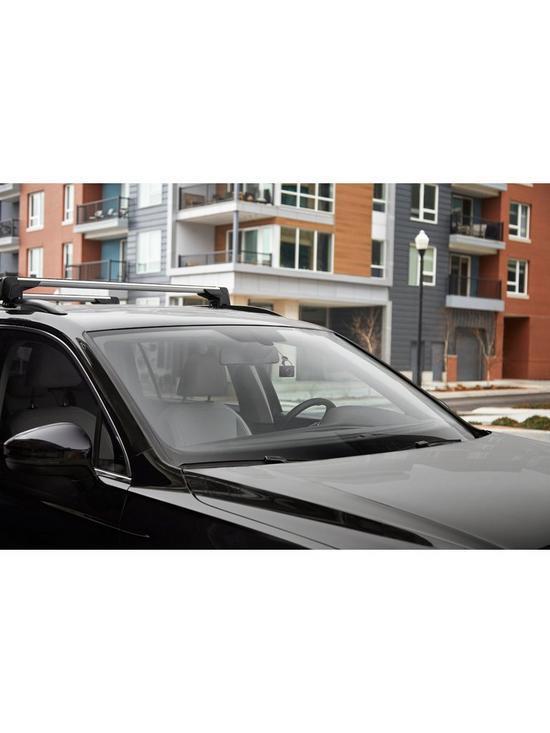
The compact, discreet GPS-enabled Garmin Dash Cam 46 provides a wide 140-degree field of view that clearly captures important details in high-quality 1080 HD video if an incident occurs. It also provides advanced driver alerts, including forward collision, lane departure and a “Go” alert to enhance driver awareness. Get alerts for red light cameras and speed camera location alerts with unlimited updates via the Garmin Drive app. Say “OK, Garmin” to start/stop audio recording, take a still picture or start/stop the Travelapse video capture feature. Automatic multivideo sync allows you to play back “picture-in-picture” video captured from up to 4 dash cams in use at the same time, so you can see multiple points of view with the Garmin Drive app if an incident happens. Parking mode monitors your car’s surroundings while your car is parked and the engine is not running. It automatically begins recording if and when motion is detected (requires Garmin parking mode cable, sold separately; professional installation recommended).
The compact, discreet GPS-enabled Garmin Dash Cam 46 provides a wide 140-degree field of view that clearly captures important details in high-quality 1080 HD video if an incident occurs. It also provides advanced driver alerts, including forward collision, lane departure and a “Go” alert to enhance driver awareness. Get alerts for red light cameras and speed camera location alerts with unlimited updates via the Garmin Drive app. Say “OK, Garmin” to start/stop audio recording, take a still picture or start/stop the Travelapse video capture feature. Automatic multivideo sync allows you to play back “picture-in-picture” video captured from up to 4 dash cams in use at the same time, so you can see multiple points of view with the Garmin Drive app if an incident happens. Parking mode monitors your car’s surroundings while your car is parked and the engine is not running. It automatically begins recording if and when motion is detected (requires Garmin parking mode cable, sold separately; professional installation recommended).
in 1 offers
The lowest price for Garmin - 46 Dash Cam right now is $517.56 at Amazon.com.au.
The all-time low was $229.00 on 27 Feb 2026 — today's price is 126% above the lowest ever. It has been notably cheaper before — worth setting a price alert.
Prices last updated 14 June 2026.
Garmin - 46 Dash Cam
The compact, discreet GPS-enabled Garmin Dash Cam 46 provides a wide 140-degree field of view that clearly captures important details in high-quality 1080 HD video if an incident occurs. It also provides advanced driver alerts, including forward collision, lane departure and a “Go” alert to enhance driver awareness. Get alerts for red light cameras and speed camera location alerts with unlimited updates via the Garmin Drive app. Say “OK, Garmin” to start/stop audio recording, take a still picture or start/stop the Travelapse video capture feature. Automatic multivideo sync allows you to play back “picture-in-picture” video captured from up to 4 dash cams in use at the same time, so you can see multiple points of view with the Garmin Drive app if an incident happens. Parking mode monitors your car’s surroundings while your car is parked and the engine is not running. It automatically begins recording if and when motion is detected (requires Garmin parking mode cable, sold separately; professional installation recommended).
The compact, discreet GPS-enabled Garmin Dash Cam 46 provides a wide 140-degree field of view that clearly captures important details in high-quality 1080 HD video if an incident occurs. It also provides advanced driver alerts, including forward collision, lane departure and a “Go” alert to enhance driver awareness. Get alerts for red light cameras and speed camera location alerts with unlimited updates via the Garmin Drive app. Say “OK, Garmin” to start/stop audio recording, take a still picture or start/stop the Travelapse video capture feature. Automatic multivideo sync allows you to play back “picture-in-picture” video captured from up to 4 dash cams in use at the same time, so you can see multiple points of view with the Garmin Drive app if an incident happens. Parking mode monitors your car’s surroundings while your car is parked and the engine is not running. It automatically begins recording if and when motion is detected (requires Garmin parking mode cable, sold separately; professional installation recommended).
Last updated at 14/06/2026 10:59:00
Garmin Dash Cam 46, Wide 140-Degree Field of View in 1080P HD, 2" LCD Screen and Voice Control, Very Compact with Automatic Incident Detection and
Affiliate Disclosure: We may receive a small commission for purchases made through this link at no extra cost to you. This helps support our site. Thank you!
originally posted on bestbuy.com
Perfect size and feature packed. What else would you want from a tiny dash cam? Voice activation, lane keeping alert, potential frontal impact alert, traffic light alert, traffic move alert, automatic accident sensor, GPS tracking-- It's got all of them. Then there's WIFI and Bluetooth link to your phone.Included with the kit are 2 power cords with opposing 90 degree angle connector. One to hide the wiring in the roof liner and one direct plug that's facing down. Then there's 2 magnetic base with double sided tape just in case you make a mistake.I would recommend placing it on the other side of your rear view mirror so you don't block any sensors on your mirror, etc. Once set up, it's set and forget. You can set the screen display to go off after a certain time ... MorePerfect size and feature packed. What else would you want from a tiny dash cam? Voice activation, lane keeping alert, potential frontal impact alert, traffic light alert, traffic move alert, automatic accident sensor, GPS tracking-- It's got all of them. Then there's WIFI and Bluetooth link to your phone.Included with the kit are 2 power cords with opposing 90 degree angle connector. One to hide the wiring in the roof liner and one direct plug that's facing down. Then there's 2 magnetic base with double sided tape just in case you make a mistake.I would recommend placing it on the other side of your rear view mirror so you don't block any sensors on your mirror, etc. Once set up, it's set and forget. You can set the screen display to go off after a certain time so it's not distracting.There's no need to acknowledge the start up screen because it will come on every time the until starts up.There's an available polarizing filter if you're getting a lot of glare in your image.Make sure you point the camera straight forward or your lane keeping alert will keep going off!Garmin knows how to make vehicle electronics. It's nowhere near as sophisticated as their avionic or marine electronics but it's exceptional for what it does. Only time will tell how durable it is.
originally posted on bestbuy.com
On the most part, this dashcam is what I have been looking for. Since I commute a lot of miles each day for work, I needed something to record events in case anything happens. It is compact enough to hide behind my mirror so it is not a distraction. The picture is fairly clear, though not 4K.The controls can be somewhat difficult as there are a number of options to scroll through. But I set everything and I do not have to worry about changing anything else.The one thing that annoys me to no end is the ADAS feature. It is not that accurate. It is constantly sounding an alert every time I change lanes. And it keeps giving me some sort of speed alert even if I am under the speed limit. I cannot figure out how to disable this feature.As for installation, it was ... MoreOn the most part, this dashcam is what I have been looking for. Since I commute a lot of miles each day for work, I needed something to record events in case anything happens. It is compact enough to hide behind my mirror so it is not a distraction. The picture is fairly clear, though not 4K.The controls can be somewhat difficult as there are a number of options to scroll through. But I set everything and I do not have to worry about changing anything else.The one thing that annoys me to no end is the ADAS feature. It is not that accurate. It is constantly sounding an alert every time I change lanes. And it keeps giving me some sort of speed alert even if I am under the speed limit. I cannot figure out how to disable this feature.As for installation, it was fairly straight forward. I used the long power cable that came with the dashcam and routed it under the dash and up through the pillar trim and into the headliner above the windshield. The cable hides pretty well (other than the parts that are visible where they go into the dash and cam ports).
originally posted on bestbuy.com
I like how sharp the images are and all but we took this on our recent road trip and it kept telling me I was drifting out of the lane when 99% of the time I wasn't. Also it gives a false read on following too closely if someone passes and pulls back in at an average distance in front of you. The suction cup (not included---they give you a 3M magnetic mount that semipermanently attaches to your windshield, so we bought the detachable one for use in multiple vehicles) gave way at one point. That is, it stopped gripping so the camera fell onto the dash. Message on the Garmin: something to the effect that the incident had been recorded, which is what it's supposed to do if your vehicle is bumped. The travelapse, a sped up version, seems to work, as do the voice ... MoreI like how sharp the images are and all but we took this on our recent road trip and it kept telling me I was drifting out of the lane when 99% of the time I wasn't. Also it gives a false read on following too closely if someone passes and pulls back in at an average distance in front of you. The suction cup (not included---they give you a 3M magnetic mount that semipermanently attaches to your windshield, so we bought the detachable one for use in multiple vehicles) gave way at one point. That is, it stopped gripping so the camera fell onto the dash. Message on the Garmin: something to the effect that the incident had been recorded, which is what it's supposed to do if your vehicle is bumped. The travelapse, a sped up version, seems to work, as do the voice commands. I'll go four stars but maybe other dash cams deliver better---I don't have anything to compare to. In other news, our Garmin GPS stopped working---the plug on the unit where it charges physically detached---so we need a new GPS. Apparently you need to just plan on replacing Garmins every two years (this was our third). In any case, they sell a GPS which includes the dash cam feature, meaning you only need one 12V outlet to power what would normally take two. Hmm, considering it.
Garmin Dash Cam 46, Wide 140-Degree Field of View in 1080P HD, 2" LCD Screen and Voice Control, Very Compact with Automatic Incident Detection and
Affiliate Disclosure: We may receive a small commission for purchases made through this link at no extra cost to you. This helps support our site. Thank you!
Perfect size and feature packed. What else would you want from a tiny dash cam? Voice activation, lane keeping alert, potential frontal impact alert, traffic light alert, traffic move alert, automatic accident sensor, GPS tracking-- It's got all of them. Then there's WIFI and Bluetooth link to your phone.Included with the kit are 2 power cords with opposing 90 degree angle connector. One to hide the wiring in the roof liner and one direct plug that's facing down. Then there's 2 magnetic base with double sided tape just in case you make a mistake.I would recommend placing it on the other side of your rear view mirror so you don't block any sensors on your mirror, etc. Once set up, it's set and forget. You can set the screen display to go off after a certain time ... MorePerfect size and feature packed. What else would you want from a tiny dash cam? Voice activation, lane keeping alert, potential frontal impact alert, traffic light alert, traffic move alert, automatic accident sensor, GPS tracking-- It's got all of them. Then there's WIFI and Bluetooth link to your phone.Included with the kit are 2 power cords with opposing 90 degree angle connector. One to hide the wiring in the roof liner and one direct plug that's facing down. Then there's 2 magnetic base with double sided tape just in case you make a mistake.I would recommend placing it on the other side of your rear view mirror so you don't block any sensors on your mirror, etc. Once set up, it's set and forget. You can set the screen display to go off after a certain time so it's not distracting.There's no need to acknowledge the start up screen because it will come on every time the until starts up.There's an available polarizing filter if you're getting a lot of glare in your image.Make sure you point the camera straight forward or your lane keeping alert will keep going off!Garmin knows how to make vehicle electronics. It's nowhere near as sophisticated as their avionic or marine electronics but it's exceptional for what it does. Only time will tell how durable it is.
On the most part, this dashcam is what I have been looking for. Since I commute a lot of miles each day for work, I needed something to record events in case anything happens. It is compact enough to hide behind my mirror so it is not a distraction. The picture is fairly clear, though not 4K.The controls can be somewhat difficult as there are a number of options to scroll through. But I set everything and I do not have to worry about changing anything else.The one thing that annoys me to no end is the ADAS feature. It is not that accurate. It is constantly sounding an alert every time I change lanes. And it keeps giving me some sort of speed alert even if I am under the speed limit. I cannot figure out how to disable this feature.As for installation, it was ... MoreOn the most part, this dashcam is what I have been looking for. Since I commute a lot of miles each day for work, I needed something to record events in case anything happens. It is compact enough to hide behind my mirror so it is not a distraction. The picture is fairly clear, though not 4K.The controls can be somewhat difficult as there are a number of options to scroll through. But I set everything and I do not have to worry about changing anything else.The one thing that annoys me to no end is the ADAS feature. It is not that accurate. It is constantly sounding an alert every time I change lanes. And it keeps giving me some sort of speed alert even if I am under the speed limit. I cannot figure out how to disable this feature.As for installation, it was fairly straight forward. I used the long power cable that came with the dashcam and routed it under the dash and up through the pillar trim and into the headliner above the windshield. The cable hides pretty well (other than the parts that are visible where they go into the dash and cam ports).
I like how sharp the images are and all but we took this on our recent road trip and it kept telling me I was drifting out of the lane when 99% of the time I wasn't. Also it gives a false read on following too closely if someone passes and pulls back in at an average distance in front of you. The suction cup (not included---they give you a 3M magnetic mount that semipermanently attaches to your windshield, so we bought the detachable one for use in multiple vehicles) gave way at one point. That is, it stopped gripping so the camera fell onto the dash. Message on the Garmin: something to the effect that the incident had been recorded, which is what it's supposed to do if your vehicle is bumped. The travelapse, a sped up version, seems to work, as do the voice ... MoreI like how sharp the images are and all but we took this on our recent road trip and it kept telling me I was drifting out of the lane when 99% of the time I wasn't. Also it gives a false read on following too closely if someone passes and pulls back in at an average distance in front of you. The suction cup (not included---they give you a 3M magnetic mount that semipermanently attaches to your windshield, so we bought the detachable one for use in multiple vehicles) gave way at one point. That is, it stopped gripping so the camera fell onto the dash. Message on the Garmin: something to the effect that the incident had been recorded, which is what it's supposed to do if your vehicle is bumped. The travelapse, a sped up version, seems to work, as do the voice commands. I'll go four stars but maybe other dash cams deliver better---I don't have anything to compare to. In other news, our Garmin GPS stopped working---the plug on the unit where it charges physically detached---so we need a new GPS. Apparently you need to just plan on replacing Garmins every two years (this was our third). In any case, they sell a GPS which includes the dash cam feature, meaning you only need one 12V outlet to power what would normally take two. Hmm, considering it.
My Garmin Dash Cam 20 finally quit working recently so I upgraded to the Dash Cam 46. The first Dash Cam 46 I received ended up being defective; it would turn on but would not recognize any memory cards, so I exchanged the defective unit for a new one at my local Best Buy. The replacement Dash Cam 46 worked perfectly out of the box. I also bought a new memory card (PNY 128GB ELITE-X), which seems to be working fine even though PNY memory cards are not listed on Garmin's chart of compatible cards.It's very easy to install the low profile magnet mount. I initially mounted it in the center of the windshield behind the rearview mirror but the mirror blocked the view of the dash cam display so I couldn't read the safety warnings. I used the included 2nd magnet to mount ... MoreMy Garmin Dash Cam 20 finally quit working recently so I upgraded to the Dash Cam 46. The first Dash Cam 46 I received ended up being defective; it would turn on but would not recognize any memory cards, so I exchanged the defective unit for a new one at my local Best Buy. The replacement Dash Cam 46 worked perfectly out of the box. I also bought a new memory card (PNY 128GB ELITE-X), which seems to be working fine even though PNY memory cards are not listed on Garmin's chart of compatible cards.It's very easy to install the low profile magnet mount. I initially mounted it in the center of the windshield behind the rearview mirror but the mirror blocked the view of the dash cam display so I couldn't read the safety warnings. I used the included 2nd magnet to mount it lower, just below the mirror so I can view the warnings now. I routed the power cable along the top of the windshield to the side then down, using some spare wire clips that came with my THINKWARE F50 (mounted in the rear window).I bought this unit mainly to serve as a dash cam but the safety warnings have been helpful.I had no issues connecting the dash cam to my phone. Being able to see the live view was particularly helpful when trying to select a position to mount the dash cam.Some of the cheaper dash cams cause the TPMS indicator to illuminate (even though the tires were properly inflated) but so far, I have not had an issue with the Garmin 46/20 dash cams and THINKWARE F50.
High resolution image, possibly a little pricey for the features it has.Some dash cameras are picky about the brand of micro SD card you use, but this doesn't seem to be one of those. Download the free Garmin app to set up the camera. Garmin does have a smaller model, but it doesn't come with a viewing screen.Videos are captured in 1-minute clips. Haven't yet found a way to change the clips from that 1-minute setting. Default setting copies time/date, GPS coordinates, and vehicle speed on each frame of the video. In the app, you can change which of those three get recorded, or not recorded. You can also choose to record sounds or not record them. Onboard viewing screen shuts off shortly after starting recording.Typical way to mount the camera is to stick one of ... MoreHigh resolution image, possibly a little pricey for the features it has.Some dash cameras are picky about the brand of micro SD card you use, but this doesn't seem to be one of those. Download the free Garmin app to set up the camera. Garmin does have a smaller model, but it doesn't come with a viewing screen.Videos are captured in 1-minute clips. Haven't yet found a way to change the clips from that 1-minute setting. Default setting copies time/date, GPS coordinates, and vehicle speed on each frame of the video. In the app, you can change which of those three get recorded, or not recorded. You can also choose to record sounds or not record them. Onboard viewing screen shuts off shortly after starting recording.Typical way to mount the camera is to stick one of the provided magnets (2) on to your windshield, then the camera mount sticks to that magnet. The camera mount's magnet is on a movable stalk. If you want to use the camera in two different vehicles, then you have a second magnet to stick onto that windshield. Only comes with one power cord. Also comes with one data/power cord for connecting to your computer. USB connections on everything.A very compact, high quality dash camera.
Hi, I’ve had a chance to try out and understand the functionality of the Garmin DashCam 46. I found it provides good image quality and reasonable ease of use for the majority of the time which is getting in my car and driving. I Remove the camera when I leave the car and connect and set it up when I am about to drive. It takes less than a minute to do so. When I want to review video from a drive, it’s a little less easy to use. I’ve only used my iPhone to view the video, so I have no comments about the PC connection usability. The wifi connection to my phone works most of the time, but there have been instances when I can’t connect which can be frustrating and time consuming. Most of the time it works. When it doesn’t, I try restart from the beginning and eventually ... MoreHi, I’ve had a chance to try out and understand the functionality of the Garmin DashCam 46. I found it provides good image quality and reasonable ease of use for the majority of the time which is getting in my car and driving. I Remove the camera when I leave the car and connect and set it up when I am about to drive. It takes less than a minute to do so. When I want to review video from a drive, it’s a little less easy to use. I’ve only used my iPhone to view the video, so I have no comments about the PC connection usability. The wifi connection to my phone works most of the time, but there have been instances when I can’t connect which can be frustrating and time consuming. Most of the time it works. When it doesn’t, I try restart from the beginning and eventually get it. The video transfer takes a long time and I’d say this is the most painful part. Once on my phone the video is reasonable to navigate. My phone screen is too small to view smaller details, so a PC is required. Some of the other features like lane departure, forward collision avoidance are very interesting, but don’t always work, so can’t be relied on. The red light and speed camera alert seems to work so well that the alerts can be annoying. I didn’t realize there were so many cameras out there. Ultimately, for the price and the functionality I think this is a reasonable purchase. Thanks
I used it for approximately two hours before it started saying my brand-new, right-out-of-the-package SanDisk Extreme Plus 125GB SD card was nearing the end of its useful life and needed to be replaced. I reformatted the card to the Dash Cam twice, got two minutes of use, and then got the same response. When I plugged the SD card into my computer, it worked just fine. I can't stress enough that this SD card was BRAND NEW so I was really confused why it would be at the end of its life already. The dash cam also ran really hot so I had concerns about the battery exploding. I gave it two-stars because aside from being faulty and difficult to use, the pictures were crisp and clear (not clear enough to read license plates, though). It also has some cool features, like ... MoreI used it for approximately two hours before it started saying my brand-new, right-out-of-the-package SanDisk Extreme Plus 125GB SD card was nearing the end of its useful life and needed to be replaced. I reformatted the card to the Dash Cam twice, got two minutes of use, and then got the same response. When I plugged the SD card into my computer, it worked just fine. I can't stress enough that this SD card was BRAND NEW so I was really confused why it would be at the end of its life already. The dash cam also ran really hot so I had concerns about the battery exploding. I gave it two-stars because aside from being faulty and difficult to use, the pictures were crisp and clear (not clear enough to read license plates, though). It also has some cool features, like voice activation. If you purchase it, just keep in mind the SD card may need replacing every 6 - 12 months because the dash cam rewrites over them again and again to the point that they die... and the SD cards it requires aren't cheap! You need the 10+ speed high-end SD cards. Mine didn't even make it an entire day.
After watching car crash compilations online, I scared myself into needing a dash cam. I didn't want any of those scammy cheap ones on the website named after a large river, the no name brands with reviews that the sellers obviously paid for. So Garmin it was. This is the basic HD cam, and I'm having fun with it. Voice controls work very well, camera records a clean image, albeit with a subtle fish eye lens effect. I love the magnetic mount on the window as opposed to unreliable suction cups. It makes it easy for me to remove from a hot window. A lot of weird things happen to me on the road, so it's nice to have proof for my friends. I can't wait to compile bad driver footage, jerks swerve in and out of traffic all the time in front of me.I don't personally see a ... MoreAfter watching car crash compilations online, I scared myself into needing a dash cam. I didn't want any of those scammy cheap ones on the website named after a large river, the no name brands with reviews that the sellers obviously paid for. So Garmin it was. This is the basic HD cam, and I'm having fun with it. Voice controls work very well, camera records a clean image, albeit with a subtle fish eye lens effect. I love the magnetic mount on the window as opposed to unreliable suction cups. It makes it easy for me to remove from a hot window. A lot of weird things happen to me on the road, so it's nice to have proof for my friends. I can't wait to compile bad driver footage, jerks swerve in and out of traffic all the time in front of me.I don't personally see a need to have the highest quality image, no dash cam is really going to be that good at getting a license plate number if that's your concern. What a dash cam does is prove you aren't at fault, that should be good enough. Higher resolutions, unless you're making a vacation driving video, are kind of unnecessary. Plus, they use up a lot more space and processing power. This camcorder already gets a little warm as is.Yes, the phone app works fine. I don't like using my phone that much, so recording to microSD cards is enough for me.4 stars because I don't know how long it'll last. If it stays with me for three years, I'll recommend it to you then!
This thing is incredible. Obviously purchased it for peace of mind, but after a reckless driver totaled my truck, this was a game changer— while at first we were only able to go as far as statements at the scene of the accident, but I mentioned to the police officer on the scene that I had a dashcam. I was able to quickly download the video from it to my phone, send it to the officer to review in his squad car, and, when he returned, he said it was determined the reckless driver was 100% at fault. This made our lives so much easier when getting the reckless driver’s insurance to pay out the maximum amount for both damages and medical coverage— trust me, it’s worth every penny and for peace of mind!!
Before this, I tried a similarly priced Rexing dash cam from Best Buy, and this one is a huge improvement.Pros:1. The app makes it easy to browse and and save specific portions of clips. If you take a 6 hour trip, you can save just the part you need rather than the entire thing.2. The physical install is much better. First, the only par that sticks to your windshield is a small magnet, so taking the camera off to take inside or get the card out is much easier. The clips that come with it to hide the cable are also decent quality.3. The camera itself is very light. I had a lot of trouble with the Rexing falling off the windshield whenever it got hot in the car and the glue softened. And now there's a huge glue mark where it used to be. I've never had this one ... MoreBefore this, I tried a similarly priced Rexing dash cam from Best Buy, and this one is a huge improvement.Pros:1. The app makes it easy to browse and and save specific portions of clips. If you take a 6 hour trip, you can save just the part you need rather than the entire thing.2. The physical install is much better. First, the only par that sticks to your windshield is a small magnet, so taking the camera off to take inside or get the card out is much easier. The clips that come with it to hide the cable are also decent quality.3. The camera itself is very light. I had a lot of trouble with the Rexing falling off the windshield whenever it got hot in the car and the glue softened. And now there's a huge glue mark where it used to be. I've never had this one fall off.4. The voice activation and features are helpful. I haven't used it much but being able to verbally tell it to start a travel lapse or save a clip is helpful. In the rare instance that I needed a clip saved though it had already detected the hard stop and protected that clip.5. The app setup is reasonable. It needs to connect to the camera WiFi (the camera makes its own WiFi network) in order to setup, update and download clips. Bluetooth is just too slow for that kind of thing, especially video. And the videos downloaded to the phone fairly quickly. It's just not as intuitive as some might expect.Cons:1. The stoplight detection, and lane change detection are more annoying than anything. The red light detection only seemed to work at one light in the city. And my car already has a good lane-keep assist system and adaptive cruise control with lidar and front and rear-mounted sensors, so having the camera chime along with what the car had already done better and faster was kind of annoying.2. Garmin's apps are functional, but a bit utilitarian in design. They don't make it particularly clear how to do things. Zooming in on a long clip to select part of it was a bit frustrating as well.