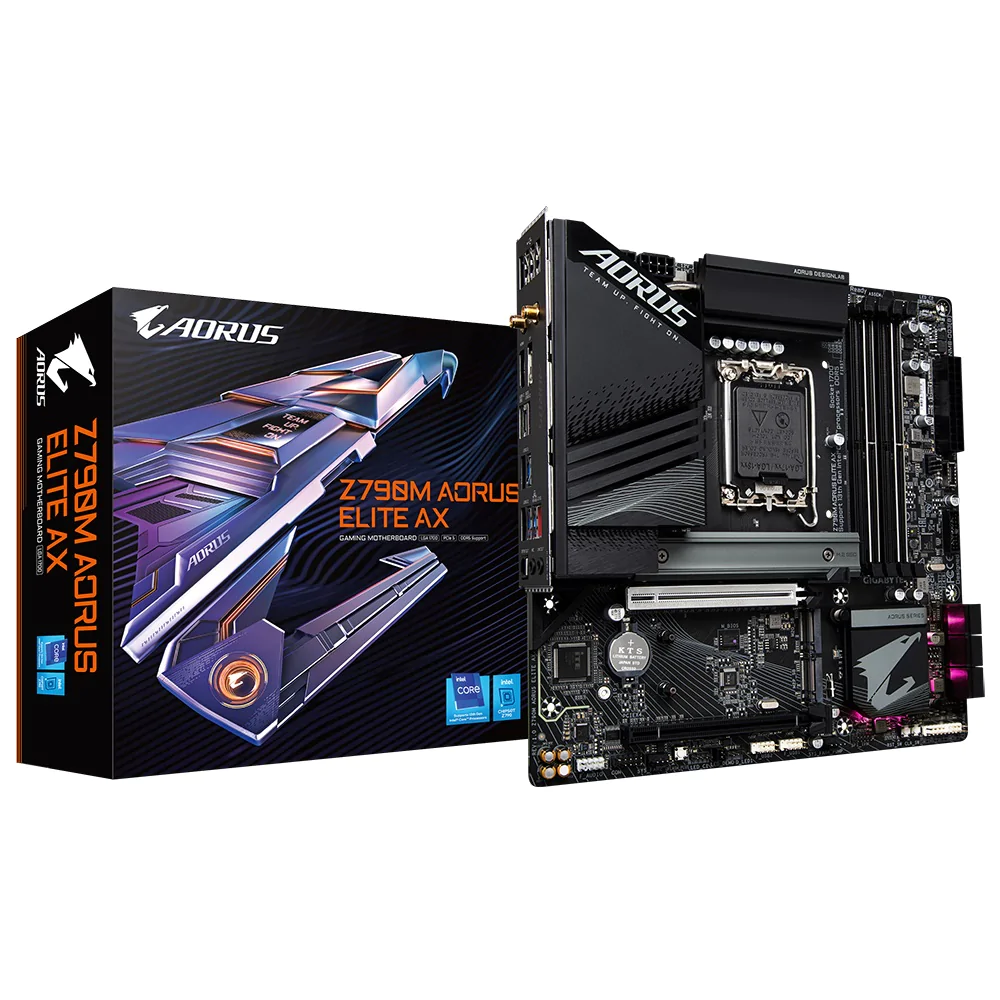
Z790M AORUS ELITE AX (rev. 1.0) Key Features | Motherboard - GIGABYTE Global
Z790M AORUS ELITE AX (rev. 1.0) Key Features | Motherboard - GIGABYTE Global
in 3 offers
The lowest price for Gigabyte Z790M AORUS Elite AX D5 LGA 1700 mATX Motherboard - Intel LGA 1700 - Afterpay, Delivery and Click & Collect Available right now is $379.00 at www.i-tech.com.au, compared across 2 retailers.
The all-time low was $363.40 on 12 Feb 2026 — today's price is 4% above the lowest ever. This is at or near its all-time low — a good time to buy.
Prices last updated 8 June 2026.
Gigabyte Z790M AORUS Elite AX D5 LGA 1700 mATX Motherboard - Intel LGA 1700 - Afterpay, Delivery and Click & Collect Available
Z790M AORUS ELITE AX (rev. 1.0) Key Features | Motherboard - GIGABYTE Global
Z790M AORUS ELITE AX (rev. 1.0) Key Features | Motherboard - GIGABYTE Global
Last updated at 08/06/2026 08:55:27
Gigabyte Z790M AORUS ELITE AX Intel LGA 1700 ATX Motherboard, 4x DDR5 ~128GB, 1x PCI-E x16, 3x M.2, 6x SATA, 6x USB 3.2, 1x USB-C,4x USB 2.0 M/B Z790M
Save $15 for orders over $500
Gigabyte Z790m Motherboard Microatx Socket Lga1700 Intel Z790 Chipset
Free delivery
Affiliate Disclosure: We may receive a small commission for purchases made through this link at no extra cost to you. This helps support our site. Thank you!
Gigabyte Z790 AORUS MASTER X Intel LGA 1700 E-ATX Motherboard, 4x DDR5 ~192GB
Affiliate Disclosure: We may receive a small commission for purchases made through this link at no extra cost to you. This helps support our site. Thank you!
originally posted on awd-it.co.uk
The motherboard is well built. Can't fault the quality, but what let this product down was the poor documentation that came with it. I don't build computers every day and the folded single page of stupid diagrams and virtually non existent notes was laughable. Not sure if it's just Gigabyte or other manufacturers that supply poor documentation, but I bought an Asus motherboard some years ago, the documentation that came with that you couldn't fault. Anyway, after several hours of stress, finally put it all together. When starting the computer for the first time it didn't work, and because of the poor documentation gave no indications on trouble shooting, lucky for me I had another computer to go on the internet and find out why. If you haven't got the internet, you ... MoreThe motherboard is well built. Can't fault the quality, but what let this product down was the poor documentation that came with it. I don't build computers every day and the folded single page of stupid diagrams and virtually non existent notes was laughable. Not sure if it's just Gigabyte or other manufacturers that supply poor documentation, but I bought an Asus motherboard some years ago, the documentation that came with that you couldn't fault. Anyway, after several hours of stress, finally put it all together. When starting the computer for the first time it didn't work, and because of the poor documentation gave no indications on trouble shooting, lucky for me I had another computer to go on the internet and find out why. If you haven't got the internet, you are stuffed. I get the idea of saving the planet producing less paper, but on this side of the coin, when you need the documentation, it isn't available unless you have the good ol' internet. After trawling through pages of forum sites, found the answer to my situation, it was one of the 32Gb ram sticks was faulty. After taking if out, the computer started fine. One other thing I'll mention, because I opted for air cooling, the recommended air cooler for the processor (Deep Cool AK620) I chose covered the first ram slot, so to get the ram out of that slot (A1), you have to take out the cooler. ??????? Unbelievable. The motherboard is better suited for water cooling.
originally posted on bestbuy.com
Let's see, there's an 8-layer PCB vs. 6-layer on the Z790 AORUS ELITE AX. This is one of the best features and upgrades you can have on your motherboard. Not to many mid-tier boards with this feature! Also, an upgraded CPU locking mechanism, and there are an additional 320 more amps from the VRM than from the Z790 AORUS ELITE AX An 8mm heat pipe in the VRM and chokes cooling block vs. 6mm on the Z790 AORUS ELITE AX. Up to 8266 MHz ram support vs. 7600 MHz on Z790 AORUS ELITE AX. Comes with new screwless/toolless M.2 heat plates on all the M.2 drives in addition, all of the M.2 drives are toolless as well. With no bifurcation on any of the PCIe lanes, The Realtek ALC120 VB Codec with 4 Wima capacitors for truly premium audio and recording, A new HD BIOS interface, ... MoreLet's see, there's an 8-layer PCB vs. 6-layer on the Z790 AORUS ELITE AX. This is one of the best features and upgrades you can have on your motherboard. Not to many mid-tier boards with this feature! Also, an upgraded CPU locking mechanism, and there are an additional 320 more amps from the VRM than from the Z790 AORUS ELITE AX An 8mm heat pipe in the VRM and chokes cooling block vs. 6mm on the Z790 AORUS ELITE AX. Up to 8266 MHz ram support vs. 7600 MHz on Z790 AORUS ELITE AX. Comes with new screwless/toolless M.2 heat plates on all the M.2 drives in addition, all of the M.2 drives are toolless as well. With no bifurcation on any of the PCIe lanes, The Realtek ALC120 VB Codec with 4 Wima capacitors for truly premium audio and recording, A new HD BIOS interface, and Wifi 7. All for the same launch price as the Aorus Z790 Elite AX. This is one of the best mid-priced Z790 boards available.
originally posted on scan.co.uk
This was my first PC build and after spending plenty of time watching reviews and tips I came to the conclusion you should spend about 3/4x - 1x the price of your CPU on your motherboard. I had set my sights on an i7 14700k so was at the 3/4x price point with this board. I wanted built-in Bluetooth and WiFi and the ability to run DDR5 RAM at a decent speed. All the reviews of this board were favourable and it covered all the bases for me. The board looks and feels like a quality product and ran well out of the box. The only thing I had to do during the Windows 11 installation was install a LAN driver using the command prompt during setup to enable an internet connection - I didn't update the BIOS until later using the Gigabyte Control Centre software and the ... MoreThis was my first PC build and after spending plenty of time watching reviews and tips I came to the conclusion you should spend about 3/4x - 1x the price of your CPU on your motherboard. I had set my sights on an i7 14700k so was at the 3/4x price point with this board. I wanted built-in Bluetooth and WiFi and the ability to run DDR5 RAM at a decent speed. All the reviews of this board were favourable and it covered all the bases for me. The board looks and feels like a quality product and ran well out of the box. The only thing I had to do during the Windows 11 installation was install a LAN driver using the command prompt during setup to enable an internet connection - I didn't update the BIOS until later using the Gigabyte Control Centre software and the firmware had moved on a couple of revisions. The whole system went together like a dream with no complications and the dark appearance of the board ties in nicely with the NZXT H7 Elite case. There headers are generally in all the right places (although I can now see the attraction to 90deg/side-entry headers on pricier boards) and I got everything hooked up succesfully. The VRM heatsinks are very chunky as is the primary M.2 slot heatsink - the SSD card in this first slot is a snug fit sandwiched between two included thermal pads. There is a heatsink plate with included thermal pads over the remaining M.2 slots and nice rotary retaining clips instead of screws. The whole system benchmarks well and the memory and CPU stress tests run error free. The RAM runs at it's rated 6600MT/s with the stock XMP settings enabled. There are plenty of connections on the back plate and a nice magnetic WiFi antenna included. The only thing I changed was the stock Intel retaining bracket (standard on all boards I think) for a contact plate which helps with CPU cooling and warping by all accounts. The RGB is minimalist with 4 LEDS towards the bottom of the board. Overall very satisfied and would buy this motherboard again based on price/performance.
| Manufacturer Warranty | 3 Year |
Gigabyte Z790M AORUS ELITE AX Intel LGA 1700 ATX Motherboard, 4x DDR5 ~128GB, 1x PCI-E x16, 3x M.2, 6x SATA, 6x USB 3.2, 1x USB-C,4x USB 2.0 M/B Z790M
Save $15 for orders over $500
Gigabyte Z790m Motherboard Microatx Socket Lga1700 Intel Z790 Chipset
Free delivery
Affiliate Disclosure: We may receive a small commission for purchases made through this link at no extra cost to you. This helps support our site. Thank you!
Gigabyte Z790 AORUS MASTER X Intel LGA 1700 E-ATX Motherboard, 4x DDR5 ~192GB
Affiliate Disclosure: We may receive a small commission for purchases made through this link at no extra cost to you. This helps support our site. Thank you!
The motherboard is well built. Can't fault the quality, but what let this product down was the poor documentation that came with it. I don't build computers every day and the folded single page of stupid diagrams and virtually non existent notes was laughable. Not sure if it's just Gigabyte or other manufacturers that supply poor documentation, but I bought an Asus motherboard some years ago, the documentation that came with that you couldn't fault. Anyway, after several hours of stress, finally put it all together. When starting the computer for the first time it didn't work, and because of the poor documentation gave no indications on trouble shooting, lucky for me I had another computer to go on the internet and find out why. If you haven't got the internet, you ... MoreThe motherboard is well built. Can't fault the quality, but what let this product down was the poor documentation that came with it. I don't build computers every day and the folded single page of stupid diagrams and virtually non existent notes was laughable. Not sure if it's just Gigabyte or other manufacturers that supply poor documentation, but I bought an Asus motherboard some years ago, the documentation that came with that you couldn't fault. Anyway, after several hours of stress, finally put it all together. When starting the computer for the first time it didn't work, and because of the poor documentation gave no indications on trouble shooting, lucky for me I had another computer to go on the internet and find out why. If you haven't got the internet, you are stuffed. I get the idea of saving the planet producing less paper, but on this side of the coin, when you need the documentation, it isn't available unless you have the good ol' internet. After trawling through pages of forum sites, found the answer to my situation, it was one of the 32Gb ram sticks was faulty. After taking if out, the computer started fine. One other thing I'll mention, because I opted for air cooling, the recommended air cooler for the processor (Deep Cool AK620) I chose covered the first ram slot, so to get the ram out of that slot (A1), you have to take out the cooler. ??????? Unbelievable. The motherboard is better suited for water cooling.
Let's see, there's an 8-layer PCB vs. 6-layer on the Z790 AORUS ELITE AX. This is one of the best features and upgrades you can have on your motherboard. Not to many mid-tier boards with this feature! Also, an upgraded CPU locking mechanism, and there are an additional 320 more amps from the VRM than from the Z790 AORUS ELITE AX An 8mm heat pipe in the VRM and chokes cooling block vs. 6mm on the Z790 AORUS ELITE AX. Up to 8266 MHz ram support vs. 7600 MHz on Z790 AORUS ELITE AX. Comes with new screwless/toolless M.2 heat plates on all the M.2 drives in addition, all of the M.2 drives are toolless as well. With no bifurcation on any of the PCIe lanes, The Realtek ALC120 VB Codec with 4 Wima capacitors for truly premium audio and recording, A new HD BIOS interface, ... MoreLet's see, there's an 8-layer PCB vs. 6-layer on the Z790 AORUS ELITE AX. This is one of the best features and upgrades you can have on your motherboard. Not to many mid-tier boards with this feature! Also, an upgraded CPU locking mechanism, and there are an additional 320 more amps from the VRM than from the Z790 AORUS ELITE AX An 8mm heat pipe in the VRM and chokes cooling block vs. 6mm on the Z790 AORUS ELITE AX. Up to 8266 MHz ram support vs. 7600 MHz on Z790 AORUS ELITE AX. Comes with new screwless/toolless M.2 heat plates on all the M.2 drives in addition, all of the M.2 drives are toolless as well. With no bifurcation on any of the PCIe lanes, The Realtek ALC120 VB Codec with 4 Wima capacitors for truly premium audio and recording, A new HD BIOS interface, and Wifi 7. All for the same launch price as the Aorus Z790 Elite AX. This is one of the best mid-priced Z790 boards available.
This was my first PC build and after spending plenty of time watching reviews and tips I came to the conclusion you should spend about 3/4x - 1x the price of your CPU on your motherboard. I had set my sights on an i7 14700k so was at the 3/4x price point with this board. I wanted built-in Bluetooth and WiFi and the ability to run DDR5 RAM at a decent speed. All the reviews of this board were favourable and it covered all the bases for me. The board looks and feels like a quality product and ran well out of the box. The only thing I had to do during the Windows 11 installation was install a LAN driver using the command prompt during setup to enable an internet connection - I didn't update the BIOS until later using the Gigabyte Control Centre software and the ... MoreThis was my first PC build and after spending plenty of time watching reviews and tips I came to the conclusion you should spend about 3/4x - 1x the price of your CPU on your motherboard. I had set my sights on an i7 14700k so was at the 3/4x price point with this board. I wanted built-in Bluetooth and WiFi and the ability to run DDR5 RAM at a decent speed. All the reviews of this board were favourable and it covered all the bases for me. The board looks and feels like a quality product and ran well out of the box. The only thing I had to do during the Windows 11 installation was install a LAN driver using the command prompt during setup to enable an internet connection - I didn't update the BIOS until later using the Gigabyte Control Centre software and the firmware had moved on a couple of revisions. The whole system went together like a dream with no complications and the dark appearance of the board ties in nicely with the NZXT H7 Elite case. There headers are generally in all the right places (although I can now see the attraction to 90deg/side-entry headers on pricier boards) and I got everything hooked up succesfully. The VRM heatsinks are very chunky as is the primary M.2 slot heatsink - the SSD card in this first slot is a snug fit sandwiched between two included thermal pads. There is a heatsink plate with included thermal pads over the remaining M.2 slots and nice rotary retaining clips instead of screws. The whole system benchmarks well and the memory and CPU stress tests run error free. The RAM runs at it's rated 6600MT/s with the stock XMP settings enabled. There are plenty of connections on the back plate and a nice magnetic WiFi antenna included. The only thing I changed was the stock Intel retaining bracket (standard on all boards I think) for a contact plate which helps with CPU cooling and warping by all accounts. The RGB is minimalist with 4 LEDS towards the bottom of the board. Overall very satisfied and would buy this motherboard again based on price/performance.
The bad news first. The onboard NIC which is Intel was extremely fussy with compatibility issues like the AT&T router - 5268AC. It refuses to talk to it. I had put a network switch between the NIC and the router to get that NIC working. I had the latest drivers installed and when doing a Google search found a bunch of issues with this NIC. Many opted to install a PCIe NIC instead. Not Gigabytes's fault but mabe they should push Intel into resolving the problems with it.No manual is included, you must download a PDF.The Wifi / Bluetooth chipset there are no drivers for Windows 10. I don't use Wifi on my desktop so it was not a major issue but I would have liked to get the Bluetooth working.Good news, overall every other component works great with Windows 10. ... MoreThe bad news first. The onboard NIC which is Intel was extremely fussy with compatibility issues like the AT&T router - 5268AC. It refuses to talk to it. I had put a network switch between the NIC and the router to get that NIC working. I had the latest drivers installed and when doing a Google search found a bunch of issues with this NIC. Many opted to install a PCIe NIC instead. Not Gigabytes's fault but mabe they should push Intel into resolving the problems with it.No manual is included, you must download a PDF.The Wifi / Bluetooth chipset there are no drivers for Windows 10. I don't use Wifi on my desktop so it was not a major issue but I would have liked to get the Bluetooth working.Good news, overall every other component works great with Windows 10. Yes I know most will install Win 11 but I don't like the taskbar on 11. My board shipped with F3 bios, F4 bios was the current and it was easy to flash the latest. A slight issue the system would not post after flashing, it required pulling the power cord from the system for a cold boot.The M.2 slots are easy to use requiring no screws. The heatsinks are impressive on this board. The power wire, reset, HD LED cables all plug into a larger plug which makes it easier to install on the M/B.The system is very stable no BSOD's, I used an i7-14700k CPU. Memory was CORSAIR VENGEANCE DDR5 RAM 32GB (2x16GB) 5600MHz CL36
The board was very easy to install in a very old and tight Antec case. It has performed flawlessly but it only been a month. The CPU power sockets were in a better location than an Asus board. The video card release could be improved. The 4 M.2 slots will be filled and the SATA ports will get lonely. Aorus has already issued a new BIOS for the Intel processor fix--YEA! I have not OC this board as it will be used for photo and video workflow.
Being the first PC I have built, I don't have much of a reference for what makes a motherboard great or terrible. But from my experience with the board, I would say this is a great one. The easy clip system for the M.2 form factor works great, although the 80mm clips are not awesome. It took me a few minutes to figure them out. The 110mm clips though... a snap to you. The only bummer part of this board is the heat sink on the CPU M.2... I didn't know it had one and I spent the extra money on my M.2 NVMe SSD to have a heat sink. Other than that... great board and looks awesome when its all done.
I've built a lot of computers over the last 30+ years, starting with motherboards that used jumper settings. Builds keep getting easier and this one was the easiest of all.Much of the basic tuning and setup with this MB is automatic. With only the XMP tuning turned on, my I9-14900 processor, with a claimed boost of up to 6mhz, was a solid 5.5mhz+ under 100% load. Improving the case cooling a bit may help, but the performance is already way beyond my needs and expectations.There were only two issues encountered with the build. First was my using a several generations old GPU (980ti) which resulted in no video (am on a waiting list for a current version). Resurrected my old system, found the fix (flashed the GPU's BIOS), and was up and running on the new build in ... MoreI've built a lot of computers over the last 30+ years, starting with motherboards that used jumper settings. Builds keep getting easier and this one was the easiest of all.Much of the basic tuning and setup with this MB is automatic. With only the XMP tuning turned on, my I9-14900 processor, with a claimed boost of up to 6mhz, was a solid 5.5mhz+ under 100% load. Improving the case cooling a bit may help, but the performance is already way beyond my needs and expectations.There were only two issues encountered with the build. First was my using a several generations old GPU (980ti) which resulted in no video (am on a waiting list for a current version). Resurrected my old system, found the fix (flashed the GPU's BIOS), and was up and running on the new build in short order.The other problem was a bug in the onboard flash program. Using the GUI buttons to progress through the flash process resulted in an error message. Found a several years old forum response about the same issue. The fix was to double click on the BIOS file name instead of using the GUI buttons. You'd think that a bug like that would have been fixed or at least the instructions would now say to double click the file name. But, no... let the peons suffer.But I digress. I like the motherboard. Truly, the slickest thing is how M.2 SSD's are installed. Flip a tiny rotary lever and the included heat sink comes off. Insert the SSD stick, push it down, flip another rotary lever and the SSD stick clicks into place. The heat sink goes back on the same way. Too slick.If I have a grip it's that adding M.2 SSDs after the install requires pulling the video card. Yeah, I know, waaaahhhh. :-)Good product. Maxed out the heat during the burn-in and had zero crashes. I really do think I'm going to like this build!Highly recommended!
WiFi drivers listed on Gigabyte site dont work with Windows 10. Upgraded to 11 begrudgingly and same download worked.This board from Best Buy is Revision 1.0 uses Mediatek Chip, REV 1.1 is an Intel WIfi chip.These refresh boards are the only thing that matters wtih 14th Gen Intel launch.This refresh board this has thicker PCB than similar board that launched with the 13th Gen, which has shown to give higher DDR5 Frequencies closer to 8000 +/-mhz. Which greatly improves Intel GPU performance.Gigabyte boards have tons of updated ram configs once it detects what sticks you install. My 7200 A Die kit have preset configs in bios upto 8200, probably take some tweaking of voltages for stability or might just work will have lots of memory testing to do with this ... MoreWiFi drivers listed on Gigabyte site dont work with Windows 10. Upgraded to 11 begrudgingly and same download worked.This board from Best Buy is Revision 1.0 uses Mediatek Chip, REV 1.1 is an Intel WIfi chip.These refresh boards are the only thing that matters wtih 14th Gen Intel launch.This refresh board this has thicker PCB than similar board that launched with the 13th Gen, which has shown to give higher DDR5 Frequencies closer to 8000 +/-mhz. Which greatly improves Intel GPU performance.Gigabyte boards have tons of updated ram configs once it detects what sticks you install. My 7200 A Die kit have preset configs in bios upto 8200, probably take some tweaking of voltages for stability or might just work will have lots of memory testing to do with this board.Paired with 7800XT and Mori limited edition case. CustomPCBuilder in Waterford, CT Prowess Gaming
If I could give it negative stars, I would. Only had it for 2 months. Should have known there would be problems after the MB wouldn't recognize m.2 drives in slot 1. Called for help and got it working in slot 2. After 2 months, the MB suddenly stopped recognizing the m.2 drives. Pulled out the CMOS battery, they reappear in the BIOS, but still won't boot. Gigabyte help was useless. They said to uninstall the MB, put it on a cardboard box, supply power, and stick a screwdriver somewhere to check the m,2 connectors. I tell you where I'd like to stick a screwdriver. My first experience with GB was great, but this has soured me from them forever. There are numerous people online who have encountered the same issues. My guess would be that this is some type of ... MoreIf I could give it negative stars, I would. Only had it for 2 months. Should have known there would be problems after the MB wouldn't recognize m.2 drives in slot 1. Called for help and got it working in slot 2. After 2 months, the MB suddenly stopped recognizing the m.2 drives. Pulled out the CMOS battery, they reappear in the BIOS, but still won't boot. Gigabyte help was useless. They said to uninstall the MB, put it on a cardboard box, supply power, and stick a screwdriver somewhere to check the m,2 connectors. I tell you where I'd like to stick a screwdriver. My first experience with GB was great, but this has soured me from them forever. There are numerous people online who have encountered the same issues. My guess would be that this is some type of manufacturing problem that they don't want to admit to. $300 wasted.
| Manufacturer Warranty | 3 Year |

