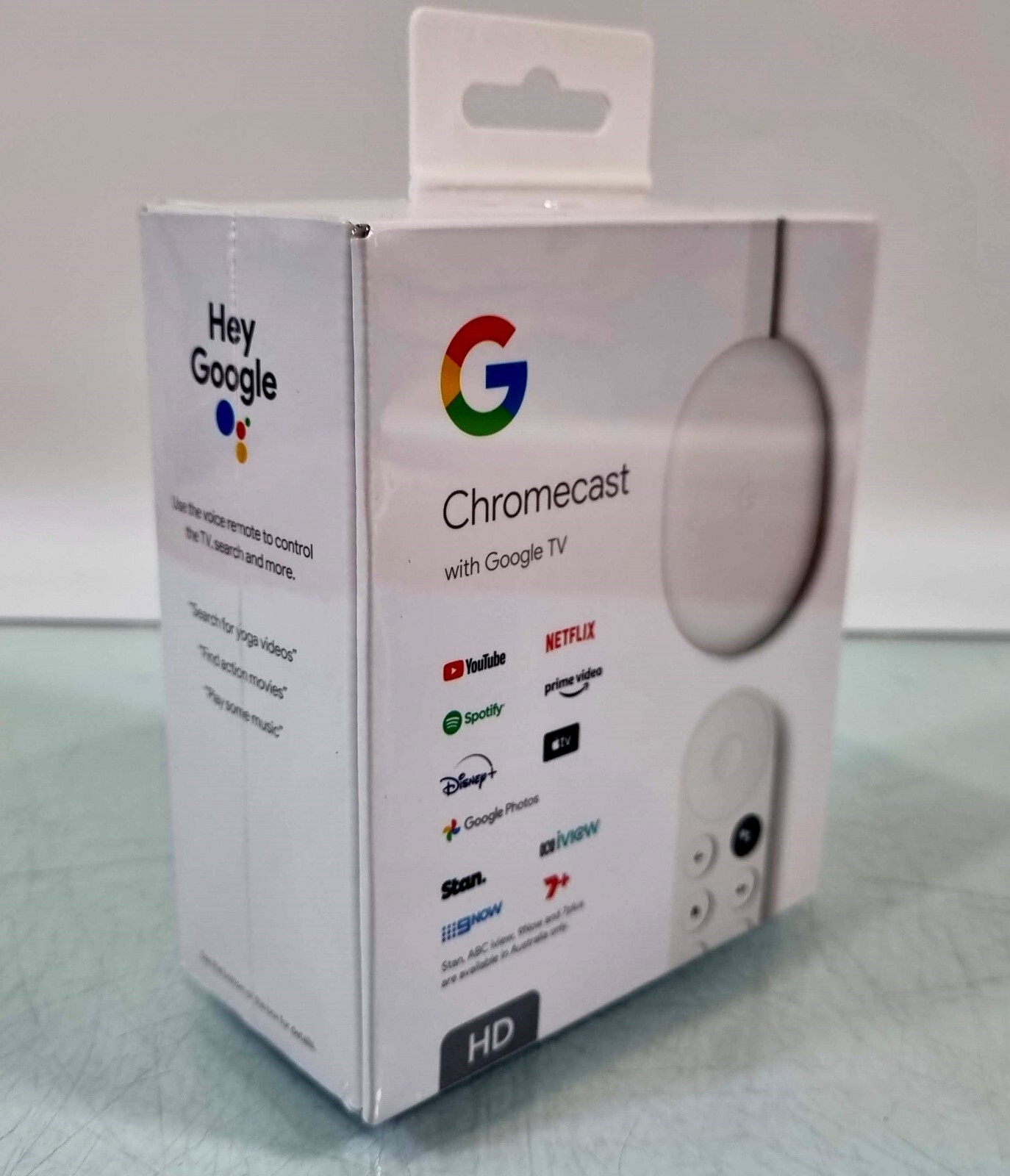
Chromecast with Google TV (HD) brings you the entertainment that you love,1 in up to 1080p HDR.2 Get personal recommendations based on your subscriptions and streaming history all in one place. No more jumping between apps to decide what to watch. And use the remote to search for movies and shows with your voice. Get personal recommendations based on your subscriptions and streaming history all in one place. No more jumping between apps to decide what to watch.
Chromecast with Google TV (HD) brings you the entertainment that you love,1 in up to 1080p HDR.2 Get personal recommendations based on your subscriptions and streaming history all in one place. No more jumping between apps to decide what to watch. And use the remote to search for movies and shows with your voice. Get personal recommendations based on your subscriptions and streaming history all in one place. No more jumping between apps to decide what to watch.
in 1 offers
The lowest price for Google Chromecast with Google TV (HD) right now is $75.00 at CeX.
The all-time low was $75.00 on 30 June 2026. That's the lowest price we've ever tracked — a great time to buy.
Prices last updated 30 June 2026.
Google Chromecast with Google TV (HD)
Chromecast with Google TV (HD) brings you the entertainment that you love,1 in up to 1080p HDR.2 Get personal recommendations based on your subscriptions and streaming history all in one place. No more jumping between apps to decide what to watch. And use the remote to search for movies and shows with your voice. Get personal recommendations based on your subscriptions and streaming history all in one place. No more jumping between apps to decide what to watch.
Chromecast with Google TV (HD) brings you the entertainment that you love,1 in up to 1080p HDR.2 Get personal recommendations based on your subscriptions and streaming history all in one place. No more jumping between apps to decide what to watch. And use the remote to search for movies and shows with your voice. Get personal recommendations based on your subscriptions and streaming history all in one place. No more jumping between apps to decide what to watch.
Last updated at 30/06/2026 19:24:13
Google Chromecast W/Google TV HD - Snow, B
Free delivery
originally posted on pbtech.co.nz
tl;dr - pros: Google Assistant, turn old TVs into smart ones, cheap, very simple setupcons: limited selection of apps, no web browser, may not work with off-brand TVs quite so wellBeen using this most days for about a month.I bought this for the older TV in my house that's in the bedroom and it's awesome to be able to effectively turn an almost 10 year-old TV into a smart TV. Super simple to set up, it only took about five minutes or less (not including finding all the apps I wanted and installing them).The remote is really simple to use and appears to be both wireless and IR, because the Chromecast is not visible at all from the front of the TV and yet it works perfectly, plus I was able to set up the TV itself to be controlled (turned on and off, turn the ... Moretl;dr - pros: Google Assistant, turn old TVs into smart ones, cheap, very simple setupcons: limited selection of apps, no web browser, may not work with off-brand TVs quite so wellBeen using this most days for about a month.I bought this for the older TV in my house that's in the bedroom and it's awesome to be able to effectively turn an almost 10 year-old TV into a smart TV. Super simple to set up, it only took about five minutes or less (not including finding all the apps I wanted and installing them).The remote is really simple to use and appears to be both wireless and IR, because the Chromecast is not visible at all from the front of the TV and yet it works perfectly, plus I was able to set up the TV itself to be controlled (turned on and off, turn the volume up and down) by the Chromecast remote - this TV is a Panasonic, you may have issues with this if you're using an off-brand TV like Veon from The Warehouse. Also as far as I can tell, you can't use the Chromecast remote to change brightness or other TV settings not mentioned above.I was a bit disappointed that there is, as yet, no support here for Xbox Game Pass cloud gaming. I was able to sideload a version of the app for Android, but it didn't work at all so I uninstalled it. Also a bummer that there's no official browser support, meaning you can't even download Google Chrome.I thoroughly recommend this for the bedroom especially, because it's cheap enough that you won't mind not using it every single day, and it's convenient for things like playing rain sounds to fall asleep to for example - I've done this several times now. You can set it to turn off the TV automatically after a period of inactivity, so there's no waking up in the middle of the night to the TV still blaring.The Google Assistant integration here is very good. Being able to change the aircon temperature, or turn it off completely, with my voice using the Chromecast remote is pretty cool, and you can do it without turning the TV on. I'm excited to get more Google Assistant devices to see how well they all play together.I love this, definitely a recommend despite its shortcomings.
originally posted on nest.com
This was my first time trying this brand of streaming device and I am impressed! I like how sleek and small the device itself is. Setting up the Chromecast was super simple and within a few minutes it was ready to go. The Chromecast if very user friendly, even my little ones quickly figured how to use it. With the Chromecast, you no longer have to switch between apps to find things you want to watch as everything is displayed right on your home screen. There are so many movies, TV shows and music on this device. The voice remote is also a game changer! I love that I no longer have to manually type things in to find a show or movie. The remote control also allows you to go directly to YouTube or Netflix with a simple push of a button. You can also turn on/off your TV ... MoreThis was my first time trying this brand of streaming device and I am impressed! I like how sleek and small the device itself is. Setting up the Chromecast was super simple and within a few minutes it was ready to go. The Chromecast if very user friendly, even my little ones quickly figured how to use it. With the Chromecast, you no longer have to switch between apps to find things you want to watch as everything is displayed right on your home screen. There are so many movies, TV shows and music on this device. The voice remote is also a game changer! I love that I no longer have to manually type things in to find a show or movie. The remote control also allows you to go directly to YouTube or Netflix with a simple push of a button. You can also turn on/off your TV and control the volume right from the remote. As a Mom with little ones, I also like that I can set parental controls and limit their TV time. This device has it all and we will be switching all our streaming devices to the Goggle Chromecast. If you are looking for a new streaming device, I highly recommend this one by Google.
originally posted on nest.com
I've used similar streaming devices from other manufacturers, but the Chromecast is my preferred choice. It is supported by all the streaming services I use, it's responsive, and generally seems to have less issues. I'm fairly invested in the Google ecosystem - Youtube TV, android phones, etc - and this device integrates well with them all. Even if you're not, there are so many streaming apps and services available, you'll get a lot of use out of this device.Setup is pretty easy - just plug it into your tv, and follow the questions on screen. It took a little while to download updates, but nothing too bad. It will also adjust the remote to turn your TV on/off and adjust the volume. It has a huge library of TV manufacturers, so it's unlikely that you have a TV ... MoreI've used similar streaming devices from other manufacturers, but the Chromecast is my preferred choice. It is supported by all the streaming services I use, it's responsive, and generally seems to have less issues. I'm fairly invested in the Google ecosystem - Youtube TV, android phones, etc - and this device integrates well with them all. Even if you're not, there are so many streaming apps and services available, you'll get a lot of use out of this device.Setup is pretty easy - just plug it into your tv, and follow the questions on screen. It took a little while to download updates, but nothing too bad. It will also adjust the remote to turn your TV on/off and adjust the volume. It has a huge library of TV manufacturers, so it's unlikely that you have a TV that's not supported. The device itself has a USB power adapter included, which you need to use instead of plugging into a USB port on the TV. Apparently the USB port doesn't supply enough power.The only aspect I don't like is the remote control. It has dedicated Youtube and Netflix buttons - I wish there were a few more service shortcut buttons, and that all of them were able to be customized to launch the services you'd prefer. Also, the volume buttons on the side of the remote feel a little awkward to use.
Google Chromecast W/Google TV HD - Snow, B
Free delivery
tl;dr - pros: Google Assistant, turn old TVs into smart ones, cheap, very simple setupcons: limited selection of apps, no web browser, may not work with off-brand TVs quite so wellBeen using this most days for about a month.I bought this for the older TV in my house that's in the bedroom and it's awesome to be able to effectively turn an almost 10 year-old TV into a smart TV. Super simple to set up, it only took about five minutes or less (not including finding all the apps I wanted and installing them).The remote is really simple to use and appears to be both wireless and IR, because the Chromecast is not visible at all from the front of the TV and yet it works perfectly, plus I was able to set up the TV itself to be controlled (turned on and off, turn the ... Moretl;dr - pros: Google Assistant, turn old TVs into smart ones, cheap, very simple setupcons: limited selection of apps, no web browser, may not work with off-brand TVs quite so wellBeen using this most days for about a month.I bought this for the older TV in my house that's in the bedroom and it's awesome to be able to effectively turn an almost 10 year-old TV into a smart TV. Super simple to set up, it only took about five minutes or less (not including finding all the apps I wanted and installing them).The remote is really simple to use and appears to be both wireless and IR, because the Chromecast is not visible at all from the front of the TV and yet it works perfectly, plus I was able to set up the TV itself to be controlled (turned on and off, turn the volume up and down) by the Chromecast remote - this TV is a Panasonic, you may have issues with this if you're using an off-brand TV like Veon from The Warehouse. Also as far as I can tell, you can't use the Chromecast remote to change brightness or other TV settings not mentioned above.I was a bit disappointed that there is, as yet, no support here for Xbox Game Pass cloud gaming. I was able to sideload a version of the app for Android, but it didn't work at all so I uninstalled it. Also a bummer that there's no official browser support, meaning you can't even download Google Chrome.I thoroughly recommend this for the bedroom especially, because it's cheap enough that you won't mind not using it every single day, and it's convenient for things like playing rain sounds to fall asleep to for example - I've done this several times now. You can set it to turn off the TV automatically after a period of inactivity, so there's no waking up in the middle of the night to the TV still blaring.The Google Assistant integration here is very good. Being able to change the aircon temperature, or turn it off completely, with my voice using the Chromecast remote is pretty cool, and you can do it without turning the TV on. I'm excited to get more Google Assistant devices to see how well they all play together.I love this, definitely a recommend despite its shortcomings.
This was my first time trying this brand of streaming device and I am impressed! I like how sleek and small the device itself is. Setting up the Chromecast was super simple and within a few minutes it was ready to go. The Chromecast if very user friendly, even my little ones quickly figured how to use it. With the Chromecast, you no longer have to switch between apps to find things you want to watch as everything is displayed right on your home screen. There are so many movies, TV shows and music on this device. The voice remote is also a game changer! I love that I no longer have to manually type things in to find a show or movie. The remote control also allows you to go directly to YouTube or Netflix with a simple push of a button. You can also turn on/off your TV ... MoreThis was my first time trying this brand of streaming device and I am impressed! I like how sleek and small the device itself is. Setting up the Chromecast was super simple and within a few minutes it was ready to go. The Chromecast if very user friendly, even my little ones quickly figured how to use it. With the Chromecast, you no longer have to switch between apps to find things you want to watch as everything is displayed right on your home screen. There are so many movies, TV shows and music on this device. The voice remote is also a game changer! I love that I no longer have to manually type things in to find a show or movie. The remote control also allows you to go directly to YouTube or Netflix with a simple push of a button. You can also turn on/off your TV and control the volume right from the remote. As a Mom with little ones, I also like that I can set parental controls and limit their TV time. This device has it all and we will be switching all our streaming devices to the Goggle Chromecast. If you are looking for a new streaming device, I highly recommend this one by Google.
I've used similar streaming devices from other manufacturers, but the Chromecast is my preferred choice. It is supported by all the streaming services I use, it's responsive, and generally seems to have less issues. I'm fairly invested in the Google ecosystem - Youtube TV, android phones, etc - and this device integrates well with them all. Even if you're not, there are so many streaming apps and services available, you'll get a lot of use out of this device.Setup is pretty easy - just plug it into your tv, and follow the questions on screen. It took a little while to download updates, but nothing too bad. It will also adjust the remote to turn your TV on/off and adjust the volume. It has a huge library of TV manufacturers, so it's unlikely that you have a TV ... MoreI've used similar streaming devices from other manufacturers, but the Chromecast is my preferred choice. It is supported by all the streaming services I use, it's responsive, and generally seems to have less issues. I'm fairly invested in the Google ecosystem - Youtube TV, android phones, etc - and this device integrates well with them all. Even if you're not, there are so many streaming apps and services available, you'll get a lot of use out of this device.Setup is pretty easy - just plug it into your tv, and follow the questions on screen. It took a little while to download updates, but nothing too bad. It will also adjust the remote to turn your TV on/off and adjust the volume. It has a huge library of TV manufacturers, so it's unlikely that you have a TV that's not supported. The device itself has a USB power adapter included, which you need to use instead of plugging into a USB port on the TV. Apparently the USB port doesn't supply enough power.The only aspect I don't like is the remote control. It has dedicated Youtube and Netflix buttons - I wish there were a few more service shortcut buttons, and that all of them were able to be customized to launch the services you'd prefer. Also, the volume buttons on the side of the remote feel a little awkward to use.
Like a few smart gadget enthusiasts, I have a multi-platform/cross-platform smart network in my home alongside my Google Home devices; newer/latest, +older, and legacy 'non-smart' electronic devices; lights, speakers, cameras, etc. I have older 'smart tvs' and a new one I got this year. If you are just going to use the common default apps for tv/movie streaming services on your smart tv - you may find that you do not need this device. Your latest smart tv will pretty much have similar services and apps. The home interface between the smart tv default vs Google TV is very similar - so no issues there. However, I find that Google understands voice commands better - it was easier to tell it what to do and it does it correctly; the other ones just frustrate me.There is ... MoreLike a few smart gadget enthusiasts, I have a multi-platform/cross-platform smart network in my home alongside my Google Home devices; newer/latest, +older, and legacy 'non-smart' electronic devices; lights, speakers, cameras, etc. I have older 'smart tvs' and a new one I got this year. If you are just going to use the common default apps for tv/movie streaming services on your smart tv - you may find that you do not need this device. Your latest smart tv will pretty much have similar services and apps. The home interface between the smart tv default vs Google TV is very similar - so no issues there. However, I find that Google understands voice commands better - it was easier to tell it what to do and it does it correctly; the other ones just frustrate me.There is an issue with my smart TV that is resolved when using the Google TV Chromecast. The issue with the sleep functionality - the default is set to turn off the TV after 15-20 minutes - and turning off the sleep functionality is not available on settings and even if you follow known solutions, it may still not work on the device - the steps can be so cumbersome - tinkering with the TVs developer options. It was a great relief to find that this is not a problem with the Chromecast device. It was really frustrating when I pause what I am watching, and find that I have do something, I come back and the TV is turned off and I lose where and what I am watching; and when using my tv to play digital music files (MP3, etc) available in my local network - after 4-5 songs - it turns off - it cannot play indefinitely. Sometimes I just want my TV on - even on the home screen - especially for longer than 20 minutes - while I decide what to do next.Also, what I like about the Chromecast device is that it can travel with me - my work laptop is secured and I avoid using it for 'personal' data. I also find that it is easier to cast my computer/PC while the Google Chromecast device. I have been using my new smart tv without the Chromecast device for 5 months, and when I connected and used the Google Chromecast - I find it overall better. And even more great is I can use the Chromecast device to upgrade my older TVs and it will not cost me a brand new TV.I am still getting used to the remote that came with the device, the volume control is on the side and not on the face of the remote; also it does not have buttons for 'shortcuts' to my most used apps - not a showstopper.
Google Chromecast with Google TV (HD) was the perfect way for us to supplement our streaming and to breathe new life into and old tv. We use our new Google Chromecast (HD) in our master bedroom TV as it’s an older 1080P LCD panel. Our tv does include smart functions, however its sluggish at best being that it was manufactured back in 2014. Most of the features lag so badly that it’s barely usable, however Google Chromecast functions smoothly and loads quickly.Setup out of the box was as simple as plug and play; the Google Home app walks you through the entire process which probably took about 10 minutes. Most of the wait time was Chromecast making updates after setup was complete.One thing that I love about Google Chromecast is that it comes with its own remote! I ... MoreGoogle Chromecast with Google TV (HD) was the perfect way for us to supplement our streaming and to breathe new life into and old tv. We use our new Google Chromecast (HD) in our master bedroom TV as it’s an older 1080P LCD panel. Our tv does include smart functions, however its sluggish at best being that it was manufactured back in 2014. Most of the features lag so badly that it’s barely usable, however Google Chromecast functions smoothly and loads quickly.Setup out of the box was as simple as plug and play; the Google Home app walks you through the entire process which probably took about 10 minutes. Most of the wait time was Chromecast making updates after setup was complete.One thing that I love about Google Chromecast is that it comes with its own remote! I was able to pair our soundbar/surround sound setup with the remote and control everything off one remote. The Chromecast remote acts like a universal remote for all three devices, the TV, our soundbar, and the Chromecast. The remote is just the right size, in my opinion as it’s easy hold and use with one hand and overall, the voice assistant works well too!Streaming has never been easier and Chromecast seems to do it very well. It’s priced well and offers immense value; I like that you can choose between HD or 4K Chromecast depending on your needs. No need to shell out more cash if the TV you own is HD.
This device is AMAZING. Easy plug and play device with a remote control that is flawless. Can easily walk around the room and the remote picks up key presses from ranges and angles of all different types. Very few buttons on the remote get the job done with simplicity. What I truly love about this device is that it has Google TV built into it. This gives the option to get LIVE TV through Google for local programming and more. You are not restricted to only Google TV. The device comes with pre built apps and/or you can also download more from the Playstore like youtube, youtube tv, netflix, apple tv, hulu, spotify, and so many more. The device goes right into the HDMI port and with the power adaptor plugged in, you are ready to go. 2 AAA batteries included for the ... MoreThis device is AMAZING. Easy plug and play device with a remote control that is flawless. Can easily walk around the room and the remote picks up key presses from ranges and angles of all different types. Very few buttons on the remote get the job done with simplicity. What I truly love about this device is that it has Google TV built into it. This gives the option to get LIVE TV through Google for local programming and more. You are not restricted to only Google TV. The device comes with pre built apps and/or you can also download more from the Playstore like youtube, youtube tv, netflix, apple tv, hulu, spotify, and so many more. The device goes right into the HDMI port and with the power adaptor plugged in, you are ready to go. 2 AAA batteries included for the remote. The device is available in other colors as well. This device is HD and they also make a 4k version as well. The voice assistant "Hey google" is also available on this device so if you have or want to setup a Google ecosystem, this device can be added to the mix, which makes it really cool and fun to have continuity between your other devices on the ecosystem. I am very pleased to have this product part of our family. Ease of use. Clarity. Longevity. Great work Google!
This is a review of the Google Chromecast with Google TV HD version. To be honest I thought the chromecast was just a device to cast from your phone/computer to your TV. Although it does do that, it also has all the available streaming apps. Pretty much plug and play (plug it in and scan QR code) and will take maybe 3-5 minutes to setup and then another couple minutes to update firmware. Nice intuitive interface and easy to search for and install apps you want. I’m still getting used to all the features, but voice search and Google Assistant voice control seems to work well and works with google home. Picture is nice but only 1080P as this is the HD version. No issues with streaming – no bandwidth issues. The remote connects to the dongle via Bluetooth so the dongle ... MoreThis is a review of the Google Chromecast with Google TV HD version. To be honest I thought the chromecast was just a device to cast from your phone/computer to your TV. Although it does do that, it also has all the available streaming apps. Pretty much plug and play (plug it in and scan QR code) and will take maybe 3-5 minutes to setup and then another couple minutes to update firmware. Nice intuitive interface and easy to search for and install apps you want. I’m still getting used to all the features, but voice search and Google Assistant voice control seems to work well and works with google home. Picture is nice but only 1080P as this is the HD version. No issues with streaming – no bandwidth issues. The remote connects to the dongle via Bluetooth so the dongle can be out of sight and still work seamlessly. Both the dongle and remote are pretty compact and a snow white color. If you have a newer 4k tv then I would definitely recommend getting the 4k version as I read it does all the same things as this version with all the features but has 4k and Dolby vision. If you have an older tv that is only HD then this version will work great. Even if your TV is already a smart tv – I would still purchase this as this device has so many additional features than most smart tv’s and would save wear and tear on the TV. Overall Google has done a great job in creating this device as the features easily outperform my other streaming devices.
This product has been a crap device that never worked because it refused to set up properly on my wifi network, unlike my firestick, roku, chromebook and other devices-- WHICH *ALL* SET UP JUST FINE, WORKING PROPERLY. Also, this is the 3rd or 4th time I've scheduled for Walmart's FedEx UPS people to come pick it up so I can return it and get my refund and they have refused to respect all past pick up requests, so I have no idea if they're ever gonna come pick up this defective Chromecast device and refund me. Unlike the Fire Tablet I bought from Amazon, my previous Walmart-bought Android tablet also sucked though, and the only smart device I ever bought from Walmart that ever actually seemed to function completely or at least fluently without a bunch of problems was ... MoreThis product has been a crap device that never worked because it refused to set up properly on my wifi network, unlike my firestick, roku, chromebook and other devices-- WHICH *ALL* SET UP JUST FINE, WORKING PROPERLY. Also, this is the 3rd or 4th time I've scheduled for Walmart's FedEx UPS people to come pick it up so I can return it and get my refund and they have refused to respect all past pick up requests, so I have no idea if they're ever gonna come pick up this defective Chromecast device and refund me. Unlike the Fire Tablet I bought from Amazon, my previous Walmart-bought Android tablet also sucked though, and the only smart device I ever bought from Walmart that ever actually seemed to function completely or at least fluently without a bunch of problems was the Roku. Otherwise, Amazon, Best Buy, FedEx/Kinkos, The Apple Store, Safelink, Assurance Wireless and Spectrum have been the only places where I got good use out of a smart device before it got sabotaged, rendering itself dysfunctional. But Walmart, Family Dollar, Sprint, T-Mobile Internet and Q Link Wireless smart devices and networks were all the worst, never functioning properly to begin with, from day 1-- with the 1 and only exception of the Roku, which still has randomly kicked me out of the program I was watching on a daily basis, but not on an hourly one (usually). So I'm buying a different Chromecast from Amazon and will see how much better it works once it finally gets here. Either way, if I need to return it-- I'm sure they'll at least come and pick it up. 😡
I have been a Chromecast user for a couple of years. In my application, I have the Chromecast device connected to a stereo receiver's HDMI input, and then feed a monitor with the receiver.With the previous device, I could power the Chromecast with a USB output on the back of the receiver. Trying this with this new device yielded an error message, and I had to plug in the provided power supply to an outlet. Setup took a bit longer than expected, because the Chromecast needed to download some updates. Allow a good 30 minutes to get this up and running.All of that said, the remote is really handy! The remote has a great feel in your hand, and is ergonomically well designed. There are times when it's nice to not have to pick up my phone to watch stuff, and this remote ... MoreI have been a Chromecast user for a couple of years. In my application, I have the Chromecast device connected to a stereo receiver's HDMI input, and then feed a monitor with the receiver.With the previous device, I could power the Chromecast with a USB output on the back of the receiver. Trying this with this new device yielded an error message, and I had to plug in the provided power supply to an outlet. Setup took a bit longer than expected, because the Chromecast needed to download some updates. Allow a good 30 minutes to get this up and running.All of that said, the remote is really handy! The remote has a great feel in your hand, and is ergonomically well designed. There are times when it's nice to not have to pick up my phone to watch stuff, and this remote makes that possible. I can select from YouTube, Google TV, HBO Max, Prime Video, etc. with the remote, and use it to select content and fast forward or rewind. The assignable side volume controls are also very convenient.All in all, I'd say this is a great value for what it does - and if you're using a previous generation of Chromecast, an upgrade could be worth it if you like having the option of a dedicated remote control.
I have been a Chromecast user since the 1st Gen. We currently use a combination of Gen 2/3 and Ultras. We had been using an Android box from Verizon on our Living Room TV and it's been awful. This new gen is more similar to Android TV than a regular Chromecast. It comes with a remote, can download apps, supports accessories through the USB-C port, as long as you use the right adapter to power both the device and the accessories. The OS runs smooth. I haven't enountered any hiccups, even after installing multiple streaming apps. The old Verizon box would become less and less responsive the longer it ran without a reboot. This is not the case with this device so far. The included remote is a game changer.You can pair your TV to the power and input button at the bottom ... MoreI have been a Chromecast user since the 1st Gen. We currently use a combination of Gen 2/3 and Ultras. We had been using an Android box from Verizon on our Living Room TV and it's been awful. This new gen is more similar to Android TV than a regular Chromecast. It comes with a remote, can download apps, supports accessories through the USB-C port, as long as you use the right adapter to power both the device and the accessories. The OS runs smooth. I haven't enountered any hiccups, even after installing multiple streaming apps. The old Verizon box would become less and less responsive the longer it ran without a reboot. This is not the case with this device so far. The included remote is a game changer.You can pair your TV to the power and input button at the bottom of the remote, then pair your sound bar to the volume buttons on the side. I was able to eliminate my Logitech Harmony Hub and Remote setup since it became redundant to have both. I can now control all 3 devices with just this one simple tiny remote. This is a major improvement over the previous generations. I'm seriously considering replacing all my current chromecasts with this one.


