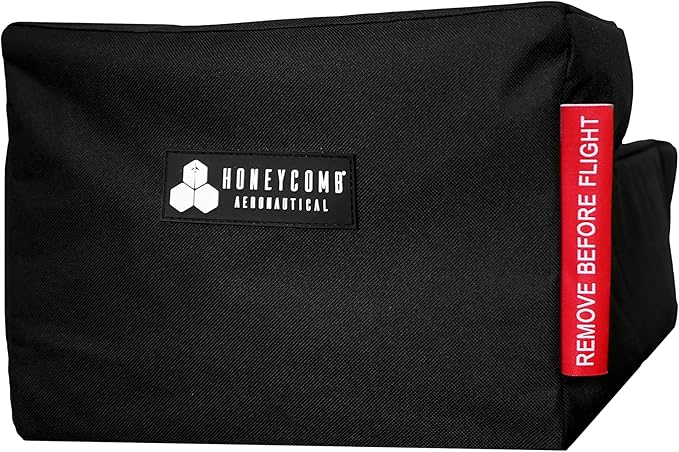
Honeycomb Bravo Throttle Quadrant
Bravo Throttle Quadrant The Bravo Throttle Quadrant, from Honeycomb Aeronautical is a universally usable all-in-one cockpit system. The throttle quadrant lets you configure your aircraft, from small single-engine planes to four-engine airliners. It supports various cockpit systems, such as autopilot, annunciator panel, gear switch, flaps, and trim. The thrust levers allow configuration for small single and multi-engine planes with separate flap switches. For airliner use you can choose a configuration with two or four thrust levers, levers for spoiler and flaps. This will also allow you to control the thrust reverser. The autopilot panel includes the functions that can be found in commercial and GA aircraft. The annunciator panel with 14 signal lights indicate the most important status and warning messages of the board systems. Additional features are provided by the gear switch, the trim wheel, and 7 freely programmable switches so the user does not need to use the keys so often.
Bravo Throttle Quadrant The Bravo Throttle Quadrant, from Honeycomb Aeronautical is a universally usable all-in-one cockpit system. The throttle quadrant lets you configure your aircraft, from small single-engine planes to four-engine airliners. It supports various cockpit systems, such as autopilot, annunciator panel, gear switch, flaps, and trim. The thrust levers allow configuration for small single and multi-engine planes with separate flap switches. For airliner use you can choose a configuration with two or four thrust levers, levers for spoiler and flaps. This will also allow you to control the thrust reverser. The autopilot panel includes the functions that can be found in commercial and GA aircraft. The annunciator panel with 14 signal lights indicate the most important status and warning messages of the board systems. Additional features are provided by the gear switch, the trim wheel, and 7 freely programmable switches so the user does not need to use the keys so often.
Bravo Throttle Quadrant The Bravo Throttle Quadrant, from Honeycomb Aeronautical is a universally usable all-in-one cockpit system. The throttle quadrant lets you configure your aircraft, from small single-engine planes to four-engine airliners. It supports various cockpit systems, such as autopilot, annunciator panel, gear switch, flaps, and trim. The thrust levers allow configuration for small single and multi-engine planes with separate flap switches. For airliner use you can choose a configuration with two or four thrust levers, levers for spoiler and flaps. This will also allow you to control the thrust reverser. The autopilot panel includes the functions that can be found in commercial and GA aircraft. The annunciator panel with 14 signal lights indicate the most important status and warning messages of the board systems. Additional features are provided by the gear switch, the trim wheel, and 7 freely programmable switches so the user does not need to use the keys so often.
Bravo Throttle Quadrant The Bravo Throttle Quadrant, from Honeycomb Aeronautical is a universally usable all-in-one cockpit system. The throttle quadrant lets you configure your aircraft, from small single-engine planes to four-engine airliners. It supports various cockpit systems, such as autopilot, annunciator panel, gear switch, flaps, and trim. The thrust levers allow configuration for small single and multi-engine planes with separate flap switches. For airliner use you can choose a configuration with two or four thrust levers, levers for spoiler and flaps. This will also allow you to control the thrust reverser. The autopilot panel includes the functions that can be found in commercial and GA aircraft. The annunciator panel with 14 signal lights indicate the most important status and warning messages of the board systems. Additional features are provided by the gear switch, the trim wheel, and 7 freely programmable switches so the user does not need to use the keys so often.
in 31 offers
The lowest price for Honeycomb Bravo Throttle Quadrant right now is $271.13 at PB Tech, compared across 28 retailers.
The all-time low was $101.61 on 4 Oct 2026 — today's price is 167% above the lowest ever. It has been notably cheaper before — worth setting a price alert.
Prices last updated 16 Oct 2026.
Last updated at 16/10/2026 07:58:44
Honeycomb Bravo Throttle Quadrant, Black
Free delivery
Affiliate Disclosure: We may receive a small commission for purchases made through this link at no extra cost to you. This helps support our site. Thank you!
Buy the Honeycomb Bravo Throttle Quadrant ( HCAFCTQ ) online
7-day returns
Honeycomb Bravo Throttle Quadrant
Free delivery between 20–23 Oct
Honeycomb Aeronautical Honeycomb Bravo Flight Controls Throttle Quadrant
Delivery between Tue – Wed $22
Honeycomb Bravo Throttle Quadrant - Black
Free delivery between Sat – Mon
Honeycomb Bravo Throttle Quadrant
Delivery $15.95
Honeycomb Bravo Throttle Quadrant
Free delivery between 20–23 Oct
Honeycomb Bravo Throttle Quadrant
Delivery $15.95
Honeycomb Bravo Throttle Quadrant
Delivery between 21–23 Oct $14.49
Honeycomb Aeronautical - Bravo Throttle Quadrant
Free delivery between 20–27 Oct
originally posted on newegg.com
I love the product when it works. It was everything I was hoping for in this product at this price point. But after owning it for a month the far left axis stopped reading correctly and "jittering". So I submitted a support ticket as I have done in the past with their Yoke. Didn't receive a reply back to the ticket in over a week. Called their office multiple times... to no answer. Finally I had to messenge the company on Facebook when someone answered, and then my ticket started getting replies! Took about a month to get my issue resolved and to have a replacement unit. I have had the replacement unit for less than a week and the USB port on the back of the unit came loose and fell inside the Quadrant while trying to plug the Unit in. I only used the replacement ... MoreI love the product when it works. It was everything I was hoping for in this product at this price point. But after owning it for a month the far left axis stopped reading correctly and "jittering". So I submitted a support ticket as I have done in the past with their Yoke. Didn't receive a reply back to the ticket in over a week. Called their office multiple times... to no answer. Finally I had to messenge the company on Facebook when someone answered, and then my ticket started getting replies! Took about a month to get my issue resolved and to have a replacement unit. I have had the replacement unit for less than a week and the USB port on the back of the unit came loose and fell inside the Quadrant while trying to plug the Unit in. I only used the replacement Unit once since receiving it. There seems to be no QA done on these products at any point in the production process. As much as this product looks amazing it has some serious flaws in their manufacturing and support and I can't recommend a product with those issues.
originally posted on adorama.com
The Bravo Throttle Quadrant delivers as promised. It is very high quality and has a great feel. It has been a long wait on the back order, but well worth it. You definitely get the most bang for you buck with this combination of features. The instructions say that you don't need to download drivers for fs 2020, however this information is out of date, go to the honeycomb website, because there are currently drivers there. Also currently you do need to run the set up, each time you use it for the lights to work. It only takes a moment, and doesn't always work the first time, but I have the best luck if start the sim first and set up my flight, I run the set up right before hitting "fly" in the sim. sounds like a big deal, but really it isn't, and I'm sure it is a bug ... MoreThe Bravo Throttle Quadrant delivers as promised. It is very high quality and has a great feel. It has been a long wait on the back order, but well worth it. You definitely get the most bang for you buck with this combination of features. The instructions say that you don't need to download drivers for fs 2020, however this information is out of date, go to the honeycomb website, because there are currently drivers there. Also currently you do need to run the set up, each time you use it for the lights to work. It only takes a moment, and doesn't always work the first time, but I have the best luck if start the sim first and set up my flight, I run the set up right before hitting "fly" in the sim. sounds like a big deal, but really it isn't, and I'm sure it is a bug which will get worked out. I highly recommend the throttle quadrant, and can't wait to get my hands on their yoke as well!
originally posted on marvgolden.com
I bought the Bravo Throttle from Marv Golden two weeks ago at the current MSRP of $279.99.I have found the build quality to be unexpectedly good. Every switch has a solid, positive movement. The throttle levers are very smooth with an adjustable tensioner to get them exactly how you want them to feel (mine were perfect right out of the box). The trim wheel is probably the best part about the whole controller as it gives really fine control over trim in MSFS. The Autopilot Control Panel gives me access to the critical functions with nice, soft click buttons and responsive dials.All the warning lights worked after I did the initial driver update. One thing to note is that you need to use the "Honeycomb Bridge Module" (included in the install software) while in the ... MoreI bought the Bravo Throttle from Marv Golden two weeks ago at the current MSRP of $279.99.I have found the build quality to be unexpectedly good. Every switch has a solid, positive movement. The throttle levers are very smooth with an adjustable tensioner to get them exactly how you want them to feel (mine were perfect right out of the box). The trim wheel is probably the best part about the whole controller as it gives really fine control over trim in MSFS. The Autopilot Control Panel gives me access to the critical functions with nice, soft click buttons and responsive dials.All the warning lights worked after I did the initial driver update. One thing to note is that you need to use the "Honeycomb Bridge Module" (included in the install software) while in the MSFS Main Menu to get the sim to send the appropriate information for the lights to work. I have this app pinned to my taskbar and I click it once whenever I'm in the menu screen. It takes maybe a second or two to run and afterward, all the lights on the throttle quadrant work just fine.The included mounting hardware is very good and should solidly attach the throttle to most desks without drilling holes or anything crazy. Even if the mounting hardware doesn't work on your particular desk, the throttle has a non-slip pad attached that I am pretty sure will keep it quite stable if you have to just sit it atop your desk. Keep in mind that I left the plastic cover on my non-slip pad because I didn't need to use it, so my thoughts on it's efficacy are based solely on my observations of general build quality, the size of the pad and the weight of the controller.Prior to this purchase, I had been using a decent HOTAS from another manufacturer. I had flown about 500 hours in the Cessna 208 and was really comfortable with my setup. However, when I saw that Marv Golden had both the Honeycomb Alpha and Bravo available, I wasted no time in grabbing both. Honestly, at this price point it's not even up for debate. There's just something about having the physical switches and accurate levers that makes the whole experience so much more enjoyable.After purchasing the Bravo, I have flew another 50-ish hours with the Honeycomb Yoke and Throttle set up for the Cessna 208. There is almost zero learning curve for the Bravo Throttle. After a quick mapping, I found it to be intuitive and easy to use. While my experience with this throttle is currently limited to the 208, I imagine the overall positive experience would be consistent for most of the aircraft in MSFS.For example, the smaller single prop planes (ex: C172) have push/pull system for the throttle and mixture controls so the experience may not be quite as accurate, but the Bravo Throttle is so good I doubt you'll really care unless you are looking for a true 1 to 1 setup.For airliners, the throttle includes additional throttle levers for two and four engine aircraft. This makes the setup pretty accurate for those aircraft as well. I haven't flown any of these types of aircraft with the Bravo yet, but again, I expect the experience to be quite good. I'm actually looking forward to doing some widebody flying. The downside to airliners is that they are more complex and while the Autopilot Control Panel on the Bravo gives you most of the functions that you need, you'll still need to activate some switches on the screen with your mouse.For the price, the Bravo Throttle does a great job of simulating throttle, autopilot, elevator trim, gear control, and flaps for everything from small, single props all the way up to giant, 4 engine airliners. The addition of warning lights and 7 programmable switches makes this controller incredibly immersive for a broad range of aircraft. (I don't think I'd recommend this for simulating a fighter aircraft throttle, or a helicopter collective, but I'm sure you could if you really wanted to.)I listed some cons in the Pros/Cons section below, but they are more of a wish list of things that might be found on more expensive, training grade simulators. This throttle does a great job of giving PC sim pilots an affordable way to jump from aircraft to aircraft without having to swap out dedicated controllers for each one. I can live without the items in the Con list in exchange for the flexibility I get at this price. I can safely recommend buying this controller whenever you see them in stock. In fact, get the Alpha Yoke while you're at it. They are absolutely worth it!
| Compatible OS | Windows |
| Compatible Systems | PC |
| VR Controller? | No |
| Connectivity Type | Wired |
| Connector Type | USB |

Honeycomb Bravo Throttle Quadrant, Black
Free delivery
Affiliate Disclosure: We may receive a small commission for purchases made through this link at no extra cost to you. This helps support our site. Thank you!
Buy the Honeycomb Bravo Throttle Quadrant ( HCAFCTQ ) online
7-day returns
Honeycomb Bravo Throttle Quadrant
Free delivery between 20–23 Oct
Honeycomb Aeronautical Honeycomb Bravo Flight Controls Throttle Quadrant
Delivery between Tue – Wed $22
Honeycomb Bravo Throttle Quadrant - Black
Free delivery between Sat – Mon
I love the product when it works. It was everything I was hoping for in this product at this price point. But after owning it for a month the far left axis stopped reading correctly and "jittering". So I submitted a support ticket as I have done in the past with their Yoke. Didn't receive a reply back to the ticket in over a week. Called their office multiple times... to no answer. Finally I had to messenge the company on Facebook when someone answered, and then my ticket started getting replies! Took about a month to get my issue resolved and to have a replacement unit. I have had the replacement unit for less than a week and the USB port on the back of the unit came loose and fell inside the Quadrant while trying to plug the Unit in. I only used the replacement ... MoreI love the product when it works. It was everything I was hoping for in this product at this price point. But after owning it for a month the far left axis stopped reading correctly and "jittering". So I submitted a support ticket as I have done in the past with their Yoke. Didn't receive a reply back to the ticket in over a week. Called their office multiple times... to no answer. Finally I had to messenge the company on Facebook when someone answered, and then my ticket started getting replies! Took about a month to get my issue resolved and to have a replacement unit. I have had the replacement unit for less than a week and the USB port on the back of the unit came loose and fell inside the Quadrant while trying to plug the Unit in. I only used the replacement Unit once since receiving it. There seems to be no QA done on these products at any point in the production process. As much as this product looks amazing it has some serious flaws in their manufacturing and support and I can't recommend a product with those issues.
The Bravo Throttle Quadrant delivers as promised. It is very high quality and has a great feel. It has been a long wait on the back order, but well worth it. You definitely get the most bang for you buck with this combination of features. The instructions say that you don't need to download drivers for fs 2020, however this information is out of date, go to the honeycomb website, because there are currently drivers there. Also currently you do need to run the set up, each time you use it for the lights to work. It only takes a moment, and doesn't always work the first time, but I have the best luck if start the sim first and set up my flight, I run the set up right before hitting "fly" in the sim. sounds like a big deal, but really it isn't, and I'm sure it is a bug ... MoreThe Bravo Throttle Quadrant delivers as promised. It is very high quality and has a great feel. It has been a long wait on the back order, but well worth it. You definitely get the most bang for you buck with this combination of features. The instructions say that you don't need to download drivers for fs 2020, however this information is out of date, go to the honeycomb website, because there are currently drivers there. Also currently you do need to run the set up, each time you use it for the lights to work. It only takes a moment, and doesn't always work the first time, but I have the best luck if start the sim first and set up my flight, I run the set up right before hitting "fly" in the sim. sounds like a big deal, but really it isn't, and I'm sure it is a bug which will get worked out. I highly recommend the throttle quadrant, and can't wait to get my hands on their yoke as well!
I bought the Bravo Throttle from Marv Golden two weeks ago at the current MSRP of $279.99.I have found the build quality to be unexpectedly good. Every switch has a solid, positive movement. The throttle levers are very smooth with an adjustable tensioner to get them exactly how you want them to feel (mine were perfect right out of the box). The trim wheel is probably the best part about the whole controller as it gives really fine control over trim in MSFS. The Autopilot Control Panel gives me access to the critical functions with nice, soft click buttons and responsive dials.All the warning lights worked after I did the initial driver update. One thing to note is that you need to use the "Honeycomb Bridge Module" (included in the install software) while in the ... MoreI bought the Bravo Throttle from Marv Golden two weeks ago at the current MSRP of $279.99.I have found the build quality to be unexpectedly good. Every switch has a solid, positive movement. The throttle levers are very smooth with an adjustable tensioner to get them exactly how you want them to feel (mine were perfect right out of the box). The trim wheel is probably the best part about the whole controller as it gives really fine control over trim in MSFS. The Autopilot Control Panel gives me access to the critical functions with nice, soft click buttons and responsive dials.All the warning lights worked after I did the initial driver update. One thing to note is that you need to use the "Honeycomb Bridge Module" (included in the install software) while in the MSFS Main Menu to get the sim to send the appropriate information for the lights to work. I have this app pinned to my taskbar and I click it once whenever I'm in the menu screen. It takes maybe a second or two to run and afterward, all the lights on the throttle quadrant work just fine.The included mounting hardware is very good and should solidly attach the throttle to most desks without drilling holes or anything crazy. Even if the mounting hardware doesn't work on your particular desk, the throttle has a non-slip pad attached that I am pretty sure will keep it quite stable if you have to just sit it atop your desk. Keep in mind that I left the plastic cover on my non-slip pad because I didn't need to use it, so my thoughts on it's efficacy are based solely on my observations of general build quality, the size of the pad and the weight of the controller.Prior to this purchase, I had been using a decent HOTAS from another manufacturer. I had flown about 500 hours in the Cessna 208 and was really comfortable with my setup. However, when I saw that Marv Golden had both the Honeycomb Alpha and Bravo available, I wasted no time in grabbing both. Honestly, at this price point it's not even up for debate. There's just something about having the physical switches and accurate levers that makes the whole experience so much more enjoyable.After purchasing the Bravo, I have flew another 50-ish hours with the Honeycomb Yoke and Throttle set up for the Cessna 208. There is almost zero learning curve for the Bravo Throttle. After a quick mapping, I found it to be intuitive and easy to use. While my experience with this throttle is currently limited to the 208, I imagine the overall positive experience would be consistent for most of the aircraft in MSFS.For example, the smaller single prop planes (ex: C172) have push/pull system for the throttle and mixture controls so the experience may not be quite as accurate, but the Bravo Throttle is so good I doubt you'll really care unless you are looking for a true 1 to 1 setup.For airliners, the throttle includes additional throttle levers for two and four engine aircraft. This makes the setup pretty accurate for those aircraft as well. I haven't flown any of these types of aircraft with the Bravo yet, but again, I expect the experience to be quite good. I'm actually looking forward to doing some widebody flying. The downside to airliners is that they are more complex and while the Autopilot Control Panel on the Bravo gives you most of the functions that you need, you'll still need to activate some switches on the screen with your mouse.For the price, the Bravo Throttle does a great job of simulating throttle, autopilot, elevator trim, gear control, and flaps for everything from small, single props all the way up to giant, 4 engine airliners. The addition of warning lights and 7 programmable switches makes this controller incredibly immersive for a broad range of aircraft. (I don't think I'd recommend this for simulating a fighter aircraft throttle, or a helicopter collective, but I'm sure you could if you really wanted to.)I listed some cons in the Pros/Cons section below, but they are more of a wish list of things that might be found on more expensive, training grade simulators. This throttle does a great job of giving PC sim pilots an affordable way to jump from aircraft to aircraft without having to swap out dedicated controllers for each one. I can live without the items in the Con list in exchange for the flexibility I get at this price. I can safely recommend buying this controller whenever you see them in stock. In fact, get the Alpha Yoke while you're at it. They are absolutely worth it!
I was already using the alpha yoke control from Honeycomb so this was on a wish list. They became unobtainable for a while but then reappeared. I am using it with MSFs2020 and DCS and it is amazing. It is best to program only directly through MSFS and no other controller software, but once you setup various profiles for single engine, twins, jets etc then you can vary the levers as needed. I would say this is for serious flightsimmers as it has a learning curve within MSFS but if you put in 3-4 hours of programming it pays dividends. The spoiler use and reverse thrust control is really well done. All in all happy at the price for what I got.
Great product does take a little extra time to fine tune.. there are some site out there with setups you can download and then you can just tinker with. its great quality product built excellent just software could be better for older sims. Its a lot better for the jets an props. had been using the old siatek/logitech quadrants very temperamental when reverse thrusting and or feathering this product does it with ease. Not as delicate as the thrustmaster as thrustmaster feels like it may break to easily. All and all Happy with it. It has improved my sim experience. Nothing will be ever better the real thing. Maybe original equipment or full fledge simulator.
Solid build and finish quality! One unit with lots of functions! Incredible value in relation to its competitors.The issues I have with the Bravo are minor:1. The "click" of the flap switch feels a bit nasty, as if there's sand or dirt inside, but that might be just my sample.2. The Trim wheel is not an analogue axis which is easily remedied with 3rd party software.Things I'd love to see in a future version of this product:Analogue trim wheelDual-encoder for the autopilot.I'd love to see other modules and instruments from Honeycomb!P.S. I fly GA piston and turbo-props exclusively so I haven't tested its airliner configuration at all.
After holding off for a year I finally bought this to go with my yoke.Easy to set up and mount. Came well protected in the box. Throttle handles each have their own boxes to store them when not in use and covers to cover up the mounts. Will required download a driver to make the LED lights work.Throttle levers and small but they are well spaced to allow easy control and they do not intersect each other.It's large if you have the yoke it's the same dimensions.Easy to set up in MSFS the default program is for twin engine aircraft like the Kingair.All in all glad I bought it as it adds a bit more immersion into my sim experience.
Used to use the Thrustmaster Hotas controller for all my flight simming needs. Decided to upgrade and get the Alpha Yoke and have now picked up the Bravo Throttle. I've been on various waitlists for quite a while but I was lucky to find it here. I would say that the Bravo has made one of the most noticeable changes from the Hotas at least for me personally. It added a lot of functionality to the sim and it really improved the feel of my overall setup. The build quality is great considering the price (even with the increase) and the customization options really make it the best throttle system to have at this price point. Highly recommended for any flight sim enthusiast. Takes a little time to setup and get an idea of what everything does though. Software (designed ... MoreUsed to use the Thrustmaster Hotas controller for all my flight simming needs. Decided to upgrade and get the Alpha Yoke and have now picked up the Bravo Throttle. I've been on various waitlists for quite a while but I was lucky to find it here. I would say that the Bravo has made one of the most noticeable changes from the Hotas at least for me personally. It added a lot of functionality to the sim and it really improved the feel of my overall setup. The build quality is great considering the price (even with the increase) and the customization options really make it the best throttle system to have at this price point. Highly recommended for any flight sim enthusiast. Takes a little time to setup and get an idea of what everything does though. Software (designed by someone from Aerosoft) is not as intuitive and some functions, that I'd like to see, are missing. I generally would like to see this be an FSUIPC replacement for HC products and there are a few functions missing that keeps it from being that.
Pros: The levers are great, and it comes with both GA and commercial lever sets, with 'go around' buttons on the first lever of both, and reverser switches on the commercial levers. The autopilot section is incredibly useful if you don't already have a separate autopilot button box. Trim wheel is great. Physical gear lever with gear status indicators is wonderful. So many controls in a single box!Cons: The default bindings in MSFS (e.g. for taxi + nav light switches) have some problems but can largely be worked around.The driver software - which merely connects to MSFS and drives the lights - isn't documented, doesn't cover all the lights, and isn't mapped well. e.g. If you have an engine fire on engine 1 the light on the Bravo lights; a fire on engine 2? Nope. ... MorePros: The levers are great, and it comes with both GA and commercial lever sets, with 'go around' buttons on the first lever of both, and reverser switches on the commercial levers. The autopilot section is incredibly useful if you don't already have a separate autopilot button box. Trim wheel is great. Physical gear lever with gear status indicators is wonderful. So many controls in a single box!Cons: The default bindings in MSFS (e.g. for taxi + nav light switches) have some problems but can largely be worked around.The driver software - which merely connects to MSFS and drives the lights - isn't documented, doesn't cover all the lights, and isn't mapped well. e.g. If you have an engine fire on engine 1 the light on the Bravo lights; a fire on engine 2? Nope. That one's fixable, but some of the other indicator lights, such as 'Master Warning' require access to MSFS 'lvars' and the standard software doesn't support them, so without writing new software you won't be able to get some of the indicator lights working with MSFS.The lights software for MSFS only refreshes once per second so the autopilot buttons can feel a bit clunky because they take up to a second to light up once you've pressed them.It's a shame that the annunciator panel has fixed text: there are some lights that I'd never use and I'd like to replace them with something else.
I’m actually pretty happy with this. There’s a learning curve when programming it. I’ve used it with XPlane12 and MSFS2020. It doesn’t play nice with PMDG planes for some reason but I need to work out the bugs with that. (Some of the lights don’t light) if you’re wondering if you can use the Turtle beach velocity one yoke alongside this, the answer is yes. You have to deprogram all the throttle quadrant buttons from the velocity one and you’ll be able to use the bravo as a standalone device. If you’re new to flight sims I would really stick with the turtle beach. It’s a great yoke and throttle. If you’re comfortable using autopilot and running IFR flights with level changes and such, bravo is for you, just be aware you’ll have to get into the weeds with programming it.
| Compatible OS | Windows |
| Compatible Systems | PC |
| VR Controller? | No |
| Connectivity Type | Wired |
| Connector Type | USB |