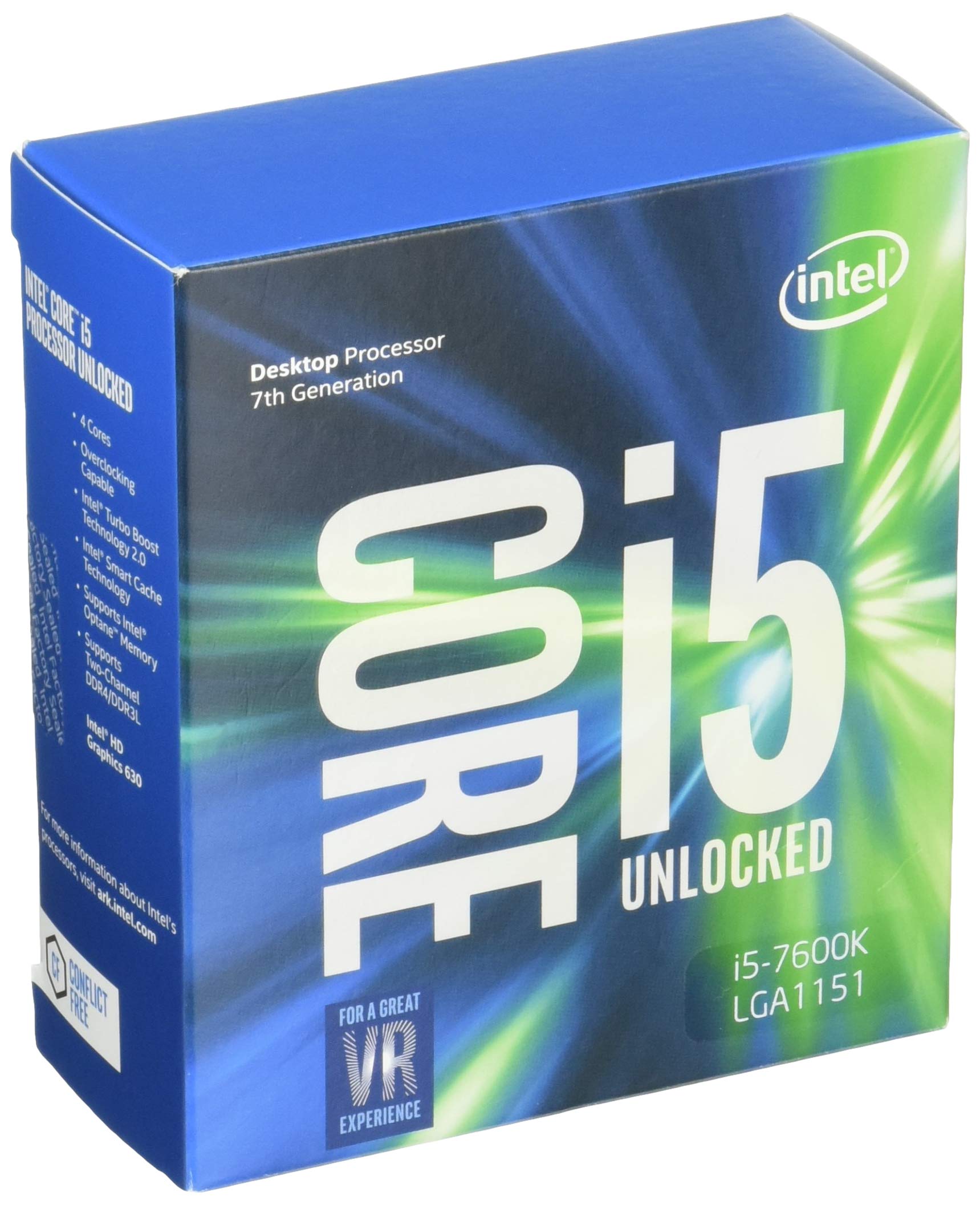
With the power and responsiveness of Intel Turbo Boost Technology 2.0 you can spend more time doing and less time waiting. Create, edit, and share 4K content with ease, and enjoy immersive, full-screen 4K and 360 experiences. Confidently add performance to select 9th Gen Intel Core processors with Intel Performance Maximizer. This hyper-intelligent automated processor overclocking tool examines your processor’s individual performance DNA and programs personalised settings for custom overclocking made simple.
With the power and responsiveness of Intel Turbo Boost Technology 2.0 you can spend more time doing and less time waiting. Create, edit, and share 4K content with ease, and enjoy immersive, full-screen 4K and 360 experiences. Confidently add performance to select 9th Gen Intel Core processors with Intel Performance Maximizer. This hyper-intelligent automated processor overclocking tool examines your processor’s individual performance DNA and programs personalised settings for custom overclocking made simple.
in 3 offers
The lowest price for Intel Core i5-9600KF Processor right now is $111.24 at Alibaba.com, compared across 3 retailers.
The all-time low was $111.24 on 25 June 2026. That's the lowest price we've ever tracked — a great time to buy.
Prices last updated 25 June 2026.
Intel Core i5-9600KF Processor
With the power and responsiveness of Intel Turbo Boost Technology 2.0 you can spend more time doing and less time waiting. Create, edit, and share 4K content with ease, and enjoy immersive, full-screen 4K and 360 experiences. Confidently add performance to select 9th Gen Intel Core processors with Intel Performance Maximizer. This hyper-intelligent automated processor overclocking tool examines your processor’s individual performance DNA and programs personalised settings for custom overclocking made simple.
With the power and responsiveness of Intel Turbo Boost Technology 2.0 you can spend more time doing and less time waiting. Create, edit, and share 4K content with ease, and enjoy immersive, full-screen 4K and 360 experiences. Confidently add performance to select 9th Gen Intel Core processors with Intel Performance Maximizer. This hyper-intelligent automated processor overclocking tool examines your processor’s individual performance DNA and programs personalised settings for custom overclocking made simple.
Last updated at 25/06/2026 13:53:52
Wholesale LGA1151 ocket processor Intel Core i5 processor new CPU product desktop processor Intel Core i5 processor New Core i5-9600KF CPU 6-core 95W
Delivery $17.93
Intel Core I5 9600kf 3.7ghz 6 Core 9m Lga1151 Coffee Lake-s Cpu
Free delivery
Affiliate Disclosure: We may receive a small commission for purchases made through this link at no extra cost to you. This helps support our site. Thank you!
Intel Core i5-9600KF Processor
7-day returns
originally posted on homeessentialsdirect.com
Base performance is exactly what I was expecting, and this is an excellent processor line for gaming as very few games use more than six cores. However, I was not impressed with the overclocking stability. I was able to get the processor to 4.6 MHz before I started seeing stability issues in benchmark tests. Reports of 5 GHz and higher I was seeing are either for people willing to sacrifice stability or they had a chip with fewer flaws. For the vast majority of people who just want a good gaming experience this is an excellent processor when paired with a Z390 or Z370 motherboard. If you want to being doing overclocking, however, I recommend spending the extra money and getting an i7 9th generation chip at the least.
originally posted on homeessentialsdirect.com
Coming from I5 6600k I wanted to start pushing more frames for my 240hz monitor and gtx 1080 at 1080p. This processor easily solved that problem. I got it for $235 on sale on Home Essentials Direct. I was debating between this and 2700x but after adding up the cost of pricey Motherboard and ram that the Ryzen needed vs just a good cooler for the Intel it was an easy decision. I compared my system vs my friends with a 2700x(Same graphic card). He has stable 4.3 OC and I am at 5.0 OC. I am averaging about 12-17% better frames. His ram and MB cost $270 more than my MB/Ram setup minus the $60 cooler I brought. So I saved $210 with better performance for gaming, which I can always put towards a better graphics card later. Note I do not stream, so if you stream I would ... MoreComing from I5 6600k I wanted to start pushing more frames for my 240hz monitor and gtx 1080 at 1080p. This processor easily solved that problem. I got it for $235 on sale on Home Essentials Direct. I was debating between this and 2700x but after adding up the cost of pricey Motherboard and ram that the Ryzen needed vs just a good cooler for the Intel it was an easy decision. I compared my system vs my friends with a 2700x(Same graphic card). He has stable 4.3 OC and I am at 5.0 OC. I am averaging about 12-17% better frames. His ram and MB cost $270 more than my MB/Ram setup minus the $60 cooler I brought. So I saved $210 with better performance for gaming, which I can always put towards a better graphics card later. Note I do not stream, so if you stream I would recommend the 2700x or i7 8700k. Conclusion: Pure gamer = Buy Workstation/Steaming/ect. = skip
originally posted on newegg.com
Several weeks ago, my 8 year old MB gave up the ghost. A new MB means a new CPU/cooler, and new memory. I wasn't looking for upgrade. per se, just replacements that would give me equivalent performance (or a bit better) than what I had as I was pretty happy with what I had. To me, getting newer, state of the art equipment is an automatic upgrade in itself. I chose this CPU mainly for it performance characteristics and it's overclocking capability. The old CPU that I am replacing is an Intel Core i7-3770K. The biggest difference between this CPU and my old CPU is the graphics capability and the number of cores/threads. My old CPU had built-in graphics, which I do not need now as the MB that I chose has built-in graphics, but I also have a plug-in graphics card as ... MoreSeveral weeks ago, my 8 year old MB gave up the ghost. A new MB means a new CPU/cooler, and new memory. I wasn't looking for upgrade. per se, just replacements that would give me equivalent performance (or a bit better) than what I had as I was pretty happy with what I had. To me, getting newer, state of the art equipment is an automatic upgrade in itself. I chose this CPU mainly for it performance characteristics and it's overclocking capability. The old CPU that I am replacing is an Intel Core i7-3770K. The biggest difference between this CPU and my old CPU is the graphics capability and the number of cores/threads. My old CPU had built-in graphics, which I do not need now as the MB that I chose has built-in graphics, but I also have a plug-in graphics card as well. However, the biggest thing is 6 cores and 6 threads on this CPU plus better overclocking capability than my old CPU at 4 cores and 8 threads. I've had the new hardware up and running for a couple of weeks now with no issues. I'm very happy with my new configuration.
| General | |
| Product Type | Processor |
| Processor | |
| Type / Form Factor | Intel Core i5 9600KF (9th Gen) |
| Number of Cores | 6-core |
Wholesale LGA1151 ocket processor Intel Core i5 processor new CPU product desktop processor Intel Core i5 processor New Core i5-9600KF CPU 6-core 95W
Delivery $17.93
Intel Core I5 9600kf 3.7ghz 6 Core 9m Lga1151 Coffee Lake-s Cpu
Free delivery
Affiliate Disclosure: We may receive a small commission for purchases made through this link at no extra cost to you. This helps support our site. Thank you!
Intel Core i5-9600KF Processor
7-day returns
Base performance is exactly what I was expecting, and this is an excellent processor line for gaming as very few games use more than six cores. However, I was not impressed with the overclocking stability. I was able to get the processor to 4.6 MHz before I started seeing stability issues in benchmark tests. Reports of 5 GHz and higher I was seeing are either for people willing to sacrifice stability or they had a chip with fewer flaws. For the vast majority of people who just want a good gaming experience this is an excellent processor when paired with a Z390 or Z370 motherboard. If you want to being doing overclocking, however, I recommend spending the extra money and getting an i7 9th generation chip at the least.
Coming from I5 6600k I wanted to start pushing more frames for my 240hz monitor and gtx 1080 at 1080p. This processor easily solved that problem. I got it for $235 on sale on Home Essentials Direct. I was debating between this and 2700x but after adding up the cost of pricey Motherboard and ram that the Ryzen needed vs just a good cooler for the Intel it was an easy decision. I compared my system vs my friends with a 2700x(Same graphic card). He has stable 4.3 OC and I am at 5.0 OC. I am averaging about 12-17% better frames. His ram and MB cost $270 more than my MB/Ram setup minus the $60 cooler I brought. So I saved $210 with better performance for gaming, which I can always put towards a better graphics card later. Note I do not stream, so if you stream I would ... MoreComing from I5 6600k I wanted to start pushing more frames for my 240hz monitor and gtx 1080 at 1080p. This processor easily solved that problem. I got it for $235 on sale on Home Essentials Direct. I was debating between this and 2700x but after adding up the cost of pricey Motherboard and ram that the Ryzen needed vs just a good cooler for the Intel it was an easy decision. I compared my system vs my friends with a 2700x(Same graphic card). He has stable 4.3 OC and I am at 5.0 OC. I am averaging about 12-17% better frames. His ram and MB cost $270 more than my MB/Ram setup minus the $60 cooler I brought. So I saved $210 with better performance for gaming, which I can always put towards a better graphics card later. Note I do not stream, so if you stream I would recommend the 2700x or i7 8700k. Conclusion: Pure gamer = Buy Workstation/Steaming/ect. = skip
Several weeks ago, my 8 year old MB gave up the ghost. A new MB means a new CPU/cooler, and new memory. I wasn't looking for upgrade. per se, just replacements that would give me equivalent performance (or a bit better) than what I had as I was pretty happy with what I had. To me, getting newer, state of the art equipment is an automatic upgrade in itself. I chose this CPU mainly for it performance characteristics and it's overclocking capability. The old CPU that I am replacing is an Intel Core i7-3770K. The biggest difference between this CPU and my old CPU is the graphics capability and the number of cores/threads. My old CPU had built-in graphics, which I do not need now as the MB that I chose has built-in graphics, but I also have a plug-in graphics card as ... MoreSeveral weeks ago, my 8 year old MB gave up the ghost. A new MB means a new CPU/cooler, and new memory. I wasn't looking for upgrade. per se, just replacements that would give me equivalent performance (or a bit better) than what I had as I was pretty happy with what I had. To me, getting newer, state of the art equipment is an automatic upgrade in itself. I chose this CPU mainly for it performance characteristics and it's overclocking capability. The old CPU that I am replacing is an Intel Core i7-3770K. The biggest difference between this CPU and my old CPU is the graphics capability and the number of cores/threads. My old CPU had built-in graphics, which I do not need now as the MB that I chose has built-in graphics, but I also have a plug-in graphics card as well. However, the biggest thing is 6 cores and 6 threads on this CPU plus better overclocking capability than my old CPU at 4 cores and 8 threads. I've had the new hardware up and running for a couple of weeks now with no issues. I'm very happy with my new configuration.
Haven't seen idle temps this low since my 2600k thanks to the internal thermal material. Under a custom water loop from EK, from what I've seen so far, they won't crack 30 degrees, even after being ran all day and gaming all day. Always stays under 30 idle. Easily over clocks to 5 GHz as well to get those benchmark scores a little higher. Workstation-level of needs will most likely need to go with some more cores, however. Really happy with this new chip overall since I didn't/don't require 16 threads. One of the top chips for gamers right now from what I've seen. Edit: got it running at 5.1 GHz @1.38v on all cores, uncore at 48. netted me a score on userbenchmark at 119%. Temps while gaming stayed right around 55-60 under water still.
So if you look up the overall performance margin between the i5 9600K or KF in contrast to the i7 9700K, it's quite minimal. The i7 does have hyperthreading which makes it's multi-core performance better however, like I said... the overall performance is quite minimal, so in vast majority of cases the i5 will give you plenty of performance, and at $200 at the time I bought this, I thought it was a good deal. The i7 was $300, and a week after I bought this came down to $269, which is on that borderline of being worth it over this chip... but if you're just gaming and a few other things, this is perfectly fine. If you are constantly multitasking or have any heavy workflow, then you might want to opt for the i7. This chip is actually going to run my Linux plex server. ... MoreSo if you look up the overall performance margin between the i5 9600K or KF in contrast to the i7 9700K, it's quite minimal. The i7 does have hyperthreading which makes it's multi-core performance better however, like I said... the overall performance is quite minimal, so in vast majority of cases the i5 will give you plenty of performance, and at $200 at the time I bought this, I thought it was a good deal. The i7 was $300, and a week after I bought this came down to $269, which is on that borderline of being worth it over this chip... but if you're just gaming and a few other things, this is perfectly fine. If you are constantly multitasking or have any heavy workflow, then you might want to opt for the i7. This chip is actually going to run my Linux plex server. I currently have an i7 10700K in my main rig, so I can attest to both chips being solid performers in most workloads.
I bought this because it was slight cheaper as an Home Essentials Direct used item, and in stock as currently the new intel 9th Gen are really in demand. Overclocked to 5Ghz on 2 cores, 4.8 on 4, 4.6 on all cores with no voltage increase, just left on auto. Seems to be at 1.24v. Runs relatively cool on an old Evo 212 cheap tower cooler. It is a hackintosh so being thermally limited is what Apple would do! LoL. I'm sure Prime95 AVX would cook it in seconds, but normal software doesn't seem to be a problem. Overclocking is playing the lottery, but the solder used to attach the heat spreader in these new chips is worth getting the 9th ben over the previous crap intel has been selling. My previous CPU, a 3770K did not cool as fast as this thing, having the thermal past ... MoreI bought this because it was slight cheaper as an Home Essentials Direct used item, and in stock as currently the new intel 9th Gen are really in demand. Overclocked to 5Ghz on 2 cores, 4.8 on 4, 4.6 on all cores with no voltage increase, just left on auto. Seems to be at 1.24v. Runs relatively cool on an old Evo 212 cheap tower cooler. It is a hackintosh so being thermally limited is what Apple would do! LoL. I'm sure Prime95 AVX would cook it in seconds, but normal software doesn't seem to be a problem. Overclocking is playing the lottery, but the solder used to attach the heat spreader in these new chips is worth getting the 9th ben over the previous crap intel has been selling. My previous CPU, a 3770K did not cool as fast as this thing, having the thermal past instead of solder really does make a difference. In Intel Powe gadget when you shut down Prime95 there is a cliff on the termperture chart that is immediate. The temperature drop is so sudden I worry about things cracking. The Intel Power Gadget reports about 130 watts with all cores using Prime95 without AVX. The 95 watt TDP is BS, you will have to go in the BIOS and change the 95 in about half a zone places, annoying. Don't overlook changing the max current too. If you are not getting the speeds you think you should, that is probably what is wrong. So far not a single crash, but I'm happy with 2 cores at 5ghz. A little extra just to feel special.
I bought this for my son's computer. He likes shooting games and I wanted him to experience building his own system. My Ph.D. is in AI and I used to teach college. The i5 is simply more stable and less likely to glitch than the faster i7. In many ways, the i5 is faster because the operating system does not have to manage so many cores for what little they contribute while gaming. In gaming, it's the video card that is of primary importance. Having a stable CPU to manage the card makes more sense than having twice as many cores to impress your friends.
I cannot speak for gaming with the KF, but I can say that I am very disappointed with it for Adobe Premiere Pro. I have been using the i5-9600K for a while, and I was ready to upgrade. I knew that the i7-9700KF does not have integrated graphics, but I did not realize how much of an impact that would have on premiere pro, because I use a GTX 970 video card. After running a series of tests, my result is a 25% DROP in performance from the 9600K. It appears that Premiere Pro is now able to use BOTH the integrated GPU on the 9600K and the GTX 970. I rendered a video with my 9600K in 7:48. After "upgrading" to the 9700KF, the same video now takes 9:46!!!! If i were a gamer, perhaps this wouldn't be an issue. However, I will be sending this 9700KF back immediately, and ... MoreI cannot speak for gaming with the KF, but I can say that I am very disappointed with it for Adobe Premiere Pro. I have been using the i5-9600K for a while, and I was ready to upgrade. I knew that the i7-9700KF does not have integrated graphics, but I did not realize how much of an impact that would have on premiere pro, because I use a GTX 970 video card. After running a series of tests, my result is a 25% DROP in performance from the 9600K. It appears that Premiere Pro is now able to use BOTH the integrated GPU on the 9600K and the GTX 970. I rendered a video with my 9600K in 7:48. After "upgrading" to the 9700KF, the same video now takes 9:46!!!! If i were a gamer, perhaps this wouldn't be an issue. However, I will be sending this 9700KF back immediately, and will be purchasing either the 9700K or 9900K instead. Again, DO NOT buy a KF version of these chips if you are using Premiere Pro or other editing software which can use multiple GPUs.
I settled on this, knowing that I wanted one of the latest generation of processors. After examining benchmarks, there simply wasn’t evidence that a better processor was needed for a gamer with my needs. Plus, this is much easier to keep cool than it’s more expensive cousins, the 9700k and 9900k. For my 1080p 60hz standard of enjoyment this thing kicks butt, and usually isn’t even that taxed by my current needs. I didn’t even overclock it yet because I simply don’t need to yet. Advice: if you’re gaming and don’t require the best of the best but still want high performance, this is the processor to go with for the next several years (at least from intel). It was my first processor installation and I had no issues. Make sure to have adequate cooling and a reliable ... MoreI settled on this, knowing that I wanted one of the latest generation of processors. After examining benchmarks, there simply wasn’t evidence that a better processor was needed for a gamer with my needs. Plus, this is much easier to keep cool than it’s more expensive cousins, the 9700k and 9900k. For my 1080p 60hz standard of enjoyment this thing kicks butt, and usually isn’t even that taxed by my current needs. I didn’t even overclock it yet because I simply don’t need to yet. Advice: if you’re gaming and don’t require the best of the best but still want high performance, this is the processor to go with for the next several years (at least from intel). It was my first processor installation and I had no issues. Make sure to have adequate cooling and a reliable thermal paste application and there should be no overheating issues. Con: it’s intel so it’s expensive. Thanks for reading.
While I find AMD's Ryzen 3 series to be impressive and worthy of consideration, ultimately single threaded performance is too important. I run a performance monitoring app 24/7, so that I can truly know where my bottlenecks are. 95% of the time that my system is waiting on the CPU it has idle cores, but one or more of the busy cores is maxed -- a single-thread bottleneck. This happens over a diverse range of applications, from my IDE, to web browser, to video games. AMD has a few products for this price that can thrash this in fully multi-threaded workloads. Yet, precious few workloads are threaded enough to benefit. If you are doing heavily threaded workloads, like compression or renders, look elsewhere. If you are a typical power user though, you will probably ... MoreWhile I find AMD's Ryzen 3 series to be impressive and worthy of consideration, ultimately single threaded performance is too important. I run a performance monitoring app 24/7, so that I can truly know where my bottlenecks are. 95% of the time that my system is waiting on the CPU it has idle cores, but one or more of the busy cores is maxed -- a single-thread bottleneck. This happens over a diverse range of applications, from my IDE, to web browser, to video games. AMD has a few products for this price that can thrash this in fully multi-threaded workloads. Yet, precious few workloads are threaded enough to benefit. If you are doing heavily threaded workloads, like compression or renders, look elsewhere. If you are a typical power user though, you will probably find better daily performance from a CPU like this.
| General | |
| Product Type | Processor |
| Processor | |
| Type / Form Factor | Intel Core i5 9600KF (9th Gen) |
| Number of Cores | 6-core |