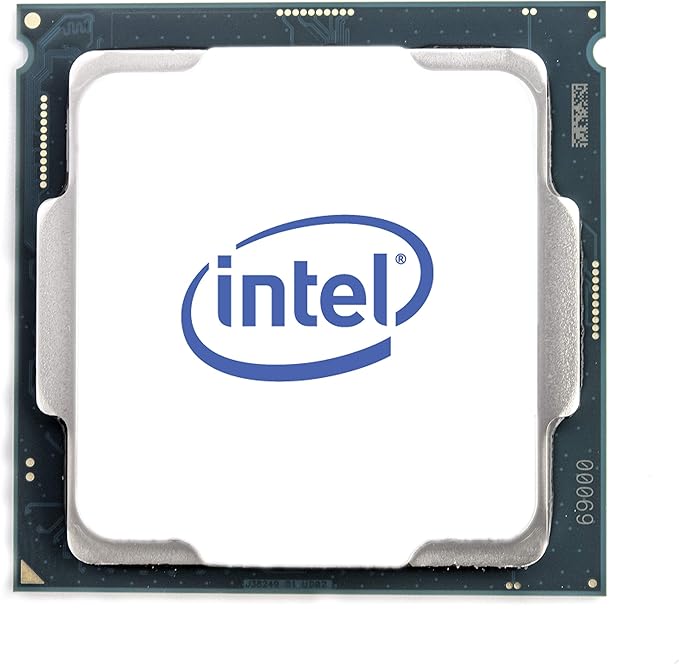
Intel Core Processors The Intel Core i7-9700KF is a desktop processor with 8 cores and is part of the Core i7 lineup, using the Coffee Lake Refresh architecture. Intel Core I7-9700KF Processor The Intel Core i7-9700KF has 12MB of L3 cache and operates at 3.6 GHz by default, but can boost up to 4.9 GHz, depending on the workload. This chip has a TDP of 95 W and supports DDR4 memory with a dual-channel interface. This processor does not have integrated graphics, you will need a separate graphics card.
Intel Core Processors The Intel Core i7-9700KF is a desktop processor with 8 cores and is part of the Core i7 lineup, using the Coffee Lake Refresh architecture. Intel Core I7-9700KF Processor The Intel Core i7-9700KF has 12MB of L3 cache and operates at 3.6 GHz by default, but can boost up to 4.9 GHz, depending on the workload. This chip has a TDP of 95 W and supports DDR4 memory with a dual-channel interface. This processor does not have integrated graphics, you will need a separate graphics card.
in 1 offers
The lowest price for Intel Core i7-9700KF Desktop Processor right now is $317.37 at eBay.com.au.
The all-time low was $302.95 on 7 May 2026 — today's price is 5% above the lowest ever. This is at or near its all-time low — a good time to buy.
Prices last updated 2 Oct 2026.
Intel Core i7-9700KF Desktop Processor
Intel Core Processors The Intel Core i7-9700KF is a desktop processor with 8 cores and is part of the Core i7 lineup, using the Coffee Lake Refresh architecture. Intel Core I7-9700KF Processor The Intel Core i7-9700KF has 12MB of L3 cache and operates at 3.6 GHz by default, but can boost up to 4.9 GHz, depending on the workload. This chip has a TDP of 95 W and supports DDR4 memory with a dual-channel interface. This processor does not have integrated graphics, you will need a separate graphics card.
Intel Core Processors The Intel Core i7-9700KF is a desktop processor with 8 cores and is part of the Core i7 lineup, using the Coffee Lake Refresh architecture. Intel Core I7-9700KF Processor The Intel Core i7-9700KF has 12MB of L3 cache and operates at 3.6 GHz by default, but can boost up to 4.9 GHz, depending on the workload. This chip has a TDP of 95 W and supports DDR4 memory with a dual-channel interface. This processor does not have integrated graphics, you will need a separate graphics card.
Last updated at 02/10/2026 00:53:42
Intel Bx80684i79700kf Core I7-9700kf Cpu Processor 3.6ghz 8.0gt/s 12mb
Delivery $48.36
Affiliate Disclosure: We may receive a small commission for purchases made through this link at no extra cost to you. This helps support our site. Thank you!
originally posted on webuy.com
Realised with current tech shortages that some of the Cex prices are extremely competitive - even more so if you're able to use vouchers to pay for components.The price of this seemed a lot of money to risk on a 2nd hand cpu, especially when some of the reviews mention the lack of appropriate packaging. I was persuaded by the value and the 24 month warranty.Sure enough, 2 days later a brown paper envelope arrived from royal mail and inside was my cpu!External quality looked fine, so mounted up onto motherboard and it benchmarks perfectly. Couldn't ask for anything more!Also very impressed at the Ballistix RAM I received. A matched pair, reasonable brand and at a really great price.You'd be foolish to not consider Cex for PC parts in the current market!
originally posted on homeessentialsdirect.com
Because video cards are so expensive this year, I could only update the RAM and CPU on my rig this year. I have an ASUS Z370-A motherboard and its listed as compatible, but when I installed the new CPU the computer didnt boot. Troubleshooting said to update the BIOS which made sense because the BIOS I had was from 2018 before 9th gen Intel CPUs. Swapped the CPUs and updated the BIOS with the old CPU and then reinstalled the new CPU and it booted perfectly. - Be sure to update your BIOS before you install the new CPU - Only replace one thing at a time. I know its more work to boot up in between, but if you replace RAM, too, you wont know whats not working if the boot fails. - Keep your old chip handy in case something goes wrong and you need to swap it out - Dont put ... MoreBecause video cards are so expensive this year, I could only update the RAM and CPU on my rig this year. I have an ASUS Z370-A motherboard and its listed as compatible, but when I installed the new CPU the computer didnt boot. Troubleshooting said to update the BIOS which made sense because the BIOS I had was from 2018 before 9th gen Intel CPUs. Swapped the CPUs and updated the BIOS with the old CPU and then reinstalled the new CPU and it booted perfectly. - Be sure to update your BIOS before you install the new CPU - Only replace one thing at a time. I know its more work to boot up in between, but if you replace RAM, too, you wont know whats not working if the boot fails. - Keep your old chip handy in case something goes wrong and you need to swap it out - Dont put too much conductive paste on the back. One instruction video said a drop about the size of a grain of rice. That seems right. Too much and it gets everywhere. Overall, installation was pretty easy. It took me a couple of tries to get the orientation correct, but it only fits on one way. The hardest part, really was finding and downloading the BIOS on the ASUS website and attaching the Coolermaster radiator and fan over the top. One note: This CPU comes with video but the HDMI out on the motherboard stopped working, Its not an issue because I use the HDMI and DVI out from a 1070 video card. Bottom line: it was a good upgrade. My games run moderately faster with better frame rate and nothing seems to be running hotter. Id recommend.
originally posted on newegg.com
I figured I would update my review after using this chip for a couple months. First, I do not recommend the included cooler with these 9th gen i7's. Under load the chips runs quite hot in the high 80's Celsius. Performance was good but I felt it could be better. After upgrading the cooler, the chip was running on all 8 cores at 4.7 GHz and never exceeded 50C. Extremely happy with this type of performance. At idle, this chip sits between 24C - 26C with the upgraded cooler. This chip does not have hyperthreading, but 8 high performance cores is more than enough power for the average user. More threads isn't always the answer. I mainly use this machine as a gamer (cpu intensive games) and some work from home. This chip complete both of these with ease.
| Processor | |
| Generation | 9th Generation |
| Bus type | DMI3 |
| Processor codename | Coffee Lake |
| Processor boost frequency | 4.9 GHz |
Intel Bx80684i79700kf Core I7-9700kf Cpu Processor 3.6ghz 8.0gt/s 12mb
Delivery $48.36
Affiliate Disclosure: We may receive a small commission for purchases made through this link at no extra cost to you. This helps support our site. Thank you!
Realised with current tech shortages that some of the Cex prices are extremely competitive - even more so if you're able to use vouchers to pay for components.The price of this seemed a lot of money to risk on a 2nd hand cpu, especially when some of the reviews mention the lack of appropriate packaging. I was persuaded by the value and the 24 month warranty.Sure enough, 2 days later a brown paper envelope arrived from royal mail and inside was my cpu!External quality looked fine, so mounted up onto motherboard and it benchmarks perfectly. Couldn't ask for anything more!Also very impressed at the Ballistix RAM I received. A matched pair, reasonable brand and at a really great price.You'd be foolish to not consider Cex for PC parts in the current market!
Because video cards are so expensive this year, I could only update the RAM and CPU on my rig this year. I have an ASUS Z370-A motherboard and its listed as compatible, but when I installed the new CPU the computer didnt boot. Troubleshooting said to update the BIOS which made sense because the BIOS I had was from 2018 before 9th gen Intel CPUs. Swapped the CPUs and updated the BIOS with the old CPU and then reinstalled the new CPU and it booted perfectly. - Be sure to update your BIOS before you install the new CPU - Only replace one thing at a time. I know its more work to boot up in between, but if you replace RAM, too, you wont know whats not working if the boot fails. - Keep your old chip handy in case something goes wrong and you need to swap it out - Dont put ... MoreBecause video cards are so expensive this year, I could only update the RAM and CPU on my rig this year. I have an ASUS Z370-A motherboard and its listed as compatible, but when I installed the new CPU the computer didnt boot. Troubleshooting said to update the BIOS which made sense because the BIOS I had was from 2018 before 9th gen Intel CPUs. Swapped the CPUs and updated the BIOS with the old CPU and then reinstalled the new CPU and it booted perfectly. - Be sure to update your BIOS before you install the new CPU - Only replace one thing at a time. I know its more work to boot up in between, but if you replace RAM, too, you wont know whats not working if the boot fails. - Keep your old chip handy in case something goes wrong and you need to swap it out - Dont put too much conductive paste on the back. One instruction video said a drop about the size of a grain of rice. That seems right. Too much and it gets everywhere. Overall, installation was pretty easy. It took me a couple of tries to get the orientation correct, but it only fits on one way. The hardest part, really was finding and downloading the BIOS on the ASUS website and attaching the Coolermaster radiator and fan over the top. One note: This CPU comes with video but the HDMI out on the motherboard stopped working, Its not an issue because I use the HDMI and DVI out from a 1070 video card. Bottom line: it was a good upgrade. My games run moderately faster with better frame rate and nothing seems to be running hotter. Id recommend.
I figured I would update my review after using this chip for a couple months. First, I do not recommend the included cooler with these 9th gen i7's. Under load the chips runs quite hot in the high 80's Celsius. Performance was good but I felt it could be better. After upgrading the cooler, the chip was running on all 8 cores at 4.7 GHz and never exceeded 50C. Extremely happy with this type of performance. At idle, this chip sits between 24C - 26C with the upgraded cooler. This chip does not have hyperthreading, but 8 high performance cores is more than enough power for the average user. More threads isn't always the answer. I mainly use this machine as a gamer (cpu intensive games) and some work from home. This chip complete both of these with ease.
So, looking at the purely Intel side of the market for now, I think that this is the best bang-for-the buck that Intel is offering. The 8700k is a great chip, for sure, but I always prefer real, physical cores to hyper-threads. But, that is just me, perhaps your particular workload will favor the 8700k. In reality, hyper-threading is a very good feature to have, but, it is only one of several very good features to have on a CPU, and I prefer the cores to the threads any day. Looking at the entire market, including AMD, Ryzen 3rd gen has many compelling values through the price ranges. But, even in many productivity tasks, the 9700KF can keep up in many of them well, especially considering the overclocking headroom and clock-advantage that this chip can provide. ... MoreSo, looking at the purely Intel side of the market for now, I think that this is the best bang-for-the buck that Intel is offering. The 8700k is a great chip, for sure, but I always prefer real, physical cores to hyper-threads. But, that is just me, perhaps your particular workload will favor the 8700k. In reality, hyper-threading is a very good feature to have, but, it is only one of several very good features to have on a CPU, and I prefer the cores to the threads any day. Looking at the entire market, including AMD, Ryzen 3rd gen has many compelling values through the price ranges. But, even in many productivity tasks, the 9700KF can keep up in many of them well, especially considering the overclocking headroom and clock-advantage that this chip can provide. Don't get me wrong, Ryzen 3rd gen is definitely worth a look, I am just attesting that this chip proves that AMD has not conquered the price-to-performance market yet. When paired with a high-end GPU, this chip provides excellent performance in gaming. That being said, for gaming and simultaneous streaming and recording, the hyper-threads are missed. If you plan to do that with this chip, then, you will likely need additional equipment. When paired with, say, an RTX 2070 super, 2080, or a 5700XT, I don't recommend even bothering to overclock this CPU, as you will only see rather minimal gains. Predictions are dangerous things, but, I predict that even when paired with high-end GPUs, this chip will perform well for at least six years to come. My chip overclocked to 5.2ghz on all cores. Though, it should be noted that was on a Noctua air cooler. So, please, please make certain your cooling situation is in order before overclocking this chip. Even at the out-of-the-box settings, I recommend at least a 130w-rated cooler for optimal performance. If you want to overclock, then, well, I suggest either a high-end air cooler or a 240mm all-in-one liquid cooler. See, while Intel's Ringbus architecture used here is very low-latency, it does have a weakness: adding more cores and higher clocks increases power consumption and heat generation geometrically. And that is a real problem on these 8-core chips. This is as opposed to AMD's infinity fabric, in which power consumption and heat generation increase linearly with core counts and clock speeds. Add to this that the 9700K/F is on Intel's 14nm process, and you can see how this is a problem with heat generation. That though, is really this chip's only weakness in my opinion. All things considered, this is an excellent, high-end CPU, at a very reasonable price. . . when it is available, that is.
I upgraded my Intel i5-9400F CPU to this i7-9700KF, it performs a lot better but be prepared to spend extra on sufficient cooling as it gets really hot. The be quiet! Pure Rock Slim 120W TDW HSF I was using with the old CPU wasn't up to the task so I bought a 200W TDW ARCTIC Freezer 34 eSports DUO which is better but if I run a stress test especially prime95 it still hits 90-100 Celsius. However, it is in an acceptable temperature range for gaming and general use. I used Intel Performance Maximiser to see what I could get out of it in terms of performance and it is stable running at 4800 MHz on all 8 cores. Pleased with it so far but might have to shell out even more for a better cooling solution in the near future.
I bought this for my son's computer. He likes shooting games and I wanted him to experience building his own system. My Ph.D. is in AI and I used to teach college. The i5 is simply more stable and less likely to glitch than the faster i7. In many ways, the i5 is faster because the operating system does not have to manage so many cores for what little they contribute while gaming. In gaming, it's the video card that is of primary importance. Having a stable CPU to manage the card makes more sense than having twice as many cores to impress your friends.
I'm upgrading from a 4790k. If you own something from recent generations, then upgrading may be unnecessary (depending on your disposable income). I know the allure of owning the latest and greatest, of which this is for gaming. Previous build: cpu: 4790K @4.4GHz cooler: Cooler Master GeminII S524 Version 2 mobo: MIS Z97 Gaming 7 gpu: Asus ROG Strix OC 1080 Ti memory: Corsair Vengeance 2 x 8 DDR3 1600MHz psu: Corsair TX750 Current build: cpu: 9700K @5.1GHz cooler: CORSAIR H100i PRO RGB mobo: Asus ROG Strix Z390-I gpu: Asus ROG Strix OC 1080 Ti memory: Corsair Vengeance 2 x 16 DDR4 3200MHz psu: Corsair HX850i 9700K v 9900K: For gaming, the 9700K is ~$120-150 cheaper and you only lose a few frames and in some cases gain frames. The question of whether Hyper-threading ... MoreI'm upgrading from a 4790k. If you own something from recent generations, then upgrading may be unnecessary (depending on your disposable income). I know the allure of owning the latest and greatest, of which this is for gaming. Previous build: cpu: 4790K @4.4GHz cooler: Cooler Master GeminII S524 Version 2 mobo: MIS Z97 Gaming 7 gpu: Asus ROG Strix OC 1080 Ti memory: Corsair Vengeance 2 x 8 DDR3 1600MHz psu: Corsair TX750 Current build: cpu: 9700K @5.1GHz cooler: CORSAIR H100i PRO RGB mobo: Asus ROG Strix Z390-I gpu: Asus ROG Strix OC 1080 Ti memory: Corsair Vengeance 2 x 16 DDR4 3200MHz psu: Corsair HX850i 9700K v 9900K: For gaming, the 9700K is ~$120-150 cheaper and you only lose a few frames and in some cases gain frames. The question of whether Hyper-threading is right for you is up to your application. Gaming benefits from clock speed over core count once a minimum core count is reached. I think the was Intel's rationale in offering the 9700K. It's a budget 8 core unlocked 9th gen cpu with no Hyper-threading. The 9900K is the obvious superior choice for multi-threaded operations and encoding. If you're looking for a powerful encoding cpu for broadcasting/recording, the 9900K will be a budget buy beating out the entry X-series HEDT chips by at least half the price. If you are looking for a high performance gaming cpu, this should be on your short list. Gaming benchmarks comparing the 9700K v 9900K show negligible differences. I'll leave the AMD debate/comparisons for others. I'll let the benchmarks I've attached speak for themselves, but here is the tldr. I overclocked to 5.1Ghz using XMP I, DDR4 3200MHz. I turned off Speedstep and Speed shift as this brought me more stability when playing games, specifically LoL. Idles at ~40 degrees @1.359-1.368v. Under load ~80 degrees @1.376-1.385v. I have included benchmark screen shots (each paired with the corresponding HWMonitor results) from CineBench, CPU-Z, 3DMark Time Spy Benchmark & Stress tests. I'm extremely happy with the performance of this processor. It runs warm, but an overclocker should be prepared for advanced cooling solutions.
I'm upgrading my Intel i5 9400 to an Intel i7 9700 for PCVR games like Stormland, Lone Echo, Asgard's Wrath, and Half Life Alyx which has some annoying lag. My GPU is a GTX 1650 super. The processor was very easy to installed. This version came with a stocked Intel cooling fan with cooling gel pre-applied. After the drivers were installed I couldn't tell the difference at first while web browsing , watching movies, and non-VR games played just like with the i5. Were it shined was the VR games. The lag was almost completely gone with some graphical improvements on all games mentioned above. The graphics on auto settings still are low on some games and high on others because of my GPU, but the games played smoother. I would recommend for PCVR or video editing users ... MoreI'm upgrading my Intel i5 9400 to an Intel i7 9700 for PCVR games like Stormland, Lone Echo, Asgard's Wrath, and Half Life Alyx which has some annoying lag. My GPU is a GTX 1650 super. The processor was very easy to installed. This version came with a stocked Intel cooling fan with cooling gel pre-applied. After the drivers were installed I couldn't tell the difference at first while web browsing , watching movies, and non-VR games played just like with the i5. Were it shined was the VR games. The lag was almost completely gone with some graphical improvements on all games mentioned above. The graphics on auto settings still are low on some games and high on others because of my GPU, but the games played smoother. I would recommend for PCVR or video editing users but not for normal tasks like web browsing, movies, or normal gaming I would not recommend.
Saved 40 dollars opting for this non-k cpu. Paired with my 120mm cpu mounted cooler fan, this processor sits at 4.5ghz ice cold. There is no need to spend the extra money on the k version, unless you’re really wanting to squeeze a tiny bit of extra performance, save the money. I have this paired with 32gb’s of 3000mhz speed Corsair vengeance ram and an msi z390 gaming carbon pro board, so I could turbo boost up to 4.7 via the motherboard bios but have left it at default settings. Paired with my 8GB rtx 2070 I’ve never felt more comfortable with triple a gaming, just buy it already if you’re looking to jump into powerful performance gaming with a bang for your buck value.
While I find AMD's Ryzen 3 series to be impressive and worthy of consideration, ultimately single threaded performance is too important. I run a performance monitoring app 24/7, so that I can truly know where my bottlenecks are. 95% of the time that my system is waiting on the CPU it has idle cores, but one or more of the busy cores is maxed -- a single-thread bottleneck. This happens over a diverse range of applications, from my IDE, to web browser, to video games. AMD has a few products for this price that can thrash this in fully multi-threaded workloads. Yet, precious few workloads are threaded enough to benefit. If you are doing heavily threaded workloads, like compression or renders, look elsewhere. If you are a typical power user though, you will probably ... MoreWhile I find AMD's Ryzen 3 series to be impressive and worthy of consideration, ultimately single threaded performance is too important. I run a performance monitoring app 24/7, so that I can truly know where my bottlenecks are. 95% of the time that my system is waiting on the CPU it has idle cores, but one or more of the busy cores is maxed -- a single-thread bottleneck. This happens over a diverse range of applications, from my IDE, to web browser, to video games. AMD has a few products for this price that can thrash this in fully multi-threaded workloads. Yet, precious few workloads are threaded enough to benefit. If you are doing heavily threaded workloads, like compression or renders, look elsewhere. If you are a typical power user though, you will probably find better daily performance from a CPU like this.
| Processor | |
| Generation | 9th Generation |
| Bus type | DMI3 |
| Processor codename | Coffee Lake |
| Processor boost frequency | 4.9 GHz |

