Last updated at 26/08/2026 08:29:35
Lenovo Ideapad 3 Chromebook 82ba0000us 11.6" Celeron 4gb Ddr4 32gb
Delivery $60.47
Affiliate Disclosure: We may receive a small commission for purchases made through this link at no extra cost to you. This helps support our site. Thank you!
Idea Pad 11.6"" Hd Intel N4020 4 Gb Ram 32 Gb E Mmc Webcam Bt Chrome Os, Black (82 Ba0000 Us)
Delivery between 1–4 Sept $29
Lenovo Ideapad 3 Chromebook, 11.6 HD, Intel Celeron N4020, 4GB RAM, 32GB eMMC, ChromeOS, Onyx Black, 82BA0000US
Delivery between 30 Aug – 3 Sept $35.88
Lenovo IdeaPad 11.6" HD Intel N4020 4GB RAM 32GB eMMC Webcam BT Chrome OS, Black 82BA000US
Delivery between 30 Aug – 3 Sept $35.88
originally posted on lenovo.com
It’s hard to get a 5-star rating unless the product is perfect, but this comes pretty close.For the price you pay, you get a ton of tech. 128GB storage, FHD screen, keyboard, and in my particular unit, a stylus as well. They’ve all worked well save for a few freeze ups here and there, but so far so good. This is my first chromehook so I’m still getting the hang of things coming from more of an Apple background. Apps load pretty quickly and things all run fairly smooth, but I haven’t tried some of the more intensive apps like gaming.There’s already a ton of reviews out there on this, and almost all of them are super positive, which is certainly true.The only things to watch out for are the keyboard which is a bit cramped, but again how can you complain when it ... MoreIt’s hard to get a 5-star rating unless the product is perfect, but this comes pretty close.For the price you pay, you get a ton of tech. 128GB storage, FHD screen, keyboard, and in my particular unit, a stylus as well. They’ve all worked well save for a few freeze ups here and there, but so far so good. This is my first chromehook so I’m still getting the hang of things coming from more of an Apple background. Apps load pretty quickly and things all run fairly smooth, but I haven’t tried some of the more intensive apps like gaming.There’s already a ton of reviews out there on this, and almost all of them are super positive, which is certainly true.The only things to watch out for are the keyboard which is a bit cramped, but again how can you complain when it comes standard with the unit at this price. It clicks well and works well, you just need to get used to the key spacing.To me the biggest issue was the lack of monitor output support. Most USB-C hubs you attach to it and most monitors will not be able to do 1080P resolution on it for some weird reason. The thing says it’s capable of 4K @30hz but I could only get 720P resolution. Be warned! If you plan on attaching an external display, you’ll need to pony up big $ to find a USB-C hub with DisplayLink certification to get 1080p or 4K output!Other than that this is an absolute killer deal and great product to boot.Highly recommended.
originally posted on walmart.com
Let me get the obvious out of the way: the screen is painfully average. For tech nerds, it caps out at 250 nits of brightness, the screen is stuck in 2010 with a 1366x768p resolution, and a TN display. However it's an anti glare display, and viewing angles aren't that bad. Just don't use it outside.Now that I've got that out of the way, let me address the biggest strengths: when available, it's hard to criticize this Chromebook at $170. If this was $300-400, I'd be a lot more critical. And the biggest strength of this device, the Intel N4020 cpu really makes this work wonders.I don't use this liberally, and usually have 3-5 tabs running at once, but it runs like a dream. And this is perfect to use for college students; keyboard is probably the best I've felt. I ... MoreLet me get the obvious out of the way: the screen is painfully average. For tech nerds, it caps out at 250 nits of brightness, the screen is stuck in 2010 with a 1366x768p resolution, and a TN display. However it's an anti glare display, and viewing angles aren't that bad. Just don't use it outside.Now that I've got that out of the way, let me address the biggest strengths: when available, it's hard to criticize this Chromebook at $170. If this was $300-400, I'd be a lot more critical. And the biggest strength of this device, the Intel N4020 cpu really makes this work wonders.I don't use this liberally, and usually have 3-5 tabs running at once, but it runs like a dream. And this is perfect to use for college students; keyboard is probably the best I've felt. I wouldn't recommend using this as a gaming device, but some games like the Doom ports run really well, especially with a mouse. Trackpad is okay, but remember; this is $170, you have to keep your expectations in check.The lack of a touchscreen is disappointing, but I own a Lenovo Duet alongside this. And while I love the Lenovo Duet, if I had to choose between the IdeaPad 3 (this machine), and the Duet, I'd choose this actually. It's cheaper, actually outperforms the Duet on many subjects, and the amount of ports this offers makes it much easier to use as a productivity device.At least the Duet has a much better screen, and there's more Android games that can be played on it.And while I have the issues with the screen display, the battery life is easily the best part of this device. I can get through a whole day with this, and I've only had to recharge it at least once every 2-4 days. The keyboard, the surprisingly strong Intel Celeron cpu, the $170 price tag and the battery life is enough for to recommend giving this a look.
originally posted on lenovo.com
My daughter was looking for something for school and didn't want to lug around her heavier laptop (and risk it being stolen with her data). I had actually scoped out the duet for my sister so I bought it, and was using for a few days to make sure I got everything setup & installed for her when my daughter saw it and so she tried it for a few days as well. We ended up getting one for her as well. It's a great tablet/C-book combo: detach the mag-attached keyboard and use it like a tablet (on the couch reading news, email, watching Netflix/YouTube/etc.); add the keyboard and I was writing email, writing proposals in a document editor, etc.It's a 10" screen so it's not huge... but that's what we were looking for: something that wasn't going to take up a lot of space ... MoreMy daughter was looking for something for school and didn't want to lug around her heavier laptop (and risk it being stolen with her data). I had actually scoped out the duet for my sister so I bought it, and was using for a few days to make sure I got everything setup & installed for her when my daughter saw it and so she tried it for a few days as well. We ended up getting one for her as well. It's a great tablet/C-book combo: detach the mag-attached keyboard and use it like a tablet (on the couch reading news, email, watching Netflix/YouTube/etc.); add the keyboard and I was writing email, writing proposals in a document editor, etc.It's a 10" screen so it's not huge... but that's what we were looking for: something that wasn't going to take up a lot of space (read: don't need a laptop bag just for the unit).I purchased a dongle (Type-C USB with USB, HDMI, card reader) and easily hooked up the duet to a large HDMI monitor, keyboard mouse and instantly I basically had a full-fledged desktop. Everything I attached just worked immediately. Pretty impressed. I used it for several hours for work and it was fine.The drive on it is a decent size (64GB) which is way more than other units. It has a great battery life. I didn't keep track but I used the unit off and on for 2 days and never plugged it in. I realize that's not very scientific but I'm on my "devices" pretty much all day so I was surprised that I didn't have to plug it in after the first day.If I had to be on a non-business trip, I would definitely look at getting this for myself rather than taking my corporate laptop and risk it getting stolen with all my data on it.
| Design | |
| Housing material | Acrylonitrile butadiene styrene (ABS) |
| Form factor | Clamshell |
| Product type | Chromebook |
| Colour name | Onyx Black |
Lenovo Ideapad 3 Chromebook 82ba0000us 11.6" Celeron 4gb Ddr4 32gb
Delivery $60.47
Affiliate Disclosure: We may receive a small commission for purchases made through this link at no extra cost to you. This helps support our site. Thank you!
Idea Pad 11.6"" Hd Intel N4020 4 Gb Ram 32 Gb E Mmc Webcam Bt Chrome Os, Black (82 Ba0000 Us)
Delivery between 1–4 Sept $29
Lenovo Ideapad 3 Chromebook, 11.6 HD, Intel Celeron N4020, 4GB RAM, 32GB eMMC, ChromeOS, Onyx Black, 82BA0000US
Delivery between 30 Aug – 3 Sept $35.88
Lenovo IdeaPad 11.6" HD Intel N4020 4GB RAM 32GB eMMC Webcam BT Chrome OS, Black 82BA000US
Delivery between 30 Aug – 3 Sept $35.88
It’s hard to get a 5-star rating unless the product is perfect, but this comes pretty close.For the price you pay, you get a ton of tech. 128GB storage, FHD screen, keyboard, and in my particular unit, a stylus as well. They’ve all worked well save for a few freeze ups here and there, but so far so good. This is my first chromehook so I’m still getting the hang of things coming from more of an Apple background. Apps load pretty quickly and things all run fairly smooth, but I haven’t tried some of the more intensive apps like gaming.There’s already a ton of reviews out there on this, and almost all of them are super positive, which is certainly true.The only things to watch out for are the keyboard which is a bit cramped, but again how can you complain when it ... MoreIt’s hard to get a 5-star rating unless the product is perfect, but this comes pretty close.For the price you pay, you get a ton of tech. 128GB storage, FHD screen, keyboard, and in my particular unit, a stylus as well. They’ve all worked well save for a few freeze ups here and there, but so far so good. This is my first chromehook so I’m still getting the hang of things coming from more of an Apple background. Apps load pretty quickly and things all run fairly smooth, but I haven’t tried some of the more intensive apps like gaming.There’s already a ton of reviews out there on this, and almost all of them are super positive, which is certainly true.The only things to watch out for are the keyboard which is a bit cramped, but again how can you complain when it comes standard with the unit at this price. It clicks well and works well, you just need to get used to the key spacing.To me the biggest issue was the lack of monitor output support. Most USB-C hubs you attach to it and most monitors will not be able to do 1080P resolution on it for some weird reason. The thing says it’s capable of 4K @30hz but I could only get 720P resolution. Be warned! If you plan on attaching an external display, you’ll need to pony up big $ to find a USB-C hub with DisplayLink certification to get 1080p or 4K output!Other than that this is an absolute killer deal and great product to boot.Highly recommended.
Let me get the obvious out of the way: the screen is painfully average. For tech nerds, it caps out at 250 nits of brightness, the screen is stuck in 2010 with a 1366x768p resolution, and a TN display. However it's an anti glare display, and viewing angles aren't that bad. Just don't use it outside.Now that I've got that out of the way, let me address the biggest strengths: when available, it's hard to criticize this Chromebook at $170. If this was $300-400, I'd be a lot more critical. And the biggest strength of this device, the Intel N4020 cpu really makes this work wonders.I don't use this liberally, and usually have 3-5 tabs running at once, but it runs like a dream. And this is perfect to use for college students; keyboard is probably the best I've felt. I ... MoreLet me get the obvious out of the way: the screen is painfully average. For tech nerds, it caps out at 250 nits of brightness, the screen is stuck in 2010 with a 1366x768p resolution, and a TN display. However it's an anti glare display, and viewing angles aren't that bad. Just don't use it outside.Now that I've got that out of the way, let me address the biggest strengths: when available, it's hard to criticize this Chromebook at $170. If this was $300-400, I'd be a lot more critical. And the biggest strength of this device, the Intel N4020 cpu really makes this work wonders.I don't use this liberally, and usually have 3-5 tabs running at once, but it runs like a dream. And this is perfect to use for college students; keyboard is probably the best I've felt. I wouldn't recommend using this as a gaming device, but some games like the Doom ports run really well, especially with a mouse. Trackpad is okay, but remember; this is $170, you have to keep your expectations in check.The lack of a touchscreen is disappointing, but I own a Lenovo Duet alongside this. And while I love the Lenovo Duet, if I had to choose between the IdeaPad 3 (this machine), and the Duet, I'd choose this actually. It's cheaper, actually outperforms the Duet on many subjects, and the amount of ports this offers makes it much easier to use as a productivity device.At least the Duet has a much better screen, and there's more Android games that can be played on it.And while I have the issues with the screen display, the battery life is easily the best part of this device. I can get through a whole day with this, and I've only had to recharge it at least once every 2-4 days. The keyboard, the surprisingly strong Intel Celeron cpu, the $170 price tag and the battery life is enough for to recommend giving this a look.
My daughter was looking for something for school and didn't want to lug around her heavier laptop (and risk it being stolen with her data). I had actually scoped out the duet for my sister so I bought it, and was using for a few days to make sure I got everything setup & installed for her when my daughter saw it and so she tried it for a few days as well. We ended up getting one for her as well. It's a great tablet/C-book combo: detach the mag-attached keyboard and use it like a tablet (on the couch reading news, email, watching Netflix/YouTube/etc.); add the keyboard and I was writing email, writing proposals in a document editor, etc.It's a 10" screen so it's not huge... but that's what we were looking for: something that wasn't going to take up a lot of space ... MoreMy daughter was looking for something for school and didn't want to lug around her heavier laptop (and risk it being stolen with her data). I had actually scoped out the duet for my sister so I bought it, and was using for a few days to make sure I got everything setup & installed for her when my daughter saw it and so she tried it for a few days as well. We ended up getting one for her as well. It's a great tablet/C-book combo: detach the mag-attached keyboard and use it like a tablet (on the couch reading news, email, watching Netflix/YouTube/etc.); add the keyboard and I was writing email, writing proposals in a document editor, etc.It's a 10" screen so it's not huge... but that's what we were looking for: something that wasn't going to take up a lot of space (read: don't need a laptop bag just for the unit).I purchased a dongle (Type-C USB with USB, HDMI, card reader) and easily hooked up the duet to a large HDMI monitor, keyboard mouse and instantly I basically had a full-fledged desktop. Everything I attached just worked immediately. Pretty impressed. I used it for several hours for work and it was fine.The drive on it is a decent size (64GB) which is way more than other units. It has a great battery life. I didn't keep track but I used the unit off and on for 2 days and never plugged it in. I realize that's not very scientific but I'm on my "devices" pretty much all day so I was surprised that I didn't have to plug it in after the first day.If I had to be on a non-business trip, I would definitely look at getting this for myself rather than taking my corporate laptop and risk it getting stolen with all my data on it.
I am hard core Android/Google....3 phones, 2 tablets, gMail, Chromecast....considering Google TV etc. We also have a Windows laptop. When looking for a 2 in 1 (Chromebooks without touch screens were of no interest) the Duet had recently been released to good reviews so I bought one.I have to admit that migrating to Chrome was NOT seamless. It is not Android. Way too many keystroke combinations to do very simple tasks. But I persisted, with my brother doing the same learning curve, and can now say that the Duet is easily a replacement for most Windows laptop functions. The touchscreen makes it more Android-like, Cannot imagine Chromebooks without touch screens.I like that updates appear about twice a month. Most Android apps work ok. But not all. You have to ... MoreI am hard core Android/Google....3 phones, 2 tablets, gMail, Chromecast....considering Google TV etc. We also have a Windows laptop. When looking for a 2 in 1 (Chromebooks without touch screens were of no interest) the Duet had recently been released to good reviews so I bought one.I have to admit that migrating to Chrome was NOT seamless. It is not Android. Way too many keystroke combinations to do very simple tasks. But I persisted, with my brother doing the same learning curve, and can now say that the Duet is easily a replacement for most Windows laptop functions. The touchscreen makes it more Android-like, Cannot imagine Chromebooks without touch screens.I like that updates appear about twice a month. Most Android apps work ok. But not all. You have to experiment, as sometimes the Chrome browser access is better than the Android app. The keyboards and trackpad are fine. A USB hub is essential for expansion, but areap and work fine,My brother invested in a USB mouse which mitigates some of the multiple keystroke requirements. I have just worked around these, as I do not want to be burdened by the USB hub and mouse combinations.It is a great eReader in either tablet or laptop modes, it is fast enough for most applications (I seldom open multiple apps) the display is good and the battery life more than adequate. Office 365 works fine. Storage is adequate if you use Cloud storage. Good build quality.In short......the few Windows laptops available at low prices are limited. This Chromebook Duet is a viable alternative, is small, well built, portable and I like it.
First Chromebook and my first Lenovo in quite a while apart from some peripherals. Purchased the Duet as a replacement for an aging Android tablet, that although working OK was becoming problematic with the older OS and what it would run. Liked the fact that it would run (hopefully) all the Android apps I like and do some more with the Chrome OS. Not to mention the fact that Chrome is continuously updated and I would not run into the aging OS issue. It was also favourably reviewed on a number of Geek sites I frequent.Well how's all that working out? So far great. It is running everything I wanted on Android like a charm. Still struggling a bit with some of the Chrome aspects but nothing that can't be overcome. It's more where is it rather than can't do it. Or you ... MoreFirst Chromebook and my first Lenovo in quite a while apart from some peripherals. Purchased the Duet as a replacement for an aging Android tablet, that although working OK was becoming problematic with the older OS and what it would run. Liked the fact that it would run (hopefully) all the Android apps I like and do some more with the Chrome OS. Not to mention the fact that Chrome is continuously updated and I would not run into the aging OS issue. It was also favourably reviewed on a number of Geek sites I frequent.Well how's all that working out? So far great. It is running everything I wanted on Android like a charm. Still struggling a bit with some of the Chrome aspects but nothing that can't be overcome. It's more where is it rather than can't do it. Or you have to get used to something being presented in a slightly different way. A real bonus has been the embedded Linux aspect of Chrome. It is allowing me to run some coding software and do some Arduino development that I could not even think about on my previous tablet.As for the hardware, very impressed with both the build quality and the performance. Is it equal to some of the competition's offerings? Perhaps not quite in all areas, but when you factor in the price being $100's of dollars less I would consider it better!I still love my powerhouse full blown computers but the Duet has become my new favourite for many tasks and consider it the perfect replacement for my tablet.Downsides? Well a couple. Would like a dedicated audio jack (can you tell I'm old school) but at least an adapter is provided and it would be better if it would output a full 1080 video signal for those times you want a bigger screen.
I bought this machine to act as a backup laptop for work because I'm tired of lugging my primary laptop's enormous power brick around. As something of a power user, I've been impressed by the capabilities of this little machine.Video playback on Youtube is flawless even if you force 4K playback and, to my immense surprise, it seems to support 4K display over USB-C! As for the screen itself, it's 720p and the color reproduction is quite good for this price point. Always expect less vivid colors in this price range. Still, if you max out the brightness and the colors will pop a bit more than you might expect!Build quality is strong - the overall make reminds me of a high quality children's toy designed to withstand abuse. Keyboard is budgety but reasonably ... MoreI bought this machine to act as a backup laptop for work because I'm tired of lugging my primary laptop's enormous power brick around. As something of a power user, I've been impressed by the capabilities of this little machine.Video playback on Youtube is flawless even if you force 4K playback and, to my immense surprise, it seems to support 4K display over USB-C! As for the screen itself, it's 720p and the color reproduction is quite good for this price point. Always expect less vivid colors in this price range. Still, if you max out the brightness and the colors will pop a bit more than you might expect!Build quality is strong - the overall make reminds me of a high quality children's toy designed to withstand abuse. Keyboard is budgety but reasonably comfortable. Trackpad will do the job, but pack a mouse. The speakers amazed me. Though they lack bass, they're far stronger than this unit's price might suggest and do not detract from the media experience in any way.Lastly but most importantly, web and application performance ranges from merely tolerable to surprisingly pleasant depending upon workload - don't expect anything exceptional. It's clear that Lenovo put most of their budget into providing an overall pleasant user experience rather than emphasizing pure speed. Battery life is generally as advertised.The result, then, is a machine that offers a very balanced value for its low pricetag. This laptop is more than suitable for a child, a student or even a working adult who needs a reliable, light and energy-efficient second laptop.Five stars, easy.PS: Thanks to Linux integration in ChromeOS, I was able to install Steam and get Shovel Knight up and running within 30 minutes of opening the box. Steam's Remote Play feature also worked well for playing more demanding titles by streaming gameplay from my home PC.
It took me a while to realise the charms of this little laptop. I didn't think much of this when I bought it, at a discount, as a spare laptop for travel - screen not great, keyboard felt a bit hard compared to my macbook air, and lets be clear, not the most powerful machine ever. Then the macbook died and I was forced into using it. Well what a revelation - the battery life is fantastic, it powers on instantly, it is super light, and not an expensive machine so you don't worry so much about chucking it in a bag on the go. Once I got used to chromeos and using mostly online software I began to love this wee machine and I don't worry about it failing and losing work as almost everything is on the cloud. I was able to get some actual software development work done too ... MoreIt took me a while to realise the charms of this little laptop. I didn't think much of this when I bought it, at a discount, as a spare laptop for travel - screen not great, keyboard felt a bit hard compared to my macbook air, and lets be clear, not the most powerful machine ever. Then the macbook died and I was forced into using it. Well what a revelation - the battery life is fantastic, it powers on instantly, it is super light, and not an expensive machine so you don't worry so much about chucking it in a bag on the go. Once I got used to chromeos and using mostly online software I began to love this wee machine and I don't worry about it failing and losing work as almost everything is on the cloud. I was able to get some actual software development work done too using the built in linux container (some python and javascript web development, nothing too challenging but real work none the less) and it worked like a charm - would I want to use it full time? probably not but then again its not too bad when you plug it into a larger screen, and I would now consider a slightly more powerful chromebook as a full time dev machine in the future. All in all a great little laptop if you need to travel, for a backup, or also for students. Recommended.
Years ago I purchased a 10.1" android tablet that I thoroughly enjoyed, but I didn't want to spend $700 to replace it. I came across this Chromebook that really responded to three wants: A tablet, a laptop, and a reasonble price-point. GoogleOS provides the best of both worlds, with the ability to work on Office documents as well as benifitting from Android apps. However, it's a compromise. You don't have all of the features and menus available on PC apps and not all Android apps work on this device. The detachable keyboard is great and I very much like the self-containing, magnetic protective covers (the keyboard and the back panel). The transition from laptop (i.e., using it with the keyboard) to tablet (i.e., keyboard detached) is sometimes a bit sluggish, as is ... MoreYears ago I purchased a 10.1" android tablet that I thoroughly enjoyed, but I didn't want to spend $700 to replace it. I came across this Chromebook that really responded to three wants: A tablet, a laptop, and a reasonble price-point. GoogleOS provides the best of both worlds, with the ability to work on Office documents as well as benifitting from Android apps. However, it's a compromise. You don't have all of the features and menus available on PC apps and not all Android apps work on this device. The detachable keyboard is great and I very much like the self-containing, magnetic protective covers (the keyboard and the back panel). The transition from laptop (i.e., using it with the keyboard) to tablet (i.e., keyboard detached) is sometimes a bit sluggish, as is the accellerometer that detects the screen's orientation - you sometimes have to wait a few minutes for it to catch up to the new orientation. The processor's a bit slow, but the battery life is impressive. It took me a few days to get used to the OS, but it's similar enough to Windows that I adapted quickly enough. The cameras and sound are quite good. Given the cost of the device, you get a lot of convenience and performance at your fingertips. The addition of expandable memory would be ideal.
Everything about this Chromebook is great except one thing. The screen has this slight sparkly/glittery look whenever there is a white background. This is very hard on the eyes and will irritate and fatigue your eyes if you're working for any length of time on docs and spreadsheets or viewing things with a lot of white background. You don't notice it with any other color on the screen. Yet the white on this screen is very harsh. It want's to over power and wash out whatever text is presented on top of it. This is even more pronounced and irritating when using the Chromebook in a room where the lighting is dim or without any lights on. I believe it has something to do with the anti-glare coating on the screen. Turning the brightness down will help,but only reduces ... MoreEverything about this Chromebook is great except one thing. The screen has this slight sparkly/glittery look whenever there is a white background. This is very hard on the eyes and will irritate and fatigue your eyes if you're working for any length of time on docs and spreadsheets or viewing things with a lot of white background. You don't notice it with any other color on the screen. Yet the white on this screen is very harsh. It want's to over power and wash out whatever text is presented on top of it. This is even more pronounced and irritating when using the Chromebook in a room where the lighting is dim or without any lights on. I believe it has something to do with the anti-glare coating on the screen. Turning the brightness down will help,but only reduces the issue.I've compared this new Lenovo Chromebook's screen extensively to my current Chromebook that I'm replacing because it's "auto-update expiration" has been reached. This Lenovo 3 is the third Chromebook I've had over the last 12 years and I didn't have this problem on my previous two chrome books.This problem reminds me of looking at a photograph mounted in a frame with anti glare glass. That sensation where the anti glare glass distorts the image behind it. The white LED background lighting projecting through the anti glare coating is creating a harshness that is very hard on the eyes.Literally everything else about this Chromebook is pretty exceptional. It's just disappointing it has this one weakness. If you buy this, just make sure there is a good return policy so it can be returned if this screen is too harsh for you to look at for any length of time.Hope this helps.
To my mind this is exactly what a Chromebook should be - fully-functioned, ChromeOS operating system; well-thought out interface; light; long-lasting battery; good-quality construction, Google PlayStore enabled. i can see that on just about every attribute which I've listed here this Lenovo is superior to the WIndows-based Chromebook which my wife bought just over a year ago
| Design | |
| Housing material | Acrylonitrile butadiene styrene (ABS) |
| Form factor | Clamshell |
| Product type | Chromebook |
| Colour name | Onyx Black |
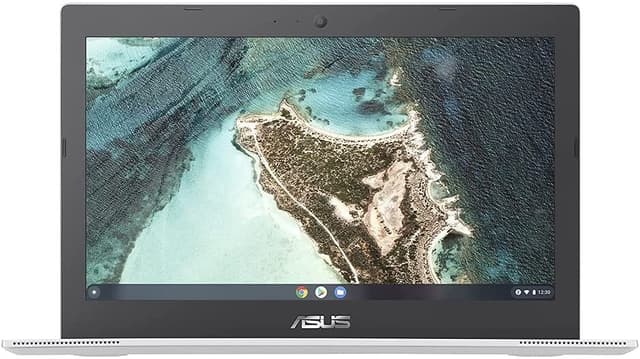
Lenovo IdeaPad 11.6" HD Intel N4020 4GB RAM 32GB eMMC Webcam BT Chrome OS, Black (82BA0000US)
The Lenovo Chromebook 3 11" Laptop is the perfect companion for your everyday computing needs. With its 11.6" HD display you can enjoy clear and vibrant visuals whether you're working studying or streaming your favorite shows. The Intel Celeron N4020 processor ensures smooth performance allowing you to multitask with ease. With 4GB of LPDDR4 memory and 32GB of eMMC flash storage you'll have enough space for all your files and applications. The anti-glare screen reduces reflections and eyestrain making it comfortable to use in any lighting conditions. Weighing only 2.46 lb this laptop is lightweight and portable making it easy to take with you wherever you go. Plus with up to 10 hours of battery life you can stay productive all day without worrying about running out of power. Powered by ChromeOS this laptop provides fast and secure browsing ensuring that you can work and play with peace of mind. With wireless LAN and Bluetooth connectivity you can easily connect to the internet and other devices without any hassle. And with its ENERGY STAR certification you can be confident that this laptop is energy-efficient helping you save on your electricity bills. Upgrade your computing experience with the Lenovo Chromebook 3 11" Laptop. Its powerful performance sleek design and long battery life make it the ideal choice for students professionals and anyone on the go. Get ready to work play and stay connected with this versatile and reliable laptop.
The Lenovo Chromebook 3 11" Laptop is the perfect companion for your everyday computing needs. With its 11.6" HD display you can enjoy clear and vibrant visuals whether you're working studying or streaming your favorite shows. The Intel Celeron N4020 processor ensures smooth performance allowing you to multitask with ease. With 4GB of LPDDR4 memory and 32GB of eMMC flash storage you'll have enough space for all your files and applications. The anti-glare screen reduces reflections and eyestrain making it comfortable to use in any lighting conditions. Weighing only 2.46 lb this laptop is lightweight and portable making it easy to take with you wherever you go. Plus with up to 10 hours of battery life you can stay productive all day without worrying about running out of power. Powered by ChromeOS this laptop provides fast and secure browsing ensuring that you can work and play with peace of mind. With wireless LAN and Bluetooth connectivity you can easily connect to the internet and other devices without any hassle. And with its ENERGY STAR certification you can be confident that this laptop is energy-efficient helping you save on your electricity bills. Upgrade your computing experience with the Lenovo Chromebook 3 11" Laptop. Its powerful performance sleek design and long battery life make it the ideal choice for students professionals and anyone on the go. Get ready to work play and stay connected with this versatile and reliable laptop.
The Lenovo Chromebook 3 11" Laptop is the perfect companion for your everyday computing needs. With its 11.6" HD display you can enjoy clear and vibrant visuals whether you're working studying or streaming your favorite shows. The Intel Celeron N4020 processor ensures smooth performance allowing you to multitask with ease. With 4GB of LPDDR4 memory and 32GB of eMMC flash storage you'll have enough space for all your files and applications. The anti-glare screen reduces reflections and eyestrain making it comfortable to use in any lighting conditions. Weighing only 2.46 lb this laptop is lightweight and portable making it easy to take with you wherever you go. Plus with up to 10 hours of battery life you can stay productive all day without worrying about running out of power. Powered by ChromeOS this laptop provides fast and secure browsing ensuring that you can work and play with peace of mind. With wireless LAN and Bluetooth connectivity you can easily connect to the internet and other devices without any hassle. And with its ENERGY STAR certification you can be confident that this laptop is energy-efficient helping you save on your electricity bills. Upgrade your computing experience with the Lenovo Chromebook 3 11" Laptop. Its powerful performance sleek design and long battery life make it the ideal choice for students professionals and anyone on the go. Get ready to work play and stay connected with this versatile and reliable laptop.
The Lenovo Chromebook 3 11" Laptop is the perfect companion for your everyday computing needs. With its 11.6" HD display you can enjoy clear and vibrant visuals whether you're working studying or streaming your favorite shows. The Intel Celeron N4020 processor ensures smooth performance allowing you to multitask with ease. With 4GB of LPDDR4 memory and 32GB of eMMC flash storage you'll have enough space for all your files and applications. The anti-glare screen reduces reflections and eyestrain making it comfortable to use in any lighting conditions. Weighing only 2.46 lb this laptop is lightweight and portable making it easy to take with you wherever you go. Plus with up to 10 hours of battery life you can stay productive all day without worrying about running out of power. Powered by ChromeOS this laptop provides fast and secure browsing ensuring that you can work and play with peace of mind. With wireless LAN and Bluetooth connectivity you can easily connect to the internet and other devices without any hassle. And with its ENERGY STAR certification you can be confident that this laptop is energy-efficient helping you save on your electricity bills. Upgrade your computing experience with the Lenovo Chromebook 3 11" Laptop. Its powerful performance sleek design and long battery life make it the ideal choice for students professionals and anyone on the go. Get ready to work play and stay connected with this versatile and reliable laptop.
in 4 offers
The lowest price for Lenovo IdeaPad 11.6" HD Intel N4020 4GB RAM 32GB eMMC Webcam BT Chrome OS, Black (82BA0000US) right now is $260.54 at eBay.com.au, compared across 3 retailers.
The all-time low was $80.00 on 5 June 2026 — today's price is 226% above the lowest ever. It has been notably cheaper before — worth setting a price alert.
Prices last updated 26 Aug 2026.