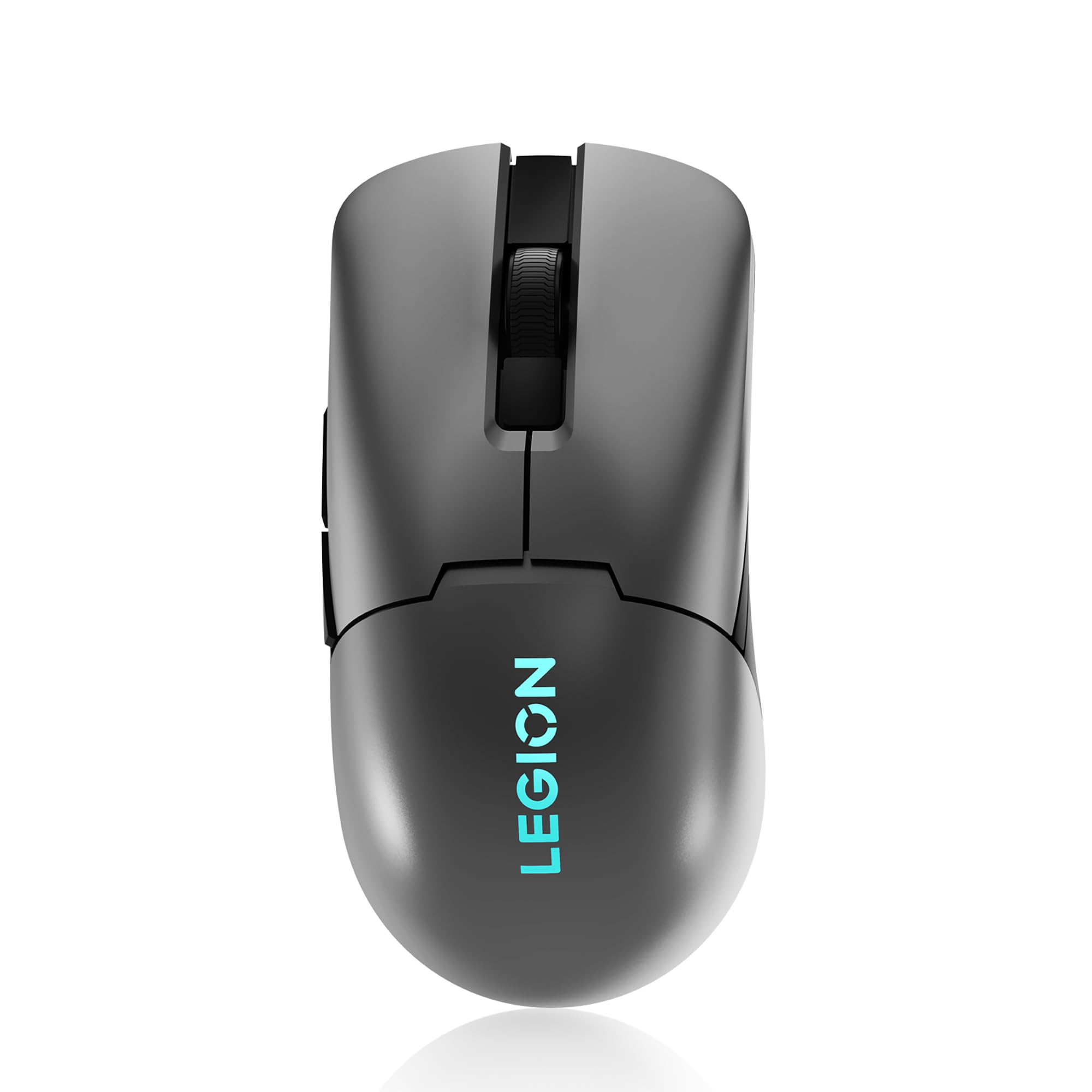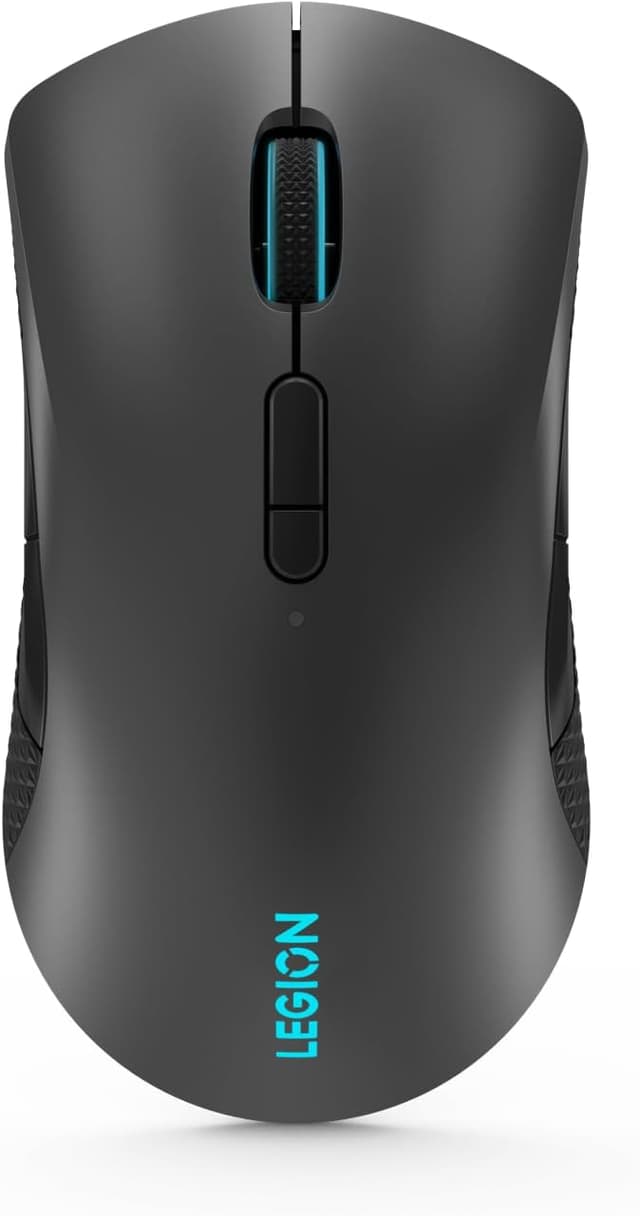
Lenovo Legion M600 Wireless Gaming Mouse
Take your gaming to the next level with the Lenovo Legion M600 Wireless Gaming Mouse, the ultimate weapon for serious gamers! Boasting an ergonomic design, ultra-fast response time, and impressive customization options, the M600 is the perfect choice for gamers who demand the very best. With a rapid charging system and an ultra-long battery life, you'll always be ready for action. The M600 can last up to an incredible 200 hours with the lights off and a quick 10-minute charge will give you up to 10 hours of gameplay. Plus, the M600's sub 1ms lossless wireless connectivity via 2.4GHz, low-latency BT, or wired USB-C ensures a silky-smooth gaming experience without any lag. Featuring an optical 16000 dpi resolution and onboard switch, you can easily customize your DPI on-the-fly, providing you with unmatched accuracy and precision. And with 9 customizable buttons, including left, right, wheel, side x 4, and DPI x 1, you'll have all the tools you need to configure your gaming mouse exactly the way you want it. Designed to fit comfortably in either hand and with a rubberized soft side-grip for extra grip, the M600's symmetrically shaped design adapts to your preferred playing style, whether you use a claw grip or palm grip. And with spectacular lighting effects and 16.8 million colors across two configurable LED zones, you can personalize your gaming mouse to match your setup and create a truly immersive gaming experience. Don't settle for less when it comes to your gaming experience. Take control, dominate your opponents, and unleash your full potential with the Lenovo Legion M600 Wireless Gaming Mouse. Get yours today!
Take your gaming to the next level with the Lenovo Legion M600 Wireless Gaming Mouse, the ultimate weapon for serious gamers! Boasting an ergonomic design, ultra-fast response time, and impressive customization options, the M600 is the perfect choice for gamers who demand the very best. With a rapid charging system and an ultra-long battery life, you'll always be ready for action. The M600 can last up to an incredible 200 hours with the lights off and a quick 10-minute charge will give you up to 10 hours of gameplay. Plus, the M600's sub 1ms lossless wireless connectivity via 2.4GHz, low-latency BT, or wired USB-C ensures a silky-smooth gaming experience without any lag. Featuring an optical 16000 dpi resolution and onboard switch, you can easily customize your DPI on-the-fly, providing you with unmatched accuracy and precision. And with 9 customizable buttons, including left, right, wheel, side x 4, and DPI x 1, you'll have all the tools you need to configure your gaming mouse exactly the way you want it. Designed to fit comfortably in either hand and with a rubberized soft side-grip for extra grip, the M600's symmetrically shaped design adapts to your preferred playing style, whether you use a claw grip or palm grip. And with spectacular lighting effects and 16.8 million colors across two configurable LED zones, you can personalize your gaming mouse to match your setup and create a truly immersive gaming experience. Don't settle for less when it comes to your gaming experience. Take control, dominate your opponents, and unleash your full potential with the Lenovo Legion M600 Wireless Gaming Mouse. Get yours today!
Take your gaming to the next level with the Lenovo Legion M600 Wireless Gaming Mouse, the ultimate weapon for serious gamers! Boasting an ergonomic design, ultra-fast response time, and impressive customization options, the M600 is the perfect choice for gamers who demand the very best. With a rapid charging system and an ultra-long battery life, you'll always be ready for action. The M600 can last up to an incredible 200 hours with the lights off and a quick 10-minute charge will give you up to 10 hours of gameplay. Plus, the M600's sub 1ms lossless wireless connectivity via 2.4GHz, low-latency BT, or wired USB-C ensures a silky-smooth gaming experience without any lag. Featuring an optical 16000 dpi resolution and onboard switch, you can easily customize your DPI on-the-fly, providing you with unmatched accuracy and precision. And with 9 customizable buttons, including left, right, wheel, side x 4, and DPI x 1, you'll have all the tools you need to configure your gaming mouse exactly the way you want it. Designed to fit comfortably in either hand and with a rubberized soft side-grip for extra grip, the M600's symmetrically shaped design adapts to your preferred playing style, whether you use a claw grip or palm grip. And with spectacular lighting effects and 16.8 million colors across two configurable LED zones, you can personalize your gaming mouse to match your setup and create a truly immersive gaming experience. Don't settle for less when it comes to your gaming experience. Take control, dominate your opponents, and unleash your full potential with the Lenovo Legion M600 Wireless Gaming Mouse. Get yours today!
Take your gaming to the next level with the Lenovo Legion M600 Wireless Gaming Mouse, the ultimate weapon for serious gamers! Boasting an ergonomic design, ultra-fast response time, and impressive customization options, the M600 is the perfect choice for gamers who demand the very best. With a rapid charging system and an ultra-long battery life, you'll always be ready for action. The M600 can last up to an incredible 200 hours with the lights off and a quick 10-minute charge will give you up to 10 hours of gameplay. Plus, the M600's sub 1ms lossless wireless connectivity via 2.4GHz, low-latency BT, or wired USB-C ensures a silky-smooth gaming experience without any lag. Featuring an optical 16000 dpi resolution and onboard switch, you can easily customize your DPI on-the-fly, providing you with unmatched accuracy and precision. And with 9 customizable buttons, including left, right, wheel, side x 4, and DPI x 1, you'll have all the tools you need to configure your gaming mouse exactly the way you want it. Designed to fit comfortably in either hand and with a rubberized soft side-grip for extra grip, the M600's symmetrically shaped design adapts to your preferred playing style, whether you use a claw grip or palm grip. And with spectacular lighting effects and 16.8 million colors across two configurable LED zones, you can personalize your gaming mouse to match your setup and create a truly immersive gaming experience. Don't settle for less when it comes to your gaming experience. Take control, dominate your opponents, and unleash your full potential with the Lenovo Legion M600 Wireless Gaming Mouse. Get yours today!
in 3 offers
The lowest price for Lenovo Legion M600 Wireless Gaming Mouse right now is $77.04 at Playthek.com, compared across 3 retailers.
The all-time low was $38.06 on 4 Jan 2024 — today's price is 102% above the lowest ever. It has been notably cheaper before — worth setting a price alert.
Prices last updated 4 Oct 2026.
Last updated at 04/10/2026 12:04:19
Lenovo Legion M600 Wireless Gaming mouse Ambidextrous RF Wireless+Bluetooth+USB Type-A Optical 16000 DPI
Free delivery
Lenovo Legion M600 Ambidextrous Wireless Gaming Mouse Black
Delivery $19.99
Lenovo Legion M600 Wireless Gaming Mouse Ambidextrous Rf Wireless +
Delivery $44
Affiliate Disclosure: We may receive a small commission for purchases made through this link at no extra cost to you. This helps support our site. Thank you!
originally posted on lenovo.com
The M600 Gaming Mouse suffers from several, critical flaws:* As soon as you attempt to use Bluetooth mode, any changes made via "Legion Accessory Central" are lost (the button mapping reverts to the default, colors can't be changed... the mouse itself doesn't even show up in the software). There's such a thing as "2-way" Bluetooth, so I'm not sure why this is an issue with every Lenovo mouse.* Related to the above, if you want to make any setting changes to the mouse, it has to be either plugged-in or connected via USB. If you're connected via Bluetooth (which is what I prefer to avoid the defective, sporadically-active USB ports on my brand-new Legion 7i), you can't make any changes... the mouse won't even show up.* Although LED-equipped, you can't use the ... MoreThe M600 Gaming Mouse suffers from several, critical flaws:* As soon as you attempt to use Bluetooth mode, any changes made via "Legion Accessory Central" are lost (the button mapping reverts to the default, colors can't be changed... the mouse itself doesn't even show up in the software). There's such a thing as "2-way" Bluetooth, so I'm not sure why this is an issue with every Lenovo mouse.* Related to the above, if you want to make any setting changes to the mouse, it has to be either plugged-in or connected via USB. If you're connected via Bluetooth (which is what I prefer to avoid the defective, sporadically-active USB ports on my brand-new Legion 7i), you can't make any changes... the mouse won't even show up.* Although LED-equipped, you can't use the Corsair iCue software to map colors. Therefore, you have to set the colors for your computer in one app, and set the colors for your mouse in another. I specifically purchased a Lenovo mouse to avoid this.* Speaking of LED lighting, it doesn't match that of other Lenovo products. For example, on my brand-new Legion 7i laptop, with the same RGB and HEX codes in both the laptop and the mouse, they always look different... so, the laptop might look purple, but the mouse will look pink.* The battery life is so-so, at best... I get about a week using it. Many mice last for months. Lenovo obviously didn't put a decent battery in this thing.* Everything is very plasticky. It works, but it doesn't feel premium.In short, the intentions and functionality are good, but the execution is sorely lacking.
originally posted on lenovo.com
I got this because of the Bluetooth capability. Battery life is great, over 20 hours of use per charge (lights on), and it charges FAST. I could easily just hook it up every day during my "get ready" phase and never have to worry about the battery.I took off one star because the thumb buttons aren't in a very comfortable location (a few mm too far back), so I don't get to set my hand "naturally" on the mouse when I want to use them, I have to twist my wrist a little or hold it back further than I should have to. Also, wish it came in black. Not an option when I purchased.
originally posted on lenovo.com
Overall great mouse once you can get the wireless to work after updating the firmware. Unfortunately there is a glaring issue with this mouse that has been reported by many users that the wireless functionality will not work at all once the firmware is updated. This happened to me within the first 15min of having the mouse and it took me an hour of trial/error to get it to resync again. So it's hit or miss if you will brick this mouse...Once I got it to work again, I've had no issues other than sometimes the rgb lighting will not fully come on, but that's because you have to have the accessory app running in the background at all times unfortunately. It's definitely not as slim or small as the Logitech g305, but still a comfortable ergonomic mouse overall. No issues ... MoreOverall great mouse once you can get the wireless to work after updating the firmware. Unfortunately there is a glaring issue with this mouse that has been reported by many users that the wireless functionality will not work at all once the firmware is updated. This happened to me within the first 15min of having the mouse and it took me an hour of trial/error to get it to resync again. So it's hit or miss if you will brick this mouse...Once I got it to work again, I've had no issues other than sometimes the rgb lighting will not fully come on, but that's because you have to have the accessory app running in the background at all times unfortunately. It's definitely not as slim or small as the Logitech g305, but still a comfortable ergonomic mouse overall. No issues while gaming. Other than those two issues mentioned, great mouse if you can catch it on sale.
| Mouse | |
| Response time | 1 ms |
| Input device | |
| Bluetooth version | 5.0 |
| Number of scroll wheels | 1 |
Lenovo Legion M600 Wireless Gaming mouse Ambidextrous RF Wireless+Bluetooth+USB Type-A Optical 16000 DPI
Free delivery
Lenovo Legion M600 Ambidextrous Wireless Gaming Mouse Black
Delivery $19.99
Lenovo Legion M600 Wireless Gaming Mouse Ambidextrous Rf Wireless +
Delivery $44
Affiliate Disclosure: We may receive a small commission for purchases made through this link at no extra cost to you. This helps support our site. Thank you!
The M600 Gaming Mouse suffers from several, critical flaws:* As soon as you attempt to use Bluetooth mode, any changes made via "Legion Accessory Central" are lost (the button mapping reverts to the default, colors can't be changed... the mouse itself doesn't even show up in the software). There's such a thing as "2-way" Bluetooth, so I'm not sure why this is an issue with every Lenovo mouse.* Related to the above, if you want to make any setting changes to the mouse, it has to be either plugged-in or connected via USB. If you're connected via Bluetooth (which is what I prefer to avoid the defective, sporadically-active USB ports on my brand-new Legion 7i), you can't make any changes... the mouse won't even show up.* Although LED-equipped, you can't use the ... MoreThe M600 Gaming Mouse suffers from several, critical flaws:* As soon as you attempt to use Bluetooth mode, any changes made via "Legion Accessory Central" are lost (the button mapping reverts to the default, colors can't be changed... the mouse itself doesn't even show up in the software). There's such a thing as "2-way" Bluetooth, so I'm not sure why this is an issue with every Lenovo mouse.* Related to the above, if you want to make any setting changes to the mouse, it has to be either plugged-in or connected via USB. If you're connected via Bluetooth (which is what I prefer to avoid the defective, sporadically-active USB ports on my brand-new Legion 7i), you can't make any changes... the mouse won't even show up.* Although LED-equipped, you can't use the Corsair iCue software to map colors. Therefore, you have to set the colors for your computer in one app, and set the colors for your mouse in another. I specifically purchased a Lenovo mouse to avoid this.* Speaking of LED lighting, it doesn't match that of other Lenovo products. For example, on my brand-new Legion 7i laptop, with the same RGB and HEX codes in both the laptop and the mouse, they always look different... so, the laptop might look purple, but the mouse will look pink.* The battery life is so-so, at best... I get about a week using it. Many mice last for months. Lenovo obviously didn't put a decent battery in this thing.* Everything is very plasticky. It works, but it doesn't feel premium.In short, the intentions and functionality are good, but the execution is sorely lacking.
I got this because of the Bluetooth capability. Battery life is great, over 20 hours of use per charge (lights on), and it charges FAST. I could easily just hook it up every day during my "get ready" phase and never have to worry about the battery.I took off one star because the thumb buttons aren't in a very comfortable location (a few mm too far back), so I don't get to set my hand "naturally" on the mouse when I want to use them, I have to twist my wrist a little or hold it back further than I should have to. Also, wish it came in black. Not an option when I purchased.
Overall great mouse once you can get the wireless to work after updating the firmware. Unfortunately there is a glaring issue with this mouse that has been reported by many users that the wireless functionality will not work at all once the firmware is updated. This happened to me within the first 15min of having the mouse and it took me an hour of trial/error to get it to resync again. So it's hit or miss if you will brick this mouse...Once I got it to work again, I've had no issues other than sometimes the rgb lighting will not fully come on, but that's because you have to have the accessory app running in the background at all times unfortunately. It's definitely not as slim or small as the Logitech g305, but still a comfortable ergonomic mouse overall. No issues ... MoreOverall great mouse once you can get the wireless to work after updating the firmware. Unfortunately there is a glaring issue with this mouse that has been reported by many users that the wireless functionality will not work at all once the firmware is updated. This happened to me within the first 15min of having the mouse and it took me an hour of trial/error to get it to resync again. So it's hit or miss if you will brick this mouse...Once I got it to work again, I've had no issues other than sometimes the rgb lighting will not fully come on, but that's because you have to have the accessory app running in the background at all times unfortunately. It's definitely not as slim or small as the Logitech g305, but still a comfortable ergonomic mouse overall. No issues while gaming. Other than those two issues mentioned, great mouse if you can catch it on sale.
I really wanted to like to this mouse. Everything about it is great except one thing that makes it unusable which is why it gets 1 star. I tried 3 of these mice before deciding it has a design flaw which led me to open it up and check for myself. What happens when you're playing a game is at times you're using the m1 and m2 buttons a lot and with this mouse in particular, these two buttons rub against each other. This is very annoying since they the edge of these buttons at the top can get stuck on each other. Imagine trying to rub your nails at the tip up and down, that's what it's like.After opening the mouse I found that the stabs these two buttons have are far too thin for where they're placed which allows them to flex so much to rub against each other. This ... MoreI really wanted to like to this mouse. Everything about it is great except one thing that makes it unusable which is why it gets 1 star. I tried 3 of these mice before deciding it has a design flaw which led me to open it up and check for myself. What happens when you're playing a game is at times you're using the m1 and m2 buttons a lot and with this mouse in particular, these two buttons rub against each other. This is very annoying since they the edge of these buttons at the top can get stuck on each other. Imagine trying to rub your nails at the tip up and down, that's what it's like.After opening the mouse I found that the stabs these two buttons have are far too thin for where they're placed which allows them to flex so much to rub against each other. This is a design flaw and no amount of replacing the mouse will fix it. Really a shame because everything else is so great and it looks so nice but there is no way you can game with this one flaw.
Pretty impressive overall mouse. Does not seem to compare badly to my Logitech G502 Hero. Like some others I did have serious issues repairing the included receiver when updating the firmware. (What seemed to work for me was exiting the repairing process after it failed several times, then restarting pairing manually.) The buttons opposite your thumb are hard to reach, but at least they exist. The main two mouse buttons are easily clicked from multiple positions which can lead to accidental clicks, but once you develop muscle memory for this mouse it shouldn't be a recurring issue. It would be a 5 star for me if using the mouse via bluetooth worked the same as wired or with the receiver. (Meaning the ability to map buttons and such.)
Mouse is on the larger side. It is heavier than the mice I’m normally used to (60g normally is what I like and this mouse is well over 100g). Seems not to have been built carefully (if you shake the mouse there’s a lot of rattling inside). You need two USB ports to use this mouse; one for the charging/wired cable and one for the USB wireless receiver (take a look at Logitech for more efficient USB usage). Finally, whoever made this mouse might have overdone the grip material. On either side of the mouse is grip but strangely there is rubber grip surrounding the base of the mouse too. This makes it so if you quickly pick up the mouse, and if you don’t lift high enough, the rubberized part will grip the mousepad, stopping movement instantly. This is my main concern ... MoreMouse is on the larger side. It is heavier than the mice I’m normally used to (60g normally is what I like and this mouse is well over 100g). Seems not to have been built carefully (if you shake the mouse there’s a lot of rattling inside). You need two USB ports to use this mouse; one for the charging/wired cable and one for the USB wireless receiver (take a look at Logitech for more efficient USB usage). Finally, whoever made this mouse might have overdone the grip material. On either side of the mouse is grip but strangely there is rubber grip surrounding the base of the mouse too. This makes it so if you quickly pick up the mouse, and if you don’t lift high enough, the rubberized part will grip the mousepad, stopping movement instantly. This is my main concern because when you have a low DPI (I play mostly shooters) lifting the mouse is pretty normal. But if you don’t lift high enough the mouse snags your mousepad. With that being said, this mouse is now my work mouse after attempting a couple weeks of casual gaming use:
Colourful mouse shades, the cursor has many options for connecting (Cord, bluetooth, USB connect). The cursor initially moves very slow, but with altering the mouse options works well. I used google and found a Logitect Support software - not sure what it does, but after installing the mouse works very well.I read some similar comments stating the mouse needs the driver's updated once in use.Other Notes:-Cord is a good length and quality-USB hides under the mouse for storage-the wheel is a good rate of motion, almost a mechanical feel.
This mouse is an excellent symmetrical shaped mouse with an integrated battery for charging from a cable you can disconnect. The cable quality is poor and doesn't feel suitable for everyday cabled use. The wireless dongle is bulky and not suitable for laptop use. It has bluetooth support which works fine when its connected but it will go to sleep and disconnect bt for a few seconds every time you touch the mouse after a break. This combination made it unsuitable for my specific laptop use however its a fine mouse for desktop. I really liked the design of the bottom panel that is magnetic and stores the wireless dongle.How to make a five star mouse:- better quality charging cable for people who want to use it tethered all the time- smaller profile dongle for ... MoreThis mouse is an excellent symmetrical shaped mouse with an integrated battery for charging from a cable you can disconnect. The cable quality is poor and doesn't feel suitable for everyday cabled use. The wireless dongle is bulky and not suitable for laptop use. It has bluetooth support which works fine when its connected but it will go to sleep and disconnect bt for a few seconds every time you touch the mouse after a break. This combination made it unsuitable for my specific laptop use however its a fine mouse for desktop. I really liked the design of the bottom panel that is magnetic and stores the wireless dongle.How to make a five star mouse:- better quality charging cable for people who want to use it tethered all the time- smaller profile dongle for laptop users to leave it connected- the bluetooth reconnect lag is too long
I've been using this mouse for about a week now, and I'm honestly very impressed. The mouse is extremely comfortable, and it feels very natural, unlike the last mouse I had, which was a Razer DeathAdder. The mouse is also perfectly shaped for people like me who like to play with their mouse higher on their mousepad, as the mouse is very low profile, allowing you to keep your hand as close to the mousepad as possible. The included USB-C cable is a plus. I use it to charge my phone time to time.
I use it for work and it's wonderful. I'm a heavy user of mice and they only last me from 4 months to a year depending on quality. This one doesn't require batteries, which is a major plus for environmental reasons. In about three weeks, I have only had to charge it twice and it charges very fast. This mouse is sturdy yet sensitive and somewhat heavy and large, but I find this is also a plus ergonomically speaking as it doesn't tire my hand as much as most.So, I'm not a gamer, but if you're into heavy clicking, this is definitely something you should look at.Note: I'm female
| Mouse | |
| Response time | 1 ms |
| Input device | |
| Bluetooth version | 5.0 |
| Number of scroll wheels | 1 |