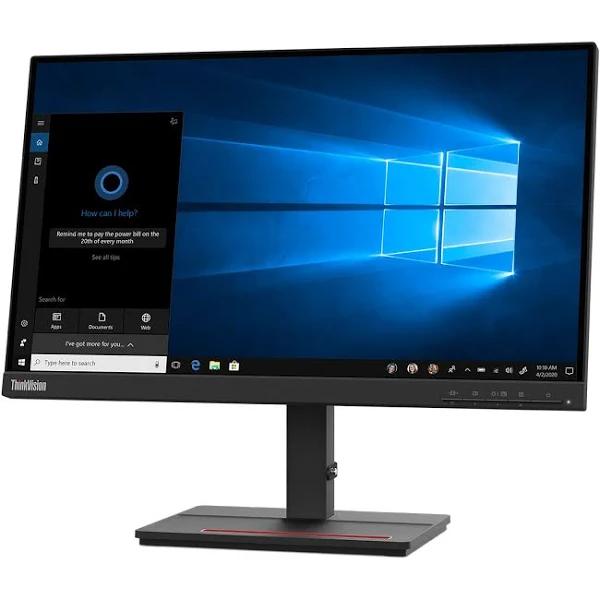
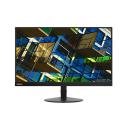
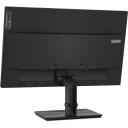
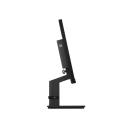
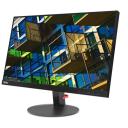
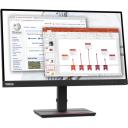
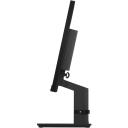

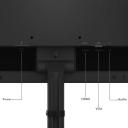
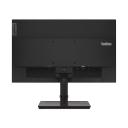
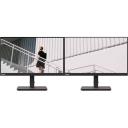
Pixel Pitch: 0.248mm - Display Colors: 16.7 Million - Cabinet Color: Raven Black - Widescreen: Yes - Stand Adjustments: Tilt: -5° / 22°Brightness: 250 cd/m2Contrast Ratio: 3000:1Glare Screen: Anti-glare
Pixel Pitch: 0.248mm - Display Colors: 16.7 Million - Cabinet Color: Raven Black - Widescreen: Yes - Stand Adjustments: Tilt: -5° / 22°Brightness: 250 cd/m2Contrast Ratio: 3000:1Glare Screen: Anti-glare
in 1 offers
The lowest price for Lenovo ThinkVision S22e-20 21.5" FHD 75Hz TÜV Rheinland Low Blue Light Monitor right now is $208.32.
Prices last updated 8 Apr 2025.
Lenovo ThinkVision S22e-20 21.5" FHD 75Hz TÜV Rheinland Low Blue Light Monitor
Pixel Pitch: 0.248mm - Display Colors: 16.7 Million - Cabinet Color: Raven Black - Widescreen: Yes - Stand Adjustments: Tilt: -5° / 22°Brightness: 250 cd/m2Contrast Ratio: 3000:1Glare Screen: Anti-glare
Pixel Pitch: 0.248mm - Display Colors: 16.7 Million - Cabinet Color: Raven Black - Widescreen: Yes - Stand Adjustments: Tilt: -5° / 22°Brightness: 250 cd/m2Contrast Ratio: 3000:1Glare Screen: Anti-glare
Last updated at 08/04/2025 08:13:18
originally posted on lenovo.com
Easy to install. The larger monitor is so much easier on the eyes than the small laptop monitor.My only regret is that I didn't get the larger monitor when I bought the laptop.
originally posted on lenovo.com
Love the monitors. Got two. My eyes are so much more relaxed with the crisp and clear brightness and vivid colors. The near zero border is also great. Excellent sturdy construction as one expects from Lenovo. Will continue getting high quality products from Lenovo in the future. The very small price premium far outweighs the by far superior build quality of other brands. IMHO.
originally posted on lenovo.com
Fast shipping! The monitor was as described and super easy to set up. It even came with the HDMI in the box. I am using it to have a second screen for work and it is perfect for my needs.
| Cabinet Color | Raven Black |
| Screen Size | 21.5" |
| Glare Screen | Anti-glare |
| Widescreen | Yes |
| Recommended Resolution | 1920 x 1080 |
Easy to install. The larger monitor is so much easier on the eyes than the small laptop monitor.My only regret is that I didn't get the larger monitor when I bought the laptop.
Love the monitors. Got two. My eyes are so much more relaxed with the crisp and clear brightness and vivid colors. The near zero border is also great. Excellent sturdy construction as one expects from Lenovo. Will continue getting high quality products from Lenovo in the future. The very small price premium far outweighs the by far superior build quality of other brands. IMHO.
Fast shipping! The monitor was as described and super easy to set up. It even came with the HDMI in the box. I am using it to have a second screen for work and it is perfect for my needs.
Good size monitor that we bought at a discount. Refresh rate is a bit slow, which is most noticable when scrolling through documents. Once everything is settled in place, resolution is good.
I am replacing a 20 inch Lenovo with this one and I am as happy as ever. This thing has very little bezel on it. The stand swivels to allow it to be turned left and right. It tilts up and down to allow for most viewing angles and also raises up and down. Nice cord management ring on the stand as well. Now, for the clarity of it. WOW, it is super clear, sharp and vivid. Not too heavy and that works great as this will be a portable monitor for when I am doing a work-cation. It all came in a super well protected shipping box with plenty of foam. It also came, to my surprise, not only the power cord (as they all should) but also a VGA ( does any really still use these? ), an HDMI, USB and a Display Port cable. Nice job Lenovo!
Bought this to go with a T24i-2L to complete my work setup. As with the other ThinkVision, this has great picture quality and performance. Would definitely recommend and will continue to use Lenovo monitors.
Very good monitor. Clarity of the images is great and set up was quite easy. It gets 4-star because I am not quite fond of the setup to reduce the height of the monitor (hydraulic?). The slightest touch and the monitor's height is affected (moves upwards). Also, the hydrolic setup causes the monitor to shake constantly while typing. These are minor inconveniences though.
Excellent value for money. Good transmission of black color. I took it to watch movies, read articles and study programming.
Nice monitor, good color and view, comes with 3 Output plugs and even 3 output Cables, so all included in the box, i used 2 screens attached together it have slim edge so you almost it is one monitor. If you have a small desk just get the stand and fix it to save space
I bought 2 monitors as Christmas gifts for my family, and I was quite disappointed after they were delivered to me. The first monitor would not start up at all. When its power button was pushed, the LED next to the power button would simply light up, and then it would turn back off after only a second. I believe that this may have been due to a problem in the power supply of the monitor, which (unfortunately) is built inside the monitor. I had more luck with the second monitor, HOWEVER, it still had its own issues. I was able to successfully turn the second monitor on and connect it to my PC. The only issue with the display was flickering pixels down one segment (about half an inch) of the monitor. These flickering pixels seemed to be most noticeable when the ... MoreI bought 2 monitors as Christmas gifts for my family, and I was quite disappointed after they were delivered to me. The first monitor would not start up at all. When its power button was pushed, the LED next to the power button would simply light up, and then it would turn back off after only a second. I believe that this may have been due to a problem in the power supply of the monitor, which (unfortunately) is built inside the monitor. I had more luck with the second monitor, HOWEVER, it still had its own issues. I was able to successfully turn the second monitor on and connect it to my PC. The only issue with the display was flickering pixels down one segment (about half an inch) of the monitor. These flickering pixels seemed to be most noticeable when the display was projecting a shade of blue or grey. I tried switching from a display port cable connection to a HDMI cable connection, but this did not fix the problem. Because of this, not only do I plan to send both monitors back, but I have also lost a lot of faith in Lenovo as a company.
| Cabinet Color | Raven Black |
| Screen Size | 21.5" |
| Glare Screen | Anti-glare |
| Widescreen | Yes |
| Recommended Resolution | 1920 x 1080 |

