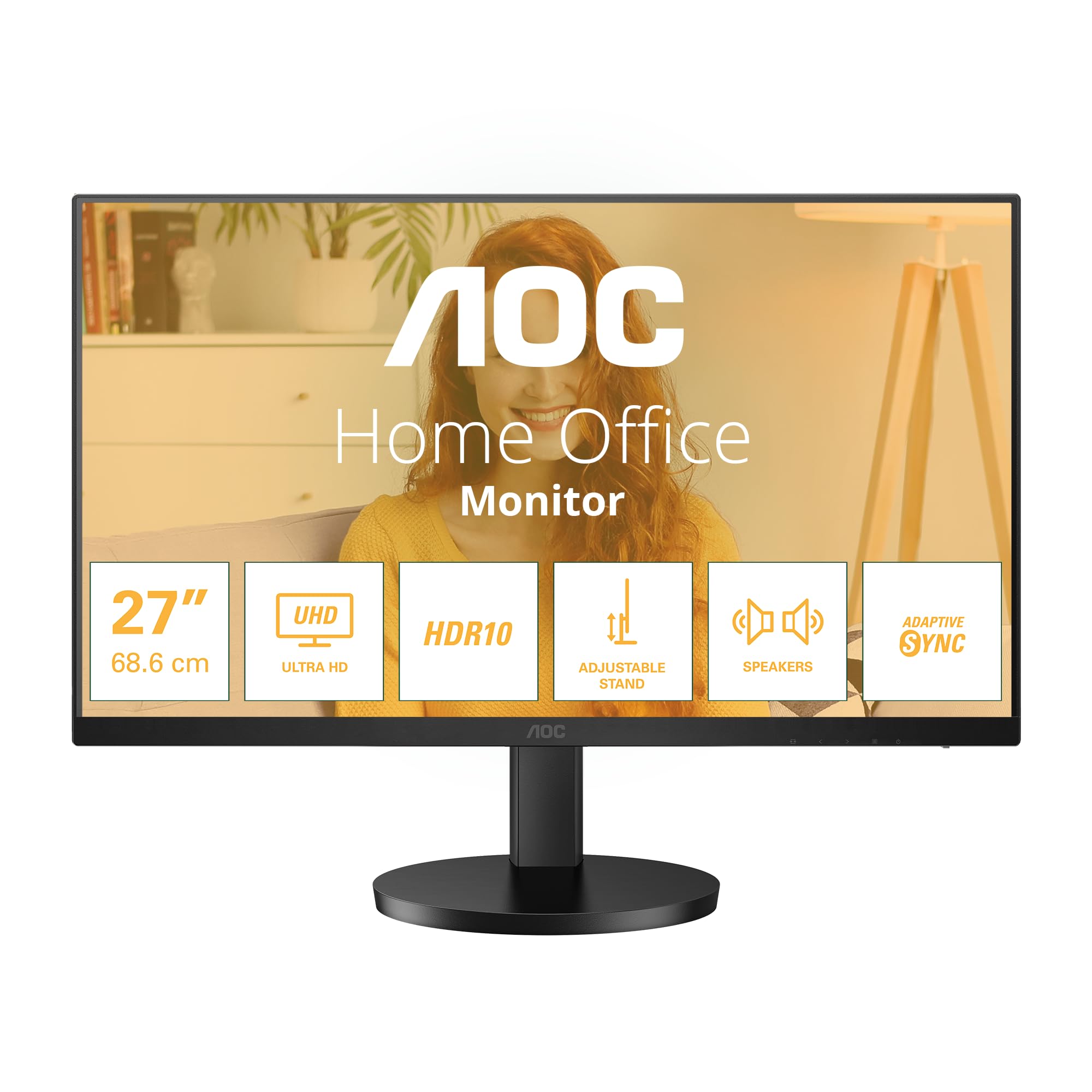
Monitors by LG. Details:Upgrade to an LG IPS 4K screen, delivering ultra HD resolution with supremely accurate colors, even when viewed off angle. The 27UK8550 W, 27 inch display offers versatility of USB Type C connectivity plus the Benefit of HDCP 2.2 compatibility, so it will seamlessly display 4K content from a variety of sources.
Monitors by LG. Details:Upgrade to an LG IPS 4K screen, delivering ultra HD resolution with supremely accurate colors, even when viewed off angle. The 27UK8550 W, 27 inch display offers versatility of USB Type C connectivity plus the Benefit of HDCP 2.2 compatibility, so it will seamlessly display 4K content from a variety of sources.
in 1 offers
The lowest price for LG 27UK850-W 27" 4K UHD IPS Monitor with HDR10 USB Type-C Connectivity and FreeSync right now is $1,130.00 at Ubuy Australia.
The all-time low was $367.50 on 24 June 2026 — today's price is 207% above the lowest ever. It has been notably cheaper before — worth setting a price alert.
Prices last updated 26 July 2026.
LG 27UK850-W 27" 4K UHD IPS Monitor with HDR10 USB Type-C Connectivity and FreeSync
Monitors by LG. Details:Upgrade to an LG IPS 4K screen, delivering ultra HD resolution with supremely accurate colors, even when viewed off angle. The 27UK8550 W, 27 inch display offers versatility of USB Type C connectivity plus the Benefit of HDCP 2.2 compatibility, so it will seamlessly display 4K content from a variety of sources.
Monitors by LG. Details:Upgrade to an LG IPS 4K screen, delivering ultra HD resolution with supremely accurate colors, even when viewed off angle. The 27UK8550 W, 27 inch display offers versatility of USB Type C connectivity plus the Benefit of HDCP 2.2 compatibility, so it will seamlessly display 4K content from a variety of sources.
Last updated at 26/07/2026 05:54:56
2019 LG Electronics 27" 3840X2160 UHD IPS 4K Monitor, HDR Effect, IPS with sRGB 99%, Virtually Borderless Design, USB Type-C, Ergonomic Stand
Delivery between 30 July – 3 Aug $15.52
originally posted on LG
I don't usually review a product until I have had it for at least 3 months. I have only had the product for a few weeks now but LG is pressuring me to do a review on the screen I purchased early.I use the screen for photography and writing and I like to listen to music from my computer while I edit my photos. I run it on a MacBook Pro 16in.Two things that relate to what I do. Firstly, the speaker sound is poor and the volume control is patchy along with no tonal control. I have had to go to a separate app not connected with LG to get proper sound control. The sound is still not as good as my old IMac.Secondly, colour reproduction. It took a while to setup correct colour for my photographic work. One problem I had was bleeding of the desktop image into my ... MoreI don't usually review a product until I have had it for at least 3 months. I have only had the product for a few weeks now but LG is pressuring me to do a review on the screen I purchased early.I use the screen for photography and writing and I like to listen to music from my computer while I edit my photos. I run it on a MacBook Pro 16in.Two things that relate to what I do. Firstly, the speaker sound is poor and the volume control is patchy along with no tonal control. I have had to go to a separate app not connected with LG to get proper sound control. The sound is still not as good as my old IMac.Secondly, colour reproduction. It took a while to setup correct colour for my photographic work. One problem I had was bleeding of the desktop image into my photos. This occurred no matter what photo application I used, photoshop, DXO photolab etc. This was finally cured by making the desktop 18% grey and then readjusting to get the colour correct. This has never happened to me since I started doing digital photography in 1990, and never happened on any of my Mac products.I purchased a screen made by LG for two reasons. My television is an LG and has been an outstanding product now for 11 years. Apple now recommends the top-end LG screen to go with its products so I thought that other LG screens should be good, but I could not afford the $2000 screen that apple recommended. In summary, I am not satisfied with the product to date given the price I paid for it.
originally posted on LG
I already had the 27UD68 4K UHD for 6 or so mths, and was quite pleased with it thinking I'll continue with LG for future hardware. When GOW came out 2018 I bought the PS4 pro to enjoy it in HDR. Once I realised the 27UD68 didn't have HDR (I should have checked further), I shelled out for the 27UK850 that had a great review on the web (and I liked the LG's quality).Over the next 2 years I spent hours upon hours of tweaking, calibrating, testing and searching for information or reasons why every single game, whether on my PC, the PS4 Pro or the Xbox One X didn't seem coded for HDR10. The colour was never ever right with browns looking pink or orange and greens approaching high viz work wear.The games also had white points and dark levels that made it look washed ... MoreI already had the 27UD68 4K UHD for 6 or so mths, and was quite pleased with it thinking I'll continue with LG for future hardware. When GOW came out 2018 I bought the PS4 pro to enjoy it in HDR. Once I realised the 27UD68 didn't have HDR (I should have checked further), I shelled out for the 27UK850 that had a great review on the web (and I liked the LG's quality).Over the next 2 years I spent hours upon hours of tweaking, calibrating, testing and searching for information or reasons why every single game, whether on my PC, the PS4 Pro or the Xbox One X didn't seem coded for HDR10. The colour was never ever right with browns looking pink or orange and greens approaching high viz work wear.The games also had white points and dark levels that made it look washed out, faded and flat, and trying to adjust for this in the game or on the display might help in the immediate area, but look worse in every other area of the game.It wasn't until 2021 I happened to notice the model number mentioned in a comment on a tech site. I just assumed if the packaging, marketing information and labeling says it is a 10bit display supporting the HDR10 specification, it would deliver an output meeting (at least) the bare minimum of the specifications.As I was reading the comment I began to realise the problem had been with my LG display all along (and not the software/gaming industry adjusting to HDR), and I had not only wasted hours and hours setting up and calibrating each game only to eventually drop back to SDR, but also essentially buying anorther 4K UHD display which I already had.The comment confirmed that it doesn't actually have a 10bit dispaly but an 8bit display used to fake a 10bit image. It also only has 350 cd/m*m brightness instead of the min 500. It's peak of 450 I'm guessing is because it changes the black level setting from low to high and also increases the black stabilizer up to 50%. This ruins the blacks and dilutes the colours of the image. The tech also points out that the Freesync setting 'Basic' only syncs at 24hz so you always end up switching to Extended which syncs at 60hz.In the end I felt really cheated. But also disappointed after I thought I'd found a company with product quality matching the price.
originally posted on LG
Depending on the results of the LG 'monitor lottery' you'll either be over the moon with your LG 27UK850 or frustrated and disappointed. I was sent four faulty screens before receiving two that were good enough to keep. One arrived from the factory with a scratched anti-reflective screen coating, another arrived with a stuck pixel, and the next two suffered from completely unacceptable and display ruining yellow light bleed (not IPS glow) which was financially costly and time consuming. The first two had no display calibration paperwork with them, the second pair did have calibration paperwork, but one of them was soggy and wet whilst inside the sealed box (seriously)! So it appears that LG have awful quality control in place.However, the last two monitors I was ... MoreDepending on the results of the LG 'monitor lottery' you'll either be over the moon with your LG 27UK850 or frustrated and disappointed. I was sent four faulty screens before receiving two that were good enough to keep. One arrived from the factory with a scratched anti-reflective screen coating, another arrived with a stuck pixel, and the next two suffered from completely unacceptable and display ruining yellow light bleed (not IPS glow) which was financially costly and time consuming. The first two had no display calibration paperwork with them, the second pair did have calibration paperwork, but one of them was soggy and wet whilst inside the sealed box (seriously)! So it appears that LG have awful quality control in place.However, the last two monitors I was sent were far better. In fact one was excellent with almost zero light bleed and the other had only minor light bleed. Both displays provide a beautiful and colour accurate image that boasts a sharpness that looks almost as good as the MacBook Pro screen they are sat alongside. And because they provide USB-C connectivity they power the MacBook Pro (2018 15") and charge it whilst connected using the supplied USB-C cable. They also come fitted with 2 x USB 3.0 inputs which, so far, work perfectly with my external USB 3.0 to Digital Optical sound card. I'm confident the included HDMI inputs work well too.The monitor's built in speakers are ok, though the MacBook Pro speakers are noticeably better. The black bezels could be a little thinner and the monitor is a little plasticky, but the included stand is nice looking and supportive. The main issue with the stand is it doesn't allow the screen to twist left and right (it rises/lowers and tilts forward/backward) and in my case one of my stands was not straight (it leans constantly back by a few degrees). But I have my two monitors attached to a third party display bracket (Vesa 100), so the flawed stand is not a big problem for me.The pain of having to receive and test four faulty monitors before finally receiving two good ones was pretty awful however, but if you're willing to enter the LG monitor lottery you may be luckier than I was. When working as they should they do produce a wonderful picture that's sharp and focused with accurate colour reproduction that's good enough for my needs as a creative designer. I would recommend it in the hope other people don't get sent duds like I was.
2019 LG Electronics 27" 3840X2160 UHD IPS 4K Monitor, HDR Effect, IPS with sRGB 99%, Virtually Borderless Design, USB Type-C, Ergonomic Stand
Delivery between 30 July – 3 Aug $15.52
I don't usually review a product until I have had it for at least 3 months. I have only had the product for a few weeks now but LG is pressuring me to do a review on the screen I purchased early.I use the screen for photography and writing and I like to listen to music from my computer while I edit my photos. I run it on a MacBook Pro 16in.Two things that relate to what I do. Firstly, the speaker sound is poor and the volume control is patchy along with no tonal control. I have had to go to a separate app not connected with LG to get proper sound control. The sound is still not as good as my old IMac.Secondly, colour reproduction. It took a while to setup correct colour for my photographic work. One problem I had was bleeding of the desktop image into my ... MoreI don't usually review a product until I have had it for at least 3 months. I have only had the product for a few weeks now but LG is pressuring me to do a review on the screen I purchased early.I use the screen for photography and writing and I like to listen to music from my computer while I edit my photos. I run it on a MacBook Pro 16in.Two things that relate to what I do. Firstly, the speaker sound is poor and the volume control is patchy along with no tonal control. I have had to go to a separate app not connected with LG to get proper sound control. The sound is still not as good as my old IMac.Secondly, colour reproduction. It took a while to setup correct colour for my photographic work. One problem I had was bleeding of the desktop image into my photos. This occurred no matter what photo application I used, photoshop, DXO photolab etc. This was finally cured by making the desktop 18% grey and then readjusting to get the colour correct. This has never happened to me since I started doing digital photography in 1990, and never happened on any of my Mac products.I purchased a screen made by LG for two reasons. My television is an LG and has been an outstanding product now for 11 years. Apple now recommends the top-end LG screen to go with its products so I thought that other LG screens should be good, but I could not afford the $2000 screen that apple recommended. In summary, I am not satisfied with the product to date given the price I paid for it.
I already had the 27UD68 4K UHD for 6 or so mths, and was quite pleased with it thinking I'll continue with LG for future hardware. When GOW came out 2018 I bought the PS4 pro to enjoy it in HDR. Once I realised the 27UD68 didn't have HDR (I should have checked further), I shelled out for the 27UK850 that had a great review on the web (and I liked the LG's quality).Over the next 2 years I spent hours upon hours of tweaking, calibrating, testing and searching for information or reasons why every single game, whether on my PC, the PS4 Pro or the Xbox One X didn't seem coded for HDR10. The colour was never ever right with browns looking pink or orange and greens approaching high viz work wear.The games also had white points and dark levels that made it look washed ... MoreI already had the 27UD68 4K UHD for 6 or so mths, and was quite pleased with it thinking I'll continue with LG for future hardware. When GOW came out 2018 I bought the PS4 pro to enjoy it in HDR. Once I realised the 27UD68 didn't have HDR (I should have checked further), I shelled out for the 27UK850 that had a great review on the web (and I liked the LG's quality).Over the next 2 years I spent hours upon hours of tweaking, calibrating, testing and searching for information or reasons why every single game, whether on my PC, the PS4 Pro or the Xbox One X didn't seem coded for HDR10. The colour was never ever right with browns looking pink or orange and greens approaching high viz work wear.The games also had white points and dark levels that made it look washed out, faded and flat, and trying to adjust for this in the game or on the display might help in the immediate area, but look worse in every other area of the game.It wasn't until 2021 I happened to notice the model number mentioned in a comment on a tech site. I just assumed if the packaging, marketing information and labeling says it is a 10bit display supporting the HDR10 specification, it would deliver an output meeting (at least) the bare minimum of the specifications.As I was reading the comment I began to realise the problem had been with my LG display all along (and not the software/gaming industry adjusting to HDR), and I had not only wasted hours and hours setting up and calibrating each game only to eventually drop back to SDR, but also essentially buying anorther 4K UHD display which I already had.The comment confirmed that it doesn't actually have a 10bit dispaly but an 8bit display used to fake a 10bit image. It also only has 350 cd/m*m brightness instead of the min 500. It's peak of 450 I'm guessing is because it changes the black level setting from low to high and also increases the black stabilizer up to 50%. This ruins the blacks and dilutes the colours of the image. The tech also points out that the Freesync setting 'Basic' only syncs at 24hz so you always end up switching to Extended which syncs at 60hz.In the end I felt really cheated. But also disappointed after I thought I'd found a company with product quality matching the price.
Depending on the results of the LG 'monitor lottery' you'll either be over the moon with your LG 27UK850 or frustrated and disappointed. I was sent four faulty screens before receiving two that were good enough to keep. One arrived from the factory with a scratched anti-reflective screen coating, another arrived with a stuck pixel, and the next two suffered from completely unacceptable and display ruining yellow light bleed (not IPS glow) which was financially costly and time consuming. The first two had no display calibration paperwork with them, the second pair did have calibration paperwork, but one of them was soggy and wet whilst inside the sealed box (seriously)! So it appears that LG have awful quality control in place.However, the last two monitors I was ... MoreDepending on the results of the LG 'monitor lottery' you'll either be over the moon with your LG 27UK850 or frustrated and disappointed. I was sent four faulty screens before receiving two that were good enough to keep. One arrived from the factory with a scratched anti-reflective screen coating, another arrived with a stuck pixel, and the next two suffered from completely unacceptable and display ruining yellow light bleed (not IPS glow) which was financially costly and time consuming. The first two had no display calibration paperwork with them, the second pair did have calibration paperwork, but one of them was soggy and wet whilst inside the sealed box (seriously)! So it appears that LG have awful quality control in place.However, the last two monitors I was sent were far better. In fact one was excellent with almost zero light bleed and the other had only minor light bleed. Both displays provide a beautiful and colour accurate image that boasts a sharpness that looks almost as good as the MacBook Pro screen they are sat alongside. And because they provide USB-C connectivity they power the MacBook Pro (2018 15") and charge it whilst connected using the supplied USB-C cable. They also come fitted with 2 x USB 3.0 inputs which, so far, work perfectly with my external USB 3.0 to Digital Optical sound card. I'm confident the included HDMI inputs work well too.The monitor's built in speakers are ok, though the MacBook Pro speakers are noticeably better. The black bezels could be a little thinner and the monitor is a little plasticky, but the included stand is nice looking and supportive. The main issue with the stand is it doesn't allow the screen to twist left and right (it rises/lowers and tilts forward/backward) and in my case one of my stands was not straight (it leans constantly back by a few degrees). But I have my two monitors attached to a third party display bracket (Vesa 100), so the flawed stand is not a big problem for me.The pain of having to receive and test four faulty monitors before finally receiving two good ones was pretty awful however, but if you're willing to enter the LG monitor lottery you may be luckier than I was. When working as they should they do produce a wonderful picture that's sharp and focused with accurate colour reproduction that's good enough for my needs as a creative designer. I would recommend it in the hope other people don't get sent duds like I was.
I've been running triple LG monitors for the past year and a half for work with next to no issues (I have one of these monitors paired with two other LG 27UD88-W monitors). Initially they were running off of a full spec 2017 MacBook Pro, and now a 2020 MacBook Pro with no noticeable difference. Two monitors are connected directly to the Mac via USB-C, and the other one connected to the Mac through an Elgato Dock via DisplayPort. Also my Mac stays on, I rarely turn it or the monitors off.I mainly use the monitors for more static tasks like code editing/3D modelling, but when I am on animation or video editing I find the colour/motion quality to be fantastic.This model has given me no issues at all, but one of the other UD-88's required a minor screen repair that ... MoreI've been running triple LG monitors for the past year and a half for work with next to no issues (I have one of these monitors paired with two other LG 27UD88-W monitors). Initially they were running off of a full spec 2017 MacBook Pro, and now a 2020 MacBook Pro with no noticeable difference. Two monitors are connected directly to the Mac via USB-C, and the other one connected to the Mac through an Elgato Dock via DisplayPort. Also my Mac stays on, I rarely turn it or the monitors off.I mainly use the monitors for more static tasks like code editing/3D modelling, but when I am on animation or video editing I find the colour/motion quality to be fantastic.This model has given me no issues at all, but one of the other UD-88's required a minor screen repair that was replaced under warranty within a week by a local repairer.After 1.5 years of full time use for work, I am very happy with both model monitors. They are holding up really well and I think the price for them is very reasonable.
I have a Mac Mini desktop and the HDMI in from my Mac Mini HDMI out is not recognized by this monitor. I can use the USB-C to USB-C, it works fine, but the image is horrible. I finally got an USB-C to HDMI adaptor which does get the image to be what it should be, full 4K while using the HDMI monitor port, but the USB ports on the back of the monitor do not power on and off when HDMI is used, therefore, my attached backlight does not go on when the computer goes on. If I use the USB-C to USB-C connection, the USB ports on the monitor do power on and off with the computer power on and off. This monitor is supposedly a simple "plug & play" hookup. It ain't. Information on resolution via input as well as USB port(s) power and computer power-on recognition should all be ... MoreI have a Mac Mini desktop and the HDMI in from my Mac Mini HDMI out is not recognized by this monitor. I can use the USB-C to USB-C, it works fine, but the image is horrible. I finally got an USB-C to HDMI adaptor which does get the image to be what it should be, full 4K while using the HDMI monitor port, but the USB ports on the back of the monitor do not power on and off when HDMI is used, therefore, my attached backlight does not go on when the computer goes on. If I use the USB-C to USB-C connection, the USB ports on the monitor do power on and off with the computer power on and off. This monitor is supposedly a simple "plug & play" hookup. It ain't. Information on resolution via input as well as USB port(s) power and computer power-on recognition should all be available in the literature on LG's website as well as the owners manual. Issues like this are not unique to this monitor but had I known the possible issues I would never have purchased this. To top it off, I can not let my computer go into sleep mode because the monitor will not recognize when it "wakes" so I have to restart my computer. This happens only in HDMI (from USB-C on the Mac) but "wakes" nornmally when hooked up via USB-C to USB-C. Also, LG support has been useless. Now, I can say the HDMI in allows for a wonderful image and works well as a monitor. I love LG OLED sets, I have purchased two, but the available information for this monitor is absolutely inexcusable and LG support should know how to remedy these issues as I am sure this is not the first time this issue has arisen. Too bad because this really is a nice monitor.
Connected computer: MacBook Pro USB-CUse type: office, casual video watching (not games)Easy on the eye and easy to use, this monitor is a breeze to set up. The clarity and colour of the images on the screen are extremely high level, making it comfortable to use for office work/reading/movie watching for extended periods.There are a lot of connectivity options and it charges the laptop to which it is connected without a problem. Control panels are recessed underneath the lower border of the bezel. Similar to controls found in most current HD TVs, they are intuitive and responsive.Adjustability is reasonable - the monitor can be elevated up and down to the preferred eye level, but not tilted.The monitor does come with its own pair of built-in speakers that ... MoreConnected computer: MacBook Pro USB-CUse type: office, casual video watching (not games)Easy on the eye and easy to use, this monitor is a breeze to set up. The clarity and colour of the images on the screen are extremely high level, making it comfortable to use for office work/reading/movie watching for extended periods.There are a lot of connectivity options and it charges the laptop to which it is connected without a problem. Control panels are recessed underneath the lower border of the bezel. Similar to controls found in most current HD TVs, they are intuitive and responsive.Adjustability is reasonable - the monitor can be elevated up and down to the preferred eye level, but not tilted.The monitor does come with its own pair of built-in speakers that are quite servicable but the sound experience is of lesser quality than the laptop. However, this is a minor issue as most of the time the sound is being piped to a set of WiFi speakers or to headphones.Overall, a great option for anybody looking for a high-quality HD screen to extend their screen real estate. Can't comment on gaming performance, as it wasn't a priority for this reviewer.
Good Points: I use this as a second monitor for my MacBook Pro (2017). It is beautiful with Mac OS.The reason I got this model was for the USB-c connectivity: the same cable charges my MacBook Pro, drives the monitor, and sends audio to the monitor). I then use a 3.5mm audio jack to send the MacBook audio to external speakers.Just make sure you use the USB-c cable supplied by LG over the Mac cable to get it to work; this will avoid a momentary coronary on set up.If you aren't going to use the monitor for USB-c, I would recommend the other model (the 650, iirc). It has exactly the same panel, but is without the USB-c connection.My gaming credentials: I had a kill:death ratio in Call of Duty Black Ops 1 of 4:1, back in the day. I have one thousand hours in ... MoreGood Points: I use this as a second monitor for my MacBook Pro (2017). It is beautiful with Mac OS.The reason I got this model was for the USB-c connectivity: the same cable charges my MacBook Pro, drives the monitor, and sends audio to the monitor). I then use a 3.5mm audio jack to send the MacBook audio to external speakers.Just make sure you use the USB-c cable supplied by LG over the Mac cable to get it to work; this will avoid a momentary coronary on set up.If you aren't going to use the monitor for USB-c, I would recommend the other model (the 650, iirc). It has exactly the same panel, but is without the USB-c connection.My gaming credentials: I had a kill:death ratio in Call of Duty Black Ops 1 of 4:1, back in the day. I have one thousand hours in Street Fighter 4.So, trust me when I say: input latency is good, and the HDR, though "fake" (forum nerds are furious about this if you look hard enough), looks fantastic.Setting up the PS4 Pro was easy. Audio is taken care of by the aforementioned 3.5mm jack to external speakers since the PS4 pro uses HDMI.Horizon: Zero Dawn: top tier, banging graphics; and, of course, Spiderman is a good time at (something heading towards) this resolution.I wouldn't use this monitor to practice competitive fighting games, however.If you're thinking about going 4k, I recommend this monitor – particularly if you plan on using something like Scrivener. I especially recommend it if you read historical documents all day (e.g re: commodity fetishism) – the extra real estate and pixel density + MacBook Pro-font-kerning is something to behold.Marx's Eighteenth Brumaire looks fantastic at this resolution.Improvement Points: Hard to think of anything. I happen to like the wee nubben on the monitor's underside – though some people are critical of this in other reviews.Perhaps the stand could be more 'expensive', but at this point I am looking for things to complain about. It is mobile enough and has a nice little semicircle to fit my laptop in when I'm not using it.Consider the cheaper model without USB-C, is all I'd say about bad points. Though, again, this isn't a bad point but discretionary on the part of its use-value relative to you, i.e., buy this model if you have a use for USB-c.
Good Points: Really nice range of height adjustment. Acts as a USB hub and also charges my laptop. Small footprint on desk. Good resolution and pixel density.Improvement Points: This monitor is good but I can't get the colours to look identical to those on my Macbook screen. This makes it very hard to as a graphic designer to understand what colour I am actually looking at.I've tried adjusting the settings on the monitor itself, and also calibrating it within 'displays'. It is possible to get very close but never exactly the same. I find that I have to sacrifice something no matter what I do. If I want lots of brightness and high contrast, then I lose colour and detail in light colours. And if I want to retain that detail then everything else looks quite ... MoreGood Points: Really nice range of height adjustment. Acts as a USB hub and also charges my laptop. Small footprint on desk. Good resolution and pixel density.Improvement Points: This monitor is good but I can't get the colours to look identical to those on my Macbook screen. This makes it very hard to as a graphic designer to understand what colour I am actually looking at.I've tried adjusting the settings on the monitor itself, and also calibrating it within 'displays'. It is possible to get very close but never exactly the same. I find that I have to sacrifice something no matter what I do. If I want lots of brightness and high contrast, then I lose colour and detail in light colours. And if I want to retain that detail then everything else looks quite flat.Getting the white balance exactly right has also been fiddly and I don't think it's perfect. Weirdly, the white balance doesn't seem consistent between light and dark colours. This means I can feel like I am close to getting it right, then look at a dark grey and it looks slightly too red. These are subtle, subtle differences for most users but they are very irritating for someone working with colour and so I wouldn't recommend this display for designers or photographers working on Mac systems. I can't speak for other systems, having not used one with this product.
Pros: 4K monitor with USBC connection and traditional DP and 2xHDMI ports. Not only the height is adjustable, cables are also included. When you use USBC as input, you can use it as USB-A hub too. It is PnP so I dont need to ring up work IT to allow installation. Samsung M70 is comparable but I prefer this LG because of the matt surface the prevents glare. Btw, the speakers are better compared to Lenovo monitors.Cons: Wireless screen mirroring as in Samsung M70.
Monitor requires a specialized power adapter, which not only was not included, but also was not described in the listing. An appropriate and responsible way to avoid this issue would have been to simply add verbiage in the product description providing the exact specifications of the power adapter that was required, along the lines of "requires a DC 19V power adapter (sold separately)". As listed, the disclaimer "does not include accessory cables" is wholly inadequate. Any unit that converts and rectifies electrical current from AC to DC is far more complicated than just an "accessory cable". The verbiage used in the listing implies that simply having as spare supply of AC power cables and HDMI/DP cables will be adequate, which is entirely not the case. Because of ... MoreMonitor requires a specialized power adapter, which not only was not included, but also was not described in the listing. An appropriate and responsible way to avoid this issue would have been to simply add verbiage in the product description providing the exact specifications of the power adapter that was required, along the lines of "requires a DC 19V power adapter (sold separately)". As listed, the disclaimer "does not include accessory cables" is wholly inadequate. Any unit that converts and rectifies electrical current from AC to DC is far more complicated than just an "accessory cable". The verbiage used in the listing implies that simply having as spare supply of AC power cables and HDMI/DP cables will be adequate, which is entirely not the case. Because of the specialized nature, the appropriate adapter retails at $50+, meaning that the listing misleads the consumer into believing they are saving money when in fact they will need to spend significantly more just to make the product work.