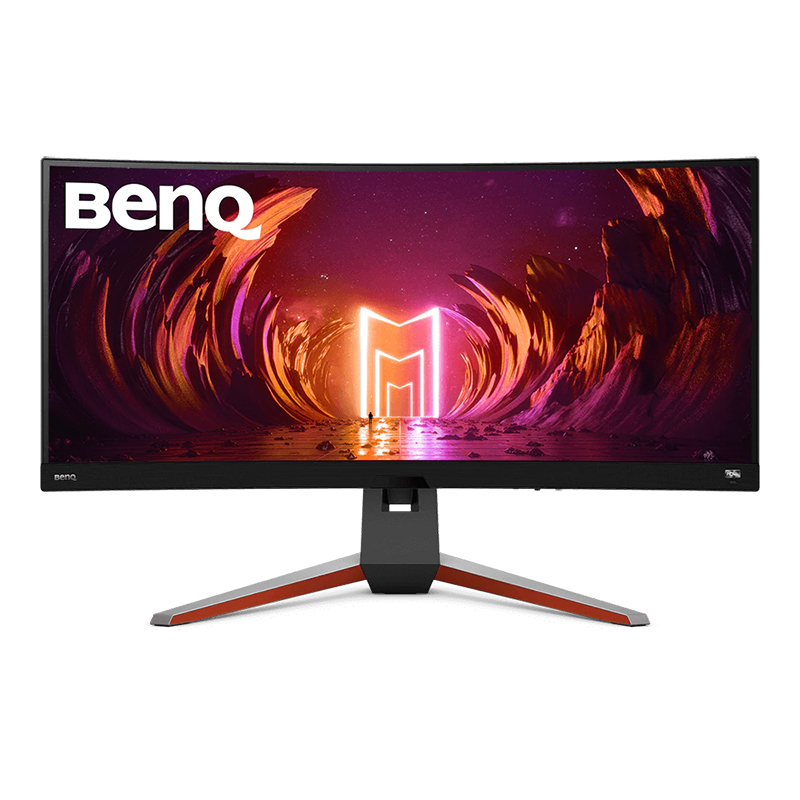
LG 34" 240 Hz Oled WQHD Gaming Monitor FreeSync Premium Pro & G-Sync Compatible 3440 x 1440 (2K) DCI-P3 98.5% (CIE1976) HDMI, DisplayPort, USB, Audio
Experience stunning performance with the vast 34” curved WQHD LG UltraGear OLED gaming monitor. Stay a step ahead of the competition with an ultra-fast refresh rate up to 240Hz and .03ms response time that will bring you into the game like never before¹. And with the steep and dramatic 800R curve, you’ll feel enveloped in the action from virtually all around you. This UltraGear's ultra-thin, bezel design, height, tilt and swivel adjustability along with impressive connectivity options and make this UltraGear, ultra-essential for your battlestation setup.
Experience stunning performance with the vast 34” curved WQHD LG UltraGear OLED gaming monitor. Stay a step ahead of the competition with an ultra-fast refresh rate up to 240Hz and .03ms response time that will bring you into the game like never before¹. And with the steep and dramatic 800R curve, you’ll feel enveloped in the action from virtually all around you. This UltraGear's ultra-thin, bezel design, height, tilt and swivel adjustability along with impressive connectivity options and make this UltraGear, ultra-essential for your battlestation setup.
Experience stunning performance with the vast 34” curved WQHD LG UltraGear OLED gaming monitor. Stay a step ahead of the competition with an ultra-fast refresh rate up to 240Hz and .03ms response time that will bring you into the game like never before¹. And with the steep and dramatic 800R curve, you’ll feel enveloped in the action from virtually all around you. This UltraGear's ultra-thin, bezel design, height, tilt and swivel adjustability along with impressive connectivity options and make this UltraGear, ultra-essential for your battlestation setup.
Experience stunning performance with the vast 34” curved WQHD LG UltraGear OLED gaming monitor. Stay a step ahead of the competition with an ultra-fast refresh rate up to 240Hz and .03ms response time that will bring you into the game like never before¹. And with the steep and dramatic 800R curve, you’ll feel enveloped in the action from virtually all around you. This UltraGear's ultra-thin, bezel design, height, tilt and swivel adjustability along with impressive connectivity options and make this UltraGear, ultra-essential for your battlestation setup.
in 6 offers
The lowest price for LG 34" 240 Hz Oled WQHD Gaming Monitor FreeSync Premium Pro & G-Sync Compatible 3440 x 1440 (2K) DCI-P3 98.5% (CIE1976) HDMI, DisplayPort, USB, Audio right now is $1,409.00 at Ubuy Australia, compared across 3 retailers.
The all-time low was $1,009.00 on 26 July 2026 — today's price is 40% above the lowest ever. It has been notably cheaper before — worth setting a price alert.
Prices last updated 24 Aug 2026.
Last updated at 24/08/2026 21:10:50
LG 34GS95QE 34-Inch Ultragear OLED Curved Gaming Monitor WQHD 800R 240Hz 0.03ms DisplayHDR True Black 400 AMD FreeSync Premium Pro NVIDIA G-Sync HDMI
Affiliate Disclosure: We may receive a small commission for purchases made through this link at no extra cost to you. This helps support our site. Thank you!
LG 34GS95QE 34-inch Ultragear OLED Curved Gaming Monitor WQHD 1440p 800R 240Hz 0.03ms AMD FreeSync Premium Pro NVIDIA G-Sync HDMI 2.1 DisplayPort
Delivery between 29 Aug – 2 Sept $35.88
LG 34GS95QE 34-inch Ultragear OLED Curved Gaming Monitor WQHD 1440p 800R 240Hz 0.03ms AMD FreeSync Premium Pro NVIDIA G-Sync HDMI 2.1 DisplayPort
Delivery between 29 Aug – 2 Sept $35.88
VGP 2025 Gold AwardLG Gaming Monitor UltraGear OLED 34GS95QE-B 33.9-inch/21:9 Curved Ultra Wide 3440×1440/Organic EL/240Hz/0.03ms GTG, VESA ClearMR
Delivery between 29 Aug – 2 Sept $35.88
Lg 34gs95qe Ultra Gear 34" Oled Curved Gaming Monitor 240hz 21:9 800r
Delivery $139.90
Affiliate Disclosure: We may receive a small commission for purchases made through this link at no extra cost to you. This helps support our site. Thank you!
Lg 34gs95qe Ultra Gear 34" Gaming Monitor / Curved / 240hz 21:9 800r
Free delivery
Affiliate Disclosure: We may receive a small commission for purchases made through this link at no extra cost to you. This helps support our site. Thank you!
originally posted on bestbuy.com
What an upgrade! The LG UltraGear 34" OLED Curved WQHD 240Hz Monitor made a huge improvement to how my games and multi-media content look.Gaming performance is a dream. Gaming on 3440 x 1440 at 240hz creates an incredibly immersive experience. I’m running a Radeon 7800XT and finally getting to see all it has to offer. With a reported 0.03ms response time you will never have to worry about ghosting or unintentional motion blur.This is my first OLED gaming experience, and I cannot believe how deep the blacks are and how vibrant the colors are. Honestly, Cyberpunk 2077 has never looked better. Night City truly came alive, and neon never looked so good. With the addition of HDR10 the depths, shadows, and explosions are unreal.I generally arm mount my monitors so ... MoreWhat an upgrade! The LG UltraGear 34" OLED Curved WQHD 240Hz Monitor made a huge improvement to how my games and multi-media content look.Gaming performance is a dream. Gaming on 3440 x 1440 at 240hz creates an incredibly immersive experience. I’m running a Radeon 7800XT and finally getting to see all it has to offer. With a reported 0.03ms response time you will never have to worry about ghosting or unintentional motion blur.This is my first OLED gaming experience, and I cannot believe how deep the blacks are and how vibrant the colors are. Honestly, Cyberpunk 2077 has never looked better. Night City truly came alive, and neon never looked so good. With the addition of HDR10 the depths, shadows, and explosions are unreal.I generally arm mount my monitors so VESA mount is a must. Installation was easy and my existing arm worked like a charm. The 800R curve was more than I was used to. It did take a few days for me to get comfortable with the steep wrap, but it really does you into whatever you are working on. The aesthetic is minimal with sleek black bezels and nothing too out of character.The manual control button is hidden in the back directly in the center of the monitor. I spent way too long feeling around the corners before just spinning the monitor around and finding it in the center. Not a placement I’ve experienced before with manual monitoring controls, but not really an issue afterwards.The LG UltraGear 34" OLED is a work of art. If you’re ready to elevate your gaming and multi-media experience, put this monitor on your shortlist. Deep blacks, incredible colors, and silky-smooth performance—it’s a one of the best around.
originally posted on bestbuy.com
I recently added a new PC to my setup and realized that my old monitor wasn’t going to cut it any longer. I had a 4K monitor, but it’s refresh rate was only 60hz. This LG monitor provides a 240hz refresh rate which makes everything smoother when I play Call of Duty. The only downside was that I was sacrificing the 4K resolution for 1440HD. When I sat this LG WQHD side by side with the 4K I already had, I was shocked at how good the picture is on the LG. It’s stunning. And the curve of the screen is superb for an immersive feel when you play games or watch any media.The sheer size of the monitor commands attention. Transitioning from smaller screens may require an adjustment period, but the payoff is immense. The OLED display dazzles with vibrant colors and ... MoreI recently added a new PC to my setup and realized that my old monitor wasn’t going to cut it any longer. I had a 4K monitor, but it’s refresh rate was only 60hz. This LG monitor provides a 240hz refresh rate which makes everything smoother when I play Call of Duty. The only downside was that I was sacrificing the 4K resolution for 1440HD. When I sat this LG WQHD side by side with the 4K I already had, I was shocked at how good the picture is on the LG. It’s stunning. And the curve of the screen is superb for an immersive feel when you play games or watch any media.The sheer size of the monitor commands attention. Transitioning from smaller screens may require an adjustment period, but the payoff is immense. The OLED display dazzles with vibrant colors and impeccable viewing angles, drawing you into the action. While the stand demands desk real estate, its minimal bezels contribute to an immersive visual experience.Set up of the monitor was super easy. It is compatible with a VESA mount, but the stand is very cool, too. The control stick is at the center of the screen and a little tricky to use, but it is a minor complaint in an otherwise phenomenal screen. The monitor features 2 x HDMI ports and 1 x DisplayPort. I would have liked to see a USB-C port as well. Another things to be aware of is that this monitor uses 21:9 aspect ratio and some games may not go full screen because of this. This aspect ratio also comes with a higher price.The LG UltraGear packs a punch with its array of features. From customizable RGB lighting to OLED technology, every detail is optimized for peak performance. Multitasking is a breeze with ample screen real estate, akin to having multiple monitors seamlessly integrated into one.Overall this monitor is glorious. It is a game-changer in every sense of the word. While it may come with a premium price tag, the investment is well worth it for enthusiasts seeking the pinnacle of visual performance. From deep blacks to vibrant colors, every aspect of this monitor is meticulously crafted to elevate your gaming and multimedia experience. If you're ready to take the leap into OLED technology, the LG UltraGear belongs at the top of your wishlist.There are just a few minor things that would make this a PERFECT monitor — even at WQHD and not 4K.
originally posted on bestbuy.com
My previous monitor was an LG IPS 34” ultrawide and I really liked that monitor. After I got this one set up, I was amazed at how good it looked. Colors are very vibrant and accurate, the high refresh rate is awesome for esports games and the viewing angle is perfect. At first I thought the curve would be too aggressive but I was wrong. It’s actually better than my previous monitor that wasn’t as curved. I didn’t have any issues with dead pixels, or at least not yet and the best part is that they updated the firmware so it doesn’t bug you about the image cleaning mid game. You can change the settings and every time I power down my pc, it starts the image cleaning process. Being able to use it as a KVM switch with my MacBook is also great, I do wish it did have a ... MoreMy previous monitor was an LG IPS 34” ultrawide and I really liked that monitor. After I got this one set up, I was amazed at how good it looked. Colors are very vibrant and accurate, the high refresh rate is awesome for esports games and the viewing angle is perfect. At first I thought the curve would be too aggressive but I was wrong. It’s actually better than my previous monitor that wasn’t as curved. I didn’t have any issues with dead pixels, or at least not yet and the best part is that they updated the firmware so it doesn’t bug you about the image cleaning mid game. You can change the settings and every time I power down my pc, it starts the image cleaning process. Being able to use it as a KVM switch with my MacBook is also great, I do wish it did have a type C port instead of connecting an HDMI cable but it is what it is, maybe I can get a type c to HDMI but it won’t charge as I am using it. The monitor did come with everything needed, both HDMI and DP cable and USB uplink cable. So far I’m very happy with this monitor and would definitely recommend. And of course, make sure your GPU can actually get you those 240hz.
| Widescreen | Yes |
| Panel | OLED |
| Display Type | WQHD |
| Adaptive Sync Technology | FreeSync Premium Pro & G-Sync Compatible |
| Recommended Resolution | 3440 x 1440 (2K) |
LG 34GS95QE 34-Inch Ultragear OLED Curved Gaming Monitor WQHD 800R 240Hz 0.03ms DisplayHDR True Black 400 AMD FreeSync Premium Pro NVIDIA G-Sync HDMI
Affiliate Disclosure: We may receive a small commission for purchases made through this link at no extra cost to you. This helps support our site. Thank you!
LG 34GS95QE 34-inch Ultragear OLED Curved Gaming Monitor WQHD 1440p 800R 240Hz 0.03ms AMD FreeSync Premium Pro NVIDIA G-Sync HDMI 2.1 DisplayPort
Delivery between 29 Aug – 2 Sept $35.88
LG 34GS95QE 34-inch Ultragear OLED Curved Gaming Monitor WQHD 1440p 800R 240Hz 0.03ms AMD FreeSync Premium Pro NVIDIA G-Sync HDMI 2.1 DisplayPort
Delivery between 29 Aug – 2 Sept $35.88
VGP 2025 Gold AwardLG Gaming Monitor UltraGear OLED 34GS95QE-B 33.9-inch/21:9 Curved Ultra Wide 3440×1440/Organic EL/240Hz/0.03ms GTG, VESA ClearMR
Delivery between 29 Aug – 2 Sept $35.88
Lg 34gs95qe Ultra Gear 34" Oled Curved Gaming Monitor 240hz 21:9 800r
Delivery $139.90
Affiliate Disclosure: We may receive a small commission for purchases made through this link at no extra cost to you. This helps support our site. Thank you!
What an upgrade! The LG UltraGear 34" OLED Curved WQHD 240Hz Monitor made a huge improvement to how my games and multi-media content look.Gaming performance is a dream. Gaming on 3440 x 1440 at 240hz creates an incredibly immersive experience. I’m running a Radeon 7800XT and finally getting to see all it has to offer. With a reported 0.03ms response time you will never have to worry about ghosting or unintentional motion blur.This is my first OLED gaming experience, and I cannot believe how deep the blacks are and how vibrant the colors are. Honestly, Cyberpunk 2077 has never looked better. Night City truly came alive, and neon never looked so good. With the addition of HDR10 the depths, shadows, and explosions are unreal.I generally arm mount my monitors so ... MoreWhat an upgrade! The LG UltraGear 34" OLED Curved WQHD 240Hz Monitor made a huge improvement to how my games and multi-media content look.Gaming performance is a dream. Gaming on 3440 x 1440 at 240hz creates an incredibly immersive experience. I’m running a Radeon 7800XT and finally getting to see all it has to offer. With a reported 0.03ms response time you will never have to worry about ghosting or unintentional motion blur.This is my first OLED gaming experience, and I cannot believe how deep the blacks are and how vibrant the colors are. Honestly, Cyberpunk 2077 has never looked better. Night City truly came alive, and neon never looked so good. With the addition of HDR10 the depths, shadows, and explosions are unreal.I generally arm mount my monitors so VESA mount is a must. Installation was easy and my existing arm worked like a charm. The 800R curve was more than I was used to. It did take a few days for me to get comfortable with the steep wrap, but it really does you into whatever you are working on. The aesthetic is minimal with sleek black bezels and nothing too out of character.The manual control button is hidden in the back directly in the center of the monitor. I spent way too long feeling around the corners before just spinning the monitor around and finding it in the center. Not a placement I’ve experienced before with manual monitoring controls, but not really an issue afterwards.The LG UltraGear 34" OLED is a work of art. If you’re ready to elevate your gaming and multi-media experience, put this monitor on your shortlist. Deep blacks, incredible colors, and silky-smooth performance—it’s a one of the best around.
I recently added a new PC to my setup and realized that my old monitor wasn’t going to cut it any longer. I had a 4K monitor, but it’s refresh rate was only 60hz. This LG monitor provides a 240hz refresh rate which makes everything smoother when I play Call of Duty. The only downside was that I was sacrificing the 4K resolution for 1440HD. When I sat this LG WQHD side by side with the 4K I already had, I was shocked at how good the picture is on the LG. It’s stunning. And the curve of the screen is superb for an immersive feel when you play games or watch any media.The sheer size of the monitor commands attention. Transitioning from smaller screens may require an adjustment period, but the payoff is immense. The OLED display dazzles with vibrant colors and ... MoreI recently added a new PC to my setup and realized that my old monitor wasn’t going to cut it any longer. I had a 4K monitor, but it’s refresh rate was only 60hz. This LG monitor provides a 240hz refresh rate which makes everything smoother when I play Call of Duty. The only downside was that I was sacrificing the 4K resolution for 1440HD. When I sat this LG WQHD side by side with the 4K I already had, I was shocked at how good the picture is on the LG. It’s stunning. And the curve of the screen is superb for an immersive feel when you play games or watch any media.The sheer size of the monitor commands attention. Transitioning from smaller screens may require an adjustment period, but the payoff is immense. The OLED display dazzles with vibrant colors and impeccable viewing angles, drawing you into the action. While the stand demands desk real estate, its minimal bezels contribute to an immersive visual experience.Set up of the monitor was super easy. It is compatible with a VESA mount, but the stand is very cool, too. The control stick is at the center of the screen and a little tricky to use, but it is a minor complaint in an otherwise phenomenal screen. The monitor features 2 x HDMI ports and 1 x DisplayPort. I would have liked to see a USB-C port as well. Another things to be aware of is that this monitor uses 21:9 aspect ratio and some games may not go full screen because of this. This aspect ratio also comes with a higher price.The LG UltraGear packs a punch with its array of features. From customizable RGB lighting to OLED technology, every detail is optimized for peak performance. Multitasking is a breeze with ample screen real estate, akin to having multiple monitors seamlessly integrated into one.Overall this monitor is glorious. It is a game-changer in every sense of the word. While it may come with a premium price tag, the investment is well worth it for enthusiasts seeking the pinnacle of visual performance. From deep blacks to vibrant colors, every aspect of this monitor is meticulously crafted to elevate your gaming and multimedia experience. If you're ready to take the leap into OLED technology, the LG UltraGear belongs at the top of your wishlist.There are just a few minor things that would make this a PERFECT monitor — even at WQHD and not 4K.
My previous monitor was an LG IPS 34” ultrawide and I really liked that monitor. After I got this one set up, I was amazed at how good it looked. Colors are very vibrant and accurate, the high refresh rate is awesome for esports games and the viewing angle is perfect. At first I thought the curve would be too aggressive but I was wrong. It’s actually better than my previous monitor that wasn’t as curved. I didn’t have any issues with dead pixels, or at least not yet and the best part is that they updated the firmware so it doesn’t bug you about the image cleaning mid game. You can change the settings and every time I power down my pc, it starts the image cleaning process. Being able to use it as a KVM switch with my MacBook is also great, I do wish it did have a ... MoreMy previous monitor was an LG IPS 34” ultrawide and I really liked that monitor. After I got this one set up, I was amazed at how good it looked. Colors are very vibrant and accurate, the high refresh rate is awesome for esports games and the viewing angle is perfect. At first I thought the curve would be too aggressive but I was wrong. It’s actually better than my previous monitor that wasn’t as curved. I didn’t have any issues with dead pixels, or at least not yet and the best part is that they updated the firmware so it doesn’t bug you about the image cleaning mid game. You can change the settings and every time I power down my pc, it starts the image cleaning process. Being able to use it as a KVM switch with my MacBook is also great, I do wish it did have a type C port instead of connecting an HDMI cable but it is what it is, maybe I can get a type c to HDMI but it won’t charge as I am using it. The monitor did come with everything needed, both HDMI and DP cable and USB uplink cable. So far I’m very happy with this monitor and would definitely recommend. And of course, make sure your GPU can actually get you those 240hz.
Need to upgrade a monitor? Do you need a monitor that works for both productivity and gaming? If the answer to both is yes, I would certainly recommend looking into this LG UltraGear OLED monitor. Not only does it provide an immersive experience, but the monitor is big enough to have multiple windows displayed which allows you to multitask like never before. In this review, I will go over my experience using the LG UltraGear 34” OLED Curved Gaming Monitor. Note that I tested the monitor on a gaming PC and the PS5.*TLDR at the bottom==============IN THE BOX/SETUP:Once you have the box in front of you, be sure to open the box on the correct side to make setup easier. Once everything is put together, it is as simple as plug-and-play. One minor downside to this ... MoreNeed to upgrade a monitor? Do you need a monitor that works for both productivity and gaming? If the answer to both is yes, I would certainly recommend looking into this LG UltraGear OLED monitor. Not only does it provide an immersive experience, but the monitor is big enough to have multiple windows displayed which allows you to multitask like never before. In this review, I will go over my experience using the LG UltraGear 34” OLED Curved Gaming Monitor. Note that I tested the monitor on a gaming PC and the PS5.*TLDR at the bottom==============IN THE BOX/SETUP:Once you have the box in front of you, be sure to open the box on the correct side to make setup easier. Once everything is put together, it is as simple as plug-and-play. One minor downside to this monitor is the massive power supply. It is large, and to those with limited space, it may be a burden. You will also receive a high-speed HDMI 2.1 cable Display Port cable, and a USB-A to USB-B cable.==============FIRST IMPRESSIONS:One of the first things you will notice about this monitor is its sheer size. I am used to 24”-27” monitors and moving to something of this size does take some time getting used to. This does have an OLED display, so the colors are vibrant, and the viewing angles are incredible. Minimal bezels also contribute to the immersive experience. The stand is on the larger end so be sure to have some space available on your desk or wherever you plan to place this monitor. For something of this size, it would’ve been neat if a controller was included, to access settings, there is a joystick located on the monitor’s rear. The joystick works fine as it is but having a controller would’ve been a great addition.==============FEATURES:This monitor contains plenty of worthwhile features. Physically, the monitor has what LG calls “Hexagon Lighting” which is simply RGB on the rear of the monitor. This can be configured to either be a static color or a cycle of colors. You will need to do this through the monitor’s settings. This is an OLED monitor, and as a result, you will get a wide array of accurate and vibrant colors. Whether you are gaming, or watching a film, the display does a fantastic job of immersing you into the scene. I was also able to use the monitor to get some work done, and simply put, it’s a great monitor for multitasking. Having multiple windows displayed on one monitor without cutting a lot of the window off is akin to having two small displays right by each other.==============PERFORMANCE:Now, for the good stuff! I will start with performance using a gaming PC since that is what most people will be using this monitor for. Do note that I ran everything on a rig with a 3070 and an i7. One of the main selling points of this monitor is the 0.03 response time and the 240Hz refresh rate. I did have to play around with some settings to get the performance needed but once I did, the difference is as clear as day! It’s especially clear in FPS games like Destiny 2. I am usually a quality-over-performance type of person but being able to see less motion blur at the cost of quality was surreal. I also played Forza Horizon 5, which wasn’t as clear, but I was still able to notice less motion blur. As for the response time, it's so low that I did not get a “ghosting” of any image in whatever I was doing! The OLED display certainly helps in bringing out the blacks in games. This was clear in Destiny 2 and in Control which has many dark areas. If needed, blacks can be brightened up even more within the monitor’s settings.The PS5, while it only supports up to 120Hz, played well on the monitor but there are drawbacks. The OLED and QHD display bring out the beautiful and vibrant colors of games like Far Cry 6. Unfortunately, the console is best played at a 16:9 aspect ratio which places black bars on the sides. Playing on a 21:9 aspect ratio will stretch the image and I’m not sure about you, but the last thing I want is to be aiming at stretched faces while playing FC6. Besides this issue, the PS5 runs smoothly and looks amazing on this monitor.==============CONCLUSION/TLDR:Overall, this is a great Ultra-Wide gaming monitor. It is on the more expensive side, but these tend to go on discount every once in a while. Once it does, I strongly think you should give this gaming monitor a shot. Not only does it provide a more immersive experience when playing games or watching a film, but it also provides the ability to multitask for those who work on their computer on a daily basis. If you are thinking of using this for console gaming, I do recommend you look somewhere else, there are more suitable options out there for your console.
I researched multiple OLED ultrawide displays and I concluded with this one from LG. The competition to this screen are either older models with HDMI 2.0 or for some reason decide to go with the mini-version for the ports. The other deciding factor is the screen finish. I use this monitor in a well-lit room due to a window but with this monitor you wouldn't be able to tell. The combination of the matte coating and the more aggressive 800R curve results in no glare that used to plague me. Additionally, everyone freaking out about the 800R curve just has not tried it yet. Granted it is subjective, but the curve allows for deeper immersion into the game I am playing as well as taking up less space on your desk. Overall, very pleased with this monitor .
I recently upgraded my gaming setup to this montor. Was tired of the old 24" BenQ that was from 2015. So, i decided to do this OLED montor...and boy i enjoy this thing.I jump it back and forth between my PC and Xbox Series X. When the Xbox is connected, the monitor knows when to turn HDR settings on and off. I was skeptical with it being curved for first person shooters and ither similar games. I absolutely love it. CoD feels great and PubG. World of Outlaws runs smooth in ghe cockpit view. With my PC it runs flawlessly even though i will soon be upgrading my setup i built years ago with an i7 6800k and 1080 rog strix. I cant truly do 4k with my current PC setup, but in the near future it will. It doesnt bother my eyes and i didn't mess with any settings out of ... MoreI recently upgraded my gaming setup to this montor. Was tired of the old 24" BenQ that was from 2015. So, i decided to do this OLED montor...and boy i enjoy this thing.I jump it back and forth between my PC and Xbox Series X. When the Xbox is connected, the monitor knows when to turn HDR settings on and off. I was skeptical with it being curved for first person shooters and ither similar games. I absolutely love it. CoD feels great and PubG. World of Outlaws runs smooth in ghe cockpit view. With my PC it runs flawlessly even though i will soon be upgrading my setup i built years ago with an i7 6800k and 1080 rog strix. I cant truly do 4k with my current PC setup, but in the near future it will. It doesnt bother my eyes and i didn't mess with any settings out of the box.May buy another one in the future for an iracing or the bigger version.
I am currently driving this monitor with a RTX3080 and paired it with an older Dell 34" (SLIGHTLY curved) monitor (which is that has the same UWQHD (3440x1440) resolution. So jumping from desktop to desktop from screen to screen is not jarring. The Dell is an matte IPS screen was color accurate out of the box and has an antiglare coating although it wasn't super effective where I have it placed in front of my South facing window mid morning/day. Directly comparing the UltraGear to the Dell, the Curve is much more significant and almost feels like it wrapping around my eyeballs. Colors are extremely vibrant with great blacks on the OLED.Playing games like Forza 5; which looked good on my Dell, looked amazing on the UltraGear. I will usually have the game on the ... MoreI am currently driving this monitor with a RTX3080 and paired it with an older Dell 34" (SLIGHTLY curved) monitor (which is that has the same UWQHD (3440x1440) resolution. So jumping from desktop to desktop from screen to screen is not jarring. The Dell is an matte IPS screen was color accurate out of the box and has an antiglare coating although it wasn't super effective where I have it placed in front of my South facing window mid morning/day. Directly comparing the UltraGear to the Dell, the Curve is much more significant and almost feels like it wrapping around my eyeballs. Colors are extremely vibrant with great blacks on the OLED.Playing games like Forza 5; which looked good on my Dell, looked amazing on the UltraGear. I will usually have the game on the UltraGear and my phone/email apps on my Dell. While I was not getting 240hz refresh on the UltraGear I was floating around 166hz which is noticeable over the 60hz refresh on the Dell. Games such as Red Dead Redemption are locked to 60hz so not much of a difference there, but the colors in the scenery are more vibrant than that of the Dell.The color and lighting on my UltraGear is uniform and have no stuck pixels. I'm not sure if it's due to the 800R curvature of the screen or better antiglare coating, but seems better at cutting glare than my dell. Side by side midday with the sun blasting through my shades there I see nothing on the UltraGear vs diffused light and shadow on my Dell. Definitely a plus for the LG. The stand is also sturdy and keeps my monitor stable when my desk is bumped or jarred. A lot of height adjustment and decent side to side adjustment for a monitor this curved. Can even slightly tilt the monitor (although I don't know why... tilted desk?).The single control stick behind the bottom portion of the center of the screen is a touch tricky to find at first, but I got used to the position is simple enough to figure out and use. I initially thought the UltraGear had speakers and couldn't figure out how to get sound out of it, but then realized the volume was ONLY for plugging in WIRED headphones. Took my a little while to figure that out. Along trying to figure that, I don't know if there is supposed to be lighting on the back of the sceen. Not that it's that important to me as I will never look at the back of the screen, but I still don't know if that is something this monitor is supposed to be able to do.I would've liked to see USB C video on the UltraGear, especially at this price point, but I am more than able to use the connections it has so its not much of an issue.Aside from a few gripes I mentioned above I do really enjoy using this monitor and am very happy with it. I wouldn't have any problems recommending it as long as someone was willing to spend this kind of money on a screen.
This is my first oled monitor or tv and seeing it in my house compared to under the bright lights of a store, is truly amazing when it comes to colors. The vibrancy of the screen even having a matte finish is truly something I wished I would have experienced earlier, as even games you’ve been playing for a long time just feel different. The 240 hz and .03 milliseconds response time make everything buttery smooth. When playing games such as GTA 5, Red Dead Redemption and Elden Ring, the worlds truly come to life with how vibrant they are and the curve just makes it that much more immersive.I used the VESA mount option to mount mine but the mount that comes with it is very robust and allows for multiple positions. You get a display port cable, hdmi 2.1 cable and a ... MoreThis is my first oled monitor or tv and seeing it in my house compared to under the bright lights of a store, is truly amazing when it comes to colors. The vibrancy of the screen even having a matte finish is truly something I wished I would have experienced earlier, as even games you’ve been playing for a long time just feel different. The 240 hz and .03 milliseconds response time make everything buttery smooth. When playing games such as GTA 5, Red Dead Redemption and Elden Ring, the worlds truly come to life with how vibrant they are and the curve just makes it that much more immersive.I used the VESA mount option to mount mine but the mount that comes with it is very robust and allows for multiple positions. You get a display port cable, hdmi 2.1 cable and a USB A to B cable. The screen cleaning feature is a nice addition and just gives you that piece of mind that you don’t have to worry about burn in. The only button is on the back at the bottom and is easy to miss if you’re not looking for it. This gives you access to all the settings such as the screen cleaning feature, changing inputs, power and more.Unfortunately you can’t give half stars but if you could, this monitor to me is really a 4.5 out of 5 and the biggest reason is the price. If it was a maybe a couple hundred cheaper it would easily be a 5. With that said, you know you’re buying a monitor from one of the leaders in the OLED market. If you haven’t experienced an OLED monitor and are ready to take your gaming to the next level, this monitor needs to be on your short list! It has blacks that are so deep you’ll think the monitor is off when the screen is completely black and colors that are just incredible.
This is a great monitor. The monitor comes in three pieces and it's very easy to put them together, no tools needed.The curved screen looks thicker than I expected when looked from the sides. But the design is very sleek especially the stand. You can adjust the height and the angle of the monitor. I'm using it on the tallest setting which gives the feeling of a bigger space around my desk. I used to have an 32'monitor but that monitors stand was a lot shorter so it took much more of the desk space. I can even put a tablet on this stand, under the monitor and I love that.The screen is matte but the colors still look very bright since it's OLED. I love the wide screen, it's very good for multitasking. I don't even feel the need of a second monitor anymore.I wish ... MoreThis is a great monitor. The monitor comes in three pieces and it's very easy to put them together, no tools needed.The curved screen looks thicker than I expected when looked from the sides. But the design is very sleek especially the stand. You can adjust the height and the angle of the monitor. I'm using it on the tallest setting which gives the feeling of a bigger space around my desk. I used to have an 32'monitor but that monitors stand was a lot shorter so it took much more of the desk space. I can even put a tablet on this stand, under the monitor and I love that.The screen is matte but the colors still look very bright since it's OLED. I love the wide screen, it's very good for multitasking. I don't even feel the need of a second monitor anymore.I wish the light on the back was not this dim. You can barely see the light, only when it's dark in the room. I couldn't find any brightness setting for it, I can only change the color or turn it off.
This monitor has some major firmware issues. HDMI 2.1 doesn't work as intended, DSC is always forced and you can't enable 10 bit color depth. Despite 3440x1440 resolution being set there is a notification that monitor is not working at optimal resolution cause it detects that it's set to 16:9 4k. 2nd issue is HDR brightness maxing out at around 600 nits and it's supposed to reach 1300? At least that's what windows hdr calibration tool is showing. There's also a bug where OSD stops working. You press on a joystick and there's no reaction, osd won't show up. Only unplugging monitor from power fixes it for a while but it comes back after few hours... This monitor need firmware update urgently. Other than that, picture quality is excellent, curve is optimal and matte ... MoreThis monitor has some major firmware issues. HDMI 2.1 doesn't work as intended, DSC is always forced and you can't enable 10 bit color depth. Despite 3440x1440 resolution being set there is a notification that monitor is not working at optimal resolution cause it detects that it's set to 16:9 4k. 2nd issue is HDR brightness maxing out at around 600 nits and it's supposed to reach 1300? At least that's what windows hdr calibration tool is showing. There's also a bug where OSD stops working. You press on a joystick and there's no reaction, osd won't show up. Only unplugging monitor from power fixes it for a while but it comes back after few hours... This monitor need firmware update urgently. Other than that, picture quality is excellent, curve is optimal and matte coating is really good
| Widescreen | Yes |
| Panel | OLED |
| Display Type | WQHD |
| Adaptive Sync Technology | FreeSync Premium Pro & G-Sync Compatible |
| Recommended Resolution | 3440 x 1440 (2K) |