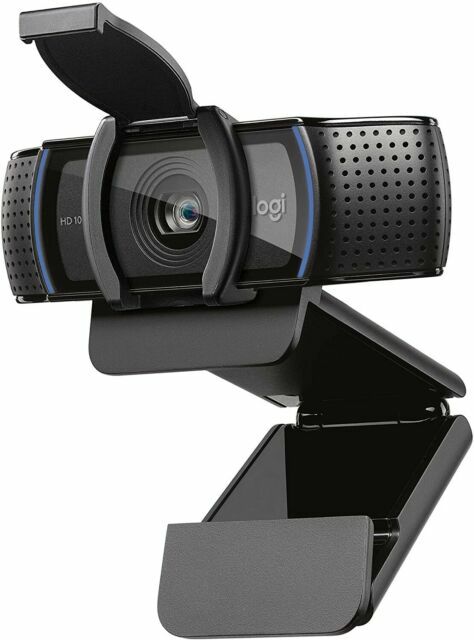
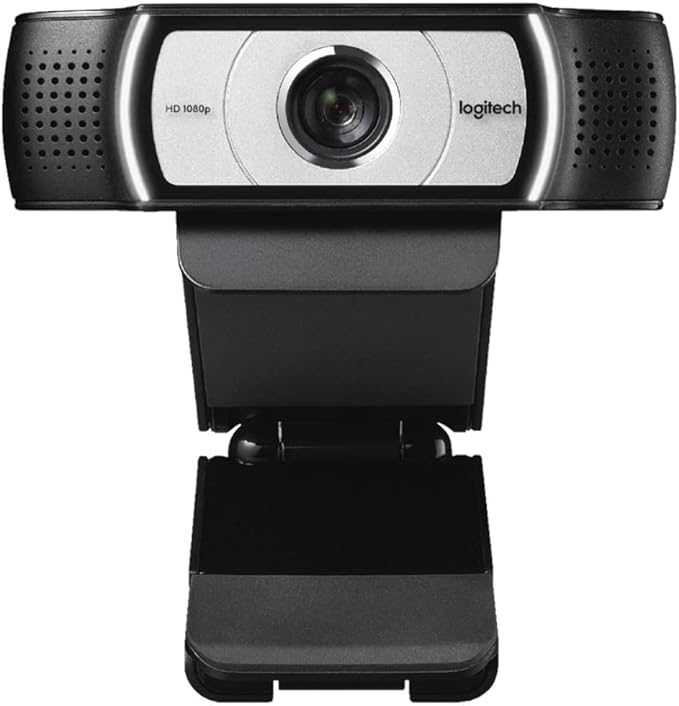
Logitech C920e Business Webcam 1080P Business Webcam Perfect for Mass Deployment 3-Year Limited Hardware Warranty
LOOK PROFESSIONAL. EVERYWHERE. C920e is a work – from – anywhere HD 1080p webcam that surpasses the video and sound quality provided by most laptops. Step up to professional – quality video collaboration at a price point ideal for deployment at scale. - YOU. PERFECTLY FRAMED. C920e is ideal for displaying individuals in a well – balanced frame. The fixed 78° field of view captures a “just – right” view of the user and their environment while also providing sufficient room to visually share projects and other items of interest. - ACTIVATE MICS WHENEVER NEEDED C920e includes dual integrated omnidirectional mics that can be easily enabled with the Logi Tune Desktop app. When activated, the mics are optimized to clearly capture audio from up to one meter away. - TAKE CONTROL WITH TUNE DESKTOP The Logi Tune Desktop app simplifies personal device control and customization on select models, including C920e. The mini app works unobtrusively on your screen for uninterrupted video collaboration, including activation of the C920e dual integrated mics, zoom control, color adjustment, and easy download of firmware updates. Mic range: Up to 1 m Diagonal field of view (dFoV): 78° Digital zoom: 1x USB connectivity: USB – A plug – and – play Right - Light 2 technology for clarity in various lighting environments, even low light Attachable privacy shutter Tripod – ready universal mounting Tripod – ready universal mounting clip fits laptops, LCD or monitors - COMPATIBILITY Windows 8 or later mac - OS 10.10 or later Chrome - OS USB – A port Compatible with Microsoft Direct - Show Works with popular calling platforms
LOOK PROFESSIONAL. EVERYWHERE. C920e is a work – from – anywhere HD 1080p webcam that surpasses the video and sound quality provided by most laptops. Step up to professional – quality video collaboration at a price point ideal for deployment at scale. - YOU. PERFECTLY FRAMED. C920e is ideal for displaying individuals in a well – balanced frame. The fixed 78° field of view captures a “just – right” view of the user and their environment while also providing sufficient room to visually share projects and other items of interest. - ACTIVATE MICS WHENEVER NEEDED C920e includes dual integrated omnidirectional mics that can be easily enabled with the Logi Tune Desktop app. When activated, the mics are optimized to clearly capture audio from up to one meter away. - TAKE CONTROL WITH TUNE DESKTOP The Logi Tune Desktop app simplifies personal device control and customization on select models, including C920e. The mini app works unobtrusively on your screen for uninterrupted video collaboration, including activation of the C920e dual integrated mics, zoom control, color adjustment, and easy download of firmware updates. Mic range: Up to 1 m Diagonal field of view (dFoV): 78° Digital zoom: 1x USB connectivity: USB – A plug – and – play Right - Light 2 technology for clarity in various lighting environments, even low light Attachable privacy shutter Tripod – ready universal mounting Tripod – ready universal mounting clip fits laptops, LCD or monitors - COMPATIBILITY Windows 8 or later mac - OS 10.10 or later Chrome - OS USB – A port Compatible with Microsoft Direct - Show Works with popular calling platforms
LOOK PROFESSIONAL. EVERYWHERE. C920e is a work – from – anywhere HD 1080p webcam that surpasses the video and sound quality provided by most laptops. Step up to professional – quality video collaboration at a price point ideal for deployment at scale. - YOU. PERFECTLY FRAMED. C920e is ideal for displaying individuals in a well – balanced frame. The fixed 78° field of view captures a “just – right” view of the user and their environment while also providing sufficient room to visually share projects and other items of interest. - ACTIVATE MICS WHENEVER NEEDED C920e includes dual integrated omnidirectional mics that can be easily enabled with the Logi Tune Desktop app. When activated, the mics are optimized to clearly capture audio from up to one meter away. - TAKE CONTROL WITH TUNE DESKTOP The Logi Tune Desktop app simplifies personal device control and customization on select models, including C920e. The mini app works unobtrusively on your screen for uninterrupted video collaboration, including activation of the C920e dual integrated mics, zoom control, color adjustment, and easy download of firmware updates. Mic range: Up to 1 m Diagonal field of view (dFoV): 78° Digital zoom: 1x USB connectivity: USB – A plug – and – play Right - Light 2 technology for clarity in various lighting environments, even low light Attachable privacy shutter Tripod – ready universal mounting Tripod – ready universal mounting clip fits laptops, LCD or monitors - COMPATIBILITY Windows 8 or later mac - OS 10.10 or later Chrome - OS USB – A port Compatible with Microsoft Direct - Show Works with popular calling platforms
LOOK PROFESSIONAL. EVERYWHERE. C920e is a work – from – anywhere HD 1080p webcam that surpasses the video and sound quality provided by most laptops. Step up to professional – quality video collaboration at a price point ideal for deployment at scale. - YOU. PERFECTLY FRAMED. C920e is ideal for displaying individuals in a well – balanced frame. The fixed 78° field of view captures a “just – right” view of the user and their environment while also providing sufficient room to visually share projects and other items of interest. - ACTIVATE MICS WHENEVER NEEDED C920e includes dual integrated omnidirectional mics that can be easily enabled with the Logi Tune Desktop app. When activated, the mics are optimized to clearly capture audio from up to one meter away. - TAKE CONTROL WITH TUNE DESKTOP The Logi Tune Desktop app simplifies personal device control and customization on select models, including C920e. The mini app works unobtrusively on your screen for uninterrupted video collaboration, including activation of the C920e dual integrated mics, zoom control, color adjustment, and easy download of firmware updates. Mic range: Up to 1 m Diagonal field of view (dFoV): 78° Digital zoom: 1x USB connectivity: USB – A plug – and – play Right - Light 2 technology for clarity in various lighting environments, even low light Attachable privacy shutter Tripod – ready universal mounting Tripod – ready universal mounting clip fits laptops, LCD or monitors - COMPATIBILITY Windows 8 or later mac - OS 10.10 or later Chrome - OS USB – A port Compatible with Microsoft Direct - Show Works with popular calling platforms
in 13 offers
The lowest price for Logitech C920e Business Webcam 1080P Business Webcam Perfect for Mass Deployment 3-Year Limited Hardware Warranty right now is $137.00 at PC Lan, compared across 10 retailers.
The all-time low was $77.39 on 14 Aug 2026 — today's price is 77% above the lowest ever. It has been notably cheaper before — worth setting a price alert.
Prices last updated 22 Aug 2026.
Last updated at 22/08/2026 05:09:07
Logitech C920e Business Webcam for Pro Quality Meetings (Brown box)
Delivery between 26 Aug – 1 Sept $11.95
Logitech C920e BUSINESS WEBCAM 1080p business webcam perfect for mass deployment 3-year limited hardware warranty
Delivery $7.95
Logitech C920e Business Webcam 1080p Business Webcam Perfect For Mass Deployment 3-year Limited Hardware Warranty
Free delivery
Logitech C920e BUSINESS WEBCAM 1080p business webcam perfect for mass deployment 3-year limited hardware warranty
Free delivery
Logitech C920e BUSINESS WEBCAM 1080p business webcam perfect for mass deployment 3-year limited hardware warranty
Delivery between 25 Aug – 2 Sept $10
Logitech C920e 1080p HD Business Webcam - Professional Video Calls
Delivery between 25 Aug – 2 Sept $10
Logitech C920e BUSINESS WEBCAM 1080p business webcam perfect for mass
Delivery between 25 Aug – 2 Sept $10
Logitech C920e BUSINESS WEBCAM 1080p business webcam perfect for mass deployment 3-year limited hardware warranty
Free delivery
Logitech C920e BUSINESS WEBCAM 1080p business webcam perfect for mass deployment 3-year limited hardware warranty
Free delivery
Logitech C920e BUSINESS WEBCAM 1080p business webcam perfect for mass deployment 3-year limited hardware warranty
Free delivery between 26–29 Aug
originally posted on ebay.com
It is a good camera. But I am not very impressed with the image quality. I was also expecting a higher quality from the microphone. To hear my voice, I have to peep closer to the camera. My Sony condenser mic is superb compared to this. Autofocus is very average, and sometimes it fails to focus the object. At that time, I thought a camera with a fixed focus was clearer than this. Overall, the quality of the camera is above average, but it is highly overpriced and overrated.
originally posted on ebay.com
It's easy to use. Plug & play. It focused pretty fast and I didn't need any special lighting. I just used ambient light in my bedroom. I tried it on Linux with VLC, Simple Screen Recorder, Cheese, and Webcamoid. Cheese was unusable. The other apps were OK. Simple Screen Recorder looked the best but I had to adjust the resolution down to 720p. Logitech has a free download package for Windows 10 and it works really well. This is probably the fastest & easiest way to start recording. I haven't tried the thing on Zoom, WebEx, or Discord yet, which is really what I bought it for. Good camera so far though. If you don't want to spend much and don't want to fiddle with a lot of settings, this one is a good choice. No buyer's remorse here.
originally posted on ebay.com
The Logitech C920s Pro is a Windows 10 plug and play camera with decent video quality. You truly plug in the USB cable and the camera is recognized and works. While there are older versions of the Logitech C920 out there that are incompatible with Windows 10, you can easily recognize this newer model because it is the one with a "Privacy Shutter". If it does not have the "Privacy Shutter", it may be an older model and not work with Windows 10. As I said, the video quality is decent. It is HD quality and better than those cheaper old webcams. But remember this is not an amazing TV quality camera. If you are looking for amazing TV HD quality, look elsewhere. The camera also has a decent mic and noise canceling. If you are in a web meeting, it works decently. There is ... MoreThe Logitech C920s Pro is a Windows 10 plug and play camera with decent video quality. You truly plug in the USB cable and the camera is recognized and works. While there are older versions of the Logitech C920 out there that are incompatible with Windows 10, you can easily recognize this newer model because it is the one with a "Privacy Shutter". If it does not have the "Privacy Shutter", it may be an older model and not work with Windows 10. As I said, the video quality is decent. It is HD quality and better than those cheaper old webcams. But remember this is not an amazing TV quality camera. If you are looking for amazing TV HD quality, look elsewhere. The camera also has a decent mic and noise canceling. If you are in a web meeting, it works decently. There is a bit of a hollow room sound with the built in mic. I bought these for two of my attorney customers who talk to judges all day long. I also sold them Jabra Evolve 30 ii headsets, which have better sound. So, they can make their own decision whether to look more natural, sound hollow and not have a headset or to wear a headset and sound better.
| Collect | 152 Everyday Rewards points |
Logitech C920e Business Webcam for Pro Quality Meetings (Brown box)
Delivery between 26 Aug – 1 Sept $11.95
Logitech C920e BUSINESS WEBCAM 1080p business webcam perfect for mass deployment 3-year limited hardware warranty
Delivery $7.95
Logitech C920e Business Webcam 1080p Business Webcam Perfect For Mass Deployment 3-year Limited Hardware Warranty
Free delivery
Logitech C920e BUSINESS WEBCAM 1080p business webcam perfect for mass deployment 3-year limited hardware warranty
Free delivery
Logitech C920e BUSINESS WEBCAM 1080p business webcam perfect for mass deployment 3-year limited hardware warranty
Delivery between 25 Aug – 2 Sept $10
It is a good camera. But I am not very impressed with the image quality. I was also expecting a higher quality from the microphone. To hear my voice, I have to peep closer to the camera. My Sony condenser mic is superb compared to this. Autofocus is very average, and sometimes it fails to focus the object. At that time, I thought a camera with a fixed focus was clearer than this. Overall, the quality of the camera is above average, but it is highly overpriced and overrated.
It's easy to use. Plug & play. It focused pretty fast and I didn't need any special lighting. I just used ambient light in my bedroom. I tried it on Linux with VLC, Simple Screen Recorder, Cheese, and Webcamoid. Cheese was unusable. The other apps were OK. Simple Screen Recorder looked the best but I had to adjust the resolution down to 720p. Logitech has a free download package for Windows 10 and it works really well. This is probably the fastest & easiest way to start recording. I haven't tried the thing on Zoom, WebEx, or Discord yet, which is really what I bought it for. Good camera so far though. If you don't want to spend much and don't want to fiddle with a lot of settings, this one is a good choice. No buyer's remorse here.
The Logitech C920s Pro is a Windows 10 plug and play camera with decent video quality. You truly plug in the USB cable and the camera is recognized and works. While there are older versions of the Logitech C920 out there that are incompatible with Windows 10, you can easily recognize this newer model because it is the one with a "Privacy Shutter". If it does not have the "Privacy Shutter", it may be an older model and not work with Windows 10. As I said, the video quality is decent. It is HD quality and better than those cheaper old webcams. But remember this is not an amazing TV quality camera. If you are looking for amazing TV HD quality, look elsewhere. The camera also has a decent mic and noise canceling. If you are in a web meeting, it works decently. There is ... MoreThe Logitech C920s Pro is a Windows 10 plug and play camera with decent video quality. You truly plug in the USB cable and the camera is recognized and works. While there are older versions of the Logitech C920 out there that are incompatible with Windows 10, you can easily recognize this newer model because it is the one with a "Privacy Shutter". If it does not have the "Privacy Shutter", it may be an older model and not work with Windows 10. As I said, the video quality is decent. It is HD quality and better than those cheaper old webcams. But remember this is not an amazing TV quality camera. If you are looking for amazing TV HD quality, look elsewhere. The camera also has a decent mic and noise canceling. If you are in a web meeting, it works decently. There is a bit of a hollow room sound with the built in mic. I bought these for two of my attorney customers who talk to judges all day long. I also sold them Jabra Evolve 30 ii headsets, which have better sound. So, they can make their own decision whether to look more natural, sound hollow and not have a headset or to wear a headset and sound better.
First, this is not my camera, I was trying to get it to work for someone else. The microphones would not work. Turns out you have to download Logitech software to turn the microphones on! Did that, turned them on, and they still didn’t work. Made several attempts over the course of several weeks, Googled many sites, watched numerous YouTube videos, but never could get the microphones to work. I decided to bring it home and try it on MY HP computer (which I DID purchase from Best Buy). It did not work on my computer, either. Watched more videos and went to the Microsoft chat page. Was advised to turn off computer, unplug it for 30 seconds, then restart. To make a long story somewhat shorter, I now have to take my computer in for repairs as the BIOS is corrupted and ... MoreFirst, this is not my camera, I was trying to get it to work for someone else. The microphones would not work. Turns out you have to download Logitech software to turn the microphones on! Did that, turned them on, and they still didn’t work. Made several attempts over the course of several weeks, Googled many sites, watched numerous YouTube videos, but never could get the microphones to work. I decided to bring it home and try it on MY HP computer (which I DID purchase from Best Buy). It did not work on my computer, either. Watched more videos and went to the Microsoft chat page. Was advised to turn off computer, unplug it for 30 seconds, then restart. To make a long story somewhat shorter, I now have to take my computer in for repairs as the BIOS is corrupted and it will not reboot. I recommend looking for another webcam!
This gives a good quality image, that frankly looks better than many of my client's cameras during a call. Impressions are key. It is a step up from my MacBook Pro. Using it with a Mac Studio. Took a little time to navigate the Mac settings to recognize the mic. First conference call used the iPhone on the desk for audio, but that was down to the Mac's settings and not the cameras fault. Since then, seamless.
I was impressed with the performance of the Logitech C920S Webcam but extremely disappointed with the seller and the condition of the product when I received it. I suspect that the other reviews are fraudulent and that this camera was used when I received it. Poorly packaged in a non-retailer plain brown box. No documentation other that the generic warranty %26 safety info. I won't buy from this seller again and had a very hard time returning it because it was a "Marketplace" item according to the unkind woman at Walmart Customer Service. Unpleasant experience!
I hate to say bad things about an otherwise good product, but.... The mic does NOT work out-of-the-box. You have to download LogiTune (195MB) and install it and THEN you can turn the mic on.There's the usual 4 page fold out Manual, that's really warnings, but nothing about needing a download to turn on the mic. Oh, yes, on later inspection, there's installation instructions printed on the inside of the box (not inside the box, but literally printed on the inside of the box -- of course that's where I look for directions!) with a single picture showing a download.Arrgh. Silly me, I missed a meeting because I just assumed the mic would work.What is Logitech thinking?
The privacy shutter (which just clips on and can also be easily removed) is a nice little extra feature on this one compared to similar models.Excellent image quality and the sound was decent when tested. To be clear, I refer to the sound captured by the dual/stereo microphone. That's what's on the sides of this and similar webcams. I've seen some complaints about sound quality from the speakers, but this doesn't have speakers, your system speakers are used.One catch with this particular model- it comes with the built in microphones disabled. This is great if you're just wanting to capture images with no audio and are concerned about privacy, but we wanted to use it for Zoom meetings, etc. Instructions were included in the package for how to enable the dual ... MoreThe privacy shutter (which just clips on and can also be easily removed) is a nice little extra feature on this one compared to similar models.Excellent image quality and the sound was decent when tested. To be clear, I refer to the sound captured by the dual/stereo microphone. That's what's on the sides of this and similar webcams. I've seen some complaints about sound quality from the speakers, but this doesn't have speakers, your system speakers are used.One catch with this particular model- it comes with the built in microphones disabled. This is great if you're just wanting to capture images with no audio and are concerned about privacy, but we wanted to use it for Zoom meetings, etc. Instructions were included in the package for how to enable the dual microphone (involved installing driver software, changing a setting, restarting the computer). Pretty painless, and I knew about it ahead of time so not docking any stars. If you don't want this minor hassle and DO want to use the microphones, maybe pick another webcam (even same model with a different letter on the end). I might have gotten a different model, knowing about this issue, but this was the best fit that was in stock and turning the mic on was pretty painless for me.
Bought these to upgrade from basic 720p model, which has served me well over the years. It may come with the microphone disabled on the firmware level. You will need to plug this into a windows or mac computer in order to turn it on with the Logi Tune software. I was able to then plug it into a Linux machine afterwards and then the microphone was detected. Other than it needing a software download to do that, it has performed very well now and need zero tweaking for frequent Zoom calls.
I'd already bought two off-brand 1080p webcams, thinking why should I pay close to $100 for something I could get just as easily for $20 or $30? Well, the problem is software support and build quality - the cheaper webcams strictly work off of Windows' DLLs and can't be adjusted for white balance, color accuracy or...anything, really, and came with wide-angle fixed-focus lenses to save money. That would be great if my webcam was to be used in a conference room with several people seated around a table, but for one person who has to set up a 5'x7' green screen every time I go online? Not so great.... The Logitech C920s lets me zoom in and out a bit to fit myself and the greenscreen comfortably in shot, and focuses on my face so any imperfections in my green screen ... MoreI'd already bought two off-brand 1080p webcams, thinking why should I pay close to $100 for something I could get just as easily for $20 or $30? Well, the problem is software support and build quality - the cheaper webcams strictly work off of Windows' DLLs and can't be adjusted for white balance, color accuracy or...anything, really, and came with wide-angle fixed-focus lenses to save money. That would be great if my webcam was to be used in a conference room with several people seated around a table, but for one person who has to set up a 5'x7' green screen every time I go online? Not so great.... The Logitech C920s lets me zoom in and out a bit to fit myself and the greenscreen comfortably in shot, and focuses on my face so any imperfections in my green screen get blurred out a bit to hold a chromakey better. Not only that, it comes with software that allows me to do green screen work outside of Zoom. It even comes with a convenient removable lens hood that I can snap up and down if I'm feel a bit paranoid.... There's 1080p video, and then there's 1080p video - and this Logitech does an excellent job of providing me a sharp, clear image. I have a Blue snowball external mic at my home office, but I've tried the onboard audio with the C920s, and while it's no substitute for acardioid mic close to my mouth, its surprisingly decent. If you do a lot of Zooming still? I'd say spend the extra dollars and get the Logitech 920 series....
| Collect | 152 Everyday Rewards points |