Logitech Lift For Mac Wireless Vertical Ergonomic Mouse - Optical - Bluetooth - No - Off White - 4000 DPI - 6 Button(s)
Make your working space more comfortable with the Logitech Lift 4000 DPI wireless mouse. Ergonomically designed for right-handed users, this mouse features vertical design with a 57-degree angle to lessen pressure on your wrists during longer work times. Compatible with macOS and iPadOS, this mouse perfectly fits small to medium sized hands.
Make your working space more comfortable with the Logitech Lift 4000 DPI wireless mouse. Ergonomically designed for right-handed users, this mouse features vertical design with a 57-degree angle to lessen pressure on your wrists during longer work times. Compatible with macOS and iPadOS, this mouse perfectly fits small to medium sized hands.
Make your working space more comfortable with the Logitech Lift 4000 DPI wireless mouse. Ergonomically designed for right-handed users, this mouse features vertical design with a 57-degree angle to lessen pressure on your wrists during longer work times. Compatible with macOS and iPadOS, this mouse perfectly fits small to medium sized hands.
Make your working space more comfortable with the Logitech Lift 4000 DPI wireless mouse. Ergonomically designed for right-handed users, this mouse features vertical design with a 57-degree angle to lessen pressure on your wrists during longer work times. Compatible with macOS and iPadOS, this mouse perfectly fits small to medium sized hands.
in 9 offers
The lowest price for Logitech Lift For Mac Wireless Vertical Ergonomic Mouse - Optical - Bluetooth - No - Off White - 4000 DPI - 6 Button(s) right now is $100.00 at eBay.com.au, compared across 8 retailers.
The all-time low was $65.00 on 19 June 2026 — today's price is 54% above the lowest ever. It has been notably cheaper before — worth setting a price alert.
Prices last updated 2 Oct 2026.
Last updated at 02/10/2026 12:48:57
Logitech Lift For Mac | Vertical Ergonomic Mouse
Free delivery
Affiliate Disclosure: We may receive a small commission for purchases made through this link at no extra cost to you. This helps support our site. Thank you!
Logitech Lift for Mac Wireless Vertical Ergonomic Mouse
Delivery between 9–12 Oct $29
Logitech Lift mouse Right-hand RF Wireless + Bluetooth Optical 4000 DPI
Delivery $13.50
Logitech Lift for Mac Wireless Vertical Ergonomic Mouse, Bluetooth, Quiet Clicks, Silent Smartwheel, 4 Customisable Buttons, for macOS/iPadOS/MacBook
Delivery $65.14
Logitech Lift Vertical Mouse
Free delivery
Logitech Lift for Mac Vertical Ergonomic Wireless Mouse - Off White
Delivery $39.36
Logitech Lift Vertical 1000DPI 2.4GHz Ergonomic Wireless Bluetooth Dual Mode Mouse (White)
Free delivery
Logitech Lift Ergonomic Wireless Mouse With Bluetooth Vertical Comfort Design - White
Free 30-day returns
originally posted on logitechg.com
When it comes to ergonomically designed products, they can be rather intimidating, and this is no different with the Logitech Lift mouse designed specifically for Mac.However, i urge you to embrace the intimidating shape of this mouse, it is the most comfortable, modern design you will ever work with.Logitech have always made great quality products, and this is no different when it comes to the Lift mouse, as soon as you hold it in your hand you will know the difference in quality. It feels great, and because of the "vertical" design it positions your wrist at the correct angle to not twist or put pressure on the wrong parts of your hand or arm. it just feels really comfortable.In terms of the different buttons, you have the usual left and right button, and ... MoreWhen it comes to ergonomically designed products, they can be rather intimidating, and this is no different with the Logitech Lift mouse designed specifically for Mac.However, i urge you to embrace the intimidating shape of this mouse, it is the most comfortable, modern design you will ever work with.Logitech have always made great quality products, and this is no different when it comes to the Lift mouse, as soon as you hold it in your hand you will know the difference in quality. It feels great, and because of the "vertical" design it positions your wrist at the correct angle to not twist or put pressure on the wrong parts of your hand or arm. it just feels really comfortable.In terms of the different buttons, you have the usual left and right button, and you have a scroll wheel. In addition, you have a button under the wheel, and a back and forward button on the side. The small button behind the wheel will allow you to go from infinite scrolling to a staggered scroll (a click between scrolling to be more controlled).You can download the Options+ software to customise all buttons on the mouse, and it even allows you to assign to specific applications which is amazing! Everything has been through through to the finer detail to make the whole experience yours.The functionality of this mouse is one of the best experiences you can have, it is so comfortable, it is smooth, quiet, and the battery will last you a VERY long time. It is small enough to be portable, and big enough for “small to medium sized hands”.Highly recommended for anyone looking to upgrade to a more premium mouse without going high end
originally posted on bestbuy.com
I'm a big fan of Logitech products. I've used several models of keyboard, mice, speakers, the keyboard case for iPad. I have always liked Logitech for the quality, innovation, and options. The Lift for Mac ergonomic wireless mouse shows the quality and options that I've come to expect. But with innovation, well, it's complicated. Let me explain.The Lift is a solid mouse. It has very complimentary contours to provide that ergonomic feel for your hand. The description on the Logitech website suggests that it's best for medium to small hands, and I would agree with that. Having larger hands, while it's well shaped, I do have to adjust more often than a non-ergo shaped mouse. The main observation about the shape that I would say is a go/no go for someone considering ... MoreI'm a big fan of Logitech products. I've used several models of keyboard, mice, speakers, the keyboard case for iPad. I have always liked Logitech for the quality, innovation, and options. The Lift for Mac ergonomic wireless mouse shows the quality and options that I've come to expect. But with innovation, well, it's complicated. Let me explain.The Lift is a solid mouse. It has very complimentary contours to provide that ergonomic feel for your hand. The description on the Logitech website suggests that it's best for medium to small hands, and I would agree with that. Having larger hands, while it's well shaped, I do have to adjust more often than a non-ergo shaped mouse. The main observation about the shape that I would say is a go/no go for someone considering this, is that it's shaped for a right hand only. For people who prefer to use a mouse in the left hand, this will not accommodate. Overall I think it achieves the ergonomic challenge, but will suit some people more than others. I recommend holding a display sample at a store if you can.Lift for Mac fully supports the Logi Options+ application you can download for MacOS and iPadOS. This app when connected allows you to change many features of the Lift, including the side buttons where your thumb rests, which are by default set to forward and back, and will slightly change with some applications, such as Safari, or MS Office products. If you hold down either of these buttons and use the scroll wheel, it will allow you to scroll horizontally. This is the default configuration. Logi Options+ allows you to change these buttons for several types of functions, such as volume control, redo/undo, copy/paste, and even assign keyboard shortcuts. The button behind the scroll wheel has similar options, with additions such as alternating two pointer travel speeds, activating mission control, and showing the desktop. Pressing into the scroll wheel also has many options to choose from. This makes the Lift very customizable. In fact for its price, it makes the Lift a great value.This leaves me with the innovation that I've come to love about Logitech products. There are a couple of things about the Lift that bring slight disappointment for this. The first is that it's not rechargeable. The Lift uses one double A battery, included in the box. While this isn't a total deal breaker for me, it has become common and almost expected to have the ability to recharge rather than having to replace the battery. Mind you, the one double A battery is expected last for about 2 years, but still the ability to recharge, even if it doesn't last as long, would be convenient and more eco friendly. The other thing that didn't feel very innovative is the lack of texture on more of the mouse. Using other Logitech mice has let me experience more grippy materials that helped my hand not slide so much while operating the mouse. The Lift has some grippy texture where your palm rests, but no toward the front where fingers rest, and where more control of the mouse occurs. I will say these two items are minor, but I felt worth mentioning.Overall, I found the Lift for Mac a pleasant experience. The ability to customize was a great surprise for this price point, and the tracking speed is very responsive. It's not perfect, but it's another solid product from Logitech.
originally posted on bestbuy.com
The Logitech Lift mouse is probably the most unconventional-looking pointing device I've seen in a while. Do not let the crazy appearance turn you off - you have to try this mouse for yourself and you will immediately see how comfortable it is.When I reach for this mouse, it's almost a comforting experience - the mouse is ready to meet your hand in the position that you would naturally place your hand and wrist in. There's no twisting of the wrist that I didn't even realize I was doing until I reached back for my conventional mouse.This mouse is very comfortable to use, but does take some getting used to. It is advertised as a good fit for those who have small to medium hands, but I consider myself as having larger hands and the ergonomics and fit are good. The ... MoreThe Logitech Lift mouse is probably the most unconventional-looking pointing device I've seen in a while. Do not let the crazy appearance turn you off - you have to try this mouse for yourself and you will immediately see how comfortable it is.When I reach for this mouse, it's almost a comforting experience - the mouse is ready to meet your hand in the position that you would naturally place your hand and wrist in. There's no twisting of the wrist that I didn't even realize I was doing until I reached back for my conventional mouse.This mouse is very comfortable to use, but does take some getting used to. It is advertised as a good fit for those who have small to medium hands, but I consider myself as having larger hands and the ergonomics and fit are good. The button placement for your index and middle finger are very natural, and the buttons have a very soft click that provides slightly less feedback than I personally expected. There is a scroll wheel that has tactile feedback in the form of detents as you scroll and provides excellent feedback. Just above where the thumb rests, is a set of buttons that act as "back" and "forward" buttons in web browsers, which have proven to be quite useful as this is something I haven't had since I've been a full Mac convert.As with a lot of peripherals today, it has the ability to pair via Bluetooth to three different devices - and this is great as I can pair it with my Mac Studio, MacBook Pro, or the iPad Pro. A small button on the bottom toggles which Bluetooth profile is active and this works flawlessly.As a long time Mac user, I've become accustomed to using the gestures that are available with the Magic Mouse. I was able to replicate some of these features by installing the Logitech Options software, which gives you some control over the buttons near the thumb. You can change their functionality to practically anything, including some keyboard shortcuts that I've mapped for desktop switching. The Logi options software also allows you to create application specific button mappings if you want to get that deep. Unfortunately, it's another piece of bloatware on my system, but this may be worth it to allow the button reprogramming.The battery is a single AA, which is stated on the box to last two years. If so, this is amazing battery life.Overall this is a great mouse. I wish they would have built-in horizontal scrolling to the scroll wheel, and the gestures from the Apple mouse were more easily replicated on this device, but the comfort this mouse provides is definitely worth the trade-off in features.
| Parts | 1 Year |
Logitech Lift For Mac | Vertical Ergonomic Mouse
Free delivery
Affiliate Disclosure: We may receive a small commission for purchases made through this link at no extra cost to you. This helps support our site. Thank you!
Logitech Lift for Mac Wireless Vertical Ergonomic Mouse
Delivery between 9–12 Oct $29
Logitech Lift mouse Right-hand RF Wireless + Bluetooth Optical 4000 DPI
Delivery $13.50
Logitech Lift for Mac Wireless Vertical Ergonomic Mouse, Bluetooth, Quiet Clicks, Silent Smartwheel, 4 Customisable Buttons, for macOS/iPadOS/MacBook
Delivery $65.14
Logitech Lift Vertical Mouse
Free delivery
When it comes to ergonomically designed products, they can be rather intimidating, and this is no different with the Logitech Lift mouse designed specifically for Mac.However, i urge you to embrace the intimidating shape of this mouse, it is the most comfortable, modern design you will ever work with.Logitech have always made great quality products, and this is no different when it comes to the Lift mouse, as soon as you hold it in your hand you will know the difference in quality. It feels great, and because of the "vertical" design it positions your wrist at the correct angle to not twist or put pressure on the wrong parts of your hand or arm. it just feels really comfortable.In terms of the different buttons, you have the usual left and right button, and ... MoreWhen it comes to ergonomically designed products, they can be rather intimidating, and this is no different with the Logitech Lift mouse designed specifically for Mac.However, i urge you to embrace the intimidating shape of this mouse, it is the most comfortable, modern design you will ever work with.Logitech have always made great quality products, and this is no different when it comes to the Lift mouse, as soon as you hold it in your hand you will know the difference in quality. It feels great, and because of the "vertical" design it positions your wrist at the correct angle to not twist or put pressure on the wrong parts of your hand or arm. it just feels really comfortable.In terms of the different buttons, you have the usual left and right button, and you have a scroll wheel. In addition, you have a button under the wheel, and a back and forward button on the side. The small button behind the wheel will allow you to go from infinite scrolling to a staggered scroll (a click between scrolling to be more controlled).You can download the Options+ software to customise all buttons on the mouse, and it even allows you to assign to specific applications which is amazing! Everything has been through through to the finer detail to make the whole experience yours.The functionality of this mouse is one of the best experiences you can have, it is so comfortable, it is smooth, quiet, and the battery will last you a VERY long time. It is small enough to be portable, and big enough for “small to medium sized hands”.Highly recommended for anyone looking to upgrade to a more premium mouse without going high end
I'm a big fan of Logitech products. I've used several models of keyboard, mice, speakers, the keyboard case for iPad. I have always liked Logitech for the quality, innovation, and options. The Lift for Mac ergonomic wireless mouse shows the quality and options that I've come to expect. But with innovation, well, it's complicated. Let me explain.The Lift is a solid mouse. It has very complimentary contours to provide that ergonomic feel for your hand. The description on the Logitech website suggests that it's best for medium to small hands, and I would agree with that. Having larger hands, while it's well shaped, I do have to adjust more often than a non-ergo shaped mouse. The main observation about the shape that I would say is a go/no go for someone considering ... MoreI'm a big fan of Logitech products. I've used several models of keyboard, mice, speakers, the keyboard case for iPad. I have always liked Logitech for the quality, innovation, and options. The Lift for Mac ergonomic wireless mouse shows the quality and options that I've come to expect. But with innovation, well, it's complicated. Let me explain.The Lift is a solid mouse. It has very complimentary contours to provide that ergonomic feel for your hand. The description on the Logitech website suggests that it's best for medium to small hands, and I would agree with that. Having larger hands, while it's well shaped, I do have to adjust more often than a non-ergo shaped mouse. The main observation about the shape that I would say is a go/no go for someone considering this, is that it's shaped for a right hand only. For people who prefer to use a mouse in the left hand, this will not accommodate. Overall I think it achieves the ergonomic challenge, but will suit some people more than others. I recommend holding a display sample at a store if you can.Lift for Mac fully supports the Logi Options+ application you can download for MacOS and iPadOS. This app when connected allows you to change many features of the Lift, including the side buttons where your thumb rests, which are by default set to forward and back, and will slightly change with some applications, such as Safari, or MS Office products. If you hold down either of these buttons and use the scroll wheel, it will allow you to scroll horizontally. This is the default configuration. Logi Options+ allows you to change these buttons for several types of functions, such as volume control, redo/undo, copy/paste, and even assign keyboard shortcuts. The button behind the scroll wheel has similar options, with additions such as alternating two pointer travel speeds, activating mission control, and showing the desktop. Pressing into the scroll wheel also has many options to choose from. This makes the Lift very customizable. In fact for its price, it makes the Lift a great value.This leaves me with the innovation that I've come to love about Logitech products. There are a couple of things about the Lift that bring slight disappointment for this. The first is that it's not rechargeable. The Lift uses one double A battery, included in the box. While this isn't a total deal breaker for me, it has become common and almost expected to have the ability to recharge rather than having to replace the battery. Mind you, the one double A battery is expected last for about 2 years, but still the ability to recharge, even if it doesn't last as long, would be convenient and more eco friendly. The other thing that didn't feel very innovative is the lack of texture on more of the mouse. Using other Logitech mice has let me experience more grippy materials that helped my hand not slide so much while operating the mouse. The Lift has some grippy texture where your palm rests, but no toward the front where fingers rest, and where more control of the mouse occurs. I will say these two items are minor, but I felt worth mentioning.Overall, I found the Lift for Mac a pleasant experience. The ability to customize was a great surprise for this price point, and the tracking speed is very responsive. It's not perfect, but it's another solid product from Logitech.
The Logitech Lift mouse is probably the most unconventional-looking pointing device I've seen in a while. Do not let the crazy appearance turn you off - you have to try this mouse for yourself and you will immediately see how comfortable it is.When I reach for this mouse, it's almost a comforting experience - the mouse is ready to meet your hand in the position that you would naturally place your hand and wrist in. There's no twisting of the wrist that I didn't even realize I was doing until I reached back for my conventional mouse.This mouse is very comfortable to use, but does take some getting used to. It is advertised as a good fit for those who have small to medium hands, but I consider myself as having larger hands and the ergonomics and fit are good. The ... MoreThe Logitech Lift mouse is probably the most unconventional-looking pointing device I've seen in a while. Do not let the crazy appearance turn you off - you have to try this mouse for yourself and you will immediately see how comfortable it is.When I reach for this mouse, it's almost a comforting experience - the mouse is ready to meet your hand in the position that you would naturally place your hand and wrist in. There's no twisting of the wrist that I didn't even realize I was doing until I reached back for my conventional mouse.This mouse is very comfortable to use, but does take some getting used to. It is advertised as a good fit for those who have small to medium hands, but I consider myself as having larger hands and the ergonomics and fit are good. The button placement for your index and middle finger are very natural, and the buttons have a very soft click that provides slightly less feedback than I personally expected. There is a scroll wheel that has tactile feedback in the form of detents as you scroll and provides excellent feedback. Just above where the thumb rests, is a set of buttons that act as "back" and "forward" buttons in web browsers, which have proven to be quite useful as this is something I haven't had since I've been a full Mac convert.As with a lot of peripherals today, it has the ability to pair via Bluetooth to three different devices - and this is great as I can pair it with my Mac Studio, MacBook Pro, or the iPad Pro. A small button on the bottom toggles which Bluetooth profile is active and this works flawlessly.As a long time Mac user, I've become accustomed to using the gestures that are available with the Magic Mouse. I was able to replicate some of these features by installing the Logitech Options software, which gives you some control over the buttons near the thumb. You can change their functionality to practically anything, including some keyboard shortcuts that I've mapped for desktop switching. The Logi options software also allows you to create application specific button mappings if you want to get that deep. Unfortunately, it's another piece of bloatware on my system, but this may be worth it to allow the button reprogramming.The battery is a single AA, which is stated on the box to last two years. If so, this is amazing battery life.Overall this is a great mouse. I wish they would have built-in horizontal scrolling to the scroll wheel, and the gestures from the Apple mouse were more easily replicated on this device, but the comfort this mouse provides is definitely worth the trade-off in features.
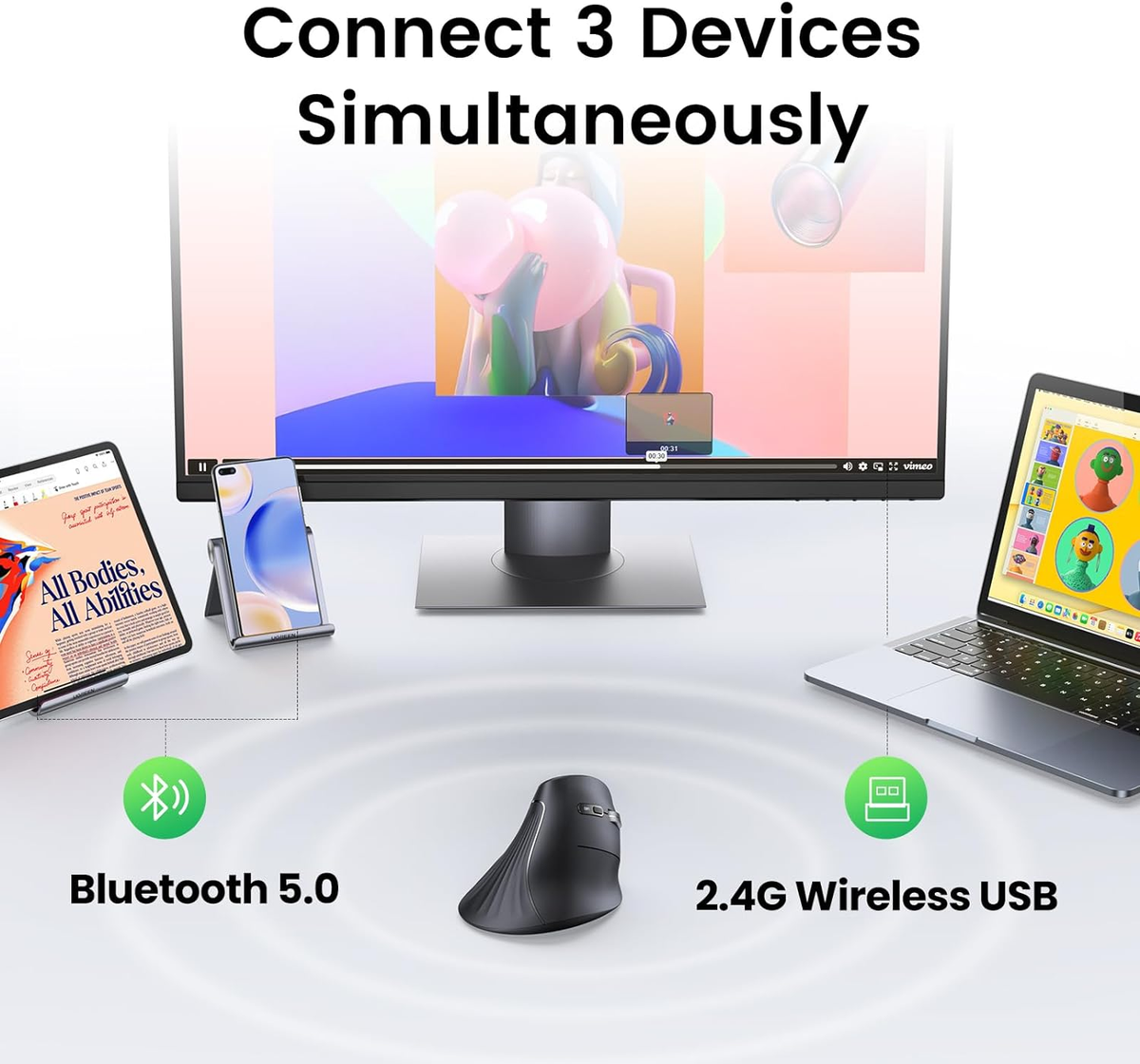
Originally got this for my personal MacBook, but ultimately ended up bringing it to work and using it for my work MacBook for the better part of the work day. Considering I work full time, it made more sense, since I'll be spending the most time there using it.Speaking of which, it works with both my Macs (work and home) and Gaming PC. There's an indicator light at the bottom of the mouse that is controlled by a single button that allows up to three BT connections. I used one for my work MacBook, personal MacBook, and Gaming Desktop PC, 1,2, and 3. All work fine and only really use it on my gaming PC when my wireless gaming mouse needs to be charged and really only then when I have it handy and don't have to go too far to get it out of my backpack. But still, nice ... MoreOriginally got this for my personal MacBook, but ultimately ended up bringing it to work and using it for my work MacBook for the better part of the work day. Considering I work full time, it made more sense, since I'll be spending the most time there using it.Speaking of which, it works with both my Macs (work and home) and Gaming PC. There's an indicator light at the bottom of the mouse that is controlled by a single button that allows up to three BT connections. I used one for my work MacBook, personal MacBook, and Gaming Desktop PC, 1,2, and 3. All work fine and only really use it on my gaming PC when my wireless gaming mouse needs to be charged and really only then when I have it handy and don't have to go too far to get it out of my backpack. But still, nice to have options. The only kind of awkward thing is its label on PC is "Lift for Mac" which isn't that big of a deal.One downside which made me drop it a star is it doesn't come with the Logitech Logi Bolt adapter in the box. I thought I was missing it for awhile, but then on the box itself it says, "Not Included" which makes me feel a little cheaped out on. I feel like for the price, it should have been included for those that could use it. Granted most people using it have BT connections, but still. Nice to lend out the mouse to someone without having to pair it to their computer, or quickly attaching it to something with a USB port would have been a nice option.Overall I can't really complain about it though, considering the whole package; the fit and feel, design, the quiet but tactile clicks, quiet operations and quiet scrolling, etc. It's all great, especially in an office setting. Quiet and works great. I really like being able to quickly switch between my work MacBook and personal MacBook.
The Logitech Lift for Mac bluetooth mouse is an interesting take on computer mice. The vertical design is supposed to aid in supporting better ergonomics for users in order to reduce the chances or the pain of carpal tunnel. As a user who often sits in front of the screen for hours on end per day for work and for entertainment, this vertical mouse certainly got my attention.The first thing that you notice when you take it out of the box is the strange design. Even seeing pictures of it online can't fully describe the strange shape it has since most product images are straight on and this thing has curves that were designed to follow the curve of most people's hands. It looks weird, but strangely works. The white and grey color unsurprisingly coordinates well with ... MoreThe Logitech Lift for Mac bluetooth mouse is an interesting take on computer mice. The vertical design is supposed to aid in supporting better ergonomics for users in order to reduce the chances or the pain of carpal tunnel. As a user who often sits in front of the screen for hours on end per day for work and for entertainment, this vertical mouse certainly got my attention.The first thing that you notice when you take it out of the box is the strange design. Even seeing pictures of it online can't fully describe the strange shape it has since most product images are straight on and this thing has curves that were designed to follow the curve of most people's hands. It looks weird, but strangely works. The white and grey color unsurprisingly coordinates well with the Macbook's silver chassis and the white keys.Features:1. Aside from the ergonomic grip, it the ability for the mouse to be paired to three devices. It worked well with my Macbook and also with my iPad Pro. I will have to say that the use-case for the iPad Pro was somewhat limited. I prefer to use the Apple Pencil for any drawing or note-taking and I'm not trying to game with it, so the mouse isn't necessary. It's just cool that it works.2. I also really like that the mouse clearly benefits users with a small desk. What most people would have to do if they didn't have a lot of room with the mouse is turn up the sensitivity settings so you wouldn't drag the mouse off the desk. With this mouse, it feels like you don't need as much movement to get the cursor to where it needs to go to.3. The mouse has an easy to remove cover to access the battery for replacement. I like that I can just pop in a new battery quickly and prefer it over rechargeable ones since I'm on the go often and don't remember to always bother with docking things. I do happen to carry a fully charged rechargeable battery in my backpack just in case.4. The side buttons are easy to access and easily remappable.Cons:1. The sensitivity button is too easy to hit. It takes some time getting used to resting your pointer and middle finger around the scroll wheel. Sometimes I'd still hit the sensitivity button as a result.2. This one is a not really a con as it is really dependent on the user's hand size, but I feel this could be too small. My previous gaming mice are of the "palm grip" style, so I like and prefer bigger mice.I've also used a lot of different types of mice in the past, including the old school mice with the trackballs that you scroll with your thumb. Overall, I like this mouse as it is different, but it's not going to be my main driver. I think for those that are already used to vertical mice, they could appreciate the Logitech Lift more.
Logitech made a bold move in trying to reinvent the mouse form factor and I can’t say positively that it paid off. I should begin by mentioning that I have extensive experience with Apple’s input devices - i.e. Apple Magic Keyboard, Magic Mouse and Magic TrackPad and after changing jobs and going into something that required a lot more keyboard and mouse usage, I ended up switching to the Logitech MX keyboard and mouse due to the improved ergonomics that still kept with the Mac premium look and feel.The first thing I thought about as I was unboxing this mouse, is who might this be for? I don’t know if Logitech nailed any sort of particular audience with this one. The mouse is HUGE. Too tall really to fit in my laptop sleeve and although I carry a backpack ... MoreLogitech made a bold move in trying to reinvent the mouse form factor and I can’t say positively that it paid off. I should begin by mentioning that I have extensive experience with Apple’s input devices - i.e. Apple Magic Keyboard, Magic Mouse and Magic TrackPad and after changing jobs and going into something that required a lot more keyboard and mouse usage, I ended up switching to the Logitech MX keyboard and mouse due to the improved ergonomics that still kept with the Mac premium look and feel.The first thing I thought about as I was unboxing this mouse, is who might this be for? I don’t know if Logitech nailed any sort of particular audience with this one. The mouse is HUGE. Too tall really to fit in my laptop sleeve and although I carry a backpack sometimes, this would take up valuable space in that too. I concluded this is definitely something that you’d use at home or at the office but not with traveling in mind. Interestingly enough, Logitech mentions using this with your iPad but I have a Magic Keyboard for my iPad and I feel like again, somewhat that chose an iPad values portability and this is anything but.The mouse is easy enough to pair and it features the ability to easily switch between devices like my MX keyboard. I have to say, the mouse doesn’t feel as premium as my MX keyboard. It has a weight to it that makes it feel…substantial. And considering this isn’t something I’d travel with, I feel like maybe that was an opportunity. It’s also a stark departure from the space gray/black color scheme that the my other MX Mac accessories are finished in.Using the mouse was an adjustment. The vertical angle does take some getting used to. And sliding it around initially felt a lot like pushing something across a ouija board. It glides just fine but it’s just a weird feeling to be using a mouse at that angle. As weird as it sounds, when you think mouse, you think flat and there is a such thing as too flat (looking at you Magic Mouse). But I don’t know that vertical is the answer either. Logitech calls the angle a “natural handshake” position. But I don’t think about handshaking my mouse.The other thing that came across as interesting to me during usage, was the amount of buttons on the mouse. Apple has taught us Mac users that when it comes to mice, less is more. And to a degree I agree. Having buttons that click and wheels that scroll are more opportunities for particles to get caught or trapped in the mouse (another reason I wouldn’t travel with it) but there’s also something to be said for how seamless gestures are since we use them on all of our touch devices daily and I’d argue that at this point gestures are more natural than handshaking when it comes to Apple products. It also means that many of these buttons will be new to Mac users, but I didn’t find myself wanting to have to setup programming thru the Logitech app on my Mac and I’d say honestly, when it came to the keyboard it made me uninstall the Logitech app because it was annoying (and distracting) to see the keyboard changes popping up on screen constantly — i.e. when you caps lock, etc.Lastly, the improvement I would’ve made to this would’ve been using an embedded [rechargeable] battery. Batteries are one of those things that I don’t usually have what I need on hand when they go out so there’s an understated appreciation for recharge-ables that use standard cables and charges I have laying all around the house (in this case a USB-C to keep in line with my other MX’s would’ve been nice). I do see that they put some thought into this opting to go with LE Bluetooth so the battery only needs to be replaced every 24 months but again, I feel like when this time comes I’m gonna wish it was rechargeable.TLDR summary - it’s an acquired taste that I didn’t quite acquire with some areas for improvement - mainly recharge-able and keeping the understated simplicity in design and usage that Mac users have come to know and love in mind.
The vertical design of this Lift mouse admittedly felt a bit odd initially, but it didn’t take long for me to get accustomed to the new feel. It now feels much more normal and intuitive after a few days of constant use. My hand cradles the Lift mouse in a more comfortable and natural ergonomic manner compared to standard mice. The Lift has five buttons and a scroll wheel. There are two programmable buttons left of the center peak and three buttons and a scroll wheel to the right. All buttons and the scroll wheel are easy to reach and feel natural and intuitive to use. My hand remains comfortably aligned with the shape of the mouse and neither the buttons nor the scroll wheel requires any awkward or unnatural movements to access. In fact, the vertical design makes it ... MoreThe vertical design of this Lift mouse admittedly felt a bit odd initially, but it didn’t take long for me to get accustomed to the new feel. It now feels much more normal and intuitive after a few days of constant use. My hand cradles the Lift mouse in a more comfortable and natural ergonomic manner compared to standard mice. The Lift has five buttons and a scroll wheel. There are two programmable buttons left of the center peak and three buttons and a scroll wheel to the right. All buttons and the scroll wheel are easy to reach and feel natural and intuitive to use. My hand remains comfortably aligned with the shape of the mouse and neither the buttons nor the scroll wheel requires any awkward or unnatural movements to access. In fact, the vertical design makes it easier to avoid the accidental mouse clicks I sometimes experience from fatigued fingers hovering above the switches of standard mice.The two buttons on the left are programmed for horizontal scrolling and forward/back commands by default. They are handy for quickly cycling forward and back through documents, web sites, and file edits. Holding one of the left buttons (doesn’t matter which one) while using the scroll wheel activates horizontal scrolling for massive spreadsheets and other side scrolling documents and sites. Horizontal scrolling works by default on scrollable areas that don’t have any vertical scrolling. For example, it scrolls horizontally through the Office ribbon without requiring me to push the left buttons if I hover over the ribbon and only use the mouse wheel. The primary mouse buttons on the right also feel completely natural and easy to access. They work reliably but feel a little spongy and don’t offer much tactile feedback. The last button is located beneath the scroll wheel and is used for adjusting mouse speed. Clicking it toggles the tracking speed between two pre-set values. The default speed settings are 67% and 50%. These values can be changed in the Logi Options + app if faster or slower speeds are desired. The mouse tracks well for desktop use and doesn’t lag or skip.The battery compartment is located on the bottom of the Lift. The compartment lid attaches magnetically and is easy to remove and attach. Inside the compartment houses a single AA battery and an empty cavity for a companion USB receiver. No receiver is included with this specific Lift model, but it can be used with Logitech’s Logi Bolt receiver. I am not using a USB receiver and the mouse has thus far performed well and worked reliably over Bluetooth. One advantage of Bluetooth is it allows connecting to and switching among up to three PCs with a push of the Easy Switch button on the bottom of the Lift.The Logi Options + software allows customizing mouse buttons, tracking speed and applying firmware updates. However, the app requires some dicey privacy permissions. I’m unwilling to grant one of the permissions, but the Mac software installation will not complete unless all these permissions are granted. I can understand why it needs accessibility permissions, but why am I being asked to grant universal keystroke logging if I’m not using a Logitech keyboard? I refused to grant the permission and the installation would not proceed beyond that screen. The Lift mouse works, and all base functions are fully functional without the Logi Options + software on my Mac. However, most of the customizable features are missing. I both like and use those features, so I ended up switching the mouse to a Windows PC. This Mac Lift mouse works exactly the same in Windows and the Windows version of the Logi + app installs without requesting any sensitive permissions. As long as Windows isn’t granting keystroke permissions to any apps by default without my knowledge. I checked the app’s privacy settings for any undesired permissions. I didn’t see anything for keystroke logging, but Windows privacy settings aren’t quite as transparent as the privacy settings in MacOS. Privacy concerns notwithstanding, the software works well with Windows and allows me to customize the mouse to specific apps and map buttons to specific tasks. I included a couple screen shots of the Options + app interface in Windows.
The Logitech Lift Vertical Mouse is my first experience using a vertical mouse and I was surprised how much more comfortable it is on the wrist compared to a traditional mouse. It works much the same way as a traditional mouse, but the buttons and wrist placement seem much better thought out. When I started using it with my MacBook, I didn't want to stop using it --- that is, I didn't reach for the touchpad at all.The Lift Vertical Mouse uses (and includes) a single double-A battery to power itself, which is much better than rechargeable for a device like this, because when you are out of power you don't want to wait an hour+ before you can use the mouse again, you can just swap batteries and be back to work. When not in use, you can flip a power button on the ... MoreThe Logitech Lift Vertical Mouse is my first experience using a vertical mouse and I was surprised how much more comfortable it is on the wrist compared to a traditional mouse. It works much the same way as a traditional mouse, but the buttons and wrist placement seem much better thought out. When I started using it with my MacBook, I didn't want to stop using it --- that is, I didn't reach for the touchpad at all.The Lift Vertical Mouse uses (and includes) a single double-A battery to power itself, which is much better than rechargeable for a device like this, because when you are out of power you don't want to wait an hour+ before you can use the mouse again, you can just swap batteries and be back to work. When not in use, you can flip a power button on the bottom off to save battery.When I first started using it after pairing, I thought the mouse moved around the screen a little too fast for my preferences, but one button press (below, or in front of, the scroll wheel) and the mouse moved around at a normal speed.Other buttons included are left and right click, the scroll wheel, and two buttons on the opposite side which seem to work like 'back' and 'forward' in a web browser for example.The only difficulty I might have with this mouse, which is not a fault of the mouse, is that my laptop sleeve bag may be too thin to fit the mouse while carrying the MacBook. I could, and might, get a bigger laptop bag with a bigger pocket to deal with this.
I selected the Lift Vertical Mouse since it was touted as an ergonomic solution. I suffer from osteoarthritis in both wrists and have endured several surgeries over the years in an effort to provide me some relief. The Lift seemed a good idea.Upon its arrival and unpacking, I realized this wasn’t going to be a quick transition. First, the only printed instructions were on a piece of cardstock used for packaging and only informed the user how to turn it on and connect it to a device.The Lift has several buttons with no explanation. That led me to go to Logitech’s web site to hopefully find more information. Yes, there is information but it’s horribly disjointed. Initially, it’s more like sales information which is ludicrous since I have the product and a waste of ... MoreI selected the Lift Vertical Mouse since it was touted as an ergonomic solution. I suffer from osteoarthritis in both wrists and have endured several surgeries over the years in an effort to provide me some relief. The Lift seemed a good idea.Upon its arrival and unpacking, I realized this wasn’t going to be a quick transition. First, the only printed instructions were on a piece of cardstock used for packaging and only informed the user how to turn it on and connect it to a device.The Lift has several buttons with no explanation. That led me to go to Logitech’s web site to hopefully find more information. Yes, there is information but it’s horribly disjointed. Initially, it’s more like sales information which is ludicrous since I have the product and a waste of my time. Eventually, I did get to some instructions but they were incomplete. There were references to software to download but little information what it would provide.I installed the software and expected it to offer a multitude of options to configure the other switches on the mouse. Nope, they weren’t there. In fact, there’s so little that’s offered by the software, it’s probably useless to install.The instructions do mention that the optional buttons offer specific functions for different programs like Excel and Photoshop but don’t instruct what they are.Finally, the Lift I chose was supposed to be for small to medium hands. My hands aren’t particularly large but not small. I found the size to be a bit awkward for my hand and quite frankly, the vertical orientation wasn’t very comfortable for my arthritis. Also, I found the vertical orientation difficult to get the precision I’ve known with a standard mouse design. Such is likely a matter of muscle memory from so many years of using a standard mouse.In conclusion, the Lift is not the perfect solution for me. I would suggest trying out the Lift in person at the store before committing to one. I imagine some folks will love the Lift but I don’t think it’s good for everyone. Also, Logitech has a lot of work to do with this product and I’ve had a dialog with their support to express my frustrations and Logitec’s failings regarding the poor documentation and it’s pitiful software.As a result, my best recommendation for the Lift is, it depends, and if Logitech improves it’s documented ration and software. Given all that, it might be best to look elsewhere.
It's an interestingly-shaped mouse and I understand what Logitech was hoping to achieve with it. Indeed, having my hand at a more natural angle felt weird at first, but eventually made sense and was comfortable.I applaud Logitech for trying something a little new; but at the end of the day, I couldn't really use the mouse for one critical reason that I'm surprised the designers didn't see:I had trouble lifting the mouse.It may just be how I use mice, but I think many people physically lift the mouse to reposition it so that the cursor can move across the whole area of a screen - and this is especially true for some of us that use ultrawide (or super ultrawide) monitors. But this "Lift" mouse is smooth and angled such that you have to grip the bottom in order ... MoreIt's an interestingly-shaped mouse and I understand what Logitech was hoping to achieve with it. Indeed, having my hand at a more natural angle felt weird at first, but eventually made sense and was comfortable.I applaud Logitech for trying something a little new; but at the end of the day, I couldn't really use the mouse for one critical reason that I'm surprised the designers didn't see:I had trouble lifting the mouse.It may just be how I use mice, but I think many people physically lift the mouse to reposition it so that the cursor can move across the whole area of a screen - and this is especially true for some of us that use ultrawide (or super ultrawide) monitors. But this "Lift" mouse is smooth and angled such that you have to grip the bottom in order to lift the mouse - otherwise it simply slides through your hands. In practice, having to slightly change my grip for EVERY mouse reposition was incredibly awkward, uncomfortable and ironically caused strain on my hand..Outside of this, the mouse feels well made and the buttons are incredibly quiet. My only complaint here is that I wish it had a second scroll wheel like the MX Master series. It seems like there would be plenty of room for it.Additional bonuses:* It's supposed to last quite a while on one AA battery.* The magnetic battery compartment was refreshing* Can connect to 3 different devices* Compatible with Logitech Bolt technologyIf you have a smaller screen area and don't usually lift your mouse around, then this will probably be a much more comfortable experience once you get used to the angle. But for me, the fact that the mouse is slippery (the grip isn't that great using it with normal hand posture) and difficult to actually lift was...strangely ironic.
| Parts | 1 Year |