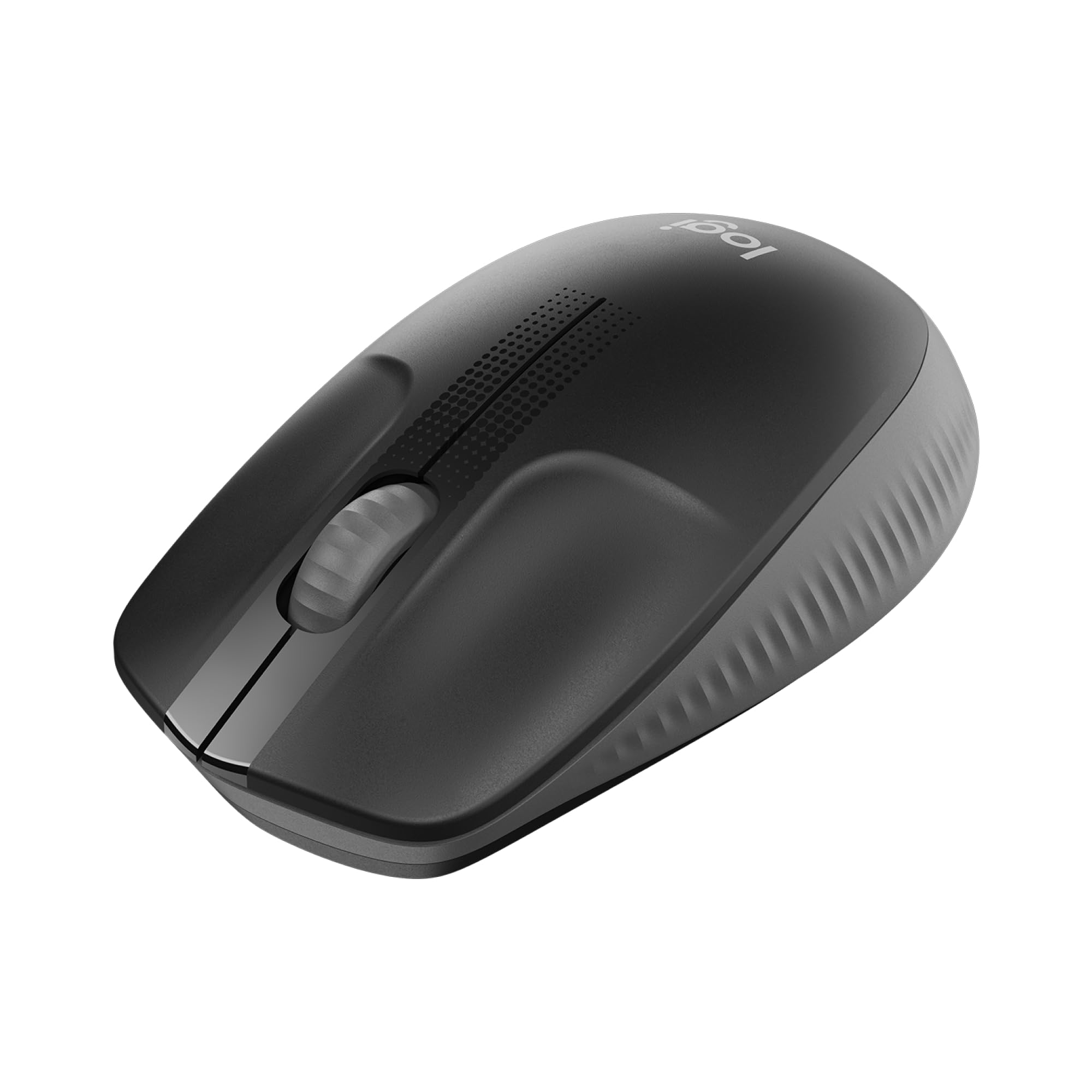
Logitech M190 Full-Size Wireless Mouse
Details Logitech M190 is a full-size wireless mouse with a comfortable contoured design that follows the natural curve of medium to large hands. It features plug-and-play wireless technology providing up to 10 meters of wireless range with a strong, reliable USB receiver. The optical sensor gives you smooth and accurate cursor control almost on any surface. Also offers easy navigation thanks to controlled line-by-line scrolling and optical tracking.
Details Logitech M190 is a full-size wireless mouse with a comfortable contoured design that follows the natural curve of medium to large hands. It features plug-and-play wireless technology providing up to 10 meters of wireless range with a strong, reliable USB receiver. The optical sensor gives you smooth and accurate cursor control almost on any surface. Also offers easy navigation thanks to controlled line-by-line scrolling and optical tracking.
Details Logitech M190 is a full-size wireless mouse with a comfortable contoured design that follows the natural curve of medium to large hands. It features plug-and-play wireless technology providing up to 10 meters of wireless range with a strong, reliable USB receiver. The optical sensor gives you smooth and accurate cursor control almost on any surface. Also offers easy navigation thanks to controlled line-by-line scrolling and optical tracking.
Details Logitech M190 is a full-size wireless mouse with a comfortable contoured design that follows the natural curve of medium to large hands. It features plug-and-play wireless technology providing up to 10 meters of wireless range with a strong, reliable USB receiver. The optical sensor gives you smooth and accurate cursor control almost on any surface. Also offers easy navigation thanks to controlled line-by-line scrolling and optical tracking.
in 55 offers
The lowest price for Logitech M190 Full-Size Wireless Mouse right now is $20.00 at Amazon.com.au, compared across 28 retailers.
The all-time low was $10.00 on 1 June 2024 — today's price is 100% above the lowest ever. It has been notably cheaper before — worth setting a price alert.
Prices last updated 13 Sept 2026.
Last updated at 13/09/2026 18:50:44
Logitech Wireless Mouse M190 - Full Size Ambidextrous Curve Design, 18-Month Battery with Power Saving Mode, Precise Cursor Control & Scrolling, Wide
Affiliate Disclosure: We may receive a small commission for purchases made through this link at no extra cost to you. This helps support our site. Thank you!
Logitech M190 Full-Size Wireless Mouse - Red
Delivery between 17–24 Sept $7.95
Logitech M190 Wireless Mouse Charcoal 910 005913 - Mouse
Delivery $12.33
Logitech M190 Wireless Mouse Charcoal 910 005913 - Mouse
Delivery $12
Logitech M190 Wireless Mouse - Charcoal
Delivery between Tue – Fri $11.64
Logitech M190 Full-Size Wireless Mouse - Charcoal
Delivery between Tue – Fri $10
Logitech M190 Full Size Wireless Mouse - Blue
Free next-day delivery
Logitech M190 Full-Size Wireless Mouse Charcoal Smooth Optical Tracking 1000 DPI 3 Buttons
Free delivery between 16–23 Sept
LOGITECH 910-005913 M190 Wireless Mouse PLUG And PLAY 2.4GHZ NANO RECEIVER - CHARCOAL
Delivery $11.99
Logitech M190 Full-Size Wireless Mouse - Charcoal
Delivery by 22 Sept $15
originally posted on bestbuy.com
Sometimes you just need an inexpensive, full size, reliable mouse, and this checks all of those boxes without any of the extra bells and whistles you are not looking to pay for.------------------------------------------------------------------------------------------------------------------------------------------------------This mouse is a no frills, easy to use mouse. Plug in the USB receiver in, and within seconds you are ready to use it. No installing extra software or going into settings; it just starts working. The battery says that it lasts for 18 months, so that is a bit hard to gauge after just using it about a week. My experience with Logitech hardware, both mice and keyboards, in the past has me feeling optimistic of that battery life claim.The ... MoreSometimes you just need an inexpensive, full size, reliable mouse, and this checks all of those boxes without any of the extra bells and whistles you are not looking to pay for.------------------------------------------------------------------------------------------------------------------------------------------------------This mouse is a no frills, easy to use mouse. Plug in the USB receiver in, and within seconds you are ready to use it. No installing extra software or going into settings; it just starts working. The battery says that it lasts for 18 months, so that is a bit hard to gauge after just using it about a week. My experience with Logitech hardware, both mice and keyboards, in the past has me feeling optimistic of that battery life claim.The hardware itself is simple and clean. You get the normal 2 buttons and scroll wheel. The mouse itself feels light and easy to glide on most surfaces. It has some nice dimple like décor on the top of the mouse around the scroll wheel, and some ridge like texturing near the thumb area of the mouse for added grip. It’s all smooth plastic with no rubbery frills.------------------------------------------------------------------------------------------------------------------------------------------------------This mouse is exactly what we were looking for. We needed an extra, simple mouse to use while we are digitally learning from home, and this was perfect for that. It would be nice if it had some forward and back buttons, but other than that you are getting a great full-size mouse here.
originally posted on bestbuy.com
The M190 is the latest in a long line of quality, dependable products from Logitech. While this is a basic mouse it absolutely nails those basics. That is exactly what I was looking for out of a mouse, and the M190 excels.Like I said, it is a basic mouse, but there is a lot to appreciate. First of all it is full size. I have average sized male hands, and it fits me very well while reducing some of the fatigue associated with using a compact mouse over a full work day. Very comfortable, and ambidextrous for those lefties. If you have small hands I might recommend that you stick with a compact mouse.Setup is as easy as could be on my Windows 10 laptop. Plug in the USB dongle, and you are good to go! The dongle is very small, and doesn't occupy any additional space ... MoreThe M190 is the latest in a long line of quality, dependable products from Logitech. While this is a basic mouse it absolutely nails those basics. That is exactly what I was looking for out of a mouse, and the M190 excels.Like I said, it is a basic mouse, but there is a lot to appreciate. First of all it is full size. I have average sized male hands, and it fits me very well while reducing some of the fatigue associated with using a compact mouse over a full work day. Very comfortable, and ambidextrous for those lefties. If you have small hands I might recommend that you stick with a compact mouse.Setup is as easy as could be on my Windows 10 laptop. Plug in the USB dongle, and you are good to go! The dongle is very small, and doesn't occupy any additional space other than the USB port that you plug it into.The M190 is responsive in its wireless connection. I have experienced no lag whatsoever, and it feels identical to using a wired mouse in its responsiveness.While I cannot comment on battery life Logitech advertises 18 months for this mouse. I can say from using many of their other products in the past that I expect this figure to be accurate.The mouse is well built, and seems durable. I am confident that I can throw it in my work backpack day after day, and it will continue to function as it is supposed to.If you are looking for a basic, and dependable mouse for average sized hands look no further. Logitech is the leader in this field for a reason. I am sure the M190 will be in my work backpack for a long time to come. Thanks Logitech!
originally posted on bestbuy.com
I learned a long time ago that I cannot trust cheap generic mice. Some of the generic ones would jump across my screen and drop my selection wherever they chose. Since then, any mice purchased have been Logitech.I also prefer full size mice. Since I work in IT, I'm using a mouse many hours a day and night. My hand would cramp up using a travel mouse all those hours. For the past several years, I've purchased no less than 6 Logitech M510 for home and office use because they are full size.I'm now starting to teach coding on a lab I've set up at my house and have been looking for an affordable full size name brand mouse for each system and the Logitech M190 fits the bill.The M190 is a full sized mouse with a matte finish throughout. It has all plastic surfaces ... MoreI learned a long time ago that I cannot trust cheap generic mice. Some of the generic ones would jump across my screen and drop my selection wherever they chose. Since then, any mice purchased have been Logitech.I also prefer full size mice. Since I work in IT, I'm using a mouse many hours a day and night. My hand would cramp up using a travel mouse all those hours. For the past several years, I've purchased no less than 6 Logitech M510 for home and office use because they are full size.I'm now starting to teach coding on a lab I've set up at my house and have been looking for an affordable full size name brand mouse for each system and the Logitech M190 fits the bill.The M190 is a full sized mouse with a matte finish throughout. It has all plastic surfaces with textures molded in, even the wheel is textured plastic. The M510, on the other hand, has rubber grips on the side that have worn down over the years.Some things to note. The M190 is rather light. The spec sheet claims 3.17 oz including battery while the M510 clocks in more than an ounce heavier at 4.55 oz including batteries. There are only 2 buttons and the mouse wheel. There are no additional buttons that can be re-programmed like the M510. Nor does the M190 have the tilt-wheel function.After working the M190 on my main desktop for a couple days, it's very comfortable and did not take long for me to adjust to it. The scooped contour of the left and right mouse buttons make it easy for my fingers to find the right placement. The textured grips on the sides makes it easy to grab and move. The wireless signal seems to be rock solid. I'm not noticing any lag in performance.My only complaints are the light weight and the lack of tilt wheel. The weight makes it feel a little cheap, but in my hand, there is no flex that indicates cheap construction. In fact, the M190 feels rather durable. The lack of tilt wheel is not a deal breaker as many times I'm on a virtual machine and the drivers to support the tilt wheel are not always installed.Overall, the M190 is a decent and affordable mouse. I may be picking up a few to replace the wired mice that came with my lab systems.
| Input device | |
| Frequency band | 2.4 GHz |
| Number of scroll wheels | 1 |
| Button functions | Back, Forward |
| Movement resolution | 1000 DPI |

Logitech Wireless Mouse M190 - Full Size Ambidextrous Curve Design, 18-Month Battery with Power Saving Mode, Precise Cursor Control & Scrolling, Wide
Affiliate Disclosure: We may receive a small commission for purchases made through this link at no extra cost to you. This helps support our site. Thank you!
Logitech M190 Full-Size Wireless Mouse - Red
Delivery between 17–24 Sept $7.95
Logitech M190 Wireless Mouse Charcoal 910 005913 - Mouse
Delivery $12.33
Logitech M190 Wireless Mouse Charcoal 910 005913 - Mouse
Delivery $12
Logitech M190 Wireless Mouse - Charcoal
Delivery between Tue – Fri $11.64
Sometimes you just need an inexpensive, full size, reliable mouse, and this checks all of those boxes without any of the extra bells and whistles you are not looking to pay for.------------------------------------------------------------------------------------------------------------------------------------------------------This mouse is a no frills, easy to use mouse. Plug in the USB receiver in, and within seconds you are ready to use it. No installing extra software or going into settings; it just starts working. The battery says that it lasts for 18 months, so that is a bit hard to gauge after just using it about a week. My experience with Logitech hardware, both mice and keyboards, in the past has me feeling optimistic of that battery life claim.The ... MoreSometimes you just need an inexpensive, full size, reliable mouse, and this checks all of those boxes without any of the extra bells and whistles you are not looking to pay for.------------------------------------------------------------------------------------------------------------------------------------------------------This mouse is a no frills, easy to use mouse. Plug in the USB receiver in, and within seconds you are ready to use it. No installing extra software or going into settings; it just starts working. The battery says that it lasts for 18 months, so that is a bit hard to gauge after just using it about a week. My experience with Logitech hardware, both mice and keyboards, in the past has me feeling optimistic of that battery life claim.The hardware itself is simple and clean. You get the normal 2 buttons and scroll wheel. The mouse itself feels light and easy to glide on most surfaces. It has some nice dimple like décor on the top of the mouse around the scroll wheel, and some ridge like texturing near the thumb area of the mouse for added grip. It’s all smooth plastic with no rubbery frills.------------------------------------------------------------------------------------------------------------------------------------------------------This mouse is exactly what we were looking for. We needed an extra, simple mouse to use while we are digitally learning from home, and this was perfect for that. It would be nice if it had some forward and back buttons, but other than that you are getting a great full-size mouse here.
The M190 is the latest in a long line of quality, dependable products from Logitech. While this is a basic mouse it absolutely nails those basics. That is exactly what I was looking for out of a mouse, and the M190 excels.Like I said, it is a basic mouse, but there is a lot to appreciate. First of all it is full size. I have average sized male hands, and it fits me very well while reducing some of the fatigue associated with using a compact mouse over a full work day. Very comfortable, and ambidextrous for those lefties. If you have small hands I might recommend that you stick with a compact mouse.Setup is as easy as could be on my Windows 10 laptop. Plug in the USB dongle, and you are good to go! The dongle is very small, and doesn't occupy any additional space ... MoreThe M190 is the latest in a long line of quality, dependable products from Logitech. While this is a basic mouse it absolutely nails those basics. That is exactly what I was looking for out of a mouse, and the M190 excels.Like I said, it is a basic mouse, but there is a lot to appreciate. First of all it is full size. I have average sized male hands, and it fits me very well while reducing some of the fatigue associated with using a compact mouse over a full work day. Very comfortable, and ambidextrous for those lefties. If you have small hands I might recommend that you stick with a compact mouse.Setup is as easy as could be on my Windows 10 laptop. Plug in the USB dongle, and you are good to go! The dongle is very small, and doesn't occupy any additional space other than the USB port that you plug it into.The M190 is responsive in its wireless connection. I have experienced no lag whatsoever, and it feels identical to using a wired mouse in its responsiveness.While I cannot comment on battery life Logitech advertises 18 months for this mouse. I can say from using many of their other products in the past that I expect this figure to be accurate.The mouse is well built, and seems durable. I am confident that I can throw it in my work backpack day after day, and it will continue to function as it is supposed to.If you are looking for a basic, and dependable mouse for average sized hands look no further. Logitech is the leader in this field for a reason. I am sure the M190 will be in my work backpack for a long time to come. Thanks Logitech!
I learned a long time ago that I cannot trust cheap generic mice. Some of the generic ones would jump across my screen and drop my selection wherever they chose. Since then, any mice purchased have been Logitech.I also prefer full size mice. Since I work in IT, I'm using a mouse many hours a day and night. My hand would cramp up using a travel mouse all those hours. For the past several years, I've purchased no less than 6 Logitech M510 for home and office use because they are full size.I'm now starting to teach coding on a lab I've set up at my house and have been looking for an affordable full size name brand mouse for each system and the Logitech M190 fits the bill.The M190 is a full sized mouse with a matte finish throughout. It has all plastic surfaces ... MoreI learned a long time ago that I cannot trust cheap generic mice. Some of the generic ones would jump across my screen and drop my selection wherever they chose. Since then, any mice purchased have been Logitech.I also prefer full size mice. Since I work in IT, I'm using a mouse many hours a day and night. My hand would cramp up using a travel mouse all those hours. For the past several years, I've purchased no less than 6 Logitech M510 for home and office use because they are full size.I'm now starting to teach coding on a lab I've set up at my house and have been looking for an affordable full size name brand mouse for each system and the Logitech M190 fits the bill.The M190 is a full sized mouse with a matte finish throughout. It has all plastic surfaces with textures molded in, even the wheel is textured plastic. The M510, on the other hand, has rubber grips on the side that have worn down over the years.Some things to note. The M190 is rather light. The spec sheet claims 3.17 oz including battery while the M510 clocks in more than an ounce heavier at 4.55 oz including batteries. There are only 2 buttons and the mouse wheel. There are no additional buttons that can be re-programmed like the M510. Nor does the M190 have the tilt-wheel function.After working the M190 on my main desktop for a couple days, it's very comfortable and did not take long for me to adjust to it. The scooped contour of the left and right mouse buttons make it easy for my fingers to find the right placement. The textured grips on the sides makes it easy to grab and move. The wireless signal seems to be rock solid. I'm not noticing any lag in performance.My only complaints are the light weight and the lack of tilt wheel. The weight makes it feel a little cheap, but in my hand, there is no flex that indicates cheap construction. In fact, the M190 feels rather durable. The lack of tilt wheel is not a deal breaker as many times I'm on a virtual machine and the drivers to support the tilt wheel are not always installed.Overall, the M190 is a decent and affordable mouse. I may be picking up a few to replace the wired mice that came with my lab systems.
The Logitech M190 fullsize wireless mouse is a simple no frills wireless mouse that is easy to use no matter who you are. The mouse comes in a simple to open plastic package that leaves nothing to the imagination.The mouse is extremely easy to setup. Essentially all you have to do is pull the plastic battery tab, slide the power switch to the on position and open the battery compartment to remove the USB nano receiver. You then simply plug in the USB receiver to any open USB port on your device and you are ready to go.The mouse is extremely comfortable to hold and the scroll wheel is silky smooth. As advertised there is zero lag and every click and movement is extremely precise. The mouse dose have an auto power saving mode so I think you easily will be able to ... MoreThe Logitech M190 fullsize wireless mouse is a simple no frills wireless mouse that is easy to use no matter who you are. The mouse comes in a simple to open plastic package that leaves nothing to the imagination.The mouse is extremely easy to setup. Essentially all you have to do is pull the plastic battery tab, slide the power switch to the on position and open the battery compartment to remove the USB nano receiver. You then simply plug in the USB receiver to any open USB port on your device and you are ready to go.The mouse is extremely comfortable to hold and the scroll wheel is silky smooth. As advertised there is zero lag and every click and movement is extremely precise. The mouse dose have an auto power saving mode so I think you easily will be able to get the advertised 18 months of battery life. The mouse has a great build quality for the price so I don't think you will have any issues with longevity.If you are looking for a easy to use, well built, precise wireless mouse then look no further than the Logitech M190
The first thing I noticed about the Logitech M190 mouse was that the package was easy to open. Most clamshell packages require a hack saw to open them, but this one was perforated and easy to peel down.Connection to a Windows 7 and a Windows 10 computer was quick. I just plugged the dongle in and the mouse was ready to use. The wheel scrolls smoothly and I found the response time to be quick. It is a full-size mouse and a little large for my hands, but still comfortable to use. I gave it to my husband to try out because he has larger hands. He mainly uses a mouse to play computer card games. Although it was very comfortable to use, he had intermittent problems when double clicking. Sometimes the cards wouldn’t move and he would have to do it again. We couldn’t ... MoreThe first thing I noticed about the Logitech M190 mouse was that the package was easy to open. Most clamshell packages require a hack saw to open them, but this one was perforated and easy to peel down.Connection to a Windows 7 and a Windows 10 computer was quick. I just plugged the dongle in and the mouse was ready to use. The wheel scrolls smoothly and I found the response time to be quick. It is a full-size mouse and a little large for my hands, but still comfortable to use. I gave it to my husband to try out because he has larger hands. He mainly uses a mouse to play computer card games. Although it was very comfortable to use, he had intermittent problems when double clicking. Sometimes the cards wouldn’t move and he would have to do it again. We couldn’t determine if it was because he was double clicking too fast or too slow. The mouse makes a definite crisp clicking sound – which I found to be slightly annoying when I was in the same room with him, trying to concentrate on something else.In the battery compartment there is a place to store the dongle when not in use. The stated battery life is 18 months and if that is true, is reason enough to purchase this mouse. I have a compact Logitech mouse that I normally use, but the battery has to be changed every 3 months or so.
I think I like this optical mouse well enough. Have used it for a couple days now. It is very sensitive so it operates quickly.One of the reasons I bought it was the reviews claiming it is larger than most optical mouses. Actually, I could stand it being even a little bigger than it is and I'm a female.One bummer for me, and a suggestion to Logitech, is that there isn't a little light on it that indicates it's on. The mouse I use for my laptop has one and seeing itreminds me to turn off the mouse when not in use. *I already keep forgetting to do that with this one.*
Can a mouse make a difference? Can it enhance the user experience? It can, as this new Logitech M190 has shown me.Full-size, not too big, though. Just the right size, I’d say, as I use it while writing this review. Yes, it feels just right, with comfortable ambidextrous use in mind. My hand fits perfectly as the photos show, with hand placement falling in a natural way. After just four days use with my Mac as well as with a Dell Windows PC, what I notice is that there has been no hint of fatigue or discomfort.In fact, comfort is effortless. No shifting. No hand readjustment. This is good!Setup was also effortless. Truly plug and play.One of my standard tests is how well and accurately the scroll wheel operates. This, too, has been a joy. Scroll wheels on ... MoreCan a mouse make a difference? Can it enhance the user experience? It can, as this new Logitech M190 has shown me.Full-size, not too big, though. Just the right size, I’d say, as I use it while writing this review. Yes, it feels just right, with comfortable ambidextrous use in mind. My hand fits perfectly as the photos show, with hand placement falling in a natural way. After just four days use with my Mac as well as with a Dell Windows PC, what I notice is that there has been no hint of fatigue or discomfort.In fact, comfort is effortless. No shifting. No hand readjustment. This is good!Setup was also effortless. Truly plug and play.One of my standard tests is how well and accurately the scroll wheel operates. This, too, has been a joy. Scroll wheels on other products I have used has been iffy, with stuttered, skippy movement. Not so on this M190. I can easily scroll line-by-line. You’ll appreciate the feel and the accuracy.Whether slowly or quickly, M190 scrolls with precision.Optical tracking is as good as it gets, with smooth and accurate cursor control. You will not have to execute multiple corrective moves as with some other products.Not immediately apparent, yet appreciated, will be the claimed 18-month battery life. This is NOT a typo! Your experience may be different, as could mine. I am confident of extended battery life from the single supplied Duracell AA battery. I expect my experience with this M190 to be consistent with battery life on other, similar Logitech mice.As with other mice, note the built-in parking/storage spot for the USB receiver under the hood where the battery lives. Remember to park the receiver “dongle” in its garage when not using the mouse for extended periods so you’ll know where to find it when you’re ready to fire it up again. And remember to switch power to the OFF position. That’s the one next to the marked “ON” position.If you have a Logitech wireless keyboard, M190 will be right at home. However, the M190’s receiver is NOT the unifying type that comes with Logitech keyboards, allowing both a compatible Logitech mouse and keyboard to work with the same receiver, a “unifying” receiver.While Logitech bills this as a full-size mouse, I prefer to call M190 a just-the-right-size mouse. A perfect fit within the area created under the curve of a hand at its relaxed and natural resting position, users will appreciate the design that contributes to comfortable, all-day use. Weighing in at a paltry 3 ounces, users will hardly feel it in any negative context. Compatible with operating systems including Windows, MacOS, Chrome OS and Linux, M190 is going to work for your computer. Be sure your OS has had all updates applied.M190 is sweet, made sweeter still with its mini cost of just $15! Who wouldn’t want one of these? The few readers who are serious gamers will want to opt for a mouse tailored to their hobby. For most other users, M190 is all you'll need or want. Not one complaint. Nothing to criticize. Nothing I wish was different. Highly recommended. Just PERFECT.
I received this more than a week ago, and had every intention of doing the review a couple of days later, because I was very impressed w/ the Logitech M190 Full Size Wireless Mouse. However, I nearly severed my finger in an accident and am just now able to type again.I got it out of the box, and the first thing I thought was I hate these packages, it takes an act of Congress to get them open, and if you are not careful, you will cut a hand or finger in the process. But Logitech took care of that. As you can see in the picture, on the back of the package there is an arrow, it has a “raised bubble” that you simply slide your finger in, lift, and the package is perforated and opens so easily. If only other manufacturers would implement this small feature the world ... MoreI received this more than a week ago, and had every intention of doing the review a couple of days later, because I was very impressed w/ the Logitech M190 Full Size Wireless Mouse. However, I nearly severed my finger in an accident and am just now able to type again.I got it out of the box, and the first thing I thought was I hate these packages, it takes an act of Congress to get them open, and if you are not careful, you will cut a hand or finger in the process. But Logitech took care of that. As you can see in the picture, on the back of the package there is an arrow, it has a “raised bubble” that you simply slide your finger in, lift, and the package is perforated and opens so easily. If only other manufacturers would implement this small feature the world would be simplified.And Logitech didn’t stop there, they had a plastic slip that you remove to allow the battery to make contact and the item you place in the USB port is stored in its own housing right beside of the battery, which makes it ideal for me, because now I can use it on my laptop at home, and my computer at work, by removing from my laptop, store it under the battery cover, put in my briefcase.As for the mouse itself, its awesome. I have large hands, (hence, my finger was too long and the saw blade hit it) and this is by far the best fitting mouse I have used. That’s why I take it from home to work. The scroll wheel is very smooth and responsive. And once you connect it to the computer you are using, the mouse itself flows very well, with no lag whatsoever.Logitech says the mouse has a 10 meter wireless connection, and I had to try it out, my son was in the other room w/ the mouse and I watched the screen, and there were no issues.This is a very well built, balanced, and user friendly mouse, it is ambidextrous and for the time I had to use my other hand I had no problem with it. If you need a new wireless mouse, don’t hesitate to purchase the Logitech M190.
I bought two M190 mice this year. Both of them started registering phantom double-clicks after about three months of use.My first assumption was that it's a cheap mouse so I shouldn't expect much of it and instead buy some more expensive model like Logitech G305.After spending some time reading user reviews on different sites I was upleasantly surprised to find out that many recent Logitech models, no matter the price, are plagued with the same issue: double-clicks after only a few months of use.I've been using only Logitech mice for about 17 years now both at home and office and they lasted for years without any issue. I hope you do something about the problem and let the users know that the double-click plague is fixed in future products so it's safe to buy ... MoreI bought two M190 mice this year. Both of them started registering phantom double-clicks after about three months of use.My first assumption was that it's a cheap mouse so I shouldn't expect much of it and instead buy some more expensive model like Logitech G305.After spending some time reading user reviews on different sites I was upleasantly surprised to find out that many recent Logitech models, no matter the price, are plagued with the same issue: double-clicks after only a few months of use.I've been using only Logitech mice for about 17 years now both at home and office and they lasted for years without any issue. I hope you do something about the problem and let the users know that the double-click plague is fixed in future products so it's safe to buy Logitech mice again.
Review based on one day of use.The M190 is a mouse that work as intended by design. It is large size but in actual on hand doesn’t feel oversize but comfortable in 5 hours straight of usage performing different task to navigate, working on documents, multitask feels seamless.It is praise as selection of part of graph or documents. Compared to MX3 which is also large for sophisticate use cases, M190 feels the core with basic functionality that still allow to accomplish everything without compromising any additional function apart of high/left click and scrolling being cord free. Compared to compact size, actual feels is still comfortable and not at all too big. (Comparison based on had size of small size user of glove)During usage feel its lightness, flexible ... MoreReview based on one day of use.The M190 is a mouse that work as intended by design. It is large size but in actual on hand doesn’t feel oversize but comfortable in 5 hours straight of usage performing different task to navigate, working on documents, multitask feels seamless.It is praise as selection of part of graph or documents. Compared to MX3 which is also large for sophisticate use cases, M190 feels the core with basic functionality that still allow to accomplish everything without compromising any additional function apart of high/left click and scrolling being cord free. Compared to compact size, actual feels is still comfortable and not at all too big. (Comparison based on had size of small size user of glove)During usage feel its lightness, flexible but sturdy as use across different activities and move around. Its built material is plastic unlike MX3 for instance that gives more grip. But on benefit of its material makes less sweating.Dislike:1. It comes with USB receiver that doesn’t have option for USB-C for today’s notebooks in the market, hence need second adaptor.2. USB receiver is unifying receiver so to make exchangeable between Logitech devices3. Can’t connect via Bluetooth hence mandate to dedicate a port from notebook.Aside of dislike, M190 feels qualitative made and user can be productive in long hours of usage without creating fatigue within understandable hours of usage.
| Input device | |
| Frequency band | 2.4 GHz |
| Number of scroll wheels | 1 |
| Button functions | Back, Forward |
| Movement resolution | 1000 DPI |