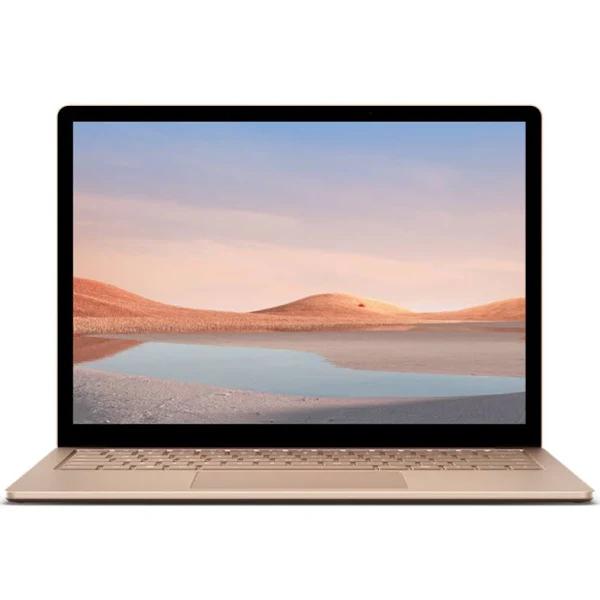
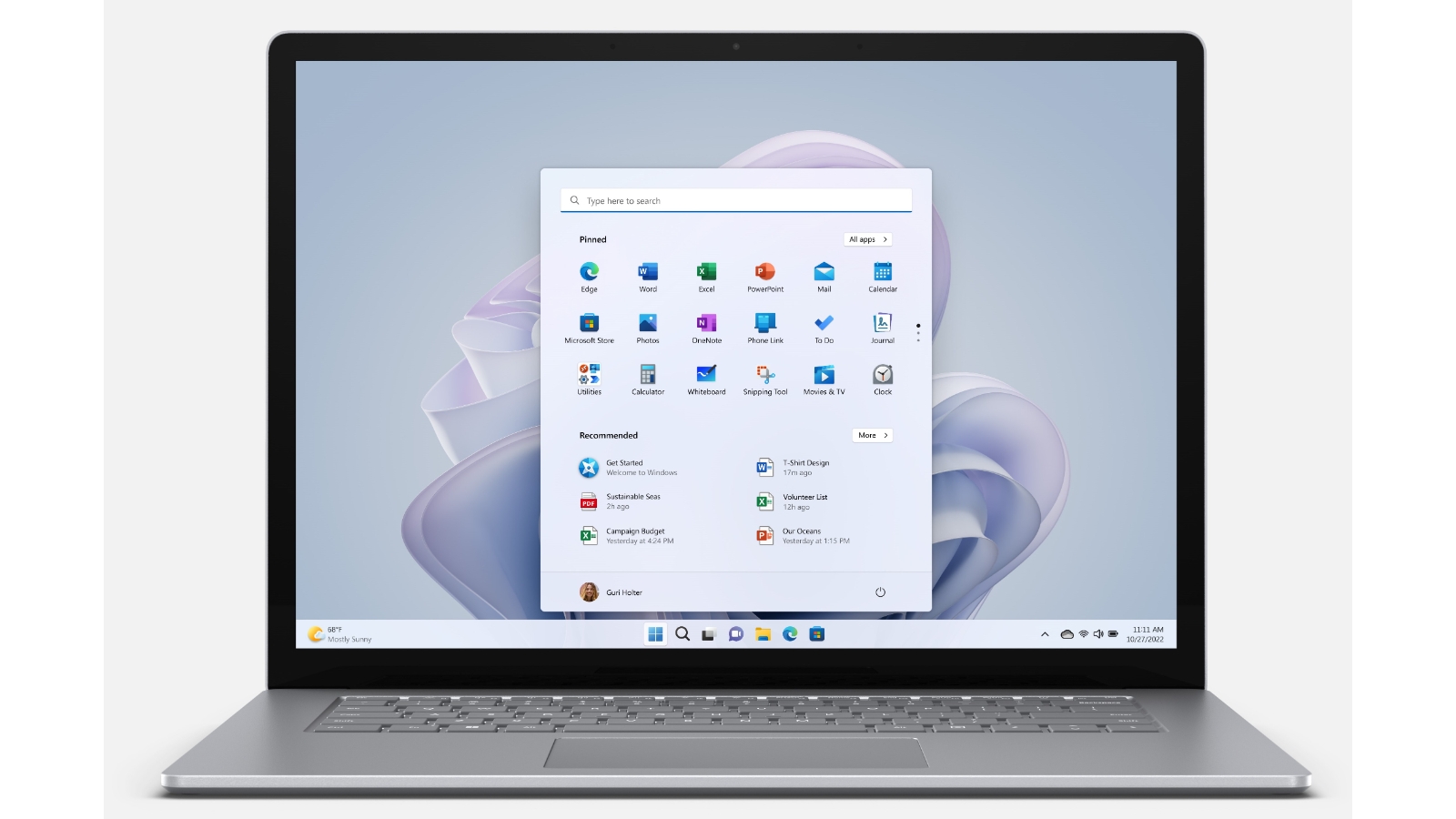
Microsoft Surface Laptop 5 13.5inch i7 16GB 256GB Win11P Black
Microsoft Surface Laptop 5 13.5inch i7 16GB 256GB Win11P Black Blazing fast, sophisticated style Get multitasking speed with 12th Gen Intel Core processors built on the Intel Evo platform, long-lasting battery, and your choice of size and colour in a sleek and beautiful touchscreen laptop design. Unlock speed and style with Surface Laptop 5 Polished and personal Get productive with this sleek and super-lightweight laptop featuring a remarkable keyboard with exceptional typing comfort. Get a touchscreen display Choose a 13.5” PixelSense touchscreen for ultra-portable productivity, or a larger 15” PixelSense touchscreen best for split-screen multitasking. More power to go Snappy multitasking across multiple tabs and apps, with powerful 12th Gen Intel Core i processors built on the Intel Evo platform. Your high-speed set-up awaits Lightning-fast Thunderbolt 4 port connects a 4K monitor, charges your laptop, and delivers faster data transfer for large video files. Battery life for real life Unplug with up to 17 hours of battery life on your device.
Microsoft Surface Laptop 5 13.5inch i7 16GB 256GB Win11P Black Blazing fast, sophisticated style Get multitasking speed with 12th Gen Intel Core processors built on the Intel Evo platform, long-lasting battery, and your choice of size and colour in a sleek and beautiful touchscreen laptop design. Unlock speed and style with Surface Laptop 5 Polished and personal Get productive with this sleek and super-lightweight laptop featuring a remarkable keyboard with exceptional typing comfort. Get a touchscreen display Choose a 13.5” PixelSense touchscreen for ultra-portable productivity, or a larger 15” PixelSense touchscreen best for split-screen multitasking. More power to go Snappy multitasking across multiple tabs and apps, with powerful 12th Gen Intel Core i processors built on the Intel Evo platform. Your high-speed set-up awaits Lightning-fast Thunderbolt 4 port connects a 4K monitor, charges your laptop, and delivers faster data transfer for large video files. Battery life for real life Unplug with up to 17 hours of battery life on your device.
Microsoft Surface Laptop 5 13.5inch i7 16GB 256GB Win11P Black Blazing fast, sophisticated style Get multitasking speed with 12th Gen Intel Core processors built on the Intel Evo platform, long-lasting battery, and your choice of size and colour in a sleek and beautiful touchscreen laptop design. Unlock speed and style with Surface Laptop 5 Polished and personal Get productive with this sleek and super-lightweight laptop featuring a remarkable keyboard with exceptional typing comfort. Get a touchscreen display Choose a 13.5” PixelSense touchscreen for ultra-portable productivity, or a larger 15” PixelSense touchscreen best for split-screen multitasking. More power to go Snappy multitasking across multiple tabs and apps, with powerful 12th Gen Intel Core i processors built on the Intel Evo platform. Your high-speed set-up awaits Lightning-fast Thunderbolt 4 port connects a 4K monitor, charges your laptop, and delivers faster data transfer for large video files. Battery life for real life Unplug with up to 17 hours of battery life on your device.
Microsoft Surface Laptop 5 13.5inch i7 16GB 256GB Win11P Black Blazing fast, sophisticated style Get multitasking speed with 12th Gen Intel Core processors built on the Intel Evo platform, long-lasting battery, and your choice of size and colour in a sleek and beautiful touchscreen laptop design. Unlock speed and style with Surface Laptop 5 Polished and personal Get productive with this sleek and super-lightweight laptop featuring a remarkable keyboard with exceptional typing comfort. Get a touchscreen display Choose a 13.5” PixelSense touchscreen for ultra-portable productivity, or a larger 15” PixelSense touchscreen best for split-screen multitasking. More power to go Snappy multitasking across multiple tabs and apps, with powerful 12th Gen Intel Core i processors built on the Intel Evo platform. Your high-speed set-up awaits Lightning-fast Thunderbolt 4 port connects a 4K monitor, charges your laptop, and delivers faster data transfer for large video files. Battery life for real life Unplug with up to 17 hours of battery life on your device.
in 3 offers
The lowest price for Microsoft Surface Laptop 5 13.5inch i7 16GB 256GB Win11P Black right now is $1,118.60 at desertcart.com.au, compared across 2 retailers.
The all-time low was $762.35 on 9 June 2025 — today's price is 47% above the lowest ever. It has been notably cheaper before — worth setting a price alert.
Prices last updated 8 Oct 2026.
Last updated at 08/10/2026 22:58:52
Microsoft Surface Laptop 5 13.5" Touchscreen Notebook - 2256 x 1504 - Intel Core i7 12th Gen i7-1265U - Intel Evo Platform - 16 GB Total RAM - 256 GB
Delivery between 15–18 Oct $29
Microsoft Surface Laptop 5 13.5" i7 1265U 16GB RAM 256GB SSD Win 11 - Matte Black
Free delivery
originally posted on bestbuy.com
Out of the box this device has all my attention. Great design, built beautifully with premium quality finishes and amazing (sage) color. Very clean built with a strong aluminum case that gives you that premium look which only certain computers have. Lid can be opened with just one finger and opens and closes easily and quietly. Bottom of the computer is built very clean, no screws, or any kind of removable panels or air vents, and speaking of vents there is only one – where the bottom housing and lid are connected (behind a screen) but so far the temperature is good with no instances of overheating. Also, while amazed with the design, at the same time my first complaint is about part of the design itself - it’s impossible to open it without causing some damage. I am ... MoreOut of the box this device has all my attention. Great design, built beautifully with premium quality finishes and amazing (sage) color. Very clean built with a strong aluminum case that gives you that premium look which only certain computers have. Lid can be opened with just one finger and opens and closes easily and quietly. Bottom of the computer is built very clean, no screws, or any kind of removable panels or air vents, and speaking of vents there is only one – where the bottom housing and lid are connected (behind a screen) but so far the temperature is good with no instances of overheating. Also, while amazed with the design, at the same time my first complaint is about part of the design itself - it’s impossible to open it without causing some damage. I am used to being able to open my computers.Size of the computer and screen it’s perfect, I think it couldn’t be better than it actually is.Computer has a very sharp, well-lit touch screen display with amazing graphics which I think will satisfy anyone’s needs. Very good response on the touchscreen which is surpassingly very easy to clean from fingerprints, compared to all other touchscreen devices I owned or used. On the other side, the housing and lid back panel itself are kind of sensitive to fingerprints as well and not that easy to clean as the screen is. Backlit chiclet style keyboard it’s quiet and pleasant to use, so no complaints there. Mousepad is pretty large (in a good way) and very responsive to all touches and gestures. Looking from the front while using this device, it sure looks a lot like a MacBook, but has a touchscreen.Boots up fully in just 7 seconds performing great, opening applications instantly and has great response in multitasking and working with several applications at time. Performance of this laptop is VERY great thanks to the 12 Generation I-5 processor with 8 cores and 12 threads, 8gb RAM and of course 512gb SSD hard drive. Based on the research I did, HDD should be upgradable (not sure about RAM, is it integrated to board or not) but again, only if you succeed to get this device open without causing any damage – which I gave up on and wouldn’t even advise anyone to try. This is again my first complaint, not being able to open it and second - not being able to upgrade it ourselves. Not a deal breaker, just saying it would be nicer if possible.Battery life is good and really lasts through most of the day even with the fact that I was installing a bunch of updates, some applications and watched some video while running on the battery.Windows 11 looks nice and clean, almost minimalistic, I have no complaints about it but honestly I just prefer Windows 10 more. I am saying that just because I am used to 10 and I feel that some items and options are kind of missing in Windows 11 (they are not missing but some are rearranged) and again, I just like Windows 10 more just because I am using it on daily basis, but with time I definitely can get used to Windows 11 as well.Sound is very good, very loud and clear for the laptop, thanks to speakers which are front facing – and this itself makes a huge difference. Camera is 720p, which I think is pretty much standard for all laptops these days, and really who even needs a better camera on a laptop anyway?My last and biggest complaint about this computer is the lack of ports: just one USB 3.1 one Thunderbolt/USB type C port, headphone/audio jack and power connector which by the way works great for me. Power connector is built kind of like a magsafe and it’s a lifesaver in case you or kids around trip on the power cord – it will unplug without breaking any connectors or pulling the computer off the table. For lack of ports, a docking station will cover it but it would be nice if there are more ports than these.Overall I am very satisfied with this computer, great performance and beautiful design.
originally posted on bestbuy.com
I put the Surface Laptop Go 2 next to the first model (which I also own) and they are the exact same. Same size, same dimensions, same keyboard layout, same ports, same design, same brightness, same length of cable, same everything. MAYYYBE the keyboard feels a little different but that may be 1+ years of use vs brand new. The battery is also the exact same - the Microsoft PowerCFG battery report reports that the battery size on each unit is 39.7 kWh. I guess the reason that Microsoft and various review sites state that the battery life is slightly longer (~30 min) on this new model is due to the fact that the 11th Generation intel processors probably have better power consumption specifications than the 10th Generation intel processors (which the first model Laptop ... MoreI put the Surface Laptop Go 2 next to the first model (which I also own) and they are the exact same. Same size, same dimensions, same keyboard layout, same ports, same design, same brightness, same length of cable, same everything. MAYYYBE the keyboard feels a little different but that may be 1+ years of use vs brand new. The battery is also the exact same - the Microsoft PowerCFG battery report reports that the battery size on each unit is 39.7 kWh. I guess the reason that Microsoft and various review sites state that the battery life is slightly longer (~30 min) on this new model is due to the fact that the 11th Generation intel processors probably have better power consumption specifications than the 10th Generation intel processors (which the first model Laptop Go has). I looked online and saw that the only differences between the models are that the new model has a newer bluetooth version (5.1 vs 5.0), a few extra grams of weight (20 grams), sliiiightly larger dimensions (0.04 mm of thickness) and it comes in Sage gray...oh and it is $50 more expensive, and you can't get a model with eMMC hard drives (a good thing...eMMC hard drives stink). I see the new model has something called Secured-Core PC - I think it is a Windows 11 required feature for new computers? Who knows.It is a great PC. Microsoft knew they had a winner in the first generation model and changed absolutely nothing. Now, I will say, because they changed absolutely nothing, if you currently own the first generation Laptop Go computer, you don't need to upgrade to this new Laptop Go 2 model. The only big difference is the intel processor, which in my opinion isn't enough to warrant a replacement right now. If they had put in the 12th generation, maybe a different story.I wish that in this new version they would have changed the few shortcomings of the previous generation, such as backlit keyboard, two-handed lid open (still need two hands in the new model), 720p webcam (would prefer 1080p), increase max ram and storage beyond 8gb and 256gb respectively. I guess the old saying is if it ain't broke don't fix it and the old model wasn't broke. Probably was cheaper to reproduce the old stuff with a new processor, and I get that. 8GB of RAM and 256GB of space is still more than plenty for the target audience of this computer - speedy casual use around the house on a PC that is super portable and super light.I highly recommend it if you don't already have the previous model. If you have the previous model, wait a few years until the battery is shot to upgrade to the Surface Laptop Go 5 or something, heh. If you have a super heavy laptop and are looking for a super portable super light capable well-built laptop, the Surface Laptop Go 2 will serve you quite well.
originally posted on bestbuy.com
It is hard to believe there was a period when Microsoft only created software and not hardware for PCs. Several models later, the Microsoft Surface Laptop 5 builds upon the company’s reputation for delivering the perfect blend between value and function for your average consumer.With a touchscreen size of 13.5 inches, the Microsoft Surface Laptop 5 is classified at ultra-portable. My Aluminum casing Sandstone variant weighs about 2.86lbs and can easily be held singlehandedly. The color is definitely unique and not as bright as depicted in pictures much to my pleasure. Dimensions are approximately 12.1 x 8.8 x 0.57 inches (L x B x H). It is constructed of Corning Gorilla Glass 5 and capable of a resolution of 2256 x 1504. While in theory this means it should ... MoreIt is hard to believe there was a period when Microsoft only created software and not hardware for PCs. Several models later, the Microsoft Surface Laptop 5 builds upon the company’s reputation for delivering the perfect blend between value and function for your average consumer.With a touchscreen size of 13.5 inches, the Microsoft Surface Laptop 5 is classified at ultra-portable. My Aluminum casing Sandstone variant weighs about 2.86lbs and can easily be held singlehandedly. The color is definitely unique and not as bright as depicted in pictures much to my pleasure. Dimensions are approximately 12.1 x 8.8 x 0.57 inches (L x B x H). It is constructed of Corning Gorilla Glass 5 and capable of a resolution of 2256 x 1504. While in theory this means it should survive “waist-high/up to 1.2-meters drops onto hard, rough surfaces” (per Corning), I am more pleased by the implication it should not scratch easily. Outside use in direct sunlight is challenging due to the glossy nature; to be expected, the screen is a fingerprint magnet. The hinge setup does prevent the screen from folding flat behind the keyboard. It is, however, compatible with Microsoft Pen which could lead to some awkward posturing to effectively use in my opinion.On top of the display is a 720p HD web camera that can be used for face authentication as a security measure. Quality is adequate in terms of the specs. There appears to be some ongoing software image processing that help with image capture. Face tracking is also available for stills. Next to the camera (right) is an LED for indication when the camera is in use. Two microphones (Dual far-field Studio) flank the camera and LED array. In my experience, the general feedback was my voice sounded distant when I used them for calls. There are only four physical ports on the device for physical connections. On the right-hand side is the Surface Connect/charging port for the magnetically connecting 65W charger. The left-hand side houses single USB-A (3.1) and USB-C (USB 4.0/Thunderbolt) ports in addition to a 3.5mm headphone jack. It also appears the USB-C port can also charge the laptop incase the default charger is unavailable. The keyboard is backlit (with three levels of brightness) and has adequate tactile feedback. Provides palm rests are just as generous as the trackpad. As there are no physical buttons alongside the trackpad, navigation is through multi-touch and gestures. It physically travels upon clicking to provide a rather gratifying confirmation. Speakers (Omnisonic with Dolby Atmos) are downward firing. The grilles may not be so obvious but the sound will definitely catch your attention.Communication is achieved via Wi-Fi 6 standard (802.11ax) and Bluetooth 5.1. Via USB-C, physical LAN connections could be established but these two relatively futureproof standards help get a lot done out of the box. Battery is rated for 18 hours by Microsoft but typical use could vary vastly (i.e., better or worse) based on individual preferences/settings. 8Gb of RAM (LPDDR5), paired with a 12th Gen Intel Core i5-1235U processor is adequate for day-to-day use, streaming and business use. My device shipped with 512Gb of storage which can be upgraded by authorized personnel should the need arise. Sadly, it appears the RAM may be soldered as Microsoft does not reference the subject.My device shipped with Windows 11 Home. Setup includes region selection, keyboard layout (also based on regional options). There’s also an option to add a second keyboard layout after which you are asked to choose preferred layout. After connecting to Wi-Fi, the next step involves signing on with a Microsoft account (i.e., email, phone or skype) There is, unfortunately, no way to skip this step; there is even an option to create an account, if you did not previously have one. A benefit though is that previously/frequently used apps from the Microsoft store could be synced and guidance provided to install other apps associated with the account. Depending on how many backups may be available, you will have an option to select a specific restoration. Another menu during the setup process allows for section between entertainment, gaming, school, creativity, business or family categories; appropriate tips, ads and app recommendation result from these selections.For comparison, Windows 11 tweaked Windows 10 in terms of appearance while adding some new features. While the switch from Windows 7 to 10 delivered faster wakeup times, Windows 11 appears to have further optimized the hardware for better performance. Shutdown and powering up are almost instantaneous on my Surface Laptop 5, even with my configuration. The OS has an overall “lighter” feel that appears to simply glide along, enriching the user experience. The Start button moves to the center of the taskbar. When clicked, “pinned” and recommended apps/files are displayed. The user will need to select “all apps” to get to the typical list that would be displayed when the Start button was clicked on previous Windows versions. Multiple desktops can now easily be created in Windows 11. Why you may ask? It allows for an app, for example Edge, to be active on one desktop with some browsers also open; a second desktop would not show the app open or could be opened for different searches. To further distinguish, backgrounds can be personalized and the desktops even renamed.The Phone Link app is another innovative feature available on Windows 11, in my opinion. It essentially links a compatible Android phone to your Microsoft Surface Laptop and by projection, makes the smartphone apps (a Note 20 Ultra 5G in my instance) available through the Phone Link app. Most apps work and those that require authentication (e.g., fingerprint) will require the password to be provided. Phone calls and text messages can also be received and responded to directly from your Surface Laptop 5. While I love the feature, could not help thinking about the irony here: we pretty much complete most tasks (that previously were PC based) on our smartphones now and by this feature, we get to use our PCs as smartphones; we have come full circle! Office 365 is available for a month’s trial beyond which subscription charges apply.While 8Gb appears adequate for now, 16Gb would have been more desired with regards to futureproofing the device. Not to compete with the Surface Pros, but a 360-degree hinge would enable a better experience with the Microsoft Pen (which would also be included at purchase) in my opinion. The Journal app that ships with the device is quite dependent on the pen and thus cannot be fully utilized without one. Finally, a fingerprint scanner would also be very welcomed! May be a tall order but if this scanner would be able to integrate seamlessly with the Phone Link app and provide authentication when required by Android, that would be revolutionary! Until the next update though, I am still very pleased with the features and package of the Microsoft Surface Laptop 5; expectation is several years of use.
| Brand | Microsoft |
| Operating System | Windows OS |
| Processor Brand | Intel CPU |
| Graphics Processor | Intel GPU |
| Touchscreen | Yes |
Microsoft Surface Laptop 5 13.5" Touchscreen Notebook - 2256 x 1504 - Intel Core i7 12th Gen i7-1265U - Intel Evo Platform - 16 GB Total RAM - 256 GB
Delivery between 15–18 Oct $29
Microsoft Surface Laptop 5 13.5" i7 1265U 16GB RAM 256GB SSD Win 11 - Matte Black
Free delivery
Out of the box this device has all my attention. Great design, built beautifully with premium quality finishes and amazing (sage) color. Very clean built with a strong aluminum case that gives you that premium look which only certain computers have. Lid can be opened with just one finger and opens and closes easily and quietly. Bottom of the computer is built very clean, no screws, or any kind of removable panels or air vents, and speaking of vents there is only one – where the bottom housing and lid are connected (behind a screen) but so far the temperature is good with no instances of overheating. Also, while amazed with the design, at the same time my first complaint is about part of the design itself - it’s impossible to open it without causing some damage. I am ... MoreOut of the box this device has all my attention. Great design, built beautifully with premium quality finishes and amazing (sage) color. Very clean built with a strong aluminum case that gives you that premium look which only certain computers have. Lid can be opened with just one finger and opens and closes easily and quietly. Bottom of the computer is built very clean, no screws, or any kind of removable panels or air vents, and speaking of vents there is only one – where the bottom housing and lid are connected (behind a screen) but so far the temperature is good with no instances of overheating. Also, while amazed with the design, at the same time my first complaint is about part of the design itself - it’s impossible to open it without causing some damage. I am used to being able to open my computers.Size of the computer and screen it’s perfect, I think it couldn’t be better than it actually is.Computer has a very sharp, well-lit touch screen display with amazing graphics which I think will satisfy anyone’s needs. Very good response on the touchscreen which is surpassingly very easy to clean from fingerprints, compared to all other touchscreen devices I owned or used. On the other side, the housing and lid back panel itself are kind of sensitive to fingerprints as well and not that easy to clean as the screen is. Backlit chiclet style keyboard it’s quiet and pleasant to use, so no complaints there. Mousepad is pretty large (in a good way) and very responsive to all touches and gestures. Looking from the front while using this device, it sure looks a lot like a MacBook, but has a touchscreen.Boots up fully in just 7 seconds performing great, opening applications instantly and has great response in multitasking and working with several applications at time. Performance of this laptop is VERY great thanks to the 12 Generation I-5 processor with 8 cores and 12 threads, 8gb RAM and of course 512gb SSD hard drive. Based on the research I did, HDD should be upgradable (not sure about RAM, is it integrated to board or not) but again, only if you succeed to get this device open without causing any damage – which I gave up on and wouldn’t even advise anyone to try. This is again my first complaint, not being able to open it and second - not being able to upgrade it ourselves. Not a deal breaker, just saying it would be nicer if possible.Battery life is good and really lasts through most of the day even with the fact that I was installing a bunch of updates, some applications and watched some video while running on the battery.Windows 11 looks nice and clean, almost minimalistic, I have no complaints about it but honestly I just prefer Windows 10 more. I am saying that just because I am used to 10 and I feel that some items and options are kind of missing in Windows 11 (they are not missing but some are rearranged) and again, I just like Windows 10 more just because I am using it on daily basis, but with time I definitely can get used to Windows 11 as well.Sound is very good, very loud and clear for the laptop, thanks to speakers which are front facing – and this itself makes a huge difference. Camera is 720p, which I think is pretty much standard for all laptops these days, and really who even needs a better camera on a laptop anyway?My last and biggest complaint about this computer is the lack of ports: just one USB 3.1 one Thunderbolt/USB type C port, headphone/audio jack and power connector which by the way works great for me. Power connector is built kind of like a magsafe and it’s a lifesaver in case you or kids around trip on the power cord – it will unplug without breaking any connectors or pulling the computer off the table. For lack of ports, a docking station will cover it but it would be nice if there are more ports than these.Overall I am very satisfied with this computer, great performance and beautiful design.
I put the Surface Laptop Go 2 next to the first model (which I also own) and they are the exact same. Same size, same dimensions, same keyboard layout, same ports, same design, same brightness, same length of cable, same everything. MAYYYBE the keyboard feels a little different but that may be 1+ years of use vs brand new. The battery is also the exact same - the Microsoft PowerCFG battery report reports that the battery size on each unit is 39.7 kWh. I guess the reason that Microsoft and various review sites state that the battery life is slightly longer (~30 min) on this new model is due to the fact that the 11th Generation intel processors probably have better power consumption specifications than the 10th Generation intel processors (which the first model Laptop ... MoreI put the Surface Laptop Go 2 next to the first model (which I also own) and they are the exact same. Same size, same dimensions, same keyboard layout, same ports, same design, same brightness, same length of cable, same everything. MAYYYBE the keyboard feels a little different but that may be 1+ years of use vs brand new. The battery is also the exact same - the Microsoft PowerCFG battery report reports that the battery size on each unit is 39.7 kWh. I guess the reason that Microsoft and various review sites state that the battery life is slightly longer (~30 min) on this new model is due to the fact that the 11th Generation intel processors probably have better power consumption specifications than the 10th Generation intel processors (which the first model Laptop Go has). I looked online and saw that the only differences between the models are that the new model has a newer bluetooth version (5.1 vs 5.0), a few extra grams of weight (20 grams), sliiiightly larger dimensions (0.04 mm of thickness) and it comes in Sage gray...oh and it is $50 more expensive, and you can't get a model with eMMC hard drives (a good thing...eMMC hard drives stink). I see the new model has something called Secured-Core PC - I think it is a Windows 11 required feature for new computers? Who knows.It is a great PC. Microsoft knew they had a winner in the first generation model and changed absolutely nothing. Now, I will say, because they changed absolutely nothing, if you currently own the first generation Laptop Go computer, you don't need to upgrade to this new Laptop Go 2 model. The only big difference is the intel processor, which in my opinion isn't enough to warrant a replacement right now. If they had put in the 12th generation, maybe a different story.I wish that in this new version they would have changed the few shortcomings of the previous generation, such as backlit keyboard, two-handed lid open (still need two hands in the new model), 720p webcam (would prefer 1080p), increase max ram and storage beyond 8gb and 256gb respectively. I guess the old saying is if it ain't broke don't fix it and the old model wasn't broke. Probably was cheaper to reproduce the old stuff with a new processor, and I get that. 8GB of RAM and 256GB of space is still more than plenty for the target audience of this computer - speedy casual use around the house on a PC that is super portable and super light.I highly recommend it if you don't already have the previous model. If you have the previous model, wait a few years until the battery is shot to upgrade to the Surface Laptop Go 5 or something, heh. If you have a super heavy laptop and are looking for a super portable super light capable well-built laptop, the Surface Laptop Go 2 will serve you quite well.
It is hard to believe there was a period when Microsoft only created software and not hardware for PCs. Several models later, the Microsoft Surface Laptop 5 builds upon the company’s reputation for delivering the perfect blend between value and function for your average consumer.With a touchscreen size of 13.5 inches, the Microsoft Surface Laptop 5 is classified at ultra-portable. My Aluminum casing Sandstone variant weighs about 2.86lbs and can easily be held singlehandedly. The color is definitely unique and not as bright as depicted in pictures much to my pleasure. Dimensions are approximately 12.1 x 8.8 x 0.57 inches (L x B x H). It is constructed of Corning Gorilla Glass 5 and capable of a resolution of 2256 x 1504. While in theory this means it should ... MoreIt is hard to believe there was a period when Microsoft only created software and not hardware for PCs. Several models later, the Microsoft Surface Laptop 5 builds upon the company’s reputation for delivering the perfect blend between value and function for your average consumer.With a touchscreen size of 13.5 inches, the Microsoft Surface Laptop 5 is classified at ultra-portable. My Aluminum casing Sandstone variant weighs about 2.86lbs and can easily be held singlehandedly. The color is definitely unique and not as bright as depicted in pictures much to my pleasure. Dimensions are approximately 12.1 x 8.8 x 0.57 inches (L x B x H). It is constructed of Corning Gorilla Glass 5 and capable of a resolution of 2256 x 1504. While in theory this means it should survive “waist-high/up to 1.2-meters drops onto hard, rough surfaces” (per Corning), I am more pleased by the implication it should not scratch easily. Outside use in direct sunlight is challenging due to the glossy nature; to be expected, the screen is a fingerprint magnet. The hinge setup does prevent the screen from folding flat behind the keyboard. It is, however, compatible with Microsoft Pen which could lead to some awkward posturing to effectively use in my opinion.On top of the display is a 720p HD web camera that can be used for face authentication as a security measure. Quality is adequate in terms of the specs. There appears to be some ongoing software image processing that help with image capture. Face tracking is also available for stills. Next to the camera (right) is an LED for indication when the camera is in use. Two microphones (Dual far-field Studio) flank the camera and LED array. In my experience, the general feedback was my voice sounded distant when I used them for calls. There are only four physical ports on the device for physical connections. On the right-hand side is the Surface Connect/charging port for the magnetically connecting 65W charger. The left-hand side houses single USB-A (3.1) and USB-C (USB 4.0/Thunderbolt) ports in addition to a 3.5mm headphone jack. It also appears the USB-C port can also charge the laptop incase the default charger is unavailable. The keyboard is backlit (with three levels of brightness) and has adequate tactile feedback. Provides palm rests are just as generous as the trackpad. As there are no physical buttons alongside the trackpad, navigation is through multi-touch and gestures. It physically travels upon clicking to provide a rather gratifying confirmation. Speakers (Omnisonic with Dolby Atmos) are downward firing. The grilles may not be so obvious but the sound will definitely catch your attention.Communication is achieved via Wi-Fi 6 standard (802.11ax) and Bluetooth 5.1. Via USB-C, physical LAN connections could be established but these two relatively futureproof standards help get a lot done out of the box. Battery is rated for 18 hours by Microsoft but typical use could vary vastly (i.e., better or worse) based on individual preferences/settings. 8Gb of RAM (LPDDR5), paired with a 12th Gen Intel Core i5-1235U processor is adequate for day-to-day use, streaming and business use. My device shipped with 512Gb of storage which can be upgraded by authorized personnel should the need arise. Sadly, it appears the RAM may be soldered as Microsoft does not reference the subject.My device shipped with Windows 11 Home. Setup includes region selection, keyboard layout (also based on regional options). There’s also an option to add a second keyboard layout after which you are asked to choose preferred layout. After connecting to Wi-Fi, the next step involves signing on with a Microsoft account (i.e., email, phone or skype) There is, unfortunately, no way to skip this step; there is even an option to create an account, if you did not previously have one. A benefit though is that previously/frequently used apps from the Microsoft store could be synced and guidance provided to install other apps associated with the account. Depending on how many backups may be available, you will have an option to select a specific restoration. Another menu during the setup process allows for section between entertainment, gaming, school, creativity, business or family categories; appropriate tips, ads and app recommendation result from these selections.For comparison, Windows 11 tweaked Windows 10 in terms of appearance while adding some new features. While the switch from Windows 7 to 10 delivered faster wakeup times, Windows 11 appears to have further optimized the hardware for better performance. Shutdown and powering up are almost instantaneous on my Surface Laptop 5, even with my configuration. The OS has an overall “lighter” feel that appears to simply glide along, enriching the user experience. The Start button moves to the center of the taskbar. When clicked, “pinned” and recommended apps/files are displayed. The user will need to select “all apps” to get to the typical list that would be displayed when the Start button was clicked on previous Windows versions. Multiple desktops can now easily be created in Windows 11. Why you may ask? It allows for an app, for example Edge, to be active on one desktop with some browsers also open; a second desktop would not show the app open or could be opened for different searches. To further distinguish, backgrounds can be personalized and the desktops even renamed.The Phone Link app is another innovative feature available on Windows 11, in my opinion. It essentially links a compatible Android phone to your Microsoft Surface Laptop and by projection, makes the smartphone apps (a Note 20 Ultra 5G in my instance) available through the Phone Link app. Most apps work and those that require authentication (e.g., fingerprint) will require the password to be provided. Phone calls and text messages can also be received and responded to directly from your Surface Laptop 5. While I love the feature, could not help thinking about the irony here: we pretty much complete most tasks (that previously were PC based) on our smartphones now and by this feature, we get to use our PCs as smartphones; we have come full circle! Office 365 is available for a month’s trial beyond which subscription charges apply.While 8Gb appears adequate for now, 16Gb would have been more desired with regards to futureproofing the device. Not to compete with the Surface Pros, but a 360-degree hinge would enable a better experience with the Microsoft Pen (which would also be included at purchase) in my opinion. The Journal app that ships with the device is quite dependent on the pen and thus cannot be fully utilized without one. Finally, a fingerprint scanner would also be very welcomed! May be a tall order but if this scanner would be able to integrate seamlessly with the Phone Link app and provide authentication when required by Android, that would be revolutionary! Until the next update though, I am still very pleased with the features and package of the Microsoft Surface Laptop 5; expectation is several years of use.
Bottom Line: The Surface Laptop Go 2 is well-suited for students and mobile professional who want a capable device in a small, thin, and light laptop design.Review: Out of the box, the laptop has a ‘premium’ look and feel with its mostly metal casing (the bottom is a plastic composite). Although the keys are slightly smaller than full size, the keyboard offers a comfortable typing experience with good key travel. The power button also houses a fingerprint scanner, which reads quickly and accurately. Touch input, both on the trackpad and touch screen, is smooth, fast, and fluid. Overall, it feels really well-made. Performance-wise, the machine offers capable specs (i5, 8GB RAM, 256 SSD) in an ultra-portable, sub-13” design. Office apps and internet browsing are ... MoreBottom Line: The Surface Laptop Go 2 is well-suited for students and mobile professional who want a capable device in a small, thin, and light laptop design.Review: Out of the box, the laptop has a ‘premium’ look and feel with its mostly metal casing (the bottom is a plastic composite). Although the keys are slightly smaller than full size, the keyboard offers a comfortable typing experience with good key travel. The power button also houses a fingerprint scanner, which reads quickly and accurately. Touch input, both on the trackpad and touch screen, is smooth, fast, and fluid. Overall, it feels really well-made. Performance-wise, the machine offers capable specs (i5, 8GB RAM, 256 SSD) in an ultra-portable, sub-13” design. Office apps and internet browsing are fast and responsive, and there’s enough processing power to do some light work in more demanding apps like Photoshop.Microsoft did make some compromises, however, to meet its target audience and price point. The laptop has a headphone jack, USB-A, and USB-C port (the latter can be used for charging), and a proprietary charging port on the right. I do wish it had a built in HDMI port, since I often need to connect to projectors for work. Although I find images and video look fine, Microsoft went with a non-standard, non-HD resolution for the 12.4” screen (1536 x 1024 @ 148 PPI). Given the pixel density and screen size, small text looks blurry/fuzzy depending on the typeface. The screen also does not get very bright even at max setting, which makes it difficult to use outdoors on a bright day. The speaker output is louder than I expected, but they very much sound like laptop speakers. Last, the webcam is adequate but not great. Regardless of lighting, the image tends to looks grainy (or too soft with some digital correction) on Zoom calls, although Microsoft did a decent job tweaking the low light ISP so that you’re actually still visible in those instances.Overall, the Surface Laptop Go 2 is a good choice for students and business professionals looking for an ultra-portable laptop.
The Microsoft surface laptop go 2 is the renewed version in the surface form factor. It comes in 3 different configurations but I only recommend the highest speced version with 8 gb ram and 256 gb SSD which is the most useful as the lower version has less storage and memory, it is also lacking the fingerprint reader. The laptop is similar to a MacBook air in appearance and is the windows equivalent. The laptop comes with Windows 11 home installed and has TPM 2.0.The screen is a 3:2 format with a resolution of 1536 x 1024 that I prefer. With an Intel 11 gen Core i5-1135G7 CPU, 256gb ssd and 8gb of ram this little laptop is a great travel notebook. The Intel iris Xe graphics handles streaming and web browsing well. The keyboard has a premium feel and manages to pack ... MoreThe Microsoft surface laptop go 2 is the renewed version in the surface form factor. It comes in 3 different configurations but I only recommend the highest speced version with 8 gb ram and 256 gb SSD which is the most useful as the lower version has less storage and memory, it is also lacking the fingerprint reader. The laptop is similar to a MacBook air in appearance and is the windows equivalent. The laptop comes with Windows 11 home installed and has TPM 2.0.The screen is a 3:2 format with a resolution of 1536 x 1024 that I prefer. With an Intel 11 gen Core i5-1135G7 CPU, 256gb ssd and 8gb of ram this little laptop is a great travel notebook. The Intel iris Xe graphics handles streaming and web browsing well. The keyboard has a premium feel and manages to pack nice size keys with good spacing, key pressure and travel in this small form factor. I find typing easy and comfortable great for office or school work. Sadly the keyboard is not backlit except for the fingerprint reader. The touchpad is large and has good clickability. While the case looks and feels all metal only the top is, the base is really an composite material of aluminum and recycled material and glass fiber but still manages to look good and keeps the laptop light.There is one USB C and one USB A 3.2 and a headphone port. If you want ethernet or HDMI and more USB ports you will have to use and expansion dock. 802.11Ax WIFI 6 provides fast internet connections. The webcam is 720p with spacial microphones making it ok for video conferencing. A charger that connects to the proprietary connector on the right side of the base is included, you can also charge the laptop through the USB C port great if you forget the charger or only want to carry one charger for your phone and laptop.Interestingly the SSD is now upgradable and a few parts replaceable, this will allow the laptop to live a little longer than previous surface devices.I like this laptop a lot, it is a little on the expensive side based on the components but makes up for that in portability and appearance with great quality. I think this is the perfect size for a travel laptop keeping it slim and light at 10.95 by 8.12 inches and 0.62 inches thick with a weight of 2.48 lbs.
This is my third Microsoft Surface since they were released several years ago. I started with the Surface pro with detachable keyboard and then the first generation of the Surface Laptop and now my current Surface Laptop Go 2. Each generation has improved on the last, whether it’s the speed, keyboard, weight or overall quality.The current Go2 has a 12.4” screen and a comfortable keyboard that allows your hands to sit naturally when typing. One issue that I find across most laptops is, when typing, my hands inadvertently touch the touch pad and change the curser position. My solution is to turn off the touch pad and use a mouse instead. Going from the Surface Laptop with a 13.5” to the Go 2’s 12.4” screen isn’t as big a difference as I thought it would be. The ... MoreThis is my third Microsoft Surface since they were released several years ago. I started with the Surface pro with detachable keyboard and then the first generation of the Surface Laptop and now my current Surface Laptop Go 2. Each generation has improved on the last, whether it’s the speed, keyboard, weight or overall quality.The current Go2 has a 12.4” screen and a comfortable keyboard that allows your hands to sit naturally when typing. One issue that I find across most laptops is, when typing, my hands inadvertently touch the touch pad and change the curser position. My solution is to turn off the touch pad and use a mouse instead. Going from the Surface Laptop with a 13.5” to the Go 2’s 12.4” screen isn’t as big a difference as I thought it would be. The screen is crystal clear and renders pages without issue.With the 11th generation Intel I5 processor, the Go’s response is quick with Microsoft Office applications and while using the internet in Edge. The graphics are provided by Intel in their Iris X Graphics and does a good job overall with video and web content. This isn’t a gamers laptop, and I don’t think that’s the customer base Microsoft was looking for with the GO 2 laptop anyway.My 1st generation Surface laptop had my first introduction to Windows Hello facial recognition to unlock the laptop and it works well. The Surface Laptop Go 2 has Windows Hello as well, but with fingerprint recognition to unlock the laptop. Both worked well, but I personally prefer the facial recognition over the fingerprint. It’s just something to get used to.One major change from the first-generation Surface laptop to the Go 2 is the removal of the display port in favor of a USB-C. The Surface Laptop Go 2 now provides one USB-A, USB-C and a mini plug for headphones. One complaint people had was that the Gen 1 didn’t have enough ports and I don’t think that has changed with the current version either, but with the USB-C it can be used with different devices.Battery life is stated to be better than 13 hours and, in my experience, it has lasted several days with on and off use.The Surface Laptop Go 2 is my new laptop for daily and on the go use. This is a solid premium general use, do everything well Laptop and I highly recommend it.
We have owned much more expensive versions of the Microsoft Surface laptop line and have always been satisfied with the quality, durability and performance. This Surface Laptop Go 2 was appealing to us due to its size, weight and price point. Our primary goal was to have something smaller than the standard 15” laptop with minimal weight for portability when we travel or do business locally. With a 12.4” PixelSense display and a weight under 2 ½ pounds the Go 2 really meets our requirements. The sage color is very nice and Microsoft offers additional choices in platinum, sandstone and ice blue.The Go 2 is quick and easy to set up. The fingerprint power button is a nice feature for quick access. I find the touchscreen to be very nice and an added convenience. A ... MoreWe have owned much more expensive versions of the Microsoft Surface laptop line and have always been satisfied with the quality, durability and performance. This Surface Laptop Go 2 was appealing to us due to its size, weight and price point. Our primary goal was to have something smaller than the standard 15” laptop with minimal weight for portability when we travel or do business locally. With a 12.4” PixelSense display and a weight under 2 ½ pounds the Go 2 really meets our requirements. The sage color is very nice and Microsoft offers additional choices in platinum, sandstone and ice blue.The Go 2 is quick and easy to set up. The fingerprint power button is a nice feature for quick access. I find the touchscreen to be very nice and an added convenience. A Surface pen is not included, but I’d think that it would work with one nicely. The keyboard has a comfortable feel and doesn’t seem cramped by any means for this size laptop.For our purposes the USB-A and USB-C ports, plus the headphone jack are perfectly adequate; especially since there is a dedicated charging port. We’ve not run into any issues as of yet with battery life and Microsoft states it will charge 80% within one hour.At this price point and size for a Microsoft Surface it shouldn’t be surprising that you’re not getting FHD, but the display is crisp enough to get the job done. I like the looks of dark mode and tend to use that more often than not. Even the differences in build material seem to be done rather well with the aluminum top and other plastic components that don’t come off as cheap or lacking. The feel and sturdiness of the laptop actually feels quite nice and expected for a Surface product.I think this Go 2 fits a need for those looking for a light weight, smaller version of the Surface line that doesn’t impact the pocketbook to the extent of their pricier models. Having said this, I’d still defer to this particular model and not get the lower end of this Go 2 line with lower specifications and capabilities. In summary, I think Microsoft has done a good job of offering a nice build at a good value.
My daughter is in the midst of her sophomore year in high-school, and was slowly growing out of the capacity and functionality of an older but serviceable Chromebook. It was becoming somewhat underpowered for her wants, short on storage for her needs, and the initial novelty of a 17 inch screen became a burden as she sought to downsize to something that fit into a more crowded backpack. The Microsoft Surface Laptop 5 delivered perfect solutions for all her needs, packaged in a sleek and streamlined sophistication that spoke loudly to her wants.Out of the box, build quality is front and center as the laptop boasts a premium feel with a full brushed aluminum shell, stark but simple and highlighted by the Microsoft logo on top, otherwise only broken by the few ports ... MoreMy daughter is in the midst of her sophomore year in high-school, and was slowly growing out of the capacity and functionality of an older but serviceable Chromebook. It was becoming somewhat underpowered for her wants, short on storage for her needs, and the initial novelty of a 17 inch screen became a burden as she sought to downsize to something that fit into a more crowded backpack. The Microsoft Surface Laptop 5 delivered perfect solutions for all her needs, packaged in a sleek and streamlined sophistication that spoke loudly to her wants.Out of the box, build quality is front and center as the laptop boasts a premium feel with a full brushed aluminum shell, stark but simple and highlighted by the Microsoft logo on top, otherwise only broken by the few ports and a thin linear heat vent on the rear. Crack the lid open, and you’re greeted by the signature Alcantara material around the keyboard and touchpad. I have to admit that personally I wasn’t a fan of this material initially, but both my daughter and wife love the feel of it so in this house I lose that vote. It has grown on me a little over time, I see my daughter rest an earbud on the material while taking a break from studies and it serves as a nice non-slip area for something like that. It was interesting to see that happen organically from her.As to the keyboard - I personally love low-profile keycaps as a standard, and these are a joy to work with. Even with a smaller (to me – I live a desktop life) keyboard space, it feels like there is still distinct space between keys to separate them, and a really smooth journey navigating the keyboard when in a typing rhythm. The tactile clicks are there for sure, but it is a low-key and graceful operation without the meaty clunkiness you can get from other keypads. Total score here, as that interaction with a laptop can make or break your comfort with it. Another big piece of the make-or-break experiecence is the trackpad, and this one is on point. Just the right size for her, spacious enough to navigate through normal navigation and multi-finger gestures without feeling cramped or hurting your wrists at all. Very responsive with a minimal click action to register affect.This is all topped with a 13.5” 2256x1504 60hz PixelSense touchscreen that on the whole is a delight. It is a vivid and crisp presentation, with good brightness and colors that really pop. Streaming movies is pretty outstanding on it, between the color and sound she’s found another reason not to leave her bed on the weekends. I have read and agree that the bezel depth is a bit puzzling, given that they are thick and that there are opportunities to really add more depth to the field, but it doesn’t diminish anything, and the 3:2 aspect ratio adds some vertical space other laptops can miss. When she’s working on papers or scrolling through websites, it makes for easier viewing. It is also easy to skip over the fact that it is a touchscreen with stylus capabilities. She will often abandon the keyboard component and just use the screen, which makes me wonder why the engineers didn’t explore something similar to tablet/laptops that can flip the screen 360 degrees for tablet mode only. Not a necessity by any means, but it would be a nice-to-have option. No matter how you cut it, all of this packs away into a slim and trim 12.1” tall x 8.8” deep and a hair over a half inch thick, all while weighing in at less than 3 lbs. That’s about as on-the-go as you can get for portability.The laptop is a bit spartan on ports, with a single USB-A port, a USB-C Thunderbolt port and a 3.5mm audio jack on the left and the Surface Connect port on the right. Not anything my daughter will miss, she can throw a mouse or memory stick in if she chooses, the Thunderbolt port is huge for big data transfers, or porting video to external monitors. I do like the magnetic power supply over the older barrel design, but at this point I have to believe it would be more valuable as an additional Thunderbolt port. Either way, enough for what you need. Under the hood powering the unit is a combination of an Intel i5 1235U processer with integrated Iris Xe graphics, 8gb of RAM and a 512GB SSD for more than adequate onboard storage. It boots fast, runs fast and handles most of what we’ve thrown at it easily. My daughter’s extent of gaming is an occasional round of solitaire or some fun web-based scrollers- if she were more serious on that front than this may not be the perfect configuration for her- but it excels at everything she demands from a laptop at this stage of her life. Windows 11 is also a new opportunity for her (and I) to interface with everything out there….it is the perfect device to grow into as she matures, feeds her curiosity and strives to learn and explore as she continues to design what her life will be….would absolutely recommend.
The Microsoft Surface 5 with 13.5 touch screen right out of the box looks awesome, I got it in sandstone because I wanted something different and it is. I think all the colors look great so it is a personal preference on choosing the color, either way the metal look looks impressive and stylish.I like that you can choose from i5 to i7 and also between 8 GB to 16 GB of RAM depending on your needs and lastly the 256 GB or 512 GB of storage to go with it.I got this surface because I have a YouTube channel so I edit videos on my computer at home but when I want to go and do the work somewhere else I enjoy taking my surface to finish my editing. When I edit 4k videos I need the computer to be fast especially when rendering the videos and the 12th Gen Intel Core is ... MoreThe Microsoft Surface 5 with 13.5 touch screen right out of the box looks awesome, I got it in sandstone because I wanted something different and it is. I think all the colors look great so it is a personal preference on choosing the color, either way the metal look looks impressive and stylish.I like that you can choose from i5 to i7 and also between 8 GB to 16 GB of RAM depending on your needs and lastly the 256 GB or 512 GB of storage to go with it.I got this surface because I have a YouTube channel so I edit videos on my computer at home but when I want to go and do the work somewhere else I enjoy taking my surface to finish my editing. When I edit 4k videos I need the computer to be fast especially when rendering the videos and the 12th Gen Intel Core is superfast, it gets the job done. It has the i5-1235U processor so the 10 cores work efficiently up to 4.4 GHz speed. And the speed also keeps up while gaming or multitasking.The colors on the monitor look great they are vivid and incredible, and with the Dolby Atmos speakers, I can listen to music, games, movies and more. And the surface 5 also comes with thunderbolt 4 connectivity using the USB-C port and additionally it has a USB-A port, so I am able to connect my surface to my surface dock station and see my work in my two different monitors and my sound system. And if I want to listen to my laptop alone I can either use the headphone jack or Bluetooth.The surface not only does it look great all around, it also has smooth to touch keyboard and pad. It is also lightweight so I can take it with me on my laptop and there is plenty of room for accessories. I can multitask on it and even make professional video calls since it does come with studio mics and an superior camera.I also like that it does have hello sign in and built in windows 11 security and you can use it with Teams since it is integrated.I like the design of the power cable that snaps into place on the right side of the laptop and I can also use the USB-C port to charge it as well so I got options.Overall I like my surface 5 to do many things, between gaming, video editing, watching my favorite shows or listen to my music. I like it on the go as well as on the docking station, looks and works amazing.
The Surface Laptop 5 is the first Windows based surface machine in a bit. I had the OG Surface Pro 2 tablet and had kept an eye on the devices but had upgraded away for some time. I was looking for something to work on but also use for light gaming while away from home.Out of the box, the Surface Laptop has a charger and some documentation. The laptop is really thin and light weight, with the thickness you do not get much in terms of IO, you have a USB-A, USB-C, 3.5mm headphone jack, and a charge port, which is a proprietary connector. The charger itself does have a USB-A port on it which allows you to plug one more thing it, I typically use this for charging my phone instead of using the port on the laptop itself.The laptop itself has a really good build ... MoreThe Surface Laptop 5 is the first Windows based surface machine in a bit. I had the OG Surface Pro 2 tablet and had kept an eye on the devices but had upgraded away for some time. I was looking for something to work on but also use for light gaming while away from home.Out of the box, the Surface Laptop has a charger and some documentation. The laptop is really thin and light weight, with the thickness you do not get much in terms of IO, you have a USB-A, USB-C, 3.5mm headphone jack, and a charge port, which is a proprietary connector. The charger itself does have a USB-A port on it which allows you to plug one more thing it, I typically use this for charging my phone instead of using the port on the laptop itself.The laptop itself has a really good build quality not a ton of flex on the keyboard itself when you apply force, so normal use it feels very solid. Nice layout to the keyboard, very comfortable, and they are little chiclet style keyboard so they do not make a ton of noise when typing. The Keyboard is backlit and has 3 settings. You got a fairly good sized touch pad, you can single press to click anywhere, press with two fingers anywhere to right click or swipe with two fingers for scrolling, there may be more gestures but still playing with it. It does however seem to attached at the top close to the space bar as you can not click at the top, the bottom left of the touchpad does left click and bottom right does right click, so you can do that they just aren't physical buttons.The screen is really nice! The display itself looks great and is very responsive to touch, it does have multi-touch so you can pinch to zoom. Everything I have thrown at it so far has looked clean, nothing looked off in terms of colors or sharpness. Working on documents, playing some games and even jumping on Teams calls have all been a pleasure with this screen.The Surface has Windows 11 preinstalled, which I have been using a bit at home on my desktop. The OS is clean, visually different from 10, but everything I used in Windows 10 has been compatible with Win11 so I like it, just takes a little getting used to in terms of start button placement and not being able to click anywhere on the taskbar to bring up the task manager. I like how easy Win11 allows you to snap applications/browsers to different placements by hovering over the window maximize button at the top of a window.The battery lasts well enough, I can get through several hours of work without needing to reach for the charger. I do have the tendency to plug it in when I walk away from the machine so it always has the juice. I did some light gaming as, a little test, first playing a game installed on the drive which was Cuphead (Since there isn't much in terms of dedicated graphics). The game ran great, no stutter no issues, and for something like Cuphead you definitely need it to be responsive. I tried running Destiny 2 for fun, but understandably did not run at all, totally understandable with the minimal graphic processing this has. You need a game that relies on the CPU, since that is where most of the power is (The i5 is great!). I then moved on to the XBOX app for a little cloud gaming, with my Gamepass Ultimate sub (Which I was given a free month with this laptop, the app prompted me to redeem) I jumped into some Forza Horizon 4, for a machine like this Streaming is an amazing option for playing some serious games without hauling around a much bulkier machine. I played between the two games for 2 and a half hours, and ran the machine down to 40% while unplugged from power. I was using Bluetooth for the controller and had my headphones plugged in via USB.Audio for calls and watching videos is great, it gets surprisingly loud, but is a bit uncomfortable to listen to at that volume (haha) so I actually keep it really low when watching training videos or YouTube. Music isn't bad, but I really keep that at low volume, but a good Bluetooth headphones or the 3.5mm jack is a way better option in my opinion.Charging is the main thing that is odd to me, the included charger is 65w but using a 65w USB-C charger or even a 130w charger it says it's slow charging and to use the charger included with the laptop. I feel that isn't true though, I can use the USB-C with no issues, it charges faster than I can consume the power. Options are nice, it's just too bad it guides you away from it, not sure why though. Probably a reason, maybe not. Other negative is lack of ports, it does have a Thunderbolt 4 port, so I use my USB-C hub to give me a little more, it's just one more thing to carry.Overall I am really happy with the laptop, it works with everything I was looking for and gets by a little more than I would have thought with the Iris Xe Graphics. I am really looking forward to traveling with this Surface Laptop 5 a little more with as light as this thing is!
| Brand | Microsoft |
| Operating System | Windows OS |
| Processor Brand | Intel CPU |
| Graphics Processor | Intel GPU |
| Touchscreen | Yes |