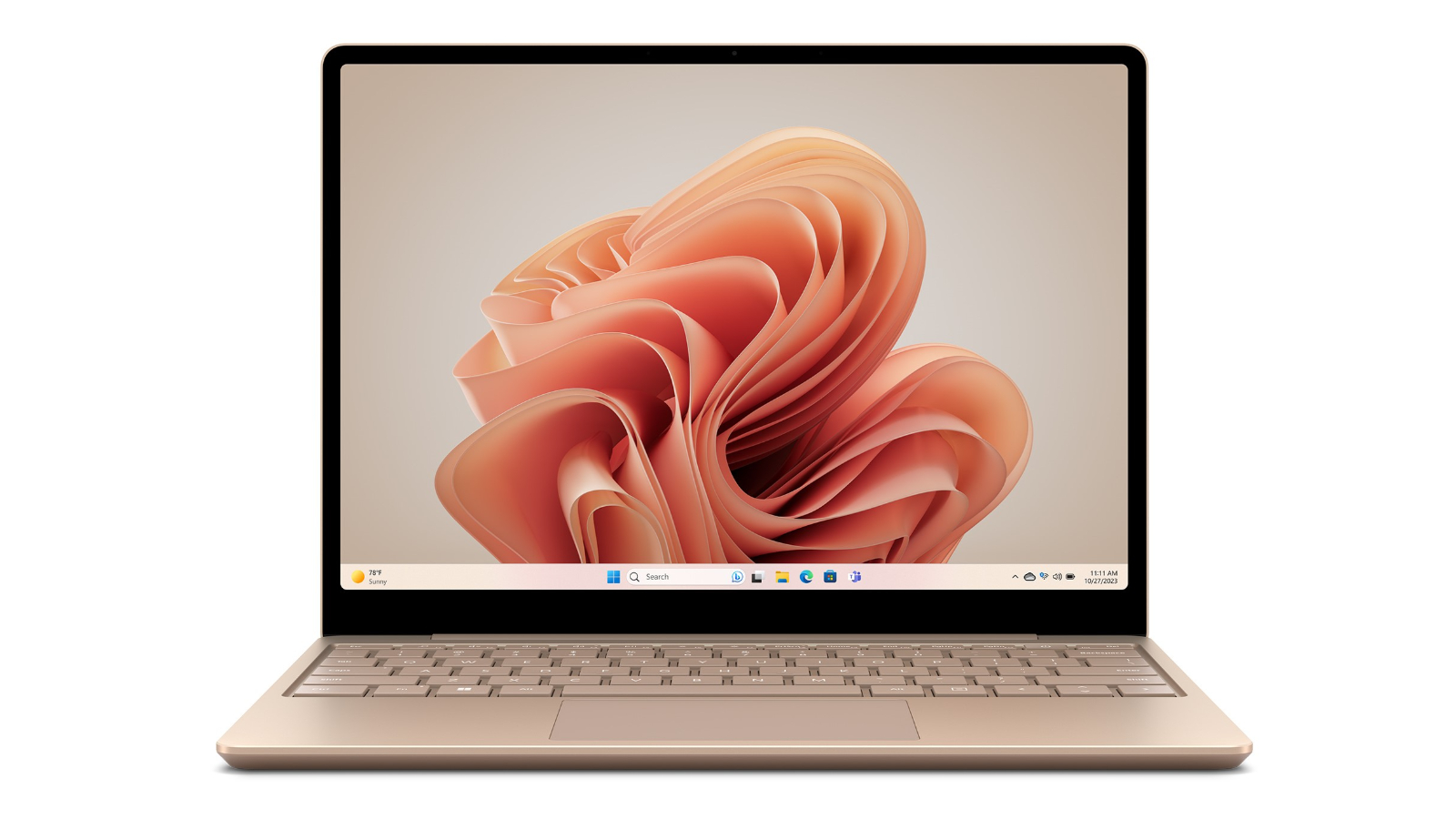
Microsoft Surface Laptop Go 12.4" (256GB, i5, 8GB RAM, Ice Blue)
Make the most of every day with the sleek style, performance and all-day battery life you need in the Microsoft Surface Laptop Go 12.4”. 12.4” Full HD Pixelsense Touchscreen display 8GB RAM and 256GB internal storage Intel Core i5-1035G1 processor Intel UHD graphics 1x USB-C, 1x USB-A and 1x Surface Connect Port Play and code, deliver crisp, high-quality presentations, kick back with a film night or transform ideas into stunning visual stories on the Microsoft Surface Laptop Go 12.4”. Enjoy all-day typing comfort on the full-size keyboard and immersive Omnisonic sound, backed by Dolby Audio. Sleek and standout design The lightest Surface Laptop features a signature 3:2 aspect ratio that helps you see and do more, all on a 12.4” PixelSense touchscreen. More power at your fingertips Collaborate, connect and do your best work. Power through your favourite apps backed by all-day battery life, Intel Core i5-1035G1 processor and 8GB RAM. With 8GB RAM and 256GB storage, you’ll get even more room for large music and video files, while enjoying boosts in performance, convenience and includes Fingerprint Power Button with One Touch sign-in. Power through a day of work The Microsoft Surface Laptop Go can work continuously up to 13 hours. Plus, recharge quickly with Fast Charging – up to 80% in about an hour.
Make the most of every day with the sleek style, performance and all-day battery life you need in the Microsoft Surface Laptop Go 12.4”. 12.4” Full HD Pixelsense Touchscreen display 8GB RAM and 256GB internal storage Intel Core i5-1035G1 processor Intel UHD graphics 1x USB-C, 1x USB-A and 1x Surface Connect Port Play and code, deliver crisp, high-quality presentations, kick back with a film night or transform ideas into stunning visual stories on the Microsoft Surface Laptop Go 12.4”. Enjoy all-day typing comfort on the full-size keyboard and immersive Omnisonic sound, backed by Dolby Audio. Sleek and standout design The lightest Surface Laptop features a signature 3:2 aspect ratio that helps you see and do more, all on a 12.4” PixelSense touchscreen. More power at your fingertips Collaborate, connect and do your best work. Power through your favourite apps backed by all-day battery life, Intel Core i5-1035G1 processor and 8GB RAM. With 8GB RAM and 256GB storage, you’ll get even more room for large music and video files, while enjoying boosts in performance, convenience and includes Fingerprint Power Button with One Touch sign-in. Power through a day of work The Microsoft Surface Laptop Go can work continuously up to 13 hours. Plus, recharge quickly with Fast Charging – up to 80% in about an hour.
Make the most of every day with the sleek style, performance and all-day battery life you need in the Microsoft Surface Laptop Go 12.4”. 12.4” Full HD Pixelsense Touchscreen display 8GB RAM and 256GB internal storage Intel Core i5-1035G1 processor Intel UHD graphics 1x USB-C, 1x USB-A and 1x Surface Connect Port Play and code, deliver crisp, high-quality presentations, kick back with a film night or transform ideas into stunning visual stories on the Microsoft Surface Laptop Go 12.4”. Enjoy all-day typing comfort on the full-size keyboard and immersive Omnisonic sound, backed by Dolby Audio. Sleek and standout design The lightest Surface Laptop features a signature 3:2 aspect ratio that helps you see and do more, all on a 12.4” PixelSense touchscreen. More power at your fingertips Collaborate, connect and do your best work. Power through your favourite apps backed by all-day battery life, Intel Core i5-1035G1 processor and 8GB RAM. With 8GB RAM and 256GB storage, you’ll get even more room for large music and video files, while enjoying boosts in performance, convenience and includes Fingerprint Power Button with One Touch sign-in. Power through a day of work The Microsoft Surface Laptop Go can work continuously up to 13 hours. Plus, recharge quickly with Fast Charging – up to 80% in about an hour.
Make the most of every day with the sleek style, performance and all-day battery life you need in the Microsoft Surface Laptop Go 12.4”. 12.4” Full HD Pixelsense Touchscreen display 8GB RAM and 256GB internal storage Intel Core i5-1035G1 processor Intel UHD graphics 1x USB-C, 1x USB-A and 1x Surface Connect Port Play and code, deliver crisp, high-quality presentations, kick back with a film night or transform ideas into stunning visual stories on the Microsoft Surface Laptop Go 12.4”. Enjoy all-day typing comfort on the full-size keyboard and immersive Omnisonic sound, backed by Dolby Audio. Sleek and standout design The lightest Surface Laptop features a signature 3:2 aspect ratio that helps you see and do more, all on a 12.4” PixelSense touchscreen. More power at your fingertips Collaborate, connect and do your best work. Power through your favourite apps backed by all-day battery life, Intel Core i5-1035G1 processor and 8GB RAM. With 8GB RAM and 256GB storage, you’ll get even more room for large music and video files, while enjoying boosts in performance, convenience and includes Fingerprint Power Button with One Touch sign-in. Power through a day of work The Microsoft Surface Laptop Go can work continuously up to 13 hours. Plus, recharge quickly with Fast Charging – up to 80% in about an hour.
in 3 offers
The lowest price for Microsoft Surface Laptop Go 12.4" (256GB, i5, 8GB RAM, Ice Blue) right now is $499.99 at eBay.com.au, compared across 3 retailers.
The all-time low was $369.00 on 4 Mar 2026 — today's price is 35% above the lowest ever. It has been notably cheaper before — worth setting a price alert.
Prices last updated 18 July 2026.
Last updated at 18/07/2026 20:51:35
Microsoft Surface Laptop Go 12.4-inch I5/8gb/256gb Ssd Laptop - Ice
Delivery $29.99
Affiliate Disclosure: We may receive a small commission for purchases made through this link at no extra cost to you. This helps support our site. Thank you!
Microsoft Surface Laptop Go - 12.4" Touchscreen - Intel Core i5 - 8GB Memory - 256GB SSD - Ice Blue
Free delivery between 28–31 July
Microsoft Surface Laptop Go 12.4-inch i5/8GB/256GB SSD Laptop - Ice Blue
originally posted on bestbuy.com
This Surface Go 2 includes a 12.4-inch touch-screen display sporting 1536 x 1024 resolution. It has an Intel core i5 processor, a 256gb solid state disk drive, and 8gb of Ram. It runs Windows version 11 Home and is projected to offer up to 13hours of battery (I haven’t had the occasion to confirm battery life as yet). It comes standard with a headphone jack and 2 USB ports.I opened the Microsoft Surface Laptop Go 2 to find a nice sized screen and attached keyboard. The set-up was super easy and as soon as I turned it on, the initial process began. I was moving from an older Surface, so once I signed into my Outlook account, it connected to my OneDrive and even set up my MS/Office automatically. The battery was minimally charged, so I plugged it in to have ... MoreThis Surface Go 2 includes a 12.4-inch touch-screen display sporting 1536 x 1024 resolution. It has an Intel core i5 processor, a 256gb solid state disk drive, and 8gb of Ram. It runs Windows version 11 Home and is projected to offer up to 13hours of battery (I haven’t had the occasion to confirm battery life as yet). It comes standard with a headphone jack and 2 USB ports.I opened the Microsoft Surface Laptop Go 2 to find a nice sized screen and attached keyboard. The set-up was super easy and as soon as I turned it on, the initial process began. I was moving from an older Surface, so once I signed into my Outlook account, it connected to my OneDrive and even set up my MS/Office automatically. The battery was minimally charged, so I plugged it in to have sufficient charge to handle the start-up process. It navigated me through setting up the fingerprint verification for accessing the system, which works really well especially since I have a difficult time with fingerprint detection.Navigating the system is straight forward. I had a little trouble with the default text size being small formy eyesight, but it was easy to find and adjust the text size under Settings/Accessibility/text size.I had some difficulty connecting to my printer to scan, but restarting the printer resolved that problem.Overall, I love the Microsoft Surface Laptop Go 2. I think it will handle my daily needs just fin, and it is much faster than my older Surface. The keyboard is a very comfortable size to use and the screen size as well. The display clarity is great and the unit is light, which was an important consideration for me.At just under 2.5lbs, the Surface Go 2 is light weight. The keyboard has a good tactile feel to it, although – this can be an important issue for some people - the keyboard is not back-lit. Keep in mind that this is not a 2-in-1 device, and thus cannot be used as a tablet. It comes with a front-facing camera with 720P resolution.Although this is considered a budget class laptop, it really does have a premium feel to it. The screen has a brightness of 330 nits, which has been more than acceptable in the short time I’ve had the unit.As noted above, this unit replaces a much older Surface Pro, yet thus far has performed seamlessly. Microsoft Office 365 comes preloaded on the Go 2. We run the Windows 365 suite on all our Windows devices, and it seems to easily match or exceed the older devices performance-wise. The GO 2 display is easy to read and its touch sensitivity top-notch.The 256gb SSD is very responsive and more than adequately addresses my storage needs. This is not a gaming laptop, so keep that in mind if gaming is your goal.Overall, the Surface Go 2 has proven itself to be a more than capable laptop, and I am happy to give this model a 5-star review.
originally posted on bestbuy.com
It's absolutely beautiful.This is a very small format laptop with a 12.4" touch-screen display and an Intel Core i5 processor that WAY exceeded my expectations. This model has 8GB memory and a 256GB solid state hard drive.Setup took MINUTES to install - my specific Windows 11 Home install had no updates - I have never owned a computer that became useful so immediately.For anyone who is unfamiliar with Windows 11 implementation, suffice it to say that this native Windows 11 laptop (not upgraded from some Windows 10 configuration) combines the best navigational sensibilities of Apple laptops with a user's greater familiarity with Microsoft products.With such a small laptop, which also echoes some Apple designs, there is no numerical keypad. The touchpad is ... MoreIt's absolutely beautiful.This is a very small format laptop with a 12.4" touch-screen display and an Intel Core i5 processor that WAY exceeded my expectations. This model has 8GB memory and a 256GB solid state hard drive.Setup took MINUTES to install - my specific Windows 11 Home install had no updates - I have never owned a computer that became useful so immediately.For anyone who is unfamiliar with Windows 11 implementation, suffice it to say that this native Windows 11 laptop (not upgraded from some Windows 10 configuration) combines the best navigational sensibilities of Apple laptops with a user's greater familiarity with Microsoft products.With such a small laptop, which also echoes some Apple designs, there is no numerical keypad. The touchpad is exceptionally responsive, as is the touchscreen. Movement and activation with the touchpad turns out to be much faster than I could replicate with my best Bluetooth external mouse.Worth noting: while this screen is very satisfyingly touch-sensitive, the display does not rotate 180° to turn this device into a keyboard-backed tablet (of sorts). This is a laptop. Period.The screen is bright and beautiful. And the tiny speakers are more impressive than I expected.Has one USB-B and one USB-C port and a 720p front-facing camera.As a Microsoft computer, it is fully prepared to support Windows 11 and Microsoft 365 with a seemingly limited 256GB SSD (I removed a couple of available prompts, like for Xbox, but tiny SSDs pretty much mean goodbye to bloatware!).My specific setup, with the 256GB SSD, includes Windows 11 Home, Microsoft 365 Personal, with my added Chrome browser and AVG Ultimate security suite. My drive still exceeds 180+ GB of free space. That won't accommodate huge applications, but this laptop isn't designed for that (and isn't priced for that!).I love this little grab-and-go baby. This isn't a power laptop for on-the-go professionals - it's not a gaming laptop - it's not a storage hog. It's a Microsoft-centric laptop that is impossibly fast and impossibly light.With heavy use, I have noticed that the laptop warms slightly on my lap (it's a laptop). It never gets hot - which is amazing for a powerful laptop without an internal fan.I only have one negative comment. In a world with increasingly simple charging options, Microsoft woke up and chose violence with this laptop (see picture below). I hate this charger!But this is, otherwise, a glorious laptop and will now be my go-to grab-and-go laptop for the foreseeable future.Aggressively recommended.
originally posted on bestbuy.com
I put the Surface Laptop Go 2 next to the first model (which I also own) and they are the exact same. Same size, same dimensions, same keyboard layout, same ports, same design, same brightness, same length of cable, same everything. MAYYYBE the keyboard feels a little different but that may be 1+ years of use vs brand new. The battery is also the exact same - the Microsoft PowerCFG battery report reports that the battery size on each unit is 39.7 kWh. I guess the reason that Microsoft and various review sites state that the battery life is slightly longer (~30 min) on this new model is due to the fact that the 11th Generation intel processors probably have better power consumption specifications than the 10th Generation intel processors (which the first model Laptop ... MoreI put the Surface Laptop Go 2 next to the first model (which I also own) and they are the exact same. Same size, same dimensions, same keyboard layout, same ports, same design, same brightness, same length of cable, same everything. MAYYYBE the keyboard feels a little different but that may be 1+ years of use vs brand new. The battery is also the exact same - the Microsoft PowerCFG battery report reports that the battery size on each unit is 39.7 kWh. I guess the reason that Microsoft and various review sites state that the battery life is slightly longer (~30 min) on this new model is due to the fact that the 11th Generation intel processors probably have better power consumption specifications than the 10th Generation intel processors (which the first model Laptop Go has). I looked online and saw that the only differences between the models are that the new model has a newer bluetooth version (5.1 vs 5.0), a few extra grams of weight (20 grams), sliiiightly larger dimensions (0.04 mm of thickness) and it comes in Sage gray...oh and it is $50 more expensive, and you can't get a model with eMMC hard drives (a good thing...eMMC hard drives stink). I see the new model has something called Secured-Core PC - I think it is a Windows 11 required feature for new computers? Who knows.It is a great PC. Microsoft knew they had a winner in the first generation model and changed absolutely nothing. Now, I will say, because they changed absolutely nothing, if you currently own the first generation Laptop Go computer, you don't need to upgrade to this new Laptop Go 2 model. The only big difference is the intel processor, which in my opinion isn't enough to warrant a replacement right now. If they had put in the 12th generation, maybe a different story.I wish that in this new version they would have changed the few shortcomings of the previous generation, such as backlit keyboard, two-handed lid open (still need two hands in the new model), 720p webcam (would prefer 1080p), increase max ram and storage beyond 8gb and 256gb respectively. I guess the old saying is if it ain't broke don't fix it and the old model wasn't broke. Probably was cheaper to reproduce the old stuff with a new processor, and I get that. 8GB of RAM and 256GB of space is still more than plenty for the target audience of this computer - speedy casual use around the house on a PC that is super portable and super light.I highly recommend it if you don't already have the previous model. If you have the previous model, wait a few years until the battery is shot to upgrade to the Surface Laptop Go 5 or something, heh. If you have a super heavy laptop and are looking for a super portable super light capable well-built laptop, the Surface Laptop Go 2 will serve you quite well.
| General | |
| Product Type | Notebook |
| Operating System | Windows 10 Home in S mode |
| Processor / Chipset | |
| CPU | Intel Core i5 (10th Gen) 1035G1 / 1 GHz |
Microsoft Surface Laptop Go 12.4-inch I5/8gb/256gb Ssd Laptop - Ice
Delivery $29.99
Affiliate Disclosure: We may receive a small commission for purchases made through this link at no extra cost to you. This helps support our site. Thank you!
Microsoft Surface Laptop Go - 12.4" Touchscreen - Intel Core i5 - 8GB Memory - 256GB SSD - Ice Blue
Free delivery between 28–31 July
Microsoft Surface Laptop Go 12.4-inch i5/8GB/256GB SSD Laptop - Ice Blue
This Surface Go 2 includes a 12.4-inch touch-screen display sporting 1536 x 1024 resolution. It has an Intel core i5 processor, a 256gb solid state disk drive, and 8gb of Ram. It runs Windows version 11 Home and is projected to offer up to 13hours of battery (I haven’t had the occasion to confirm battery life as yet). It comes standard with a headphone jack and 2 USB ports.I opened the Microsoft Surface Laptop Go 2 to find a nice sized screen and attached keyboard. The set-up was super easy and as soon as I turned it on, the initial process began. I was moving from an older Surface, so once I signed into my Outlook account, it connected to my OneDrive and even set up my MS/Office automatically. The battery was minimally charged, so I plugged it in to have ... MoreThis Surface Go 2 includes a 12.4-inch touch-screen display sporting 1536 x 1024 resolution. It has an Intel core i5 processor, a 256gb solid state disk drive, and 8gb of Ram. It runs Windows version 11 Home and is projected to offer up to 13hours of battery (I haven’t had the occasion to confirm battery life as yet). It comes standard with a headphone jack and 2 USB ports.I opened the Microsoft Surface Laptop Go 2 to find a nice sized screen and attached keyboard. The set-up was super easy and as soon as I turned it on, the initial process began. I was moving from an older Surface, so once I signed into my Outlook account, it connected to my OneDrive and even set up my MS/Office automatically. The battery was minimally charged, so I plugged it in to have sufficient charge to handle the start-up process. It navigated me through setting up the fingerprint verification for accessing the system, which works really well especially since I have a difficult time with fingerprint detection.Navigating the system is straight forward. I had a little trouble with the default text size being small formy eyesight, but it was easy to find and adjust the text size under Settings/Accessibility/text size.I had some difficulty connecting to my printer to scan, but restarting the printer resolved that problem.Overall, I love the Microsoft Surface Laptop Go 2. I think it will handle my daily needs just fin, and it is much faster than my older Surface. The keyboard is a very comfortable size to use and the screen size as well. The display clarity is great and the unit is light, which was an important consideration for me.At just under 2.5lbs, the Surface Go 2 is light weight. The keyboard has a good tactile feel to it, although – this can be an important issue for some people - the keyboard is not back-lit. Keep in mind that this is not a 2-in-1 device, and thus cannot be used as a tablet. It comes with a front-facing camera with 720P resolution.Although this is considered a budget class laptop, it really does have a premium feel to it. The screen has a brightness of 330 nits, which has been more than acceptable in the short time I’ve had the unit.As noted above, this unit replaces a much older Surface Pro, yet thus far has performed seamlessly. Microsoft Office 365 comes preloaded on the Go 2. We run the Windows 365 suite on all our Windows devices, and it seems to easily match or exceed the older devices performance-wise. The GO 2 display is easy to read and its touch sensitivity top-notch.The 256gb SSD is very responsive and more than adequately addresses my storage needs. This is not a gaming laptop, so keep that in mind if gaming is your goal.Overall, the Surface Go 2 has proven itself to be a more than capable laptop, and I am happy to give this model a 5-star review.
It's absolutely beautiful.This is a very small format laptop with a 12.4" touch-screen display and an Intel Core i5 processor that WAY exceeded my expectations. This model has 8GB memory and a 256GB solid state hard drive.Setup took MINUTES to install - my specific Windows 11 Home install had no updates - I have never owned a computer that became useful so immediately.For anyone who is unfamiliar with Windows 11 implementation, suffice it to say that this native Windows 11 laptop (not upgraded from some Windows 10 configuration) combines the best navigational sensibilities of Apple laptops with a user's greater familiarity with Microsoft products.With such a small laptop, which also echoes some Apple designs, there is no numerical keypad. The touchpad is ... MoreIt's absolutely beautiful.This is a very small format laptop with a 12.4" touch-screen display and an Intel Core i5 processor that WAY exceeded my expectations. This model has 8GB memory and a 256GB solid state hard drive.Setup took MINUTES to install - my specific Windows 11 Home install had no updates - I have never owned a computer that became useful so immediately.For anyone who is unfamiliar with Windows 11 implementation, suffice it to say that this native Windows 11 laptop (not upgraded from some Windows 10 configuration) combines the best navigational sensibilities of Apple laptops with a user's greater familiarity with Microsoft products.With such a small laptop, which also echoes some Apple designs, there is no numerical keypad. The touchpad is exceptionally responsive, as is the touchscreen. Movement and activation with the touchpad turns out to be much faster than I could replicate with my best Bluetooth external mouse.Worth noting: while this screen is very satisfyingly touch-sensitive, the display does not rotate 180° to turn this device into a keyboard-backed tablet (of sorts). This is a laptop. Period.The screen is bright and beautiful. And the tiny speakers are more impressive than I expected.Has one USB-B and one USB-C port and a 720p front-facing camera.As a Microsoft computer, it is fully prepared to support Windows 11 and Microsoft 365 with a seemingly limited 256GB SSD (I removed a couple of available prompts, like for Xbox, but tiny SSDs pretty much mean goodbye to bloatware!).My specific setup, with the 256GB SSD, includes Windows 11 Home, Microsoft 365 Personal, with my added Chrome browser and AVG Ultimate security suite. My drive still exceeds 180+ GB of free space. That won't accommodate huge applications, but this laptop isn't designed for that (and isn't priced for that!).I love this little grab-and-go baby. This isn't a power laptop for on-the-go professionals - it's not a gaming laptop - it's not a storage hog. It's a Microsoft-centric laptop that is impossibly fast and impossibly light.With heavy use, I have noticed that the laptop warms slightly on my lap (it's a laptop). It never gets hot - which is amazing for a powerful laptop without an internal fan.I only have one negative comment. In a world with increasingly simple charging options, Microsoft woke up and chose violence with this laptop (see picture below). I hate this charger!But this is, otherwise, a glorious laptop and will now be my go-to grab-and-go laptop for the foreseeable future.Aggressively recommended.
I put the Surface Laptop Go 2 next to the first model (which I also own) and they are the exact same. Same size, same dimensions, same keyboard layout, same ports, same design, same brightness, same length of cable, same everything. MAYYYBE the keyboard feels a little different but that may be 1+ years of use vs brand new. The battery is also the exact same - the Microsoft PowerCFG battery report reports that the battery size on each unit is 39.7 kWh. I guess the reason that Microsoft and various review sites state that the battery life is slightly longer (~30 min) on this new model is due to the fact that the 11th Generation intel processors probably have better power consumption specifications than the 10th Generation intel processors (which the first model Laptop ... MoreI put the Surface Laptop Go 2 next to the first model (which I also own) and they are the exact same. Same size, same dimensions, same keyboard layout, same ports, same design, same brightness, same length of cable, same everything. MAYYYBE the keyboard feels a little different but that may be 1+ years of use vs brand new. The battery is also the exact same - the Microsoft PowerCFG battery report reports that the battery size on each unit is 39.7 kWh. I guess the reason that Microsoft and various review sites state that the battery life is slightly longer (~30 min) on this new model is due to the fact that the 11th Generation intel processors probably have better power consumption specifications than the 10th Generation intel processors (which the first model Laptop Go has). I looked online and saw that the only differences between the models are that the new model has a newer bluetooth version (5.1 vs 5.0), a few extra grams of weight (20 grams), sliiiightly larger dimensions (0.04 mm of thickness) and it comes in Sage gray...oh and it is $50 more expensive, and you can't get a model with eMMC hard drives (a good thing...eMMC hard drives stink). I see the new model has something called Secured-Core PC - I think it is a Windows 11 required feature for new computers? Who knows.It is a great PC. Microsoft knew they had a winner in the first generation model and changed absolutely nothing. Now, I will say, because they changed absolutely nothing, if you currently own the first generation Laptop Go computer, you don't need to upgrade to this new Laptop Go 2 model. The only big difference is the intel processor, which in my opinion isn't enough to warrant a replacement right now. If they had put in the 12th generation, maybe a different story.I wish that in this new version they would have changed the few shortcomings of the previous generation, such as backlit keyboard, two-handed lid open (still need two hands in the new model), 720p webcam (would prefer 1080p), increase max ram and storage beyond 8gb and 256gb respectively. I guess the old saying is if it ain't broke don't fix it and the old model wasn't broke. Probably was cheaper to reproduce the old stuff with a new processor, and I get that. 8GB of RAM and 256GB of space is still more than plenty for the target audience of this computer - speedy casual use around the house on a PC that is super portable and super light.I highly recommend it if you don't already have the previous model. If you have the previous model, wait a few years until the battery is shot to upgrade to the Surface Laptop Go 5 or something, heh. If you have a super heavy laptop and are looking for a super portable super light capable well-built laptop, the Surface Laptop Go 2 will serve you quite well.
The Microsoft Surface Laptop Go 2 sits at the upper end of the field of entry-level laptops. If you're looking for a 12 inch sized laptop in this price range this would be a good choice. It gives a lot of premium feel for not too much money.The 11th generation Intel Core i5 is plenty snappy even if it's one generation behind the cutting edge. You'll have plenty of CPU power for the foreseeable future. 8 GB of RAM is plenty. The 256 GB SSD is big enough for most people - and it is user-replaceable if sometime in the future you need more local storage space. The screen is bright and clear, but it is an unusual size. The resolution is not quite "full HD" but the screen is noticeably taller than others in this price range and the tradeoff between slightly lower ... MoreThe Microsoft Surface Laptop Go 2 sits at the upper end of the field of entry-level laptops. If you're looking for a 12 inch sized laptop in this price range this would be a good choice. It gives a lot of premium feel for not too much money.The 11th generation Intel Core i5 is plenty snappy even if it's one generation behind the cutting edge. You'll have plenty of CPU power for the foreseeable future. 8 GB of RAM is plenty. The 256 GB SSD is big enough for most people - and it is user-replaceable if sometime in the future you need more local storage space. The screen is bright and clear, but it is an unusual size. The resolution is not quite "full HD" but the screen is noticeably taller than others in this price range and the tradeoff between slightly lower resolution and a more square-looking display is a good one, especially if you use this laptop for traveling. Battery charging uses a proprietary Surface connector, but it can also charge via the USB-C port.Speaking of ports, there is only 1 USB-A port and 1 USB-C port. There's no HDMI port, which is a drawback if you need that but you can always connect to most modern projectors or large displays wirelessly these days anyway.The laptop is well-made and feels sturdy. The metal lid adds a premium feel to the unit. The Sage color looks fantastic. The name implies that it's green but to me it looks like a rich silver-gray with maybe a very slight greenish tinge from certain angles. I really like it compared to a pure silver or gray.
Bottom Line: The Surface Laptop Go 2 is well-suited for students and mobile professional who want a capable device in a small, thin, and light laptop design.Review: Out of the box, the laptop has a ‘premium’ look and feel with its mostly metal casing (the bottom is a plastic composite). Although the keys are slightly smaller than full size, the keyboard offers a comfortable typing experience with good key travel. The power button also houses a fingerprint scanner, which reads quickly and accurately. Touch input, both on the trackpad and touch screen, is smooth, fast, and fluid. Overall, it feels really well-made. Performance-wise, the machine offers capable specs (i5, 8GB RAM, 256 SSD) in an ultra-portable, sub-13” design. Office apps and internet browsing are ... MoreBottom Line: The Surface Laptop Go 2 is well-suited for students and mobile professional who want a capable device in a small, thin, and light laptop design.Review: Out of the box, the laptop has a ‘premium’ look and feel with its mostly metal casing (the bottom is a plastic composite). Although the keys are slightly smaller than full size, the keyboard offers a comfortable typing experience with good key travel. The power button also houses a fingerprint scanner, which reads quickly and accurately. Touch input, both on the trackpad and touch screen, is smooth, fast, and fluid. Overall, it feels really well-made. Performance-wise, the machine offers capable specs (i5, 8GB RAM, 256 SSD) in an ultra-portable, sub-13” design. Office apps and internet browsing are fast and responsive, and there’s enough processing power to do some light work in more demanding apps like Photoshop.Microsoft did make some compromises, however, to meet its target audience and price point. The laptop has a headphone jack, USB-A, and USB-C port (the latter can be used for charging), and a proprietary charging port on the right. I do wish it had a built in HDMI port, since I often need to connect to projectors for work. Although I find images and video look fine, Microsoft went with a non-standard, non-HD resolution for the 12.4” screen (1536 x 1024 @ 148 PPI). Given the pixel density and screen size, small text looks blurry/fuzzy depending on the typeface. The screen also does not get very bright even at max setting, which makes it difficult to use outdoors on a bright day. The speaker output is louder than I expected, but they very much sound like laptop speakers. Last, the webcam is adequate but not great. Regardless of lighting, the image tends to looks grainy (or too soft with some digital correction) on Zoom calls, although Microsoft did a decent job tweaking the low light ISP so that you’re actually still visible in those instances.Overall, the Surface Laptop Go 2 is a good choice for students and business professionals looking for an ultra-portable laptop.
The Microsoft surface laptop go 2 is the renewed version in the surface form factor. It comes in 3 different configurations but I only recommend the highest speced version with 8 gb ram and 256 gb SSD which is the most useful as the lower version has less storage and memory, it is also lacking the fingerprint reader. The laptop is similar to a MacBook air in appearance and is the windows equivalent. The laptop comes with Windows 11 home installed and has TPM 2.0.The screen is a 3:2 format with a resolution of 1536 x 1024 that I prefer. With an Intel 11 gen Core i5-1135G7 CPU, 256gb ssd and 8gb of ram this little laptop is a great travel notebook. The Intel iris Xe graphics handles streaming and web browsing well. The keyboard has a premium feel and manages to pack ... MoreThe Microsoft surface laptop go 2 is the renewed version in the surface form factor. It comes in 3 different configurations but I only recommend the highest speced version with 8 gb ram and 256 gb SSD which is the most useful as the lower version has less storage and memory, it is also lacking the fingerprint reader. The laptop is similar to a MacBook air in appearance and is the windows equivalent. The laptop comes with Windows 11 home installed and has TPM 2.0.The screen is a 3:2 format with a resolution of 1536 x 1024 that I prefer. With an Intel 11 gen Core i5-1135G7 CPU, 256gb ssd and 8gb of ram this little laptop is a great travel notebook. The Intel iris Xe graphics handles streaming and web browsing well. The keyboard has a premium feel and manages to pack nice size keys with good spacing, key pressure and travel in this small form factor. I find typing easy and comfortable great for office or school work. Sadly the keyboard is not backlit except for the fingerprint reader. The touchpad is large and has good clickability. While the case looks and feels all metal only the top is, the base is really an composite material of aluminum and recycled material and glass fiber but still manages to look good and keeps the laptop light.There is one USB C and one USB A 3.2 and a headphone port. If you want ethernet or HDMI and more USB ports you will have to use and expansion dock. 802.11Ax WIFI 6 provides fast internet connections. The webcam is 720p with spacial microphones making it ok for video conferencing. A charger that connects to the proprietary connector on the right side of the base is included, you can also charge the laptop through the USB C port great if you forget the charger or only want to carry one charger for your phone and laptop.Interestingly the SSD is now upgradable and a few parts replaceable, this will allow the laptop to live a little longer than previous surface devices.I like this laptop a lot, it is a little on the expensive side based on the components but makes up for that in portability and appearance with great quality. I think this is the perfect size for a travel laptop keeping it slim and light at 10.95 by 8.12 inches and 0.62 inches thick with a weight of 2.48 lbs.
This is my third Microsoft Surface since they were released several years ago. I started with the Surface pro with detachable keyboard and then the first generation of the Surface Laptop and now my current Surface Laptop Go 2. Each generation has improved on the last, whether it’s the speed, keyboard, weight or overall quality.The current Go2 has a 12.4” screen and a comfortable keyboard that allows your hands to sit naturally when typing. One issue that I find across most laptops is, when typing, my hands inadvertently touch the touch pad and change the curser position. My solution is to turn off the touch pad and use a mouse instead. Going from the Surface Laptop with a 13.5” to the Go 2’s 12.4” screen isn’t as big a difference as I thought it would be. The ... MoreThis is my third Microsoft Surface since they were released several years ago. I started with the Surface pro with detachable keyboard and then the first generation of the Surface Laptop and now my current Surface Laptop Go 2. Each generation has improved on the last, whether it’s the speed, keyboard, weight or overall quality.The current Go2 has a 12.4” screen and a comfortable keyboard that allows your hands to sit naturally when typing. One issue that I find across most laptops is, when typing, my hands inadvertently touch the touch pad and change the curser position. My solution is to turn off the touch pad and use a mouse instead. Going from the Surface Laptop with a 13.5” to the Go 2’s 12.4” screen isn’t as big a difference as I thought it would be. The screen is crystal clear and renders pages without issue.With the 11th generation Intel I5 processor, the Go’s response is quick with Microsoft Office applications and while using the internet in Edge. The graphics are provided by Intel in their Iris X Graphics and does a good job overall with video and web content. This isn’t a gamers laptop, and I don’t think that’s the customer base Microsoft was looking for with the GO 2 laptop anyway.My 1st generation Surface laptop had my first introduction to Windows Hello facial recognition to unlock the laptop and it works well. The Surface Laptop Go 2 has Windows Hello as well, but with fingerprint recognition to unlock the laptop. Both worked well, but I personally prefer the facial recognition over the fingerprint. It’s just something to get used to.One major change from the first-generation Surface laptop to the Go 2 is the removal of the display port in favor of a USB-C. The Surface Laptop Go 2 now provides one USB-A, USB-C and a mini plug for headphones. One complaint people had was that the Gen 1 didn’t have enough ports and I don’t think that has changed with the current version either, but with the USB-C it can be used with different devices.Battery life is stated to be better than 13 hours and, in my experience, it has lasted several days with on and off use.The Surface Laptop Go 2 is my new laptop for daily and on the go use. This is a solid premium general use, do everything well Laptop and I highly recommend it.
We have owned much more expensive versions of the Microsoft Surface laptop line and have always been satisfied with the quality, durability and performance. This Surface Laptop Go 2 was appealing to us due to its size, weight and price point. Our primary goal was to have something smaller than the standard 15” laptop with minimal weight for portability when we travel or do business locally. With a 12.4” PixelSense display and a weight under 2 ½ pounds the Go 2 really meets our requirements. The sage color is very nice and Microsoft offers additional choices in platinum, sandstone and ice blue.The Go 2 is quick and easy to set up. The fingerprint power button is a nice feature for quick access. I find the touchscreen to be very nice and an added convenience. A ... MoreWe have owned much more expensive versions of the Microsoft Surface laptop line and have always been satisfied with the quality, durability and performance. This Surface Laptop Go 2 was appealing to us due to its size, weight and price point. Our primary goal was to have something smaller than the standard 15” laptop with minimal weight for portability when we travel or do business locally. With a 12.4” PixelSense display and a weight under 2 ½ pounds the Go 2 really meets our requirements. The sage color is very nice and Microsoft offers additional choices in platinum, sandstone and ice blue.The Go 2 is quick and easy to set up. The fingerprint power button is a nice feature for quick access. I find the touchscreen to be very nice and an added convenience. A Surface pen is not included, but I’d think that it would work with one nicely. The keyboard has a comfortable feel and doesn’t seem cramped by any means for this size laptop.For our purposes the USB-A and USB-C ports, plus the headphone jack are perfectly adequate; especially since there is a dedicated charging port. We’ve not run into any issues as of yet with battery life and Microsoft states it will charge 80% within one hour.At this price point and size for a Microsoft Surface it shouldn’t be surprising that you’re not getting FHD, but the display is crisp enough to get the job done. I like the looks of dark mode and tend to use that more often than not. Even the differences in build material seem to be done rather well with the aluminum top and other plastic components that don’t come off as cheap or lacking. The feel and sturdiness of the laptop actually feels quite nice and expected for a Surface product.I think this Go 2 fits a need for those looking for a light weight, smaller version of the Surface line that doesn’t impact the pocketbook to the extent of their pricier models. Having said this, I’d still defer to this particular model and not get the lower end of this Go 2 line with lower specifications and capabilities. In summary, I think Microsoft has done a good job of offering a nice build at a good value.
Physically, the Surfqace Laptop Go 2 is 11 in wide, 8 inches deep, 0.6 inches thick and weights in at just under 2.5 lbs. The top is made of aluminum, and the chassis is a composite mix of materials. The small laptop feels light, but has a solid and sturdy feel.The non-backlit keyboard also feels solid and offers a nice amount travel, and the touchpad works smoothly and offers a fair amount of real estate.The 12.4-in touch display is acceptable, but it seems a bit lacking. It's not quite FHD with it's 1536x1024 resolution, and text is mostly crisp it did seem a bit grainy at times. Colors were also not the best, but it's adequate. I need to keep in mind this is Microrosoft's budget line though, which is somewhat difficult given it's premium feel.The keyboard ... MorePhysically, the Surfqace Laptop Go 2 is 11 in wide, 8 inches deep, 0.6 inches thick and weights in at just under 2.5 lbs. The top is made of aluminum, and the chassis is a composite mix of materials. The small laptop feels light, but has a solid and sturdy feel.The non-backlit keyboard also feels solid and offers a nice amount travel, and the touchpad works smoothly and offers a fair amount of real estate.The 12.4-in touch display is acceptable, but it seems a bit lacking. It's not quite FHD with it's 1536x1024 resolution, and text is mostly crisp it did seem a bit grainy at times. Colors were also not the best, but it's adequate. I need to keep in mind this is Microrosoft's budget line though, which is somewhat difficult given it's premium feel.The keyboard sports a fingerprint reader on the power key, however I was not able to get mine set up. The unit kept stating it couldn't get a solid reading. Unfortunately, the webcam does not support face recognition, so fingerprints are the only wasy to use Windows Hello to unlock the laptop. The webcam was improved along with the microphone for better conferencing performance, however the camera is still only 720p.Finishing off the chassis, there is one USB 3.2 Type-A port, one USB Type-C port, and a headphone jack. Charging is via the proprietary Surface Connector on the right side.One other change is worth noting -- this new model included replaceable parts which previous models did not, other than the SSD. New replaceable/upgradable parts include the the keyboard and touchpad, the display; and the battery.The new Surface Laptop Go 2 uses an upgraded Quad Core i5 CPU. It's a generation behind latest (part of how Microsoft chooses to keep the price low), but offers plenty of performance for productivity, and the i5's integrated GPU is a significant step up from the previous model. The base unit comes with 128GB SDD, and a paltry 4GB Ram, which is insufficient. The middle model upgraded the memory to 8GB, and the top model adds a 240GB SSD. If you require higher specs than that, you'll have to look at the Surface Laptop 4.The battery is rated for 13.5 hours of battery life, however I found it to be less than that -- about 9 hours of general use. It's adequate for a full days work, but by the end of day it was ready for a recharge.The Surface Laptop Go 2 is a very good laptop, but there are other laptops in its price-range that offer more RAM, more storage, and better performance.The appeal of the Surface Laptop Go 2 is it does everything well, feels incredibly solid, and is easy to purchase. It offers more than enough performance for everdyay tasks and even for some light gaming. The keyboard and trackpad are comfortable and function well. It's super lighweight, making it easy to carry around.Overall, it's easy to recommend the Surface Laptop Go 2 -- as long as you don't go for the one with a paltry 4GB RAM, which is insufficient in today's world. In my opinion, Microsoft shouldn't even offer that one as an option.
This is my first Surface device, having used similar laptops by other makers, but I wanted to give the Surface a try to see how it stacks up compared to some of those other laptops. The Surface Laptop Go 2 has beat my expectations, having categorized it to myself as a budget laptop initially. After using it for a week I’ll happily report that it's definitely in the top-tier of the budget laptop rankings and it has been a great laptop for daily use and for taking with me when I’m away from home, traveling or just visiting the office or a friend.My Surface Laptop Go 2 is configured with 8 GB of RAM, which, IMO, is about the minimum you want to run Windows 11 effectively. That being said, this little computer runs smoothly with no noticeable lag when multiple windows ... MoreThis is my first Surface device, having used similar laptops by other makers, but I wanted to give the Surface a try to see how it stacks up compared to some of those other laptops. The Surface Laptop Go 2 has beat my expectations, having categorized it to myself as a budget laptop initially. After using it for a week I’ll happily report that it's definitely in the top-tier of the budget laptop rankings and it has been a great laptop for daily use and for taking with me when I’m away from home, traveling or just visiting the office or a friend.My Surface Laptop Go 2 is configured with 8 GB of RAM, which, IMO, is about the minimum you want to run Windows 11 effectively. That being said, this little computer runs smoothly with no noticeable lag when multiple windows are open performing various tasks. It has the 11th generation basic Intel core i5 processor. Nothing fancy and not particularly speedy, being a generation behind, but it certainly get’s the job done. For me, for everyday use, it’s exactly what I need at close to the right price. Whether I’m browsing the web, using a spreadsheet, writing, streaming live tv or even playing some light gaming, it has run well with no lag or performance issues. The 256 GB storage is enough for me since most of my files, photos and videos are stored in the cloud. For me, and probably for most, local storage doesn’t seem to be as important as it was five years ago.Being a smaller, travel friendly laptop, it has a 12.4” screen with a 3:2 aspect ratio, giving you a bit of a taller picture which is nice for editing and reviewing spreadsheets and reading ebooks and long documents. The screen is touch-screen, a nice feature for a laptop in this price range. You might not think that you will use it that much, but once you have it, you really miss it on other laptops that don’t have touch-screens. The screen resolution is just a little lower than full HD at only 1536 x 1024, but honestly that’s not a problem for me. When I am at home, working I’ll have this laptop connected to a FHD or better monitor. And when I’m traveling it’s not an issue because the screen is small enough that I really don’t notice the lower screen resolution.The laptop has a slimmed down selection of ports. It includes one USB-C, one USB-A, a Surface power charge port and a microphone jack. The laptop will charge, using the USB-C port, however, depending on the charging adaptor you are using, the Surface power charge port will likely charge it faster. I’ll only be using the Surface charge port and cable when I have the laptop docked at my desk. If I’m traveling or on the go, I’ll just use the evermore standard USB-C, since that’s how most of my other mobile devices charge. It makes me wonder why Microsoft even included the Surface power charge port on this version. Isn’t it time to phase that out yet?I really like that the Surface Laptop Go 2 comes with a fingerprint reader for an added layer of security. Having a fingerprint reader is almost a necessity today for a mobile device that could fall into the wrong hands if somebody loses their luggage or backpack. The fingerprint reader is part of the power button and the power button has a rectangle LED light on the perimeter, making it quick and easy to find in a dark environment. Setting up the fingerprint recognition is really easy and only takes a few minutes to map multiple fingers. It works well and unlocks the computer very quickly.This is one of the more travel friendly laptop’s I’ve owned, earning its “Go” name. The thin, lightweight design is small enough to fit in most backpacks or bags and the load is barely noticeable at only 2.48 lbs. I feel like my cell phone, when I was a teenager, weighed more than this laptop. Of course that was many years ago, lol. This laptop actually looks like it might be the perfect size for the airplane or train tray table. I travel quite a bit, so that’s nice to see. The Surface Laptop Go 2 has a nice aluminum body which gives it a premium feel for being a budget laptop and also makes it more durable for traveling.Overall I’m happy with my new Surface laptop. I do think the price is just a little high, but if you can find it on sale, consider buying it. If you’re looking for a dependable, daily use laptop that’s easy to grab and go when you need to travel, visit the office or hang with friends, look no further than the Surface Laptop Go 2.
| General | |
| Product Type | Notebook |
| Operating System | Windows 10 Home in S mode |
| Processor / Chipset | |
| CPU | Intel Core i5 (10th Gen) 1035G1 / 1 GHz |