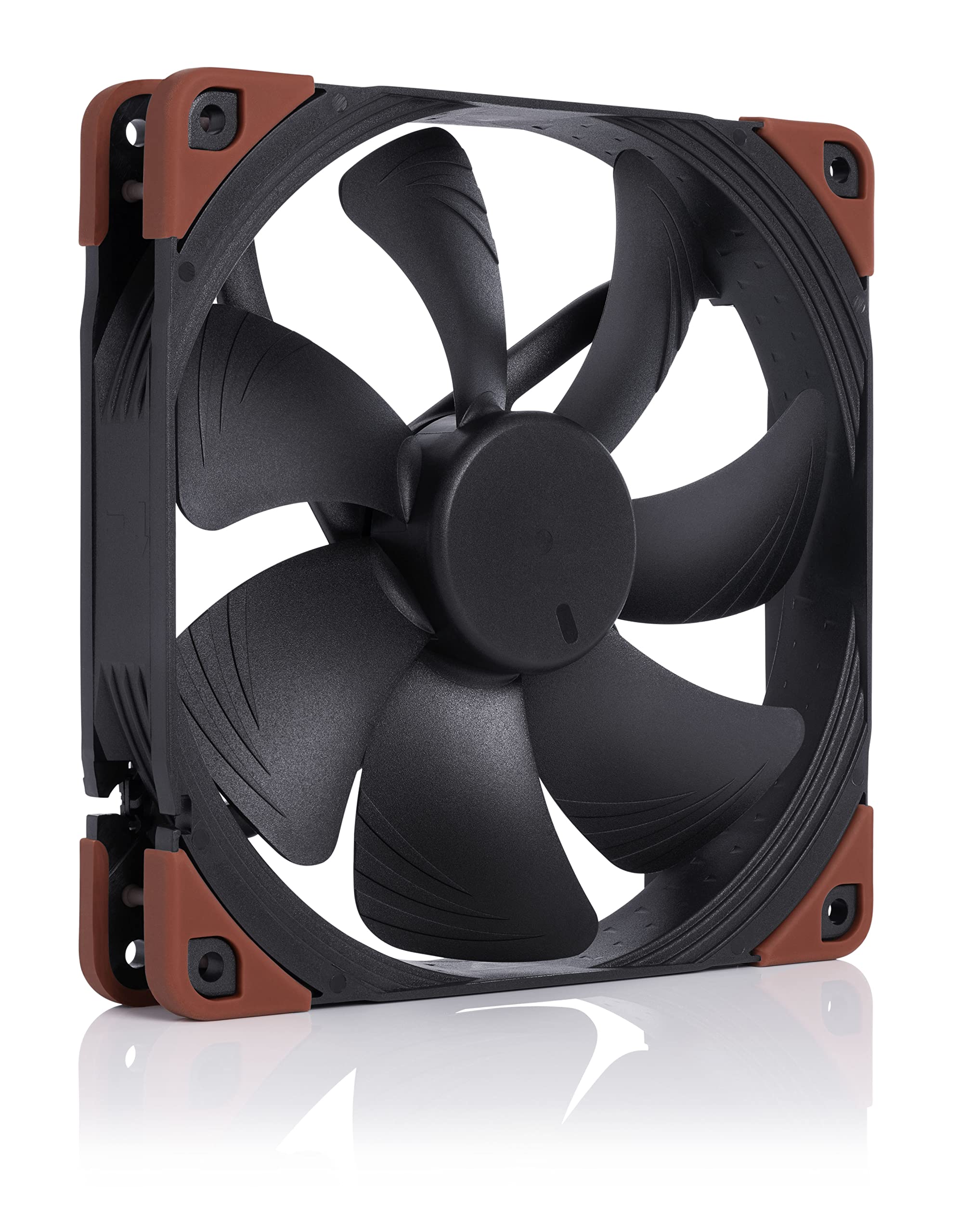
Noctua 140mm NF-A14 IndustrialPPC IP52 PWM Fan (Max 2000RPM)
The NF-A14 is one of Noctua's renowned and popular fans. Its square frame makes it ideal for use on water cooling radiators or as a case fan. The chromax.black.swap edition combines the NF-A14's signature quiet cooling performance with an attractive design and a bundle of swappable anti-vibration pads, that allow the color-customization of the fan to match individual build color schemes. Topped off with Noctua's trusted premium-grade SSO2 bearing and long hours MTTF, the NF-A14 PWM chromax.black.swap is the perfect choice for all users, who value individual, focused build aesthetics just as much as high quality and performance.
The NF-A14 is one of Noctua's renowned and popular fans. Its square frame makes it ideal for use on water cooling radiators or as a case fan. The chromax.black.swap edition combines the NF-A14's signature quiet cooling performance with an attractive design and a bundle of swappable anti-vibration pads, that allow the color-customization of the fan to match individual build color schemes. Topped off with Noctua's trusted premium-grade SSO2 bearing and long hours MTTF, the NF-A14 PWM chromax.black.swap is the perfect choice for all users, who value individual, focused build aesthetics just as much as high quality and performance.
The NF-A14 is one of Noctua's renowned and popular fans. Its square frame makes it ideal for use on water cooling radiators or as a case fan. The chromax.black.swap edition combines the NF-A14's signature quiet cooling performance with an attractive design and a bundle of swappable anti-vibration pads, that allow the color-customization of the fan to match individual build color schemes. Topped off with Noctua's trusted premium-grade SSO2 bearing and long hours MTTF, the NF-A14 PWM chromax.black.swap is the perfect choice for all users, who value individual, focused build aesthetics just as much as high quality and performance.
The NF-A14 is one of Noctua's renowned and popular fans. Its square frame makes it ideal for use on water cooling radiators or as a case fan. The chromax.black.swap edition combines the NF-A14's signature quiet cooling performance with an attractive design and a bundle of swappable anti-vibration pads, that allow the color-customization of the fan to match individual build color schemes. Topped off with Noctua's trusted premium-grade SSO2 bearing and long hours MTTF, the NF-A14 PWM chromax.black.swap is the perfect choice for all users, who value individual, focused build aesthetics just as much as high quality and performance.
in 5 offers
The lowest price for Noctua 140mm NF-A14 IndustrialPPC IP52 PWM Fan (Max 2000RPM) right now is $52.80 at Newegg, compared across 5 retailers.
The all-time low was $35.20 on 1 Apr 2026 — today's price is 50% above the lowest ever. It has been notably cheaper before — worth setting a price alert.
Prices last updated 1 July 2026.
Last updated at 01/07/2026 10:35:04
Noctua NF-A14 iPPC-2000 PWM, Heavy Duty Cooling Fan, 4-Pin, 2000 RPM (140mm, Black)
Delivery $9
Noctua 140mm IndustrialPPC IP52 PWM Fan Max 2000RPM NF A14 iPPC 2000 PWM - 140mm Case Fans
Delivery $12.64
Noctua 140mm industrialPPC IP52 PWM Fan
Delivery $14
Noctua 140mm NF-A14 industrialPPC IP52 3-Pin 2000RPM Fan (NF-A14-IPPC-2000)
Noctua NF-A14 Industrial PPC 140mm 2000RPM PWM Fan
Delivery between Fri – Tue $15
originally posted on umart.com.au
There are many Case fans available, some with higher CFM (airflow), some with higher Static Pressure (Air Pressure) but this fan is the All In One package. Of all the fans that have high CFM, they have low SP and all the higher SP fans have lower CFM. So what that means is a high CFM fan will spin fast blowing a lot of air but a slight draft or any resistance of your case and the speed of the fan drop dramatically, so in the end, low airflow (CFM). Static Pressure gives strength and force to the fan but without higher CFM, it doesnt move enough air to be effective.These Industrial fans are very much both all in one. When this fan blows, you can feel the blast of air and case resistance, overhead fans, gusts of wind etc do not affect or slow it down. To effectively ... MoreThere are many Case fans available, some with higher CFM (airflow), some with higher Static Pressure (Air Pressure) but this fan is the All In One package. Of all the fans that have high CFM, they have low SP and all the higher SP fans have lower CFM. So what that means is a high CFM fan will spin fast blowing a lot of air but a slight draft or any resistance of your case and the speed of the fan drop dramatically, so in the end, low airflow (CFM). Static Pressure gives strength and force to the fan but without higher CFM, it doesnt move enough air to be effective.These Industrial fans are very much both all in one. When this fan blows, you can feel the blast of air and case resistance, overhead fans, gusts of wind etc do not affect or slow it down. To effectively match the 3000 RPM fan, you would need at least 3 high CFM and 3 High SP fans all daisy chained together. 6 x Expensive high end fans to match 1 x 3000 RPM Industrial Fan. Very cost effective and only takes up 1 case fan slot. IMO the 3000 RPM is perfect for a rear exhaust fan, blasting the hot air coming off your GPU out the back keeps the internals of the case nice and cool. Especially good if you have a AIO water cooler radiator on the top as an exhaust, you don't want the GPU heat being pushed through it.As for noise, yes it can get a little noisy. If you remember old CD drives, it can sound like them when they speed up to read the disk. Its audible but not that bad. The actual audible sound usually only can be heard when it reaches 75% power, which if tied into your Motherboard or other fan controllers using a default heating power curve, the fan usually stays under 75% unless your cooking your CPU somehow. Still even under 75% power the force and flow of air is quiet strong. I can confirm the 3000 RPM model DOES NOT work Corsair Commander/XT/Pro but the 2000 RPM model DOES. The 3000 RPM model has a slightly different PWM Controller that for some reason Corsair doesn't like. I found no other conflicts so connecting to MB or other software etc is no problem. Also the 3000 RPM model uses 6.6 watts, with most motherboards having only 12 watt fan headers, you wont be able to use a fan Y splitter. Check you Motherboard manual before you purchase. Usually higher end MB's have 24 watt headers but just check to be sure.The 2000 RPM model is powerful in its own right too so don't dismiss it because its not as fast, because there is still a lot of power and force. Just FYI for those that don't know. The difference between the IP52 and IP67 model is that the IP67 models and much more dust and water resistant so if your computer is in a high dust or humidity environment then the IP67 might be a better option, not that the IP52 will choke because after all it is an industrial model. Just choose based on the environment you have but if its really bad, go the IP67.In summary, you really can't go that wrong with the Industrial Fans, sure they can get a little noisy, but only when its so hot that you need some serious cooling. Sure the other fans might be quieter at full speed but they could never keep up with the performance of these fans and when you don't even need that performance, you can't hear them anyway. With these fans providing cooling, you probably won't even get high temps but if they do make noise, its the same as a disk drive loading volume, that's all.
originally posted on scan.co.uk
Purchased Noctua, because my Corsair ones were too loud in the case. Not going to lie though, I don't really see much difference between cheap £10 fans, these £20 ones or even £30 ones. Literally, had now a range of different brands from various price points, they all sound the same and they do the same, the only difference is their RPM, and depending on that - sound. These fans slightly less noisy at full speed than Corsair is but Corsair also has a higher RPM. But at matching speeds, they perform basically identically.Therefore, when purchasing a fan, you purchase a brand, nothing else. I'll leave it to you to decide if these fans or even more expensive offerings are worth it.Overall, the fans are exactly what I expected. They look great, they work well, ... MorePurchased Noctua, because my Corsair ones were too loud in the case. Not going to lie though, I don't really see much difference between cheap £10 fans, these £20 ones or even £30 ones. Literally, had now a range of different brands from various price points, they all sound the same and they do the same, the only difference is their RPM, and depending on that - sound. These fans slightly less noisy at full speed than Corsair is but Corsair also has a higher RPM. But at matching speeds, they perform basically identically.Therefore, when purchasing a fan, you purchase a brand, nothing else. I'll leave it to you to decide if these fans or even more expensive offerings are worth it.Overall, the fans are exactly what I expected. They look great, they work well, additional silicon corners look nice and can be customised quickly based on your needs/preferences. However, the inside of the frame (where the fan spins) it has this tiny triangle design. I'm not going to lie, but my understanding was that those triangles were pointing the direction airflow is going to be, however, they're actually pointing the opposite way. So, somebody who doesn't remember which way fans are supposed to be facing etc. it's actually suuuuper inconvenient when these triangles are just misleading the customer. It looks cool, but surely it would look just as nice if they were facing the RIGHT way?.. I don't know... It's just a weird design choice, which is the only thing I am questioning with this purchase, otherwise it's great.
originally posted on overclockers.co.uk
Quality:Using 2 of these pulling as an intake through a corsair H110 (the original fans had that horrible bearing rattle they are known for). These are very impressive, people have written at length on the internet about noctua quality, and I now understand why, very high build quality, solid, those rubberised corners seem to work very well, and the braiding on the cable is rubberised which is really nice to work with. Even the packaging is nice.Noise:2000rpm is gonna be audible no matter how you do it. I find the noise from these at full tilt more tollerable than any other fan I have used yet. You can hear the motor, but I had some xigmateks years ago that went up to 1100 and they had horible phase noise from the motors. Put it this way, I was watching snooker ... MoreQuality:Using 2 of these pulling as an intake through a corsair H110 (the original fans had that horrible bearing rattle they are known for). These are very impressive, people have written at length on the internet about noctua quality, and I now understand why, very high build quality, solid, those rubberised corners seem to work very well, and the braiding on the cable is rubberised which is really nice to work with. Even the packaging is nice.Noise:2000rpm is gonna be audible no matter how you do it. I find the noise from these at full tilt more tollerable than any other fan I have used yet. You can hear the motor, but I had some xigmateks years ago that went up to 1100 and they had horible phase noise from the motors. Put it this way, I was watching snooker while they were at full speed.Performance:I'm using these in pull mode as a top intake through the 240mm radiator of the H110 I mentioned earlier, hooked up to an FX9590, 220watt TDP, about the same as a highly clocked intel I5 (so I hear).In push almost no air will get through the radiator, because they move so much air at a high pressure it buffets on the radiator fins and becomes turbulent (you get lots of noise and little heat exchange). That aside, I managed to hit 75 degrees C (and inevitable shutdown) using stock fans in pull mode after 20mins of Prime95. Put these on, same configuration, reached 58 degrees after 20 mins, 59 degrees after 45 mins. Nice to know they have the extra cooling ability if needed.It is in Idle to medium load situations where these fans show how good they really are. They flow so much air through a radiator at medium to low speeds that they can run ~200-300RPM slower than the stock fans. Might not sound much but the difference between 1000rpm and 1200rpm is pretty audible. I can hear my mechanical hard drive over them. Its not silent, but having the window open is louder...In conclusion, worth every penny. Perfom as well as I had expected, given the price. (and they arent the usual noctua brown!)
| Rated current | 0.18 A |
| Voltage | 12 V |
| Power consumption (typical) | 2.18 W |
| Number of screws | 4 |
| Screws included | Yes |
Noctua NF-A14 iPPC-2000 PWM, Heavy Duty Cooling Fan, 4-Pin, 2000 RPM (140mm, Black)
Delivery $9
Noctua 140mm IndustrialPPC IP52 PWM Fan Max 2000RPM NF A14 iPPC 2000 PWM - 140mm Case Fans
Delivery $12.64
Noctua 140mm industrialPPC IP52 PWM Fan
Delivery $14
Noctua 140mm NF-A14 industrialPPC IP52 3-Pin 2000RPM Fan (NF-A14-IPPC-2000)
Noctua NF-A14 Industrial PPC 140mm 2000RPM PWM Fan
Delivery between Fri – Tue $15
There are many Case fans available, some with higher CFM (airflow), some with higher Static Pressure (Air Pressure) but this fan is the All In One package. Of all the fans that have high CFM, they have low SP and all the higher SP fans have lower CFM. So what that means is a high CFM fan will spin fast blowing a lot of air but a slight draft or any resistance of your case and the speed of the fan drop dramatically, so in the end, low airflow (CFM). Static Pressure gives strength and force to the fan but without higher CFM, it doesnt move enough air to be effective.These Industrial fans are very much both all in one. When this fan blows, you can feel the blast of air and case resistance, overhead fans, gusts of wind etc do not affect or slow it down. To effectively ... MoreThere are many Case fans available, some with higher CFM (airflow), some with higher Static Pressure (Air Pressure) but this fan is the All In One package. Of all the fans that have high CFM, they have low SP and all the higher SP fans have lower CFM. So what that means is a high CFM fan will spin fast blowing a lot of air but a slight draft or any resistance of your case and the speed of the fan drop dramatically, so in the end, low airflow (CFM). Static Pressure gives strength and force to the fan but without higher CFM, it doesnt move enough air to be effective.These Industrial fans are very much both all in one. When this fan blows, you can feel the blast of air and case resistance, overhead fans, gusts of wind etc do not affect or slow it down. To effectively match the 3000 RPM fan, you would need at least 3 high CFM and 3 High SP fans all daisy chained together. 6 x Expensive high end fans to match 1 x 3000 RPM Industrial Fan. Very cost effective and only takes up 1 case fan slot. IMO the 3000 RPM is perfect for a rear exhaust fan, blasting the hot air coming off your GPU out the back keeps the internals of the case nice and cool. Especially good if you have a AIO water cooler radiator on the top as an exhaust, you don't want the GPU heat being pushed through it.As for noise, yes it can get a little noisy. If you remember old CD drives, it can sound like them when they speed up to read the disk. Its audible but not that bad. The actual audible sound usually only can be heard when it reaches 75% power, which if tied into your Motherboard or other fan controllers using a default heating power curve, the fan usually stays under 75% unless your cooking your CPU somehow. Still even under 75% power the force and flow of air is quiet strong. I can confirm the 3000 RPM model DOES NOT work Corsair Commander/XT/Pro but the 2000 RPM model DOES. The 3000 RPM model has a slightly different PWM Controller that for some reason Corsair doesn't like. I found no other conflicts so connecting to MB or other software etc is no problem. Also the 3000 RPM model uses 6.6 watts, with most motherboards having only 12 watt fan headers, you wont be able to use a fan Y splitter. Check you Motherboard manual before you purchase. Usually higher end MB's have 24 watt headers but just check to be sure.The 2000 RPM model is powerful in its own right too so don't dismiss it because its not as fast, because there is still a lot of power and force. Just FYI for those that don't know. The difference between the IP52 and IP67 model is that the IP67 models and much more dust and water resistant so if your computer is in a high dust or humidity environment then the IP67 might be a better option, not that the IP52 will choke because after all it is an industrial model. Just choose based on the environment you have but if its really bad, go the IP67.In summary, you really can't go that wrong with the Industrial Fans, sure they can get a little noisy, but only when its so hot that you need some serious cooling. Sure the other fans might be quieter at full speed but they could never keep up with the performance of these fans and when you don't even need that performance, you can't hear them anyway. With these fans providing cooling, you probably won't even get high temps but if they do make noise, its the same as a disk drive loading volume, that's all.
Purchased Noctua, because my Corsair ones were too loud in the case. Not going to lie though, I don't really see much difference between cheap £10 fans, these £20 ones or even £30 ones. Literally, had now a range of different brands from various price points, they all sound the same and they do the same, the only difference is their RPM, and depending on that - sound. These fans slightly less noisy at full speed than Corsair is but Corsair also has a higher RPM. But at matching speeds, they perform basically identically.Therefore, when purchasing a fan, you purchase a brand, nothing else. I'll leave it to you to decide if these fans or even more expensive offerings are worth it.Overall, the fans are exactly what I expected. They look great, they work well, ... MorePurchased Noctua, because my Corsair ones were too loud in the case. Not going to lie though, I don't really see much difference between cheap £10 fans, these £20 ones or even £30 ones. Literally, had now a range of different brands from various price points, they all sound the same and they do the same, the only difference is their RPM, and depending on that - sound. These fans slightly less noisy at full speed than Corsair is but Corsair also has a higher RPM. But at matching speeds, they perform basically identically.Therefore, when purchasing a fan, you purchase a brand, nothing else. I'll leave it to you to decide if these fans or even more expensive offerings are worth it.Overall, the fans are exactly what I expected. They look great, they work well, additional silicon corners look nice and can be customised quickly based on your needs/preferences. However, the inside of the frame (where the fan spins) it has this tiny triangle design. I'm not going to lie, but my understanding was that those triangles were pointing the direction airflow is going to be, however, they're actually pointing the opposite way. So, somebody who doesn't remember which way fans are supposed to be facing etc. it's actually suuuuper inconvenient when these triangles are just misleading the customer. It looks cool, but surely it would look just as nice if they were facing the RIGHT way?.. I don't know... It's just a weird design choice, which is the only thing I am questioning with this purchase, otherwise it's great.
Quality:Using 2 of these pulling as an intake through a corsair H110 (the original fans had that horrible bearing rattle they are known for). These are very impressive, people have written at length on the internet about noctua quality, and I now understand why, very high build quality, solid, those rubberised corners seem to work very well, and the braiding on the cable is rubberised which is really nice to work with. Even the packaging is nice.Noise:2000rpm is gonna be audible no matter how you do it. I find the noise from these at full tilt more tollerable than any other fan I have used yet. You can hear the motor, but I had some xigmateks years ago that went up to 1100 and they had horible phase noise from the motors. Put it this way, I was watching snooker ... MoreQuality:Using 2 of these pulling as an intake through a corsair H110 (the original fans had that horrible bearing rattle they are known for). These are very impressive, people have written at length on the internet about noctua quality, and I now understand why, very high build quality, solid, those rubberised corners seem to work very well, and the braiding on the cable is rubberised which is really nice to work with. Even the packaging is nice.Noise:2000rpm is gonna be audible no matter how you do it. I find the noise from these at full tilt more tollerable than any other fan I have used yet. You can hear the motor, but I had some xigmateks years ago that went up to 1100 and they had horible phase noise from the motors. Put it this way, I was watching snooker while they were at full speed.Performance:I'm using these in pull mode as a top intake through the 240mm radiator of the H110 I mentioned earlier, hooked up to an FX9590, 220watt TDP, about the same as a highly clocked intel I5 (so I hear).In push almost no air will get through the radiator, because they move so much air at a high pressure it buffets on the radiator fins and becomes turbulent (you get lots of noise and little heat exchange). That aside, I managed to hit 75 degrees C (and inevitable shutdown) using stock fans in pull mode after 20mins of Prime95. Put these on, same configuration, reached 58 degrees after 20 mins, 59 degrees after 45 mins. Nice to know they have the extra cooling ability if needed.It is in Idle to medium load situations where these fans show how good they really are. They flow so much air through a radiator at medium to low speeds that they can run ~200-300RPM slower than the stock fans. Might not sound much but the difference between 1000rpm and 1200rpm is pretty audible. I can hear my mechanical hard drive over them. Its not silent, but having the window open is louder...In conclusion, worth every penny. Perfom as well as I had expected, given the price. (and they arent the usual noctua brown!)
Wow, what a difference these fans have made to my 3XS system. Previously I was using the stock case fans that came with my case manufacturer (Fractal) I decided to find out the difference that Noctua fans claim to offer. After the installation of the new fans Immediately I noticed how much quieter my system became.Regarding the cooling of my system, they are superb even despite the fact I am using a closed front case (Fractal Define 7 XL) they draw in air from the side vents cooling my system easily.I opted for 3 x 140mm fans at the front and 1 x 140mm fan at the rear as an exhaust.I highly recommend Noctua as a cooling solution. From an atheistic perspective the Black fans look really nice. No RGB lights which I personally much prefer.Incredible Support and ... MoreWow, what a difference these fans have made to my 3XS system. Previously I was using the stock case fans that came with my case manufacturer (Fractal) I decided to find out the difference that Noctua fans claim to offer. After the installation of the new fans Immediately I noticed how much quieter my system became.Regarding the cooling of my system, they are superb even despite the fact I am using a closed front case (Fractal Define 7 XL) they draw in air from the side vents cooling my system easily.I opted for 3 x 140mm fans at the front and 1 x 140mm fan at the rear as an exhaust.I highly recommend Noctua as a cooling solution. From an atheistic perspective the Black fans look really nice. No RGB lights which I personally much prefer.Incredible Support and advice from Scan as always 10/10.
The fan is exactly what you expect from noctua. Quiet and powerful. Great performance. Extreme high quality. However... the fan comes with all of the rubber corners in a bunch of different colors. However you only get 4 of each color and the fan requires 8 of them so you are forced to have 2 different colors installed no matter what. The black fan is a massive improvement over the old brown color, but alas, I still can't have a full black fan. 4 of the 8 rubber pads you must use choose one of the colors. Quite annoying. I can see it being fine if you want to use an accent color to mix the black and color, but I bought a black fan because I want it to be black. At least they should provide enough black parts to make the fan fully black. Getting close to perfection ... MoreThe fan is exactly what you expect from noctua. Quiet and powerful. Great performance. Extreme high quality. However... the fan comes with all of the rubber corners in a bunch of different colors. However you only get 4 of each color and the fan requires 8 of them so you are forced to have 2 different colors installed no matter what. The black fan is a massive improvement over the old brown color, but alas, I still can't have a full black fan. 4 of the 8 rubber pads you must use choose one of the colors. Quite annoying. I can see it being fine if you want to use an accent color to mix the black and color, but I bought a black fan because I want it to be black. At least they should provide enough black parts to make the fan fully black. Getting close to perfection here noctua. Just missing 4 if the black parts in the kit. Please add the 4 additional black pads. I know that I can buy more black pads but, for a fan this expensive I should not need to go buying additional parts to make it a single color.
The fan is very powerful, moves quite a lot of air. I was really surprised but on the other hand, it is noisy and no one tried to hide that fact.If you put it on rad then the noise is still bearable and muted some how up to 60 or 70 percent but it's still a jet above 80.Do not even think about using it as a case fan!! Even at 40 percent the sound is very distracting.However if you want to move a ton of air or if your box is located in another room then ofcourse this is the best fan you can buy imho.
I've always had a soft spot for Noctua Fans but the advent of the glass sided PC has made the beige and brown standard fans look a little odd. These Chromax Fans by Noctua address this issue nicely.I purchased 2 of these to replace to standard fans at the front of my case and they are an instant improvement. I have them running at approximately 650 rpm and they are virtually silent as well as sucking in a fair bit of air to the PC.Oh, and coloured corners are great too, I used the boring black ones, anyone for yellow!
I bought these fans for all of our full tower workstation PCs; specifically our workstations use Corsair’s Obsidian 750D series cases. These 140mm fans are perfect replacements for the ones the case came pre-installed with. The original 140mm front panel fans are not very effective and run poorly. Although our workstation cases themselves are equipped with a solid front panel block, which can hamper the fans’ full benefits, our business environment is openly prone to dust, powders, metal and wood-chip shavings. It is necessary for us to preserve the longevity of our internal hardware as best as we can. Having these fans in the system front panel made a significant difference in airflow purely from the sheer amount of air it puts out.
I have a Corsair 450D and attempted to replace the two front case fans with this model from Noctua. I thought 'industrial' was referring to it's reliability. No, they are referring to super-high spin rates to move industrial amounts of air! The Noctua NF-A14 is the fan I needed. It's $6 cheaper, includes rubber anti-vibration mounts, an extension cable (fan cable is very short), a splitter and a low-noise adapter (which runs the fan at a fixed speed of 1200rpm or to cap the maximum speed when using automatic PWM control.) Furthermore, when I removed the long machine screws that hold in the front case fans of my Corsair 450D, they proved to be too short for mounting these Noctua fans. I had to use the extra fan screws from my Kraken x62 AIO liquid cooler. Once again, ... MoreI have a Corsair 450D and attempted to replace the two front case fans with this model from Noctua. I thought 'industrial' was referring to it's reliability. No, they are referring to super-high spin rates to move industrial amounts of air! The Noctua NF-A14 is the fan I needed. It's $6 cheaper, includes rubber anti-vibration mounts, an extension cable (fan cable is very short), a splitter and a low-noise adapter (which runs the fan at a fixed speed of 1200rpm or to cap the maximum speed when using automatic PWM control.) Furthermore, when I removed the long machine screws that hold in the front case fans of my Corsair 450D, they proved to be too short for mounting these Noctua fans. I had to use the extra fan screws from my Kraken x62 AIO liquid cooler. Once again, this is not an issue with the Noctua NF-A14 fans. No idea who Noctua is making these for, but it sure would be nice to have an entirely different name brand for them. Differentiating one Noctua fan from another is getting more complicated than it should be. So, watch out for that little 'i' in Noctua's naming scheme. The 'i' stands for INDUSTRIAL!
| Rated current | 0.18 A |
| Voltage | 12 V |
| Power consumption (typical) | 2.18 W |
| Number of screws | 4 |
| Screws included | Yes |

