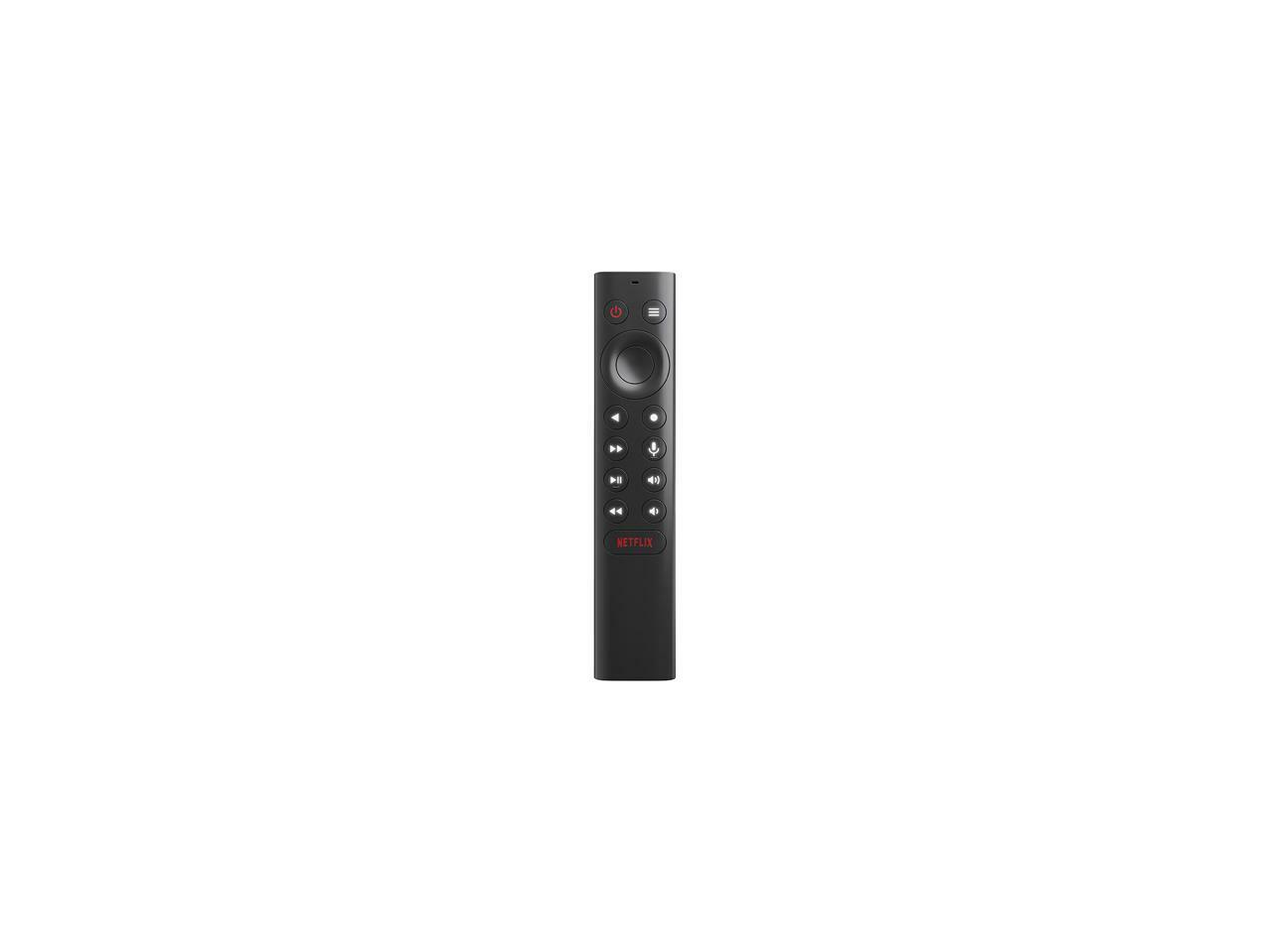
NVIDIA SHIELD TV is the streamer for gamers. The fastest, smoothest 4K HDR video gives you limitless entertainment with all the essential apps, including Amazon Video, Netflix, YouTube, Spotify, and more. SHIELD is a streaming beast that’s 3X faster than the closest competitor. Game on GeForce NOW to stream hit PC games from the cloud, instantly. Or cast your games from a GeForce GTX rig to the comfort of your living room. And control every experience with your voice, even your home. Dim the lights, order an Uber, or change the temperature. SHIELD is everything you want in one game-changing device. Plug headphones into controller for private listening.
NVIDIA SHIELD TV is the streamer for gamers. The fastest, smoothest 4K HDR video gives you limitless entertainment with all the essential apps, including Amazon Video, Netflix, YouTube, Spotify, and more. SHIELD is a streaming beast that’s 3X faster than the closest competitor. Game on GeForce NOW to stream hit PC games from the cloud, instantly. Or cast your games from a GeForce GTX rig to the comfort of your living room. And control every experience with your voice, even your home. Dim the lights, order an Uber, or change the temperature. SHIELD is everything you want in one game-changing device. Plug headphones into controller for private listening.
in 1 offers
The lowest price for NVIDIA Shield TV | Streaming Media Player - Edition right now is $79.77 at eBay.com.au.
The all-time low was $75.82 on 7 May 2026 — today's price is 5% above the lowest ever. This is at or near its all-time low — a good time to buy.
Prices last updated 28 June 2026.
NVIDIA Shield TV | Streaming Media Player - Edition
NVIDIA SHIELD TV is the streamer for gamers. The fastest, smoothest 4K HDR video gives you limitless entertainment with all the essential apps, including Amazon Video, Netflix, YouTube, Spotify, and more. SHIELD is a streaming beast that’s 3X faster than the closest competitor. Game on GeForce NOW to stream hit PC games from the cloud, instantly. Or cast your games from a GeForce GTX rig to the comfort of your living room. And control every experience with your voice, even your home. Dim the lights, order an Uber, or change the temperature. SHIELD is everything you want in one game-changing device. Plug headphones into controller for private listening.
NVIDIA SHIELD TV is the streamer for gamers. The fastest, smoothest 4K HDR video gives you limitless entertainment with all the essential apps, including Amazon Video, Netflix, YouTube, Spotify, and more. SHIELD is a streaming beast that’s 3X faster than the closest competitor. Game on GeForce NOW to stream hit PC games from the cloud, instantly. Or cast your games from a GeForce GTX rig to the comfort of your living room. And control every experience with your voice, even your home. Dim the lights, order an Uber, or change the temperature. SHIELD is everything you want in one game-changing device. Plug headphones into controller for private listening.
Last updated at 28/06/2026 09:56:36
Nvidia Shield Tv Revert, Rollback, Or Downgrade Experience Upgrade 11
Delivery $38.83
Affiliate Disclosure: We may receive a small commission for purchases made through this link at no extra cost to you. This helps support our site. Thank you!
originally posted on ebay.com
It is an extremely fast device that allows you to not only use your favorite streaming services (Hulu, Netflix, Amazon Prime, Vudu, etc). It connects to the Google Play Store but sadly the list of available software is limited. You can get Android packages from outside and load them in (but it is a security risk). The game streaming feature works very well especially with Steam. I only had one problem during setup where the device could not connect to the Internet. This was because the device automatically gets an ip for the router and makes it static. When this happens, you have to put the ip on an excluded list. That will fix it. The game pad is really comfortable and responsive
originally posted on ebay.com
NVIDIA Shield is the best streaming video player available today and it also plays games. The interface is intuitive and if you get stuck, there are plenty of videos on youtube. It connects wirelessly and also has a giigabit ethernet interface. It plays 4K flawlessly. The Pro version has more memory than the TV only version even though I'm sure that both play reasonably well. The USB port allows the user to connect additional storage and a keyboard. I attached an external 512TB NVME drive that runs as well, if not better, as the original 500TB version. You can't go wrong buying a Shield,
originally posted on ebay.com
I bought it mainly for the media streaming function. This is my 9th media player and the fifth that is Android based (including FireTV Stick and FireTV2). The performance is much better than all other media players I have used although it is also the most expensive one and double the cost of the next one. So far I have not had any problem in side loading Android apps which was my original concern with Android TV OS. I added an external SSD pulled from an old laptop as device storage and I added a keyboard touchpad remote to it to supplement the limitation of this unit. I have to say not all USB 3.0 hub or external drive case are compatible with Shield TV. Fortunately I have multiple ones at home that I can try. I am very happy with it right now and hesitate to ... MoreI bought it mainly for the media streaming function. This is my 9th media player and the fifth that is Android based (including FireTV Stick and FireTV2). The performance is much better than all other media players I have used although it is also the most expensive one and double the cost of the next one. So far I have not had any problem in side loading Android apps which was my original concern with Android TV OS. I added an external SSD pulled from an old laptop as device storage and I added a keyboard touchpad remote to it to supplement the limitation of this unit. I have to say not all USB 3.0 hub or external drive case are compatible with Shield TV. Fortunately I have multiple ones at home that I can try. I am very happy with it right now and hesitate to update to Oreo OS. One minor problem I found is the slow charging of the game controller. The gaming experience is good, particularly with the free GeForce Now subscription and plenty of free games.
Nvidia Shield Tv Revert, Rollback, Or Downgrade Experience Upgrade 11
Delivery $38.83
Affiliate Disclosure: We may receive a small commission for purchases made through this link at no extra cost to you. This helps support our site. Thank you!
It is an extremely fast device that allows you to not only use your favorite streaming services (Hulu, Netflix, Amazon Prime, Vudu, etc). It connects to the Google Play Store but sadly the list of available software is limited. You can get Android packages from outside and load them in (but it is a security risk). The game streaming feature works very well especially with Steam. I only had one problem during setup where the device could not connect to the Internet. This was because the device automatically gets an ip for the router and makes it static. When this happens, you have to put the ip on an excluded list. That will fix it. The game pad is really comfortable and responsive
NVIDIA Shield is the best streaming video player available today and it also plays games. The interface is intuitive and if you get stuck, there are plenty of videos on youtube. It connects wirelessly and also has a giigabit ethernet interface. It plays 4K flawlessly. The Pro version has more memory than the TV only version even though I'm sure that both play reasonably well. The USB port allows the user to connect additional storage and a keyboard. I attached an external 512TB NVME drive that runs as well, if not better, as the original 500TB version. You can't go wrong buying a Shield,
I bought it mainly for the media streaming function. This is my 9th media player and the fifth that is Android based (including FireTV Stick and FireTV2). The performance is much better than all other media players I have used although it is also the most expensive one and double the cost of the next one. So far I have not had any problem in side loading Android apps which was my original concern with Android TV OS. I added an external SSD pulled from an old laptop as device storage and I added a keyboard touchpad remote to it to supplement the limitation of this unit. I have to say not all USB 3.0 hub or external drive case are compatible with Shield TV. Fortunately I have multiple ones at home that I can try. I am very happy with it right now and hesitate to ... MoreI bought it mainly for the media streaming function. This is my 9th media player and the fifth that is Android based (including FireTV Stick and FireTV2). The performance is much better than all other media players I have used although it is also the most expensive one and double the cost of the next one. So far I have not had any problem in side loading Android apps which was my original concern with Android TV OS. I added an external SSD pulled from an old laptop as device storage and I added a keyboard touchpad remote to it to supplement the limitation of this unit. I have to say not all USB 3.0 hub or external drive case are compatible with Shield TV. Fortunately I have multiple ones at home that I can try. I am very happy with it right now and hesitate to update to Oreo OS. One minor problem I found is the slow charging of the game controller. The gaming experience is good, particularly with the free GeForce Now subscription and plenty of free games.
IPTV will most likely become illegal in Canada sooner or later. The taking of internet-based TV channel content without paying any licence and redistribution fees, and reselling them to us, has already been disputed to the CRTC in Canada and there are several articles by major newspapers or news services, which suggest that it is definitely going to be stopped one day. It could happen in a few months, or a few years. Having said that, the NVidia Shield does have all the speed and power that everyone praises it for, and more RAM than (almost) all other IPTV boxes out there. I think a new one just came out with 4GB of RAM but most have 1 or 2GB, which may not be enough for 4K streaming if required. It rarely had issues of freezing. I played only car racing games but ... MoreIPTV will most likely become illegal in Canada sooner or later. The taking of internet-based TV channel content without paying any licence and redistribution fees, and reselling them to us, has already been disputed to the CRTC in Canada and there are several articles by major newspapers or news services, which suggest that it is definitely going to be stopped one day. It could happen in a few months, or a few years. Having said that, the NVidia Shield does have all the speed and power that everyone praises it for, and more RAM than (almost) all other IPTV boxes out there. I think a new one just came out with 4GB of RAM but most have 1 or 2GB, which may not be enough for 4K streaming if required. It rarely had issues of freezing. I played only car racing games but the games were a bonus, not the main purpose of this device for me. IPTV depends a lot on your provider's quality. None of the Canadian channels I got were HD! They were all 480p or may be 576p at best! I had to go to the USA to get the HD versions of TSN, CBS, Sportnet which is by Rogers, a Canadian company! That's pathetic. I know there are other IPTV providers out there which can give (possibly) HD content but guess what? Even the original TV channel websites like CBC or CTV don't have FULL HD streaming shows! I just watched a show and it was at 576p from the CTV website. Also, your favourite weekly TV show may work one week, but the stream may fail the next week, causing you to get a "network error" and miss it. So I decided to forego a questionable service like IPTV and just stream the TV shows I usually watch from the Canadian TV channels' websites. No big deal. I almost always recorded them on my PVR when I had cable TV anyways, Recording IPTV is also extremely limited. You cannot schedule recurring weekly shows for example. If there are apps which can do that, I didn't have the patience to search, because the IPTV "world" is a mess of buggy, sub-par apps, with a few good ones mixed in. This requires a lot of time - like WEEKS even months - of learning and spending time on the internet. Then there is the infamous EPG - the electronic programming guide. 25-50% of channels were not listed in my provider's EPG. Yet my IPTV provider was chosen No. 1 in Canada for servers, by a website. That's why I went with it. You can find other EPG links (URLs or xmltv files) on the internet, but that would takes enormous amount of time and patience. I had the Shield TV for 2.5 weeks, so it's not like I didn't try to learn all I could about it and about IPTV. After spending 4 HOURS and another 2-3 hours more the next few days, no matter what I tried, I could not get Shield to see the contents of my network attached storage drive folders nor my PC folders on my home network. I could see the folder but clicking on it did nothing; no errors neither. I emailed NVidia and they never really solved the problem; just offered a few lame indifferent and arrogant suggestions about troubleshooting which were the SAME ones as on their website!!! So NVidia technical support is garbage! Looks like NVidia has joined the ranks of thousands of famous companies which make so much money, that they don't care about properly supporting their PAYING customers, to which they owe their existence! The navigation is also very complicated on the Shield TV. You cannot just use their remote control or game pad. Some apps require you to go up to the top for the main menu, which cannot be accessed with any button on the remote, unless you scroll up to the top of your TV channel playlist and then after about 50 clicks, reach the settings menu! You need to use the Shield Android app on your phone and use the mouse function to navigate and the keyboard function to type URLs, passwords, quickly. Otherwise, it would take you like 1-2 minutes to type a password using the on-screen keyboard and remote control cursor , when it
Most smart TVs have a limited amount of apps you can use. For example, I purchased the latest Panasonic oled TV a month ago and yet it does not have Disney Plus and a phone call to Panasonic concluded that there was no plans to have that app for the TV. I use Plex with movies etc stored on my Nas. The Panasonic and my 4 year old Samsung will not play 4k without stuttering etc ie you cannot watch original 4k content. Enter stage left the Nvidia shield. Both above problems are solved and there are many more ap[ps I can use to enhance my viewing convenience. This is not to mention games and I will not, but my son is over the moon with this facet of the shield. I am still experimenting with it - I hope I can load Chrome as this would allow quick browsing without using ... MoreMost smart TVs have a limited amount of apps you can use. For example, I purchased the latest Panasonic oled TV a month ago and yet it does not have Disney Plus and a phone call to Panasonic concluded that there was no plans to have that app for the TV. I use Plex with movies etc stored on my Nas. The Panasonic and my 4 year old Samsung will not play 4k without stuttering etc ie you cannot watch original 4k content. Enter stage left the Nvidia shield. Both above problems are solved and there are many more ap[ps I can use to enhance my viewing convenience. This is not to mention games and I will not, but my son is over the moon with this facet of the shield. I am still experimenting with it - I hope I can load Chrome as this would allow quick browsing without using phone or pc.
I have it on good authority that the NVIDIA hardware is very powerful. It was fast enough for normal use, including many games. However, Android and the overall UI here is confusing and hard to use. I encountered plenty of bugs too, like the setting to turn on the network file server that taunts you by disappearing until you google it and find out you have to first turn on the Plex server (that you don't want) and then reboot while doing a headstand. For that matter, we couldn't make it through more than about thirty seconds of TV in Plex without the Plex app crashing too. The remote is actually pretty bad: needs real volume buttons, dedicated play/pause, and bring back the headphone jack from the older model. Volume control with this device is mysterious and ... MoreI have it on good authority that the NVIDIA hardware is very powerful. It was fast enough for normal use, including many games. However, Android and the overall UI here is confusing and hard to use. I encountered plenty of bugs too, like the setting to turn on the network file server that taunts you by disappearing until you google it and find out you have to first turn on the Plex server (that you don't want) and then reboot while doing a headstand. For that matter, we couldn't make it through more than about thirty seconds of TV in Plex without the Plex app crashing too. The remote is actually pretty bad: needs real volume buttons, dedicated play/pause, and bring back the headphone jack from the older model. Volume control with this device is mysterious and ultimately broken. You can plug a keyboard inbut oh wait, I can't use it to enter passwords randomly in some apps (Amazon, looking at you). Finally, the Android TV smart phone app for iOS pales in comparison to the Roku apps in basically every way. You can say "oh that's Plex's fault" or "oh that's Amazon's fault" and on and on. OK, sure, maybe they're the ones responsible for their apps. But ultimately, if everything you want to run is buggy, no matter whose fault it is, why would you buy a box where all the apps are buggy? If NVIDIA wants to sell these things, these issues need to become NVIDIA's (and/or Google's) problems at some point. I doubt you want this product. Buy something else: a Roku, a Raspberry Pi, a little NAS you can put Plex on, a gaming PC. Maybe no one of those will do everything this box can, but the Shield TV ends up being so frustrating that you won't want to use it for anything. Sorry I can't write more now, I have to go box up the Shield TV and it just started Google Play Music at full volume for no apparent reason.
Great idea of a box hampered by a combination of hardware and software bugs. Unit has issues connecting and staying connected to the 5GHz wireless network, turns out it only works with certain 5GHz channel. The native UI appears to be rendered in 1080p and interpolated when connected to a 4K output, resulting in blurry text and UI elements. Apparently there is a manual fix by going into the debug mode and executing some terminal commands. No frame rate and dynamic range switching matching the content, not ideal but boxes of similar price range (read: Apple TV 4K) does it wonderfully. I do like the idea of having the ability to load various apps not available on the competing platform (read: Apple TVs) - Looking at you Spotify, but the various hardware and software ... MoreGreat idea of a box hampered by a combination of hardware and software bugs. Unit has issues connecting and staying connected to the 5GHz wireless network, turns out it only works with certain 5GHz channel. The native UI appears to be rendered in 1080p and interpolated when connected to a 4K output, resulting in blurry text and UI elements. Apparently there is a manual fix by going into the debug mode and executing some terminal commands. No frame rate and dynamic range switching matching the content, not ideal but boxes of similar price range (read: Apple TV 4K) does it wonderfully. I do like the idea of having the ability to load various apps not available on the competing platform (read: Apple TVs) - Looking at you Spotify, but the various hardware and software limitations ruins the experience just hours into setting it up before calling it quits. It's a decent box if you're happy with the limitations, otherwise keep an eye out for the next NVIDIA Shield revision/iteration.
I would have given it 5 stars except for the play store is not a full version and needles to say there is no Google Chrome installed. Analiti is installed to substitute for Google. I can't say anything about buffering because this time garbage out is garbage in.. I am referring to the source. You Tube is great, games graphics are great but the 2 bluetooth controller are a waste of money... one would be enough because you can't play head to head games, only one player can play unless you pay. Paid $330 for the console and $140 for 2 controllers. Other Android boxes now have great processor 8gb and 160gb storage ddr3 and android 9. Also will full version of play store and Google Chrome for less than $100. My 4 stars were for YouTube streaming and games graphics.
Replaced a Roku Premier+. Loved the Roku interface, and generally loved the product. Unfortunately, if you have a sophisticated/complex Home Theater setup (or really any kind of sink device that is both capable and automatically senses/optimizes to the best of the vast array of source device video formats--i.e. HDR, DV, 4:4:4, 4:2:2, 4:2:0, combinations thereof, etc.), the Roku's HDMI handshake issues are just intolerable--which is unfortunate. It's not totally their fault--Netflix and other streaming apps are as much to blame for their incredibly unnecessary and annoying video "auto start"/preview "feature"/PIA that can't be disabled (which is even more inexcusable--they probably realize EVERYONE would disable it so they force it on you and don't even realize the ... MoreReplaced a Roku Premier+. Loved the Roku interface, and generally loved the product. Unfortunately, if you have a sophisticated/complex Home Theater setup (or really any kind of sink device that is both capable and automatically senses/optimizes to the best of the vast array of source device video formats--i.e. HDR, DV, 4:4:4, 4:2:2, 4:2:0, combinations thereof, etc.), the Roku's HDMI handshake issues are just intolerable--which is unfortunate. It's not totally their fault--Netflix and other streaming apps are as much to blame for their incredibly unnecessary and annoying video "auto start"/preview "feature"/PIA that can't be disabled (which is even more inexcusable--they probably realize EVERYONE would disable it so they force it on you and don't even realize the issues it creates for certain technology setups) creating the need for an HDMI handshake with the sink device. But the bottom line, it became unusable. The Shield suffers from no such problems. But the tradeoff is you have to manually optimize the sink and source device since the Shield requires you set the video format manually. On the good side, it does provide something like 60 different video formats. So odds are it will work with just about any sink device. And since I despise all things Apple, this was the best alternative heavy duty consumer friendly streamer, imho.
This is the best Android TV box available no questions. We have the mi box and the h96 pro+ both are good for streaming but there's nothing like the Shield for streaming and gaming. Have ours setup with a 2tb wd passport external hard drive running multiple kodi builds and many TV and movie Apks iptv Apks and retro gaming on ours. Go from the Atari 2600 Saga NES to the GeForce games and Android games. Have aptoid and droidadmin to expand on play store. TV app repo is a must have to load apk short cuts to home screen easily. Hooked up a ps3 controller for 2nd player you also could use a Xbox controller I've read. Saving for a 2nd one for the other TV.