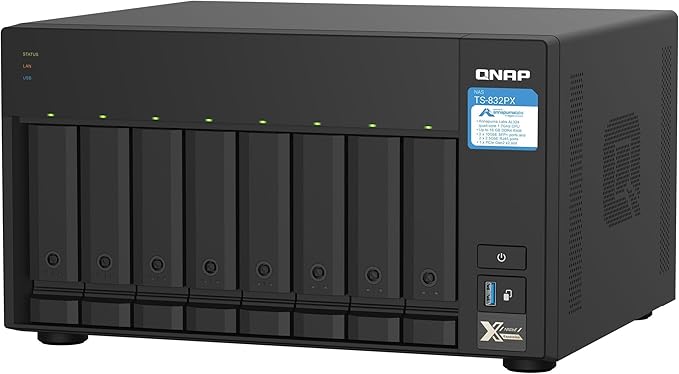
The new-gen Wi-Fi 6 (802.11ax) trend has driven higher bandwidth demands for wired and wireless network connections. By integrating Intel Celeron J4125 quad-core 2.0 GHz processor and 2.5GbE connectivity, the TS-453D not only provides modern businesses an excellent NAS solution to upgrade to 2.5GbE environments for productive daily backup/restore tasks, but also provides gamers with ample storage for their vast game collections. Up to 5 Gbps transfer speeds can be made by setting port trunking with the two built-in 2.5GbE ports. The TS-453D also supports PCIe expansion, multi-cloud backup, cloud storage gateways, 4K HDMI output and real-time transcoding, alongside expandable storage capacity and feature-rich apps to perform as a cost-efficient, reliable 2.5GbE NAS.
The new-gen Wi-Fi 6 (802.11ax) trend has driven higher bandwidth demands for wired and wireless network connections. By integrating Intel Celeron J4125 quad-core 2.0 GHz processor and 2.5GbE connectivity, the TS-453D not only provides modern businesses an excellent NAS solution to upgrade to 2.5GbE environments for productive daily backup/restore tasks, but also provides gamers with ample storage for their vast game collections. Up to 5 Gbps transfer speeds can be made by setting port trunking with the two built-in 2.5GbE ports. The TS-453D also supports PCIe expansion, multi-cloud backup, cloud storage gateways, 4K HDMI output and real-time transcoding, alongside expandable storage capacity and feature-rich apps to perform as a cost-efficient, reliable 2.5GbE NAS.
in 1 offers
The lowest price for QNAP TS-453D-4G 4-Bay 4GB Celeron J4125 2.0GHz NAS right now is $986.41 at microless.com.
The all-time low was $934.87 on 5 Nov 2025 — today's price is 6% above the lowest ever. That's a little above the best price we've seen.
Prices last updated 27 Apr 2026.
QNAP TS-453D-4G 4-Bay 4GB Celeron J4125 2.0GHz NAS
The new-gen Wi-Fi 6 (802.11ax) trend has driven higher bandwidth demands for wired and wireless network connections. By integrating Intel Celeron J4125 quad-core 2.0 GHz processor and 2.5GbE connectivity, the TS-453D not only provides modern businesses an excellent NAS solution to upgrade to 2.5GbE environments for productive daily backup/restore tasks, but also provides gamers with ample storage for their vast game collections. Up to 5 Gbps transfer speeds can be made by setting port trunking with the two built-in 2.5GbE ports. The TS-453D also supports PCIe expansion, multi-cloud backup, cloud storage gateways, 4K HDMI output and real-time transcoding, alongside expandable storage capacity and feature-rich apps to perform as a cost-efficient, reliable 2.5GbE NAS.
The new-gen Wi-Fi 6 (802.11ax) trend has driven higher bandwidth demands for wired and wireless network connections. By integrating Intel Celeron J4125 quad-core 2.0 GHz processor and 2.5GbE connectivity, the TS-453D not only provides modern businesses an excellent NAS solution to upgrade to 2.5GbE environments for productive daily backup/restore tasks, but also provides gamers with ample storage for their vast game collections. Up to 5 Gbps transfer speeds can be made by setting port trunking with the two built-in 2.5GbE ports. The TS-453D also supports PCIe expansion, multi-cloud backup, cloud storage gateways, 4K HDMI output and real-time transcoding, alongside expandable storage capacity and feature-rich apps to perform as a cost-efficient, reliable 2.5GbE NAS.
Last updated at 27/04/2026 09:00:29
QNAP TS-453D-4G 4-bay NAS for professionals with Intel Celeron J4125 CPU and two 2.5GbE ports | TS-453D-4G
Delivery between 30 Apr – 7 May $172.83
originally posted on adorama.com
PROS: (1) Does the job of permitting backup of other systems in real time either RAID or JBOD. (2) Ability to enjoy any type of media viewable/listenable on my old Panasonic plasma TV as well as my newer LCD TV using DLNA or in my case I have DISH TV which permits even easier access to media all over the house. (3) Permits some "tinkering" for those of us that may have IT experience. (4) Lots of help online from many sources besides QNAP. (5) Lots of capability for the price.CONS: Only one. Referencing item #3 above it is VERY useful to possess some IT technical skills when getting up to speed with this or likely any QNAP NAS. The myriad of options are great and offer nearly unlimited options for tweaking while at the same time possibly being overwhelming for ... MorePROS: (1) Does the job of permitting backup of other systems in real time either RAID or JBOD. (2) Ability to enjoy any type of media viewable/listenable on my old Panasonic plasma TV as well as my newer LCD TV using DLNA or in my case I have DISH TV which permits even easier access to media all over the house. (3) Permits some "tinkering" for those of us that may have IT experience. (4) Lots of help online from many sources besides QNAP. (5) Lots of capability for the price.CONS: Only one. Referencing item #3 above it is VERY useful to possess some IT technical skills when getting up to speed with this or likely any QNAP NAS. The myriad of options are great and offer nearly unlimited options for tweaking while at the same time possibly being overwhelming for people not experienced with the many peculiarities of IT in general.
originally posted on ebay.com
Brilliant little NAS had this as an upgrade to my WDMycloud and is so more advanced and feature filled. Upgraded ram and setup SSD cache easily. Phone App for backing up and file manager is good and hasn't failed on me yet even with 8GB camera role folder. Works a treat no issues with remote connections connects first time. Plex media server app is really good works brilliantly with all my smart devices . I do have a 8TB iron Wolfe drive 7200 rpm which can get a bit noisy if your sitting close to it . Plus fan can also be heard when sitting in a quite room. Over all couldn't be happier with the purchase would defo recommend for home or small office.
originally posted on neweggbusiness.com
I ended up purchasing this product because it had decent reviews online and based on some YouTube reviews of the QNAP product overall. Although this is my first NAS, I'm not new to IT. I've developed a ton of software, built my own computers, etc. I was hoping that thing would just kind of work for what I needed it for - as an extra storage unit for my home network because our media library has grown a bit enormous. Alas, this has been nothing but a headache since I purchased it last year. From the initial setup and configuration to the major security problems, to their cloud access solution, to their virtual switches, etc. Everything I try to use with this software seems to have bugs of some sort. This is the worst hardware/software purchase I've made in the past ... MoreI ended up purchasing this product because it had decent reviews online and based on some YouTube reviews of the QNAP product overall. Although this is my first NAS, I'm not new to IT. I've developed a ton of software, built my own computers, etc. I was hoping that thing would just kind of work for what I needed it for - as an extra storage unit for my home network because our media library has grown a bit enormous. Alas, this has been nothing but a headache since I purchased it last year. From the initial setup and configuration to the major security problems, to their cloud access solution, to their virtual switches, etc. Everything I try to use with this software seems to have bugs of some sort. This is the worst hardware/software purchase I've made in the past two decades and it's not close. I've contacted their technical support team twice. Once I was connected with a technical representative who had to do some research on the problem I was having for about a week before he informed me that what I was trying to do wasn't possible because they use a unique version of Linux for their OS. Another time I called and someone from India answered the technical support line to tell me he couldn't really help me with any technical problems. I can't really understate the security issues that have been going on either. This past year, it's one security notification after another including what appears to be a major security concern associated with the web access for their myQNAPCloud service. I feel like having that access configured is basically creating a big hole in my own home network inviting ransomware in. And the pace of 'security alerts' that they've been sending out lately doesn't make me feel any better. I mean - it's great that they are looking for, finding, and fixing security problems. But it does seem like I get one security alert a week from QNAP saying that found another vulnerability. I could go on and on about how much of a pain in the side this machine has been for me but I'll just wrap up by saying this if you want something that just works don't even consider QNAP - just go with the Synology.
| General | |
| Device Type | NAS server |
| Host Connectivity | 2.5 Gigabit Ethernet |
| Total Storage Capacity | 0 GB |
| Installed Devices / Modules Qty | 0 (installed) / 4 (max) |
QNAP TS-453D-4G 4-bay NAS for professionals with Intel Celeron J4125 CPU and two 2.5GbE ports | TS-453D-4G
Delivery between 30 Apr – 7 May $172.83
PROS: (1) Does the job of permitting backup of other systems in real time either RAID or JBOD. (2) Ability to enjoy any type of media viewable/listenable on my old Panasonic plasma TV as well as my newer LCD TV using DLNA or in my case I have DISH TV which permits even easier access to media all over the house. (3) Permits some "tinkering" for those of us that may have IT experience. (4) Lots of help online from many sources besides QNAP. (5) Lots of capability for the price.CONS: Only one. Referencing item #3 above it is VERY useful to possess some IT technical skills when getting up to speed with this or likely any QNAP NAS. The myriad of options are great and offer nearly unlimited options for tweaking while at the same time possibly being overwhelming for ... MorePROS: (1) Does the job of permitting backup of other systems in real time either RAID or JBOD. (2) Ability to enjoy any type of media viewable/listenable on my old Panasonic plasma TV as well as my newer LCD TV using DLNA or in my case I have DISH TV which permits even easier access to media all over the house. (3) Permits some "tinkering" for those of us that may have IT experience. (4) Lots of help online from many sources besides QNAP. (5) Lots of capability for the price.CONS: Only one. Referencing item #3 above it is VERY useful to possess some IT technical skills when getting up to speed with this or likely any QNAP NAS. The myriad of options are great and offer nearly unlimited options for tweaking while at the same time possibly being overwhelming for people not experienced with the many peculiarities of IT in general.
Brilliant little NAS had this as an upgrade to my WDMycloud and is so more advanced and feature filled. Upgraded ram and setup SSD cache easily. Phone App for backing up and file manager is good and hasn't failed on me yet even with 8GB camera role folder. Works a treat no issues with remote connections connects first time. Plex media server app is really good works brilliantly with all my smart devices . I do have a 8TB iron Wolfe drive 7200 rpm which can get a bit noisy if your sitting close to it . Plus fan can also be heard when sitting in a quite room. Over all couldn't be happier with the purchase would defo recommend for home or small office.
I ended up purchasing this product because it had decent reviews online and based on some YouTube reviews of the QNAP product overall. Although this is my first NAS, I'm not new to IT. I've developed a ton of software, built my own computers, etc. I was hoping that thing would just kind of work for what I needed it for - as an extra storage unit for my home network because our media library has grown a bit enormous. Alas, this has been nothing but a headache since I purchased it last year. From the initial setup and configuration to the major security problems, to their cloud access solution, to their virtual switches, etc. Everything I try to use with this software seems to have bugs of some sort. This is the worst hardware/software purchase I've made in the past ... MoreI ended up purchasing this product because it had decent reviews online and based on some YouTube reviews of the QNAP product overall. Although this is my first NAS, I'm not new to IT. I've developed a ton of software, built my own computers, etc. I was hoping that thing would just kind of work for what I needed it for - as an extra storage unit for my home network because our media library has grown a bit enormous. Alas, this has been nothing but a headache since I purchased it last year. From the initial setup and configuration to the major security problems, to their cloud access solution, to their virtual switches, etc. Everything I try to use with this software seems to have bugs of some sort. This is the worst hardware/software purchase I've made in the past two decades and it's not close. I've contacted their technical support team twice. Once I was connected with a technical representative who had to do some research on the problem I was having for about a week before he informed me that what I was trying to do wasn't possible because they use a unique version of Linux for their OS. Another time I called and someone from India answered the technical support line to tell me he couldn't really help me with any technical problems. I can't really understate the security issues that have been going on either. This past year, it's one security notification after another including what appears to be a major security concern associated with the web access for their myQNAPCloud service. I feel like having that access configured is basically creating a big hole in my own home network inviting ransomware in. And the pace of 'security alerts' that they've been sending out lately doesn't make me feel any better. I mean - it's great that they are looking for, finding, and fixing security problems. But it does seem like I get one security alert a week from QNAP saying that found another vulnerability. I could go on and on about how much of a pain in the side this machine has been for me but I'll just wrap up by saying this if you want something that just works don't even consider QNAP - just go with the Synology.
As a background, i am an electrical engineer who designs electronics. I found this product to be intuitive and well designed. The software is very nice to use and has many extensible features. I am using the nas as a network file storage for personal files and personal project data. This data will be backed up to the cloud. My personal recommendation is to avoid using RAID for home use. My setup is local machines backs up to nas, nas backs up to local external hard drives (archives), nas backs up to cloud (important folders only). Nas contains qty2 wd red 4TB and qty 2 wd red 8TB drives all setup as static Volumes. This is my second nas unit but my first Qnap unit and so far i would highly recommend this product.
To be fare, I am not some network guru or familiar with setting up a network drive. But for the price Adorama was selling this unit for, I had to take the leap. Originally, I wanted the Synology 920+, but the QNAP was rated just as high and the PCIe slot option of adding a future card for faster transfer speed beyond 5GbE sold me. I expect to use this for at least 5-10 years and don't want to be handcuffed by slower units. For someone like me, setup wasn't real easy. Took me about a week to find time to understand and get it working. It wasn't just a plug-n-go. I haven't really used it much, but it does the basics, mainly allow my home network to access common data (pictures and music). This unit is probably over kill for our use, but better too much than not ... MoreTo be fare, I am not some network guru or familiar with setting up a network drive. But for the price Adorama was selling this unit for, I had to take the leap. Originally, I wanted the Synology 920+, but the QNAP was rated just as high and the PCIe slot option of adding a future card for faster transfer speed beyond 5GbE sold me. I expect to use this for at least 5-10 years and don't want to be handcuffed by slower units. For someone like me, setup wasn't real easy. Took me about a week to find time to understand and get it working. It wasn't just a plug-n-go. I haven't really used it much, but it does the basics, mainly allow my home network to access common data (pictures and music). This unit is probably over kill for our use, but better too much than not enough. The cost at the time also made it close enough to the two bay units, I was able to upgrade to the 4-bay. With the added drives, I can now consider a RAID setup, something that I didn't think I would need, but is now an option.
This is a very nice NAS. I have previously had a Synology and TrueNAS. I found it very easy to set up with a lot of options. The 2.5gbe is a very nice feature. It made reloading the unit faster. I installed four 8 TB Ironwolf Pro drives in a raid 5 setup. Transferring files to and from the NAS is very quick. The unit is very responsive given its CPU and memory. Being able to upgrade the ram is a definite plus. The pcie expansion slot is another plus for future nvme ssd options. I would definitely recommend this unit.
Great Home Server. It was a short learning curve to switch over from a Synology Server, and there were so many advantages to this QNAP. Excellent AI picture sorting, facial recognition and location recognition, with real time 4K transcoding. The backup and sync options are endless, and include any of the popular cloud drives or anything that can be accessed via webdav. Snapshot makes an exact duplicate of your drive in a volume that is not accessible to others, so if there is ransomware, you can recover your data and keep on going. And QMiix is incredible. It's like Zapier (with less functionality), but you don't have to pay $50/month for it. And it can do everything that Synology can do. I'm impressed.
I purchased this Qnap TS-453D NAS to replace a 6-7 year old Buffalo NAS. I outfitted it with 4x Seagate IronWolf 4TB NAS Hard Drives, and configured it to use RAID 5. I upgraded to 8gb RAM, and am running it using dual 1GB Ethernet connections.My early impressions are good. There is a fairly steep learning curve, as there are a plethora of options and setup configurations. I use it as PLEX server, network shared storage, and backup device. I plan on setting it up as a webcam server, but after the initial successful setup, I put that on hold until I have more time to plan its setup.Here are some of the things I like so far:- Plex runs/transcodes very well with an approximately 4 TB library of mixed media up to 4k, File transfers are fast, and it is much quieter ... MoreI purchased this Qnap TS-453D NAS to replace a 6-7 year old Buffalo NAS. I outfitted it with 4x Seagate IronWolf 4TB NAS Hard Drives, and configured it to use RAID 5. I upgraded to 8gb RAM, and am running it using dual 1GB Ethernet connections.My early impressions are good. There is a fairly steep learning curve, as there are a plethora of options and setup configurations. I use it as PLEX server, network shared storage, and backup device. I plan on setting it up as a webcam server, but after the initial successful setup, I put that on hold until I have more time to plan its setup.Here are some of the things I like so far:- Plex runs/transcodes very well with an approximately 4 TB library of mixed media up to 4k, File transfers are fast, and it is much quieter than my previous NAS. There Tons of options/apps available to do just about anything.Here are some of the things I'm not as excited about:- The learning Curve, long setup time, backup software limitations, and app overlap.
I have had two Synology DiskStations over the past 10 years. Synology was easier to set up, manage and use and was entirely satisfying. The Qnap, while not difficult to set up, does offer a lot more "under the hood" options. I'm a techy so it works great for me and was something I was looking forBeing a newer hardware than my old Synology NAS, the Qnap should perform quicker. Even so, I'm very happy with the speed I get from shared NAS folders using Windows Explorer.My sense is that there are more Synology apps that I would use than I see in the Qnap list. Time will tell.I haven't figured out yet why the Plex software won't open in a browser on the local LAN. Could/should be something very simple but I certainly never had this kind of problem with the ... MoreI have had two Synology DiskStations over the past 10 years. Synology was easier to set up, manage and use and was entirely satisfying. The Qnap, while not difficult to set up, does offer a lot more "under the hood" options. I'm a techy so it works great for me and was something I was looking forBeing a newer hardware than my old Synology NAS, the Qnap should perform quicker. Even so, I'm very happy with the speed I get from shared NAS folders using Windows Explorer.My sense is that there are more Synology apps that I would use than I see in the Qnap list. Time will tell.I haven't figured out yet why the Plex software won't open in a browser on the local LAN. Could/should be something very simple but I certainly never had this kind of problem with the Synology. I guess I should expect this for all packages that I'll set up on the Qnap.
Very good purchase fast transfer great software, very easy setup, Build quality is a poor as from the previous models metal case has been replaced with plastic even the hdd trays are plastic. I would recommend attaching the provided screws to avoid buzzing noise from the drive trays. For the money its the best in its range.
| General | |
| Device Type | NAS server |
| Host Connectivity | 2.5 Gigabit Ethernet |
| Total Storage Capacity | 0 GB |
| Installed Devices / Modules Qty | 0 (installed) / 4 (max) |