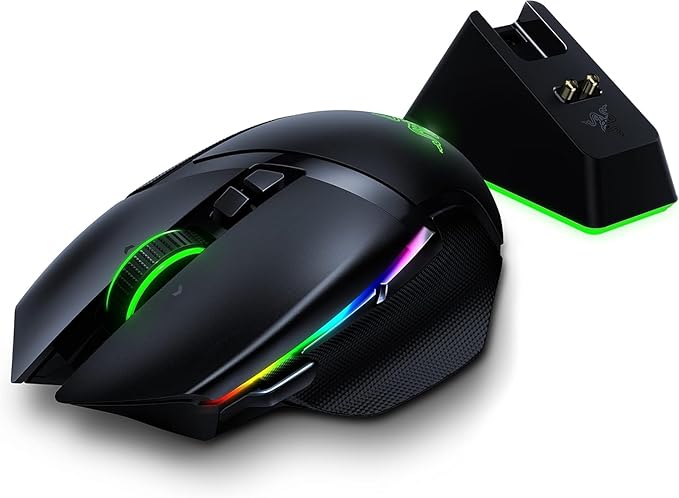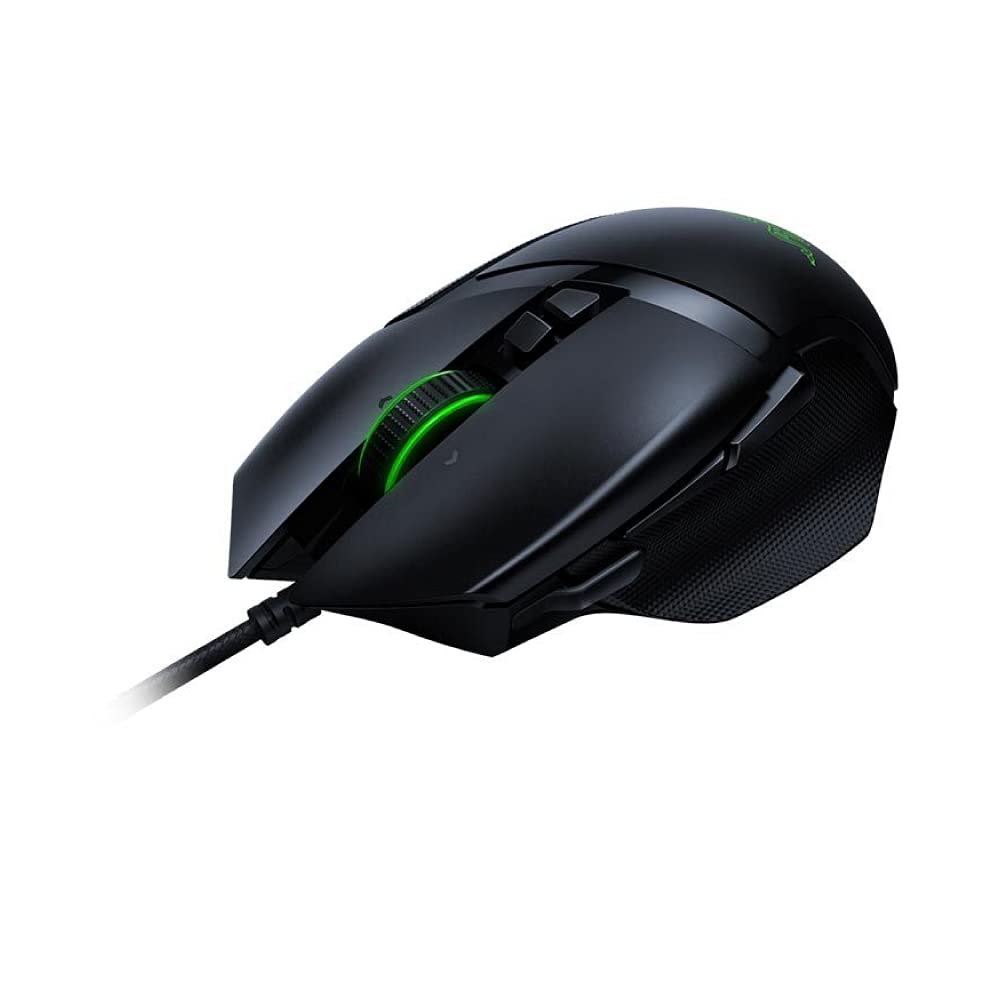
Razer Basilisk Gaming Mouse - Black
The Basilisk is designed with FPS gamers in mind with an ergonomic design, multi-functional paddle, and customizable scroll wheel The Razer Basilisk is equipped with a 16,000 dpi optical sensor. It is capable of mouse movement speeds of up to 450 inches per second with 99.4% resolution accuracy Gaming-optimized Razer mechanical mouse switches - durable up to 50 million clicks. DPI buttons at your fingertips and Razer Chroma customizable lighting Whether you are playing at fast or low speeds, the Basilisk will always respond onscreen with exacting accuracy and the organic fluidity only possible with an optical sensor It is the world's most advanced FPS gaming mouse Razer Basilisk Chroma Ergonomic FPS Gaming Mouse.
The Basilisk is designed with FPS gamers in mind with an ergonomic design, multi-functional paddle, and customizable scroll wheel The Razer Basilisk is equipped with a 16,000 dpi optical sensor. It is capable of mouse movement speeds of up to 450 inches per second with 99.4% resolution accuracy Gaming-optimized Razer mechanical mouse switches - durable up to 50 million clicks. DPI buttons at your fingertips and Razer Chroma customizable lighting Whether you are playing at fast or low speeds, the Basilisk will always respond onscreen with exacting accuracy and the organic fluidity only possible with an optical sensor It is the world's most advanced FPS gaming mouse Razer Basilisk Chroma Ergonomic FPS Gaming Mouse.
The Basilisk is designed with FPS gamers in mind with an ergonomic design, multi-functional paddle, and customizable scroll wheel The Razer Basilisk is equipped with a 16,000 dpi optical sensor. It is capable of mouse movement speeds of up to 450 inches per second with 99.4% resolution accuracy Gaming-optimized Razer mechanical mouse switches - durable up to 50 million clicks. DPI buttons at your fingertips and Razer Chroma customizable lighting Whether you are playing at fast or low speeds, the Basilisk will always respond onscreen with exacting accuracy and the organic fluidity only possible with an optical sensor It is the world's most advanced FPS gaming mouse Razer Basilisk Chroma Ergonomic FPS Gaming Mouse.
The Basilisk is designed with FPS gamers in mind with an ergonomic design, multi-functional paddle, and customizable scroll wheel The Razer Basilisk is equipped with a 16,000 dpi optical sensor. It is capable of mouse movement speeds of up to 450 inches per second with 99.4% resolution accuracy Gaming-optimized Razer mechanical mouse switches - durable up to 50 million clicks. DPI buttons at your fingertips and Razer Chroma customizable lighting Whether you are playing at fast or low speeds, the Basilisk will always respond onscreen with exacting accuracy and the organic fluidity only possible with an optical sensor It is the world's most advanced FPS gaming mouse Razer Basilisk Chroma Ergonomic FPS Gaming Mouse.
in 10 offers
The lowest price for Razer Basilisk Gaming Mouse - Black right now is $31.31 at eBay.com.au, compared across 6 retailers.
The all-time low was $14.00 on 3 May 2024 — today's price is 124% above the lowest ever. It has been notably cheaper before — worth setting a price alert.
Prices last updated 22 Oct 2026.
Last updated at 22/10/2026 09:37:22
Razer DeathAdder Elite Destiny 2 Edition - Multi-Color Ergonomic Gaming Mouse
Affiliate Disclosure: We may receive a small commission for purchases made through this link at no extra cost to you. This helps support our site. Thank you!
Razer Basilisk Ergonomic Chroma Fps Gaming Mouse 16000 Dpi 5g Optical
Delivery $30.69
Affiliate Disclosure: We may receive a small commission for purchases made through this link at no extra cost to you. This helps support our site. Thank you!
Razer Basilisk Black Mouse - Gaming
Delivery $14.50
Razer Basilisk Gaming Mouse: 16,000 DPI Optical Sensor - Chroma RGB Lighting - 8 Programmable Buttons - Mechanical Switches - Customizable Scroll
Delivery between 26–30 Oct $41
Razer Basilisk Gaming Mouse: 16,000 DPI Optical Sensor - Chroma RGB Lighting - 8 Programmable Buttons - Mechanical Switches - Customizable Scroll
Delivery $28.47
Razer Basilisk - Chroma Enabled RGB FPS Gaming Mouse - Worlds Most Precise Sensor - Comfortable Grip w/ DPI Clutch & Customizable Scroll Wheel Resista
Free delivery between 2–5 Nov
originally posted on walmart.com
I liked the looks of this mouse and like the rubber cushion grips on both sides. I also like that it was higher than most mice and not flat. It is comfortable to use. Movement was VERY smooth and precise. You can adjust the resistance on the scroll wheel on the underside of the mouse. The center button is easy to push. You can download special software for the colors and it will cycle through all colors the spectrum (several million colors) or you can program it with the button on the bottom to any color you want or turn the color light off altogether. It also has a DPI clutch where you can change the sensitivity of the mouse when moving it around the screen. I don't really understand how this is useful, but I am guessing some hard-core gamers would love this ... MoreI liked the looks of this mouse and like the rubber cushion grips on both sides. I also like that it was higher than most mice and not flat. It is comfortable to use. Movement was VERY smooth and precise. You can adjust the resistance on the scroll wheel on the underside of the mouse. The center button is easy to push. You can download special software for the colors and it will cycle through all colors the spectrum (several million colors) or you can program it with the button on the bottom to any color you want or turn the color light off altogether. It also has a DPI clutch where you can change the sensitivity of the mouse when moving it around the screen. I don't really understand how this is useful, but I am guessing some hard-core gamers would love this feature. You are able to switch the DPI with two buttons on the top of the mouse and they aren't placed in such a way that you could accidentally change the DPI. It did not come with the Chroma software, you have to download it from the Razer website. There is a matching keyboard and mouse pad that you can purchase to get the full color experience and they even have lights you can put on the back of your monitor that will match your mouse/keyboard, etc. Pretty neat!
originally posted on bestbuy.com
I am not a gamer, I am a graphic designer, I work 12 hours a day with the mouse, more or less. It is hard to explain how a mouse should be but I have learned through years of working that when I hold a mouse once I know if I want it or not, and I know why (for my preferences, of course, people are different).I have been using Razer models for more than 8 years, and the best one I found was the Taipan, which I bought many of that model for me and my staff. But today I picked up my first Basilisk and I had a feeling that I am going to return it the day after, because of the shape, but I had to try, and it turned out that I was wrong.The weight is well-thought and the mouse moves properly with the right amount of push (when you work more than 10 hours a day, it ... MoreI am not a gamer, I am a graphic designer, I work 12 hours a day with the mouse, more or less. It is hard to explain how a mouse should be but I have learned through years of working that when I hold a mouse once I know if I want it or not, and I know why (for my preferences, of course, people are different).I have been using Razer models for more than 8 years, and the best one I found was the Taipan, which I bought many of that model for me and my staff. But today I picked up my first Basilisk and I had a feeling that I am going to return it the day after, because of the shape, but I had to try, and it turned out that I was wrong.The weight is well-thought and the mouse moves properly with the right amount of push (when you work more than 10 hours a day, it makes a big difference how much the mouse reacts to the push). Basilisk is weighted perfectly, even better than Taipan.The shape is perfect! Not too small, but small enough to be handled with the two fingers on the buttons, without having the palm pushing the back.Again, I am not a gamer, but the little switch they added to the left side of the mouse is very beneficial, if you will, for whatever reason you want to use, I use it to render the page in the web-design app I use since I have to render once every few minutes, and the switch is very well-positioned.The scroll stiffness is adjustable, but... it could be better if their app supported smooth scrolling in MacOs. It is a pity that the mouse can be adjusted to smooth scroll, but the app does not support it in MacOS, so basically it is just useless, and scrolling is still stepped.The sensor, as I apprehended, is the same as the one in Deathadder, which is more than enough for human's hand gesture capability, lol.Anyhow, I am kipping it and I love it, good job Razer. I tried almost all models, and return almost all of them (except the Deathadders, and Taipans), but I am keeping this one, this is my new favorite mouse.
originally posted on bestbuy.com
This mouse is amazing. It fits the contour of my hand perfectly. I tried to like the Deathadder because that mouse is so popular amongst professional e-sports gamers, but I had trouble lifting it off the mousepad frequently due to the way it sort of slopes outwards and doesn't provide a good grip surface for people who use a claw grip (or who have sweaty hands).The Basilisk, however, has the nice large footprint of the Deathadder (not the same size, but wider than most normal gaming mice) but with the benefit of beautifully crafted grips and curves that make it much easier to pick the mouse up when playing games that favor lower DPI such as CS:GO.The only thing keeping me from giving this 5 stars is that the grip on the thumb side starts to peel away from the ... MoreThis mouse is amazing. It fits the contour of my hand perfectly. I tried to like the Deathadder because that mouse is so popular amongst professional e-sports gamers, but I had trouble lifting it off the mousepad frequently due to the way it sort of slopes outwards and doesn't provide a good grip surface for people who use a claw grip (or who have sweaty hands).The Basilisk, however, has the nice large footprint of the Deathadder (not the same size, but wider than most normal gaming mice) but with the benefit of beautifully crafted grips and curves that make it much easier to pick the mouse up when playing games that favor lower DPI such as CS:GO.The only thing keeping me from giving this 5 stars is that the grip on the thumb side starts to peel away from the mouse after a very short time (a month or two of using it for a couple hours a day). This wasn't a one-off. I actually purchased two of these (the second one was the white edition) and it happened exactly the same on both. My wife uses the white one and she is very gentle with electronics, so I know this wasn't the result of rough use or abuse.Although I haven't gotten around to it, I imagine a dab of super glue might fix it. Still, I have never had that issue with any of the other mice I've owned, and I've owned dozens of mice in the past decades.
| Connectivity Type | Wired |
| Interface | USB |
| Compatibility | Windows, Mac, PC |
| Supported Devices | Laptop, PC |
| Number of Buttons | 8 |

Razer DeathAdder Elite Destiny 2 Edition - Multi-Color Ergonomic Gaming Mouse
Affiliate Disclosure: We may receive a small commission for purchases made through this link at no extra cost to you. This helps support our site. Thank you!
Razer Basilisk Ergonomic Chroma Fps Gaming Mouse 16000 Dpi 5g Optical
Delivery $30.69
Affiliate Disclosure: We may receive a small commission for purchases made through this link at no extra cost to you. This helps support our site. Thank you!
Razer Basilisk Black Mouse - Gaming
Delivery $14.50
Razer Basilisk Gaming Mouse: 16,000 DPI Optical Sensor - Chroma RGB Lighting - 8 Programmable Buttons - Mechanical Switches - Customizable Scroll
Delivery between 26–30 Oct $41
Razer Basilisk Gaming Mouse: 16,000 DPI Optical Sensor - Chroma RGB Lighting - 8 Programmable Buttons - Mechanical Switches - Customizable Scroll
Delivery $28.47
I liked the looks of this mouse and like the rubber cushion grips on both sides. I also like that it was higher than most mice and not flat. It is comfortable to use. Movement was VERY smooth and precise. You can adjust the resistance on the scroll wheel on the underside of the mouse. The center button is easy to push. You can download special software for the colors and it will cycle through all colors the spectrum (several million colors) or you can program it with the button on the bottom to any color you want or turn the color light off altogether. It also has a DPI clutch where you can change the sensitivity of the mouse when moving it around the screen. I don't really understand how this is useful, but I am guessing some hard-core gamers would love this ... MoreI liked the looks of this mouse and like the rubber cushion grips on both sides. I also like that it was higher than most mice and not flat. It is comfortable to use. Movement was VERY smooth and precise. You can adjust the resistance on the scroll wheel on the underside of the mouse. The center button is easy to push. You can download special software for the colors and it will cycle through all colors the spectrum (several million colors) or you can program it with the button on the bottom to any color you want or turn the color light off altogether. It also has a DPI clutch where you can change the sensitivity of the mouse when moving it around the screen. I don't really understand how this is useful, but I am guessing some hard-core gamers would love this feature. You are able to switch the DPI with two buttons on the top of the mouse and they aren't placed in such a way that you could accidentally change the DPI. It did not come with the Chroma software, you have to download it from the Razer website. There is a matching keyboard and mouse pad that you can purchase to get the full color experience and they even have lights you can put on the back of your monitor that will match your mouse/keyboard, etc. Pretty neat!
I am not a gamer, I am a graphic designer, I work 12 hours a day with the mouse, more or less. It is hard to explain how a mouse should be but I have learned through years of working that when I hold a mouse once I know if I want it or not, and I know why (for my preferences, of course, people are different).I have been using Razer models for more than 8 years, and the best one I found was the Taipan, which I bought many of that model for me and my staff. But today I picked up my first Basilisk and I had a feeling that I am going to return it the day after, because of the shape, but I had to try, and it turned out that I was wrong.The weight is well-thought and the mouse moves properly with the right amount of push (when you work more than 10 hours a day, it ... MoreI am not a gamer, I am a graphic designer, I work 12 hours a day with the mouse, more or less. It is hard to explain how a mouse should be but I have learned through years of working that when I hold a mouse once I know if I want it or not, and I know why (for my preferences, of course, people are different).I have been using Razer models for more than 8 years, and the best one I found was the Taipan, which I bought many of that model for me and my staff. But today I picked up my first Basilisk and I had a feeling that I am going to return it the day after, because of the shape, but I had to try, and it turned out that I was wrong.The weight is well-thought and the mouse moves properly with the right amount of push (when you work more than 10 hours a day, it makes a big difference how much the mouse reacts to the push). Basilisk is weighted perfectly, even better than Taipan.The shape is perfect! Not too small, but small enough to be handled with the two fingers on the buttons, without having the palm pushing the back.Again, I am not a gamer, but the little switch they added to the left side of the mouse is very beneficial, if you will, for whatever reason you want to use, I use it to render the page in the web-design app I use since I have to render once every few minutes, and the switch is very well-positioned.The scroll stiffness is adjustable, but... it could be better if their app supported smooth scrolling in MacOs. It is a pity that the mouse can be adjusted to smooth scroll, but the app does not support it in MacOS, so basically it is just useless, and scrolling is still stepped.The sensor, as I apprehended, is the same as the one in Deathadder, which is more than enough for human's hand gesture capability, lol.Anyhow, I am kipping it and I love it, good job Razer. I tried almost all models, and return almost all of them (except the Deathadders, and Taipans), but I am keeping this one, this is my new favorite mouse.
This mouse is amazing. It fits the contour of my hand perfectly. I tried to like the Deathadder because that mouse is so popular amongst professional e-sports gamers, but I had trouble lifting it off the mousepad frequently due to the way it sort of slopes outwards and doesn't provide a good grip surface for people who use a claw grip (or who have sweaty hands).The Basilisk, however, has the nice large footprint of the Deathadder (not the same size, but wider than most normal gaming mice) but with the benefit of beautifully crafted grips and curves that make it much easier to pick the mouse up when playing games that favor lower DPI such as CS:GO.The only thing keeping me from giving this 5 stars is that the grip on the thumb side starts to peel away from the ... MoreThis mouse is amazing. It fits the contour of my hand perfectly. I tried to like the Deathadder because that mouse is so popular amongst professional e-sports gamers, but I had trouble lifting it off the mousepad frequently due to the way it sort of slopes outwards and doesn't provide a good grip surface for people who use a claw grip (or who have sweaty hands).The Basilisk, however, has the nice large footprint of the Deathadder (not the same size, but wider than most normal gaming mice) but with the benefit of beautifully crafted grips and curves that make it much easier to pick the mouse up when playing games that favor lower DPI such as CS:GO.The only thing keeping me from giving this 5 stars is that the grip on the thumb side starts to peel away from the mouse after a very short time (a month or two of using it for a couple hours a day). This wasn't a one-off. I actually purchased two of these (the second one was the white edition) and it happened exactly the same on both. My wife uses the white one and she is very gentle with electronics, so I know this wasn't the result of rough use or abuse.Although I haven't gotten around to it, I imagine a dab of super glue might fix it. Still, I have never had that issue with any of the other mice I've owned, and I've owned dozens of mice in the past decades.
To prep, I am a Razer fan. I own the Razer Basilisk wireless for my Razer Laptop and Razer mouse pads. Prior to this mouse, I owned the Razer Atheris. I also like the Atheris but the the Razer Basilisk fits my hand better and I really like the thumb rest. At first I thought the thumb rest was not necessary but I notice the mouse glides better, especially during long gaming sessions, because the thumb doesn't drag on the mouse pad. So, why am I talking about the Wireless version. I was so impressed, I bought the wired version for my desktop. The extra feature, which I haven't gotten use to yet, is the dpi thumb key. However, I changed, through the Synapse, the button action to be a grenade throw. Feels much better than scrunching my thumb to press the side button. ... MoreTo prep, I am a Razer fan. I own the Razer Basilisk wireless for my Razer Laptop and Razer mouse pads. Prior to this mouse, I owned the Razer Atheris. I also like the Atheris but the the Razer Basilisk fits my hand better and I really like the thumb rest. At first I thought the thumb rest was not necessary but I notice the mouse glides better, especially during long gaming sessions, because the thumb doesn't drag on the mouse pad. So, why am I talking about the Wireless version. I was so impressed, I bought the wired version for my desktop. The extra feature, which I haven't gotten use to yet, is the dpi thumb key. However, I changed, through the Synapse, the button action to be a grenade throw. Feels much better than scrunching my thumb to press the side button. BTW, I am not a big fan of RGB. So if you like having psychedelic changing colors, then this mouse is not for you.
There is a lot of detailed information about this excellent gaming mouse, so I thought I would offer some plain English explanation of what I see as the mouse's appeal.First, the textured surface helps you keep a super clear idea how you're holding the mouse, without looking away, and to not lose your grip on it during intense gameplay, which helps with accuracy, generally. This is supported by the overall shape of the mouse, including the rest for your thumb, on the left side of the mouse. Some users seem to think the mouse is on the small side; I disagree. It is the largest mouse I've owned in over 20 years.The wheel adjusts to allow for easier scrolling, or, to offer more resistance while turning it -- again to increase accuracy while running through side ... MoreThere is a lot of detailed information about this excellent gaming mouse, so I thought I would offer some plain English explanation of what I see as the mouse's appeal.First, the textured surface helps you keep a super clear idea how you're holding the mouse, without looking away, and to not lose your grip on it during intense gameplay, which helps with accuracy, generally. This is supported by the overall shape of the mouse, including the rest for your thumb, on the left side of the mouse. Some users seem to think the mouse is on the small side; I disagree. It is the largest mouse I've owned in over 20 years.The wheel adjusts to allow for easier scrolling, or, to offer more resistance while turning it -- again to increase accuracy while running through side menus swapping out weapons or whatever. The wheel makes a slight clicking when spun; To increase that tension, your adjustments (made underneath the mouse) make the wheel more audible-y "clicky." The overall impact is that of a very precise and expensive tool, like a surgical instrument.On top of the mouse, the two buttons at the base of the wheel can be used to adjust the DPI, or in other words, how fast and far the cursor moves when you move the entire mouse. It is set so you can quickly change that during gameplay, and without looking at the mouse.Mostly, though, I have to say, I think a major appeal of the mouse is the super cool, super vibrant color shifting which can be adjusted to continuously fade from one color to another. It is, actually, really cool effect. Works great, looks great, too.
Initial impression is quite positive. I’m coming from a Logitech G 903. This mouse, the basilisk ultimate, is a satisfying weight. Lighter than Logitech offerings. Performance is great, smooth and reliable. Love the paddle. Very comfy mouse to use. An upgrade in every way over the G903.Battery life is as advertised. Fantastic. For all that it offers and how it performs, this is great to get 100 hours. The dock is also surprisingly great plugged into my usb outlet. Let’s me charge the mouse whenever I’m away from my computer even if computer is powered off. Has a sticky/squishy rubberized bottom. Works great on my aluminum and glass surfaces to really keep the dock in one place. Not sure if it could stain wood and doubt it works well on any fabrics or irregular ... MoreInitial impression is quite positive. I’m coming from a Logitech G 903. This mouse, the basilisk ultimate, is a satisfying weight. Lighter than Logitech offerings. Performance is great, smooth and reliable. Love the paddle. Very comfy mouse to use. An upgrade in every way over the G903.Battery life is as advertised. Fantastic. For all that it offers and how it performs, this is great to get 100 hours. The dock is also surprisingly great plugged into my usb outlet. Let’s me charge the mouse whenever I’m away from my computer even if computer is powered off. Has a sticky/squishy rubberized bottom. Works great on my aluminum and glass surfaces to really keep the dock in one place. Not sure if it could stain wood and doubt it works well on any fabrics or irregular surfaces requires some effort to lift or move it once I stick it down good.I think this will be my favorite mouse for a while.The only ‘con’ is the price, which I feel really should be adjusted to $150 or below. Sort feel like I’m being charged extra over competition because they’ve really outclassed anything that used to sit in the price bracket. I don’t think I’m a fan of prices of a computer mouse creeping up to nearly $200 USD with taxes.... you can buy very cheap computers or even mediocre graphics cards and stuff for the price of this mouse. Anyways, disposable income clearly a requirement that limits who might be interested in the mouse.
I've been hunting for a mouse to replace my old MX518 for about 3 years now, I know they made a new version of it but I was simply ready for a change. I knew I wanted to "Downshift" feature on my new mouse. I started this search with the Logitech G403 that doesn't have a DS trigger and a couple of Corsair Mice that do that I didn't like at all. The M65 Pro RGB and the Iron Claw Wireless were the two I tried from Corsair. Don't get me wrong they were very nice mice but just not right for me.Anyway the Basilisk has the "Sniper" button which temporarily downshifts your in-game DPI settings to make it easier to acquire and hold your targets at long range. The location of this side mounted switch is perfect for me and easily triggered via my thumb in it's ... MoreI've been hunting for a mouse to replace my old MX518 for about 3 years now, I know they made a new version of it but I was simply ready for a change. I knew I wanted to "Downshift" feature on my new mouse. I started this search with the Logitech G403 that doesn't have a DS trigger and a couple of Corsair Mice that do that I didn't like at all. The M65 Pro RGB and the Iron Claw Wireless were the two I tried from Corsair. Don't get me wrong they were very nice mice but just not right for me.Anyway the Basilisk has the "Sniper" button which temporarily downshifts your in-game DPI settings to make it easier to acquire and hold your targets at long range. The location of this side mounted switch is perfect for me and easily triggered via my thumb in it's natural/comfortable placement on the mouse. Something that wasn't nearly as well placed on the G502, (again for me at least), another amazing mouse that just wasn't right for me. My grips is a mixture of claw and palm biased a little more towards palm. The placement of the downshift trigger was forcing me to re-grip to be able to use it and making my hand sit far to forward on the mouse to maintain accurate control. With the Basilisk it is just ready to use and rests under the tip of my thumb while using my normal grip. The Basilisk is even more comfortable in my hand than my MX518 that I used for over 10 years is, the palm swell is a bit higher on the Basilisk. Here's to hoping this one lasts as long as my beloved 518 or at least until the price of the Basilisk Ultimate Wireless comes down to less than the price of a low end graphics card...
When it comes to comfort and functionality this mouse tops a lot I've tried over the years in an effort to find an ergonomic and functional mouse built with quality materials. It met all those conditions, easily. Unfortunately, the software (Synapse 3) has rendered this mouse unusable for me. Not in the sense that it doesn't program the mouse correctly, but, ironically that it affects my entire system and applications. Games (Fortnite & Shot Online etc) would, not only, randomly crash but 50% of the time it would crash and BSOD my PC.I was aware of previous reviewers, here and elsewhere, complaining about the software but figured I'd give it a shot considering I also have a Razer keyboard. Fortunately, my keyboard still works with the Legacy software Synapse 2. ... MoreWhen it comes to comfort and functionality this mouse tops a lot I've tried over the years in an effort to find an ergonomic and functional mouse built with quality materials. It met all those conditions, easily. Unfortunately, the software (Synapse 3) has rendered this mouse unusable for me. Not in the sense that it doesn't program the mouse correctly, but, ironically that it affects my entire system and applications. Games (Fortnite & Shot Online etc) would, not only, randomly crash but 50% of the time it would crash and BSOD my PC.I was aware of previous reviewers, here and elsewhere, complaining about the software but figured I'd give it a shot considering I also have a Razer keyboard. Fortunately, my keyboard still works with the Legacy software Synapse 2. This mouse, though, requires Synpase 3. Sad to say but I will have to return this mouse :(If you do purchase this mouse and it does not affect your system this way, I can almost guarantee you will absolutely love it.
I think that buying a gaming mouse ultimately comes down to personal preferences concerning weight and ergonomics. That being said, this mouse has a few things that make it stand out.The build quality is excellent, typical for Razer products. It’s also pretty basic in design, without a bunch of superfluous trim, excessive led lighting, etc. Buttons are kept to a minimum; just the sensitivity stage up/down, mouse 4 and 5, and a dpi clutch. A profile swap button and mouse wheel resistance adjustment is moved to the bottom to reduce clutter on top. If you are into a clean look, this mouse is it. If you are looking for weights, lots of buttons for macros or on the fly customization, or adjustable ergos, this is not for you.The Basilisk also performs well, in case ... MoreI think that buying a gaming mouse ultimately comes down to personal preferences concerning weight and ergonomics. That being said, this mouse has a few things that make it stand out.The build quality is excellent, typical for Razer products. It’s also pretty basic in design, without a bunch of superfluous trim, excessive led lighting, etc. Buttons are kept to a minimum; just the sensitivity stage up/down, mouse 4 and 5, and a dpi clutch. A profile swap button and mouse wheel resistance adjustment is moved to the bottom to reduce clutter on top. If you are into a clean look, this mouse is it. If you are looking for weights, lots of buttons for macros or on the fly customization, or adjustable ergos, this is not for you.The Basilisk also performs well, in case you care about something other than how it looks. The constant and unbearable tracking issues with Razer’s IR sensor was ultimately what pushed me to get a new mouse, and the Basilisk’s optical sensor has no issues. This is critical for me, because the less I have to deal with Razer’s Synapse software, the better. Did I mention the software is terrible? Because it objectively is. Hopefully Synapse 3 will be better when it’s out of beta.
So first things first, this mouse is really comfortable. I came from using logitech's g402, which was decent in terms of its shape but had a few things that kept me from loving it. The Basilisk seems to have been designed with exactly those ergonomic drawbacks in mind. It's slightly taller which makes it more comfortable to palm grip without sacrificing claw or fingertip, and the shape on the front-right is a lot better than the 402/502 to me. I understand that logitech designed the pronounced ridge on that part of the mouse to make it easier to grip while lifting off the mousepad, but i always found it unnecessary and uncomfortable, and usually kept my ring and little finger much farther back on the mouse because I could never find a good place to rest them with ... MoreSo first things first, this mouse is really comfortable. I came from using logitech's g402, which was decent in terms of its shape but had a few things that kept me from loving it. The Basilisk seems to have been designed with exactly those ergonomic drawbacks in mind. It's slightly taller which makes it more comfortable to palm grip without sacrificing claw or fingertip, and the shape on the front-right is a lot better than the 402/502 to me. I understand that logitech designed the pronounced ridge on that part of the mouse to make it easier to grip while lifting off the mousepad, but i always found it unnecessary and uncomfortable, and usually kept my ring and little finger much farther back on the mouse because I could never find a good place to rest them with that ridge sticking out. On the basilisk, the side is still angled in the same way, but instead of a sharp ridge, the right mouse button is rounded so that the shape is a smooth transition to the grip area on the side. Much more comfortable. The dpi clutch is a great button and I've rebound it to be my push-to-talk hotkey. Razer software is still questionable and I had to dig through chroma to find a way to turn off app-speciific lighting modes so I could just use my own lighting presets in games. The quality seems a lot better than back in 2013-2014 when a bunch of my friends had deathadders that wore out very fast. The sensor is just as good as the ones on the logitech mice.
| Connectivity Type | Wired |
| Interface | USB |
| Compatibility | Windows, Mac, PC |
| Supported Devices | Laptop, PC |
| Number of Buttons | 8 |