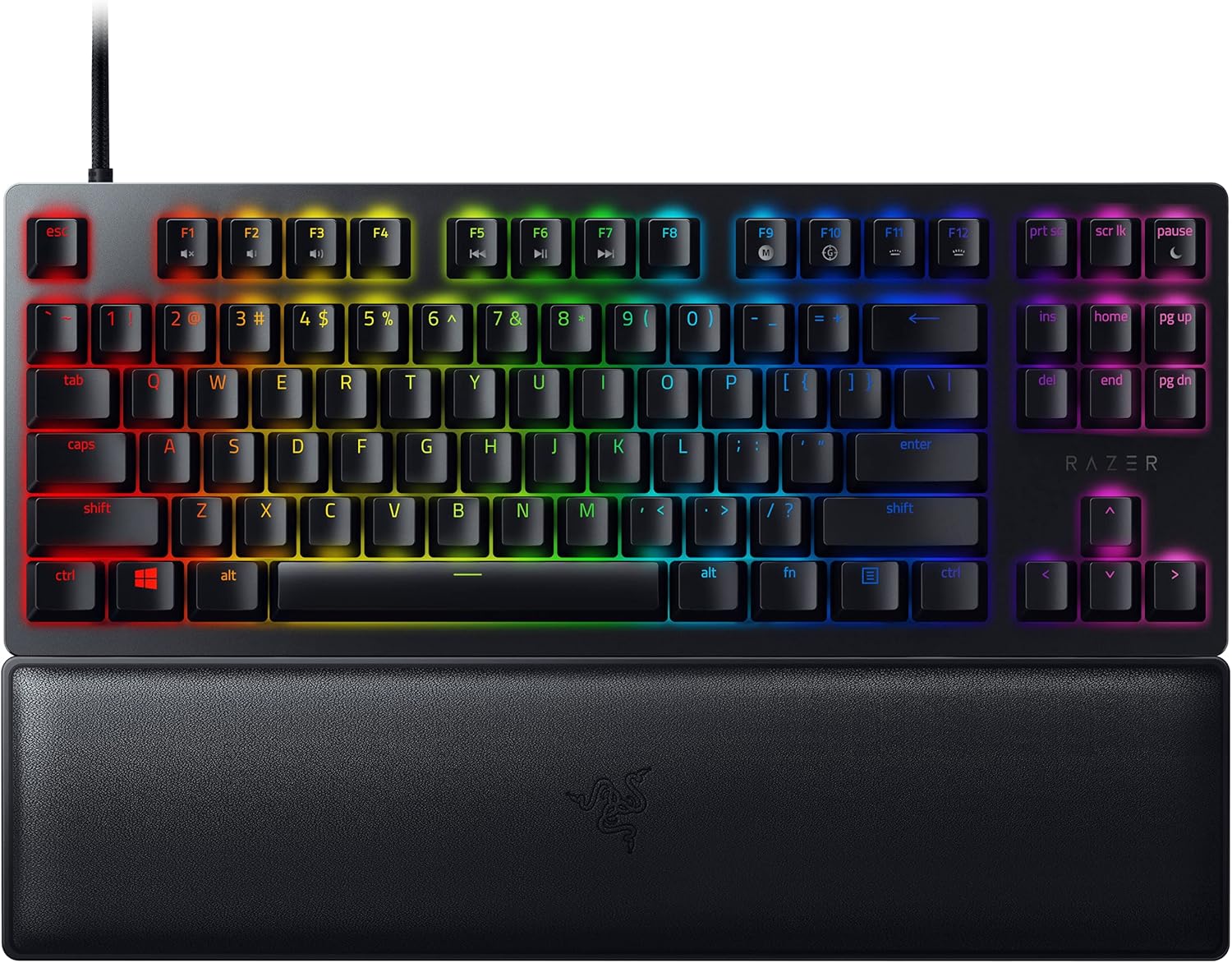
Razer DeathStalker V2 - Clicky Optical Switch - US
Ultra-Slim Optical Keyboard - Razer DeathStalker V2
Ultra-Slim Optical Keyboard - Razer DeathStalker V2
Ultra-Slim Optical Keyboard - Razer DeathStalker V2
Ultra-Slim Optical Keyboard - Razer DeathStalker V2
in 13 offers
The lowest price for Razer DeathStalker V2 - Clicky Optical Switch - US right now is $216.90 at desertcart.com.au, compared across 8 retailers.
The all-time low was $155.00 on 24 May 2026 — today's price is 40% above the lowest ever. It has been notably cheaper before — worth setting a price alert.
Prices last updated 29 June 2026.
Last updated at 29/06/2026 22:36:15
Razer DeathStalker V2 Clicky Optical Switch, High Speed and Responsiveness Ideal for Games and Work, Clean and Crisp Keyed Wired Gaming Keyboard,
Affiliate Disclosure: We may receive a small commission for purchases made through this link at no extra cost to you. This helps support our site. Thank you!
Razer DeathStalker V2 - Optical Low-Profile Gaming Keyboard (Red Linear Switch, Hyperspeed Wireless, USB-C, Multifunction Scroll and Media Key) DE
Affiliate Disclosure: We may receive a small commission for purchases made through this link at no extra cost to you. This helps support our site. Thank you!
Razer DeathStalker V2 Gaming Keyboard: Low-Profile Keys - Linear Red Optical Switches - Ultra-Durable Coated Keycaps - Durable Aluminum Top Plate - Mu
Delivery between 6–9 July $29
Razer DeathStalker V2 (Red Switch) - Optical Low-Profile Gaming Keyboard (Linear Optical Switches, Detachable Type C-Cable, Laser-Etched Keycaps, RGB
Delivery between 6–9 July $29
DeathStalker V2 Gaming Keyboard: Low Profile Optical Switches Linear Red - Durable Coated Keycaps - Aluminum Top Plate - Multi Function Roller & Media
Delivery between 6–9 July $29
Mastercard $100 OFF | Razer DeathStalker V2 (Clicky Low-Profile Optical Purple Switch) RGB Gaming Keyboard RZ03-04501800-R3M1
Delivery $25.93
Razer DeathStalker V2 (Red Switch) - Optical Low-Profile Gaming Keyboard (Linear Optical Switches, Detachable Type C-Cable, Laser-Etched Keycaps, RGB
Free delivery between 8–14 July
DeathStalker V2 Gaming Keyboard: Low Profile Optical Switches Clicky Purple - Durable Coated Keycaps - Aluminum Top Plate - Multi Function Roller & Me
Free delivery between 8–14 July
DeathStalker V2 Gaming Keyboard: Low Profile Optical Switches Linear Red - Durable Coated Keycaps - Aluminum Top Plate - Multi Function Roller & Media
Free delivery between 8–14 July
Razer DeathStalker V2 Gaming Keyboard: Low Profile Optical Switches Clicky Purple - Durable Coated Keycaps - Aluminum Top Plate - Multi Function
Delivery $29.03
originally posted on bestbuy.com
The DeathStalker V2 will be a great desk companion for anyone. High quality and packed with features yet when it’s turned off it looks like your basic black keyboard - I like it. The RGB lighting is adequate and bright. I like a lighted keyboard more for practicality rather than for looks what makes me like this keyboard more is that there is no lighted visible membrane surrounding the keys but rather the light comes from beneath each key.Razer is a premium gaming brand. The Razor name is known for longevity and reliability. Owning a razor keyboard might even outlast your pc. No lie! I have family members with razor products pushing almost 10 years and they still look and work like they bought them.The keyboard includes the features a gamer and a pc user need. ... MoreThe DeathStalker V2 will be a great desk companion for anyone. High quality and packed with features yet when it’s turned off it looks like your basic black keyboard - I like it. The RGB lighting is adequate and bright. I like a lighted keyboard more for practicality rather than for looks what makes me like this keyboard more is that there is no lighted visible membrane surrounding the keys but rather the light comes from beneath each key.Razer is a premium gaming brand. The Razor name is known for longevity and reliability. Owning a razor keyboard might even outlast your pc. No lie! I have family members with razor products pushing almost 10 years and they still look and work like they bought them.The keyboard includes the features a gamer and a pc user need. Like I said before razor is made to last for years and the keys are specialized with a durability coating! Pretty cool that razor is thinking of the everyday user and longevity of their products. You can connect the device to your computer via usb c to usb a (included) Bluetooth 5.0, or with the included usb a dongle. I prefer using the dongle as I feel as though it has the best connectivity and I don’t ever have to mess with Bluetooth settings. Battery life is strong at 40 hours which for me lasts for a long time. I have only had to charge it once (initial charge) with a lot of use.The physical keys feel great and they are set in a low profile design. I personally like keys that have a little bit more travel and an old time mechanical feel which is just my own preference for a constant nostalgia feel. However, knowing this is a Razer device I could care less about the nostalgia as this Razor keyboard will probably last more than a decade.Gaming and typing is flawless. Lately, I have been typing but when firing up any game you will have confidence with your finger tips on a razor. The multifunction roller is cool and is something I had on a keyboard over 10 years ago and I happily welcomed it back and have it set to control my volume.If you are looking for a reliable keyboard and a brand that is known to produce products that last then I recommend picking up a Razor keyboard.
originally posted on bestbuy.com
The Razer DeathStalker V2 Pro is a decent keyboard overall, but suffers from some issues holding it back from a full five starsThe DeathStalker comes with two different types of switches, Optical Reds (the one mine came with) or Optical Purples. The switches to me feel a little mushy, and to make an input, you need to press down a lot harder than on mechanical switches. The keyboard is hot swappable though, so if you find optical switches you do like, you are able to switch out the stock switches for those.There are two different ways you can use the keyboard. You can either use a bluetooth connection, or you can use the provided usb device in order to have a 2.4 GHz connection. Just a note, it's not very clear in the instructions on where this device is, but it ... MoreThe Razer DeathStalker V2 Pro is a decent keyboard overall, but suffers from some issues holding it back from a full five starsThe DeathStalker comes with two different types of switches, Optical Reds (the one mine came with) or Optical Purples. The switches to me feel a little mushy, and to make an input, you need to press down a lot harder than on mechanical switches. The keyboard is hot swappable though, so if you find optical switches you do like, you are able to switch out the stock switches for those.There are two different ways you can use the keyboard. You can either use a bluetooth connection, or you can use the provided usb device in order to have a 2.4 GHz connection. Just a note, it's not very clear in the instructions on where this device is, but it will be in a compartment underneath your keyboard near one of the feet you can pull out.Now this keyboard feels great to use when it works, however there is a huge issue I ran into while playing a few games. Sometimes when pushing down on a key (thus putting in an input) the input wont go through and the keystroke won't register. This can be a huge issue for people like me where in games every keystroke matters. The keyboard was great until this happened, but hopefully it won't end up becoming a consistent issueThe Razer DeathStalker V2 Pro overall is a great keyboard with a lot of options. The response time of the keys is fast, and there's not too much noticeable input lag. However sometimes there's no repsonse from the keys, as well as it feels pretty mushy to press overall. Whether that's worth the hefty price tag is up to the beholder, however I would think heavily before purchasing this again.
originally posted on bestbuy.com
A wire-free keyboard takes the clutter out of your gaming station - one less thing to worry about so you can keep your focus on what's most important. Razer brings us the DeathStalker V2 Pro wireless gaming keyboard, complete with lag-free Hyper Speed 2.4GHz wireless connection and optional Bluetooth that can toggle among three more devices. Other than a few bumps in the road, the DeathStalker V2 Pro is a keeper.The keyboard is full sized, complete with number pad and directional arrow keys. Despite its large size, it is fairly light with a low profile of keys that look beautiful with the Chroma RGB-lit keys shine brightly against the black backdrop. The keyboard runs continuously for up to 40 hours and can be used with its included charging cable for even longer. ... MoreA wire-free keyboard takes the clutter out of your gaming station - one less thing to worry about so you can keep your focus on what's most important. Razer brings us the DeathStalker V2 Pro wireless gaming keyboard, complete with lag-free Hyper Speed 2.4GHz wireless connection and optional Bluetooth that can toggle among three more devices. Other than a few bumps in the road, the DeathStalker V2 Pro is a keeper.The keyboard is full sized, complete with number pad and directional arrow keys. Despite its large size, it is fairly light with a low profile of keys that look beautiful with the Chroma RGB-lit keys shine brightly against the black backdrop. The keyboard runs continuously for up to 40 hours and can be used with its included charging cable for even longer. The keys have a nice, soft press to them, a nice alternative to the clicking spring of most laptops.When connected to your PC or laptop via the wireless 2.4GHz dongle, the keyboard is amazingly precise and responsive. This is the recommended setting for the best experience. Where it is a bit lacking is through the Bluetooth option. While it is nice to connect three other devices to the keyboard - this can be beneficial to areas used for work or web-browsing in addition to gaming - the switching between different devices via Bluetooth is a bit cumbersome. The keyboard takes a few moments to connect every time you switch, and it sometimes loses connection altogether when a device isn't in use for extended periods of time. Thankfully, the Razer HyperSpeed 2.4GHz connection is about as reliable as any wireless keyboard I've tested, and it is in this area that the DeathStalker V2 Pro shines. Lastly, the programmable roller on the top right of the keyboard is an awesome feature. It is large and has a solid click to it as your scroll up and down to adjust volume or playback on videos and music.Razer's newest wireless keyboard is a solid addition to any gaming space. While the Bluetooth functions are a little spotty, the ability to connect multiple devices is a plus. Play games confidently using the wireless dongle connection for an excellent, precise keyboard experience that lasts a long time. The fact that it will look beautiful in the center of your desk is just icing on the cake.
| Switch Type | Razer Low-Profile Optical Switches (Clicky) |
| Key Feel | Light and Clicky |
| APPROXIMATE SIZE | Full Size |
Razer DeathStalker V2 Clicky Optical Switch, High Speed and Responsiveness Ideal for Games and Work, Clean and Crisp Keyed Wired Gaming Keyboard,
Affiliate Disclosure: We may receive a small commission for purchases made through this link at no extra cost to you. This helps support our site. Thank you!
Razer DeathStalker V2 - Optical Low-Profile Gaming Keyboard (Red Linear Switch, Hyperspeed Wireless, USB-C, Multifunction Scroll and Media Key) DE
Affiliate Disclosure: We may receive a small commission for purchases made through this link at no extra cost to you. This helps support our site. Thank you!
Razer DeathStalker V2 Gaming Keyboard: Low-Profile Keys - Linear Red Optical Switches - Ultra-Durable Coated Keycaps - Durable Aluminum Top Plate - Mu
Delivery between 6–9 July $29
Razer DeathStalker V2 (Red Switch) - Optical Low-Profile Gaming Keyboard (Linear Optical Switches, Detachable Type C-Cable, Laser-Etched Keycaps, RGB
Delivery between 6–9 July $29
DeathStalker V2 Gaming Keyboard: Low Profile Optical Switches Linear Red - Durable Coated Keycaps - Aluminum Top Plate - Multi Function Roller & Media
Delivery between 6–9 July $29
The DeathStalker V2 will be a great desk companion for anyone. High quality and packed with features yet when it’s turned off it looks like your basic black keyboard - I like it. The RGB lighting is adequate and bright. I like a lighted keyboard more for practicality rather than for looks what makes me like this keyboard more is that there is no lighted visible membrane surrounding the keys but rather the light comes from beneath each key.Razer is a premium gaming brand. The Razor name is known for longevity and reliability. Owning a razor keyboard might even outlast your pc. No lie! I have family members with razor products pushing almost 10 years and they still look and work like they bought them.The keyboard includes the features a gamer and a pc user need. ... MoreThe DeathStalker V2 will be a great desk companion for anyone. High quality and packed with features yet when it’s turned off it looks like your basic black keyboard - I like it. The RGB lighting is adequate and bright. I like a lighted keyboard more for practicality rather than for looks what makes me like this keyboard more is that there is no lighted visible membrane surrounding the keys but rather the light comes from beneath each key.Razer is a premium gaming brand. The Razor name is known for longevity and reliability. Owning a razor keyboard might even outlast your pc. No lie! I have family members with razor products pushing almost 10 years and they still look and work like they bought them.The keyboard includes the features a gamer and a pc user need. Like I said before razor is made to last for years and the keys are specialized with a durability coating! Pretty cool that razor is thinking of the everyday user and longevity of their products. You can connect the device to your computer via usb c to usb a (included) Bluetooth 5.0, or with the included usb a dongle. I prefer using the dongle as I feel as though it has the best connectivity and I don’t ever have to mess with Bluetooth settings. Battery life is strong at 40 hours which for me lasts for a long time. I have only had to charge it once (initial charge) with a lot of use.The physical keys feel great and they are set in a low profile design. I personally like keys that have a little bit more travel and an old time mechanical feel which is just my own preference for a constant nostalgia feel. However, knowing this is a Razer device I could care less about the nostalgia as this Razor keyboard will probably last more than a decade.Gaming and typing is flawless. Lately, I have been typing but when firing up any game you will have confidence with your finger tips on a razor. The multifunction roller is cool and is something I had on a keyboard over 10 years ago and I happily welcomed it back and have it set to control my volume.If you are looking for a reliable keyboard and a brand that is known to produce products that last then I recommend picking up a Razor keyboard.
The Razer DeathStalker V2 Pro is a decent keyboard overall, but suffers from some issues holding it back from a full five starsThe DeathStalker comes with two different types of switches, Optical Reds (the one mine came with) or Optical Purples. The switches to me feel a little mushy, and to make an input, you need to press down a lot harder than on mechanical switches. The keyboard is hot swappable though, so if you find optical switches you do like, you are able to switch out the stock switches for those.There are two different ways you can use the keyboard. You can either use a bluetooth connection, or you can use the provided usb device in order to have a 2.4 GHz connection. Just a note, it's not very clear in the instructions on where this device is, but it ... MoreThe Razer DeathStalker V2 Pro is a decent keyboard overall, but suffers from some issues holding it back from a full five starsThe DeathStalker comes with two different types of switches, Optical Reds (the one mine came with) or Optical Purples. The switches to me feel a little mushy, and to make an input, you need to press down a lot harder than on mechanical switches. The keyboard is hot swappable though, so if you find optical switches you do like, you are able to switch out the stock switches for those.There are two different ways you can use the keyboard. You can either use a bluetooth connection, or you can use the provided usb device in order to have a 2.4 GHz connection. Just a note, it's not very clear in the instructions on where this device is, but it will be in a compartment underneath your keyboard near one of the feet you can pull out.Now this keyboard feels great to use when it works, however there is a huge issue I ran into while playing a few games. Sometimes when pushing down on a key (thus putting in an input) the input wont go through and the keystroke won't register. This can be a huge issue for people like me where in games every keystroke matters. The keyboard was great until this happened, but hopefully it won't end up becoming a consistent issueThe Razer DeathStalker V2 Pro overall is a great keyboard with a lot of options. The response time of the keys is fast, and there's not too much noticeable input lag. However sometimes there's no repsonse from the keys, as well as it feels pretty mushy to press overall. Whether that's worth the hefty price tag is up to the beholder, however I would think heavily before purchasing this again.
A wire-free keyboard takes the clutter out of your gaming station - one less thing to worry about so you can keep your focus on what's most important. Razer brings us the DeathStalker V2 Pro wireless gaming keyboard, complete with lag-free Hyper Speed 2.4GHz wireless connection and optional Bluetooth that can toggle among three more devices. Other than a few bumps in the road, the DeathStalker V2 Pro is a keeper.The keyboard is full sized, complete with number pad and directional arrow keys. Despite its large size, it is fairly light with a low profile of keys that look beautiful with the Chroma RGB-lit keys shine brightly against the black backdrop. The keyboard runs continuously for up to 40 hours and can be used with its included charging cable for even longer. ... MoreA wire-free keyboard takes the clutter out of your gaming station - one less thing to worry about so you can keep your focus on what's most important. Razer brings us the DeathStalker V2 Pro wireless gaming keyboard, complete with lag-free Hyper Speed 2.4GHz wireless connection and optional Bluetooth that can toggle among three more devices. Other than a few bumps in the road, the DeathStalker V2 Pro is a keeper.The keyboard is full sized, complete with number pad and directional arrow keys. Despite its large size, it is fairly light with a low profile of keys that look beautiful with the Chroma RGB-lit keys shine brightly against the black backdrop. The keyboard runs continuously for up to 40 hours and can be used with its included charging cable for even longer. The keys have a nice, soft press to them, a nice alternative to the clicking spring of most laptops.When connected to your PC or laptop via the wireless 2.4GHz dongle, the keyboard is amazingly precise and responsive. This is the recommended setting for the best experience. Where it is a bit lacking is through the Bluetooth option. While it is nice to connect three other devices to the keyboard - this can be beneficial to areas used for work or web-browsing in addition to gaming - the switching between different devices via Bluetooth is a bit cumbersome. The keyboard takes a few moments to connect every time you switch, and it sometimes loses connection altogether when a device isn't in use for extended periods of time. Thankfully, the Razer HyperSpeed 2.4GHz connection is about as reliable as any wireless keyboard I've tested, and it is in this area that the DeathStalker V2 Pro shines. Lastly, the programmable roller on the top right of the keyboard is an awesome feature. It is large and has a solid click to it as your scroll up and down to adjust volume or playback on videos and music.Razer's newest wireless keyboard is a solid addition to any gaming space. While the Bluetooth functions are a little spotty, the ability to connect multiple devices is a plus. Play games confidently using the wireless dongle connection for an excellent, precise keyboard experience that lasts a long time. The fact that it will look beautiful in the center of your desk is just icing on the cake.
I just picked up this new Razer Deathstalker V2 Pro keyboard and holy cow, I am blown away. This is by far the most superior keyboard I have ever used. A secret weapon when battling it out at any game speed. I am in love with this thing! The button strokes are buttery smooth and extremely responsive. The responsiveness of the keystrokes is a dream for gamers, it's almost like as soon as you think about pressing the button, the action is already being taken. The buttons react with the slightest press, it's so nice! I am in love with the feel of this keyboard. For the version I picked up has the quieter less clacky keys, which I personally prefer over the louder clacky keyboard keys, and I am sure everyone around me when I bring this keyboard to work is also ... MoreI just picked up this new Razer Deathstalker V2 Pro keyboard and holy cow, I am blown away. This is by far the most superior keyboard I have ever used. A secret weapon when battling it out at any game speed. I am in love with this thing! The button strokes are buttery smooth and extremely responsive. The responsiveness of the keystrokes is a dream for gamers, it's almost like as soon as you think about pressing the button, the action is already being taken. The buttons react with the slightest press, it's so nice! I am in love with the feel of this keyboard. For the version I picked up has the quieter less clacky keys, which I personally prefer over the louder clacky keyboard keys, and I am sure everyone around me when I bring this keyboard to work is also appreciative. What’s behind these magical keys are Razer’s low-profile optical switches that are both ergonomic and reliable. This keyboard is thin, but not too thin a chassis made of aluminum and 19.1mm thick. Although this is a thin keyboard, the build is solid and has a nice heft to it. The weight is nice when hammering away during an all-night game session, this keyboard does not move around on the table, it stays where you put it. The smooth keystrokes, low-profile design, and solid build should be all that it takes to win a gamer over, but there is so much more to love with this keyboard! I also love the media control buttons at the top right of the keyboard. The wheel is used for volume adjustment, while the circular button is used for play/pause, skip ahead, or skip back. Quick, easy, and helpful. There are height adjustment tabs underneath and they give the ability to be closed and the keyboard to lay flat or have 2 height adjustment tabs to angle up the keyboard for the ergonomics that are the best fit for your typing needs.It's wireless. I find it amazing how many features they can pack into this keyboard and still have it wireless. This is now my carry-around keyboard. I bring it everywhere, from the home office to the work office to my friend’s house for a gaming sesh, it goes everywhere with me. This device can be connected via Bluetooth or a USB dongle that has a 2.4GHz connection frequency or even hard-wired with the supplied USB-type C braided cable. With Bluetooth, you can connect to 3 devices simply with a push of one of the buttons on the back of the keyboard. This allows you to connect to 3 different computers if you wanted to via Bluetooth. If you have another Razer device with a compatible 2.4GHz dongle, you can consolidate the devices down to just one dongle with multi-device pairing and free up another USB port. The battery life alone is astonishing, coming in at around 40 hours depending on how bright you keep the LED backlit keys. The lower the light brightness the longer the battery lasts.Razer Chroma RGB. The wow factor. The eye grabber. The show. The possibilities are pretty much endless here and it is amazing. The keyboard comes with pre-installed chroma effects that can be easily shuffled through by using fn+ctrl+(1-7). The 1 button here turns off RGB, 2 goes to static color, 3 breathing, 4 spectrum cycling, 5 waves, 6 reactive, and 7 starlight. If you press a number more than once it will cycle through different colors. These are just the quick keys; the real magic starts when you download the Razer software on your PC and can customize it SO much!! I have my keyboard set to a static purple/pink color but whenever a key is touched it bursts out with a rainbow from the key that was hit in every direction cascading across the whole keyboard, it is wild! There are so many cool features in the Razer software. You can link Alexa in, toggle gaming mode on/off, build macros, connect Philips Hue devices, Chroma Studio, Chroma Connect, Chroma Visualizer, Razer store, support, view compatible devices, and much more! There are too many awesome things packed into the software to explain here, it would take multiple pages for this review. I will say using the software and going deep to make the keyboard’s RGB effects go wild was kind of a learning curve for me. I do think it could be a little more intuitive, but this is coming from a guy who didn’t read the instructions beforehand. After all, you can essentially build an unlimited number of color profiles for the keyboard, and you can get as crazy and creative as you can imagine with what seems like an infinite number of colors. The color profile I finally came up with is bananas and everyone that passes my desk stops and comes over to ask about the keyboard and wants to know everything about it, it’s a hot commodity at work these days. The RGB effects are incredible and make this keyboard exciting every time I sit at the helm of my computer, they really make a statement of your own creation and boy do they pop!What comes in the box? That magical moment when unboxing the keyboard and lifting the box's top will reveal the keyboard as the centerpiece. The box will also come with a long USB Type-A to Type -C braided cable, a USB extender block, the 2.4GHz dongle, and the quick start guide. It’s really all you need to crush your opponents at your next LAN party. The Katana of keyboards.I highly recommend this keyboard for anyone that is a PC gamer, anyone looking to match RGB lighting to their work/play space, anyone who types, your neighbor, or the guy who rides his bike by your house every day at noon whistling loudly to himself, everyone. Again, this is by far the most superior, most smooth, most responsive, most customizable, and most exciting keyboard I have ever had the pleasure to tickle with my fingers… err use. Simply amazing. Razer knocked it out of the park with this high-quality build of a keyboard. I am glad I chose this to be my new PC peripheral.
So technically, this is my actual first mechanical keyboard purchase. I have demoed other keyboards at stores, but I decided to try out Razer first with the option to return if I did not end up liking it. Well, I decided I am not going to return this, I just love this keyboard too much now!Before this, I was using the Logitech MX Keys laptop style membrane/scissor keyboard for everything, work and gaming. It was great for a while, until it wasn't. Multiple issues with connectivity and slow response time. This Razer keyboard is most definitely a night a day difference in terms of responsiveness and overall feel. The key switches are very smooth a quiet, and the low profile feel is very welcome coming from all membrane laptop style keyboards. It is also quieter than ... MoreSo technically, this is my actual first mechanical keyboard purchase. I have demoed other keyboards at stores, but I decided to try out Razer first with the option to return if I did not end up liking it. Well, I decided I am not going to return this, I just love this keyboard too much now!Before this, I was using the Logitech MX Keys laptop style membrane/scissor keyboard for everything, work and gaming. It was great for a while, until it wasn't. Multiple issues with connectivity and slow response time. This Razer keyboard is most definitely a night a day difference in terms of responsiveness and overall feel. The key switches are very smooth a quiet, and the low profile feel is very welcome coming from all membrane laptop style keyboards. It is also quieter than I expected, although according to some reviews I've seen you can improve the feel and sound further by lubing the stabilizers. I don't game FPS games competitively often, but in all gaming scenarios my performance has improved even after not playing for months.On top of the gaming, I use this keyboard for my work from home job as well. I work a lot with excel and have to type in a lot of numbers every day, so the full size with the numpad is very useful. I mostly use the hyperspeed wireless connection and occasionally the bluetooth on my phone. This keyboard just feels much more natural to use every day than the Logitech I had before it, granted that one is not mechanical.I know people have complained about the Synapse software, but I actually really like it. There is so much customizability with the RBG effects and power saving features, you can really tune it to your own liking very easily. The RBG looks amazing even at only 50% brightness.The only thing I can see being an issue here is the price, especially since you can get a nice custom mechanical keyboard for half the price. But this is still an excellent option if you appreciate the extra features like I do, the see through customizable RBG lighting, wireless connectivity, and the low profile feel.
This is an awesome, lightweight and slim wireless gaming keyboard that is full size for luddites like me that are unwilling to let go of the past and enjoy having the full accompaniment of computer keyboard keys available at all times for quick inputs and selection.The build quality of this keyboard at this price I would give overall high marks on. The top appears to be a nice aluminum deck, seamlessly paired with a plastic body and bottom that feels rugged. The keys feel tight and responsive, with minimal to no linear wiggle at all. There is no audible metallic pinging or rebound noise that I can detect on most of the keyboard strokes. The scroll wheel and the button to the side of it at the top right of the keyboard are mapped for media controls in Windows 10 ... MoreThis is an awesome, lightweight and slim wireless gaming keyboard that is full size for luddites like me that are unwilling to let go of the past and enjoy having the full accompaniment of computer keyboard keys available at all times for quick inputs and selection.The build quality of this keyboard at this price I would give overall high marks on. The top appears to be a nice aluminum deck, seamlessly paired with a plastic body and bottom that feels rugged. The keys feel tight and responsive, with minimal to no linear wiggle at all. There is no audible metallic pinging or rebound noise that I can detect on most of the keyboard strokes. The scroll wheel and the button to the side of it at the top right of the keyboard are mapped for media controls in Windows 10 out of the box.This keyboard is definitely the dream if you are wanting an optical keyboard that is slim and quiet. I love how great the red (linear) stroke keys feel while typing. This keyboard is actually low profile enough that even for my irritable wrists, I do not feel there is any need here for a wrist rest. The feet on the bottom of the keyboard will let you select which height and angle you want this keyboard to sit at with three different positions: folded away, small feet folded out, and taller feet folded out.As with most Razer products, I enjoy the clean RGB present on this product. It is present without being overbearing and can easily be customized to not look out of place in a professional setting like at work if you get sick and tired of typing on casual membrane piece of crap keyboards most office environments provide. I only wish that the keyboard followed the path of some other manufactures in the space and could have added something extra cool like an LED strip that goes all the way around the bottom frame of the keyboard. That would have made this stood out just a little bit for me. As for customizing the RGB, I find that the Razer Synapse software is a convoluted as ever, but still I was able to get my RGB customizations done on it with a little playing around.There are some clever functions and software tricks build into this Razer keyboard. One of them that alleviates my wireless computer peripheral battery life anxiety is the built-in function key mapped to the end button that lets you see an LED display of 5 dots that demonstrate how much battery life you have left. My keyboard was charged at 53% or “3 dots” worth of battery out of the box. The only thing I don’t like with this LED dot display right above the arrow keys is that in my 2.4ghz connected mode, there is a persistently turned on and glaringly bright white LED that I definitely feel like draws my eyes reflexively down to the keyboard too much. Perhaps I will get used to this with time spent using this keyboard, but presently I am not liking it. It also does not respond to the brightness settings change for the rest of the keyboard, so it just sticks out as bright and glaring as ever no matter what. But this is me really picking apart the keyboard, of course.This keyboard is probably in need of firmware update. I am noticing that in spite of the settings I have selected in the Razer Synapse software, the keyboard does not go to sleep when my PC goes to sleep or turns off over the 2.4ghz wireless dongle connection mode, but rather continues to cycle through a color cycle of RGB on the keyboard continuously until I either turn off the keyboard with the hardwired button, it dies after days being idle and doing this, or until I wake the PC. I am not a big fan of this as it takes away some of the ease of use that I am accustomed to with my other wireless PC accessories. I am certain that this will be resolved with a firmware update, however. My only other nitpick I have related to the same need for firmware updates is that I am noting very rare but noticeable key input lag over the 2.4Ghz dongle connection. This is not occurring when I use it in Bluetooth mode or when plugged in over the included USB-C cable to the PC.Altogether, this is an absolutely incredible, flagship-level keyboard offering from Razer that is bound to enchant its users. It is a steep price to pay, but for prospective buyers with deep wallets and even deeper devotion to Razer, this is quite honestly one of the best wireless keyboard offerings I have seen from them. Thanks for reading this review and I hope it helps you make your purchasing decision!
When buying a gaming keyboard, I tend to hesitate at the low-profile ones. They usually don't have the same feel as a normal keyboard. However, this one's managed to pull it off. The keycaps and the switches used put together make it feel normal - the keys aren't flat, and the switches have the same type of feel I have from my other Razer keyboards. It *doesn't* feel like I'm using a laptop, which is really nice.Other than the unexpectedly nice feel of the keyboard overall, it's also got everything I'd expect from a normal gaming keyboard. The RGB looks good and is extensively configurable rather than doing preset patterns, there are configurable profiles that can be attached to both the device storage and your Razer profile, and it's got the volume control ... MoreWhen buying a gaming keyboard, I tend to hesitate at the low-profile ones. They usually don't have the same feel as a normal keyboard. However, this one's managed to pull it off. The keycaps and the switches used put together make it feel normal - the keys aren't flat, and the switches have the same type of feel I have from my other Razer keyboards. It *doesn't* feel like I'm using a laptop, which is really nice.Other than the unexpectedly nice feel of the keyboard overall, it's also got everything I'd expect from a normal gaming keyboard. The RGB looks good and is extensively configurable rather than doing preset patterns, there are configurable profiles that can be attached to both the device storage and your Razer profile, and it's got the volume control separate from the FN keys so there's no weirdness like opening Help when you're trying to mute a game that suddenly got loud.I also do appreciate the way the keyboard works with both wired and wireless, since my gaming computer is attached to a TV and I also have a small server I sometimes use my keyboard on. It's versatile without being cumbersome, and I appreciate that.I think the one issue I've really had was when I unpacked the thing - Razer put it in box so tight I knocked off a keycap while trying to pull it out. It did go right back on, thankfully, but it was still slightly alarming.All in all, it's a really nice keyboard that's a pleasure to use. I'd definitely recommend it.
The Razer DeathStalker V2 Pro keyboard has definitely earned its name for the sleek, beautiful, and ergonomic aesthetics that it brings to the table. For a full size keyboard it sure does not take up a lot of space on the desktop. It is very low profile but with a sturdy aluminum frame. You can easily tote this as a travel companion for home, work, or gaming sessions without the weight of other full size keyboards. It has an awesome multi media turn switch and roller switch that can be programmed if you wish. I prefer the default of multi media play, pause, and volume controls. The keys themselves are very nice in aesthetics with the laser etched keycaps which are said to be more durable over time. I can attest to the laser etched durability from other keyboards ... MoreThe Razer DeathStalker V2 Pro keyboard has definitely earned its name for the sleek, beautiful, and ergonomic aesthetics that it brings to the table. For a full size keyboard it sure does not take up a lot of space on the desktop. It is very low profile but with a sturdy aluminum frame. You can easily tote this as a travel companion for home, work, or gaming sessions without the weight of other full size keyboards. It has an awesome multi media turn switch and roller switch that can be programmed if you wish. I prefer the default of multi media play, pause, and volume controls. The keys themselves are very nice in aesthetics with the laser etched keycaps which are said to be more durable over time. I can attest to the laser etched durability from other keyboards I’ve owned and it is sure worth the extra investment as to not have to change keycaps once they are worn unless that is something that you are into. The key responsiveness is awesome and every tap is registered with the slightest pressure. I am loving this feature for fast word processing and certain games. I will get into that in a bit. The key switches are very quiet compared to the traditional red switches that I am accustomed to. There is little to no clacky sound when using this keyboard. It is a slight adjustment when you are wanting to hear that clicky responsiveness while gaming, but when you are in the house around others, they are pleased to hear me beating on the keyboard in the aggressive moments of my game. Now, where I have had to make a real adjustment is the low profile and spacing of the keys. Yes the keys are very responsive which is great, but I have had slight problems with the spacing of the keys or the overall height compared to my traditional gaming keyboard hitting keys that I did not intend. It is a little difficult to determine your placement on the keyboard because the keys are so well laid in their low profile format that my fingers tend to slide across the keys when I am in the moment of an intense fighting game. It could be that I am just overzealous with the tapping and punching of these keys. It is so smooth and effortless to hit these keys with the more evolutionary “optical mechanical” key switches. I wasn’t a fan of the moniker of optical mechanical because it sounded more of a oxymoron to combine the two, but it works, and I am a fan.Razer has continued its performance in the wireless and RGB form factor and it is apparent in this keyboard. The RGB is beautiful, bright, and un limitless in its programming with the included Razer Chroma software. It is able to work across multiple devices and tie in your overall theme across all compatible devices making it a seamless light show. There is so much that I have yet to discover with RGB programming because I find a pattern that works for me and I stick to it for awhile until I get bored. But knowing that I have the option to change it up with all my RGB devices at the desktop makes it feel that I got a new keyboard when I change it. The wireless feature is AWEWSOME with connectivity to 3 devices!!! With the simple push of a button in Bluetooth mode I am able to switch between 3 paired devices and keep it moving with this keyboard. A definite plus is the long lasting battery of upto 40 hours. I use this keyboard for both my gaming laptop and my home desktop. It is a breeze to switch between the two and the responsiveness does not skip a beat from what I can tell. The battery has lasted for quite a while, do not know if I took it to the limit of the 40 hours as I do plug it up occasionally with the included USB-C cable just to ensure I always have power. But there is a battery indicator light on the keyboard that can be accessed by pressing both fn/end keys. Great feature.I initially was apprehensive about making this keyboard my primary for gaming because of the extreme low profile and lack of clicky keys, but it has grown on me and is now my favorite go to because of the power packed feature and mobility factor of carrying with me wherever I go.
These keys are so smooth. I typically use a keyboard with a lot of feedback and that’s on the louder side which is quite the opposite of my typical experience. The pressure I normally use when resting on my daily driver is probably too much to use on this and not expect incidental keystrokes. And I can see why it would be something sought after for those who want as little ambient sound as possible yet still need to type.However, there is a noticeably present firmness in the volume knob. This firmness is highly appreciated as this keeps any incidental graze of that knob from triggering a large spike or drop in volume. Especially for those who frequently use their number pad rather than the number row.The multi-connection abilities are fantastic and easily ... MoreThese keys are so smooth. I typically use a keyboard with a lot of feedback and that’s on the louder side which is quite the opposite of my typical experience. The pressure I normally use when resting on my daily driver is probably too much to use on this and not expect incidental keystrokes. And I can see why it would be something sought after for those who want as little ambient sound as possible yet still need to type.However, there is a noticeably present firmness in the volume knob. This firmness is highly appreciated as this keeps any incidental graze of that knob from triggering a large spike or drop in volume. Especially for those who frequently use their number pad rather than the number row.The multi-connection abilities are fantastic and easily recognizable. When selecting a specific Bluetooth connection, numbers 1-3 will light up to give a visual cue of exactly what connection you are using. Setup can be different across devices but my Surface picked up the connection almost immediately after switching to an unpaired Bluetooth connection.Software setup was a breeze, but the amount of space required to add the entire suite of programs is rather large. Most are not necessary for all users. Updating the firmware took little effort as the software package provided a near automatic update process.Overall, this is a fantastic gaming/work keyboard for those who need something responsive and quiet. It has everything from flashy RGB lights to hidden macro storage and execution all in a well-built and great looking frame. You definitely get high level quality at a high premium.
I was in the market looking for an advance keyboard for gaming along with customizing quick keys for my daily activities. I decided to give this a try and was extremely impressed with the customizability and the brightness of the keys.The keyboard is nicely packages and can tell the company takes consideration and care. It comes with a nice long cord with a dongle if you wish to use WIFI. Setup was very ease to perform and the software was very easy to install. Note that the software is not needed as plug n play works just fine for the basic usage with lights on the keyboard. Also there are already pre-programed keys you can use to check on the charge level and brightness instead of going through the software.The software is amazing, extremely customizable for ... MoreI was in the market looking for an advance keyboard for gaming along with customizing quick keys for my daily activities. I decided to give this a try and was extremely impressed with the customizability and the brightness of the keys.The keyboard is nicely packages and can tell the company takes consideration and care. It comes with a nice long cord with a dongle if you wish to use WIFI. Setup was very ease to perform and the software was very easy to install. Note that the software is not needed as plug n play works just fine for the basic usage with lights on the keyboard. Also there are already pre-programed keys you can use to check on the charge level and brightness instead of going through the software.The software is amazing, extremely customizable for any advance to expert user. It does take into consideration for novice users as it provide an "Chrome Studio" that will perform most of the pre-set features. However if you wish to go to the next level in customization you are able to with the amount of settings and apps this connects with. I especially loved how it will sync with Phillips Hue! There is a ton that can be performed here so recommend taking your time and go through each setting and try it out! The Chroma Workshop is great and provide a great insight of all the abilities it can perform. I was impressed on how much it can sync with many of the triple A games out there.The hardware itself feels very polished with the keys smooth to the touch. The keys are padded so it not loud nor mechanical sounding when pressing the keys. However there is one issue that may become an issue for some. The "buzzing / humming" sound that emits from the keyboard behind the "WASD" keys. Upon speaking with technical support it was discovered that there is a capacitor on the motherboard located behind those keys that hums when illumination is enabled. If you turn off the illumination there is no buzzing sound however not recommended as half the features are for the illumination settings. The "buzzing / humming" sound is light but is very noticeable. A replacement keyboard was sent to me however the sound was still there. I was informed that the company has switched out that particular capacitor in August so hopefully from that point forward the sound will be gone.Overall this is an amazing keyboard, full of customizations and feels great to use. If you receive one of these with the buzzing / humming sound I recommend contacting Razor technical support. The support staff have been amazing, very kind and helpful a huge factor when comes to showing support for companies.
| Switch Type | Razer Low-Profile Optical Switches (Clicky) |
| Key Feel | Light and Clicky |
| APPROXIMATE SIZE | Full Size |