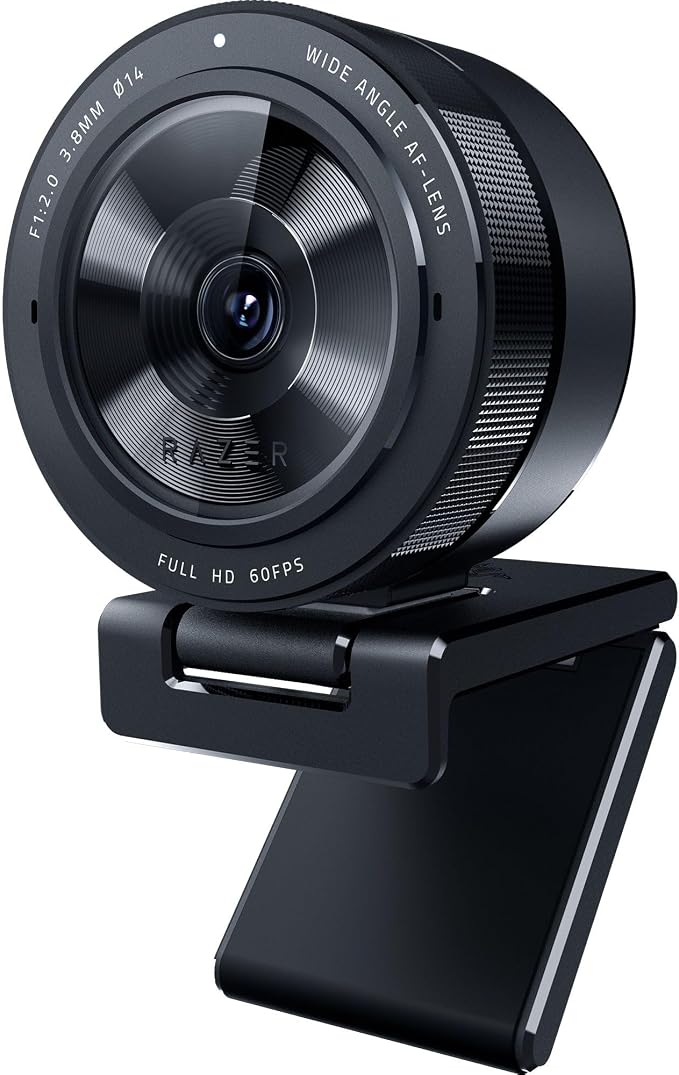
Razer Kiyo Pro Full HD USB Webcam With Adaptive Light Sensor Rz19-03640100
High-performance adaptive light sensor for superior imaging in any lighting condition. The webcam is driven by a larger Type 1/2.8 ultra-sensitive CMOS sensor with STARVIS technology that adapts to any lighting condition, ensuring picture-perfect clarity for any setup. Uncompressed 1080p 60FPS for absolute video fidelity. With the highest fidelity that comes with uncompressed Full HD 1080p 60FPS video, your stream will be more engaging and natural to watch with smooth, lifelike quality. HDR-enabled for more vibrant colors at 30FPS. Make your stream pop with a full spectrum of vibrant colors by activating HDR at 30FPS, which ramps up your video’s dynamic range while correcting over and underexposed areas. Wide-angle lens with adjustable FOV to control how much to capture for your audience. Find the right amount of visual space you need to display your showmanship, with a large aperture, wide-angle lens that allows for three field-of-view options selectable via Razer Synapse. Lightning-fast USB 3.0 to support uncompressed video quality. With its plug-and-play USB 3.0 connection, the Razer Kiyo Pro delivers a powerful 5GB/s camera signal to your stream, allowing for maximized video performance with no compression whatsoever.
High-performance adaptive light sensor for superior imaging in any lighting condition. The webcam is driven by a larger Type 1/2.8 ultra-sensitive CMOS sensor with STARVIS technology that adapts to any lighting condition, ensuring picture-perfect clarity for any setup. Uncompressed 1080p 60FPS for absolute video fidelity. With the highest fidelity that comes with uncompressed Full HD 1080p 60FPS video, your stream will be more engaging and natural to watch with smooth, lifelike quality. HDR-enabled for more vibrant colors at 30FPS. Make your stream pop with a full spectrum of vibrant colors by activating HDR at 30FPS, which ramps up your video’s dynamic range while correcting over and underexposed areas. Wide-angle lens with adjustable FOV to control how much to capture for your audience. Find the right amount of visual space you need to display your showmanship, with a large aperture, wide-angle lens that allows for three field-of-view options selectable via Razer Synapse. Lightning-fast USB 3.0 to support uncompressed video quality. With its plug-and-play USB 3.0 connection, the Razer Kiyo Pro delivers a powerful 5GB/s camera signal to your stream, allowing for maximized video performance with no compression whatsoever.
High-performance adaptive light sensor for superior imaging in any lighting condition. The webcam is driven by a larger Type 1/2.8 ultra-sensitive CMOS sensor with STARVIS technology that adapts to any lighting condition, ensuring picture-perfect clarity for any setup. Uncompressed 1080p 60FPS for absolute video fidelity. With the highest fidelity that comes with uncompressed Full HD 1080p 60FPS video, your stream will be more engaging and natural to watch with smooth, lifelike quality. HDR-enabled for more vibrant colors at 30FPS. Make your stream pop with a full spectrum of vibrant colors by activating HDR at 30FPS, which ramps up your video’s dynamic range while correcting over and underexposed areas. Wide-angle lens with adjustable FOV to control how much to capture for your audience. Find the right amount of visual space you need to display your showmanship, with a large aperture, wide-angle lens that allows for three field-of-view options selectable via Razer Synapse. Lightning-fast USB 3.0 to support uncompressed video quality. With its plug-and-play USB 3.0 connection, the Razer Kiyo Pro delivers a powerful 5GB/s camera signal to your stream, allowing for maximized video performance with no compression whatsoever.
High-performance adaptive light sensor for superior imaging in any lighting condition. The webcam is driven by a larger Type 1/2.8 ultra-sensitive CMOS sensor with STARVIS technology that adapts to any lighting condition, ensuring picture-perfect clarity for any setup. Uncompressed 1080p 60FPS for absolute video fidelity. With the highest fidelity that comes with uncompressed Full HD 1080p 60FPS video, your stream will be more engaging and natural to watch with smooth, lifelike quality. HDR-enabled for more vibrant colors at 30FPS. Make your stream pop with a full spectrum of vibrant colors by activating HDR at 30FPS, which ramps up your video’s dynamic range while correcting over and underexposed areas. Wide-angle lens with adjustable FOV to control how much to capture for your audience. Find the right amount of visual space you need to display your showmanship, with a large aperture, wide-angle lens that allows for three field-of-view options selectable via Razer Synapse. Lightning-fast USB 3.0 to support uncompressed video quality. With its plug-and-play USB 3.0 connection, the Razer Kiyo Pro delivers a powerful 5GB/s camera signal to your stream, allowing for maximized video performance with no compression whatsoever.
in 3 offers
The lowest price for Razer Kiyo Pro Full HD USB Webcam With Adaptive Light Sensor Rz19-03640100 right now is $100.00 at CeX, compared across 2 retailers.
The all-time low was $74.85 on 30 Oct 2024 — today's price is 34% above the lowest ever. It has been notably cheaper before — worth setting a price alert.
Prices last updated 8 Oct 2026.
Last updated at 08/10/2026 09:33:17
Razer Kiyo Pro USB Webcam, B
Free delivery
Kiyo Pro Webcam for Streaming, Gaming, Video Calls: Full HD 1080p 60FPS - Adaptive Light Sensor - HDR Enabled - Wide Angle Lens with Adjustable FOV -
Free delivery between 19–22 Oct
originally posted on walmart.com
I like this camera. Having worked remotely now for almost 2 years, I was continually frustrated with the quality of video provided by both the on-board laptop camera and the cheaper external camera that I had been using with the Windows 10 laptop. The image was completely washed out, even with lights out in the room and monitors turned down. I simply could not find a usable setting in my environment. I compensated by running Webex and Zoom on a MacBook Pro - the software there made all the difference in the world and the video looked good. I decided to try this camera - glad I did. Running natively in true HD at 60fps, the image is still washed out. However, enabling HDR (which drops the frame rate to a standard television 30fps) provides an image quality that ... MoreI like this camera. Having worked remotely now for almost 2 years, I was continually frustrated with the quality of video provided by both the on-board laptop camera and the cheaper external camera that I had been using with the Windows 10 laptop. The image was completely washed out, even with lights out in the room and monitors turned down. I simply could not find a usable setting in my environment. I compensated by running Webex and Zoom on a MacBook Pro - the software there made all the difference in the world and the video looked good. I decided to try this camera - glad I did. Running natively in true HD at 60fps, the image is still washed out. However, enabling HDR (which drops the frame rate to a standard television 30fps) provides an image quality that rivals that of the Mac, but in better resolution. I should have bought this two years ago!!!I bought the camera on sale for around $130 and for me, it is definitely worth the price. Not sure it would be worth the full $199 to me...I would have considered trying one of the other cameras that run $120 - $140 first. Having said that, though, this is marketed as a gaming camera, meaning that it comes with an absolute ton of features I'll never use. Those features may absolutely justify paying full retail if they are important to you and are something you'd make use of.
originally posted on ebay.com
The camera image was freezing every 20 seconds or so at random in OBS, even after installing Razer Synapse and updating the firmware. After an hour of searching for a solution online I found a guy who used OBS to change the camera settings manually to 60fps, MJPEG, etc which finally solved my issue. A lot of people seem to have issues getting this camera to work right out of the box with various apps. If you're computer savvy and don't mind solving issues then this camera puts out an excellent 60fps widescreen image in all lighting environments but if you're looking for a simple solution look elsewhere.
originally posted on bestbuy.com
I picked this up on sale as it appeared to be a pretty solid upgrade from my old Logitech 920, especially in dealing with challenging lighting situations. It really is an upgrade in dealing with lighting and also providing a smooth frame rate, but that is only when it works.It will freeze up in the middle of zoom meetings and then I wont be able to turn it back on. I will get warnings that it is in use by another app. So I try my old 920, I am getting those warnings with it too. Solution is to go to task manager and find every Razer process that is running and kill them, then I can use my web cams again. Ok, not the end of the world I suppose but inconvenient. Well the camera also randomly gets some weird flickering artifacts in the bottom of the image, like it is ... MoreI picked this up on sale as it appeared to be a pretty solid upgrade from my old Logitech 920, especially in dealing with challenging lighting situations. It really is an upgrade in dealing with lighting and also providing a smooth frame rate, but that is only when it works.It will freeze up in the middle of zoom meetings and then I wont be able to turn it back on. I will get warnings that it is in use by another app. So I try my old 920, I am getting those warnings with it too. Solution is to go to task manager and find every Razer process that is running and kill them, then I can use my web cams again. Ok, not the end of the world I suppose but inconvenient. Well the camera also randomly gets some weird flickering artifacts in the bottom of the image, like it is missing giant pixels and is trying to draw them.Ok, so you are probably saying to update the firmware. Great idea! Tried to do that. Firmware update detects my current version, 1.00. It tells me the new version 1.05 is available, but oh the upgrade button is greyed out and there is a message to contact Razer Support. Ok click that link. Oh a video on installing Synapse which is the software that is currently borking my pc. Ugh... Search for a chat with Razer option. After a good while troubleshooting with them, plugging it into different USB ports, plugging it into a completely different computer, no solution. They will escalate...Escalation says camera must be defective, return it to Best Buy. Now I am finding other people with the same issue being told the cameras they bought from best buy are too old and cannot accept the new software, so yeah. I guess I will try returning this and hope I get one that is new enough for the updated firmware.If it weren't for the stupidly cheap sale price on this, I would totally give up and go to a different product. Doesn't matter how good the sale is if I can't get a better one that works reliably.
| Standing screen display size | 2.7 Inches |
| Connectivity technology | USB |
| Flash memory type | Micro SD |
| Special feature | Low Light |
| Screen size | 2.7 Inches |
Razer Kiyo Pro USB Webcam, B
Free delivery
Kiyo Pro Webcam for Streaming, Gaming, Video Calls: Full HD 1080p 60FPS - Adaptive Light Sensor - HDR Enabled - Wide Angle Lens with Adjustable FOV -
Free delivery between 19–22 Oct
I like this camera. Having worked remotely now for almost 2 years, I was continually frustrated with the quality of video provided by both the on-board laptop camera and the cheaper external camera that I had been using with the Windows 10 laptop. The image was completely washed out, even with lights out in the room and monitors turned down. I simply could not find a usable setting in my environment. I compensated by running Webex and Zoom on a MacBook Pro - the software there made all the difference in the world and the video looked good. I decided to try this camera - glad I did. Running natively in true HD at 60fps, the image is still washed out. However, enabling HDR (which drops the frame rate to a standard television 30fps) provides an image quality that ... MoreI like this camera. Having worked remotely now for almost 2 years, I was continually frustrated with the quality of video provided by both the on-board laptop camera and the cheaper external camera that I had been using with the Windows 10 laptop. The image was completely washed out, even with lights out in the room and monitors turned down. I simply could not find a usable setting in my environment. I compensated by running Webex and Zoom on a MacBook Pro - the software there made all the difference in the world and the video looked good. I decided to try this camera - glad I did. Running natively in true HD at 60fps, the image is still washed out. However, enabling HDR (which drops the frame rate to a standard television 30fps) provides an image quality that rivals that of the Mac, but in better resolution. I should have bought this two years ago!!!I bought the camera on sale for around $130 and for me, it is definitely worth the price. Not sure it would be worth the full $199 to me...I would have considered trying one of the other cameras that run $120 - $140 first. Having said that, though, this is marketed as a gaming camera, meaning that it comes with an absolute ton of features I'll never use. Those features may absolutely justify paying full retail if they are important to you and are something you'd make use of.
The camera image was freezing every 20 seconds or so at random in OBS, even after installing Razer Synapse and updating the firmware. After an hour of searching for a solution online I found a guy who used OBS to change the camera settings manually to 60fps, MJPEG, etc which finally solved my issue. A lot of people seem to have issues getting this camera to work right out of the box with various apps. If you're computer savvy and don't mind solving issues then this camera puts out an excellent 60fps widescreen image in all lighting environments but if you're looking for a simple solution look elsewhere.
I picked this up on sale as it appeared to be a pretty solid upgrade from my old Logitech 920, especially in dealing with challenging lighting situations. It really is an upgrade in dealing with lighting and also providing a smooth frame rate, but that is only when it works.It will freeze up in the middle of zoom meetings and then I wont be able to turn it back on. I will get warnings that it is in use by another app. So I try my old 920, I am getting those warnings with it too. Solution is to go to task manager and find every Razer process that is running and kill them, then I can use my web cams again. Ok, not the end of the world I suppose but inconvenient. Well the camera also randomly gets some weird flickering artifacts in the bottom of the image, like it is ... MoreI picked this up on sale as it appeared to be a pretty solid upgrade from my old Logitech 920, especially in dealing with challenging lighting situations. It really is an upgrade in dealing with lighting and also providing a smooth frame rate, but that is only when it works.It will freeze up in the middle of zoom meetings and then I wont be able to turn it back on. I will get warnings that it is in use by another app. So I try my old 920, I am getting those warnings with it too. Solution is to go to task manager and find every Razer process that is running and kill them, then I can use my web cams again. Ok, not the end of the world I suppose but inconvenient. Well the camera also randomly gets some weird flickering artifacts in the bottom of the image, like it is missing giant pixels and is trying to draw them.Ok, so you are probably saying to update the firmware. Great idea! Tried to do that. Firmware update detects my current version, 1.00. It tells me the new version 1.05 is available, but oh the upgrade button is greyed out and there is a message to contact Razer Support. Ok click that link. Oh a video on installing Synapse which is the software that is currently borking my pc. Ugh... Search for a chat with Razer option. After a good while troubleshooting with them, plugging it into different USB ports, plugging it into a completely different computer, no solution. They will escalate...Escalation says camera must be defective, return it to Best Buy. Now I am finding other people with the same issue being told the cameras they bought from best buy are too old and cannot accept the new software, so yeah. I guess I will try returning this and hope I get one that is new enough for the updated firmware.If it weren't for the stupidly cheap sale price on this, I would totally give up and go to a different product. Doesn't matter how good the sale is if I can't get a better one that works reliably.
So I actually enjoyed this camera! I was worried about the reviews saying things about the updates, but I got this and worked just fine! It needed like, 17 updates which required me to unplug it and plug it back in each time for every update, but after it was all done it worked just fine, even uses the same Synapse App that my other Razer products used!My only qualm is that I must not be using the setting right. The resolution and the colors are fine but I cannot seem to get the lighting right. I have like, five different sources of lighting and it looks too bright, too hard, too choppy. I am even editing the advanced settings little by little and it's still not as easy as I hoped.But the camera is great! Love it and it looks fantastic!
Great picture and performance but doesn't have the software support of a Logitech product. In other words, it did not come with camera software to take photos and videos on the fly. Logitech has a simple camera app that allows quick pics and videos.To get it to work with Zoom I had to plug it directly into a computer USB port instead of a USB hub.The streaming option looks like where its strengths lie.Works excellent with Camtasia and OBS Studio.The physical build quality of the product feels good as well.Doesn't always open in Windows camera app.
Very happy wit h this camera. At first I thought it was defective, but as it turns out, it just warms up very slowly. I'm talking about the software that you use to control the camera. So I boot up the computer with the camera attached, and then open up Zoom or Teams, and then open up the Razer software. Have to be patient but the software does wake up and I can go to "advance settings" and zoom in and out on whichever person in the room is speaking at any given time. This has really helped the people on Zoom see/hear/understand the people in the conference room. The built in webcam just made them too small. Seeing someone's face makes it so much easier to understand them. This camera is very high quality, and the picture is MUCH better, even if I'm just using the ... MoreVery happy wit h this camera. At first I thought it was defective, but as it turns out, it just warms up very slowly. I'm talking about the software that you use to control the camera. So I boot up the computer with the camera attached, and then open up Zoom or Teams, and then open up the Razer software. Have to be patient but the software does wake up and I can go to "advance settings" and zoom in and out on whichever person in the room is speaking at any given time. This has really helped the people on Zoom see/hear/understand the people in the conference room. The built in webcam just made them too small. Seeing someone's face makes it so much easier to understand them. This camera is very high quality, and the picture is MUCH better, even if I'm just using the webcam on myself at a distance of two feet. People comment on how nice it looks online. But we are also using this camera to zoom in on people 12-14 feet away and it's working very nicely.
I was very excited to get this camera at half-price during a flash sale at BestBuy. It looked like precisely what I wanted - a quality webcam. Unfortunately, it glitched and stuttered about every ten seconds. I tried everything - updating firmware, rebooting, reinstalling drivers, yada yada... Nothing was resolving it. A Google search showed a lot of other very unhappy Razer Kiyo owners, many who were suffering the same issue with no resolution. A call to tech support made it clear they had no idea how to help me, offering the same generic advise I always get from clueless techs - Reboot. Reinstall. Exchange for another. The web site suggested changing some advanced settings. Nothing worked. The shame is that the image quality is stunning when it doesn't suddenly ... MoreI was very excited to get this camera at half-price during a flash sale at BestBuy. It looked like precisely what I wanted - a quality webcam. Unfortunately, it glitched and stuttered about every ten seconds. I tried everything - updating firmware, rebooting, reinstalling drivers, yada yada... Nothing was resolving it. A Google search showed a lot of other very unhappy Razer Kiyo owners, many who were suffering the same issue with no resolution. A call to tech support made it clear they had no idea how to help me, offering the same generic advise I always get from clueless techs - Reboot. Reinstall. Exchange for another. The web site suggested changing some advanced settings. Nothing worked. The shame is that the image quality is stunning when it doesn't suddenly have split-second seizures 6 times a minute. I rarely can't work around problems, and that combined with really wanting this otherwise great webcam to work for me only adds to the disappointment. I'd rather be giving a stellar review. But it's going back tomorrow.
Haven't had a Webcam in years but work required one, so here we go. Tha hardware is solid. Picture is great. Focuses and adjusts well to light changes and movement. Only hardware change I would suggest is a longer cable. What is provided is thick, wrapped, and solid. But it's only like 3 feet. Had to buy a other lo her one just to reach between top of monitor and desktop.Synapse: so it detected and installed and updated firmware immediately, no issues there. But upon a disconnect and reconnect of new camera to use the new cable it basically crashed the app to a black screen. I had to force quit it and restart. Been fine since but I sit uneasy. Synapse had been flawless for both my Razer mouse and keyboard. Introducing the Kiro gave me the first hiccup ever so I'm ... MoreHaven't had a Webcam in years but work required one, so here we go. Tha hardware is solid. Picture is great. Focuses and adjusts well to light changes and movement. Only hardware change I would suggest is a longer cable. What is provided is thick, wrapped, and solid. But it's only like 3 feet. Had to buy a other lo her one just to reach between top of monitor and desktop.Synapse: so it detected and installed and updated firmware immediately, no issues there. But upon a disconnect and reconnect of new camera to use the new cable it basically crashed the app to a black screen. I had to force quit it and restart. Been fine since but I sit uneasy. Synapse had been flawless for both my Razer mouse and keyboard. Introducing the Kiro gave me the first hiccup ever so I'm dropping a star.
Overall a great starter camera for streaming. I could’ve shelled out the money for the next most expensive Razer camera but this one was on sale and the quality is much better than i expected (the use of my 12MP phone camera trying to show the quality of my beautiful laptop camera doesn’t help unfortunately but the kiyo pro is so clear) Comes with an installation program for a ring light which helps a lot cause i typically have my room lights off but still want people to see me. Was actually able to get a price adjustment on the product after the item had gone down in price a week after i bought it. Shout out to best buy for great buyer policies.
In theory, this camera should work with a newer Mac; it's plug and play. I know - Target calls out PC in the title, but says in the details its Mac friendly. It's not. It will be, at best, hit or miss. There is zero support. There are no updated drivers. You CAN download 3rd party software to manage the settings (exposure, white balance, etc) but that ALSO isn't supported/updated. Lens quality and theoretical ease of use are great, but in real world application... I was way happier with a different brand. Caveat emptor at its best.
| Standing screen display size | 2.7 Inches |
| Connectivity technology | USB |
| Flash memory type | Micro SD |
| Special feature | Low Light |
| Screen size | 2.7 Inches |

