Support for Dell U2412M | Drivers & Downloads | Dell Australia
Support for Dell U2412M | Drivers & Downloads | Dell Australia
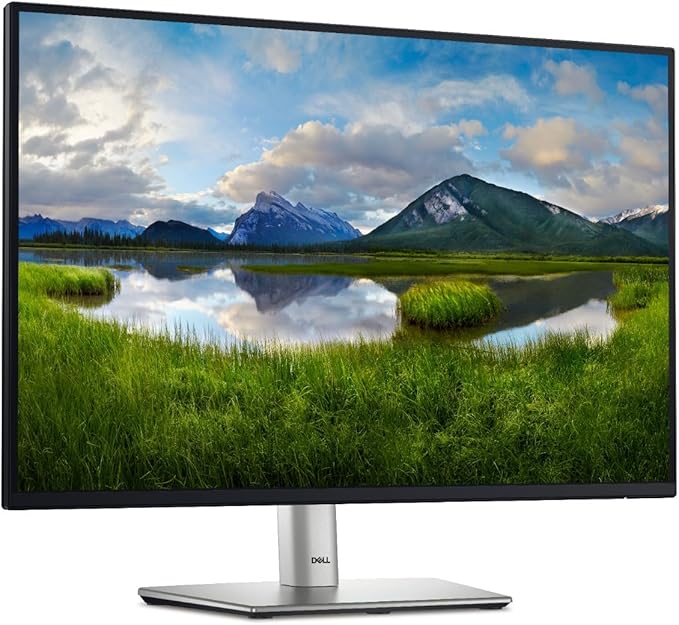
Recertified - Dell UltraSharp U2412M 24" WUXGA 1920 x 1200 8ms VGA DVI-D DisplayPort USB 2.0 Hub Anti-Glare Backlit LED IPS Monitor
Support for Dell U2412M | Drivers & Downloads | Dell Australia
Support for Dell U2412M | Drivers & Downloads | Dell Australia
in 18 offers
The lowest price for Recertified - Dell UltraSharp U2412M 24" WUXGA 1920 x 1200 8ms VGA DVI-D DisplayPort USB 2.0 Hub Anti-Glare Backlit LED IPS Monitor right now is $69.00 at BPC Technology, compared across 13 retailers.
The all-time low was $49.00 on 31 May 2026 — today's price is 41% above the lowest ever. It has been notably cheaper before — worth setting a price alert.
Prices last updated 4 July 2026.
Last updated at 04/07/2026 13:03:28
Refurbished Dell U2412Mb 24inch Monitor - No Stand
Dell U2412Mb 24 Inch LED Monitor 1920 x 1200
Affiliate Disclosure: We may receive a small commission for purchases made through this link at no extra cost to you. This helps support our site. Thank you!
Dell U2412m Led Monitor 100-240v-ac
Delivery $98.04
Affiliate Disclosure: We may receive a small commission for purchases made through this link at no extra cost to you. This helps support our site. Thank you!
Dell U2412mb Ultrasharp 24in Led Monitor
Delivery $103.28
Affiliate Disclosure: We may receive a small commission for purchases made through this link at no extra cost to you. This helps support our site. Thank you!
24" Dell U2412MB 60Hz Flat 1920x1080 FHD Monitor (Used)
Delivery $50
Refurbished Dell UltraSharp U2412H 24" IPS Monitor | Reboot IT
30-day returns
Dell U2412M 24" IPS WUXGA Certified Refurb | Reboot IT
30-day returns
Dell UltraSharp U2412M 24" WUXGA IPS Monitor - - B Grade - UN Tech
Free delivery
Dell UltraSharp U2412M 24" WUXGA IPS Monitor - Sharp Display
Free delivery
Dell U2412MB 24"FHD IPS Monitor (B-Grade Refurbished) Inputs:DisplayPort - DVI - VGA - Cosmetic Imperfection - Reconditioned by PB Tech - 1 Year Warra
Delivery between 9–14 July $9
originally posted on neweggbusiness.com
Dell UItraSharp panels are hard to beat for work horse screens! I have had 3 of these on my desk for the last 5 years, and they have never let me down. Color is great, and when calibrated, they all match perfectly. I use them mostly for content creation, image editing, and coding. I have had over a dozen Dell UltraSharp displays going back 15 years, and everyone is still operational today. The older fluorescent tube back lit ones are getting a bit dim, but they still work. I don't see any sign that these LED back lit U2412M displays are showing any dimming yet. Only recently have I begun to consider replacing them, only because I would like a higher resolution display, but 16:10 and 24" is really the sweet spot for me. Unfortunately, the only other higher ... MoreDell UItraSharp panels are hard to beat for work horse screens! I have had 3 of these on my desk for the last 5 years, and they have never let me down. Color is great, and when calibrated, they all match perfectly. I use them mostly for content creation, image editing, and coding. I have had over a dozen Dell UltraSharp displays going back 15 years, and everyone is still operational today. The older fluorescent tube back lit ones are getting a bit dim, but they still work. I don't see any sign that these LED back lit U2412M displays are showing any dimming yet. Only recently have I begun to consider replacing them, only because I would like a higher resolution display, but 16:10 and 24" is really the sweet spot for me. Unfortunately, the only other higher resolution, 16:10 UltraSharp display available is the $1000 30" UP3017, so I guess these trusty U2412Ms will have to keep on doing their thing.
originally posted on newegg.com
This review is for a Refurbished DellU2412M. I have 2 other Dell U2412M monitors that are excellent in every way. This was a 3rd for my sons computer. The monitor arrived quickly and was packaged well. The first thing I noticed is that the monitor is from 2017 so it is more of a fully used monitor that was checked before sending out. Unfortunately when I tried to calibrate it using the monitor calibration page I ran into trouble. The monitor would not fully calibrate black levels even with brightness set at 100% and could not calibrate both white and black levels at the same time. All of this on the same computer I use for one of my other dell ultrasharp monitors that is much older. My other dell monitor is set at 40% right in the middle of the range and calibrates ... MoreThis review is for a Refurbished DellU2412M. I have 2 other Dell U2412M monitors that are excellent in every way. This was a 3rd for my sons computer. The monitor arrived quickly and was packaged well. The first thing I noticed is that the monitor is from 2017 so it is more of a fully used monitor that was checked before sending out. Unfortunately when I tried to calibrate it using the monitor calibration page I ran into trouble. The monitor would not fully calibrate black levels even with brightness set at 100% and could not calibrate both white and black levels at the same time. All of this on the same computer I use for one of my other dell ultrasharp monitors that is much older. My other dell monitor is set at 40% right in the middle of the range and calibrates both perfectly As I was curious I broke out my eye one calibration tool and discovered that it was not able to get the screen brightness up to target luminence even with the settings maxed out. This is on the same computer that my other dell U2412 calibrates perfectly. The gamma is off as well. I calibrated it the best I could with settings maxed out. Fortunately for me, my son doesn't know any of this and is very happy with his new monitor In short it is a 3 year old used monitor that has obviously reached the end of its service life. It must have seen hard use as my 7 year old U2412 that I am comparing it too still works perfectly.
originally posted on staples.com
I'm a big fan of the UltraSharp series in general and the resolution of this monitor. Going from 1080 vertical lines to 1200 is a noticeable improvement in screen real estate.The knock I have is that this generation of hardware (built 2018) seems to perform differently than earlier generations. When sat next to my 5 year old version (another u2412m), the whites were quite different. I first checked all settings to ensure they were the same then performed factory resets on both. No luck. I increased the color temp of the new one and was able to get them closer to each other, but can't quite get them to matchI fully expect and encourage hardware revisions over time, however, the end goal should always be performance parity when incorporating design changes.
Refurbished Dell U2412Mb 24inch Monitor - No Stand
Dell U2412Mb 24 Inch LED Monitor 1920 x 1200
Affiliate Disclosure: We may receive a small commission for purchases made through this link at no extra cost to you. This helps support our site. Thank you!
Dell U2412m Led Monitor 100-240v-ac
Delivery $98.04
Affiliate Disclosure: We may receive a small commission for purchases made through this link at no extra cost to you. This helps support our site. Thank you!
Dell U2412mb Ultrasharp 24in Led Monitor
Delivery $103.28
Affiliate Disclosure: We may receive a small commission for purchases made through this link at no extra cost to you. This helps support our site. Thank you!
24" Dell U2412MB 60Hz Flat 1920x1080 FHD Monitor (Used)
Delivery $50
Dell UItraSharp panels are hard to beat for work horse screens! I have had 3 of these on my desk for the last 5 years, and they have never let me down. Color is great, and when calibrated, they all match perfectly. I use them mostly for content creation, image editing, and coding. I have had over a dozen Dell UltraSharp displays going back 15 years, and everyone is still operational today. The older fluorescent tube back lit ones are getting a bit dim, but they still work. I don't see any sign that these LED back lit U2412M displays are showing any dimming yet. Only recently have I begun to consider replacing them, only because I would like a higher resolution display, but 16:10 and 24" is really the sweet spot for me. Unfortunately, the only other higher ... MoreDell UItraSharp panels are hard to beat for work horse screens! I have had 3 of these on my desk for the last 5 years, and they have never let me down. Color is great, and when calibrated, they all match perfectly. I use them mostly for content creation, image editing, and coding. I have had over a dozen Dell UltraSharp displays going back 15 years, and everyone is still operational today. The older fluorescent tube back lit ones are getting a bit dim, but they still work. I don't see any sign that these LED back lit U2412M displays are showing any dimming yet. Only recently have I begun to consider replacing them, only because I would like a higher resolution display, but 16:10 and 24" is really the sweet spot for me. Unfortunately, the only other higher resolution, 16:10 UltraSharp display available is the $1000 30" UP3017, so I guess these trusty U2412Ms will have to keep on doing their thing.
This review is for a Refurbished DellU2412M. I have 2 other Dell U2412M monitors that are excellent in every way. This was a 3rd for my sons computer. The monitor arrived quickly and was packaged well. The first thing I noticed is that the monitor is from 2017 so it is more of a fully used monitor that was checked before sending out. Unfortunately when I tried to calibrate it using the monitor calibration page I ran into trouble. The monitor would not fully calibrate black levels even with brightness set at 100% and could not calibrate both white and black levels at the same time. All of this on the same computer I use for one of my other dell ultrasharp monitors that is much older. My other dell monitor is set at 40% right in the middle of the range and calibrates ... MoreThis review is for a Refurbished DellU2412M. I have 2 other Dell U2412M monitors that are excellent in every way. This was a 3rd for my sons computer. The monitor arrived quickly and was packaged well. The first thing I noticed is that the monitor is from 2017 so it is more of a fully used monitor that was checked before sending out. Unfortunately when I tried to calibrate it using the monitor calibration page I ran into trouble. The monitor would not fully calibrate black levels even with brightness set at 100% and could not calibrate both white and black levels at the same time. All of this on the same computer I use for one of my other dell ultrasharp monitors that is much older. My other dell monitor is set at 40% right in the middle of the range and calibrates both perfectly As I was curious I broke out my eye one calibration tool and discovered that it was not able to get the screen brightness up to target luminence even with the settings maxed out. This is on the same computer that my other dell U2412 calibrates perfectly. The gamma is off as well. I calibrated it the best I could with settings maxed out. Fortunately for me, my son doesn't know any of this and is very happy with his new monitor In short it is a 3 year old used monitor that has obviously reached the end of its service life. It must have seen hard use as my 7 year old U2412 that I am comparing it too still works perfectly.
I'm a big fan of the UltraSharp series in general and the resolution of this monitor. Going from 1080 vertical lines to 1200 is a noticeable improvement in screen real estate.The knock I have is that this generation of hardware (built 2018) seems to perform differently than earlier generations. When sat next to my 5 year old version (another u2412m), the whites were quite different. I first checked all settings to ensure they were the same then performed factory resets on both. No luck. I increased the color temp of the new one and was able to get them closer to each other, but can't quite get them to matchI fully expect and encourage hardware revisions over time, however, the end goal should always be performance parity when incorporating design changes.
I bought this monitor to replace a 24" Dell UltraSharp that I purchased in 2006. After 13 years of use, it finally bit the dust. With the long use experience, brilliant picture, and superb angle viewing, the new UltraSharp does not disappoint, especially for the amazing Staples sale price, which was over 5 times less than my 13 year old model cost, which also was 9" thick and weighed 28lb. The new UltraSharp is only 2.6" thick and weighs only 8.75 lbs. Hook up was simple. USB inputs on the sides of the monitor are handy for jump drives or the wifi adapter with antenna that I use. Dell still included the hanger at the bottom of the monitor that fit my 13 year old Dell center channel speaker perfectly. Sure I would have liked a 27" 4k monitor, but A: my desktop has no ... MoreI bought this monitor to replace a 24" Dell UltraSharp that I purchased in 2006. After 13 years of use, it finally bit the dust. With the long use experience, brilliant picture, and superb angle viewing, the new UltraSharp does not disappoint, especially for the amazing Staples sale price, which was over 5 times less than my 13 year old model cost, which also was 9" thick and weighed 28lb. The new UltraSharp is only 2.6" thick and weighs only 8.75 lbs. Hook up was simple. USB inputs on the sides of the monitor are handy for jump drives or the wifi adapter with antenna that I use. Dell still included the hanger at the bottom of the monitor that fit my 13 year old Dell center channel speaker perfectly. Sure I would have liked a 27" 4k monitor, but A: my desktop has no 4K graphics card; and B: Those are no where near $110 ! This is a great monitor at a great price. Highly recommend! Thanks Staples!
I was looking for a matched pair of 16:10 aspect ratio monitors to mount on a flexible arm mount clamped to the back of my desk. These are for keeping multiple windows of mostly text open, with the occasional YouTube video, Facebook, Nextdoor images. I did NOT want an extra-wide monitor, I wanted the extra height (two side by side gets me the width I wanted). These were to replace some Samsung 213T's that had died. Pros: 1. 16:10 aspect ratio 2. Large enough for me to read text at 1920x1200 resolution, small enough to mount on flexible arms and pull all the way to the front edge of my desk, saving me from having to lean over my desk to see them 3. Sharp, bright, back-lit 4. Supports rotating the monitor to portrait mode if desired 5. No weird colors (some firmware ... MoreI was looking for a matched pair of 16:10 aspect ratio monitors to mount on a flexible arm mount clamped to the back of my desk. These are for keeping multiple windows of mostly text open, with the occasional YouTube video, Facebook, Nextdoor images. I did NOT want an extra-wide monitor, I wanted the extra height (two side by side gets me the width I wanted). These were to replace some Samsung 213T's that had died. Pros: 1. 16:10 aspect ratio 2. Large enough for me to read text at 1920x1200 resolution, small enough to mount on flexible arms and pull all the way to the front edge of my desk, saving me from having to lean over my desk to see them 3. Sharp, bright, back-lit 4. Supports rotating the monitor to portrait mode if desired 5. No weird colors (some firmware revisions of this model have been reported to have a yellow cast to the color, I'm not seeing that on these) 6. An older model, and stands not included, making it an economical choice for my needs 7. VESA mounting holes, mounted easily to my clamp-on stand 8. Has DVI and DP connection ports, making it compatible with my older Dell M4600 laptop and docking station 9. "Grade A" used or refurbished (I forget which), no dead or bright pixels, no obvious cosmetic defects Cons: 1. Buttons are small and difficult to see,and placed on the right side of the bezel near the bottom, right where you want to grab the monitor to adjust its position, so it's easy to hit a button by mistake (especially the power button, which is the bottommost button). Caveat: 1. The color on the two monitors was not identical when I received them, and I spent quite a bit of time playing with the Windows video color settings to no avail, until I thought to check the hardware settings via the buttons on the monitors. One of them was at default, the other was not. Once I set the second one to default, they matched to my required degree of precision.
First off let me state that I purchased this monitor at an unbelievably low price from Staples during a sale, which has a little bit of influence over my rating. I paid less than half of MSRP, which is an insane deal in my opinion.Second, the versatility of this monitor is something that I appreciate greatly. When on its stand, you're able to twist, tilt, rotate, and slide up/down the base, which is great on its own. Add in the fact that you can literally rotate the entire monitor from horizontal to vertical, and it's even better.Even at MSRP, this is a good monitor for production reasons. I purchased three, which I honestly didn't "need", but I have zero regrets and almost wished that I purchased more. I would not use this monitor for gaming or for anything I ... MoreFirst off let me state that I purchased this monitor at an unbelievably low price from Staples during a sale, which has a little bit of influence over my rating. I paid less than half of MSRP, which is an insane deal in my opinion.Second, the versatility of this monitor is something that I appreciate greatly. When on its stand, you're able to twist, tilt, rotate, and slide up/down the base, which is great on its own. Add in the fact that you can literally rotate the entire monitor from horizontal to vertical, and it's even better.Even at MSRP, this is a good monitor for production reasons. I purchased three, which I honestly didn't "need", but I have zero regrets and almost wished that I purchased more. I would not use this monitor for gaming or for anything I wanted an extremely sharp image for, but it's perfect for production/work use.
The Dell UltraSharp U2412M Monitor is one fantastic monitor. The colors are excellent. The screen has a nonglare surface which cuts down background reflections and glare which is great. The black plastic bezel that surrounds the 24 inch screen has a flat black appearance instead of a shiny black appearance which also cuts down background reflections and glare. The monitor has a VGA port, a DVI port and a Display port to hook up to a computer. This is great because it can be used with older computers that have a VGA port or a DVI port and newer computers that have the Display port. It has 4 down USB ports that can be used to hook up devices to the monitor itself. I hook up my keyboard and my mouse to 2 of the USB ports in the monitor instead of hooking them up to the ... MoreThe Dell UltraSharp U2412M Monitor is one fantastic monitor. The colors are excellent. The screen has a nonglare surface which cuts down background reflections and glare which is great. The black plastic bezel that surrounds the 24 inch screen has a flat black appearance instead of a shiny black appearance which also cuts down background reflections and glare. The monitor has a VGA port, a DVI port and a Display port to hook up to a computer. This is great because it can be used with older computers that have a VGA port or a DVI port and newer computers that have the Display port. It has 4 down USB ports that can be used to hook up devices to the monitor itself. I hook up my keyboard and my mouse to 2 of the USB ports in the monitor instead of hooking them up to the computer.When I first hooked up the monitor to my computer, the top row of icons on my desktop screen appeared to be slightly going under the top black bezel. Also when I was on a web page, the "Minimize", "Restore Down", and "Close" functions in the upper right hand corner appeared to be slightly going under the top black bezel. The screen was not centered properly. With the adjustment buttons above the On/Off button on the black plastic bezel, I went to the "Menu" button and then went down one line to the "Auto Adjust" line and then pressed the "Green" checkmark button and the screen auto adjusted and was centered perfectly. The icons and the "Minimize", "Restore Down", and "Close" functions which were once going under the top black bezel are now in the correct positions and not touching the top black bezel. (THE AUTO ADJUST CONTROL ONLY WORKS WITH THE VGA HOOKUP ACCORDING TO THE USERS MANUAL). I guess if you hook the monitor up with the DVI port or the Display port you would not have had the problem I had. I am using the VGA port with my Dell OptiPlex 3020 computer.The owner's manual does not come with the monitor. You have to go on line and Google the "Dell U2412M Monitor User's Guide" to read all the detailed instructions. The monitor only comes with a small hook-up sheet.All in all, I am very happy with the Dell U2412M Monitor.
On the plus side, it was easy to set up. I was confused about the height adjustment because there was no way to lock it in place, but that was when it was lying on the table. Once I set it upright, all I had to was pull it up or push it down to change the height. It also tilts.That's about it for pluses. Minus #1 - It was really hard to get it out of the box. I don't know what devious mind designed that cardboard but it was probably the most complicated fold job I've ever seen. In fact, when I returned it to the store the manager said she was surprised I got it back in the box. (It was actually easier to get in than to get out.)Minus #2, and this is the big one - My eyes started to hurt almost immediately. The color looked fine but I decided to calibrate it ... MoreOn the plus side, it was easy to set up. I was confused about the height adjustment because there was no way to lock it in place, but that was when it was lying on the table. Once I set it upright, all I had to was pull it up or push it down to change the height. It also tilts.That's about it for pluses. Minus #1 - It was really hard to get it out of the box. I don't know what devious mind designed that cardboard but it was probably the most complicated fold job I've ever seen. In fact, when I returned it to the store the manager said she was surprised I got it back in the box. (It was actually easier to get in than to get out.)Minus #2, and this is the big one - My eyes started to hurt almost immediately. The color looked fine but I decided to calibrate it anyway, thinking that might help. It didn't. I think I managed about 3 hours with it before shutting the computer down. My eyes were still hurting 4 hours later when I went to bed.The next morning I did some research and discovered that this monitor uses something called Pulse Width Modulation to adjust the brightness. My understanding is, unless the brightness is all the way up - which it probably won't be - the LEDs won't be on all the time. PWM turns them off & on very, very quickly; it's not supposed to be noticeable but for some people - including me, apparently - it creates a kind of strobe effect that causes the eye muscles to work overtime trying to adjust to the changes in light. From what I've read, it's been replaced by newer technology that's easier on the eyes, but this model is not a new one - judging from the model # and a video I watched it dates back to 2013, or earlier. To be clear - the monitor I received was not that old; in fact, it had a manufacture date of August 2018. It's the *model* that's old.Minus #3 - The 40-minute phone call to Dell. I tried their tech support first. The person I talked to had never heard of PWM but did admit that his eyes hurt after several hours of gaming. It wasn't very encouraging to be explaining this to someone who should know more about it than I did.I was also interested in finding a replacement, so I asked the tech support person to transfer me to Sales; I'd looked at the Dell site but hadn't found any models with "eye care" features. It turned out that the Sales rep didn't know of any either. She did do some research (which meant putting me on hold for a long time) and finally got back to me with one model, the U2417. I'm including that here in case someone wants to check it out; the price was too high for me.A couple of other comments: This monitor was a replacement for a 20.5" of a different brand. This one has a much bigger screen and I'm not sure if that made the problem worse. Also, I was using it with a VGA connection; maybe a different kind of connection would have made a difference. My computer has only VGA so that's all I could use.I did try to replace this monitor with a different one from Dell, but I had a different - and just as frustrating - experience with that one. I'll do a separate review for that but I can say, based on these two experiences - including the lack of help from Dell - I won't be buying another one of their monitors.
The monitor is great, except for the scratch on the screen. This monitor is listed as a refurb, but it's not. It is used. Refurbed monitors should not have a scratch on the viewing area. Also, the seller did not send usable cables for this monitor. I received a power cord that isn't to this monitor and a VGA cable. This is a 1920x1200 monitor, why would I use a VGA cable? I don't recommend this monitor unless you have all the cables you need. You'll want your own standard power cord (the block style that has been around forever, not the newer 3 circle design like what they sent me). You'll also want to make sure you have your own DVI or Display Port cord; this monitor does not have an HDMI port. You also may want one of those USB-A to USB-B type cords for enabling ... MoreThe monitor is great, except for the scratch on the screen. This monitor is listed as a refurb, but it's not. It is used. Refurbed monitors should not have a scratch on the viewing area. Also, the seller did not send usable cables for this monitor. I received a power cord that isn't to this monitor and a VGA cable. This is a 1920x1200 monitor, why would I use a VGA cable? I don't recommend this monitor unless you have all the cables you need. You'll want your own standard power cord (the block style that has been around forever, not the newer 3 circle design like what they sent me). You'll also want to make sure you have your own DVI or Display Port cord; this monitor does not have an HDMI port. You also may want one of those USB-A to USB-B type cords for enabling the USB ports on this monitor. After several weeks of using this monitor, I got use to the scratch. To get this monitor on the cheap, I'm putting up with the lack of cables. You'll have to decide if you want to take the risk on this monitor.
I've used this monitor at work for the last few years. I'm an IT professional, and I stare at it all day. It doesn't strain my eyes, and as I have a window behind me, I appreciate the fact that the screen is non-reflective. It got to the point where coming home to my older, reflective Dell monitor with a wider bezel started to annoy me. My older PC that I refuse to put money into to upgrade (aside from an SSD operating system drive) limited my monitor upgrade options because of the age of the video card and DVI and VGA connections. I realized this 24" Dell UltraSharp was the biggest and best I could buy, and since I was a satisfied user of it at work, when the chance came to snag it for a great price, it was a no brainer. Do I notice the difference between this ... MoreI've used this monitor at work for the last few years. I'm an IT professional, and I stare at it all day. It doesn't strain my eyes, and as I have a window behind me, I appreciate the fact that the screen is non-reflective. It got to the point where coming home to my older, reflective Dell monitor with a wider bezel started to annoy me. My older PC that I refuse to put money into to upgrade (aside from an SSD operating system drive) limited my monitor upgrade options because of the age of the video card and DVI and VGA connections. I realized this 24" Dell UltraSharp was the biggest and best I could buy, and since I was a satisfied user of it at work, when the chance came to snag it for a great price, it was a no brainer. Do I notice the difference between this monitor and my MacBook's retina display screen? Of course, but for the money, this monitor is fantastic.