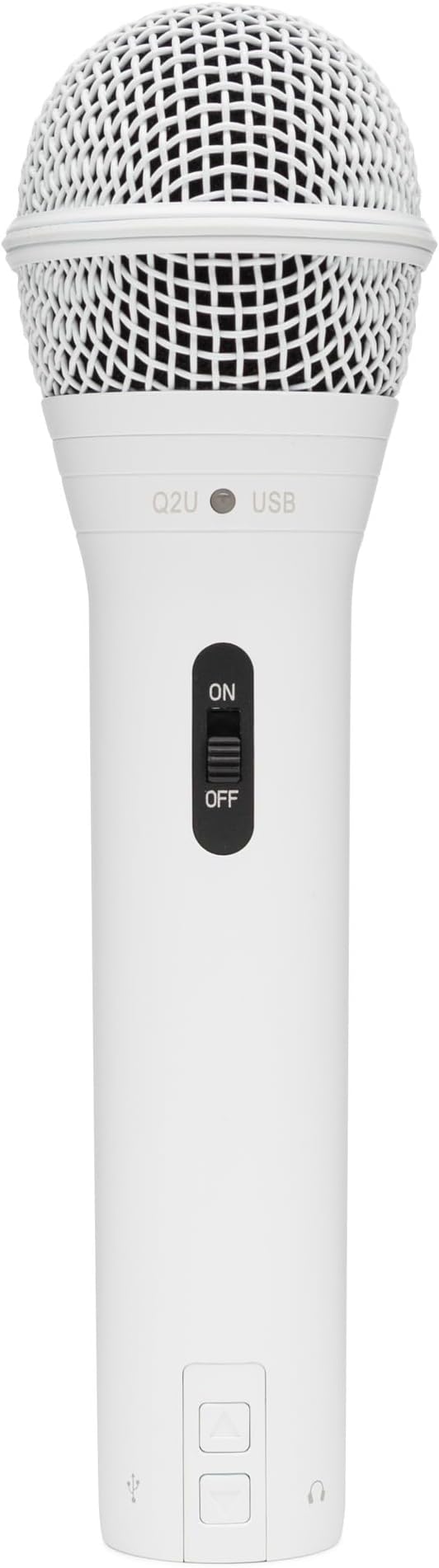
Samson Q9U XLR/USB Dynamic Broadcast Microphone
Q9U
Q9U
Q9U
Q9U
in 32 offers
The lowest price for Samson Q9U XLR/USB Dynamic Broadcast Microphone right now is $215.06 at MusicStoreLive.com, compared across 23 retailers.
The all-time low was $140.59 on 17 May 2024 — today's price is 53% above the lowest ever. It has been notably cheaper before — worth setting a price alert.
Prices last updated 30 Sept 2026.
Last updated at 30/09/2026 09:51:04
Samson Q9U XLR / USB Broadcast Dynamic Microphone
Samson Q9u Usb Studio Podcast Recording Microphone Dynamic Cardiod Mic
Delivery $63.75
Affiliate Disclosure: We may receive a small commission for purchases made through this link at no extra cost to you. This helps support our site. Thank you!
Samson Audio 17cm Dynamic Usb/xlr Broadcast/streaming Podcasting
Free delivery
Affiliate Disclosure: We may receive a small commission for purchases made through this link at no extra cost to you. This helps support our site. Thank you!
Samson Technologies Q9u Dynamic Broadcast Microphone, Xlr/usb, Black
Delivery $95.68
Affiliate Disclosure: We may receive a small commission for purchases made through this link at no extra cost to you. This helps support our site. Thank you!
Samson Q9u Xlr/usb Dynamic Broadcast Microphone From Japan
Free delivery
Affiliate Disclosure: We may receive a small commission for purchases made through this link at no extra cost to you. This helps support our site. Thank you!
Samson Q9U - XLR / USB Dynamic Broadcast Microphone
Samson Technologies Q9U Dynamic Broadcast Microphone, XLR/USB, Black (Renewed)
Free delivery
SAMSON Q9U XLR/USB Dynamic Broadcast Microphone
Free delivery
Samson Dynamic USB/XLR Broadcast Microphone
Free delivery
Samson Q9U XLR USB Dynamic Broadcast Microphone 24bit 96kHz With Headphone Monitoring
Free delivery
originally posted on bestbuy.com
INTRO:The Samson Q9U is a broadcast quality microphone great for streamers, podcasters or even musicians. It borrows some of the DNA of the Q2U (a successful entry level USB/XLR microphone) while also delivering new EQ features to deliver exceptional audio to any audience.UNBOXING:Inside the box, you’ll find the Q9U with the dual layer windscreen pre-installed, two USB cables (USB-C to USB-C as well as USB-C to USB-A), and some simple documentation. A very simple unboxing experience to help you get started quickly.If you want to mount to a desk, Samson does offer the MBA38 Microphone Boom Arm, or if you’d prefer a nice weighted desktop stand, they also offer the MD5. Both of which are separate purchases, as the Q9U does not come with a stand—only the ... MoreINTRO:The Samson Q9U is a broadcast quality microphone great for streamers, podcasters or even musicians. It borrows some of the DNA of the Q2U (a successful entry level USB/XLR microphone) while also delivering new EQ features to deliver exceptional audio to any audience.UNBOXING:Inside the box, you’ll find the Q9U with the dual layer windscreen pre-installed, two USB cables (USB-C to USB-C as well as USB-C to USB-A), and some simple documentation. A very simple unboxing experience to help you get started quickly.If you want to mount to a desk, Samson does offer the MBA38 Microphone Boom Arm, or if you’d prefer a nice weighted desktop stand, they also offer the MD5. Both of which are separate purchases, as the Q9U does not come with a stand—only the mounting hardware.BUILD:Right away, I noticed how well-constructed the Q9U is. It has a solid die-cast construction which feels very rigid and very durable. I tried tapping on the metal to check for any hollow areas of the construction and was pleased to find none, as that could introduce unwanted resonance or ringing.The yoke is integrated with the Q9U, so you won’t need to install a separate one before mounting, and an internal pneumatic shock mount ensures that the capsule is isolated from any mechanical noise like an occasional bump to your microphone stand.USB & XLR:The Q9U has quite a few features that make it a notable standout for streamers and podcasters. Most importantly, it supports both USB-C and XLR outputs. This lends to great versatility in that you can use USB-C for portable needs such as mobile podcasting or streaming on the go, as well as XLR for more conventional needs like for live performances where you would connect to a mixing board. Or perhaps you just have an excellent interface that you’d prefer to use. Either way, both options are available to use.The included USB cables have an EMI/RFI Noise Filter to ensure that both electromagnetic and radio frequency interference are filtered out. I can confirm that using cables without this will likely result in unwanted interference in your audio.HEADPHONE OUTPUT:Additionally, there is a 3.5mm headphone output on the Q9U that you can use if you’re using the unit via USB-C. Just like the Q2U, this headphone output allows you to monitor your audio with zero latency. This headphone output is rated for 38mW @ 32Ω which means sensitive IEMs like the KZ ZSX (111dbB/24 Ω) will be dangerously loud and introduce a lot of noise during use. But when paired to any reasonable studio monitoring headphones like the NVX XPT100 or Sennheiser HD 280 Pro, I found that the audio was clear without any added noise.I also found that you can disable direct zero-latency monitoring via the Sound Control Panel in Windows 10 (this was not available in macOS). I find this feature useful if you plan on adding effects in your software and would rather monitor your processed audio from within your software.Unlike the Q2U, there is no headphone volume control directly on the Q9U for USB-C operations. Rather, you will have to manage this in your operating system of choice, as it behaves just like any other output device.MICROPHONE GAIN CONTROL:For gain control, you have 2 options. If you’re using USB-C, then you can control your microphone gain from within the Windows/macOS sound settings. Samson recommends that you run a test to ensure that the loudest your microphone reaches is about 50% when you’re speaking normally about 4-12 inches from the microphone. For Windows 10 users, you can consult the instruction manual for details about how to do this easily. But if you’re a macOS user, you might have to verify through the Sound settings that the Input Meter doesn’t peak past 50%. This is based on Samson’s recommendations, but you can always adjust to better suit your needs.Additionally, there is a Mute button directly on the microphone in case you need a quick way to cut the audio. The button does stay pressed in when muted, but upon pressing it again, the button rises up to indicate it’s live. While other microphones might use an LED to indicate the mute status, the Q9U likely forgoes it because most of the microphone body is not visible to the user during actual use. Perhaps Samson could try innovating on this user experience in the future.SOUND QUALITY & EQ:This is one area where the Q9U really stands to gain over some of the competition. Since the Q9U is a uni-directional microphone, that means it's a bit more susceptible to the proximity effect where bass response increases the closer the speaker is to the microphone. This might be desirable for some speakers who want that late night radio DJ sound, but it can also be undesirable for the bass-heavy consonant sounds from words that use ‘b’ and ‘p’, as they can cause frequently distracting fluctuations in speech.There are 4 different combinations you can use for EQ’ing the Q9U. If you’d like to hear some simple sample tests, you may consult my audio samples here:https://soundcloud.com/xephyroth/sets/samson-q9u-test-samples-macos/s-jWEIunXcsjtDefault: This setting is the default configuration with no EQ options applied. It lends itself to the proximity effect well, and is warmer in the mid-range. A good choice for those who generally have brighter sounding speech rather than deeper, resonant speech.Bass Cut: Reduces the proximity effect and also reduces the bass-booming aspect of ‘b’ and ‘p’ consonants during speech. It does a great job at making speech sound clear and reduces unwanted bass response. This is a great option for people who prefer to speak closely to the microphone but want to prevent bass-booming.Mid Boost: Increases the mid-range treble response to increase clarity for human speech. It brightens up vocals and increases clarity—especially for male vocals that tend to be on the warmer side. When avoiding the proximity effect by allowing proper distance from the microphone, this is a great way to increase the clarity of your speech.Bass Cut + Mid Boost: The combination of the two lends to a very clear and consistent sound. This is likely a great setting for applications that prefer consistency like voice overs and audio books since the bass cut reduces unwanted boomy consonants and the mid boost increases speech clarity.DYNAMIC VS CONDENSER:These days, many people are streaming and starting podcasts and they’re probably reading about condenser microphones and dynamic microphones. So which should you get? Let me explain why it is that you may want to choose one over the other.Dynamic microphones are passive, so they are less sensitive compared to condenser microphones which are active (powered). This makes dynamic a great choice when you want to reduce background noise, prevent room hissing, and also be relatively loud without clipping the microphone. However, this also means that you have to speak closer to dynamic microphones in order for them to pick up sound. Alternatively, you could increase the gain so that it can pick up sounds from further away, but increasing too much could introduce unwanted noise and hissing, so it defeats the purpose of a dynamic microphone.Even when I have speakers playing 1-2ft behind the Q9U, it does a great job at blocking those noises. When it’s just ambient noise from 1-2ft away, the Q9U really doesn’t pick it up at all, but when it’s loud enough that I struggle to talk over it, the Q9U picks up some sound, but still does an incredible job at bringing my voice to the front. And if you add some noise-reduction processing on top, you’ll be sure that your audience won’t hear any of it. And while the dynamic aspect of the Q9U plays a big part in reducing unwanted noise, the fact that it’s also uni-directional helps ensure that it has exceptional off-axis rejection.Condenser microphones on the other hand must be powered. These days, many are USB-powered or Phantom 12V powered through an audio interface over XLR. This makes condenser microphones much more sensitive to sound, so they’re generally more capable of picking up a wider range of frequencies. This makes them great for detail retrieval for vocals and instruments, but because they’re so sensitive, they perform best in sound-treated rooms to yield optimal results. This means that even if a condenser microphone is uni-directional, they are still more likely to pick up ambient noise. That means if you have any sound going on in the background (conversations, pets, music, alarms, etc.) it’s likely going to be picked up by the microphone.CONCLUSION & RECOMMENDED USE:For game streamers, a condenser microphone will pick up a ton of noise from your keyboard and mouse, which will likely be distracting for your audience, so the Q9U is a great option for you.If you’re a musician that plays an acoustic instrument, I’d likely recommend a condenser microphone, as it’ll capture all the nuances of your performance. While this will come at the expense of picking up any unwanted background noise, you’ll find that condenser microphones are better at picking up quieter sounds no matter how you position them, whereas a dynamic microphone relies more on its positioning relative to the instrument to capture nuances more reliably.If you’re a singer, either a condenser or dynamic microphone is a great choice. If you need to capture natural environment reverb, then a condenser microphone is likely the better choice. But if you’re going to perform with effects added on, the dynamic Q9U will give you better vocal isolation from ambient & background noise.And if you’re getting into podcasts or becoming a radio DJ, dynamic microphones are a great choice. For years, podcasters and radio DJs have been setting the standard for lowest background noise, and most of which have been sticking to dynamic microphones like the Q9U because they’re excellent for isolating vocals.
originally posted on bhphotovideo.com
Pros: sounds good, but have to be really close to the mic though; there's a lot of white noise at high gain that you have to increase when sitting far away (which isn't a pro, but it's as expected). By default, it doesn't sound bright like other mics where I could hear the saliva moving; this is the biggest reason I got this USB mic.Cons: At least when the USB mode is used, the direct monitoring headphone jack gives constant static sound after restarting Windows. I think it's the same problem the Q2U used to have before firmware. I tried it both on Windows 7 laptop and 10 x64 desktop. The only way to stop the static is to unplug and re-plug the mic. I haven't tried XLR, but probably works fine. Also, watch out for the mounting bolt. There have been cases where the ... MorePros: sounds good, but have to be really close to the mic though; there's a lot of white noise at high gain that you have to increase when sitting far away (which isn't a pro, but it's as expected). By default, it doesn't sound bright like other mics where I could hear the saliva moving; this is the biggest reason I got this USB mic.Cons: At least when the USB mode is used, the direct monitoring headphone jack gives constant static sound after restarting Windows. I think it's the same problem the Q2U used to have before firmware. I tried it both on Windows 7 laptop and 10 x64 desktop. The only way to stop the static is to unplug and re-plug the mic. I haven't tried XLR, but probably works fine. Also, watch out for the mounting bolt. There have been cases where the attachment breaks off. Customer service seems to be nonexistent? I've called them twice, but their customer service department didn't pick up. They also haven't replied to my email. Doesn't matter anyway because I'm returning this, unfortunately.
originally posted on bestbuy.com
The Samson Q9U is a beautifully designed studio microphone with plug-and-play operation, clean and clear audio capture, and flexible hookup options. It comes with both a USB-A to USB-C cable and USB-C to USB-C cable, and the mic natively supports USB-C as well as XLR output. However, an XLR cable is not included with the mic and you would need to supply that as well as an AI (audio interface) or mixer in order to use that connection type.The mic itself is hefty, at over 2 lbs, thanks to its all-metal zinc-alloy/steel design and integrated swivel yoke stand mount. It does not include a stand in and of itself, so be aware that if you purchase this mic you will need to provide your own boom or mic stand in order to use it. The mounting hole on the bottom of the mic ... MoreThe Samson Q9U is a beautifully designed studio microphone with plug-and-play operation, clean and clear audio capture, and flexible hookup options. It comes with both a USB-A to USB-C cable and USB-C to USB-C cable, and the mic natively supports USB-C as well as XLR output. However, an XLR cable is not included with the mic and you would need to supply that as well as an AI (audio interface) or mixer in order to use that connection type.The mic itself is hefty, at over 2 lbs, thanks to its all-metal zinc-alloy/steel design and integrated swivel yoke stand mount. It does not include a stand in and of itself, so be aware that if you purchase this mic you will need to provide your own boom or mic stand in order to use it. The mounting hole on the bottom of the mic is a standard 5/8”-27 thread, so stands using a 3/8” mount would require an adapter, which is also not included. While the metal grill on the mic and internal capsule shockmount already provide some noise attenuation, it also comes with an external foam wind screen as an additional buffer against pops and plosives for vocal performances.Inside its matte black metal housing, the mic uses a cardioid, or unidirectional, dynamic element with humbucking, which is a coil used to reduce the amount of electromagnetic interference and pickup from nearby radio frequency devices. The mic primarily captures sound directly in front of it while rejecting the sound coming in from the sides and back, allowing it to separate its source from other sounds in the room. However, this type of mic also produces the proximity effect, so when the mic is very close to its sound source you’re going to capture more bass tones than when you position the mic several inches to a foot away. You can also experiment with placing the mic on axis, pointing directly at the sound source, or slightly off axis to reduce the amount of highs and increase low frequency pick up.There are 3 physical controls on the mic, a press-in to activate mute button on the side, and low-cut and mid-boost switches on the bottom. Since I record mostly at home and don’t have a soundproof studio, the low-cut filter really helps to reduce low vibration noises such as the rumble of trucks and delivery vans as they pass on the street. When using the mic for spoken word with mid-boost, I noticed that my vocals were brighter with a clearer focus. I do wish that the mute button had an LED indicator when activated because it’s easy to forget that you’re on mute, especially if you’re not using monitoring headphones while live streaming. To that point, there are no lighted indicators whatsoever on the exterior of the mic, not for power nor EQ settings; though if you peer into the headphone jack when the mic is plugged in, you’ll see a faint green glow inside.Connecting the mic to a computer via USB-C is basically plug-and-play; since the drivers are all built-into the mic you don’t need to install any additional software or drivers. The mic has an internal pre-amp that can be adjusted using the volume slider in the device's properties on a Windows 10 machine. Both USB and XLR connection types provided clear and distortion-free sound at max gain, though for me, the USB connections produced slightly higher levels when speaking at a normal volume right up against the mic, around -10dB, than when using my AI (Scarlett Solo), around -15dB. There’s also a 1/8” headphone output jack for direct connection to headphones or speakers for latency-free monitoring of the mic feed which worked flawlessly. I found that when using an AI with XLR, the monitoring headphones/speakers have to be connected to monitor port on the AI instead of directly to the mic. I’ve also used the mic directly connected to my smartphone’s USB-C charging port. I didn’t need to use an externally powered USB hub to do so, and I was able to record decent levels from 0 - 6 inches away from the mic.The sound captured from this mic has a bit-depth of 24-bit and sample rate up to 96kHz, broadcast quality, regardless of which connection type you use. This hi-res format might be useful if you’re mixing the tracks or re-mastering the audio in post-production, though I personally didn’t hear the difference versus using the mic to record at 44.1kHz. Overall, I found that the mic produces warm and natural sounding recordings as well as clear and crisp audio with minimal background noise/hiss noise when live streaming. While I use it primarily for spoken word, I think it would also perform great for singing and instruments.
| Element Type | Dynamic |
| Frequency Response | 50Hz–20kHz |
| Polar Pattern | Cardioid (unidirectional) |
| Impedance | 250Ω |
| Max. SPL | >140 dBSPL |
Samson Q9U XLR / USB Broadcast Dynamic Microphone
Samson Q9u Usb Studio Podcast Recording Microphone Dynamic Cardiod Mic
Delivery $63.75
Affiliate Disclosure: We may receive a small commission for purchases made through this link at no extra cost to you. This helps support our site. Thank you!
Samson Audio 17cm Dynamic Usb/xlr Broadcast/streaming Podcasting
Free delivery
Affiliate Disclosure: We may receive a small commission for purchases made through this link at no extra cost to you. This helps support our site. Thank you!
Samson Technologies Q9u Dynamic Broadcast Microphone, Xlr/usb, Black
Delivery $95.68
Affiliate Disclosure: We may receive a small commission for purchases made through this link at no extra cost to you. This helps support our site. Thank you!
Samson Q9u Xlr/usb Dynamic Broadcast Microphone From Japan
Free delivery
Affiliate Disclosure: We may receive a small commission for purchases made through this link at no extra cost to you. This helps support our site. Thank you!
INTRO:The Samson Q9U is a broadcast quality microphone great for streamers, podcasters or even musicians. It borrows some of the DNA of the Q2U (a successful entry level USB/XLR microphone) while also delivering new EQ features to deliver exceptional audio to any audience.UNBOXING:Inside the box, you’ll find the Q9U with the dual layer windscreen pre-installed, two USB cables (USB-C to USB-C as well as USB-C to USB-A), and some simple documentation. A very simple unboxing experience to help you get started quickly.If you want to mount to a desk, Samson does offer the MBA38 Microphone Boom Arm, or if you’d prefer a nice weighted desktop stand, they also offer the MD5. Both of which are separate purchases, as the Q9U does not come with a stand—only the ... MoreINTRO:The Samson Q9U is a broadcast quality microphone great for streamers, podcasters or even musicians. It borrows some of the DNA of the Q2U (a successful entry level USB/XLR microphone) while also delivering new EQ features to deliver exceptional audio to any audience.UNBOXING:Inside the box, you’ll find the Q9U with the dual layer windscreen pre-installed, two USB cables (USB-C to USB-C as well as USB-C to USB-A), and some simple documentation. A very simple unboxing experience to help you get started quickly.If you want to mount to a desk, Samson does offer the MBA38 Microphone Boom Arm, or if you’d prefer a nice weighted desktop stand, they also offer the MD5. Both of which are separate purchases, as the Q9U does not come with a stand—only the mounting hardware.BUILD:Right away, I noticed how well-constructed the Q9U is. It has a solid die-cast construction which feels very rigid and very durable. I tried tapping on the metal to check for any hollow areas of the construction and was pleased to find none, as that could introduce unwanted resonance or ringing.The yoke is integrated with the Q9U, so you won’t need to install a separate one before mounting, and an internal pneumatic shock mount ensures that the capsule is isolated from any mechanical noise like an occasional bump to your microphone stand.USB & XLR:The Q9U has quite a few features that make it a notable standout for streamers and podcasters. Most importantly, it supports both USB-C and XLR outputs. This lends to great versatility in that you can use USB-C for portable needs such as mobile podcasting or streaming on the go, as well as XLR for more conventional needs like for live performances where you would connect to a mixing board. Or perhaps you just have an excellent interface that you’d prefer to use. Either way, both options are available to use.The included USB cables have an EMI/RFI Noise Filter to ensure that both electromagnetic and radio frequency interference are filtered out. I can confirm that using cables without this will likely result in unwanted interference in your audio.HEADPHONE OUTPUT:Additionally, there is a 3.5mm headphone output on the Q9U that you can use if you’re using the unit via USB-C. Just like the Q2U, this headphone output allows you to monitor your audio with zero latency. This headphone output is rated for 38mW @ 32Ω which means sensitive IEMs like the KZ ZSX (111dbB/24 Ω) will be dangerously loud and introduce a lot of noise during use. But when paired to any reasonable studio monitoring headphones like the NVX XPT100 or Sennheiser HD 280 Pro, I found that the audio was clear without any added noise.I also found that you can disable direct zero-latency monitoring via the Sound Control Panel in Windows 10 (this was not available in macOS). I find this feature useful if you plan on adding effects in your software and would rather monitor your processed audio from within your software.Unlike the Q2U, there is no headphone volume control directly on the Q9U for USB-C operations. Rather, you will have to manage this in your operating system of choice, as it behaves just like any other output device.MICROPHONE GAIN CONTROL:For gain control, you have 2 options. If you’re using USB-C, then you can control your microphone gain from within the Windows/macOS sound settings. Samson recommends that you run a test to ensure that the loudest your microphone reaches is about 50% when you’re speaking normally about 4-12 inches from the microphone. For Windows 10 users, you can consult the instruction manual for details about how to do this easily. But if you’re a macOS user, you might have to verify through the Sound settings that the Input Meter doesn’t peak past 50%. This is based on Samson’s recommendations, but you can always adjust to better suit your needs.Additionally, there is a Mute button directly on the microphone in case you need a quick way to cut the audio. The button does stay pressed in when muted, but upon pressing it again, the button rises up to indicate it’s live. While other microphones might use an LED to indicate the mute status, the Q9U likely forgoes it because most of the microphone body is not visible to the user during actual use. Perhaps Samson could try innovating on this user experience in the future.SOUND QUALITY & EQ:This is one area where the Q9U really stands to gain over some of the competition. Since the Q9U is a uni-directional microphone, that means it's a bit more susceptible to the proximity effect where bass response increases the closer the speaker is to the microphone. This might be desirable for some speakers who want that late night radio DJ sound, but it can also be undesirable for the bass-heavy consonant sounds from words that use ‘b’ and ‘p’, as they can cause frequently distracting fluctuations in speech.There are 4 different combinations you can use for EQ’ing the Q9U. If you’d like to hear some simple sample tests, you may consult my audio samples here:https://soundcloud.com/xephyroth/sets/samson-q9u-test-samples-macos/s-jWEIunXcsjtDefault: This setting is the default configuration with no EQ options applied. It lends itself to the proximity effect well, and is warmer in the mid-range. A good choice for those who generally have brighter sounding speech rather than deeper, resonant speech.Bass Cut: Reduces the proximity effect and also reduces the bass-booming aspect of ‘b’ and ‘p’ consonants during speech. It does a great job at making speech sound clear and reduces unwanted bass response. This is a great option for people who prefer to speak closely to the microphone but want to prevent bass-booming.Mid Boost: Increases the mid-range treble response to increase clarity for human speech. It brightens up vocals and increases clarity—especially for male vocals that tend to be on the warmer side. When avoiding the proximity effect by allowing proper distance from the microphone, this is a great way to increase the clarity of your speech.Bass Cut + Mid Boost: The combination of the two lends to a very clear and consistent sound. This is likely a great setting for applications that prefer consistency like voice overs and audio books since the bass cut reduces unwanted boomy consonants and the mid boost increases speech clarity.DYNAMIC VS CONDENSER:These days, many people are streaming and starting podcasts and they’re probably reading about condenser microphones and dynamic microphones. So which should you get? Let me explain why it is that you may want to choose one over the other.Dynamic microphones are passive, so they are less sensitive compared to condenser microphones which are active (powered). This makes dynamic a great choice when you want to reduce background noise, prevent room hissing, and also be relatively loud without clipping the microphone. However, this also means that you have to speak closer to dynamic microphones in order for them to pick up sound. Alternatively, you could increase the gain so that it can pick up sounds from further away, but increasing too much could introduce unwanted noise and hissing, so it defeats the purpose of a dynamic microphone.Even when I have speakers playing 1-2ft behind the Q9U, it does a great job at blocking those noises. When it’s just ambient noise from 1-2ft away, the Q9U really doesn’t pick it up at all, but when it’s loud enough that I struggle to talk over it, the Q9U picks up some sound, but still does an incredible job at bringing my voice to the front. And if you add some noise-reduction processing on top, you’ll be sure that your audience won’t hear any of it. And while the dynamic aspect of the Q9U plays a big part in reducing unwanted noise, the fact that it’s also uni-directional helps ensure that it has exceptional off-axis rejection.Condenser microphones on the other hand must be powered. These days, many are USB-powered or Phantom 12V powered through an audio interface over XLR. This makes condenser microphones much more sensitive to sound, so they’re generally more capable of picking up a wider range of frequencies. This makes them great for detail retrieval for vocals and instruments, but because they’re so sensitive, they perform best in sound-treated rooms to yield optimal results. This means that even if a condenser microphone is uni-directional, they are still more likely to pick up ambient noise. That means if you have any sound going on in the background (conversations, pets, music, alarms, etc.) it’s likely going to be picked up by the microphone.CONCLUSION & RECOMMENDED USE:For game streamers, a condenser microphone will pick up a ton of noise from your keyboard and mouse, which will likely be distracting for your audience, so the Q9U is a great option for you.If you’re a musician that plays an acoustic instrument, I’d likely recommend a condenser microphone, as it’ll capture all the nuances of your performance. While this will come at the expense of picking up any unwanted background noise, you’ll find that condenser microphones are better at picking up quieter sounds no matter how you position them, whereas a dynamic microphone relies more on its positioning relative to the instrument to capture nuances more reliably.If you’re a singer, either a condenser or dynamic microphone is a great choice. If you need to capture natural environment reverb, then a condenser microphone is likely the better choice. But if you’re going to perform with effects added on, the dynamic Q9U will give you better vocal isolation from ambient & background noise.And if you’re getting into podcasts or becoming a radio DJ, dynamic microphones are a great choice. For years, podcasters and radio DJs have been setting the standard for lowest background noise, and most of which have been sticking to dynamic microphones like the Q9U because they’re excellent for isolating vocals.
Pros: sounds good, but have to be really close to the mic though; there's a lot of white noise at high gain that you have to increase when sitting far away (which isn't a pro, but it's as expected). By default, it doesn't sound bright like other mics where I could hear the saliva moving; this is the biggest reason I got this USB mic.Cons: At least when the USB mode is used, the direct monitoring headphone jack gives constant static sound after restarting Windows. I think it's the same problem the Q2U used to have before firmware. I tried it both on Windows 7 laptop and 10 x64 desktop. The only way to stop the static is to unplug and re-plug the mic. I haven't tried XLR, but probably works fine. Also, watch out for the mounting bolt. There have been cases where the ... MorePros: sounds good, but have to be really close to the mic though; there's a lot of white noise at high gain that you have to increase when sitting far away (which isn't a pro, but it's as expected). By default, it doesn't sound bright like other mics where I could hear the saliva moving; this is the biggest reason I got this USB mic.Cons: At least when the USB mode is used, the direct monitoring headphone jack gives constant static sound after restarting Windows. I think it's the same problem the Q2U used to have before firmware. I tried it both on Windows 7 laptop and 10 x64 desktop. The only way to stop the static is to unplug and re-plug the mic. I haven't tried XLR, but probably works fine. Also, watch out for the mounting bolt. There have been cases where the attachment breaks off. Customer service seems to be nonexistent? I've called them twice, but their customer service department didn't pick up. They also haven't replied to my email. Doesn't matter anyway because I'm returning this, unfortunately.
The Samson Q9U is a beautifully designed studio microphone with plug-and-play operation, clean and clear audio capture, and flexible hookup options. It comes with both a USB-A to USB-C cable and USB-C to USB-C cable, and the mic natively supports USB-C as well as XLR output. However, an XLR cable is not included with the mic and you would need to supply that as well as an AI (audio interface) or mixer in order to use that connection type.The mic itself is hefty, at over 2 lbs, thanks to its all-metal zinc-alloy/steel design and integrated swivel yoke stand mount. It does not include a stand in and of itself, so be aware that if you purchase this mic you will need to provide your own boom or mic stand in order to use it. The mounting hole on the bottom of the mic ... MoreThe Samson Q9U is a beautifully designed studio microphone with plug-and-play operation, clean and clear audio capture, and flexible hookup options. It comes with both a USB-A to USB-C cable and USB-C to USB-C cable, and the mic natively supports USB-C as well as XLR output. However, an XLR cable is not included with the mic and you would need to supply that as well as an AI (audio interface) or mixer in order to use that connection type.The mic itself is hefty, at over 2 lbs, thanks to its all-metal zinc-alloy/steel design and integrated swivel yoke stand mount. It does not include a stand in and of itself, so be aware that if you purchase this mic you will need to provide your own boom or mic stand in order to use it. The mounting hole on the bottom of the mic is a standard 5/8”-27 thread, so stands using a 3/8” mount would require an adapter, which is also not included. While the metal grill on the mic and internal capsule shockmount already provide some noise attenuation, it also comes with an external foam wind screen as an additional buffer against pops and plosives for vocal performances.Inside its matte black metal housing, the mic uses a cardioid, or unidirectional, dynamic element with humbucking, which is a coil used to reduce the amount of electromagnetic interference and pickup from nearby radio frequency devices. The mic primarily captures sound directly in front of it while rejecting the sound coming in from the sides and back, allowing it to separate its source from other sounds in the room. However, this type of mic also produces the proximity effect, so when the mic is very close to its sound source you’re going to capture more bass tones than when you position the mic several inches to a foot away. You can also experiment with placing the mic on axis, pointing directly at the sound source, or slightly off axis to reduce the amount of highs and increase low frequency pick up.There are 3 physical controls on the mic, a press-in to activate mute button on the side, and low-cut and mid-boost switches on the bottom. Since I record mostly at home and don’t have a soundproof studio, the low-cut filter really helps to reduce low vibration noises such as the rumble of trucks and delivery vans as they pass on the street. When using the mic for spoken word with mid-boost, I noticed that my vocals were brighter with a clearer focus. I do wish that the mute button had an LED indicator when activated because it’s easy to forget that you’re on mute, especially if you’re not using monitoring headphones while live streaming. To that point, there are no lighted indicators whatsoever on the exterior of the mic, not for power nor EQ settings; though if you peer into the headphone jack when the mic is plugged in, you’ll see a faint green glow inside.Connecting the mic to a computer via USB-C is basically plug-and-play; since the drivers are all built-into the mic you don’t need to install any additional software or drivers. The mic has an internal pre-amp that can be adjusted using the volume slider in the device's properties on a Windows 10 machine. Both USB and XLR connection types provided clear and distortion-free sound at max gain, though for me, the USB connections produced slightly higher levels when speaking at a normal volume right up against the mic, around -10dB, than when using my AI (Scarlett Solo), around -15dB. There’s also a 1/8” headphone output jack for direct connection to headphones or speakers for latency-free monitoring of the mic feed which worked flawlessly. I found that when using an AI with XLR, the monitoring headphones/speakers have to be connected to monitor port on the AI instead of directly to the mic. I’ve also used the mic directly connected to my smartphone’s USB-C charging port. I didn’t need to use an externally powered USB hub to do so, and I was able to record decent levels from 0 - 6 inches away from the mic.The sound captured from this mic has a bit-depth of 24-bit and sample rate up to 96kHz, broadcast quality, regardless of which connection type you use. This hi-res format might be useful if you’re mixing the tracks or re-mastering the audio in post-production, though I personally didn’t hear the difference versus using the mic to record at 44.1kHz. Overall, I found that the mic produces warm and natural sounding recordings as well as clear and crisp audio with minimal background noise/hiss noise when live streaming. While I use it primarily for spoken word, I think it would also perform great for singing and instruments.
Upgraded from my old faithful Blue Snowball that lasted 9 years. Saw this mic appear in many youtube comparison videos and decided to give it a shot. The 3 different outputs really makes this thing a jack of all trades. I noticed no real difference across USB or XLR.Overall quality is great for the price. Midtones and highs are nice and crispy. Lows are not muddy. I'd give this mic a greenlight to anyone who's on a $100 budget and simply likes the looks/style. Unless you're a serious audiophile, this Samson mic hits the perfect performance and feature set for a good price.
The Samson Q9U is a well built dynamic microphone that makes it quick and easy to add that professional “broadcast” quality sound to any home or professional recording studio. It features XLR and USB-C output connections that are both essentially plug-and-play because the XLR connection doesn’t need phantom power to operate and the USB-C output is compatible with either Mac or Windows operating systems right out of the box. I love how easy this makes setting up when I’m traveling, because I can bring my own mic and keep a consistent sound without feeling like I’m being a hassle.Like most dynamic microphones, the Samson Q9U offers a broadcaster type of sound that’s clear with a strong presence in the mids, but cuts a little off on the highs. It’s ok for instruments ... MoreThe Samson Q9U is a well built dynamic microphone that makes it quick and easy to add that professional “broadcast” quality sound to any home or professional recording studio. It features XLR and USB-C output connections that are both essentially plug-and-play because the XLR connection doesn’t need phantom power to operate and the USB-C output is compatible with either Mac or Windows operating systems right out of the box. I love how easy this makes setting up when I’m traveling, because I can bring my own mic and keep a consistent sound without feeling like I’m being a hassle.Like most dynamic microphones, the Samson Q9U offers a broadcaster type of sound that’s clear with a strong presence in the mids, but cuts a little off on the highs. It’s ok for instruments if you’re playing in a live group, but it excels for vocal dialogue and commentary, such as Zoom meetings, Skype, podcasting, Twitch streaming, etc… It even comes with a built-in low frequency filter, and a mid range frequency boost switch, to help ensure your voice comes through full and clear. What really impressed me about the Q9U is how well it seems to reduce noise and only pick up my voice. I know dynamic mics are great at rejecting sound that isn’t spoken directly into it, but my open room recordings sounded so clean it was like I was in a studio. Speaking of unwanted sounds, it’s designed with a dual-layer windscreen, but also comes with a foam windscreen that does an excellent job of minimizing pops and plosives.Designwise, the Q9U is satin black all around with a classic capsule mic shape. The mic stand hinges are integrated with the capsule body and confidently keep it in position. Upon handling the microphone, the first thing you’ll notice is how well it’s made with a metal body and a surprising amount of heft. I don’t plan to drop it, but I imagine this thing was made to take abuse. There’s a mute button on the side of the body, with the XLR and USB-C connections on the bottom, as well as the headphone input and frequency cutoff/boost switches.Overall, the Samson Q9U is an excellent dynamic microphone that’s a breeze to setup and instantly adds a “broadcast” quality level of sound to your recordings. Highly recommended, especially for video conferences, Twitch streams, podcasts, group performances, and live performances.
I stream on Twitch and have used this microphone for a couple days in lieu of my Blue Ember microphone. I've always wanted to try out a dynamic mic since everything I've used to date have been condenser microphones. I'm happy with the sound quality I'm getting out of this microphone so far and feel like as I tweak things further I can get the sound exactly where I like it.Setup on the hardware side was insanely easy for me as I was just swapping one XLR microphone for another one. If you have an existing interface or mixer, this is just plug and play as you'd expect. I didn't use the USB interface for this but if it's anything like every other USB microphone I've used I assume the setup is pretty straight forward there as well. It comes with a USB-C to USB-C cable ... MoreI stream on Twitch and have used this microphone for a couple days in lieu of my Blue Ember microphone. I've always wanted to try out a dynamic mic since everything I've used to date have been condenser microphones. I'm happy with the sound quality I'm getting out of this microphone so far and feel like as I tweak things further I can get the sound exactly where I like it.Setup on the hardware side was insanely easy for me as I was just swapping one XLR microphone for another one. If you have an existing interface or mixer, this is just plug and play as you'd expect. I didn't use the USB interface for this but if it's anything like every other USB microphone I've used I assume the setup is pretty straight forward there as well. It comes with a USB-C to USB-C cable as well as a USB-C to USB-A cable so having the options there are really nice. Even though I'm not currently going to use the USB interface of the microphone, knowing it's there and being able to use it in the future on another machine if I need to is a pretty big draw for me.Sound quality is on par with my Blue Ember. I'm sure a pure audio snob might be able to hear the minute difference but I just found it easy to connect it to my mixer and adjust the microphone settings to accommodate a dynamic mic instead of the condenser and things sounded very similar. I feel like I'd need to spend a lot more time tweaking either microphone to get things better than they are.As for the Twitch side of things, since this is a dynamic microphone I can focus a little less on the noise gates and canceling out background noise like my keyboard and mouse even with the gain up pretty high. I would usually need to have my condenser microphone right up to my mouth and the gain pushed way down in order to eliminate a lot of that noise but there's so much more wiggle room with this microphone.One complaint I'd have is the lack of a shock mount. I wasn't able to find one for sale in my admittedly limited search and it doesn't come with one. Moving my mic stand/boom or hitting the desk too hard does come through on the microphone so I'll have to be more careful with that.Overall, though, I'm pretty happy with this microphone and will continue to use it and tweak it as my main broadcasting mic. Being a dynamic mic it's just a much better fit in the non-sound treated room I'm in. It does most of the heavy lifting as far limiting that extra noise so I don't have to rely as heavily on noise gates and other things to cover it up. It might be a tad more expensive than my Blue Ember but I would take the dynamic mic for my use-case over the condenser.
There are two major types of microphones used in home studios - Dynamic and condenser. Condenser microphones are very sensitive and often require a very quiet room + treatment, but they sound more "natural". Dynamic microphones are typically less sensitive but they are great with ambient noise rejection and very forgiving to the room treatment, they also output more "broadcast" quality sound people are used to. This mic is a dynamic kind.No matter if you just starting and don't have any equipment yet or if you already been recording something - this mic got you covered. It's a dual interface device which means you can simply hook it up to USB port on your computer (6' USB-C to C and C to A cables are included) and start recording! For more advanced applications ... MoreThere are two major types of microphones used in home studios - Dynamic and condenser. Condenser microphones are very sensitive and often require a very quiet room + treatment, but they sound more "natural". Dynamic microphones are typically less sensitive but they are great with ambient noise rejection and very forgiving to the room treatment, they also output more "broadcast" quality sound people are used to. This mic is a dynamic kind.No matter if you just starting and don't have any equipment yet or if you already been recording something - this mic got you covered. It's a dual interface device which means you can simply hook it up to USB port on your computer (6' USB-C to C and C to A cables are included) and start recording! For more advanced applications such as sound interface, mixer board or even a portable recorder - this microphone has a balanced XLR output (high quality connector, no cable wobble at all).Build quality is outstanding! It's a full metal body with internally shock mounted capsule with permanently attached swivel yoke mount designed for 5/8"-27 thread (I would recommend Samson MBA38 for a desk mount). Microphone body has a mechanical mute button, MID range boost switch (useful for voice recording), Low-cut filter switch to remove lower frequencies (3dB at 200Hz in case recording sounds "boomy" or "muddy") and real-time monitoring 3.5mm headphones port. There are no LED indicators, however if you look deep into headphone port - you'll see a green LED glow when USB-C power is connected.Microphone capsule is covered with a metal wind screen and optional foam screen (included in the box). Microphone frequency response is 50Hz to 20kHz at -57 dBV sensitivity (XLR), mic impedance is 250Ohm.This microphone is an amazing first choice if you just starting up with your podcast, YouTube video production or live streaming. The only additional thing you will need is a mic stand (and make sure to get a sturdy one, this microphone weighs 2.13lb).
I got sucked into an ADHD Vortex in obsessively researching a new mic that would work with a traditional XLR as well as USB to upgrade my generic USB mic I bought at the beginning of the pandemic for voice calls, voiceover work both personally and professionally and a new project. I am about to embark on in completing lots of interviews. I was between this Mic and the Shure MV7 end could not beat the price on this one. I ended up buying this one, an additional one for my wife, as well as the bundle through SamAsh that included the boom arm. (I now have 3 total Q9Us). I could not be happier with the value and the improved quality of the products I'm able to pull together. I love having the ability to swap between XLR and USB and have found that the headphone monitor ... MoreI got sucked into an ADHD Vortex in obsessively researching a new mic that would work with a traditional XLR as well as USB to upgrade my generic USB mic I bought at the beginning of the pandemic for voice calls, voiceover work both personally and professionally and a new project. I am about to embark on in completing lots of interviews. I was between this Mic and the Shure MV7 end could not beat the price on this one. I ended up buying this one, an additional one for my wife, as well as the bundle through SamAsh that included the boom arm. (I now have 3 total Q9Us). I could not be happier with the value and the improved quality of the products I'm able to pull together. I love having the ability to swap between XLR and USB and have found that the headphone monitor feature built right into the mic has been super helpful as well. I think I'm going to get a ton of use out of this!
Note: I only used this microphone in the XLR connection and not USB so move on if you're looking for info on USB functions.I had been trying different microphones for use with my mixer set up to use with my computer and Xbox. I started out with a basic dynamic microphone from Behringer, the XM8500, but i was looking for a little more broadcaster style and sound. I tried this microphone because it was on sale. When i opened the microphone, it was heavy but felt really quality in your hand. My microphone boom arm had a hard time holding it up but it looked great and had a premium feel to it.Now for sound quality, I'm not one of those kind of audiofiles who has a lot of stats and numbers about performance, I'll leave that it others. But i wasn't pleased at this ... MoreNote: I only used this microphone in the XLR connection and not USB so move on if you're looking for info on USB functions.I had been trying different microphones for use with my mixer set up to use with my computer and Xbox. I started out with a basic dynamic microphone from Behringer, the XM8500, but i was looking for a little more broadcaster style and sound. I tried this microphone because it was on sale. When i opened the microphone, it was heavy but felt really quality in your hand. My microphone boom arm had a hard time holding it up but it looked great and had a premium feel to it.Now for sound quality, I'm not one of those kind of audiofiles who has a lot of stats and numbers about performance, I'll leave that it others. But i wasn't pleased at this microphone's ability to pick up my voice without being positioned perfectly. When i had it in position, it sounded better then my XM8500 but it should as it costs way more, but it didn't have a nice balanced mid range that i like. The sound was more amplified in the higher frequency and almost like i was talking in a large room. I have a nasal voice so i hate how it sounded in this range.The next major problem i had was with an item desk noises, no noises and especially the installed mute button. So much is picked up by this microphone (I'm pretty sure it doesn't have any kind of sound damping like Shure microphone's do but i can't remember). It wasn't usable in my set up because of this. In the end, i returned it and went with a Shure MV7 which is a little more when not on sale but sounds sooo much nicer for my preference and has better damping to reduce touch noises. If you're going for something for talking or gaming, i can t recommend this microphone.
The Q9U is an awesome microphone if you are looking to enhance your streaming or podcast setup. It includes a cardioid pattern which is great for spoken voice, a headset output for monitoring your sound, custom EQ settings built into the microphone as well as a XLR connection to enhance customization and flexibility.My Setup: I occasionally stream on Twitch, and often talk in chat or discord, so I wanted to upgrade my audio to sound a bit more professional, or if nothing else, just sound good compared to a headset microphone. I have a microphone boom placing the microphone about 12” away from my face which is the maximum recommended distance. I am using OBS/Streamlabs to customize the audio to reduce the overall sensitivity by adding filters, as this microphone is ... MoreThe Q9U is an awesome microphone if you are looking to enhance your streaming or podcast setup. It includes a cardioid pattern which is great for spoken voice, a headset output for monitoring your sound, custom EQ settings built into the microphone as well as a XLR connection to enhance customization and flexibility.My Setup: I occasionally stream on Twitch, and often talk in chat or discord, so I wanted to upgrade my audio to sound a bit more professional, or if nothing else, just sound good compared to a headset microphone. I have a microphone boom placing the microphone about 12” away from my face which is the maximum recommended distance. I am using OBS/Streamlabs to customize the audio to reduce the overall sensitivity by adding filters, as this microphone is very sensitive and picks up everything.There are two switches on the bottom which can help with EQ settings. The low-cut feature will help with a heavier bass sound. There is also a mid-slider which will boost the midrange sound. The manual says this is better for spoken voice and I would agree and have mine turned on. The USB cables are long and come with interference reducers to help with a cleaner sound. You will get both a USB-C to USB-C and USB-C to USB-A.For podcasting and a multiple mic setup, you will want to use a mixer. This is where you get a lot of flexibility with the Q9U. The mixer will give you a lot of customization, depending on the mixer, as well as a multiple microphone setup that can be easily managed for recording/streaming with, usually, a single interface to your PC for overall audio input. With the headphone input on the Samson, you will get feedback on your own volume levels as well as adjusting the audio levels of other microphones in the mix. This is great if you are part of a podcast where you might take your home streaming setup to a studio with XLR for podcasting.So how does it compare? The quality of sound you get from a professional microphone really makes a difference if you are looking at streaming, podcasting, or recording music. I notice my voice comes across clearer, crisper. You do not get a “compressed” or over processed sound like you do with some headset microphones. Samson has been in the audio industry for over 40 years so I feel confident that I am getting a great product, that I know sounds great, and will last me several years to come.
| Element Type | Dynamic |
| Frequency Response | 50Hz–20kHz |
| Polar Pattern | Cardioid (unidirectional) |
| Impedance | 250Ω |
| Max. SPL | >140 dBSPL |