Gaming Hub: Yes (KR, US, CA, BR, GB, FR, DE, IT, ES, MX, AU) | Ports: 2 | Response Time (ms): 4ms(GTG) | Game bar: Yes | Super Ultrawide Game - View: Yes | TV Plus: Yes | Screen - Vitals: Yes | Active Display Size (Hx - V) (mm): 597.888(H) x 336.312(V) | HDMI Cable: Yes | Eye Saver Mode: Yes | Flicker Free: Yes | Image Size: Yes | Tilt: 2.0 ̊(±2.0 ̊) ~ 22.0 ̊(±2.0 ̊) | Refresh Rate: Max 60Hz | Hub: 2 | HDR: HDR10 | Brightness (Typical): 250 | Brightness (Min): 200 | Windows Certification: Windows 11 | Flat/Curved: Flat | Screen Size (Class): 27 | Panel : VA | Wireless Display: Yes | HDMI Version: 1.4 | Speaker: Yes | Length: 1.5 m | Package Weight: 13.4 lbs | Power Supply: AC 100~240V | with Stand: 10.6 lbs | without Stand: 7.9 lbs | HDMI Cable: Yes | Contrast Ratio (Static): 3,000:1(Typ.) - Fi: Yes (Wi - Fi5) | Smart : Smart | Operating System: Tizen | Controller : Yes | Workspace: Yes | Wireless Display: Yes | Adaptive Sound: Adaptive Sound | Temperature: 10~40 °C 50~104 °F | Humidity: 10~80(non condensing) % | Aspect Ratio: 0.672916666666667 | Power Supply : AC 100~240V | HDMI input: Yes | Set Dimension with Stand (WxHxD): 615.5 x 455.4 x 193.5 mm | Set Dimension without Stand (WxHxD): 615.5 x 367.9 x 41.8 mm | HDMI CEC: Yes | Adaptive Picture: Yes | Speaker Output(W): 10W | HDMI Version: 1.4 | : Yes (US only) | General Feature: Internal Power | Color Gamut (NTSC): 72% | HDCP Version (HDMI): 2.2 | Smart - Things Hub: Yes | Multi Device Experience: Mobile to Screen, Screen initiate mirroring, Sound Mirroring, Wireless On, | NFT: Nifty Gateway | Wall Mount: 100 x 100 | Package Dimension (WxHxD): 738.0 x 126.0 x 428.0 mm | Color Support: Max 1B | Static Contrast Ratio : 3,000:1(Typ.) | Screen Size (Inch): 27 | Resolution: FHD (1,920 x 1,080) | Viewing Angle (Horizontal/Vertical): 178°(H)/178°(V) | Wall Mount (Size mm): 100 x 100 | HDMI: 2 | Power Consumption (Max): 50 | (Internal/External): Internal Power Size: 27".
Gaming Hub: Yes (KR, US, CA, BR, GB, FR, DE, IT, ES, MX, AU) | Ports: 2 | Response Time (ms): 4ms(GTG) | Game bar: Yes | Super Ultrawide Game - View: Yes | TV Plus: Yes | Screen - Vitals: Yes | Active Display Size (Hx - V) (mm): 597.888(H) x 336.312(V) | HDMI Cable: Yes | Eye Saver Mode: Yes | Flicker Free: Yes | Image Size: Yes | Tilt: 2.0 ̊(±2.0 ̊) ~ 22.0 ̊(±2.0 ̊) | Refresh Rate: Max 60Hz | Hub: 2 | HDR: HDR10 | Brightness (Typical): 250 | Brightness (Min): 200 | Windows Certification: Windows 11 | Flat/Curved: Flat | Screen Size (Class): 27 | Panel : VA | Wireless Display: Yes | HDMI Version: 1.4 | Speaker: Yes | Length: 1.5 m | Package Weight: 13.4 lbs | Power Supply: AC 100~240V | with Stand: 10.6 lbs | without Stand: 7.9 lbs | HDMI Cable: Yes | Contrast Ratio (Static): 3,000:1(Typ.) - Fi: Yes (Wi - Fi5) | Smart : Smart | Operating System: Tizen | Controller : Yes | Workspace: Yes | Wireless Display: Yes | Adaptive Sound: Adaptive Sound | Temperature: 10~40 °C 50~104 °F | Humidity: 10~80(non condensing) % | Aspect Ratio: 0.672916666666667 | Power Supply : AC 100~240V | HDMI input: Yes | Set Dimension with Stand (WxHxD): 615.5 x 455.4 x 193.5 mm | Set Dimension without Stand (WxHxD): 615.5 x 367.9 x 41.8 mm | HDMI CEC: Yes | Adaptive Picture: Yes | Speaker Output(W): 10W | HDMI Version: 1.4 | : Yes (US only) | General Feature: Internal Power | Color Gamut (NTSC): 72% | HDCP Version (HDMI): 2.2 | Smart - Things Hub: Yes | Multi Device Experience: Mobile to Screen, Screen initiate mirroring, Sound Mirroring, Wireless On, | NFT: Nifty Gateway | Wall Mount: 100 x 100 | Package Dimension (WxHxD): 738.0 x 126.0 x 428.0 mm | Color Support: Max 1B | Static Contrast Ratio : 3,000:1(Typ.) | Screen Size (Inch): 27 | Resolution: FHD (1,920 x 1,080) | Viewing Angle (Horizontal/Vertical): 178°(H)/178°(V) | Wall Mount (Size mm): 100 x 100 | HDMI: 2 | Power Consumption (Max): 50 | (Internal/External): Internal Power Size: 27".
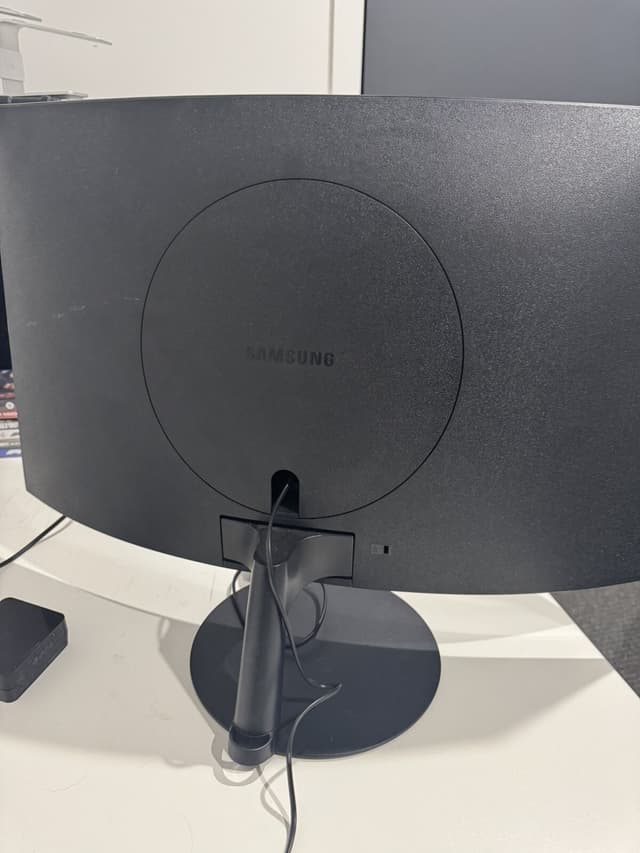
Samsung 27" Smart Monitor M5 (M50D) FHD with Streaming TV and Speakers(LS27DM500ENXGO)
Gaming Hub: Yes (KR, US, CA, BR, GB, FR, DE, IT, ES, MX, AU) | Ports: 2 | Response Time (ms): 4ms(GTG) | Game bar: Yes | Super Ultrawide Game - View: Yes | TV Plus: Yes | Screen - Vitals: Yes | Active Display Size (Hx - V) (mm): 597.888(H) x 336.312(V) | HDMI Cable: Yes | Eye Saver Mode: Yes | Flicker Free: Yes | Image Size: Yes | Tilt: 2.0 ̊(±2.0 ̊) ~ 22.0 ̊(±2.0 ̊) | Refresh Rate: Max 60Hz | Hub: 2 | HDR: HDR10 | Brightness (Typical): 250 | Brightness (Min): 200 | Windows Certification: Windows 11 | Flat/Curved: Flat | Screen Size (Class): 27 | Panel : VA | Wireless Display: Yes | HDMI Version: 1.4 | Speaker: Yes | Length: 1.5 m | Package Weight: 13.4 lbs | Power Supply: AC 100~240V | with Stand: 10.6 lbs | without Stand: 7.9 lbs | HDMI Cable: Yes | Contrast Ratio (Static): 3,000:1(Typ.) - Fi: Yes (Wi - Fi5) | Smart : Smart | Operating System: Tizen | Controller : Yes | Workspace: Yes | Wireless Display: Yes | Adaptive Sound: Adaptive Sound | Temperature: 10~40 °C 50~104 °F | Humidity: 10~80(non condensing) % | Aspect Ratio: 0.672916666666667 | Power Supply : AC 100~240V | HDMI input: Yes | Set Dimension with Stand (WxHxD): 615.5 x 455.4 x 193.5 mm | Set Dimension without Stand (WxHxD): 615.5 x 367.9 x 41.8 mm | HDMI CEC: Yes | Adaptive Picture: Yes | Speaker Output(W): 10W | HDMI Version: 1.4 | : Yes (US only) | General Feature: Internal Power | Color Gamut (NTSC): 72% | HDCP Version (HDMI): 2.2 | Smart - Things Hub: Yes | Multi Device Experience: Mobile to Screen, Screen initiate mirroring, Sound Mirroring, Wireless On, | NFT: Nifty Gateway | Wall Mount: 100 x 100 | Package Dimension (WxHxD): 738.0 x 126.0 x 428.0 mm | Color Support: Max 1B | Static Contrast Ratio : 3,000:1(Typ.) | Screen Size (Inch): 27 | Resolution: FHD (1,920 x 1,080) | Viewing Angle (Horizontal/Vertical): 178°(H)/178°(V) | Wall Mount (Size mm): 100 x 100 | HDMI: 2 | Power Consumption (Max): 50 | (Internal/External): Internal Power Size: 27".
Gaming Hub: Yes (KR, US, CA, BR, GB, FR, DE, IT, ES, MX, AU) | Ports: 2 | Response Time (ms): 4ms(GTG) | Game bar: Yes | Super Ultrawide Game - View: Yes | TV Plus: Yes | Screen - Vitals: Yes | Active Display Size (Hx - V) (mm): 597.888(H) x 336.312(V) | HDMI Cable: Yes | Eye Saver Mode: Yes | Flicker Free: Yes | Image Size: Yes | Tilt: 2.0 ̊(±2.0 ̊) ~ 22.0 ̊(±2.0 ̊) | Refresh Rate: Max 60Hz | Hub: 2 | HDR: HDR10 | Brightness (Typical): 250 | Brightness (Min): 200 | Windows Certification: Windows 11 | Flat/Curved: Flat | Screen Size (Class): 27 | Panel : VA | Wireless Display: Yes | HDMI Version: 1.4 | Speaker: Yes | Length: 1.5 m | Package Weight: 13.4 lbs | Power Supply: AC 100~240V | with Stand: 10.6 lbs | without Stand: 7.9 lbs | HDMI Cable: Yes | Contrast Ratio (Static): 3,000:1(Typ.) - Fi: Yes (Wi - Fi5) | Smart : Smart | Operating System: Tizen | Controller : Yes | Workspace: Yes | Wireless Display: Yes | Adaptive Sound: Adaptive Sound | Temperature: 10~40 °C 50~104 °F | Humidity: 10~80(non condensing) % | Aspect Ratio: 0.672916666666667 | Power Supply : AC 100~240V | HDMI input: Yes | Set Dimension with Stand (WxHxD): 615.5 x 455.4 x 193.5 mm | Set Dimension without Stand (WxHxD): 615.5 x 367.9 x 41.8 mm | HDMI CEC: Yes | Adaptive Picture: Yes | Speaker Output(W): 10W | HDMI Version: 1.4 | : Yes (US only) | General Feature: Internal Power | Color Gamut (NTSC): 72% | HDCP Version (HDMI): 2.2 | Smart - Things Hub: Yes | Multi Device Experience: Mobile to Screen, Screen initiate mirroring, Sound Mirroring, Wireless On, | NFT: Nifty Gateway | Wall Mount: 100 x 100 | Package Dimension (WxHxD): 738.0 x 126.0 x 428.0 mm | Color Support: Max 1B | Static Contrast Ratio : 3,000:1(Typ.) | Screen Size (Inch): 27 | Resolution: FHD (1,920 x 1,080) | Viewing Angle (Horizontal/Vertical): 178°(H)/178°(V) | Wall Mount (Size mm): 100 x 100 | HDMI: 2 | Power Consumption (Max): 50 | (Internal/External): Internal Power Size: 27".
in 1 offers
The lowest price for Samsung 27" Smart Monitor M5 (M50D) FHD with Streaming TV and Speakers(LS27DM500ENXGO) right now is $352.79.
The all-time low was $285.37 on 25 Mar 2025 — today's price is 24% above the lowest ever. It has been notably cheaper before — worth setting a price alert.
Prices last updated 16 Aug 2025.
Last updated at 16/08/2025 00:45:33
originally posted on samsung.com
Alright, so its been a year since I bought the M7 smart monitor, and to be honest, its a superbly smart monitor.Starting off with the Design, I just love the design of this monitor. It sits at a level on my desk that provides me with the perfect viewing angle. Although an option to change the height and orientation would have been good, I still love the design.Moving on towards the display, OMG, the 4K display with HDR support is the best thing I can ask for even from a non-gaming monitor. The colors are extremely vivid and the picture is clear all the time. Being a gamer, I love the fact that the speakers on this thing are so good and sharp that I can never miss an audio detail. Moreover, the 32" display gives me so much room for additional details when the ... MoreAlright, so its been a year since I bought the M7 smart monitor, and to be honest, its a superbly smart monitor.Starting off with the Design, I just love the design of this monitor. It sits at a level on my desk that provides me with the perfect viewing angle. Although an option to change the height and orientation would have been good, I still love the design.Moving on towards the display, OMG, the 4K display with HDR support is the best thing I can ask for even from a non-gaming monitor. The colors are extremely vivid and the picture is clear all the time. Being a gamer, I love the fact that the speakers on this thing are so good and sharp that I can never miss an audio detail. Moreover, the 32" display gives me so much room for additional details when the game mode is turned on.Moreover, I work in the IT sector and and study on the side, which makes this monitor even more useful. The huge display lets me use up the whole space doing multitasking. Additionally, the smart hub allows me to move to the HDMI mode as soon as I turn on my laptop, on the other hand the smart hub also allows to me to get a variety of applications to get the maximum amount of entertainment when I'm free.Last, but not the least, the fact that the monitor can work with a universal samsung remote, can connect to the SmartThings and act as a SmartThings hub to control all my smart devices is truly admirable. All in all, this monitor is a great option for those who like to have the best picture quality at an affordable price and get the most work done efficiently.
originally posted on samsung.com
This Samsung monitor is bomb! Borderless! Awesome! Like Hello!!- I don't even remember what borders are for! It fits perfectly in a little cubby in my bedroom so when I'm all snuggled up in bed I can search travel destinations, watch DIY clips, shop (like im doing right now, deciding what color galaxy z flip6, peach!), and I can keep an eye on my Samsung home security. Connect however u want, easy. I have Samsung products, but u can connect anything to it, very versatile, my friend plays games on it, no problem! Brilliant picture. It's so thin and light and compact, yet is well made, I'll probably have it as long as the old school Samsung monitor it replaced, which was 8 years! And it still worked great, gave it to a friend, treated myself to the borderless- i ... MoreThis Samsung monitor is bomb! Borderless! Awesome! Like Hello!!- I don't even remember what borders are for! It fits perfectly in a little cubby in my bedroom so when I'm all snuggled up in bed I can search travel destinations, watch DIY clips, shop (like im doing right now, deciding what color galaxy z flip6, peach!), and I can keep an eye on my Samsung home security. Connect however u want, easy. I have Samsung products, but u can connect anything to it, very versatile, my friend plays games on it, no problem! Brilliant picture. It's so thin and light and compact, yet is well made, I'll probably have it as long as the old school Samsung monitor it replaced, which was 8 years! And it still worked great, gave it to a friend, treated myself to the borderless- i almost didn't get it because I didn't think 22 would fit -btw hard to find smaller monitors these days!- but yippy it did fit, without border more screen! Nice design.
originally posted on samsung.com
I took a gamble with the monitor and bought myself two of the from the get go. Immediately set the up and it was a breeze. This was the first time doing a dual set up and it worked perfect for my work and personal usage. The color and brightness can be adjusted to what you wish for and not strain the eye.For work, I use it to view PDFs, Microsoft products, viewing webpages, and analyzing geospatial information that is detailed and can be viewed easily with the monitors.For personal use, I use it to play FPS games and it never skips a frame. I have recommended these exact monitors to friends and family and they are happy with the recommendation. I also use it to watch Youtube tutorials and stream movies. The blacks are blacks and the colors are vibrant.
Alright, so its been a year since I bought the M7 smart monitor, and to be honest, its a superbly smart monitor.Starting off with the Design, I just love the design of this monitor. It sits at a level on my desk that provides me with the perfect viewing angle. Although an option to change the height and orientation would have been good, I still love the design.Moving on towards the display, OMG, the 4K display with HDR support is the best thing I can ask for even from a non-gaming monitor. The colors are extremely vivid and the picture is clear all the time. Being a gamer, I love the fact that the speakers on this thing are so good and sharp that I can never miss an audio detail. Moreover, the 32" display gives me so much room for additional details when the ... MoreAlright, so its been a year since I bought the M7 smart monitor, and to be honest, its a superbly smart monitor.Starting off with the Design, I just love the design of this monitor. It sits at a level on my desk that provides me with the perfect viewing angle. Although an option to change the height and orientation would have been good, I still love the design.Moving on towards the display, OMG, the 4K display with HDR support is the best thing I can ask for even from a non-gaming monitor. The colors are extremely vivid and the picture is clear all the time. Being a gamer, I love the fact that the speakers on this thing are so good and sharp that I can never miss an audio detail. Moreover, the 32" display gives me so much room for additional details when the game mode is turned on.Moreover, I work in the IT sector and and study on the side, which makes this monitor even more useful. The huge display lets me use up the whole space doing multitasking. Additionally, the smart hub allows me to move to the HDMI mode as soon as I turn on my laptop, on the other hand the smart hub also allows to me to get a variety of applications to get the maximum amount of entertainment when I'm free.Last, but not the least, the fact that the monitor can work with a universal samsung remote, can connect to the SmartThings and act as a SmartThings hub to control all my smart devices is truly admirable. All in all, this monitor is a great option for those who like to have the best picture quality at an affordable price and get the most work done efficiently.
This Samsung monitor is bomb! Borderless! Awesome! Like Hello!!- I don't even remember what borders are for! It fits perfectly in a little cubby in my bedroom so when I'm all snuggled up in bed I can search travel destinations, watch DIY clips, shop (like im doing right now, deciding what color galaxy z flip6, peach!), and I can keep an eye on my Samsung home security. Connect however u want, easy. I have Samsung products, but u can connect anything to it, very versatile, my friend plays games on it, no problem! Brilliant picture. It's so thin and light and compact, yet is well made, I'll probably have it as long as the old school Samsung monitor it replaced, which was 8 years! And it still worked great, gave it to a friend, treated myself to the borderless- i ... MoreThis Samsung monitor is bomb! Borderless! Awesome! Like Hello!!- I don't even remember what borders are for! It fits perfectly in a little cubby in my bedroom so when I'm all snuggled up in bed I can search travel destinations, watch DIY clips, shop (like im doing right now, deciding what color galaxy z flip6, peach!), and I can keep an eye on my Samsung home security. Connect however u want, easy. I have Samsung products, but u can connect anything to it, very versatile, my friend plays games on it, no problem! Brilliant picture. It's so thin and light and compact, yet is well made, I'll probably have it as long as the old school Samsung monitor it replaced, which was 8 years! And it still worked great, gave it to a friend, treated myself to the borderless- i almost didn't get it because I didn't think 22 would fit -btw hard to find smaller monitors these days!- but yippy it did fit, without border more screen! Nice design.
I took a gamble with the monitor and bought myself two of the from the get go. Immediately set the up and it was a breeze. This was the first time doing a dual set up and it worked perfect for my work and personal usage. The color and brightness can be adjusted to what you wish for and not strain the eye.For work, I use it to view PDFs, Microsoft products, viewing webpages, and analyzing geospatial information that is detailed and can be viewed easily with the monitors.For personal use, I use it to play FPS games and it never skips a frame. I have recommended these exact monitors to friends and family and they are happy with the recommendation. I also use it to watch Youtube tutorials and stream movies. The blacks are blacks and the colors are vibrant.
Bought 1 month ago as a replacement work monitor. Screen size is perfect for multitasking, the 4k resolution is good, and the additional smart features are great. There are a couple of things that bother me though:- Monitor will sometimes not recognise PCs connected to it via USB, and the only fix so far has been to unplug the monitor and hard reset it. When it works it's great, but very frustrating when it doesn't.- Using the integrated USB hub is a nightmare, frequently devices aren't recognised and the passthrough is inconsistent. I've stopped using this feature as it doesn't work well enough- Remote desktop is not great, and has trouble with screen resolution, and no settings to override which means it can't be fixed. I use a thin client instead.- No Picture ... MoreBought 1 month ago as a replacement work monitor. Screen size is perfect for multitasking, the 4k resolution is good, and the additional smart features are great. There are a couple of things that bother me though:- Monitor will sometimes not recognise PCs connected to it via USB, and the only fix so far has been to unplug the monitor and hard reset it. When it works it's great, but very frustrating when it doesn't.- Using the integrated USB hub is a nightmare, frequently devices aren't recognised and the passthrough is inconsistent. I've stopped using this feature as it doesn't work well enough- Remote desktop is not great, and has trouble with screen resolution, and no settings to override which means it can't be fixed. I use a thin client instead.- No Picture in Picture, given the amount of inputs and screen size it would be a handy feature to have.Overall the monitor is good at this price point but some smart features are a bit glitchy and limited. If you need a monitor/Netflix machine then this is great, but if you don't need that then consider other options.
Great monitor when it works. Picture quality, brightness, resolution and relative price are an exceptional mix. But it has some terrible issues: It loses signal sometimes. When I bought it, it happened quite frequently, multiple times a day. Since then updates arrived and it only occurs a couple times a month.What I really hate about it, is switching inputs which I need to do many times during the day: it takes 6-7 clicks to switch from USB-C to HDMI while I have dedicated buttons for Netflix, Samung TV (what is that?), Prime and Disney which I never used once.One more issue is with connected USB devices: they are sometimes on when the TV is off so I can charge things off of it, then other times they are turned off when my computer goes to sleep so charging stops ... MoreGreat monitor when it works. Picture quality, brightness, resolution and relative price are an exceptional mix. But it has some terrible issues: It loses signal sometimes. When I bought it, it happened quite frequently, multiple times a day. Since then updates arrived and it only occurs a couple times a month.What I really hate about it, is switching inputs which I need to do many times during the day: it takes 6-7 clicks to switch from USB-C to HDMI while I have dedicated buttons for Netflix, Samung TV (what is that?), Prime and Disney which I never used once.One more issue is with connected USB devices: they are sometimes on when the TV is off so I can charge things off of it, then other times they are turned off when my computer goes to sleep so charging stops unexpectedly.If these things were solved, I gave the monitor 5 stars. The input selection is the worst.
So first off I really just needed a second monitor for the extra real estate. I use a ton of windows and hate switching back and forth between them or having a limited space to view everything which always just ends up with me resizing constantly. It's a no fuss monitor with great resolution and size that really helps me manage my work and study flow. Also is nice to switch from my laptop to this monitor or extend my display when gaming or wanting to watch a movie. Overall It's perfect for my needs, but if you don't have another audio source this won't do the trick since it lacks speakers. I tend to use blue tooth earbuds or a headset so it doesn't bother me. The controls being on the back are a bit awkward, but fine and only take a second to get used to. I've ... MoreSo first off I really just needed a second monitor for the extra real estate. I use a ton of windows and hate switching back and forth between them or having a limited space to view everything which always just ends up with me resizing constantly. It's a no fuss monitor with great resolution and size that really helps me manage my work and study flow. Also is nice to switch from my laptop to this monitor or extend my display when gaming or wanting to watch a movie. Overall It's perfect for my needs, but if you don't have another audio source this won't do the trick since it lacks speakers. I tend to use blue tooth earbuds or a headset so it doesn't bother me. The controls being on the back are a bit awkward, but fine and only take a second to get used to. I've enjoyed having this monitor with the price I got it at (was on sale at the time) the resolution is great and the biggest thing is I don't waste time anymore with all the extra space I have to work with.
I bought this to replace a 24" Full H.D.Television I had on my desk which was ALSO used to monitor my security cameras.I could have, and should have settled for another, but I wanted a better picture quality and didn't want to see the pixels while sitting so close to the screen. Samsung America make the UHD in a 27" version which would have been ideal, but they refuse to export outside America, Samsung Australia don't list that size, and refuse to import it, so my only option for a "Smart" Monitor was even bigger at 32", it barely fits and does look too big, but at least I don't see pixels anymore, and the screen size does make it easier to discern things on the security cams. As for the Television function, streaming TV is NOT all they make it out to be, it is far ... MoreI bought this to replace a 24" Full H.D.Television I had on my desk which was ALSO used to monitor my security cameras.I could have, and should have settled for another, but I wanted a better picture quality and didn't want to see the pixels while sitting so close to the screen. Samsung America make the UHD in a 27" version which would have been ideal, but they refuse to export outside America, Samsung Australia don't list that size, and refuse to import it, so my only option for a "Smart" Monitor was even bigger at 32", it barely fits and does look too big, but at least I don't see pixels anymore, and the screen size does make it easier to discern things on the security cams. As for the Television function, streaming TV is NOT all they make it out to be, it is far clunkier and cumbersome than a simple "ordinary" Television, and much slower when one wants to change channels etc. The included Remote is far too basic and could include more buttons and functions to make it much easier for Television viewing.Personally I believe if you have the space, buy a Television AND a Monitor, keep them as separate units, not one combined unit, there seems to be a lot of development required still.
I have had a nightmare with this monitor over the past year, to anyone considering buying this monitor or any other Samsung monitor for their USB-C capabilities I would highly recommend against it.For the first few months I was as fine with the monitor, however just before Christmas I was having an issue with the USB-C capabilities (My monitor would not provide power or receive signal from any USB-C cable) after spending time jumping through every hoop to try and get the monitor repaired, it took 3 months for them to get a repair sorted. Over the three months the repair company managed to completely destroy the screen twice. Now that I got the monitor back it has not been even two weeks and the original USB-C issue has returned. I called customer support who were ... MoreI have had a nightmare with this monitor over the past year, to anyone considering buying this monitor or any other Samsung monitor for their USB-C capabilities I would highly recommend against it.For the first few months I was as fine with the monitor, however just before Christmas I was having an issue with the USB-C capabilities (My monitor would not provide power or receive signal from any USB-C cable) after spending time jumping through every hoop to try and get the monitor repaired, it took 3 months for them to get a repair sorted. Over the three months the repair company managed to completely destroy the screen twice. Now that I got the monitor back it has not been even two weeks and the original USB-C issue has returned. I called customer support who were beyond useless.This is a terrible product that has completely soured me on Samsung.
I have recently bought a Samsung smart monitor S43BM70 to replace my standard 32-inch monitor. At the time of buying, my decision was mostly based on the large screen size which I hope would help with my poor eye sight. Following are my review and feedback after having used this monitor for a couple of months.• Getting started, this monitor does not work well with the Samsung provided 1M USB-C cable. It is way too short for your laptop unless you want your face to be really close to the screen (note that 1/3 of the cable length was running hidden behind the monitor). My best effort on this was getting visuals to work over the 4K Ultra-HD USB-C cable or the USB-C Thunderbolt cable. I got no sound still. Despite all efforts to reinstall various USB drivers on the PC, ... MoreI have recently bought a Samsung smart monitor S43BM70 to replace my standard 32-inch monitor. At the time of buying, my decision was mostly based on the large screen size which I hope would help with my poor eye sight. Following are my review and feedback after having used this monitor for a couple of months.• Getting started, this monitor does not work well with the Samsung provided 1M USB-C cable. It is way too short for your laptop unless you want your face to be really close to the screen (note that 1/3 of the cable length was running hidden behind the monitor). My best effort on this was getting visuals to work over the 4K Ultra-HD USB-C cable or the USB-C Thunderbolt cable. I got no sound still. Despite all efforts to reinstall various USB drivers on the PC, it would not resolve this issue. The incentive of using USB-C interface is to charge my laptop while it is in use without extra power source. But I had to give up using USB-C to connect it to my laptop in the end.• In terms of interfaces and connectivity, HDMI is more predictable if this monitor is connected to the laptop as external display. Initially I could only get visuals to work using HDMI. In order to get both visuals and audio to work, I had to run Windows troubleshooting and ended up reinstalling display drivers a number of times. The connectivity appeared to be more stable after that but no where near error free. I am still experiencing the following issues:(1) Intermittent screen shutdown (completely gone black) and restart (screen refresh) while in use. While this does not require any manual intervention, this is really annoying.(2) Audio delay from 3-5 secs when playing mp3 from Windows Media Player and any applications generating sound. As an example this problem is always experienced from playing youtube, from the time when any video is played, you would not get any audio sound until approximately 3 seconds later. I have upgraded the monitor firmware to a fairly recent version and followed Samsung recommendations with reset sound and tried different sound mode but have been unable to fix this problem.(3) From time to time I got screen flickering and flashing running across the monitor screen. To get rid off this symptom, I normally had to power off and on the monitor. Again this is very annoying.• While the size of this monitor is a plus if I need to show the screen to a couple of people, the feedback I got from people around me is that the image and text clarity is not great and image quality degrade at angle, audio sound is quite poor. I have now switched back to my old 32-inch standard monitor and I absolutely agree with the above feedback myself.• This monitor has very limited ergonomics, users can not adjust height or fine adjust its tilting or leveling. Remote control is a bit tricky to use.• Regarding other smart monitor features, it is a decent monitor overall for most uses.• Unfortunately for my simple uses, I will have to return this product.
The M5 monitor fits my needs, large screen with enough resolution (HD) for work from purposes and need for more resolution. The panel is bright enough for my use.Also, the Tizen OS make it the perfect secondary TV for the house we can stream anything we need: YouTube, Netflix, Disney+ and many others (Chromecast and airplay available).Also, we can use MS Office without PC and the DEX function is amazing is you have a compatible Samsung smartphone.Baugh from the outlet and arrived with small damage on the back (not bothered out it) also, for the value I get out of it is great (compared to what is available in the market).This monitor would not really perform if you want to do any medium gaming, only for casual gaming.The contrast is enough for home office and ... MoreThe M5 monitor fits my needs, large screen with enough resolution (HD) for work from purposes and need for more resolution. The panel is bright enough for my use.Also, the Tizen OS make it the perfect secondary TV for the house we can stream anything we need: YouTube, Netflix, Disney+ and many others (Chromecast and airplay available).Also, we can use MS Office without PC and the DEX function is amazing is you have a compatible Samsung smartphone.Baugh from the outlet and arrived with small damage on the back (not bothered out it) also, for the value I get out of it is great (compared to what is available in the market).This monitor would not really perform if you want to do any medium gaming, only for casual gaming.The contrast is enough for home office and casual streaming of video. The brightness is better than what I expected and I set up the eye protection first (love it ;) )The design is really nice and simple and fits in our home.I considered the M7 while looking for this monitor but the price difference was too high for the only difference (USB-C and power delivery) … less cable clutter but I don't mind it I can hide the cable in my desk.The speakers are average but with Tizen you can stream you music directly on the spears that will easily fill the room with average sound (not for audiophiles).