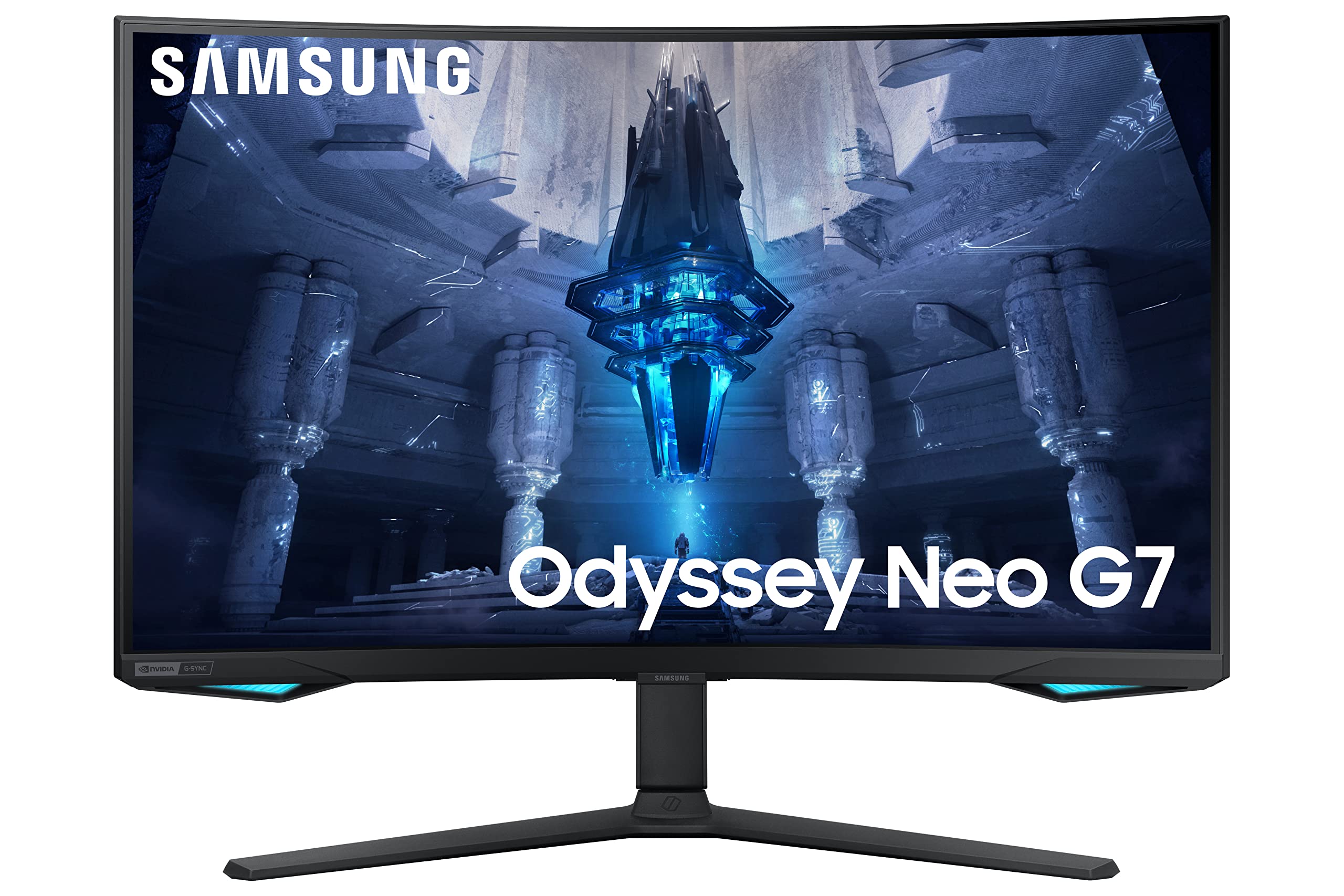
Experience more immersive gameplay with the Samsung 32" Odyssey Neo G75B Curved QLED UHD Gaming Monitor. Boasting a 32" curved display with Quantum Matrix Technology, HDR2000 and UHD resolution, you'll be sure to capture every detail and stay ahead of the competition. With an impressive 165 Hz refresh rate and 1 ms response time (GTG), play with elite precision, ultra-smooth frames and minimal ghosting.
Experience more immersive gameplay with the Samsung 32" Odyssey Neo G75B Curved QLED UHD Gaming Monitor. Boasting a 32" curved display with Quantum Matrix Technology, HDR2000 and UHD resolution, you'll be sure to capture every detail and stay ahead of the competition. With an impressive 165 Hz refresh rate and 1 ms response time (GTG), play with elite precision, ultra-smooth frames and minimal ghosting.
in 2 offers
The lowest price for Samsung 32-Inch Odyssey Neo G7 Curved QLED UHD Gaming Monitor right now is $1,399.00 at Everyday Rewards, compared across 2 retailers.
The all-time low was $597.00 on 30 May 2026 — today's price is 134% above the lowest ever. It has been notably cheaper before — worth setting a price alert.
Prices last updated 7 Sept 2026.
Samsung 32-Inch Odyssey Neo G7 Curved QLED UHD Gaming Monitor
Experience more immersive gameplay with the Samsung 32" Odyssey Neo G75B Curved QLED UHD Gaming Monitor. Boasting a 32" curved display with Quantum Matrix Technology, HDR2000 and UHD resolution, you'll be sure to capture every detail and stay ahead of the competition. With an impressive 165 Hz refresh rate and 1 ms response time (GTG), play with elite precision, ultra-smooth frames and minimal ghosting.
Experience more immersive gameplay with the Samsung 32" Odyssey Neo G75B Curved QLED UHD Gaming Monitor. Boasting a 32" curved display with Quantum Matrix Technology, HDR2000 and UHD resolution, you'll be sure to capture every detail and stay ahead of the competition. With an impressive 165 Hz refresh rate and 1 ms response time (GTG), play with elite precision, ultra-smooth frames and minimal ghosting.
Last updated at 07/09/2026 07:19:04
Samsung 32 Inch Odyssey Neo G75B UHD 4K Curved Gaming Monitor| 3|840 x 2160| 165Hz| 1ms| Quantum HDR 2000| AMD FreeSync Premium Pro| G-Sync Ready|
Affiliate Disclosure: We may receive a small commission for purchases made through this link at no extra cost to you. This helps support our site. Thank you!
Samsung 32" Odyssey Neo G75B Curved QLED UHD Gaming Monitor (Black 32")
Delivery between 10–14 Sept $10
originally posted on bestbuy.com
I had picked up the Samsung Neo QN90 and have been a huge fan of gaming and watching movies on that Television, when I saw Samsung had an Oddysey Neo monitor it was a logical upgrade for me.In the box you get What was in the box? This monitor came with Power supply & cable, Display port cable, USB-B to USB-A cable, VESA-mount adapter, User guides. The documentation guides you to use how the monitor sits in the box to attach the stand and base, which was very easy to do. I have this monitor set up in a dual monitor setup, my second monitor being a Samsung Ultrawide with the same buttons for the menus which was very familiar for me to go in and configure. I didn't go in to much other than change the refresh, lights and toggle a few visual settings on the monitor ... MoreI had picked up the Samsung Neo QN90 and have been a huge fan of gaming and watching movies on that Television, when I saw Samsung had an Oddysey Neo monitor it was a logical upgrade for me.In the box you get What was in the box? This monitor came with Power supply & cable, Display port cable, USB-B to USB-A cable, VESA-mount adapter, User guides. The documentation guides you to use how the monitor sits in the box to attach the stand and base, which was very easy to do. I have this monitor set up in a dual monitor setup, my second monitor being a Samsung Ultrawide with the same buttons for the menus which was very familiar for me to go in and configure. I didn't go in to much other than change the refresh, lights and toggle a few visual settings on the monitor itself. There is a couple USB ports and 3.5mm headphone jack on the monitor, the screen has no speakers itself, but my PC would default to the screen, I simply disabled the output to monitor in windows so I don't need to change when I jump on.The Mini LEDs on a screen this size looks very nice, I toggle off HRD in windows since it really darkens a lot of the visuals and everything looks off. I primarily use this screen for gaming, I have my 1440P monitor on the side and while that monitor was great, this 4K screen blows it away when looking at it side by side. The 4K resolution shrinks things down in terms of font size, but everything is easy for me to read due to the sharpness of the text I haven't had to tweak the zoom on text for my games of web pages. I had two curved screen before the upgrade so the curved screen didn't require any adjustment on my end.The lights are RGB, you have a set of lights on the back and a couple on the bottom corners of the front of the display. By default mine, were off, I did change them to a blue light, which doesn't catch my attention upfront, and add a glow to the back on the wall. There are a few other effects such as switching between the array of colors or breathing, but I prefer a static color which is an option.As mentioned before, I was a fan of the NEO television, owning one myself. I have been switching a bit more to computer gaming, so this screen has been a dream, especially paired with my 3080. At this point I don't notice the curve, I would say if you're looking for a monitor to consider looking at this screen. I don't know if there is any mention to this being a Mini-LED screen but I did verify the specs based on model number on Samsungs site which states "Mini LED Local Dimming: Yes (1,196 zones)" This is something to factor in while shopping.
originally posted on bestbuy.com
The Samsung Odyssey Neo G7 S32BG75 is a new addition to the Samsung Odyssey line with 165 hz refresh rate and 4k resolution with HDR with LED local dimming. There are 1196 local dimming zones and VRR making this monitor shine for high resolution HDR gaming. There is support for G Sync and Freesync so you can have the best framerate with any compatible video card manufacturer. Samsung has seemed to fix the flickering seen in its higher refresh rate monitors as I did not appreciate any during testing. The monitor is matte black with a small Samsung logo at the bottom center on the front. There are colored RGB LEDs on the bottom right and left as well as in the back of the monitor at the mounting point of the stand. The stand is stable and seems sturdy, it is deeper ... MoreThe Samsung Odyssey Neo G7 S32BG75 is a new addition to the Samsung Odyssey line with 165 hz refresh rate and 4k resolution with HDR with LED local dimming. There are 1196 local dimming zones and VRR making this monitor shine for high resolution HDR gaming. There is support for G Sync and Freesync so you can have the best framerate with any compatible video card manufacturer. Samsung has seemed to fix the flickering seen in its higher refresh rate monitors as I did not appreciate any during testing. The monitor is matte black with a small Samsung logo at the bottom center on the front. There are colored RGB LEDs on the bottom right and left as well as in the back of the monitor at the mounting point of the stand. The stand is stable and seems sturdy, it is deeper than most to accommodate the large curved screen. It has good tilt and swivel range and the height is adjustable. There is a Vesa mount option if you prefer.The monitor uses a round touchpad with a central button for the on screen controls located in the bottom bezel just behind the Samsung logo. The touchpad was a little harder to navigate than conventional buttons but after I got used to it was usable.The monitor has 2 HDMI 2.1 ports; these can operate at 165hz with VRR up to maximum supported resolution of 4k and 10 or 12 bit color. The Display port connection is version 1.4 and can operate up to 165 hz as well but is limited to 10 bit color. The great thing about the ports is it can be used with your gaming console and PC and it automatically will switch to the device that is on. There are 2 USB 3.0 ports that are active if you hook up the USBA to USB input to your monitor. You can also connect your speaker or headphones to the monitor by its RCA 3.5mm jack. I wish it also had a USBC input for video as a lot of laptops and even desktops use this now.Samsung’s Quantum HDR 2000 is more a marketing hype than reality backlights only reach 2000 nits peak in certain rare circumstances otherwise they are a little darker. The mini LED backlights are less susceptible to backlight leaks and the blacks are much better adding to the great performance of this monitor. The backlights and HDR make this monitor look great in real use whatever the numbers are! As for color accuracy the monitor is sold as “Factory calibrated” which does improve the color but professional calibration will certainly improve this if you are a professional content creator. This monitor is fine for gaming and non professional content creators using the baseline calibration and their own tweaks. The response time is fast adding to its gaming performance.Overall this is a great 4k monitor for gaming. I can be used for content creation or business use but there are other monitors that may be better if that is your primary goal. For the cost this may be the best gaming 4K monitor you can buy at this time.
originally posted on samsung.com
The good: an incredible picture quality with settings that create perfect images for movies, games, and productivity.The frustrating: the lack of an input button on the remote combined with an annoying auto input detection system drives me insane. I have multiple things plugged in and it recognizes random signals which causes it to jump devices plus when I want to manually change inputs, it takes far too many button pushes to get to the right menu.The bad: the software is very glitchy. The bottom settings menu pops up at random times without pushing a button to bring it up. It appears to get confused by certain game signals causing it to think the settings need to be re-established. I’ll also get random 2 second black screens when this happens and I cannot ... MoreThe good: an incredible picture quality with settings that create perfect images for movies, games, and productivity.The frustrating: the lack of an input button on the remote combined with an annoying auto input detection system drives me insane. I have multiple things plugged in and it recognizes random signals which causes it to jump devices plus when I want to manually change inputs, it takes far too many button pushes to get to the right menu.The bad: the software is very glitchy. The bottom settings menu pops up at random times without pushing a button to bring it up. It appears to get confused by certain game signals causing it to think the settings need to be re-established. I’ll also get random 2 second black screens when this happens and I cannot figure out how to stop this.The I Wish: if Samsung corrected the above issues and made the monitor curved, it would be perfect. It is a bit too big to not be curved when using for productivity. I moved from a 49” ultra wide to this and I do like 16:9 better but I would have chosen a curved 42” with this screen tech and it would be the dream.Other reviews: There have been various reviews about a ghosting issue, however, most of these seem to have sprouted from one individual that ran a test that does not appear to mimic a reality that most of us will ever deal with because I have not experienced any ghosting across my productivity, Video, or PS5 use cases.Requests to Samsung:1. Please sell an optional remote with an input option on it. I would buy it and I’m guessing others with this monitor would too.2. Fix the software issues. Reading reviews, there appear to be many people fighting various settings issues.3. Please release a 42” 1800R curved version of this monitor next year with the bugs worked out. Even better if you figure out how to eliminate OLED burn in issues for those of us that have productivity uses but OLED is secondary for a curved more stable large 4K 16:9 monitor.4. This review section is almost garbage because it includes comments about several different monitors due to how you have structure the monitor selection menu above. It makes it very difficult to see thoughts on the device we are actually interested in.
| Screen Size (Class) | 32 |
| Flat / Curved | Curved |
| Active Display Size (HxV) (mm) | 697.306 (H) x 392.234 (V) mm |
| Screen Curvature | 1000R |
| Aspect Ratio | 16:9 |

Samsung 32 Inch Odyssey Neo G75B UHD 4K Curved Gaming Monitor| 3|840 x 2160| 165Hz| 1ms| Quantum HDR 2000| AMD FreeSync Premium Pro| G-Sync Ready|
Affiliate Disclosure: We may receive a small commission for purchases made through this link at no extra cost to you. This helps support our site. Thank you!
Samsung 32" Odyssey Neo G75B Curved QLED UHD Gaming Monitor (Black 32")
Delivery between 10–14 Sept $10
I had picked up the Samsung Neo QN90 and have been a huge fan of gaming and watching movies on that Television, when I saw Samsung had an Oddysey Neo monitor it was a logical upgrade for me.In the box you get What was in the box? This monitor came with Power supply & cable, Display port cable, USB-B to USB-A cable, VESA-mount adapter, User guides. The documentation guides you to use how the monitor sits in the box to attach the stand and base, which was very easy to do. I have this monitor set up in a dual monitor setup, my second monitor being a Samsung Ultrawide with the same buttons for the menus which was very familiar for me to go in and configure. I didn't go in to much other than change the refresh, lights and toggle a few visual settings on the monitor ... MoreI had picked up the Samsung Neo QN90 and have been a huge fan of gaming and watching movies on that Television, when I saw Samsung had an Oddysey Neo monitor it was a logical upgrade for me.In the box you get What was in the box? This monitor came with Power supply & cable, Display port cable, USB-B to USB-A cable, VESA-mount adapter, User guides. The documentation guides you to use how the monitor sits in the box to attach the stand and base, which was very easy to do. I have this monitor set up in a dual monitor setup, my second monitor being a Samsung Ultrawide with the same buttons for the menus which was very familiar for me to go in and configure. I didn't go in to much other than change the refresh, lights and toggle a few visual settings on the monitor itself. There is a couple USB ports and 3.5mm headphone jack on the monitor, the screen has no speakers itself, but my PC would default to the screen, I simply disabled the output to monitor in windows so I don't need to change when I jump on.The Mini LEDs on a screen this size looks very nice, I toggle off HRD in windows since it really darkens a lot of the visuals and everything looks off. I primarily use this screen for gaming, I have my 1440P monitor on the side and while that monitor was great, this 4K screen blows it away when looking at it side by side. The 4K resolution shrinks things down in terms of font size, but everything is easy for me to read due to the sharpness of the text I haven't had to tweak the zoom on text for my games of web pages. I had two curved screen before the upgrade so the curved screen didn't require any adjustment on my end.The lights are RGB, you have a set of lights on the back and a couple on the bottom corners of the front of the display. By default mine, were off, I did change them to a blue light, which doesn't catch my attention upfront, and add a glow to the back on the wall. There are a few other effects such as switching between the array of colors or breathing, but I prefer a static color which is an option.As mentioned before, I was a fan of the NEO television, owning one myself. I have been switching a bit more to computer gaming, so this screen has been a dream, especially paired with my 3080. At this point I don't notice the curve, I would say if you're looking for a monitor to consider looking at this screen. I don't know if there is any mention to this being a Mini-LED screen but I did verify the specs based on model number on Samsungs site which states "Mini LED Local Dimming: Yes (1,196 zones)" This is something to factor in while shopping.
The Samsung Odyssey Neo G7 S32BG75 is a new addition to the Samsung Odyssey line with 165 hz refresh rate and 4k resolution with HDR with LED local dimming. There are 1196 local dimming zones and VRR making this monitor shine for high resolution HDR gaming. There is support for G Sync and Freesync so you can have the best framerate with any compatible video card manufacturer. Samsung has seemed to fix the flickering seen in its higher refresh rate monitors as I did not appreciate any during testing. The monitor is matte black with a small Samsung logo at the bottom center on the front. There are colored RGB LEDs on the bottom right and left as well as in the back of the monitor at the mounting point of the stand. The stand is stable and seems sturdy, it is deeper ... MoreThe Samsung Odyssey Neo G7 S32BG75 is a new addition to the Samsung Odyssey line with 165 hz refresh rate and 4k resolution with HDR with LED local dimming. There are 1196 local dimming zones and VRR making this monitor shine for high resolution HDR gaming. There is support for G Sync and Freesync so you can have the best framerate with any compatible video card manufacturer. Samsung has seemed to fix the flickering seen in its higher refresh rate monitors as I did not appreciate any during testing. The monitor is matte black with a small Samsung logo at the bottom center on the front. There are colored RGB LEDs on the bottom right and left as well as in the back of the monitor at the mounting point of the stand. The stand is stable and seems sturdy, it is deeper than most to accommodate the large curved screen. It has good tilt and swivel range and the height is adjustable. There is a Vesa mount option if you prefer.The monitor uses a round touchpad with a central button for the on screen controls located in the bottom bezel just behind the Samsung logo. The touchpad was a little harder to navigate than conventional buttons but after I got used to it was usable.The monitor has 2 HDMI 2.1 ports; these can operate at 165hz with VRR up to maximum supported resolution of 4k and 10 or 12 bit color. The Display port connection is version 1.4 and can operate up to 165 hz as well but is limited to 10 bit color. The great thing about the ports is it can be used with your gaming console and PC and it automatically will switch to the device that is on. There are 2 USB 3.0 ports that are active if you hook up the USBA to USB input to your monitor. You can also connect your speaker or headphones to the monitor by its RCA 3.5mm jack. I wish it also had a USBC input for video as a lot of laptops and even desktops use this now.Samsung’s Quantum HDR 2000 is more a marketing hype than reality backlights only reach 2000 nits peak in certain rare circumstances otherwise they are a little darker. The mini LED backlights are less susceptible to backlight leaks and the blacks are much better adding to the great performance of this monitor. The backlights and HDR make this monitor look great in real use whatever the numbers are! As for color accuracy the monitor is sold as “Factory calibrated” which does improve the color but professional calibration will certainly improve this if you are a professional content creator. This monitor is fine for gaming and non professional content creators using the baseline calibration and their own tweaks. The response time is fast adding to its gaming performance.Overall this is a great 4k monitor for gaming. I can be used for content creation or business use but there are other monitors that may be better if that is your primary goal. For the cost this may be the best gaming 4K monitor you can buy at this time.
The good: an incredible picture quality with settings that create perfect images for movies, games, and productivity.The frustrating: the lack of an input button on the remote combined with an annoying auto input detection system drives me insane. I have multiple things plugged in and it recognizes random signals which causes it to jump devices plus when I want to manually change inputs, it takes far too many button pushes to get to the right menu.The bad: the software is very glitchy. The bottom settings menu pops up at random times without pushing a button to bring it up. It appears to get confused by certain game signals causing it to think the settings need to be re-established. I’ll also get random 2 second black screens when this happens and I cannot ... MoreThe good: an incredible picture quality with settings that create perfect images for movies, games, and productivity.The frustrating: the lack of an input button on the remote combined with an annoying auto input detection system drives me insane. I have multiple things plugged in and it recognizes random signals which causes it to jump devices plus when I want to manually change inputs, it takes far too many button pushes to get to the right menu.The bad: the software is very glitchy. The bottom settings menu pops up at random times without pushing a button to bring it up. It appears to get confused by certain game signals causing it to think the settings need to be re-established. I’ll also get random 2 second black screens when this happens and I cannot figure out how to stop this.The I Wish: if Samsung corrected the above issues and made the monitor curved, it would be perfect. It is a bit too big to not be curved when using for productivity. I moved from a 49” ultra wide to this and I do like 16:9 better but I would have chosen a curved 42” with this screen tech and it would be the dream.Other reviews: There have been various reviews about a ghosting issue, however, most of these seem to have sprouted from one individual that ran a test that does not appear to mimic a reality that most of us will ever deal with because I have not experienced any ghosting across my productivity, Video, or PS5 use cases.Requests to Samsung:1. Please sell an optional remote with an input option on it. I would buy it and I’m guessing others with this monitor would too.2. Fix the software issues. Reading reviews, there appear to be many people fighting various settings issues.3. Please release a 42” 1800R curved version of this monitor next year with the bugs worked out. Even better if you figure out how to eliminate OLED burn in issues for those of us that have productivity uses but OLED is secondary for a curved more stable large 4K 16:9 monitor.4. This review section is almost garbage because it includes comments about several different monitors due to how you have structure the monitor selection menu above. It makes it very difficult to see thoughts on the device we are actually interested in.
The 32" Odyssey Neo G7 4K UHD 165Hz 1ms Quantum HDR2000 Curved Gaming Monitor is an impressive piece of hardware designed for serious gamers. Its 4K UHD resolution and Quantum HDR2000 technology create a stunning visual experience with incredible detail and rich, vibrant colors. The 165Hz refresh rate and 1ms response time make for ultra-smooth gameplay, even in fast-paced action games.The curved design of the monitor enhances immersion, providing a more realistic and engaging gaming experience. The monitor is also equipped with G-Sync and FreeSync technology, which eliminates screen tearing and stuttering for a seamless gaming experience.In addition to its impressive gaming features, the Odyssey Neo G7 is also designed with ergonomics in mind. It has a ... MoreThe 32" Odyssey Neo G7 4K UHD 165Hz 1ms Quantum HDR2000 Curved Gaming Monitor is an impressive piece of hardware designed for serious gamers. Its 4K UHD resolution and Quantum HDR2000 technology create a stunning visual experience with incredible detail and rich, vibrant colors. The 165Hz refresh rate and 1ms response time make for ultra-smooth gameplay, even in fast-paced action games.The curved design of the monitor enhances immersion, providing a more realistic and engaging gaming experience. The monitor is also equipped with G-Sync and FreeSync technology, which eliminates screen tearing and stuttering for a seamless gaming experience.In addition to its impressive gaming features, the Odyssey Neo G7 is also designed with ergonomics in mind. It has a height-adjustable stand, allowing you to customize the height and angle of the monitor to your liking. The monitor is also flicker-free and has a low blue light mode, which reduces eye strain and fatigue during extended gaming sessions.The only downside to the Odyssey Neo G7 is its high price tag, which may put it out of reach for some gamers. However, for those who are willing to invest in a top-of-the-line gaming monitor, the Odyssey Neo G7 is definitely worth considering. Its combination of stunning visuals, smooth gameplay, and ergonomic design make it a standout choice for serious gamers.
First off, the monitor arrived with no damage and in perfect working order. There were no stuck or dead pixels at all. It was very easy to install the base, get it set up on my desk, and connect it to my gaming computer. I like the matte finish on the screen to cut down on any reflections when in bright light conditions. I have some other Samsung TVs and monitors that I really like, and this latest addition is a fantastic display.The biggest test of a display for me is MSFS2020 and it displays beautifully on this screen. The details are crisp and sharp, and I haven’t noticed any tearing or stuttering. The monitor defaults to the 165Hz refresh rate and I haven’t adjusted it. With the G-sync capability, it might be adjusting the rate down at times, but I haven’t had ... MoreFirst off, the monitor arrived with no damage and in perfect working order. There were no stuck or dead pixels at all. It was very easy to install the base, get it set up on my desk, and connect it to my gaming computer. I like the matte finish on the screen to cut down on any reflections when in bright light conditions. I have some other Samsung TVs and monitors that I really like, and this latest addition is a fantastic display.The biggest test of a display for me is MSFS2020 and it displays beautifully on this screen. The details are crisp and sharp, and I haven’t noticed any tearing or stuttering. The monitor defaults to the 165Hz refresh rate and I haven’t adjusted it. With the G-sync capability, it might be adjusting the rate down at times, but I haven’t had to do anything or noticed any problems.I particularly love the 1000R curve of the monitor. At first, it might take a little bit for your eyes to get used to it, but after a few minutes it feels perfectly natural. In fact, when I go back to a flat monitor for other work it seems strange.It’s a relatively small thing, but I’ve really enjoyed using the “CoreSync” lighting function with this display, too. By default, it was off, but I turned on the “front and back” feature to check it out. In a darkened room, it will try to match the overall color being displayed on the screen by adjusting LED lights on the back of the monitor to create a matching ambient glow. There are also a couple of small lights on the bottom front of the monitor that change colors as well. You can disable those if you find it distracting, but they’ve been fine in my experience.Beyond the gaming/flight sim use, this monitor still shines for regular use. When I’m working remotely, having the large monitor and particularly the curved screen makes it a lot easier on my eyes when spending hours in front of it. One thing it lacks, though, is integrated speakers. When connecting via HDMI cable, my laptops default to sending sound to the display and of course it doesn’t work. I can easily plug in some external speakers, but it would have been nice to have some built in. Overall, though, I’m loving this display and I think my friends are a little jealous.
I recently got the Odyssey Neo G7 32" Curved 4K UHD 165Hz 1ms G-Sync HDR2K Gaming Monitor for my gaming setup, and I am blown away by its impressive features and stunning visuals. As an avid gamer, I was looking for a monitor that could deliver the highest level of performance and immersion, and the Odyssey Neo G7 did not disappoint.The 165Hz refresh rate of the monitor ensures that every frame is delivered smoothly and without any stuttering or tearing. The NVIDIA G-Sync compatibility further enhances the visual experience resulting in a seamless and responsive gaming experience. The 1ms response time is also a game-changer, allowing me to perform at my best without any delay or lag.The curved display of the Odyssey Neo G7 is another standout feature that ... MoreI recently got the Odyssey Neo G7 32" Curved 4K UHD 165Hz 1ms G-Sync HDR2K Gaming Monitor for my gaming setup, and I am blown away by its impressive features and stunning visuals. As an avid gamer, I was looking for a monitor that could deliver the highest level of performance and immersion, and the Odyssey Neo G7 did not disappoint.The 165Hz refresh rate of the monitor ensures that every frame is delivered smoothly and without any stuttering or tearing. The NVIDIA G-Sync compatibility further enhances the visual experience resulting in a seamless and responsive gaming experience. The 1ms response time is also a game-changer, allowing me to perform at my best without any delay or lag.The curved display of the Odyssey Neo G7 is another standout feature that really sets it apart from other gaming monitors. The curve creates a more immersive experience that pulls me deeper into the game world, and it also reduces eye strain and fatigue during extended gaming sessions. The HDR2K display is simply breathtaking, with vibrant colors and deep blacks that make every moment pop off the screen. The 32" size of the monitor is perfect for me and the 21:9 aspect ratio is perfect for games that support a widescreen display.I also love the RGB lighting on the Odyssey Neo G7, which adds a cool, personalized touch to my gaming setup. The lighting is customizable, allowing me to choose from a variety of colors and effects to suit my preferences.While there are some cons to the Odyssey Neo G7, such as its color accuracy and stability issues, in my opinion, the positives of this monitor far outweigh the negatives, and I would highly recommend it to any serious gamer looking for a high-performance, immersive gaming experience. After some tweaking with the color profiles, I was able to get the display where I like it. Everyone is different so your milage may vary.All in all, the Odyssey Neo G7 32" Curved 4K UHD 165Hz 1ms G-Sync HDR2K Gaming Monitor is a game-changer that has taken my gaming experience to a whole new level. Its impressive features, stunning visuals, and ease of use make it a top choice for serious gamers who demand the best from their gaming setups.
Great gaming monitor. I've been gaming for a long time since it first started (video games that is: Pong, Space Invaders, etc.) so I've seen a lot of monitors. I thought my old one was good but this one is even better. It's a bit pricey so you should expect it to be good and it is.Has the usual inputs and outputs you probably expect: 2 HDMI's, 1 display port, 2 usb in, 1 usb out, and audio output. No built in speakers but most gamers likely have good speakers or headphones that are probably better than built in monitor speakers anyway but the audio out gives you a good source (hdmi) for your speakers. I also like the usb ports since I mostly use gaming laptops with external keyboard, mouse, monitor, etc. and laptops never have enough usb ports. (I used to build my ... MoreGreat gaming monitor. I've been gaming for a long time since it first started (video games that is: Pong, Space Invaders, etc.) so I've seen a lot of monitors. I thought my old one was good but this one is even better. It's a bit pricey so you should expect it to be good and it is.Has the usual inputs and outputs you probably expect: 2 HDMI's, 1 display port, 2 usb in, 1 usb out, and audio output. No built in speakers but most gamers likely have good speakers or headphones that are probably better than built in monitor speakers anyway but the audio out gives you a good source (hdmi) for your speakers. I also like the usb ports since I mostly use gaming laptops with external keyboard, mouse, monitor, etc. and laptops never have enough usb ports. (I used to build my own desktops but the tech evolves so quickly by the time you select and install components it seems like they are already outdated.) I can connect my mouse and keyboard to the monitor and use the usb out to my laptop and at least save 1 usb port on my laptop.My first use had mixed results and left me a bit frustrated. I tried my 4 year old hp spectre with it. It's not really a gaming laptop but I use it a lot for internet and other applications and it already has a 4k display so I wanted to compare this monitor with the built in display. At first it looked really good and performed well but when I enabled HDR on the laptop the samsung monitor went blank and said no signal detected. When I went back to try to disable HDR the option was no longer available. The only way I could disable it was to use battery power which disables it to save battery life. It works fine now but only when using the battery or duplicate displays. I tried pretty much everything I could think of but it still has this issue with this particular laptop (?). Weird but seems to be some compatibility problem. Not really a big deal though since this monitor is mainly for gaming and this laptop isn't really a gaming computer.So I decided to move on and try my gaming laptop with some games to see how it performed. It did really well especially on 4k with the higher refresh rates. I love the curved screen for gaming, it seems to really draw you into the game. I think most gamers will feel the same way. The mini-leds seem to blend into continuous lines and curves rather than individual pixels. The colors are bright and great shading. I did make a few adjustments to the settings in the menus which helped make it pop a bit more. I also avoided the temptation to turn on the hdr manually in windows to prevent a repeat of my experience with my hp laptop. I usually keep the hdr off on my old monitors anyway since it would disable many of the other options when turned on. Many games which support HDR have the option to leave it on auto which lets the game decide when to use it.The stand is big so you may need to clean up your desk to make room. I suppose it's because the monitor seems a bit heavy but not too bad. The buttons for the menus seem a bit awkward but are manageable and the menus are pretty well laid out with a lot of options. The extra lights are nice and can be customized or turned off if you prefer.Overall it's a pleasant experience which gave my gaming a boost (and makes me want to keep gaming even more). If you want to take your gaming up a notch get one.
Deep rich colors and vibrate display - The Samsung Neo G7 32" Gaming Display ticks all the right boxes with a few caveats to mention. First the good stuff - Setup is a breeze with easy-to-understand instructions on how to assemble the display stand to monitor. Just make sure you have enough room on your desk to accommodate the wide-angle monitor stand. Second, the gorgeous colors this monitor produces are a treat for the eyes. Whether you are viewing media content or playing your favorite game, you will be sure to relish the vibrancy and richness of the color gamut this monitor supports. Native resolution is 4K 3840 x 2160 and up to 165hz refresh rate. If you have never used a curved display, it definitely takes some getting used to. Honestly after two days of use, ... MoreDeep rich colors and vibrate display - The Samsung Neo G7 32" Gaming Display ticks all the right boxes with a few caveats to mention. First the good stuff - Setup is a breeze with easy-to-understand instructions on how to assemble the display stand to monitor. Just make sure you have enough room on your desk to accommodate the wide-angle monitor stand. Second, the gorgeous colors this monitor produces are a treat for the eyes. Whether you are viewing media content or playing your favorite game, you will be sure to relish the vibrancy and richness of the color gamut this monitor supports. Native resolution is 4K 3840 x 2160 and up to 165hz refresh rate. If you have never used a curved display, it definitely takes some getting used to. Honestly after two days of use, it feels very natural and immersive. Note, this monitor does not have built in speakers, however there is a audio out jack to connect to external speakers or headphones.Now for the caveats - Out of the box, the refresh rate defaults to 120hz. You will need to go into Control Panel | Display Settings and drop down the menu to 165HZ to get the maximum performance from the display. The Display Controls are located in the middle of the bottom of the display and are hard to navigate. It took way too long to figure out how to change settings for color type, contrast settings etc...Hopefully Samsung will develop and release a software application for controlling the display in software.HDR Support - This is one of the areas where this monitor falls short. When enabling HDR Support in Windows, the display will change to a very washed-out state that is frankly unusable. One work around is to go into the display menu and change the display type to FPS or Cinema. This will balance the color saturation, brightness and contrast much better and provide the best viewing experience. Keep in mind the Display is quite heavy and will wobble a bit when attached to the stand so keep that in mind if you find yourself needing to access the control menu.Overall, I am very pleased with the Samsung Neo G7 32" Gaming Monitor and highly recommend it for all your viewing and gaming pleasure. Just keep in mind the caveats mentioned above.
I bought this monitor less than a month ago, and I must say, I'm feeling quite frustrated with it. While I appreciate Samsung's easy return policy, the product itself is not meeting my expectations. The operating system is slow, making it less than ideal for use as a TV or monitor. The image quality is excellent, but unfortunately, the monitor struggles with input detection, especially when switching between HDMI and DP. It takes several minutes for the monitor to detect an HDMI signal, and the timer on the top left always times out before finally recognizing the input from my laptop. The only reliable port is HDMI 1, which I have connected to my PS5. If you're only planning to connect a game console or stream box, and not using DP, then this monitor might be ... MoreI bought this monitor less than a month ago, and I must say, I'm feeling quite frustrated with it. While I appreciate Samsung's easy return policy, the product itself is not meeting my expectations. The operating system is slow, making it less than ideal for use as a TV or monitor. The image quality is excellent, but unfortunately, the monitor struggles with input detection, especially when switching between HDMI and DP. It takes several minutes for the monitor to detect an HDMI signal, and the timer on the top left always times out before finally recognizing the input from my laptop. The only reliable port is HDMI 1, which I have connected to my PS5. If you're only planning to connect a game console or stream box, and not using DP, then this monitor might be suitable for you. However, for everyday use, I don't recommend it. The "smart" features are sluggish and frustrating to use, with the remote control taking 5 to 10 seconds to execute a command. Today, after losing the connection at the DP thrice and having to reboot my computer every time, I had to disconnect the monitor, connect a different one, and finish my work. Fortunately, the customer service representative allowed me to return the monitor beyond the 15-day return window. I will box it today and probably return it during the weekend. I was pretty excited a first, because this was the form factor I was looking for with the mini QLED or OLED. I am going to try another company with the same form factor to see if those are real monitors, not TVs like this one. And to add insult to injury, it has a price drop of $210 from the price I paid. Not even at the new price I would recommend wasting your money.
Welcome to one of the best premium monitor experiences on the market. If you’re looking for a high quality 4K monitor to game on, or even use for productivity tasks, you’ll want to give some real consideration to this Odyssey G7.Let’s talk about the most apparent question that folks have about this class of monitor – Why is it curved? Is it awkward to use because of the curve? Well, Samsung claims that they curve their gaming monitors to create a more immersive experience. It brings the outer edges into your center of vision and also reduces the distortion that your eyes naturally see/interpret from a monitor that stretches beyond your center of vision. As someone who has been using two curved 32-inch 1440p monitors side-by-side on my main PC for two years now, I ... MoreWelcome to one of the best premium monitor experiences on the market. If you’re looking for a high quality 4K monitor to game on, or even use for productivity tasks, you’ll want to give some real consideration to this Odyssey G7.Let’s talk about the most apparent question that folks have about this class of monitor – Why is it curved? Is it awkward to use because of the curve? Well, Samsung claims that they curve their gaming monitors to create a more immersive experience. It brings the outer edges into your center of vision and also reduces the distortion that your eyes naturally see/interpret from a monitor that stretches beyond your center of vision. As someone who has been using two curved 32-inch 1440p monitors side-by-side on my main PC for two years now, I can vouch for the alleged benefits of using a curved display. I personally feel that all monitors larger than 27-inches should be curved.Moving on – This panel is a VA panel, and VA panels commonly get criticized by gamers for giving “smeary” graphics in high-motion games. Those criticisms are valid for all VA panels, and while I don’t think this Samsung is any different, I will say that it appears to handle motion slightly better than my old 32-inch monitors. Your milage may vary though. The quality of the 4K panel is absolutely drop-dead impressive though. I’ve been interested in seeing what Quantum Mini-LED technology is capable of, and Samsung has really done something amazing here. The sheer brightness of the display itself coupled with a large amount of local dimming zones and rich saturated colors makes the Odyssey G7 such a joy to use. Every piece of content has so much more life in it, and I do not have the contrast or brightness settings cranked up. It’s just hard to put into words how impressive it is to view in person, so I highly recommend seeing this panel in person at your local Best Buy.The HDR on this display is, once again, just beautiful. The amount of dynamic range is astonishing. I spent some time revisiting HDR compatible games, such as Far Cry 5, and I was floored by how immersive and realistic the world felt. The colors feel true, the contrast between black and near-white is awesome and shows off the local dimming zones wonderfully, and the brightness is enough to make you feel like you stepped outside onto your front door porch in summer. Again, it’s very hard to describe the immersion. The 165hz refresh rate is true to its name, the panel is nice and smooth and pairs wonderfully with a high-end Windows machine for silky smooth scrolling and animations. While I don’t have the ability to test the 1ms response time, I did compare it with my other 1ms response time monitors, and it feels like they all have the same response time.Do I recommend this monitor? Well, if you’re looking for the best 32-inch 4K gaming experience possible, you don’t care about the smeariness of VA panels, and HDR/Color/Brightness matter to you – this might be the perfect display for you. Personally, I have not used a better 4K display than this. Keep in mind that Samsung does have an upgraded version of this panel with a 240hz refresh rate, and it is available on Best Buy’s website if you’re interested in having a 0 compromises high-end 4K monitor.
| Screen Size (Class) | 32 |
| Flat / Curved | Curved |
| Active Display Size (HxV) (mm) | 697.306 (H) x 392.234 (V) mm |
| Screen Curvature | 1000R |
| Aspect Ratio | 16:9 |



