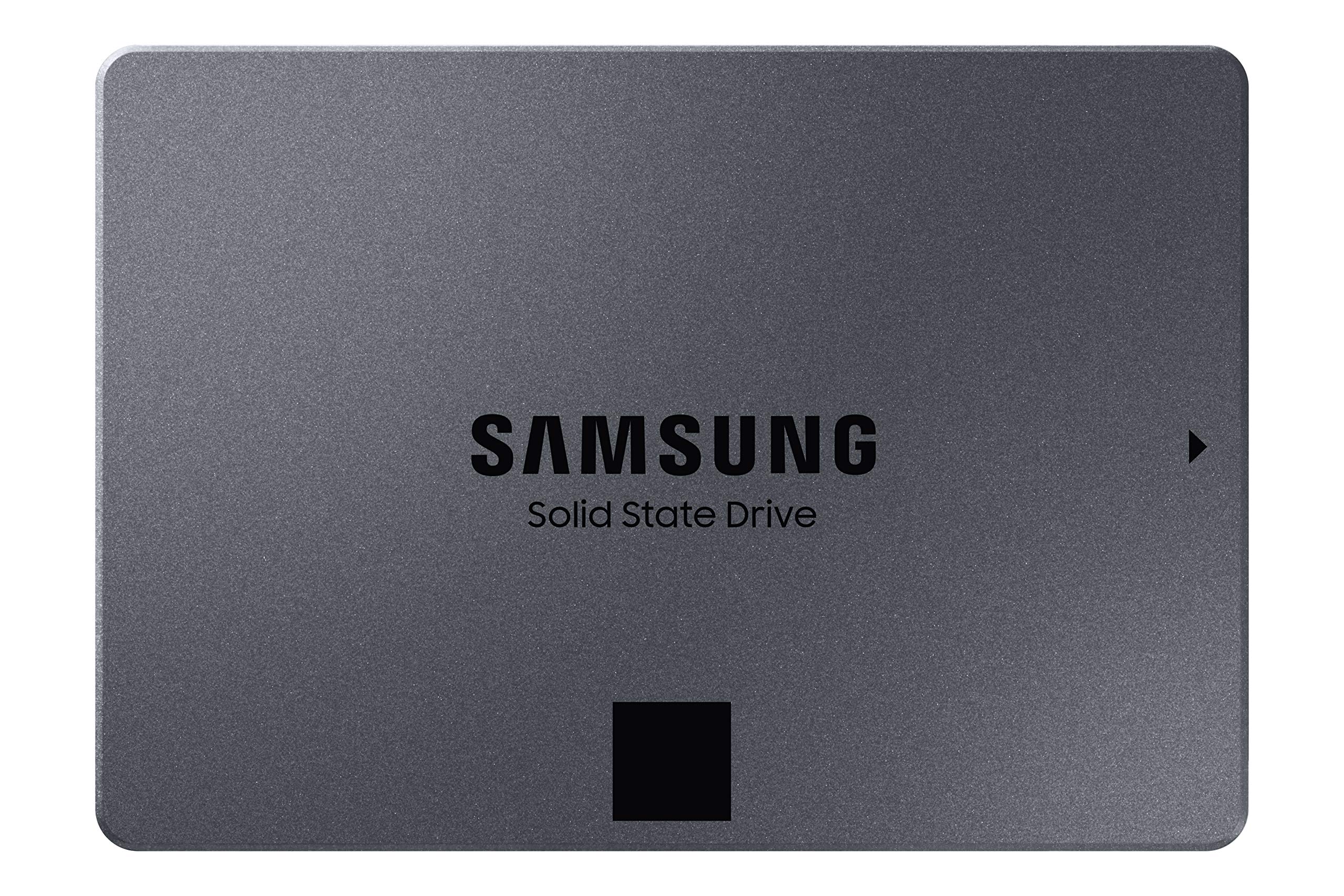
Samsung 870 QVO 2TB 2.5in SATA SSD
The Samsung 870 QVO belongs to the second generation of QLC SSDs. This SATA SSD offers a powerful upgrade for users looking to significantly expand their storage without compromising on performance. The 870 QVO achieves the maximum possible transfer rate for SATA connections, with sequential speeds of 560/530 MB/s. Compared to its predecessor, the 860 QVO, both speed and performance have been further improved. The Intelligent TurboWrite technology accelerates write speeds and ensures long-term high performance with a larger variable buffer. The 870 QVO is available in capacities of 1.2 TB, as well as 4 TB and 8 TB.
The Samsung 870 QVO belongs to the second generation of QLC SSDs. This SATA SSD offers a powerful upgrade for users looking to significantly expand their storage without compromising on performance. The 870 QVO achieves the maximum possible transfer rate for SATA connections, with sequential speeds of 560/530 MB/s. Compared to its predecessor, the 860 QVO, both speed and performance have been further improved. The Intelligent TurboWrite technology accelerates write speeds and ensures long-term high performance with a larger variable buffer. The 870 QVO is available in capacities of 1.2 TB, as well as 4 TB and 8 TB.
The Samsung 870 QVO belongs to the second generation of QLC SSDs. This SATA SSD offers a powerful upgrade for users looking to significantly expand their storage without compromising on performance. The 870 QVO achieves the maximum possible transfer rate for SATA connections, with sequential speeds of 560/530 MB/s. Compared to its predecessor, the 860 QVO, both speed and performance have been further improved. The Intelligent TurboWrite technology accelerates write speeds and ensures long-term high performance with a larger variable buffer. The 870 QVO is available in capacities of 1.2 TB, as well as 4 TB and 8 TB.
The Samsung 870 QVO belongs to the second generation of QLC SSDs. This SATA SSD offers a powerful upgrade for users looking to significantly expand their storage without compromising on performance. The 870 QVO achieves the maximum possible transfer rate for SATA connections, with sequential speeds of 560/530 MB/s. Compared to its predecessor, the 860 QVO, both speed and performance have been further improved. The Intelligent TurboWrite technology accelerates write speeds and ensures long-term high performance with a larger variable buffer. The 870 QVO is available in capacities of 1.2 TB, as well as 4 TB and 8 TB.
in 20 offers
The lowest price for Samsung 870 QVO 2TB 2.5in SATA SSD right now is $229.00 at MyITHub Australia, compared across 18 retailers.
The all-time low was $98.99 on 17 Jan 2024 — today's price is 131% above the lowest ever. It has been notably cheaper before — worth setting a price alert.
Prices last updated 15 Oct 2026.
Last updated at 15/10/2026 08:17:01
Samsung 870 QVO 2TB 2.5" Internal SATA SSD 560r/530w MB/s 3yr Warranty
Delivery between Mon – Wed $10
Samsung 870 QVO 2TB,V-NAND, 2.5'. 7mm, SATA III 6GB/s (MZ-77Q2T0BW)
Samsung 2TB 870 QVO 2.5in SATA SSD MZ-77Q2T0BW
Delivery $12
Samsung 870 QVO 2TB,V-NAND, 2.5". 7mm, SATA III 6GB/s, R/W(Max) 560MB/s/530MB/s 720TBW, 3 Years Warranty
Delivery between 23–28 Oct $22
Samsung 870 Qvo 2 Tb 2.5' 7mm Sata Iii 6 Gb/S R/W(max) 560 Mb/S/530 Mb/S 720 Tbw, 3 Years Warranty
Delivery $15
Samsung SSD 870 QVO SATA III (2TB, MZ-77Q2T0BW)
Delivery $50
Samsung 870 QVO 2TB 2.5" 7mm SATA III 6GB/s R/WMax 560MB/s/530MB/s 720TBW, 3 [MZ-77Q2T0BW]
Free delivery between 19–22 Oct
"Samsung SSD 870 QVO 2TB Solid State Drive 2.5"SATA III for Desktop Laptop PC MZ-77Q2T0BW"
Delivery $7.95
Samsung 870 QVO 2TB 2.5-Inch SATA III SSD - MZ-77Q2T0BW
Delivery $11.99
Samsung 870 QVO 2TB 2.5" SATA III Internal SSD Solid State Drive - Smart Tech Laptops
Delivery between 21–27 Oct $35
originally posted on bestbuy.com
It’s said that when trying to increase the speed of your pc, the first and easiest thing to replace is the hard drive. And I agree. The 870 QVO SATA SSD is Samsung's budget level SSD with storage capacities up to 8 terabytes. It is a SATA interface drive which is limited to 600 MB/second transfer rates, unlike NVMe drives which can reach speeds of 3500 MB/second. While these numbers look good on paper, there are lots of variables and real-life scenarios to take into consideration. A quick google search will show many review sites with all the big test results and comparisons. In my opinion, from a consumer standpoint, the only thing that matters is how much faster the drive makes your computing experience. As with most SSD’s, the drive arrived with a multi-language ... MoreIt’s said that when trying to increase the speed of your pc, the first and easiest thing to replace is the hard drive. And I agree. The 870 QVO SATA SSD is Samsung's budget level SSD with storage capacities up to 8 terabytes. It is a SATA interface drive which is limited to 600 MB/second transfer rates, unlike NVMe drives which can reach speeds of 3500 MB/second. While these numbers look good on paper, there are lots of variables and real-life scenarios to take into consideration. A quick google search will show many review sites with all the big test results and comparisons. In my opinion, from a consumer standpoint, the only thing that matters is how much faster the drive makes your computing experience. As with most SSD’s, the drive arrived with a multi-language manual that says to go to Samsung’s website for their drive magician and cloning software and some general installation pictures. You have to browse their site to find the software. Since I already had the drive and didn’t need to shop for one, I would have preferred a link that took me directly to the software page and download links. If you are replacing an existing drive you will need either a 2nd drive bay, data transfer cable such as https://www.bestbuy.com/site/apricorn-data-transfer-cable-gray/3459621.p?skuId=3459621 or external drive dock. Samsung’s cloning software worked well. Like most companies, it requires their brand drive to be present. Cloning my laptop hybrid drive to the new SSD took just over 20 minutes. Swapping the new SSD into my older Dell laptop was simple and only took about 10 minutes and the difference is amazing. If you are not planning on cloning your existing drive and want to install a fresh version of your OS, know that this drive comes completely blank and will need to be partitioned and formatted prior to using. Trying this, a clean install of Windows 10 home from a USB 3.0 thumb drive took less than 10 minutes in my I7 laptop with 16 GB of ram. My laptop now boots to Windows 10 home in about a minute compared to several minutes or more with the old hybrid drive. Programs launch almost immediately. I also have a similarly spec’d desktop PC that has an NVMe PCIe drive and in my use, the speeds and load times are too close to notice any significant difference. The Samsung Magician software shows drive information, details and benchmarks. It is also used to diagnose any issues your new SSD may have as well as secure erase and drive encryption if that’s something you need. My only negatives for this SSD are the warranty which is only three years vs the usual five years that most other manufactures offer and not having a direct link to the Samsung Magician and cloning software. I highly recommend the new Samsung QVO SATA SSD to anyone who is looking to speed up their computer and is limited by a SATA interface.
originally posted on bestbuy.com
Pros Fast Cheap Includes cloning tools RAPID Mode increases performance substantially Magician software includes a lot of features Cons Doesn’t include any adapter for cloning Doesn’t include screws if adding a new drive Not user friendly for first time installers It is becoming harder every day to justify buying a traditional hard drive. With drives such as the 870 EVO topping out at 8GB the argument of low capacity is no longer a barrier for most. SSDs also take up less space, are lighter, are faster, use less power, aren’t bothered by bumps, don’t make noise, and generate far less heat. Initial Impressions and Installation If you have already used Samsung SSD’s before things won’t look much different. It’s just a deceivingly light metal 2.5” drive and a pamphlet ... MorePros Fast Cheap Includes cloning tools RAPID Mode increases performance substantially Magician software includes a lot of features Cons Doesn’t include any adapter for cloning Doesn’t include screws if adding a new drive Not user friendly for first time installers It is becoming harder every day to justify buying a traditional hard drive. With drives such as the 870 EVO topping out at 8GB the argument of low capacity is no longer a barrier for most. SSDs also take up less space, are lighter, are faster, use less power, aren’t bothered by bumps, don’t make noise, and generate far less heat. Initial Impressions and Installation If you have already used Samsung SSD’s before things won’t look much different. It’s just a deceivingly light metal 2.5” drive and a pamphlet in the box. No cables, adapters, screws, or software included in the box. The instructions do point you to Samsung’s website for their Data Migration Wizard and Samsung Magician. If this is your first time installing a hard drive, be sure to do some research first on how to install. This is even more important if this is to be your OS drive. The reason is, even though it’s a retail kit, there is no adapter included for cloning or any screws for that matter. It does include Samsung’s own cloning software that you must download from their website. None of this is a big deal for an experienced system builder but might a little confusing for first timers. If you have a spare bay to install it, the process is overall pretty straightforward. Just install the drive and the Data Migration Assistant will, in most cases, recognize which drive is the old. You select the new drive and click one button. Usage and Performance For Samsung fans, the drive performs just as you would expect. In testing and usage the speed was very consistent. Without RAPID Mode disabled, sequential reads consistently stayed above 500MB/s with 4KB speeds being a more modest 33 to 35MB/s. Writes clocked in at 480MB/s or greater with 4KB write speeds hovering around 75MB/s. CrystalDiskMark turned in a 550MB/s read and 520MB/s write coming much closer to the stated 560 Mb/s read and 530 MB/s write. Samsung Magician offers a lot of extra features compared to other SSD makers, including integrated performance testing, diagnostics, encryption, and secure erase but the most useful utility for daily use is RAPID Mode. When turned on, Magician uses a portion of your RAM as a cache which in testing consistently returned speed results over 2000MB/s. Of course you can do the same thing with any third party caching system to boost performance and Windows already does this to some extend but what is nice is how Samsung includes it right within their software and doesn’t require any more than turning it on. Keep it on makes a noticeable difference during times, such as starting the computer, or repetitive tasks and overall makes the drive feel a lot faster than competitors that don’t offer such a feature out of the box. Samsung claims the TBW rating has been doubled compared to the 860 QVO series. Looking back at old articles, the 1TB 860 QVO was rated at 360TBW. According to Samsung’s website, the 870 QVO maintains the exact same 360TBW how they can claim it has been doubled is unclear. Similarly, both the old and the new drive have the same 3-year warranty. That said, overall SSD reliability seems to be better than that of a traditional hard drive and Samsung has a reputation of making reliable SSDs. There is no reason to believe the 870 QVO would be any different. Final thoughts It’s really hard to squeeze any more performance out of the SATA III interface, which is why the 870 QVO performance is nearly indistinguishable from the previous generation. What is nice to see is Samsung increasing storage capacity over the previous generation offering up to double the maximum storage of the 860 series. It seems thedays of traditional hard drives is rapidly coming to an end. If you are need of a SATA hard drive or a high capacity affordable SSD, the 870 QVO could server you well and likely for a very long time.
originally posted on bestbuy.com
This is the first refurb 2.5 ssd I’ve purchased from Best Buy, but I’ve purchased 3 refurbished nvme ssd’s prior to grabbing this one and there hasn’t been a lemon yet among them. I almost don’t want to oversell the refurb items at Best Buy, because it feels like this lucky money saving secret that if it caught on, could make the chances of getting one harder, or make them not as available , but that’s I know silly. If you’re at all considering an ssd and want more quality or quantity than the price of a new drive, I’d 100% recommend grabbing a refurb. Each of the many I’ve bought have been basically new. Great deal. Don’t spread the word!
| General | |
| Device Type | Solid state drive - internal |
| Capacity | 2 TB |
| Hardware Encryption | Yes |
| Encryption Algorithm | 256-bit AES |
Samsung 870 QVO 2TB 2.5" Internal SATA SSD 560r/530w MB/s 3yr Warranty
Delivery between Mon – Wed $10
Samsung 870 QVO 2TB,V-NAND, 2.5'. 7mm, SATA III 6GB/s (MZ-77Q2T0BW)
Samsung 2TB 870 QVO 2.5in SATA SSD MZ-77Q2T0BW
Delivery $12
Samsung 870 QVO 2TB,V-NAND, 2.5". 7mm, SATA III 6GB/s, R/W(Max) 560MB/s/530MB/s 720TBW, 3 Years Warranty
Delivery between 23–28 Oct $22
Samsung 870 Qvo 2 Tb 2.5' 7mm Sata Iii 6 Gb/S R/W(max) 560 Mb/S/530 Mb/S 720 Tbw, 3 Years Warranty
Delivery $15
It’s said that when trying to increase the speed of your pc, the first and easiest thing to replace is the hard drive. And I agree. The 870 QVO SATA SSD is Samsung's budget level SSD with storage capacities up to 8 terabytes. It is a SATA interface drive which is limited to 600 MB/second transfer rates, unlike NVMe drives which can reach speeds of 3500 MB/second. While these numbers look good on paper, there are lots of variables and real-life scenarios to take into consideration. A quick google search will show many review sites with all the big test results and comparisons. In my opinion, from a consumer standpoint, the only thing that matters is how much faster the drive makes your computing experience. As with most SSD’s, the drive arrived with a multi-language ... MoreIt’s said that when trying to increase the speed of your pc, the first and easiest thing to replace is the hard drive. And I agree. The 870 QVO SATA SSD is Samsung's budget level SSD with storage capacities up to 8 terabytes. It is a SATA interface drive which is limited to 600 MB/second transfer rates, unlike NVMe drives which can reach speeds of 3500 MB/second. While these numbers look good on paper, there are lots of variables and real-life scenarios to take into consideration. A quick google search will show many review sites with all the big test results and comparisons. In my opinion, from a consumer standpoint, the only thing that matters is how much faster the drive makes your computing experience. As with most SSD’s, the drive arrived with a multi-language manual that says to go to Samsung’s website for their drive magician and cloning software and some general installation pictures. You have to browse their site to find the software. Since I already had the drive and didn’t need to shop for one, I would have preferred a link that took me directly to the software page and download links. If you are replacing an existing drive you will need either a 2nd drive bay, data transfer cable such as https://www.bestbuy.com/site/apricorn-data-transfer-cable-gray/3459621.p?skuId=3459621 or external drive dock. Samsung’s cloning software worked well. Like most companies, it requires their brand drive to be present. Cloning my laptop hybrid drive to the new SSD took just over 20 minutes. Swapping the new SSD into my older Dell laptop was simple and only took about 10 minutes and the difference is amazing. If you are not planning on cloning your existing drive and want to install a fresh version of your OS, know that this drive comes completely blank and will need to be partitioned and formatted prior to using. Trying this, a clean install of Windows 10 home from a USB 3.0 thumb drive took less than 10 minutes in my I7 laptop with 16 GB of ram. My laptop now boots to Windows 10 home in about a minute compared to several minutes or more with the old hybrid drive. Programs launch almost immediately. I also have a similarly spec’d desktop PC that has an NVMe PCIe drive and in my use, the speeds and load times are too close to notice any significant difference. The Samsung Magician software shows drive information, details and benchmarks. It is also used to diagnose any issues your new SSD may have as well as secure erase and drive encryption if that’s something you need. My only negatives for this SSD are the warranty which is only three years vs the usual five years that most other manufactures offer and not having a direct link to the Samsung Magician and cloning software. I highly recommend the new Samsung QVO SATA SSD to anyone who is looking to speed up their computer and is limited by a SATA interface.
Pros Fast Cheap Includes cloning tools RAPID Mode increases performance substantially Magician software includes a lot of features Cons Doesn’t include any adapter for cloning Doesn’t include screws if adding a new drive Not user friendly for first time installers It is becoming harder every day to justify buying a traditional hard drive. With drives such as the 870 EVO topping out at 8GB the argument of low capacity is no longer a barrier for most. SSDs also take up less space, are lighter, are faster, use less power, aren’t bothered by bumps, don’t make noise, and generate far less heat. Initial Impressions and Installation If you have already used Samsung SSD’s before things won’t look much different. It’s just a deceivingly light metal 2.5” drive and a pamphlet ... MorePros Fast Cheap Includes cloning tools RAPID Mode increases performance substantially Magician software includes a lot of features Cons Doesn’t include any adapter for cloning Doesn’t include screws if adding a new drive Not user friendly for first time installers It is becoming harder every day to justify buying a traditional hard drive. With drives such as the 870 EVO topping out at 8GB the argument of low capacity is no longer a barrier for most. SSDs also take up less space, are lighter, are faster, use less power, aren’t bothered by bumps, don’t make noise, and generate far less heat. Initial Impressions and Installation If you have already used Samsung SSD’s before things won’t look much different. It’s just a deceivingly light metal 2.5” drive and a pamphlet in the box. No cables, adapters, screws, or software included in the box. The instructions do point you to Samsung’s website for their Data Migration Wizard and Samsung Magician. If this is your first time installing a hard drive, be sure to do some research first on how to install. This is even more important if this is to be your OS drive. The reason is, even though it’s a retail kit, there is no adapter included for cloning or any screws for that matter. It does include Samsung’s own cloning software that you must download from their website. None of this is a big deal for an experienced system builder but might a little confusing for first timers. If you have a spare bay to install it, the process is overall pretty straightforward. Just install the drive and the Data Migration Assistant will, in most cases, recognize which drive is the old. You select the new drive and click one button. Usage and Performance For Samsung fans, the drive performs just as you would expect. In testing and usage the speed was very consistent. Without RAPID Mode disabled, sequential reads consistently stayed above 500MB/s with 4KB speeds being a more modest 33 to 35MB/s. Writes clocked in at 480MB/s or greater with 4KB write speeds hovering around 75MB/s. CrystalDiskMark turned in a 550MB/s read and 520MB/s write coming much closer to the stated 560 Mb/s read and 530 MB/s write. Samsung Magician offers a lot of extra features compared to other SSD makers, including integrated performance testing, diagnostics, encryption, and secure erase but the most useful utility for daily use is RAPID Mode. When turned on, Magician uses a portion of your RAM as a cache which in testing consistently returned speed results over 2000MB/s. Of course you can do the same thing with any third party caching system to boost performance and Windows already does this to some extend but what is nice is how Samsung includes it right within their software and doesn’t require any more than turning it on. Keep it on makes a noticeable difference during times, such as starting the computer, or repetitive tasks and overall makes the drive feel a lot faster than competitors that don’t offer such a feature out of the box. Samsung claims the TBW rating has been doubled compared to the 860 QVO series. Looking back at old articles, the 1TB 860 QVO was rated at 360TBW. According to Samsung’s website, the 870 QVO maintains the exact same 360TBW how they can claim it has been doubled is unclear. Similarly, both the old and the new drive have the same 3-year warranty. That said, overall SSD reliability seems to be better than that of a traditional hard drive and Samsung has a reputation of making reliable SSDs. There is no reason to believe the 870 QVO would be any different. Final thoughts It’s really hard to squeeze any more performance out of the SATA III interface, which is why the 870 QVO performance is nearly indistinguishable from the previous generation. What is nice to see is Samsung increasing storage capacity over the previous generation offering up to double the maximum storage of the 860 series. It seems thedays of traditional hard drives is rapidly coming to an end. If you are need of a SATA hard drive or a high capacity affordable SSD, the 870 QVO could server you well and likely for a very long time.
This is the first refurb 2.5 ssd I’ve purchased from Best Buy, but I’ve purchased 3 refurbished nvme ssd’s prior to grabbing this one and there hasn’t been a lemon yet among them. I almost don’t want to oversell the refurb items at Best Buy, because it feels like this lucky money saving secret that if it caught on, could make the chances of getting one harder, or make them not as available , but that’s I know silly. If you’re at all considering an ssd and want more quality or quantity than the price of a new drive, I’d 100% recommend grabbing a refurb. Each of the many I’ve bought have been basically new. Great deal. Don’t spread the word!
I picked this up on sale wanting a cheaper and more immediate option to expand my PS5's SSD storage (rather than waiting for Sony to allow internal hard drive installations). I hadn't seen any reviewer mention they'd used this product for that purpose, but it's been great! I paired it with a USB 3.1 SATA Hard Drive adapter that I bought elsewhere (be sure to do your research and get one that's up to the task). This thing's been awesome. I use it for my PS4 games on my PS5 and it loads them just as fast as the internal SSD. Couldn't recommend this enough as an option to expand your gaming storage. Of course, the only downside to this is that you can't play PS5 games from an external hard drive. But the space this drive frees up leaves plenty of internal storage to ... MoreI picked this up on sale wanting a cheaper and more immediate option to expand my PS5's SSD storage (rather than waiting for Sony to allow internal hard drive installations). I hadn't seen any reviewer mention they'd used this product for that purpose, but it's been great! I paired it with a USB 3.1 SATA Hard Drive adapter that I bought elsewhere (be sure to do your research and get one that's up to the task). This thing's been awesome. I use it for my PS4 games on my PS5 and it loads them just as fast as the internal SSD. Couldn't recommend this enough as an option to expand your gaming storage. Of course, the only downside to this is that you can't play PS5 games from an external hard drive. But the space this drive frees up leaves plenty of internal storage to store those games. If you're considering this for gaming, I definitely recommend it.
I bought this to replace a smaller-capacity 850EVO drive in one of my systems because I ran out of space on it. Samsung offers free downloadable Drive Migration software for Windows (produced by Clonix according to their documentation) to automatically copy an old drive to a new drive, expand the partition sizes and make it bootable, so upgrading from an existing drive to the new drive is pretty easy if you use Windows: connect the drive to the PC (via SATA or USB or any other way), download and run the software, shut the machine down, swap drives and start the machine up again. The time that it takes depends mostly on the speed of your hardware; I copied my old SSD to the new one at about 50MB/s through a USB3-to-SATA dongle. SATA to SATA would have been faster I'm ... MoreI bought this to replace a smaller-capacity 850EVO drive in one of my systems because I ran out of space on it. Samsung offers free downloadable Drive Migration software for Windows (produced by Clonix according to their documentation) to automatically copy an old drive to a new drive, expand the partition sizes and make it bootable, so upgrading from an existing drive to the new drive is pretty easy if you use Windows: connect the drive to the PC (via SATA or USB or any other way), download and run the software, shut the machine down, swap drives and start the machine up again. The time that it takes depends mostly on the speed of your hardware; I copied my old SSD to the new one at about 50MB/s through a USB3-to-SATA dongle. SATA to SATA would have been faster I'm sure. The Drive Magician software, also available online (for Windows, Linux and MacOS) from Samsung, lets you see some useful data such as the total amount of data written (so you can see when your drive is wearing out), temperature, free space etc. It also lets you run a benchmark, and it lets you over-provision the drive (i.e. reserve some space to be used as spare storage for when sectors start to wear out and fail -- it should take many years before that happens). Now the cons: I use this system for Windows software development and I've noticed that since I got this QVO drive, whenever I do a full rebuild of a large project, my Visual Studio sometimes completely stops responding. I've read some information about how these drives work and I think the problem is that the large compile job with many small files that are read and written at pretty much the same time, fills up the cache memory on the drive, and slows the system down. Visual Studio will complete the job, but it's pretty much impossible to do anything else at the same time. I bought this SSD somewhat on a whim because I noticed it was one of the cheapest for its capacity. But I think I'll move this to another system that has less of a need for fast storage, and I'll get another faster SSD (based on different technology and probably unfortunately more expensive) for this system. Write it off as a learning experience.
Performance of multiple applications is noticeably faster and more trouble free. Improvements are the greatest is software that tracks archived file locations. Adobe Lightroom Classic is a good example. While active work was always conducted on SSD storage on the main board many files in the softwares catalog were kept on external drives with high speed USB interface. That software would continually verify catalog integrity during operation. Moving all files in an active catalog to mainboard connect SSD storage improved response and reliability. I start catalogs annually and four terabytes 3.6 in Windows is sufficient space. Past catalogs and respective data can be archived to external hard disks after. I would have preferred NVME to SATA but not enough to spend the ... MorePerformance of multiple applications is noticeably faster and more trouble free. Improvements are the greatest is software that tracks archived file locations. Adobe Lightroom Classic is a good example. While active work was always conducted on SSD storage on the main board many files in the softwares catalog were kept on external drives with high speed USB interface. That software would continually verify catalog integrity during operation. Moving all files in an active catalog to mainboard connect SSD storage improved response and reliability. I start catalogs annually and four terabytes 3.6 in Windows is sufficient space. Past catalogs and respective data can be archived to external hard disks after. I would have preferred NVME to SATA but not enough to spend the extra money. This storage solution was worth the investment.
Ive been using SSDs of various interfaces and form factors 2.5 SATA III, mSATA, M.2 SATA, M.2 NVMe, PCIe expansion card, etc. in DIY rigs and upgrades for myself and my family for nearly 9 years now and regardless of the underlying technology, theres one constant that has always been truegoing from a spinning hard drive to an SSD is about the most noticeable improvement you could EVER make to a PC, all other hardware being equal. This Samsung 870 QVO drive represents Samsungs second generation of higher capacity SSDs based around new, but somewhat controversial, QLC flash memory. Does the QVO make for an equally compelling upgrade as any other styletype of SSDs before it Generally, the answer is yes, I suppose...but the jury is still out on just how good a value ... MoreIve been using SSDs of various interfaces and form factors 2.5 SATA III, mSATA, M.2 SATA, M.2 NVMe, PCIe expansion card, etc. in DIY rigs and upgrades for myself and my family for nearly 9 years now and regardless of the underlying technology, theres one constant that has always been truegoing from a spinning hard drive to an SSD is about the most noticeable improvement you could EVER make to a PC, all other hardware being equal. This Samsung 870 QVO drive represents Samsungs second generation of higher capacity SSDs based around new, but somewhat controversial, QLC flash memory. Does the QVO make for an equally compelling upgrade as any other styletype of SSDs before it Generally, the answer is yes, I suppose...but the jury is still out on just how good a value this drive will be for the long haul.You can read all about the pros and cons of QLC versus other types of memory if you wish, but a simplified elevator pitch is this QLC represents a new storage architecture for SSDs that squeezes more bits onto the same sized chips. Practically speaking, this means larger SSDs can be made for less money...two areas where spinning hard drives ALWAYS held the advantage over faster yet more expensive SSDs. But this potential for higher capacity and lower cost comes with some fine print. First, because the bits are packed more tightly on the flash chips, write speeds may be a bit to a lot slower, especially after youve chewed through the available much faster cache memory the drive sets aside to speed up those write operations. Note, however, that the larger the drive you have like 1TB or more, the less likely you are to consume all the available cache during any one disk operation depending on how youre using your drive. Second, the drives are rated for fewer TBW terabytes written than those leveraging competing storage technology, which implies that QLC drives may give out sooner than a similarly sized SSD with a different type of memory inside.So what would all this mean to you For starters, it SUGGESTS that a QLC drive might not be an ideal choice for something like your Windowsoperating systems drive where large write operations are happening all the time for fear of wearing out the drive sooner. But of course that outcome would depend on how often and how aggressively you use your computer in the first place. For example, if you dont create a lot of 4K videos or massive ISO images every day, you might well outgrow your PC before the drive ever starts to show signs of failure. Moreover, if you dont routinely work with HUGE files i.e. larger than 1GB, you might never hit that point where youre trying to write a file to disk and exceed the available cache memory at which point your write operations would definitely slow to a snails pace. Honestly, then, many of the merits of a drive like the QVO may simply come down to economics...how badly to you need to economize on your purchase while still enjoying the speed boost youll get from using an SSD in the first place, and will you notice any performance differences arising from the purposed weakness of QLC memory anywayI put my own 870 QVO through its paces by matching it headtohead against Samsungs 850 EVO 1TB 2.5 SSD its the exact same capacity drive in the exact same form factor as the new 870 QVO, and Ive been using the 850 EVO as my primary Windows drive for about 5 years now. Now, I dont pretend to understand all the ins and outs of drive benchmarking because frankly I really dont care that muchand for a budget drive with high capacity like the QVO, I wasnt looking for the Nth degree of high performance anyway. But for those of you who care, I ran CrystalDiskMark and Samsung Magicians own benchmark tests on the two drives. The results attached below echo the common sentiments findings floating around the netyes, the QVO was observed to be a little slower than Samsungs older nonQLC drive in some areas of the benchmark testsbut not really by that much, and in terms of any meaningful differences, it certainly didnt feel like Windows was suddenly chugging along on the 870 QVO.Where I think the value proposition for something like the QVO really shines is if you want to have a large SSD data drive for things like games, documents, photos, etc.a drive that gets a lot of read action, but you dont necessarily writechange the contents all that often, and not necessarily in huge chunks, either. In those cases, going with the 870 will save you on space, energy and noise over a similarly sized spinning hard drive but you will DEFINITELY get the readwrite speed bump that SSDs are known for. Unfortunately, for those unfamiliar with SSD migration or working with drives like these, the simplistic picturebook style instruction manual included with the 870 may lead one to believe their package was incomplete. If you intend to migrate your operating system from a spinning hard drive to the 870 QVO using Samsungs Data Migration tool which is a separate download from Samsung Magician BTW, Samsung DOES make the process dead simple with that tool, but the manual suggests that a USBtoSATA adapter cable will be necessary. Its also implied that one should have been in the box for you. In fact, all you get here is the bare drive...not even mounting screws. Of course, you can mount the drive internally in your PC using a regular SATA power connector and cable and still use the Samsung Data Migration tool, but for those of you looking to upgrade a laptop that doesnt have a spare 2.5 bay, you probably will need to obtain some sort of adapter unless you plan to simply reinstall Windows on the bare QVO drive upon powerup.Otherwise, the Samsung Magician companion app is a pretty userfriendly piece of software for drive maintenance and optimization. Magician can check your drives firmware, overprovision the drive to improve longterm performance, enable RAPID mode to improve readwrite performance as I understand it, RAPID actually performs caching to speed up drive access similar to the way the QVO drive does already...it really didnt seen to make any noticeable difference outside of benchmarking, securely erase your drive, and manage encryptiondecryption operations. Magician runs resident in the background, but other than providing a oneclick interface for maintenance or ensuring your firmware is uptodate, there are plenty of people who run Samsung drives without it.In the end, its hard to make an unqualified recommendation for the 870 QVO. Yes, its a slice of the latest and greatest trend in SSD storage, but that doesnt necessarily mean its better than the alternatives and in some cases, meaningfully so or not, it is definitely NOT as strong as the competition. But as a lower cost, higher capacity SSD, the 870 QVO still seems to have a place in todays SSD landscape, especially as capacities of drives with QLC memory start to grow well beyond 12 TB. So long as the economics match with your intended use case, the QVO is a fair to decent performer but if you are concernedparanoid about longterm durability or are seeking topoftheline access speeds, there are definitely betterperforming drives on the market for the same or similar price.
I use this for game storage/play on my gaming pc. I have two other M.2 drives installed also, which house my OS and favorite games. This one is used for storage and/or games that I don't play so often. It's a good budget SSD. I can't tell any difference once the game is running. It does take slightly longer to load the games, as is to be expected given the form factor. I've had it installed about a month or so and it functions flawlessly. I remember the days of 5400 rpm HDD's, and then making sure whatever I bought had a 7200 rpm HDD. I was out of M.2 slots and had 3 available slots for standard 2.5 SSD's, so it was the clear winner here. I mean, who doesn't need more storage, right? Really the price vs the amount of storage I was getting was the deciding factor in ... MoreI use this for game storage/play on my gaming pc. I have two other M.2 drives installed also, which house my OS and favorite games. This one is used for storage and/or games that I don't play so often. It's a good budget SSD. I can't tell any difference once the game is running. It does take slightly longer to load the games, as is to be expected given the form factor. I've had it installed about a month or so and it functions flawlessly. I remember the days of 5400 rpm HDD's, and then making sure whatever I bought had a 7200 rpm HDD. I was out of M.2 slots and had 3 available slots for standard 2.5 SSD's, so it was the clear winner here. I mean, who doesn't need more storage, right? Really the price vs the amount of storage I was getting was the deciding factor in this case. M.2's are a little pricey once you get above 1TB, otherwise I would have replaced one of those with a larger capacity. And it was simple to install in my Corsair case. Hook up cables, place it in the tray, and slide it in the case. Format the drive and done. The EVO is basically the next step up, but again, for the price, it works for me. If you're looking for a budget SSD, I recommend this one. Just keep in mind you will have to buy the SATA cable to hook it up to the motherboard unless you have an extra laying around (cable NOT included).
I found out after purchasing that these QVO SSDs apparently write to a fast cache section which is then buffered out to the actual flash. The end result is that you'll see the rated >500 MB/sec write speeds for on the order of 2.5 minutes (75 GB) and then the speeds will plummet to around 160 MB/sec, which is slower than a 5 TB 7200 RPM HDD like the Toshiba HDWE150. It would take on the order of 7 hours to write this drive's full capacity, compared to around 2.2 hours for a typical SATA SSD. Sustained read speeds are the usual >500 MB/sec for SATA SSDs. Even if your use case is something like a steam drive where you'll never see this bottleneck since you'll never hit peak write speeds, this drive is probably a mediocre value at best; a better value would be e.g. the ... MoreI found out after purchasing that these QVO SSDs apparently write to a fast cache section which is then buffered out to the actual flash. The end result is that you'll see the rated >500 MB/sec write speeds for on the order of 2.5 minutes (75 GB) and then the speeds will plummet to around 160 MB/sec, which is slower than a 5 TB 7200 RPM HDD like the Toshiba HDWE150. It would take on the order of 7 hours to write this drive's full capacity, compared to around 2.2 hours for a typical SATA SSD. Sustained read speeds are the usual >500 MB/sec for SATA SSDs. Even if your use case is something like a steam drive where you'll never see this bottleneck since you'll never hit peak write speeds, this drive is probably a mediocre value at best; a better value would be e.g. the Crucial MX500 line, which is cheaper per GB and doesn't have the sustained write speed limitation. Physical quality is good, as is typical from Samsung. The drive is a little thinner than a typical 2.5" HDD or SSD which seems like a plus but doesn't really provide any value; if you're upgrading an old laptop, it probably already has space for a typical 2.5" HDD, while any new thin-and-light is almost certainly using an M.2 form factor drive and not 2.5".
Bought this to upgrade my older 860 EVO 2 tb, new one is an 870 QVO 4 tb, and initially the speeds were amazing. Over the course of the last couple months the SSD performance has diminished significantly. For example: random read went from 150390 late last year to 78125 earlier today (52% slowdown). Random write went from 95947 late last year to 42724 earlier today (45% slowdown). Going to contact Samsung to get this thing replaced or refunded. There is no reason at all for this kind of performance drop in this amount of time. I am running Win 11, and have verified that KB5007262 is installed, which ironically is right about when the slowdown occurred. May do a clean Windows 10 install if Samsung cannot remedy this.
| General | |
| Device Type | Solid state drive - internal |
| Capacity | 2 TB |
| Hardware Encryption | Yes |
| Encryption Algorithm | 256-bit AES |