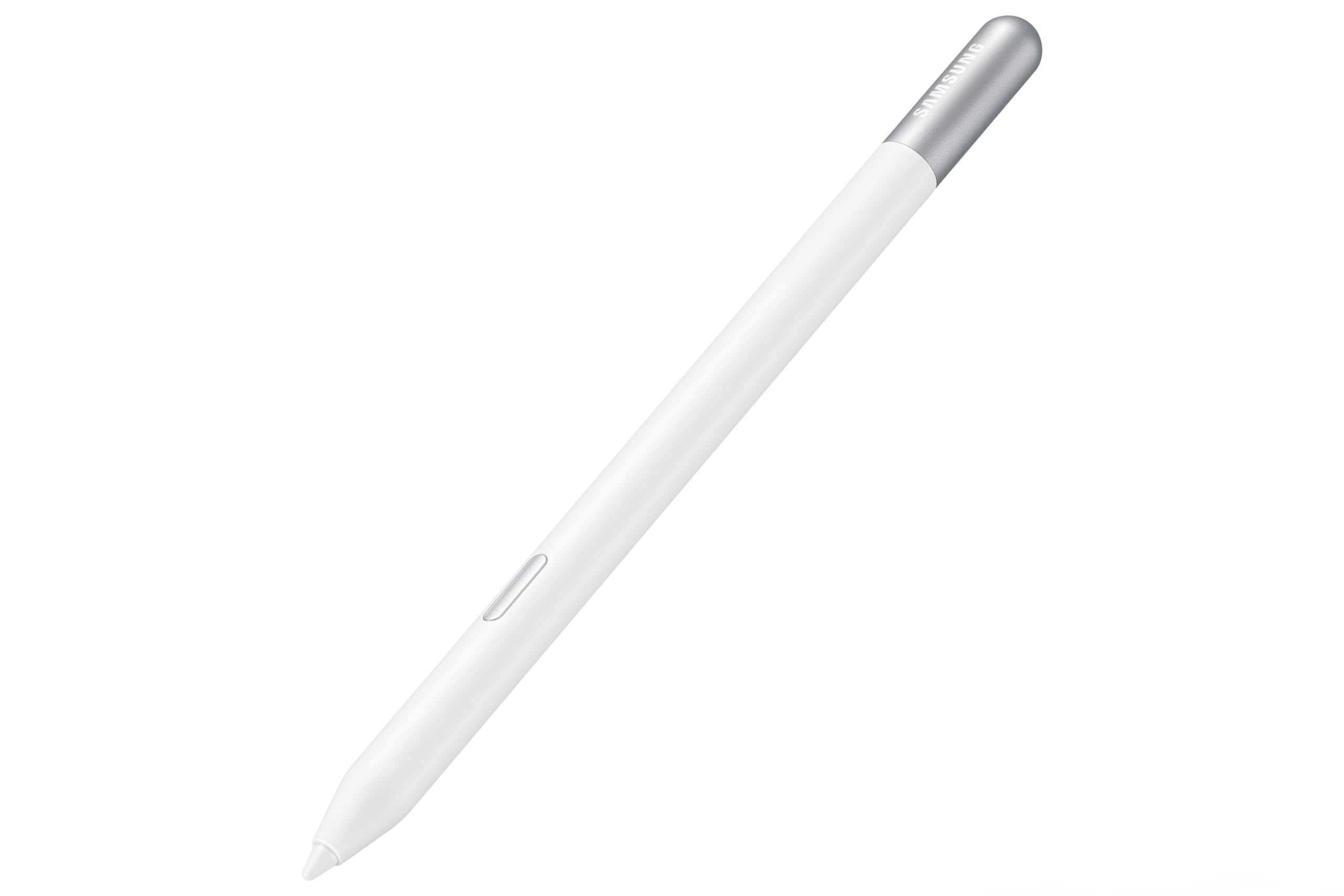
Meet the S Pen Creator Edition, the newest extension of your creativity. Get inspired and bring your ideas to life with its enhanced tilt sensitivity.
Meet the S Pen Creator Edition, the newest extension of your creativity. Get inspired and bring your ideas to life with its enhanced tilt sensitivity.
in 14 offers
The lowest price for Samsung S-Pen Pro 2 for Galaxy Tab S9, Beige right now is $94.99 at MobileZap, compared across 12 retailers.
The all-time low was $75.00 on 13 May 2026 — today's price is 27% above the lowest ever. It has been notably cheaper before — worth setting a price alert.
Samsung S-Pen Pro 2 for Galaxy Tab S9, Beige
Meet the S Pen Creator Edition, the newest extension of your creativity. Get inspired and bring your ideas to life with its enhanced tilt sensitivity.
Meet the S Pen Creator Edition, the newest extension of your creativity. Get inspired and bring your ideas to life with its enhanced tilt sensitivity.
Prices last updated 11 Sept 2026.
Last updated at 11/09/2026 12:46:02
Official Samsung S Pen Creator Edition - For Samsung Galaxy Tab S9
Delivery between 22–25 Sept $19.99
Official Samsung S Pen Creator Edition - For Samsung Galaxy Tab S9 Plus
Delivery between 22–25 Sept $19.99
Samsung S-Pen Pro 2 Creator Edition
Free delivery
SAMSUNG S Pen Pro 2 - White
Delivery between 16–18 Sept $16
Samsung S-Pen PRO2 Creator Edition Stylus Pen - White (Compatible with ULTRA, Note, Spen tablets)
Free delivery between Tue – Wed
Samsung S-pen Pro2 Creator Edition Styluses Pen - White
Free delivery
Affiliate Disclosure: We may receive a small commission for purchases made through this link at no extra cost to you. This helps support our site. Thank you!
Samsung S-pen Pro2 Creator Edition Styluses Pen - White
Free delivery
Affiliate Disclosure: We may receive a small commission for purchases made through this link at no extra cost to you. This helps support our site. Thank you!
Samsung S-Pen PRO2 Creator Edition Stylus Pen - White (Compatible with ULTRA, Note, Spen tablets)
Delivery between 14–22 Sept $10
Samsung S Pen Pro 2 Creator Edition
Free delivery
Samsung S Pen Pro 2 Creator Edition
Free delivery
originally posted on samsung.com
I bought this product back in December, had no complaints up until the nub broke off and the stem got stuck. The performance of the pen was great as well as the grip, but the design of the pen failed us all who utilize it for art, work, and other usage. The original S pen works better in my opinion for durability. I believe Samsung could revamp this to wear it's metal inside and not plastic since the pen is fragile because of it. I contacted Samsung about this, but they only gave me two options, buy a new pen or go to a store to have it fixed since warranty would not cover this. As it is not a technological problem.
originally posted on samsung.com
The pen itself is great. I use it on a samsung galaxy tab 9 fe and the drawing program krita, and it works quite good. But when you till the pen it doesn't really register but thats alright.My main problem are the nibs. I wouldn't say i press that hard but I have dropped my pen a few from very low distances and I've noticed with the wear and tears and a little drop on the right ange with the nibs it just breaks off.The plastic thats hold the pen together with the nibs are waaaay to fragile and tbh, just changing the nibs makes me nervous because lf how frail they are. And you can't even buy new nibs which is totally whack.
originally posted on samsung.com
Its a nice upgrade from the standard S pen that comes with the tablet. Its feels a lot better to draw and write with. The size feels much better for multi hour writing sessions and the extra tip improves the tilt sensing for drawing as well. I haven't really experience any of the problems stated by other users even after using it for several hours each day for months. However I will say I have been using it with a matt screen protector which dramatically improves the writing/drawing experience. The nibs have been wearing down rather quickly though, I'm already halfway down 1 after about 2 months, and I am struggling to find replacements.
| Number of batteries | 1 Lithium Ion batteries required. |
| Are Batteries Required | Yes |
| Are Batteries Included | No |
| Compatible Devices | Tablet |
Official Samsung S Pen Creator Edition - For Samsung Galaxy Tab S9
Delivery between 22–25 Sept $19.99
Official Samsung S Pen Creator Edition - For Samsung Galaxy Tab S9 Plus
Delivery between 22–25 Sept $19.99
Samsung S-Pen Pro 2 Creator Edition
Free delivery
SAMSUNG S Pen Pro 2 - White
Delivery between 16–18 Sept $16
Samsung S-Pen PRO2 Creator Edition Stylus Pen - White (Compatible with ULTRA, Note, Spen tablets)
Free delivery between Tue – Wed
I bought this product back in December, had no complaints up until the nub broke off and the stem got stuck. The performance of the pen was great as well as the grip, but the design of the pen failed us all who utilize it for art, work, and other usage. The original S pen works better in my opinion for durability. I believe Samsung could revamp this to wear it's metal inside and not plastic since the pen is fragile because of it. I contacted Samsung about this, but they only gave me two options, buy a new pen or go to a store to have it fixed since warranty would not cover this. As it is not a technological problem.
The pen itself is great. I use it on a samsung galaxy tab 9 fe and the drawing program krita, and it works quite good. But when you till the pen it doesn't really register but thats alright.My main problem are the nibs. I wouldn't say i press that hard but I have dropped my pen a few from very low distances and I've noticed with the wear and tears and a little drop on the right ange with the nibs it just breaks off.The plastic thats hold the pen together with the nibs are waaaay to fragile and tbh, just changing the nibs makes me nervous because lf how frail they are. And you can't even buy new nibs which is totally whack.
Its a nice upgrade from the standard S pen that comes with the tablet. Its feels a lot better to draw and write with. The size feels much better for multi hour writing sessions and the extra tip improves the tilt sensing for drawing as well. I haven't really experience any of the problems stated by other users even after using it for several hours each day for months. However I will say I have been using it with a matt screen protector which dramatically improves the writing/drawing experience. The nibs have been wearing down rather quickly though, I'm already halfway down 1 after about 2 months, and I am struggling to find replacements.
If you have bigger hands, it's an improvement from the regular slim S Pen, but that's where the good things end.The nib of the pen snapped off inside the pen after 3 months of semi regular use ( 2 - 3 time per week for a couple of hours ). Managed to get the rod out of the pen, but contacted Samsung about getting some replacement nibs for the future. I was told that they don't send replacement nibs, and the nibs aren't available for purchase.I was also told to buy a new pen if I run out of nibs.... for £100? I think not.Feature wise, it works the same as the other S pens, minus the air actions as it doesn't contain a battery or have Bluetooth connectivity, so the button only works when in close proximity to the tablet. It is also quite slippery to hold if you ... MoreIf you have bigger hands, it's an improvement from the regular slim S Pen, but that's where the good things end.The nib of the pen snapped off inside the pen after 3 months of semi regular use ( 2 - 3 time per week for a couple of hours ). Managed to get the rod out of the pen, but contacted Samsung about getting some replacement nibs for the future. I was told that they don't send replacement nibs, and the nibs aren't available for purchase.I was also told to buy a new pen if I run out of nibs.... for £100? I think not.Feature wise, it works the same as the other S pens, minus the air actions as it doesn't contain a battery or have Bluetooth connectivity, so the button only works when in close proximity to the tablet. It is also quite slippery to hold if you have soft hands, so needed a grip in my specific case.Samsung still think that it is acceptable to not provide a reliable legitimate way to obtain genuine Samsung nibs for their S Pens, and it has to stop. Simply don't buy this pen if you have a tendency to break or wear down nibs at all, because the 3 you get in the box need to last a lifetime.The Wacom One pen is a third of the price, and you can purchase 3 different types of 10 replacement nibs from their website ( yes, Wacom sell nibs for their pens... mental ) and works the same as this pen. I wish I had bought that first and saved myself £70.
Does this work? Yes.Is it good that it doesn’t require charging? Sure.Is it weird that there was no instruction manual, just a quick start guide that shows you that there's a button on it? Maybe, until you realize after trying yi connect it to your tablet for 20 minutes that the reason it doesn't come with a manual is because it has no functionality really.Is it weird that Samsung is charging $100 for what is essentially a plain old stylus? Yeah.Is it weird that its getting basically impossible to find the S Pen Pro or even OEM replacement basic S Pens, leaving this the only viable option? Oh absolutely.I don't know where to get OEM replacement tips for this, in case i go through the extras provided, if thats even an option.This pen has already been on sale at ... MoreDoes this work? Yes.Is it good that it doesn’t require charging? Sure.Is it weird that there was no instruction manual, just a quick start guide that shows you that there's a button on it? Maybe, until you realize after trying yi connect it to your tablet for 20 minutes that the reason it doesn't come with a manual is because it has no functionality really.Is it weird that Samsung is charging $100 for what is essentially a plain old stylus? Yeah.Is it weird that its getting basically impossible to find the S Pen Pro or even OEM replacement basic S Pens, leaving this the only viable option? Oh absolutely.I don't know where to get OEM replacement tips for this, in case i go through the extras provided, if thats even an option.This pen has already been on sale at least twice, and it's been on the market for like 6 months. Ate they desperate to sell it? Is there going to be another S Pen this year, rendering this obsolete?I guess what I'm getting at is that anyone who says this pen is a great value is either lying or doesnt know how money works.
Programs/Tablet:Samsung Galaxy S7 feCSPPenlyOk after playing with it for sometime I had figured out how to make it work for the programs that I use. I use primarily CSP, Clip Studio Paint, for art and Penly for note taking. If you using any art programs make sure to play with the Pen Pressure settings cause the default that you made for the regular s pen wont work the same for some reason. At least for me when I was using CSP. It does have tilt.It took a while to get use too but once I did it was fine. I do agree that it does feel somewhat cheap not worth $100, luckly I got it when it was on sale, and not really a neccesity. Getting the wacom pen for tablets would be better if you really need to replace it or something.I got this cause I was curious. If ... MorePrograms/Tablet:Samsung Galaxy S7 feCSPPenlyOk after playing with it for sometime I had figured out how to make it work for the programs that I use. I use primarily CSP, Clip Studio Paint, for art and Penly for note taking. If you using any art programs make sure to play with the Pen Pressure settings cause the default that you made for the regular s pen wont work the same for some reason. At least for me when I was using CSP. It does have tilt.It took a while to get use too but once I did it was fine. I do agree that it does feel somewhat cheap not worth $100, luckly I got it when it was on sale, and not really a neccesity. Getting the wacom pen for tablets would be better if you really need to replace it or something.I got this cause I was curious. If they make another edition of this they should fix the nip issues. On the first night I put the pen in my case and closed it, shockly it bent the nip easily. The thing that came with the pen to take the nip out is too flimsy to actually take the nip out so I had to use the nip thing that I got with my old intuos wacom pen.
The pen felt good to use, and the tilt was amazing.Problems arose with how fragile the nibs are. I hand used it for less than 2 weeks when the first nib broke. The nib was impossible to remove so I exchanged it. Because of this, I cannot draw freely and constantly have to think about how much pressure I am applying. It'd be one thing if samsung had setting to configure the pressure curve like every other drawing tablet, but they don't hence a need to constantly keep pressure pretty high.All in all, I can't recommend it. It's just too fragile for the price.
I purchased the Samsung S Pen Creator Edition to use with my Samsung Galaxy Book 4 360. It works flawlessly, I love that it doesn't need to be charged. The S Pen feels nice to hold, it glides so nicely on the laptop when using it to take notes and draw. The technology with Samsung's S Pen is perfection! I have an iPad and Apple Pencil, the S Pen took me by surprise how realistic it feels and compares to the Apple pencil. The S Pen has me wanting to take notes all the time for my college classes. I was able to get the pen on sale, which was great! I highly recommend! 10 out of 10!!!!!
samsung is ripping off consumers with this . the color and the nibs are the only thing that sets this apart from the standard s pen . hardly worth the inflated price especia;llly when the nibs are garbage. they are extremely brittle and the tip of the nib WILL break under normal use leaving the stem still inside the pen and it is almost impossible to remove it without damaging the pen . its a bad product that Samsung , a faulty design. the blue tooth version is less expensive and the standard s pen is by a way better product at half the cost . Samsung's support staff are incompliant and useless . 100 dollars spent on trash that i got barely a month of use out of .
Not worth 100$ as-is. If they start releasing various nib qualities for this pen that have different drawing feel on the glass (similar to Wacom's various nib qualities perhaps) I would 100% be on board. I was hoping there would be some screen resistance like the apple pencil, but the overall feel is very slippery. Fingers crossed Samsung will release new nib options. Also, for what it's worth I wish it was a little heavier.Also, the nibs are a bit delicate. I've broken one and bent another trying to use it to draw on my Tab S9 Ultra.
| Number of batteries | 1 Lithium Ion batteries required. |
| Are Batteries Required | Yes |
| Are Batteries Included | No |
| Compatible Devices | Tablet |

