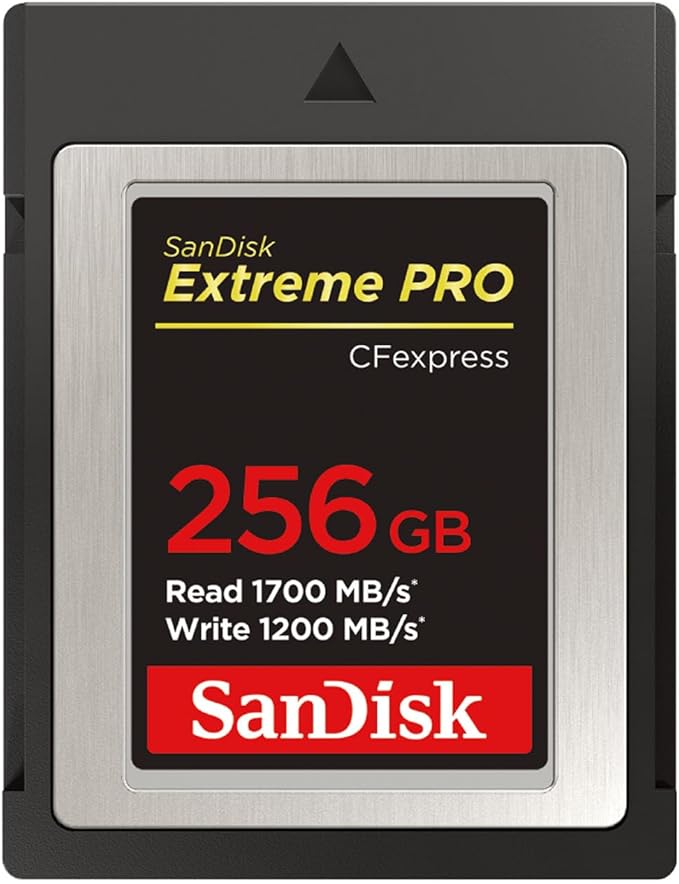
When you're shooting where the action is, the CFexpress Card Type B unleashes the RAW performance of your gear. With read speeds up to 1700MB/s and write speeds up to 1400MB/s, you'll get low latency during high-speed recording and an enhanced workflow efficiency that's far beyond anything existing SanDisk cards deliver. This card enables smooth, RAW 4K video capture with sustainable performance.
When you're shooting where the action is, the CFexpress Card Type B unleashes the RAW performance of your gear. With read speeds up to 1700MB/s and write speeds up to 1400MB/s, you'll get low latency during high-speed recording and an enhanced workflow efficiency that's far beyond anything existing SanDisk cards deliver. This card enables smooth, RAW 4K video capture with sustainable performance.
in 1 offers
The lowest price for SanDisk Extreme Pro SDCFE-512G-GH4NN CFexpress Type B 512GB Maximum Read Speed 1700MB/s right now is $641.43 at Amazon.com.au.
The all-time low was $257.98 on 7 Sept 2026 — today's price is 149% above the lowest ever. It has been notably cheaper before — worth setting a price alert.
Prices last updated 26 Sept 2026.
SanDisk Extreme Pro SDCFE-512G-GH4NN CFexpress Type B 512GB Maximum Read Speed 1700MB/s
When you're shooting where the action is, the CFexpress Card Type B unleashes the RAW performance of your gear. With read speeds up to 1700MB/s and write speeds up to 1400MB/s, you'll get low latency during high-speed recording and an enhanced workflow efficiency that's far beyond anything existing SanDisk cards deliver. This card enables smooth, RAW 4K video capture with sustainable performance.
When you're shooting where the action is, the CFexpress Card Type B unleashes the RAW performance of your gear. With read speeds up to 1700MB/s and write speeds up to 1400MB/s, you'll get low latency during high-speed recording and an enhanced workflow efficiency that's far beyond anything existing SanDisk cards deliver. This card enables smooth, RAW 4K video capture with sustainable performance.
Last updated at 26/09/2026 04:15:53
SanDisk Extreme PRO SDCFE-512G-GH4NN CFexpress Type B 512GB Maximum Read Speed 1700MB/s
Free delivery
Affiliate Disclosure: We may receive a small commission for purchases made through this link at no extra cost to you. This helps support our site. Thank you!
originally posted on bhphotovideo.com
The Critical Review posted:Hot Card, Almost too Hot to Handle! ByBobI had the same issue, with a different card reader than he used. I transferred just 3 images to the computer, which read out super fast, no issues. But while I was on the computer doing something else, I left this card in the reader for about 10-15 minutes before taking out. It was hot, though nothing was being transferred either way on it.I wasn't sure if it was the card or reader? But having this same issue, on two different readers makes me wonder. I'm thinking that maybe when the card is in a reader, it is in a constant ON mode whether transferring images or not, so card heats up. There is a marketing comment about using it over 20 minutes at a time due to heat, so maybe that's the ... MoreThe Critical Review posted:Hot Card, Almost too Hot to Handle! ByBobI had the same issue, with a different card reader than he used. I transferred just 3 images to the computer, which read out super fast, no issues. But while I was on the computer doing something else, I left this card in the reader for about 10-15 minutes before taking out. It was hot, though nothing was being transferred either way on it.I wasn't sure if it was the card or reader? But having this same issue, on two different readers makes me wonder. I'm thinking that maybe when the card is in a reader, it is in a constant ON mode whether transferring images or not, so card heats up. There is a marketing comment about using it over 20 minutes at a time due to heat, so maybe that's the reason?The card transfers very fast, I have no complaints with it, so I will use in the reader only while transferring files, then remove right after. With my XQD card and reader, I could just leave the card sit in there, but I can't with this card.
originally posted on bhphotovideo.com
SanDisk 128GB Extreme Pro Cards - personal experience with Nikon D5, Nikon Z9Pros:- Works great for Nikon D5 with the CFEb compatibility firmware upgrade installed.- The cost per GB was reason I purchased, better price than I have ever seen (thanks B&H).- This is one of the brands that is approved by Nikon for CFEb cards.Cons:- Not recommended for raw file performance with Nikon Z9 if using Uncompressed Raw. Will start buffering at about frame 65.- Hot Card. CFEb cards get really hot compared to XQD or CF. You can't leave them in idle in the reader. They can get almost scalding hot. That said - beware any CFEb card will do this, not a knock on SanDisk. Some get so hot you can't touch them for a minute or two after file xfers.Bottom like, I am likely ... MoreSanDisk 128GB Extreme Pro Cards - personal experience with Nikon D5, Nikon Z9Pros:- Works great for Nikon D5 with the CFEb compatibility firmware upgrade installed.- The cost per GB was reason I purchased, better price than I have ever seen (thanks B&H).- This is one of the brands that is approved by Nikon for CFEb cards.Cons:- Not recommended for raw file performance with Nikon Z9 if using Uncompressed Raw. Will start buffering at about frame 65.- Hot Card. CFEb cards get really hot compared to XQD or CF. You can't leave them in idle in the reader. They can get almost scalding hot. That said - beware any CFEb card will do this, not a knock on SanDisk. Some get so hot you can't touch them for a minute or two after file xfers.Bottom like, I am likely to buy more in future, but don't plan to use with the Nikon Z9, it is the Ferrari of CFEb card performance.
originally posted on bhphotovideo.com
I am disappointed with this card. I took the card to a shoot and after 3-4 4k video sequences, my Nikon Z6ii alerted me that the card is HOT.I continued to shoot as I did not know what to do. Unfortunately the data then got corrupted in the sequences that were the card was hot.Later in the week, I tested the same at home. 1st sequence was ok with 10 min of 4K video. 2 minute rest then attempted a second sequence of 4K video and the card got hot and data corrupted on this second file on T-14 minutes.Contacted SanDisc. They will replace the card but the cad being send back is NOT guaranteed new; it may be used or refurbished. If find this unacceptable.Search the web and this is a know problem.Incidentally, I did the home test above on a SanDisc SD card and ... MoreI am disappointed with this card. I took the card to a shoot and after 3-4 4k video sequences, my Nikon Z6ii alerted me that the card is HOT.I continued to shoot as I did not know what to do. Unfortunately the data then got corrupted in the sequences that were the card was hot.Later in the week, I tested the same at home. 1st sequence was ok with 10 min of 4K video. 2 minute rest then attempted a second sequence of 4K video and the card got hot and data corrupted on this second file on T-14 minutes.Contacted SanDisc. They will replace the card but the cad being send back is NOT guaranteed new; it may be used or refurbished. If find this unacceptable.Search the web and this is a know problem.Incidentally, I did the home test above on a SanDisc SD card and had no issues.For photographs, I have no issues with heat or buffering.
| Flash memory type | CFexpress |
| Memory storage capacity | 512 GB |
| Compatible devices | Tablet, Smartphone |

SanDisk Extreme PRO SDCFE-512G-GH4NN CFexpress Type B 512GB Maximum Read Speed 1700MB/s
Free delivery
Affiliate Disclosure: We may receive a small commission for purchases made through this link at no extra cost to you. This helps support our site. Thank you!
The Critical Review posted:Hot Card, Almost too Hot to Handle! ByBobI had the same issue, with a different card reader than he used. I transferred just 3 images to the computer, which read out super fast, no issues. But while I was on the computer doing something else, I left this card in the reader for about 10-15 minutes before taking out. It was hot, though nothing was being transferred either way on it.I wasn't sure if it was the card or reader? But having this same issue, on two different readers makes me wonder. I'm thinking that maybe when the card is in a reader, it is in a constant ON mode whether transferring images or not, so card heats up. There is a marketing comment about using it over 20 minutes at a time due to heat, so maybe that's the ... MoreThe Critical Review posted:Hot Card, Almost too Hot to Handle! ByBobI had the same issue, with a different card reader than he used. I transferred just 3 images to the computer, which read out super fast, no issues. But while I was on the computer doing something else, I left this card in the reader for about 10-15 minutes before taking out. It was hot, though nothing was being transferred either way on it.I wasn't sure if it was the card or reader? But having this same issue, on two different readers makes me wonder. I'm thinking that maybe when the card is in a reader, it is in a constant ON mode whether transferring images or not, so card heats up. There is a marketing comment about using it over 20 minutes at a time due to heat, so maybe that's the reason?The card transfers very fast, I have no complaints with it, so I will use in the reader only while transferring files, then remove right after. With my XQD card and reader, I could just leave the card sit in there, but I can't with this card.
SanDisk 128GB Extreme Pro Cards - personal experience with Nikon D5, Nikon Z9Pros:- Works great for Nikon D5 with the CFEb compatibility firmware upgrade installed.- The cost per GB was reason I purchased, better price than I have ever seen (thanks B&H).- This is one of the brands that is approved by Nikon for CFEb cards.Cons:- Not recommended for raw file performance with Nikon Z9 if using Uncompressed Raw. Will start buffering at about frame 65.- Hot Card. CFEb cards get really hot compared to XQD or CF. You can't leave them in idle in the reader. They can get almost scalding hot. That said - beware any CFEb card will do this, not a knock on SanDisk. Some get so hot you can't touch them for a minute or two after file xfers.Bottom like, I am likely ... MoreSanDisk 128GB Extreme Pro Cards - personal experience with Nikon D5, Nikon Z9Pros:- Works great for Nikon D5 with the CFEb compatibility firmware upgrade installed.- The cost per GB was reason I purchased, better price than I have ever seen (thanks B&H).- This is one of the brands that is approved by Nikon for CFEb cards.Cons:- Not recommended for raw file performance with Nikon Z9 if using Uncompressed Raw. Will start buffering at about frame 65.- Hot Card. CFEb cards get really hot compared to XQD or CF. You can't leave them in idle in the reader. They can get almost scalding hot. That said - beware any CFEb card will do this, not a knock on SanDisk. Some get so hot you can't touch them for a minute or two after file xfers.Bottom like, I am likely to buy more in future, but don't plan to use with the Nikon Z9, it is the Ferrari of CFEb card performance.
I am disappointed with this card. I took the card to a shoot and after 3-4 4k video sequences, my Nikon Z6ii alerted me that the card is HOT.I continued to shoot as I did not know what to do. Unfortunately the data then got corrupted in the sequences that were the card was hot.Later in the week, I tested the same at home. 1st sequence was ok with 10 min of 4K video. 2 minute rest then attempted a second sequence of 4K video and the card got hot and data corrupted on this second file on T-14 minutes.Contacted SanDisc. They will replace the card but the cad being send back is NOT guaranteed new; it may be used or refurbished. If find this unacceptable.Search the web and this is a know problem.Incidentally, I did the home test above on a SanDisc SD card and ... MoreI am disappointed with this card. I took the card to a shoot and after 3-4 4k video sequences, my Nikon Z6ii alerted me that the card is HOT.I continued to shoot as I did not know what to do. Unfortunately the data then got corrupted in the sequences that were the card was hot.Later in the week, I tested the same at home. 1st sequence was ok with 10 min of 4K video. 2 minute rest then attempted a second sequence of 4K video and the card got hot and data corrupted on this second file on T-14 minutes.Contacted SanDisc. They will replace the card but the cad being send back is NOT guaranteed new; it may be used or refurbished. If find this unacceptable.Search the web and this is a know problem.Incidentally, I did the home test above on a SanDisc SD card and had no issues.For photographs, I have no issues with heat or buffering.
Nikon Z6II. I DO NOT shoot a lot of high frame rate bursts. But this is the first time with owning more than 45 SanDisk cards over the last 5-6 years that I have had a card overheat.In the z6II working in 80 degree weather shooting stills conservatively, I got a hot card shutdown. I have never had that happen.Many many many SanDisk SD's in my other cameras, subject to high volume full time shooting. Never a single glitch. But sadly, getting these for the Z camera, these get hot and have shut the camera down. And coming out of the reader, my laser thermometer shows these at 130+ degrees!
I will no longer use this card in my Z6ii when recording video. The card runs very hot and I get a "Hot Card" warning on my Z6ii when recording video. I am not recording lengthy videos only short clips over a period of 30 minutes. I record appoximately 10 minutes of 30 minutes and receive the warning. I am concerned about the card causing issues with Z6ii so I will look for other brands.I have contacted technical support but received a return reply that suggested I contact a different tech support link which turns out to be the same link I used to originally submit the request. It appears that Western Digital cannot transfer support request. I am going to copy and past what I received from Western digital below.Notice that it is from Western Digital Support ... MoreI will no longer use this card in my Z6ii when recording video. The card runs very hot and I get a "Hot Card" warning on my Z6ii when recording video. I am not recording lengthy videos only short clips over a period of 30 minutes. I record appoximately 10 minutes of 30 minutes and receive the warning. I am concerned about the card causing issues with Z6ii so I will look for other brands.I have contacted technical support but received a return reply that suggested I contact a different tech support link which turns out to be the same link I used to originally submit the request. It appears that Western Digital cannot transfer support request. I am going to copy and past what I received from Western digital below.Notice that it is from Western Digital Support suggesting that I contact Western Digital Support.Thank you for contacting Western Digital Customer Service and Support. My name is .This is to inform you that this is the Technical support for Western Digital since you are facing issue with a Sandisk 128GB CFexpress Extreme PRO card please reach out to the Sandisk support team on: https://www.westerndigital.com/support for further assistance.Sincerely,Western Digital Customer Service and Supporthttps://www.westerndigital.com/support
I use this in conjunction with a GH6 for Pro res codecs. While I haven't used it in the top shelf data hungry modes on my GH6, I have shot UHD Pro Res HQ. It worked great. I plan on buying higher capacities as the price drops or as needed. As a early P2 card user these are no where near the blood letting prices that P2 were back in the day( $1,300.00 for 8GB) , but they are steep. After the past few years of SD variant media, the price takes a little getting used to. Of course it has, and will continue to drop. Ultimately, I'm not too concerned as I much prefer using a robust media compared to the flimsy and cheesy SD cards for pro work. Geez, a bad trend gone wild. Rant over. No complaints, and I have have historically had much better experience with SanDisk media ... MoreI use this in conjunction with a GH6 for Pro res codecs. While I haven't used it in the top shelf data hungry modes on my GH6, I have shot UHD Pro Res HQ. It worked great. I plan on buying higher capacities as the price drops or as needed. As a early P2 card user these are no where near the blood letting prices that P2 were back in the day( $1,300.00 for 8GB) , but they are steep. After the past few years of SD variant media, the price takes a little getting used to. Of course it has, and will continue to drop. Ultimately, I'm not too concerned as I much prefer using a robust media compared to the flimsy and cheesy SD cards for pro work. Geez, a bad trend gone wild. Rant over. No complaints, and I have have historically had much better experience with SanDisk media than I have had with Sony media.
Like many I suppose, I went kicking and screaming into the CFexpress camp. In my case, my Nikon Z6 was my first camera that required XQD or CFexpress cards. I had used SD cards for so long that another size card with the big price tags irritated me. Fast forward a few years and I have quite an investment in CFexpress. Fact of life now with high density sensors and video footage. SanDisk prices are falling and they've always been my go-to brand. These cards are fast and reliable and quite an improvement over XQD cards. I have 3 Z bodies that I use them in and all 3 never fail to function or miss a capture. So with the prices of these 128GB cards falling, I guess I'll reluctantly say they are superb cards worthy of your money. And of course B&H always delivers quickly ... MoreLike many I suppose, I went kicking and screaming into the CFexpress camp. In my case, my Nikon Z6 was my first camera that required XQD or CFexpress cards. I had used SD cards for so long that another size card with the big price tags irritated me. Fast forward a few years and I have quite an investment in CFexpress. Fact of life now with high density sensors and video footage. SanDisk prices are falling and they've always been my go-to brand. These cards are fast and reliable and quite an improvement over XQD cards. I have 3 Z bodies that I use them in and all 3 never fail to function or miss a capture. So with the prices of these 128GB cards falling, I guess I'll reluctantly say they are superb cards worthy of your money. And of course B&H always delivers quickly to your door with no high priced shipping. A+
I purchased this product for my Canon EOS 7D camera, and tested it to see how it compared to my existing 16 GB SanDisk Extreme 60 MBs CompactFlash card. I like to shoot baseball, and I wanted to know if the 160 MBs card could capture a higher frame rate or a larger number of frames than the 60 MBs card.You can read this entire review, but heres the conclusion In a Canon EOS 7D with the firmware 2.0.3 latest, with UDMA support, the 60 MBs and 160 MBs cards performance is virtually identical, and the 160 MBs feature is not worth the increased cost. I experienced no difficulties or compatibility problems whatsoever with either card. I formatted both cards in the camera, mounted it on a tripod, and adjusted the camera for highest frame rate performance. I then ... MoreI purchased this product for my Canon EOS 7D camera, and tested it to see how it compared to my existing 16 GB SanDisk Extreme 60 MBs CompactFlash card. I like to shoot baseball, and I wanted to know if the 160 MBs card could capture a higher frame rate or a larger number of frames than the 60 MBs card.You can read this entire review, but heres the conclusion In a Canon EOS 7D with the firmware 2.0.3 latest, with UDMA support, the 60 MBs and 160 MBs cards performance is virtually identical, and the 160 MBs feature is not worth the increased cost. I experienced no difficulties or compatibility problems whatsoever with either card. I formatted both cards in the camera, mounted it on a tripod, and adjusted the camera for highest frame rate performance. I then photographed the iPhone Stopwatch app at highest speed, RAWonly, until capture speed was noticeably reduced. I performed each test at least three times. Variance between tests was minimal.Using the 160 MBs card, I can capture 23 RAW images in three seconds. In the fourth second, frame rate noticeably deteriorates to two to four fps. One second its four, another its 2, another its 3, etc..Using the 60 MBs card, I can capture 21 to 23 RAW images usually 21 in three seconds. In the fourth second, frame rate noticeably deteriorates to two to four fps. Although this faster card does provide a measurable difference in frame rate, I think it is insignificant.I also measured buffer flush times, and here the difference was substantial. I captured a burst for about 4 seconds, and then I stopped capturing and I timed how long the red write LED flashed. In this test, the 160 MBs card was dramatically better While the slow card took 9.7 seconds to finish writing data, the 160 MBs card took 6 seconds. This means After shooting a burst, your 7D is ready for more photos about four seconds sooner if you use the 160 MBs card. This might be significant to some photographers. And, of course, copying 32 GB of data to your PC will probably be much faster with the 160 MBs card, as long as you have a high quality USB 3.0 card reader my Mac only has USB 2, so I could not test this.For my needs, I should have saved my money and purchased a 60 MBs or 90 MBs card, but I am going to keep this card and the old card will be my backup. No complaints whatsoever about this product, but my recommendation would be to buy an Extreme or Extreme Pro 90 MBs model for this camera.Final comments First, SanDisk has three kinds of Extreme cardsExtreme 60 MBsExtreme Pro 90 MBsExtreme PRO 160 MBsB H does a great job of letting you know which SanDisk card youre buying. does a poor job, with pricing and markings that dont make sense. I do not recommend buying this product from , because its hard to know what youre buying.I hope youve enjoyed my test results. If you have a different camera model, such as a 5D Mark iii, do not assume that your results will be the same. Different camera models have different CPUs, so your performance may be very different.
I bought this card to use with my Nikon Z7ii.Works like a charm, is fast.And being a Sandisk then I expect it to be reliable and last a long time.The only thing I can say Im not overly too thrilled about, is it gets hot that card. I havent noticed in camera since I am not using this card and camera in any action scenarios, but when I put it in the memory card reader and maybe forget it for 3-5 minutes, it heats up.Once I forgot it in the card reader for maybe 10 minutes and it was crazy hot.So lesson learned, dont leave it in the card reader (the card was and is ok) ;)As a small comparison, I was thinking about getting this card for my Z9, but decided on Prograde Cobalt 165 GB, and those cards do not heat at all!
Along with my Canon EOS R5, I purchased two 128 GB CF Express cards. This one, from SanDisk, and one of the Promaster brand. From what I have heard, Promaster is simply a SanDisk in a different wrapper. They have the same performance specs and price, so it makes sense to me.These were my first experience with this CF Express media. Ridiculously fast at both writing and reading. I've had no problems with high speed RAW stills or 4K 120 FPS video.The reasons I have held back a star:-This doesn't seem to be a thoroughly vetted technology yet. I keep reading that many think that certain cards (SanDisk among them) are the cause for some of the freezing problems that have been plaguing R5 users. I really don't think this is true. I think there is a problem with ... MoreAlong with my Canon EOS R5, I purchased two 128 GB CF Express cards. This one, from SanDisk, and one of the Promaster brand. From what I have heard, Promaster is simply a SanDisk in a different wrapper. They have the same performance specs and price, so it makes sense to me.These were my first experience with this CF Express media. Ridiculously fast at both writing and reading. I've had no problems with high speed RAW stills or 4K 120 FPS video.The reasons I have held back a star:-This doesn't seem to be a thoroughly vetted technology yet. I keep reading that many think that certain cards (SanDisk among them) are the cause for some of the freezing problems that have been plaguing R5 users. I really don't think this is true. I think there is a problem with Canon parts and/or QC with the cameras, but, you never know.-These really don't seem like the indestructible, never doubtful CF cards that I've used for more than 12 years without rarely a problem. These feel like a cheaply made plastic computer part. I've known CF cards to go through the laundry cycle and work fine for years afterwards. I don't see that happening here. I have now purchased a 256 Delkin Black card because they were built more to last with a great warranty and customer service.If I am going to pay this ridiculous price, I think Delkin seems like a better choice. I have been a SanDisk customer for as long as I have shot digitally. I haven't had any problems with this card, but, I may not be as brand loyal with this newer technology.
| Flash memory type | CFexpress |
| Memory storage capacity | 512 GB |
| Compatible devices | Tablet, Smartphone |