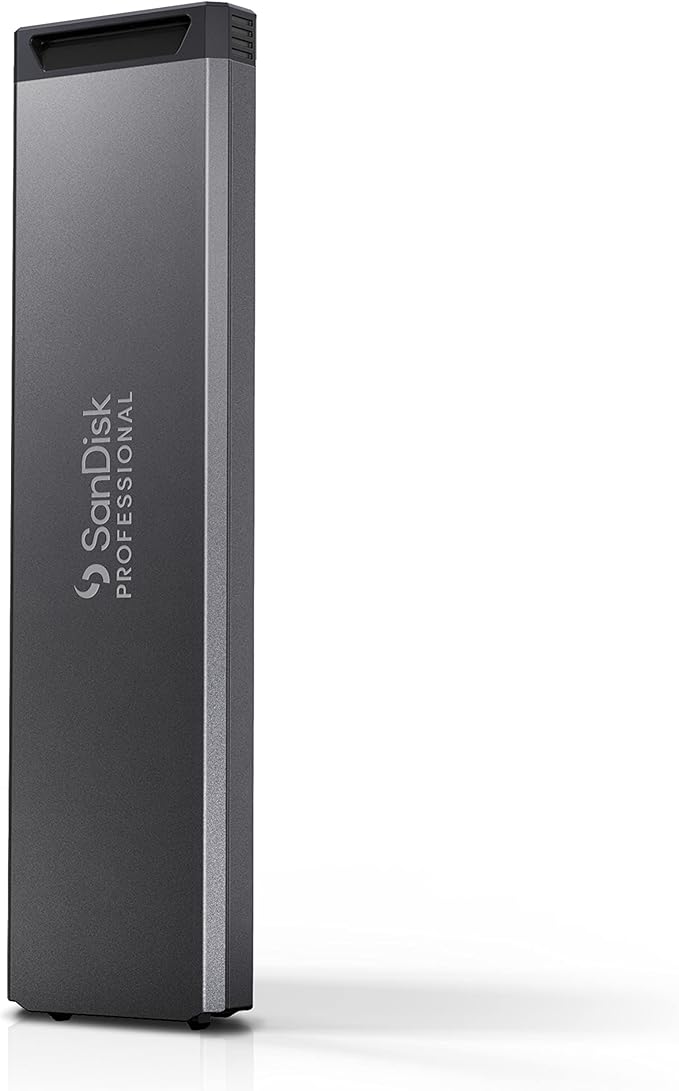
Built for compatibility with both Thunderbolt 3 and USB-C, the ultra-rugged SanDisk Professional PRO-G40 SSD enables you to efficiently collaborate across devices. Sustaining speeds up to 3000MB/s read via Thunderbolt 3, the SanDisk Professional PRO-G40 SSD powers through the most demanding workflows so you can go wherever your vision takes you.
Built for compatibility with both Thunderbolt 3 and USB-C, the ultra-rugged SanDisk Professional PRO-G40 SSD enables you to efficiently collaborate across devices. Sustaining speeds up to 3000MB/s read via Thunderbolt 3, the SanDisk Professional PRO-G40 SSD powers through the most demanding workflows so you can go wherever your vision takes you.
in 2 offers
The lowest price for SanDisk Professional PRO-G40 SSD - 4TB right now is $1,929.95 at Apple, compared across 2 retailers.
The all-time low was $849.95 on 27 Nov 2024 — today's price is 127% above the lowest ever. It has been notably cheaper before — worth setting a price alert.
Prices last updated 14 Oct 2026.
SanDisk Professional PRO-G40 SSD - 4TB
Built for compatibility with both Thunderbolt 3 and USB-C, the ultra-rugged SanDisk Professional PRO-G40 SSD enables you to efficiently collaborate across devices. Sustaining speeds up to 3000MB/s read via Thunderbolt 3, the SanDisk Professional PRO-G40 SSD powers through the most demanding workflows so you can go wherever your vision takes you.
Built for compatibility with both Thunderbolt 3 and USB-C, the ultra-rugged SanDisk Professional PRO-G40 SSD enables you to efficiently collaborate across devices. Sustaining speeds up to 3000MB/s read via Thunderbolt 3, the SanDisk Professional PRO-G40 SSD powers through the most demanding workflows so you can go wherever your vision takes you.
Last updated at 14/10/2026 06:40:50
SanDisk Professional PRO-G40 SSD - 4TB
Free delivery
SanDisk Professional PRO-G40 Portable SSD 4TB (up to 3000 MB/s, Solid State Drive, Thunderbolt 3 (40Gbps), USB-C (10Gbps), Ultra-rugged IP68 dust/wate
Free delivery between 23–28 Oct
originally posted on westerndigital.com
I've have this SSD with 4 TB capacity for about a month with no issues running Time Machine from a brand new 14" Apple MacBook Pro with M3 Max, 96 MB memory, running macOS Sequoia 15 (+). After migrating via LAN from my 10 year old MacBook Pro just under 1 TB of date, I backed up the data via Time Machine to this SSD -- which took under 4 minutes -- maybe 3 minutes 30 seconds +/- some seconds. The apple.support technician who had helped me with the migration of data from the old to new laptop stated he never seen a drive consume 1 TB so quickly the data via Time Machine. My eyes were huge looking at the time remaining quickly counting down. It is REALLY fast, ran warm but not hot at the end of this transfer. I did purchase a small Holmes office fan to keep it cool, ... MoreI've have this SSD with 4 TB capacity for about a month with no issues running Time Machine from a brand new 14" Apple MacBook Pro with M3 Max, 96 MB memory, running macOS Sequoia 15 (+). After migrating via LAN from my 10 year old MacBook Pro just under 1 TB of date, I backed up the data via Time Machine to this SSD -- which took under 4 minutes -- maybe 3 minutes 30 seconds +/- some seconds. The apple.support technician who had helped me with the migration of data from the old to new laptop stated he never seen a drive consume 1 TB so quickly the data via Time Machine. My eyes were huge looking at the time remaining quickly counting down. It is REALLY fast, ran warm but not hot at the end of this transfer. I did purchase a small Holmes office fan to keep it cool, but it was not necessary as I forgot to turn it on. I intend to purchase a second as a backup to this one -- it is very robust in construction. I'm looking to purchase a 20 B RAID 2 system; but, in the meantime, I'm quite satisfied with this SSD, which I will eventully use the one for processing very large photo files via Capture One Pro; the other as a Time Machine backup to the processing when traveling. SO, again, I'm purchasing another -- the speed and price makes a second a no brainer to me. I hope its durability lasts for at least a few years -- it sure seems so. Oh, to add, now having disciplined myself to not repeat, I have disconnected it trice without first ejecting it -- though with no issues -- definitely not a good practice!.
originally posted on adorama.com
The drive arrived in perfect condition and worked great. I do want to mention an important variable in its operation for any person thinking of buying such a high performance drive: sometimes when I plug it in using the supplied Thunderbolt 3 cable, or using an Apple Thunderbolt 4 cable, it will not show up on my MacBook Pro M2 Max. My best guess is that if too many PCIe lanes are occupied by other tasks, including other drives, it will not show up, not even in Disk Utility. This makes me nervous because I then do not have the option of ejecting the drive before disconnecting it. On the other hand, if I disconnect other drives first, the PRO-G40 will show up every time. Do not risk any damage to your PRO-G40. If possible, always connect your PRO-G40 before ... MoreThe drive arrived in perfect condition and worked great. I do want to mention an important variable in its operation for any person thinking of buying such a high performance drive: sometimes when I plug it in using the supplied Thunderbolt 3 cable, or using an Apple Thunderbolt 4 cable, it will not show up on my MacBook Pro M2 Max. My best guess is that if too many PCIe lanes are occupied by other tasks, including other drives, it will not show up, not even in Disk Utility. This makes me nervous because I then do not have the option of ejecting the drive before disconnecting it. On the other hand, if I disconnect other drives first, the PRO-G40 will show up every time. Do not risk any damage to your PRO-G40. If possible, always connect your PRO-G40 before connecting other drives. Use the supplied Thunderbolt 3 cable or an Apple-branded Thunderbolt 3 or Thunderbolt 4 cable. Do not cover the drive with blankets or anything else that may trap heat. Always eject the drive properly.
originally posted on bestbuy.com
The SanDisk Pro-G40 external SSD is one of the best, if not the best, external SSD on the market right now. Its perfect for videographers, vloggers, photographers, or anyone else who wants high performance storage in a portable form factor that can attach to a thin/light laptop, like a MacBook Pro for Thunderbolt3 speeds. If you have a newer Intel laptop, you can also take advantage of the Thunderbolt3 speeds, otherwise, PCs over USB-C will fall back to USB-C speeds of 3.2 Gen2x1.Thunderbolt3 offers up to 40Gbps over USB-C, while USB 3.2 Gen2x1 offers only 10Gbps. In real world performance that's about 2700/1900MB/s Read/Write for TB3 and 1000/1000MB/s for USB-C. Pretty big difference so you'll want to make sure your laptop supports TB3 to make the most use out of ... MoreThe SanDisk Pro-G40 external SSD is one of the best, if not the best, external SSD on the market right now. Its perfect for videographers, vloggers, photographers, or anyone else who wants high performance storage in a portable form factor that can attach to a thin/light laptop, like a MacBook Pro for Thunderbolt3 speeds. If you have a newer Intel laptop, you can also take advantage of the Thunderbolt3 speeds, otherwise, PCs over USB-C will fall back to USB-C speeds of 3.2 Gen2x1.Thunderbolt3 offers up to 40Gbps over USB-C, while USB 3.2 Gen2x1 offers only 10Gbps. In real world performance that's about 2700/1900MB/s Read/Write for TB3 and 1000/1000MB/s for USB-C. Pretty big difference so you'll want to make sure your laptop supports TB3 to make the most use out of this SSD. My MacBook Pro has TB3 so it supported the full bandwidth, the main difference for TB3 and TB4 is better minimums on TB4 but the max is still 40Gbps.The beauty of the SanDisk Pro-G40 however isn't just in raw transfer speeds, which are great, but the random I/O and read/write speeds are fantastic for using this drive as a scratch disk. That's really important for large files because storage is at a premium on MacBook Pros and you're not going to want to keep a lot of large files on your local laptop drives if you can help it.So for work flow, I typically connect my Mirrorless digital camera directly over USB-C to my MacBook Pro, then I'll manipulate the files using MacOS and copy over the video files I want to edit directly to the SanDisk Pro-G40. The files never stay on my MacBook. The transfer speed is as fast as the source (Nikon Z30 reading at 150MB/s from SD card), so pretty slow overall, but once it gets to the Pro-G40 that's a different story. From there, I can edit the video files using LightRoom, PhotoShop or Premiere and its all as silky smooth, responsive, and FAST. Its as if the files were on my local SSD o my MacBook Pro. This also saves a lot of Read/Writes on my local drive which can cause the SSD to wear over time, although I've never had a drive fail or lose capacity over this. But if you can offload that wear/tear to an external, why not?Once I'm done editing photos or videos, I can then upload the finished, much smaller edited files first over Wi-Fi to the cloud. Then I can either delete the RAW footage or transfer those to a NAS directly over USB-C as well.The build quality on the Pro-G40 is excellent as well, rugged and premium looking with silver accents and a rubberized finish on one-side so it doesn't mark up or scuff hard surfaces you set it on. The top side is metal and helps the drive stay cool by dissipating heat. The drive is heavy and water resistant and looks and feels amazing.Very good SSD and the 2TB storage is massive. This alone is like a $600 option on the latest MacBook Pro (2TB to 4TB) and you can use this drive again and take it with you if you upgrade again. You can also move it around from laptop to PC or NAS as mentioned so you don't have to deal with slower transfers over WiFi or even NIC (1Gbps vs. 10Gbps). So yeah the Pros far outweigh the cons!
| Interface | USB, Thunderbolt |
| Brand | SanDisk |
| Capacity | 2 TB, 4 TB |
SanDisk Professional PRO-G40 SSD - 4TB
Free delivery
SanDisk Professional PRO-G40 Portable SSD 4TB (up to 3000 MB/s, Solid State Drive, Thunderbolt 3 (40Gbps), USB-C (10Gbps), Ultra-rugged IP68 dust/wate
Free delivery between 23–28 Oct
I've have this SSD with 4 TB capacity for about a month with no issues running Time Machine from a brand new 14" Apple MacBook Pro with M3 Max, 96 MB memory, running macOS Sequoia 15 (+). After migrating via LAN from my 10 year old MacBook Pro just under 1 TB of date, I backed up the data via Time Machine to this SSD -- which took under 4 minutes -- maybe 3 minutes 30 seconds +/- some seconds. The apple.support technician who had helped me with the migration of data from the old to new laptop stated he never seen a drive consume 1 TB so quickly the data via Time Machine. My eyes were huge looking at the time remaining quickly counting down. It is REALLY fast, ran warm but not hot at the end of this transfer. I did purchase a small Holmes office fan to keep it cool, ... MoreI've have this SSD with 4 TB capacity for about a month with no issues running Time Machine from a brand new 14" Apple MacBook Pro with M3 Max, 96 MB memory, running macOS Sequoia 15 (+). After migrating via LAN from my 10 year old MacBook Pro just under 1 TB of date, I backed up the data via Time Machine to this SSD -- which took under 4 minutes -- maybe 3 minutes 30 seconds +/- some seconds. The apple.support technician who had helped me with the migration of data from the old to new laptop stated he never seen a drive consume 1 TB so quickly the data via Time Machine. My eyes were huge looking at the time remaining quickly counting down. It is REALLY fast, ran warm but not hot at the end of this transfer. I did purchase a small Holmes office fan to keep it cool, but it was not necessary as I forgot to turn it on. I intend to purchase a second as a backup to this one -- it is very robust in construction. I'm looking to purchase a 20 B RAID 2 system; but, in the meantime, I'm quite satisfied with this SSD, which I will eventully use the one for processing very large photo files via Capture One Pro; the other as a Time Machine backup to the processing when traveling. SO, again, I'm purchasing another -- the speed and price makes a second a no brainer to me. I hope its durability lasts for at least a few years -- it sure seems so. Oh, to add, now having disciplined myself to not repeat, I have disconnected it trice without first ejecting it -- though with no issues -- definitely not a good practice!.
The drive arrived in perfect condition and worked great. I do want to mention an important variable in its operation for any person thinking of buying such a high performance drive: sometimes when I plug it in using the supplied Thunderbolt 3 cable, or using an Apple Thunderbolt 4 cable, it will not show up on my MacBook Pro M2 Max. My best guess is that if too many PCIe lanes are occupied by other tasks, including other drives, it will not show up, not even in Disk Utility. This makes me nervous because I then do not have the option of ejecting the drive before disconnecting it. On the other hand, if I disconnect other drives first, the PRO-G40 will show up every time. Do not risk any damage to your PRO-G40. If possible, always connect your PRO-G40 before ... MoreThe drive arrived in perfect condition and worked great. I do want to mention an important variable in its operation for any person thinking of buying such a high performance drive: sometimes when I plug it in using the supplied Thunderbolt 3 cable, or using an Apple Thunderbolt 4 cable, it will not show up on my MacBook Pro M2 Max. My best guess is that if too many PCIe lanes are occupied by other tasks, including other drives, it will not show up, not even in Disk Utility. This makes me nervous because I then do not have the option of ejecting the drive before disconnecting it. On the other hand, if I disconnect other drives first, the PRO-G40 will show up every time. Do not risk any damage to your PRO-G40. If possible, always connect your PRO-G40 before connecting other drives. Use the supplied Thunderbolt 3 cable or an Apple-branded Thunderbolt 3 or Thunderbolt 4 cable. Do not cover the drive with blankets or anything else that may trap heat. Always eject the drive properly.
The SanDisk Pro-G40 external SSD is one of the best, if not the best, external SSD on the market right now. Its perfect for videographers, vloggers, photographers, or anyone else who wants high performance storage in a portable form factor that can attach to a thin/light laptop, like a MacBook Pro for Thunderbolt3 speeds. If you have a newer Intel laptop, you can also take advantage of the Thunderbolt3 speeds, otherwise, PCs over USB-C will fall back to USB-C speeds of 3.2 Gen2x1.Thunderbolt3 offers up to 40Gbps over USB-C, while USB 3.2 Gen2x1 offers only 10Gbps. In real world performance that's about 2700/1900MB/s Read/Write for TB3 and 1000/1000MB/s for USB-C. Pretty big difference so you'll want to make sure your laptop supports TB3 to make the most use out of ... MoreThe SanDisk Pro-G40 external SSD is one of the best, if not the best, external SSD on the market right now. Its perfect for videographers, vloggers, photographers, or anyone else who wants high performance storage in a portable form factor that can attach to a thin/light laptop, like a MacBook Pro for Thunderbolt3 speeds. If you have a newer Intel laptop, you can also take advantage of the Thunderbolt3 speeds, otherwise, PCs over USB-C will fall back to USB-C speeds of 3.2 Gen2x1.Thunderbolt3 offers up to 40Gbps over USB-C, while USB 3.2 Gen2x1 offers only 10Gbps. In real world performance that's about 2700/1900MB/s Read/Write for TB3 and 1000/1000MB/s for USB-C. Pretty big difference so you'll want to make sure your laptop supports TB3 to make the most use out of this SSD. My MacBook Pro has TB3 so it supported the full bandwidth, the main difference for TB3 and TB4 is better minimums on TB4 but the max is still 40Gbps.The beauty of the SanDisk Pro-G40 however isn't just in raw transfer speeds, which are great, but the random I/O and read/write speeds are fantastic for using this drive as a scratch disk. That's really important for large files because storage is at a premium on MacBook Pros and you're not going to want to keep a lot of large files on your local laptop drives if you can help it.So for work flow, I typically connect my Mirrorless digital camera directly over USB-C to my MacBook Pro, then I'll manipulate the files using MacOS and copy over the video files I want to edit directly to the SanDisk Pro-G40. The files never stay on my MacBook. The transfer speed is as fast as the source (Nikon Z30 reading at 150MB/s from SD card), so pretty slow overall, but once it gets to the Pro-G40 that's a different story. From there, I can edit the video files using LightRoom, PhotoShop or Premiere and its all as silky smooth, responsive, and FAST. Its as if the files were on my local SSD o my MacBook Pro. This also saves a lot of Read/Writes on my local drive which can cause the SSD to wear over time, although I've never had a drive fail or lose capacity over this. But if you can offload that wear/tear to an external, why not?Once I'm done editing photos or videos, I can then upload the finished, much smaller edited files first over Wi-Fi to the cloud. Then I can either delete the RAW footage or transfer those to a NAS directly over USB-C as well.The build quality on the Pro-G40 is excellent as well, rugged and premium looking with silver accents and a rubberized finish on one-side so it doesn't mark up or scuff hard surfaces you set it on. The top side is metal and helps the drive stay cool by dissipating heat. The drive is heavy and water resistant and looks and feels amazing.Very good SSD and the 2TB storage is massive. This alone is like a $600 option on the latest MacBook Pro (2TB to 4TB) and you can use this drive again and take it with you if you upgrade again. You can also move it around from laptop to PC or NAS as mentioned so you don't have to deal with slower transfers over WiFi or even NIC (1Gbps vs. 10Gbps). So yeah the Pros far outweigh the cons!
The SanDisk Pro-G40 Thunderbolt SSD is an external drive for those who need uncompromising performance from their storage devices. Connected to my M2 MacBook Air, performance is simply astonishing and up to 50% faster than the internal SSD that my Mac came equipped with from Apple! Thunderbolt enables PCIe performance so it shouldn't be a surprise that the drive can hit 2700 MB/s reads. What I love about the PRO-G40 is that it also offers regular USB-C 3.2 backwards compatibility for use with devices that don't have open Thunderbolt ports. It does come with a short TB3 cable in the box which is a plus.As a byproduct of having internal NVMe level performance, the SanDisk Professional drive is a great choice for those who work on UHD+ video projects. My previous ... MoreThe SanDisk Pro-G40 Thunderbolt SSD is an external drive for those who need uncompromising performance from their storage devices. Connected to my M2 MacBook Air, performance is simply astonishing and up to 50% faster than the internal SSD that my Mac came equipped with from Apple! Thunderbolt enables PCIe performance so it shouldn't be a surprise that the drive can hit 2700 MB/s reads. What I love about the PRO-G40 is that it also offers regular USB-C 3.2 backwards compatibility for use with devices that don't have open Thunderbolt ports. It does come with a short TB3 cable in the box which is a plus.As a byproduct of having internal NVMe level performance, the SanDisk Professional drive is a great choice for those who work on UHD+ video projects. My previous external SSD was a USB-C 3.2 model which seemed pretty fast at 900 MB/s R/W performance when I got it about 2 years ago. However, when working on video projects I often found myself copying the input files to my internal storage when possible, so I was working off my internal drive with its higher performance and maximizing the speeds when it came time to export the finished video to my larger external SSD. With the PRO-G40, this extra step is eliminated as the drive is both larger and faster than my internal storage. Especially when stitching dozens of small clips, this drive can easily handle anything you throw at it.The PRO-G40 is also built like an absolute tank and can easily survive being tossed in a camera bag for an outdoor trip. The case seems to offer substantial heat dissipation capability as well. I say this because it gets warm quite quickly and doesn't seem to drop performance by much when hitting it with lots of writes.Finally, the drive comes formatted to work with Macs for Time Machine and is thus incompatible with non Apple devices out of the box. I've left mine formatted as APFS as I haven't used Time Machine for a few years, but I may eventually reformat for compatibility with my Android phone and Windows PCs. Just something to keep in mind if you plan to use this drive with a Windows computer.
I use the "SanDisk Professional - PRO-G40 SSD 2TB External Thunderbolt 3 and USB-C NVMe Portable SSD to back-up my systems on my home computers. gaming SSD in gaming computer, partitioned to 200g C drive, the rest to 2nd partition to store my games and whatnot that don't need backing up. running easeus todo backup of about 150g system, highest compression, to that gaming SSD 2nd partition (quoted at around 400 MB/s), and then doing the same onto the Crucial X8 (quoted at around 1200 MB/s), I do find that this X8 does complete in about 1/4 of the time. About 7 minutes or so to make a complete system backup onto the X8, plugged into a USB 3 port, and about 8 minutes to run the restore when booted off a partitioned sector on the X8 running the easeus todo emergency ... MoreI use the "SanDisk Professional - PRO-G40 SSD 2TB External Thunderbolt 3 and USB-C NVMe Portable SSD to back-up my systems on my home computers. gaming SSD in gaming computer, partitioned to 200g C drive, the rest to 2nd partition to store my games and whatnot that don't need backing up. running easeus todo backup of about 150g system, highest compression, to that gaming SSD 2nd partition (quoted at around 400 MB/s), and then doing the same onto the Crucial X8 (quoted at around 1200 MB/s), I do find that this X8 does complete in about 1/4 of the time. About 7 minutes or so to make a complete system backup onto the X8, plugged into a USB 3 port, and about 8 minutes to run the restore when booted off a partitioned sector on the X8 running the easeus todo emergency flash restore app.For anyone interested, things like virtual memory and all your steam games can be done on 2nd partition on your gaming SSD drive because they don't need to be backed up. having virtual memory set to a large max size, same min and max size, means no fragmentation of other files, and having that virtual memory on extra partition means it doesn't get backed up or anything, meaning your backup drives don't need to be as big. shrink your system partition to as small as it can comfortably handle, and you can easily back it up several times onto a drive like the X8. I use easeus todo backup home lifetime license for each of 3 computers, and use the settings image, 1 time only, system. incremental seems to be somewhat unreliable recently, and the speed of full system backup onto the X8 means not really an issue to do full system backup, then reboot to restore to make sure it works, and then copy to 2 other drives to make sure there are extra copies.~PROS~~Blistering speeds over a Thunderbolt 3 connection~Extremely rugged~Handsome design~Thunderbolt 3 cable included
As a professional for very long time, I have used multiple external hard drives over the years. But I have to say this Sandisk Professional PRO-G40 SSD 2TB External drive is easily one of the best I ever had the pleasure of using this is a high-end external storage device designed to cater to the needs of professionals who require fast and reliable data transfer speeds.First of all the design is sleek, modern and very rugged. This ssd light-weight form factor makes it very easy to carry around with me wherever I go, whether Im at work or traveling to different locations, with a rubberized finish it provides a secure grip and protects the device from scratches and damage.The SanDisk Professional - PRO-G40 SSD has two connection options, Thunderbolt 3 and USB-C. ... MoreAs a professional for very long time, I have used multiple external hard drives over the years. But I have to say this Sandisk Professional PRO-G40 SSD 2TB External drive is easily one of the best I ever had the pleasure of using this is a high-end external storage device designed to cater to the needs of professionals who require fast and reliable data transfer speeds.First of all the design is sleek, modern and very rugged. This ssd light-weight form factor makes it very easy to carry around with me wherever I go, whether Im at work or traveling to different locations, with a rubberized finish it provides a secure grip and protects the device from scratches and damage.The SanDisk Professional - PRO-G40 SSD has two connection options, Thunderbolt 3 and USB-C. Thunderbolt 3 provides the fastest data transfer speeds, while USB-C provides more backward compatibility with a wider range of devices. This model comes with a latest 40Gbps Thunderbolt 3 /Gen 2 USB 3.2 compatible cable, which makes it easy to transfer large amounts of data without much hassle.The PRO-G40 SSD boasts impressive performance that is ideal for professionals who require fast data transfer speeds. This device is equipped with latest Nonvolatile Memory Express (nvme) tech, which delivers the highest throughput with fast read and write speeds. This device claims that it has a read speed of up to 2700MB read and 1900MB write through Thunderbolt 3 and 1050MB read & 1000MB write with USB 3.2 Gen 2, in reality most of the times it achieved that speeds which makes this SSD a great choice for transferring large files quickly.But what really sets this external SSD apart is its durability. As someone who's always on the move, my gear takes a lot of beating. But the PRO-G40 is built to withstand extreme temperatures, drops, and even water and dust. With this ssds rugged nature I never have to worry about my precious files being lost or damaged, no matter where my adventures take me.This SSD is compatible with devices, including laptops, desktops, and gaming console with Mac and Windows operating systems via reformatting. This makes it a versatile storage solution for professionals or gamers who need to transfer files across different devicesAnd let's talk about capacity, With a vast 2TB of storage space, you can store lots photos, videos, and projects in one place without sacrificing speed or reliability. I never have to worry about running out of storage space or juggling between multiple external storage drives. It's a real game changer for my multiple storage requirements and saves me so much of time and hassle.SanDisk PRO-G40 comes with a 5-year limited warranty. Which gives me a peace of mind for very long time knowing that if anything were to happen to this ssd drive, I can count on manufacturer to make it right whenever neededOverall I'm extremely impressed with this SSD which built with A Grade materials with water and dust protection and has a sleek and compact design that is easy to carry around. It's a very powerful, most reliable, and durable storage solution that makes my life as a professional so much easier. If your in the market for a versatile external hard drive, I highly recommend this giving a try.
This drive is the perfect drive if you're a creator or media editor and you have a Macbook. Since getting this drive I have had a chance to compare it to another USB-C drive that I have and, when connected with a Thunderbolt connection, the reads and writes are definitely noticeably faster with large videos or photos when using your editing programs like Adobe Lightroom and After Effects vs. the USB-C drive. It's truly amazing to have an external drive that feels just as fast as an internal drive so you can save all that time copying to/from and/or backing up to an external drive. Granted, the USB-C drive is relatively fast too but for loading/seeking or saving really large videos and photos, this drive does make a difference and makes it feel like the NVME SSD ... MoreThis drive is the perfect drive if you're a creator or media editor and you have a Macbook. Since getting this drive I have had a chance to compare it to another USB-C drive that I have and, when connected with a Thunderbolt connection, the reads and writes are definitely noticeably faster with large videos or photos when using your editing programs like Adobe Lightroom and After Effects vs. the USB-C drive. It's truly amazing to have an external drive that feels just as fast as an internal drive so you can save all that time copying to/from and/or backing up to an external drive. Granted, the USB-C drive is relatively fast too but for loading/seeking or saving really large videos and photos, this drive does make a difference and makes it feel like the NVME SSD that's in your computer. I love that this drive is large enough to keep large media photos and videos on the drive WHILE you are editing or creating media.It is really important to note that this drive does connect to USB-C gen 2 ports, which is a huge plus so it's compatible with other computers and Macs that don't have Thunderbolt 3 ports. It connected just fine to my PC and is fast but definitely not as fast as when connected to Thunderbolt 3 ports so there is a difference! So, if you have a PC don't get this drive expecting to get Thunderbolt 3 speeds Sandisk states on the box unless you have one that has a Thunderbolt 3 port (which is not all that common in PC's but may exist in some higher end ones)!That said, this drive is built tough, rugged and has a short cable so you can keep it in your bag without fear of the drive being damaged even if it's dropped or something sits on it. In fact, it's more likely that if your bag was crushed that this drive would likely survive when your Macbook probably would not.It's really the perfect pair to a Macbook though and I'd absolutely recommend it if you have a Macbook as this will be the only drive I use on my Macbook now for extra storage.
I only take 4K video these days (except for some 2K video from my Insta360 action camera) then edit and produce content as 4K video. I tested the SanDisk Professional - PRO-G40 SSD portable drive with using my Thunderbolt port on my MacBook Pro 14 M1 Max and Final Cut Pro, the drive is formatted as APFS out of the box. Simple copies and benchmarks confirmed the advertised performance around 1900 MB/s writes and 2700 MB/s reads. Also, I decided to test this drive on my Windows 11 Laptop, attaching it to my USB-C 3.2 Gen 2 port, which required me to format the drive as an NTFS volume. Of course, using USB-C didn’t provide the same level of performance as a Thunderbolt port, but the drive still performed competently and was faster than any storage device I previously ... MoreI only take 4K video these days (except for some 2K video from my Insta360 action camera) then edit and produce content as 4K video. I tested the SanDisk Professional - PRO-G40 SSD portable drive with using my Thunderbolt port on my MacBook Pro 14 M1 Max and Final Cut Pro, the drive is formatted as APFS out of the box. Simple copies and benchmarks confirmed the advertised performance around 1900 MB/s writes and 2700 MB/s reads. Also, I decided to test this drive on my Windows 11 Laptop, attaching it to my USB-C 3.2 Gen 2 port, which required me to format the drive as an NTFS volume. Of course, using USB-C didn’t provide the same level of performance as a Thunderbolt port, but the drive still performed competently and was faster than any storage device I previously attached to this system, doing almost a gigabyte per second read and 825MBs writes. Using the drive as a media source for DaVinci Resolve also produced good results, I usually transfer files to my onboard SSD, but in using this drive that was not necessary. The drive excels and really comes in handy to transfer files quickly or even use in real time to edit video source files or use as a destination drive when rendering video.The build quality of the SanDisk Professional - PRO-G40 SSD portable drive is quite rugged with a rubberized covering with an LED light indicating it is powered on and flickers with activity. Also, when traveling this portable SSD will come in handy, usually I try to upload video content to my Network Attached Storage drive at home or Cloud based storage, but often that is difficult as it is dependent on bandwidth at your travel location. Always having a large capacity portable drive is good and provides some redundancy for storing once in a lifetime travel footage.Pros:- Speed, Performance- Rugged build- 5-year warranty- Thunderbolt/USB compatibility- Formatted for Macs out of the boxCons:- None observed
SanDisk PRO- G40 is a solid-state drive (SSD) designed for high performance computing, content creation and gaming. It uses 3D NAND technology to offer supercharged speeds for both read and write. Its unique ultra-rugged enclosure and NVMe 1.3 interface makes this device stand out from the competition.What’s in the box: Pro-G40 SSD, Thunderbolt(40Gbps) cable, Quick start guide.It measures 4.36in x 2.28in x 0.47in. Its longer and thicker than T7 touch(see picture) due to its ultra-rugged design with metal core wrapped with silicon bumper edges. This design is great for protecting the device from accidental drops and keeping the internals cool. Its one of the fastest portable SSD that was tested ever with Thunderbolt 3 and is designed for professional who need ... MoreSanDisk PRO- G40 is a solid-state drive (SSD) designed for high performance computing, content creation and gaming. It uses 3D NAND technology to offer supercharged speeds for both read and write. Its unique ultra-rugged enclosure and NVMe 1.3 interface makes this device stand out from the competition.What’s in the box: Pro-G40 SSD, Thunderbolt(40Gbps) cable, Quick start guide.It measures 4.36in x 2.28in x 0.47in. Its longer and thicker than T7 touch(see picture) due to its ultra-rugged design with metal core wrapped with silicon bumper edges. This design is great for protecting the device from accidental drops and keeping the internals cool. Its one of the fastest portable SSD that was tested ever with Thunderbolt 3 and is designed for professional who need great performance and speed.It uses DRAM DDR4 and SanDisk 96-layer BiCS4 for memory with sequential read speed of 2700MBps on thunderbolt 3 / 1050 MBps on USB and 1900 MBps on thunderbolt 3 /1000 MBps on USB 3.2 Gen2.What sets this from other brands is this one, has a got a very high level of reliability and durability as its mean time between failures is rated for up to 2 million hours. It uses lower power consumption due to its 3D NAND technology and has a status light indicator on the front for ease of use. It also uses a large SLC cache to improve performance during heavy work loads.It works best on thunderbolt3 devices and has dual-mode interface compatibility for convenient, multi device versatility (supports USB 3.2 Gen 2 & TB3). It does come formatted APFS and need to be reformat if using on Windows 10 or 11 device.Since it has a cooling aluminum core and built to last, it is rated for IP68 dust/water resistance, 3m drop protection and 4000lb crush resistance to withstand all elements for professional use. Device is very portable, weighing around 120 grams. Comes with a 5-year warranty.During our testing, this 2TB is the top performer in the test in Thunderbolt mode. We recently got Samsung T7 touch 2TB and this one beats in performance, speed and is great for gaming.We tested using DiskBench storage benchmark tool to transfer 40GB data to backup my files that contains videos, pictures, pdfs, office documents. This drive is excellent and outperforms other drives.Pro: Ultra-rugged design, Dual mode interface compatibility for multi-device versatility, high speed performance for both read/write, IP68 dust/water resistance.Cons: High price compared to other SSDs on market, shorter transfer cable length.Overall, the Sandisk Pro G40 SSD is an excellent choice for anyone who needs a high-performance drive for heavy workloads, games, content creation or any demanding tasks that is highly reliable and durable with generous warranty.
Sandisk's latest Pro G40 External SSD brings Thunderbolt 3 speed along with durability and portability.With external storages becoming smaller, lighter, and more reliable, what distinguishes each is their speed and features. Sandisk's external SSD supports Thunderbolt 3's technology and allows for faster transfer speeds through its USB 3.2 Gen 2 interface. Having an SSD over a standard HDD gives you faster read speeds and portability (among other features), but having a drive that supports Thunderbolt 3 provides quicker speeds when using it with a computer or device that also supports Thunderbolt 3. When not using it with a device that supports Thunderbolt 3, the USB 3.2 Gen 2 speeds will also keep read and write transfer speeds quick.In one simple test I ran ... MoreSandisk's latest Pro G40 External SSD brings Thunderbolt 3 speed along with durability and portability.With external storages becoming smaller, lighter, and more reliable, what distinguishes each is their speed and features. Sandisk's external SSD supports Thunderbolt 3's technology and allows for faster transfer speeds through its USB 3.2 Gen 2 interface. Having an SSD over a standard HDD gives you faster read speeds and portability (among other features), but having a drive that supports Thunderbolt 3 provides quicker speeds when using it with a computer or device that also supports Thunderbolt 3. When not using it with a device that supports Thunderbolt 3, the USB 3.2 Gen 2 speeds will also keep read and write transfer speeds quick.In one simple test I ran using my Mac's Thunderbolt 3 interface, I copied 10 half gig video files and it took less than 3 seconds for the copy to complete. When testing the transfer speed with more files (2,500 files of pictures and videos), it was able to transfer them in 11 seconds! Since the Pro G40 is formatted in APFS (for use in Mac computers), it cannot be used simultaneously on Windows computers. This is not a defect but how all drives operate (needing a file system, in this case APFS). If you prefer to use the drive with a Windows computer, it would need to be reformatted and can be done so using Windows’ built in Disk Management utility. Keep in mind, if you reformat the drive, all data on it will be deleted and it is recommended for the data to be copied onto another device temporarily.In addition to the super quick transfer speeds, the rubber type enclosure (on the sides and back of the enclosure) of the SSD offers durability being able to survive drops of up to almost 10 feet as well as having a crush resistance of two tons (4,000 lbs)! While I don’t expect to run over it with my car, it is nice knowing that if I dropped it and it gets run over, my data will survive. Along with drop and crush protection, the G40 is also water resistant up to 1.5 meters (a little under 5 feet) and dust resistant (IP68 rating).As for the cons, I’m a little disappointed it doesn't include the latest iteration of Thunderbolt, which is 4. This would help for future proofing, competition against similar drives, and the speed that Thunderbolt 4 adds. The Sandisk Pro G40 2TB version, unlike the 1TB version, did not get too hot in my testing and can say I didn’t experience any performance drops while using it throughout my day.Overall, the Sandisk Pro G40 is a great external drive for long term or short term storage of your data. It is wickedly fast and is great when moving over lots of files or when you’re simply attempting to load up files (such as when video editing or loading up a stored video game). I would recommend this to anyone looking to find a small, durable, and quick external SSD drive for storing and backing up their data.
| Interface | USB, Thunderbolt |
| Brand | SanDisk |
| Capacity | 2 TB, 4 TB |