Last updated at 11/05/2026 12:24:44
Seagate Barracuda 1TB 5400rpm 2.5in SATA Hard Drive (ST1000LM048)
30-day returns
Mastercard $100 OFF | Seagate Barracuda 1TB 5400rpm 2.5" 7mm SATA Hard Disk ST1000LM048
Delivery $38.78
Seagate 1tb St1000lm048 128mb 6gb/s Sata 2.5" Laptop Hdd Hard Disk
Free delivery
Affiliate Disclosure: We may receive a small commission for purchases made through this link at no extra cost to you. This helps support our site. Thank you!
Seagate Barracuda 1tb St1000lm048 Sata Iii 2.5" Hard Drive - 5400rpm,
Free delivery
Affiliate Disclosure: We may receive a small commission for purchases made through this link at no extra cost to you. This helps support our site. Thank you!
Seagate ST1000LM048 1TB SATA Hard Drive
30-day returns
Seagate ST1000LM048 1TB SATA Hard Drive
originally posted on dell.com
Seagate Guardian BarraCuda ST1000LM048 - Hard drive - 1 TB - internal - 2.5-inch - SATA 6Gb/s - 5400 rpm - buffer: 12...Select a rating below★★★★★This drive has been a fantastic replacement for my original hard drive. It is working flawlessly. My laptop was recently out of warranty when the original drive failed. Since everything else was working fine, replacing the hard drive made economic sense. Dell service in finding and purchasing the replacement was outstanding.
originally posted on homeessentialsdirect.com
I purchased the 4TB model of this HD to replace my PS4 500GB hard drive which was constantly running out of space. Anyone who has enough games or DLC downloaded will know that 500GB doesn't add up to much. Some of the PS4 games are 75GB or more... JUST FOR ONE GAME! So anything less than a 4TB just seemed silly to me! SO HERE ARE THE IMPORTANT DETAILS: -The 4TB model of this hard drive will NOT FIT your PS4 without modification! - YES! It is possible to use the 4TB version with your PS4 if you're willing to do a very simple modification. - If you choose to do this modification the responsibility of the system falls complete on you, I do not advise anyone to do this if you're not capable of doing things to this degree and I will not be held responsible if you mess up ... MoreI purchased the 4TB model of this HD to replace my PS4 500GB hard drive which was constantly running out of space. Anyone who has enough games or DLC downloaded will know that 500GB doesn't add up to much. Some of the PS4 games are 75GB or more... JUST FOR ONE GAME! So anything less than a 4TB just seemed silly to me! SO HERE ARE THE IMPORTANT DETAILS: -The 4TB model of this hard drive will NOT FIT your PS4 without modification! - YES! It is possible to use the 4TB version with your PS4 if you're willing to do a very simple modification. - If you choose to do this modification the responsibility of the system falls complete on you, I do not advise anyone to do this if you're not capable of doing things to this degree and I will not be held responsible if you mess up or destroy your system. HERE IS HOW TO DO THE MODIFICATION: After you've saved all your data and you're now ready to pull the old hard drive out; 1-Remove the try holding the old HD and just place it away somewhere, YOU WILL NOT BE USING THE TRAY AGAIN! 2- Use small, but very sharp and very strong metal shears to cut away the caging that is covering the area that houses the HD. 3- After you have complete opened the HD area by removing the caging covering it, you will need to place 2 strips of double stick foam tape for the HD to rest on so that it is at the correct height to mate with the plug, this tape will also be what now holds your HD in place. TAKE NOTE; ONLY USE 2 strips of the tape and allow half an inch to one inch in between them! You DO NOT want your HD to over heat and you need the ventilation that only using the 2 small strips will give you. It will also be more than enough to secure the HD so DO NOT use more! If you completely cover the HD slot in double stick foam tape do not be surprised if your system freezes and fails/shuts down/reboots/or fries out. 4-Once you have the 2 strips of tape in place remove the backside of the sticky tape and start to insert the HD at an angle and move it down and you plug it in until the HD comes in contact with the tape (swooping motion) and now your new 4TB HD is installed. 5 - Replace the top of the PS4 unit, I was able to get mine to fit back on with a little bit of play and force. There is a very very very slight bulge, but you would NEVER EVER be able to tell. I will try to add pictures of the HD and my modification, again if you choose to do this all responsibility falls upon you! But it does work and it is VERY easy and simple to do! ***UPDATE*** 12/2018 Ive been running this HD in my PS4 for a few months now. There is a slight lag/sluggishness at times when multitasking and in the menu. Otherwise its been great! Tons of space for what I need! Only way it could be better is if I put a 4tb solid state drive in. Maybe in a future system! PS5?
originally posted on homeessentialsdirect.com
I'm running five of these in my virtual storage pool (Windows Server 2016 storage pool) for my home server, four months so far. One drive developed two bad sectors, a reformat mapped them out. Maybe in another six months I'll trust them as much as the WD Red drives they replaced - until then all my volumes are three-way mirror, and I have offsite backups. Temperatures are low, of course - a main advantage of going to 2.5" drives. And these are pretty much silent. Not the fastest kid on the block - no surprise there. Still, I see less impact from SMR than I expected. It's interesting to note that the external version of this 5TB drive contains the exact same drive. Everything except drive serial number is exactly the same externally, as well as firmware and any other ... MoreI'm running five of these in my virtual storage pool (Windows Server 2016 storage pool) for my home server, four months so far. One drive developed two bad sectors, a reformat mapped them out. Maybe in another six months I'll trust them as much as the WD Red drives they replaced - until then all my volumes are three-way mirror, and I have offsite backups. Temperatures are low, of course - a main advantage of going to 2.5" drives. And these are pretty much silent. Not the fastest kid on the block - no surprise there. Still, I see less impact from SMR than I expected. It's interesting to note that the external version of this 5TB drive contains the exact same drive. Everything except drive serial number is exactly the same externally, as well as firmware and any other params I could inspect with HD Tune. At the time of writing the price for an external drive is 119 vs 189 for this internal version. Of course, pulling out the drive from the external enclosure voids any warranty, so it's really a question of how much the warranty is worth. Will more than one out of three drives fail during the warranty period? UPDATE 8/17/2018: All five drives have been running well since January. I wiped and reformatted them back then before redeploying. I have a spare drive but am not bothering with hot swap as uptime is not critical for my home server - I can accept a day's downtime if a drive fails hard. These little drives are performing as well as can be expected. Raising to five stars. UPDATE 12/16/2018: It's been a year now for most of my drives. Still running well. One drive has disconnected from my SAS card twice, hard to tell if it's the drive, card or cabling. In the process I got to see how well double redundancy works - the storage pool didn't even flinch, no downtime, no readonly mode, just rebuilt redundancy using free space on other drives while on single redundancy for a few hours. I ejected and reinserted the disconnected drive, and everything was back to normal again (albeit a bit unbalanced free space).
| Hard drive | |
| Average latency | 5.6 ms |
| Component for | PC |
| Hard drive size | 2.5" |
| Hard drive speed | 5400 RPM |
Seagate Barracuda 1TB 5400rpm 2.5in SATA Hard Drive (ST1000LM048)
30-day returns
Mastercard $100 OFF | Seagate Barracuda 1TB 5400rpm 2.5" 7mm SATA Hard Disk ST1000LM048
Delivery $38.78
Seagate 1tb St1000lm048 128mb 6gb/s Sata 2.5" Laptop Hdd Hard Disk
Free delivery
Affiliate Disclosure: We may receive a small commission for purchases made through this link at no extra cost to you. This helps support our site. Thank you!
Seagate Barracuda 1tb St1000lm048 Sata Iii 2.5" Hard Drive - 5400rpm,
Free delivery
Affiliate Disclosure: We may receive a small commission for purchases made through this link at no extra cost to you. This helps support our site. Thank you!
Seagate ST1000LM048 1TB SATA Hard Drive
30-day returns
Seagate Guardian BarraCuda ST1000LM048 - Hard drive - 1 TB - internal - 2.5-inch - SATA 6Gb/s - 5400 rpm - buffer: 12...Select a rating below★★★★★This drive has been a fantastic replacement for my original hard drive. It is working flawlessly. My laptop was recently out of warranty when the original drive failed. Since everything else was working fine, replacing the hard drive made economic sense. Dell service in finding and purchasing the replacement was outstanding.
I purchased the 4TB model of this HD to replace my PS4 500GB hard drive which was constantly running out of space. Anyone who has enough games or DLC downloaded will know that 500GB doesn't add up to much. Some of the PS4 games are 75GB or more... JUST FOR ONE GAME! So anything less than a 4TB just seemed silly to me! SO HERE ARE THE IMPORTANT DETAILS: -The 4TB model of this hard drive will NOT FIT your PS4 without modification! - YES! It is possible to use the 4TB version with your PS4 if you're willing to do a very simple modification. - If you choose to do this modification the responsibility of the system falls complete on you, I do not advise anyone to do this if you're not capable of doing things to this degree and I will not be held responsible if you mess up ... MoreI purchased the 4TB model of this HD to replace my PS4 500GB hard drive which was constantly running out of space. Anyone who has enough games or DLC downloaded will know that 500GB doesn't add up to much. Some of the PS4 games are 75GB or more... JUST FOR ONE GAME! So anything less than a 4TB just seemed silly to me! SO HERE ARE THE IMPORTANT DETAILS: -The 4TB model of this hard drive will NOT FIT your PS4 without modification! - YES! It is possible to use the 4TB version with your PS4 if you're willing to do a very simple modification. - If you choose to do this modification the responsibility of the system falls complete on you, I do not advise anyone to do this if you're not capable of doing things to this degree and I will not be held responsible if you mess up or destroy your system. HERE IS HOW TO DO THE MODIFICATION: After you've saved all your data and you're now ready to pull the old hard drive out; 1-Remove the try holding the old HD and just place it away somewhere, YOU WILL NOT BE USING THE TRAY AGAIN! 2- Use small, but very sharp and very strong metal shears to cut away the caging that is covering the area that houses the HD. 3- After you have complete opened the HD area by removing the caging covering it, you will need to place 2 strips of double stick foam tape for the HD to rest on so that it is at the correct height to mate with the plug, this tape will also be what now holds your HD in place. TAKE NOTE; ONLY USE 2 strips of the tape and allow half an inch to one inch in between them! You DO NOT want your HD to over heat and you need the ventilation that only using the 2 small strips will give you. It will also be more than enough to secure the HD so DO NOT use more! If you completely cover the HD slot in double stick foam tape do not be surprised if your system freezes and fails/shuts down/reboots/or fries out. 4-Once you have the 2 strips of tape in place remove the backside of the sticky tape and start to insert the HD at an angle and move it down and you plug it in until the HD comes in contact with the tape (swooping motion) and now your new 4TB HD is installed. 5 - Replace the top of the PS4 unit, I was able to get mine to fit back on with a little bit of play and force. There is a very very very slight bulge, but you would NEVER EVER be able to tell. I will try to add pictures of the HD and my modification, again if you choose to do this all responsibility falls upon you! But it does work and it is VERY easy and simple to do! ***UPDATE*** 12/2018 Ive been running this HD in my PS4 for a few months now. There is a slight lag/sluggishness at times when multitasking and in the menu. Otherwise its been great! Tons of space for what I need! Only way it could be better is if I put a 4tb solid state drive in. Maybe in a future system! PS5?
I'm running five of these in my virtual storage pool (Windows Server 2016 storage pool) for my home server, four months so far. One drive developed two bad sectors, a reformat mapped them out. Maybe in another six months I'll trust them as much as the WD Red drives they replaced - until then all my volumes are three-way mirror, and I have offsite backups. Temperatures are low, of course - a main advantage of going to 2.5" drives. And these are pretty much silent. Not the fastest kid on the block - no surprise there. Still, I see less impact from SMR than I expected. It's interesting to note that the external version of this 5TB drive contains the exact same drive. Everything except drive serial number is exactly the same externally, as well as firmware and any other ... MoreI'm running five of these in my virtual storage pool (Windows Server 2016 storage pool) for my home server, four months so far. One drive developed two bad sectors, a reformat mapped them out. Maybe in another six months I'll trust them as much as the WD Red drives they replaced - until then all my volumes are three-way mirror, and I have offsite backups. Temperatures are low, of course - a main advantage of going to 2.5" drives. And these are pretty much silent. Not the fastest kid on the block - no surprise there. Still, I see less impact from SMR than I expected. It's interesting to note that the external version of this 5TB drive contains the exact same drive. Everything except drive serial number is exactly the same externally, as well as firmware and any other params I could inspect with HD Tune. At the time of writing the price for an external drive is 119 vs 189 for this internal version. Of course, pulling out the drive from the external enclosure voids any warranty, so it's really a question of how much the warranty is worth. Will more than one out of three drives fail during the warranty period? UPDATE 8/17/2018: All five drives have been running well since January. I wiped and reformatted them back then before redeploying. I have a spare drive but am not bothering with hot swap as uptime is not critical for my home server - I can accept a day's downtime if a drive fails hard. These little drives are performing as well as can be expected. Raising to five stars. UPDATE 12/16/2018: It's been a year now for most of my drives. Still running well. One drive has disconnected from my SAS card twice, hard to tell if it's the drive, card or cabling. In the process I got to see how well double redundancy works - the storage pool didn't even flinch, no downtime, no readonly mode, just rebuilt redundancy using free space on other drives while on single redundancy for a few hours. I ejected and reinserted the disconnected drive, and everything was back to normal again (albeit a bit unbalanced free space).
This 2.5 inch HDD was shipped in a box too large - appeared to be sized for 3.5 inch HDD. As a result the plastic inserts which are supposed to gently hold the HDD suspended in the middle of the box during shipment were too far apart and the 2.5 inch HDD slipped out. It was loose and flopping around inside the box when I received it (likely banging around inside the box all throughout shipment). Completely inappropriate situation for a HDD which can easily be damaged by this kind of uncontrolled physical shock and vibration.Thankfully B&H provided great customer service and sent me a return shipping label at no charge for RMA.B&H Shipping procedure needs to be reviewed and fixed to ensure 2.5 inch HDDs go out in boxes correctly sized.Thanks to B&H for the RMA.
I bought this to copy an existing 1TB Win 7 installation prior to experimenting dual-booting with Linux (due to Win 7's end-of-life in January 2020).I managed to clone the existing drive onto this one with no problem.Drive appears fast and is quiet in operation.Only thing nowadays is that 1TB is getting to be rather small - however Win 7 can't see anything bigger than 2TB if you use the MBR partitioning scheme. If you want to go above 2TB you have to use the GPT scheme with the BIOS set to UFEI and older BIOSs don't support UFEI.For under £40 I can highly reccomend it.
So far a good reliable performance. It fitted into a spare bay and connected easily. It's slightly noisier than my main drive as it occasionally makes a clicking sound when idling but to be honest it's not too loud to be bothersome.
For 6 months 2 of these 2.5 inch 4TB drives have lived in a big pocket (or laptop bag) performing perfectly in challenging situations. (Even bigger 5TB laptop drives would be even better !). The drives are near silent - pretty quick on USB3.0 & stay cool.(Mine are loaded into a striped Startech S252BU33R which also has a small silent fan)All machines so far have very happily powered the 2 drive raid unit from 2 (number) USB ports (Most machines are fine using just one USB socket !). So there really is no need to carry a (wall wart) PSU or find a spare mains plug. NOTE I am referring to using two drives here so 1 hard drive should be absolotuley fine in any caddy powered from one USB port!Until 4TB SSD prices fall dramatically this is the cheapest & most ... MoreFor 6 months 2 of these 2.5 inch 4TB drives have lived in a big pocket (or laptop bag) performing perfectly in challenging situations. (Even bigger 5TB laptop drives would be even better !). The drives are near silent - pretty quick on USB3.0 & stay cool.(Mine are loaded into a striped Startech S252BU33R which also has a small silent fan)All machines so far have very happily powered the 2 drive raid unit from 2 (number) USB ports (Most machines are fine using just one USB socket !). So there really is no need to carry a (wall wart) PSU or find a spare mains plug. NOTE I am referring to using two drives here so 1 hard drive should be absolotuley fine in any caddy powered from one USB port!Until 4TB SSD prices fall dramatically this is the cheapest & most convenient way of carrying around a massive archive.... Brilliant ! :)
Drives didn't work. Ended up returning them. Tried them in three different PC's and an external docking station and aren't recognized at all. They were DOA. Seller was easy to work with for the return. Wished they had worked. I've used these types of drives in the past with no issues as they are small and fast.
after being a loyal Seagate [Barracuda] customer. The Seagate drive (ST1000LMA48) did not ever perform as expected. The as my machine got slower and slower without and apparent reason I turned to the SeaChest utilities which indicated the drive was ok but looking at the output of the Sea Chest tools every read was having to retry (it did not report how many for each read) the data did contain how long each test read took to complete and some reads were taking 999.7ms to process of the 14946 reads the test performed 9621 took more that 100ms. 4040 reads took more than 500ms. None of this was being reported by S.M.A.R.T. because some of the Thresholds were "Threshold set to always passing" round and round with Seagate the would not tell me what the Thresholds should ... Moreafter being a loyal Seagate [Barracuda] customer. The Seagate drive (ST1000LMA48) did not ever perform as expected. The as my machine got slower and slower without and apparent reason I turned to the SeaChest utilities which indicated the drive was ok but looking at the output of the Sea Chest tools every read was having to retry (it did not report how many for each read) the data did contain how long each test read took to complete and some reads were taking 999.7ms to process of the 14946 reads the test performed 9621 took more that 100ms. 4040 reads took more than 500ms. None of this was being reported by S.M.A.R.T. because some of the Thresholds were "Threshold set to always passing" round and round with Seagate the would not tell me what the Thresholds should be but did offer warranty replacement of the drive. I just wonder how many other are pulling their hair out trying to figure out why there system is so slow when its the disk all along
My three year old Toshiba stopped booting windows while installing a windows update about two years ago. I got to the point where my mobile devices were not sufficient for my day to day so I took my laptop to the geeks and it was diagnosed with a failed hard drive. After an extensive search of YT videos and customer reviews, I purchased this drive and installed it myself about a week ago. I am not tech savvy so I googled vids on how to remove the back of the laptop (lol), how to reinstall windows and how to replace a hard drive. I completed the install in less than 20 minutes!!! It's only been a week, but there haven't been any problems so far.
| Hard drive | |
| Average latency | 5.6 ms |
| Component for | PC |
| Hard drive size | 2.5" |
| Hard drive speed | 5400 RPM |
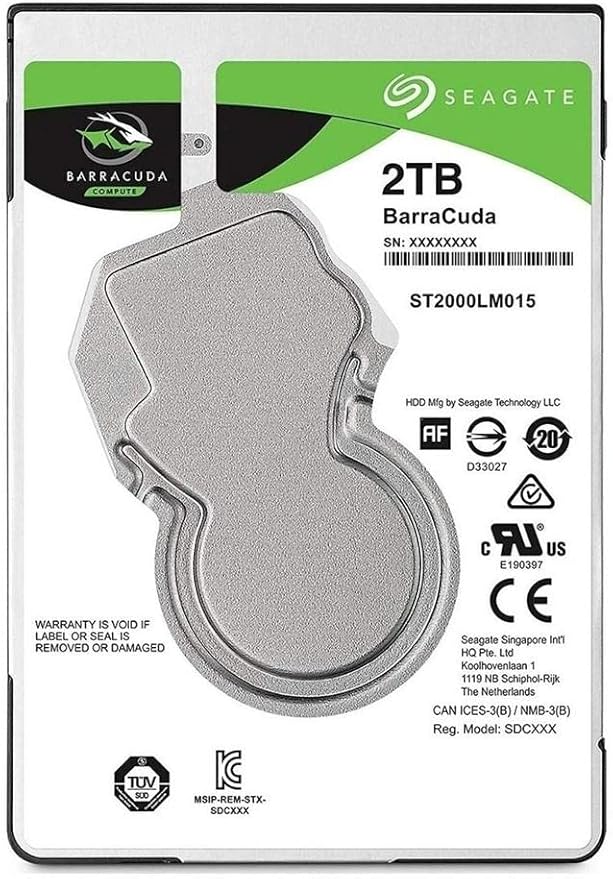
Seagate Barracuda 1TB Internal Hard Drive HDD 2.5 Inch SATA 6 Gb/s 5400 RPM 128MB Cache for PC Laptop (ST1000LM048)
Amazing Versatility Get the most out of your storage with BarraCuda hard drives. From computers full of photos and memories to gaming PCs that need more room to play, BarraCuda grows with you. Laptop and Mobile Storage Experience the highest capacity, and the thinnest 2.5-inch hard drive you’ve ever seen. Choose from 500 GB to 2 TB of massive storage for all of your application and data needs along with a slim 7 mm form factor drive that makes system upgrades very easy. Multi-Tier Caching Technology All hard drives in the BarraCuda family come equipped with Multi-Tier Caching Technology (MTC). MTC takes your PC to new performance levels, so you can load applications and files faster than ever before. By applying intelligent layers of NAND Flash, DRAM and media cache technologies, BarraCuda delivers improved read and write performance by optimising data flow. Trusted Dependability The BarraCuda family of reliable hard drives is here to stay, for years to come.
Amazing Versatility Get the most out of your storage with BarraCuda hard drives. From computers full of photos and memories to gaming PCs that need more room to play, BarraCuda grows with you. Laptop and Mobile Storage Experience the highest capacity, and the thinnest 2.5-inch hard drive you’ve ever seen. Choose from 500 GB to 2 TB of massive storage for all of your application and data needs along with a slim 7 mm form factor drive that makes system upgrades very easy. Multi-Tier Caching Technology All hard drives in the BarraCuda family come equipped with Multi-Tier Caching Technology (MTC). MTC takes your PC to new performance levels, so you can load applications and files faster than ever before. By applying intelligent layers of NAND Flash, DRAM and media cache technologies, BarraCuda delivers improved read and write performance by optimising data flow. Trusted Dependability The BarraCuda family of reliable hard drives is here to stay, for years to come.
Amazing Versatility Get the most out of your storage with BarraCuda hard drives. From computers full of photos and memories to gaming PCs that need more room to play, BarraCuda grows with you. Laptop and Mobile Storage Experience the highest capacity, and the thinnest 2.5-inch hard drive you’ve ever seen. Choose from 500 GB to 2 TB of massive storage for all of your application and data needs along with a slim 7 mm form factor drive that makes system upgrades very easy. Multi-Tier Caching Technology All hard drives in the BarraCuda family come equipped with Multi-Tier Caching Technology (MTC). MTC takes your PC to new performance levels, so you can load applications and files faster than ever before. By applying intelligent layers of NAND Flash, DRAM and media cache technologies, BarraCuda delivers improved read and write performance by optimising data flow. Trusted Dependability The BarraCuda family of reliable hard drives is here to stay, for years to come.
Amazing Versatility Get the most out of your storage with BarraCuda hard drives. From computers full of photos and memories to gaming PCs that need more room to play, BarraCuda grows with you. Laptop and Mobile Storage Experience the highest capacity, and the thinnest 2.5-inch hard drive you’ve ever seen. Choose from 500 GB to 2 TB of massive storage for all of your application and data needs along with a slim 7 mm form factor drive that makes system upgrades very easy. Multi-Tier Caching Technology All hard drives in the BarraCuda family come equipped with Multi-Tier Caching Technology (MTC). MTC takes your PC to new performance levels, so you can load applications and files faster than ever before. By applying intelligent layers of NAND Flash, DRAM and media cache technologies, BarraCuda delivers improved read and write performance by optimising data flow. Trusted Dependability The BarraCuda family of reliable hard drives is here to stay, for years to come.
in 6 offers
The lowest price for Seagate Barracuda 1TB Internal Hard Drive HDD 2.5 Inch SATA 6 Gb/s 5400 RPM 128MB Cache for PC Laptop (ST1000LM048) right now is $69.00 at Umart, compared across 4 retailers.
The all-time low was $69.00 on 5 Mar 2026. That's the lowest price we've ever tracked — a great time to buy.
Prices last updated 11 May 2026.