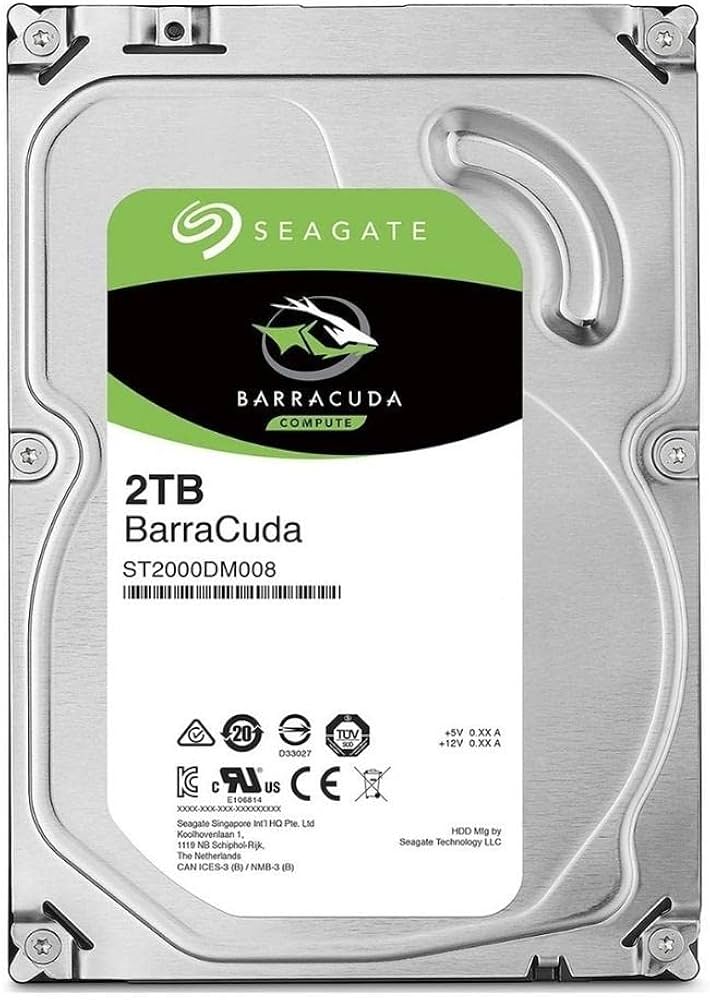
Seagate ST2000DM008 Internal Hard Drive - 2 TB - Silver
Make sure this fits by entering your model number. Ideal for desktop memory, all-in-one memory, home servers, the devices. Interface SATA with 6 Gbit/s With a storage capacity of 2 TB Advanced Power modes help save energy without sacrificing performance. Self-Encrypting Drive (SED) hardware-based data security and deliver an Instant Secure Erase feature for safe, fast and easy drive retirement.
Make sure this fits by entering your model number. Ideal for desktop memory, all-in-one memory, home servers, the devices. Interface SATA with 6 Gbit/s With a storage capacity of 2 TB Advanced Power modes help save energy without sacrificing performance. Self-Encrypting Drive (SED) hardware-based data security and deliver an Instant Secure Erase feature for safe, fast and easy drive retirement.
Make sure this fits by entering your model number. Ideal for desktop memory, all-in-one memory, home servers, the devices. Interface SATA with 6 Gbit/s With a storage capacity of 2 TB Advanced Power modes help save energy without sacrificing performance. Self-Encrypting Drive (SED) hardware-based data security and deliver an Instant Secure Erase feature for safe, fast and easy drive retirement.
Make sure this fits by entering your model number. Ideal for desktop memory, all-in-one memory, home servers, the devices. Interface SATA with 6 Gbit/s With a storage capacity of 2 TB Advanced Power modes help save energy without sacrificing performance. Self-Encrypting Drive (SED) hardware-based data security and deliver an Instant Secure Erase feature for safe, fast and easy drive retirement.
in 4 offers
The lowest price for Seagate ST2000DM008 Internal Hard Drive - 2 TB - Silver right now is $229.64 at Playthek.com, compared across 4 retailers.
The all-time low was $75.00 on 26 June 2023 — today's price is 206% above the lowest ever. It has been notably cheaper before — worth setting a price alert.
Prices last updated 11 Oct 2026.
Last updated at 11/10/2026 00:14:02
Seagate ST2000DM008 Internal Hard Drive – 2 TB – Silver, Mechanical Hard Disk
Affiliate Disclosure: We may receive a small commission for purchases made through this link at no extra cost to you. This helps support our site. Thank you!
Seagate 2TB Seagate Barracuda ST2000DM008 7200RPM 256MB
Free delivery
Seagate BarraCuda ST2000DM008 2TB 3.5" SATA3
Free delivery between Tue – Wed
Seagate ST2000DM008 Barracuda 2TB 3.5-inch Internal Hard Drive - SATA 6GB/s, 7200 RPM hdd speed, 256MB Cache, RoHS compliant, Serial ATA III interface
Delivery $259.59
originally posted on newegg.com
To be fair, in my experience using this drive for nearly 1.5 years, it has performed quite well. I have used it as a Windows OS drive running software which is not incredibly write-intensive which is reportedly a weakness of an HDD like this. It has performed well for my purposes, so I have nothing to complain about usage-wise. This HDD uses SMR (shingled magnetic recording) technology to record data to its platters. This technology allows HDDs to be built at higher capacities with fewer platters making them cheaper. What makes write speeds in this drive slower is that it must rewrite multiple tracks just to update as little as a single sector on disk. Such write operations can get pretty lengthy and complicated when lots of random writes are being performed which ... MoreTo be fair, in my experience using this drive for nearly 1.5 years, it has performed quite well. I have used it as a Windows OS drive running software which is not incredibly write-intensive which is reportedly a weakness of an HDD like this. It has performed well for my purposes, so I have nothing to complain about usage-wise. This HDD uses SMR (shingled magnetic recording) technology to record data to its platters. This technology allows HDDs to be built at higher capacities with fewer platters making them cheaper. What makes write speeds in this drive slower is that it must rewrite multiple tracks just to update as little as a single sector on disk. Such write operations can get pretty lengthy and complicated when lots of random writes are being performed which is why the drive needs 256 MB of cache memory (plus other measures) to mitigate the performance impact. But even that is not enough in some applications, especially certain RAID configurations used in some NAS and enterprise systems which got Western Digital in trouble in 2019. While Seagate didn't at first disclose the use of SMR in some of its drives, at least it didn't promote any particular series of drives using SMR technology for use in such configurations. I suppose, given my experience running an SMR drive as a Windows OS drive, I might buy one again for the same purpose; but it does still irk me; like it has irked so many others as shown by ridiculously popular reviews dumping on, ripping, destroying SMR drives; that such a technology was not disclosed early on in better detail to help customers make an educated decision on what they needed to buy in order to avoid setbacks caused by crippling performance issues in certain applications. The Barracuda line of drives is intended for typical desktop applications and storage. It is not intended for extremely random-write-intensive applications like large databases and sophisticated RAID configurations. For such high-performance applications, look to the Barracuda Pros and the IronWolf lines which all use good, ol' conventional recording methods. Sure, they cost a bit more, but you get what you pay for.
originally posted on ebay.com
Product came WELL packaged within multiple layers of cardboard. Electrostatic packaging appeared unopened and drive looked new. Luckily I found my extra SATA cables and quick install hard drive brackets for my housing. All connected effortlessly and my I7-2700 recognized it when I started the system back up. Took me a while to figure out how to get Windows 10 to recognize the space but soon figured that out and I now have 1.8TB of useable storage space for files and backups. So far so good and no hickups yet.
originally posted on newegg.com
I bought four of these drives about 6 months ago. A month or two ago, I started to notice system lock-ups that would last multiple seconds. I wrongly believed this was the operating system, but after reinstalling everything, I only just now looked at the SMART stats for each of the drives. Here's some of the stats from one of the drives. The remaining three all look similar. Raw Read Error Rate: 54,034,436 Seek Error Rate: 217,776,580 Hardware ECC Recovered: 54,034,436 Power On Hours: 3,927 (5.45 months) I'm quite happy that the hardware ECC caught each of the read errors. But it absolutely shouldn't have to, especially for all 4 of these drives. I understand that these are, indeed, consumer grade drives, so my expectations shouldn't be high, but is this trash ... MoreI bought four of these drives about 6 months ago. A month or two ago, I started to notice system lock-ups that would last multiple seconds. I wrongly believed this was the operating system, but after reinstalling everything, I only just now looked at the SMART stats for each of the drives. Here's some of the stats from one of the drives. The remaining three all look similar. Raw Read Error Rate: 54,034,436 Seek Error Rate: 217,776,580 Hardware ECC Recovered: 54,034,436 Power On Hours: 3,927 (5.45 months) I'm quite happy that the hardware ECC caught each of the read errors. But it absolutely shouldn't have to, especially for all 4 of these drives. I understand that these are, indeed, consumer grade drives, so my expectations shouldn't be high, but is this trash really what we're giving consumers? Even if I were a consumer, if I bought a computer that locked up for 5-10 seconds every few minutes, I would return it.
| General | |
| Device Type | Hard drive - internal |
| Capacity | 2 TB |
| Form Factor | 3.5" |
| Interface | SATA 6Gb/s |

Seagate ST2000DM008 Internal Hard Drive – 2 TB – Silver, Mechanical Hard Disk
Affiliate Disclosure: We may receive a small commission for purchases made through this link at no extra cost to you. This helps support our site. Thank you!
Seagate 2TB Seagate Barracuda ST2000DM008 7200RPM 256MB
Free delivery
Seagate BarraCuda ST2000DM008 2TB 3.5" SATA3
Free delivery between Tue – Wed
Seagate ST2000DM008 Barracuda 2TB 3.5-inch Internal Hard Drive - SATA 6GB/s, 7200 RPM hdd speed, 256MB Cache, RoHS compliant, Serial ATA III interface
Delivery $259.59
To be fair, in my experience using this drive for nearly 1.5 years, it has performed quite well. I have used it as a Windows OS drive running software which is not incredibly write-intensive which is reportedly a weakness of an HDD like this. It has performed well for my purposes, so I have nothing to complain about usage-wise. This HDD uses SMR (shingled magnetic recording) technology to record data to its platters. This technology allows HDDs to be built at higher capacities with fewer platters making them cheaper. What makes write speeds in this drive slower is that it must rewrite multiple tracks just to update as little as a single sector on disk. Such write operations can get pretty lengthy and complicated when lots of random writes are being performed which ... MoreTo be fair, in my experience using this drive for nearly 1.5 years, it has performed quite well. I have used it as a Windows OS drive running software which is not incredibly write-intensive which is reportedly a weakness of an HDD like this. It has performed well for my purposes, so I have nothing to complain about usage-wise. This HDD uses SMR (shingled magnetic recording) technology to record data to its platters. This technology allows HDDs to be built at higher capacities with fewer platters making them cheaper. What makes write speeds in this drive slower is that it must rewrite multiple tracks just to update as little as a single sector on disk. Such write operations can get pretty lengthy and complicated when lots of random writes are being performed which is why the drive needs 256 MB of cache memory (plus other measures) to mitigate the performance impact. But even that is not enough in some applications, especially certain RAID configurations used in some NAS and enterprise systems which got Western Digital in trouble in 2019. While Seagate didn't at first disclose the use of SMR in some of its drives, at least it didn't promote any particular series of drives using SMR technology for use in such configurations. I suppose, given my experience running an SMR drive as a Windows OS drive, I might buy one again for the same purpose; but it does still irk me; like it has irked so many others as shown by ridiculously popular reviews dumping on, ripping, destroying SMR drives; that such a technology was not disclosed early on in better detail to help customers make an educated decision on what they needed to buy in order to avoid setbacks caused by crippling performance issues in certain applications. The Barracuda line of drives is intended for typical desktop applications and storage. It is not intended for extremely random-write-intensive applications like large databases and sophisticated RAID configurations. For such high-performance applications, look to the Barracuda Pros and the IronWolf lines which all use good, ol' conventional recording methods. Sure, they cost a bit more, but you get what you pay for.
Product came WELL packaged within multiple layers of cardboard. Electrostatic packaging appeared unopened and drive looked new. Luckily I found my extra SATA cables and quick install hard drive brackets for my housing. All connected effortlessly and my I7-2700 recognized it when I started the system back up. Took me a while to figure out how to get Windows 10 to recognize the space but soon figured that out and I now have 1.8TB of useable storage space for files and backups. So far so good and no hickups yet.
I bought four of these drives about 6 months ago. A month or two ago, I started to notice system lock-ups that would last multiple seconds. I wrongly believed this was the operating system, but after reinstalling everything, I only just now looked at the SMART stats for each of the drives. Here's some of the stats from one of the drives. The remaining three all look similar. Raw Read Error Rate: 54,034,436 Seek Error Rate: 217,776,580 Hardware ECC Recovered: 54,034,436 Power On Hours: 3,927 (5.45 months) I'm quite happy that the hardware ECC caught each of the read errors. But it absolutely shouldn't have to, especially for all 4 of these drives. I understand that these are, indeed, consumer grade drives, so my expectations shouldn't be high, but is this trash ... MoreI bought four of these drives about 6 months ago. A month or two ago, I started to notice system lock-ups that would last multiple seconds. I wrongly believed this was the operating system, but after reinstalling everything, I only just now looked at the SMART stats for each of the drives. Here's some of the stats from one of the drives. The remaining three all look similar. Raw Read Error Rate: 54,034,436 Seek Error Rate: 217,776,580 Hardware ECC Recovered: 54,034,436 Power On Hours: 3,927 (5.45 months) I'm quite happy that the hardware ECC caught each of the read errors. But it absolutely shouldn't have to, especially for all 4 of these drives. I understand that these are, indeed, consumer grade drives, so my expectations shouldn't be high, but is this trash really what we're giving consumers? Even if I were a consumer, if I bought a computer that locked up for 5-10 seconds every few minutes, I would return it.
This is to replace the previous Western Digital of the same that lasted 9 years.The same replacement cost $170 because it is out of production.I am glad that I found this model to be a good replacement. It works like a charm. I have confidence in this brand as it is among the best on this line of products.Also received good service from Staples. Thank you.
I've purchased 12 of these drives to put into a home unRAID NAS I built out of an old HP Proliant DL380 G7. I use 2 parity drives with 10 of these drives for data. The drives are about as thick (15mm) as the SAS 2.5" drives from HP and produce close to the same level of heat and noise. Also, with unRAID, it spins up drives on demand and keeps other drives spun down when not using them. I've been using these drives for several months with little issue. The only problem I had with them is that 2 of them developed some sector corruption that were uncorrectable. The likely cause for this corruption was an abrupt power kill on my server while files were being written from the cache drive to the disk array. I now have my server on an UPS to gracefully shutdown in case of ... MoreI've purchased 12 of these drives to put into a home unRAID NAS I built out of an old HP Proliant DL380 G7. I use 2 parity drives with 10 of these drives for data. The drives are about as thick (15mm) as the SAS 2.5" drives from HP and produce close to the same level of heat and noise. Also, with unRAID, it spins up drives on demand and keeps other drives spun down when not using them. I've been using these drives for several months with little issue. The only problem I had with them is that 2 of them developed some sector corruption that were uncorrectable. The likely cause for this corruption was an abrupt power kill on my server while files were being written from the cache drive to the disk array. I now have my server on an UPS to gracefully shutdown in case of a power failure. I have a mixture of other drives installed in the remaining drive bays, but the plan is to outfit all 16 bays with one of these drives. I feel fairly confident in this 2U SFF build, but this drive configuration is certainly not supported/endorsed by Seagate or HP. Nothing on the system is mission critical as it's primarily used for home media. I would say to build something like this configuration at your own risk and build gradually so you don't have all drives fail at once. It's going to take active maintenance to ensure that my drive array stays healthy.
I've bought several iterations of this 1.8TB Seagate drive over the years and I never have been let down by their performance of reliability. I bought two (3.6TB) of these to put in a volatile RAID 0 drive for a local "cache" drive for my cloud-based backups. Earlier in the week, I had purchased a single 4TB WD Black drive for the same purpose, but grew unhappy with the amount of noise it was producing (a lot, rumble, head noise, a lot). So I thought I'd try something different: 2, 2TB drives in RAID 0. I wasn't expecting these Seagates individually to perform at the level of the WD Black, but I certainly thought in RAID 0, they'd run circles around it. Answer: nope. In fact, with a RAID 0 configuration, I was seeing shockingly lower speeds, especially on write ... MoreI've bought several iterations of this 1.8TB Seagate drive over the years and I never have been let down by their performance of reliability. I bought two (3.6TB) of these to put in a volatile RAID 0 drive for a local "cache" drive for my cloud-based backups. Earlier in the week, I had purchased a single 4TB WD Black drive for the same purpose, but grew unhappy with the amount of noise it was producing (a lot, rumble, head noise, a lot). So I thought I'd try something different: 2, 2TB drives in RAID 0. I wasn't expecting these Seagates individually to perform at the level of the WD Black, but I certainly thought in RAID 0, they'd run circles around it. Answer: nope. In fact, with a RAID 0 configuration, I was seeing shockingly lower speeds, especially on write operations (~64MB/sec READ!) on Crystal's 1GB testbench) compared with 160MB/sec on the WD Black, non RAID 0. Yes, I checked for shared resources (I have a Z270 platform), and I even made sure my test bench was on the same SATA buses. One place this did well was on cloning operations between disks. I saw 250MB/sec in my RAID 0 for both READ and Write operations. But cloning operations are not normal operating scenarios. They were also considerably quieter than my singular WD Black, even in RAID 0 (2 vs 1)
This is an SMR drive shucked from a cheap external drive. It's a great, very cheap way to fill 2.5 inch 15mm bays with a lot of storage. But know and understand what you are getting and your workload. SMR drives are good at reads and sequential writes, and are very bad at random access writes because they have to re-write a lot of data even if all you do is change a few bytes in the middle of something. Good for media or one-time backups, but bad for incremental backups, lots of small files, or some filesystems like ZFS. They have part of the disk that works in a conventional way and then transfer it to the slower SMR section later on when they can. If you are using it sparingly enough that it can keep up, you won't even notice. But if you are hitting it hard with a ... MoreThis is an SMR drive shucked from a cheap external drive. It's a great, very cheap way to fill 2.5 inch 15mm bays with a lot of storage. But know and understand what you are getting and your workload. SMR drives are good at reads and sequential writes, and are very bad at random access writes because they have to re-write a lot of data even if all you do is change a few bytes in the middle of something. Good for media or one-time backups, but bad for incremental backups, lots of small files, or some filesystems like ZFS. They have part of the disk that works in a conventional way and then transfer it to the slower SMR section later on when they can. If you are using it sparingly enough that it can keep up, you won't even notice. But if you are hitting it hard with a workload it isn't good at, it will get really slow. Be aware. Know your workload before you buy.
As a lead tech support person for a university entity I was responsible for student labs, server installations and faculty and staff support. I always specified Seagate hard drives for our equipment, and for myown personal computers. In using Seagate drives for more than 30 years I never experienced one failure or other problem. Additionally, Seagate customersupport was always friendly and forthcoming in answering any questions I might have had. This current 2TB drive was used to upgrade my personal computer for (successfully) upgrading to Windows 11. I always recommend these drives whenasked.
I previously had a newer 2 teribite hard drive and my computer got unplugged while it was running, this destroyed the hard drive because it didn't write to an actual disc. So I ordered this one it's slightly larger and slightly slower than the drive my computer was built but we have power outages from time to time and this is a better option. I mentioned that it was slightly larger than the original, the other one had to have a spacer to make it fit into the computer slot. The wires are all the same. I am very pleased.
First drive arrived with bad sectors fresh out of the box. Decided to give them a chance to replace it since I've had very reliable Seagate drives in the past. Now the SMART data is showing end to end errors imminent failures. Volumes mounted read only. Tons of random command failures. Barely 2 years old according to my order records at Newegg. Warranty is 2 years so we're right on time I guess. Unlike Seagate products in the past, this is not a good product as your primary hard drive you rely on. But if say you're building a PVR to record TV shows or you want a drive to store your games from Steam where your saves are safe in the cloud, this product gives you huge space on the cheap for your non-precious data.
| General | |
| Device Type | Hard drive - internal |
| Capacity | 2 TB |
| Form Factor | 3.5" |
| Interface | SATA 6Gb/s |