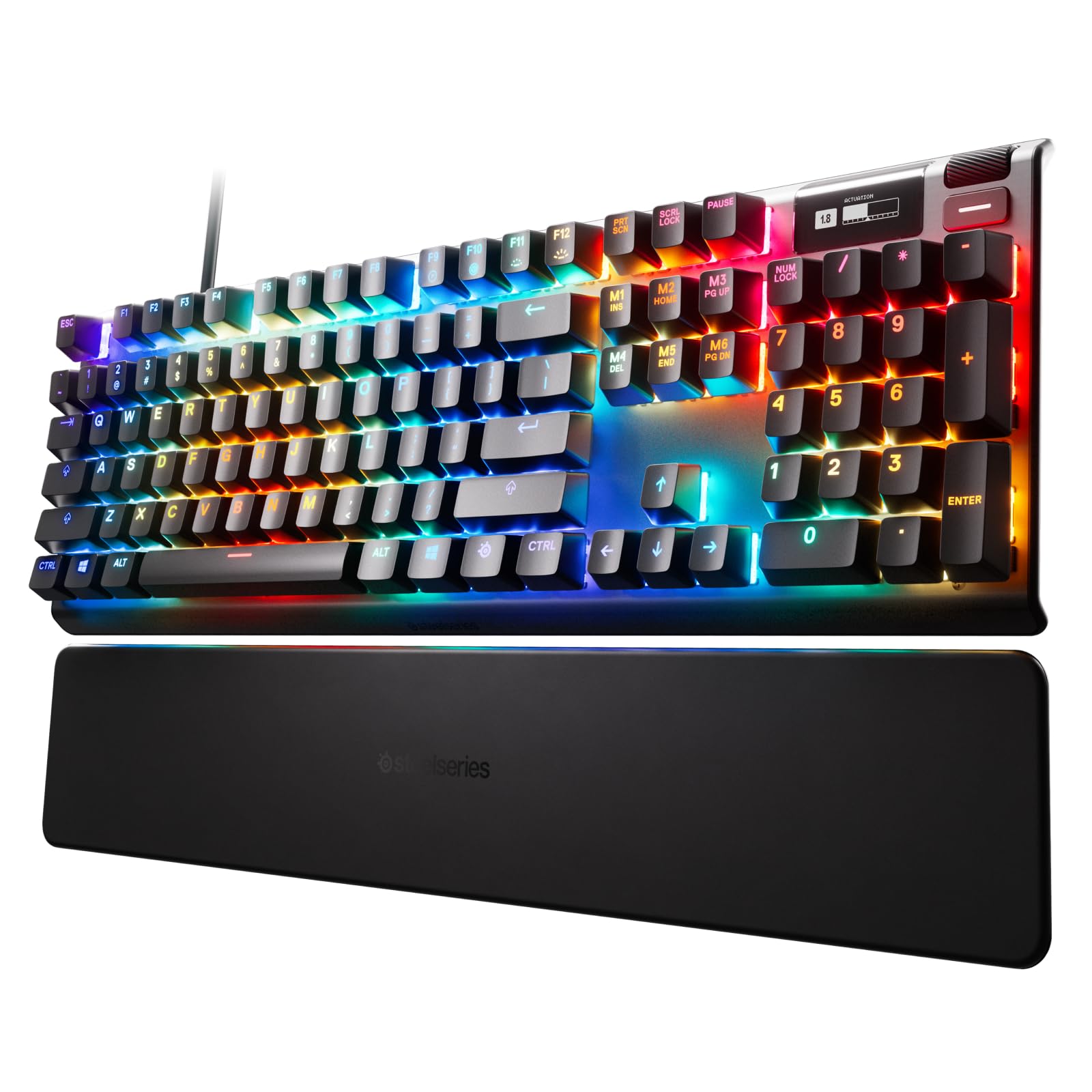
SteelSeries Apex Pro Mini Wireless Gaming Keyboard (US)
Elevate your gaming experience with the SteelSeries Apex Pro Keyboard. Boasting OmniPoint 2.0 hall effect magnetic switches that are 11x quicker with 10x swifter actuation than typical mechanical switches. You can also customise the sensitivity of every key to the nearest 0.1 mm. Its OLED Smart Display delivers information at a glance from games and apps alongside a clickable metal roller and media key with USB passthrough to connect an additional USB-powered device.
Elevate your gaming experience with the SteelSeries Apex Pro Keyboard. Boasting OmniPoint 2.0 hall effect magnetic switches that are 11x quicker with 10x swifter actuation than typical mechanical switches. You can also customise the sensitivity of every key to the nearest 0.1 mm. Its OLED Smart Display delivers information at a glance from games and apps alongside a clickable metal roller and media key with USB passthrough to connect an additional USB-powered device.
Elevate your gaming experience with the SteelSeries Apex Pro Keyboard. Boasting OmniPoint 2.0 hall effect magnetic switches that are 11x quicker with 10x swifter actuation than typical mechanical switches. You can also customise the sensitivity of every key to the nearest 0.1 mm. Its OLED Smart Display delivers information at a glance from games and apps alongside a clickable metal roller and media key with USB passthrough to connect an additional USB-powered device.
Elevate your gaming experience with the SteelSeries Apex Pro Keyboard. Boasting OmniPoint 2.0 hall effect magnetic switches that are 11x quicker with 10x swifter actuation than typical mechanical switches. You can also customise the sensitivity of every key to the nearest 0.1 mm. Its OLED Smart Display delivers information at a glance from games and apps alongside a clickable metal roller and media key with USB passthrough to connect an additional USB-powered device.
in 7 offers
The lowest price for SteelSeries Apex Pro Mini Wireless Gaming Keyboard (US) right now is $340.53 at microless.com, compared across 7 retailers.
The all-time low was $85.00 on 8 Aug 2026 — today's price is 301% above the lowest ever. It has been notably cheaper before — worth setting a price alert.
Prices last updated 19 Oct 2026.
Last updated at 19/10/2026 20:59:33
Steelseries Apex Pro Mini Wireless Gaming Keyboard, Fastest Omnipoint 2.0 Adjustable Switches, 100M Presses, 5 Custom Profiles, Bluetooth 5.0, USB Typ
Delivery between 23–30 Oct $44.16
Mastercard $100 OFF | SteelSeries Apex Pro Mini Wireless 60% ANSI PBT Keyboard 64842
Delivery $32.86
Steelseries Apex Pro Mini Gaming Keyboard
Delivery between 23–28 Oct $7.95
SteelSeries Apex Pro Mini Wireless - HyperMagnetic Gaming Keyboard - World's Fastest Keyboard - Compact 60% Form Factor - Adjustable Actuation - RGB
Delivery between 24–28 Oct $41
Steelseries 64842 Apex Pro Mini Gaming Keyboard Wireless Us Wirel
Free delivery
Affiliate Disclosure: We may receive a small commission for purchases made through this link at no extra cost to you. This helps support our site. Thank you!
SteelSeries Apex Pro Mini Wireless - HyperMagnetic Gaming Keyboard - World's Fastest Keyboard - Compact 60% Form Factor - Adjustable Actuation - RGB -
Free delivery between 28 Oct – 3 Nov
SteelSeries Apex Pro Mini Wireless - HyperMagnetic Gaming Keyboard - World's Fastest Keyboard - Compact 60% Form Factor - Adjustable Actuation - RGB -
Free delivery between 28 Oct – 3 Nov
originally posted on bestbuy.com
The Steelseries Apex 9 Mini packs a lot of punch for what it is mainly a mini gaming keyboard. Being TKL this keyboard is small. But this is not the usual TKL where it is around 80% of a full sized keyboard. The Apex 9 Mini is 60% of the size of 101-key keyboard. That said it can cater for those who just want a small keyboard or those who want a full fledged compact gaming keyboard that they can take anywhere, The Apex 9 Mini aside from its small form factor boasts of linear optical switches and a two-point actuation. In layman’s terms this would roughly translate to gaming mode and timing mode. (I understand other Apex series keyboards have more functionality.) The keyboard has a multi-function key wherein it is used to toggle between modes. And since the so-called ... MoreThe Steelseries Apex 9 Mini packs a lot of punch for what it is mainly a mini gaming keyboard. Being TKL this keyboard is small. But this is not the usual TKL where it is around 80% of a full sized keyboard. The Apex 9 Mini is 60% of the size of 101-key keyboard. That said it can cater for those who just want a small keyboard or those who want a full fledged compact gaming keyboard that they can take anywhere, The Apex 9 Mini aside from its small form factor boasts of linear optical switches and a two-point actuation. In layman’s terms this would roughly translate to gaming mode and timing mode. (I understand other Apex series keyboards have more functionality.) The keyboard has a multi-function key wherein it is used to toggle between modes. And since the so-called “non-essential” keys for gaming are removed, you can also use this toggle key to enable F-key, arrow key and other functions keys capabilities. The keyboard itself is powered and connected via a USB-C to USB-cable. Customization of this keyboard is possible due to the inclusion of swappable optical switches. For your convenience, a switch removal tool (or simply a pair of tweezers) is located at the back/bottom of the keyboard. Further customization of the keyboard isuch as changing light patterns, function/macro keys are made possible by a downloadable app called the Steelseries Engine via the website. And to add some durability a steel/aluminum front plate is included int he keyboard. And eventually typing fairy comfortable. And while the Steelseries Apex 9 Mini may not be my prefferred keyboard style (pretty much I’m still a 101-key keyboard guy), I would rank it favorably because in spite of it’s small size, it can deliver much of what games want. For this reason, I am highly recommending this keyboard.
originally posted on bestbuy.com
Design: Pros: - Heavy and solid construction - LED lighting is bright and visible - Eliminates 40% of the space a normal keyboard takes up - Each key has an adjustable actuation (how responsive the keypress is) - Each key has an adjustable LED light - Intentionally wired - USB C cable is removable from the keyboard itself, allowing for different length option - Function key that allows for multi-use of specific keys to accommodate for the missing 40% of keys a full keyboard would have - Each key has dual purpose actuation. This allows for one action for the first 50% of the key press and a second action for the other 50% of the key press. This can be used as a “walk” for the first 50% and a “run” when fully depressed in a game - There is a key removal tool included ... MoreDesign: Pros: - Heavy and solid construction - LED lighting is bright and visible - Eliminates 40% of the space a normal keyboard takes up - Each key has an adjustable actuation (how responsive the keypress is) - Each key has an adjustable LED light - Intentionally wired - USB C cable is removable from the keyboard itself, allowing for different length option - Function key that allows for multi-use of specific keys to accommodate for the missing 40% of keys a full keyboard would have - Each key has dual purpose actuation. This allows for one action for the first 50% of the key press and a second action for the other 50% of the key press. This can be used as a “walk” for the first 50% and a “run” when fully depressed in a game - There is a key removal tool included on the underside of the keyboard Cons: - There is substantial travel when pressing a key fully down due to its dual actuation capabilities. While some may find this a pro (as outlined above) some may find this obnoxious after using more slimline keyboards. - Lack of a wrist rest included - While amazing for taking nonsense keys out of gaming, this hinders the keyboards use in production settings. This is more of a “gaming intended only” keyboard SteelSeries Software Pros: - Tons of configuration options. - Each key can have individual lighting - Each key can have individual multi point actuation adjustments from sensitivity to function - Allows for firmware updates - Can be used to sync lighting affects between other SteelSeries products - Can configure profiles so the keyboard will change settings for specific games or applications Bottom Line: The SteelSeries Apex pro is an outstanding, space saving keyboard that gives gamers exactly what they need and nothing more. I appreciate the simplicity of the layout, comfort in saving space on the desk, leaving plenty of room for mouse movement. The configuration options are vast and meet any possible gaming need. The only hesitation I see is for use outside of gaming, which is not the intended use case anyway. While usable in production settings, it hinders due to lack of key pad and extra function keys. I have use dozens of gaming keyboards from all manufacturers and I think this one will be plugged into my rig for quite some time to come.
originally posted on bestbuy.com
This is the third mini keyboard I have tested, and I am quite enjoying it! This Apex Pro Mini, descended from the award-winning Apex Pro full-sized gaming keyboard, stands up well to that reputation. This keyboard has a great amount of customizability, including the ability to change the actuation of each keystroke via the SteelSeries GG software. It also provides the ability to set dual actuation actions, where for example a single key like W can be set to walk at partial actuation and then sprint at full actuation. These Omnipoint adjustable switches evidently are the first of their kind and could prove quite competitive to the right users. The switches themselves present here feel like basic linear switches: smooth keystroke with a small tap at the bottom to let ... MoreThis is the third mini keyboard I have tested, and I am quite enjoying it! This Apex Pro Mini, descended from the award-winning Apex Pro full-sized gaming keyboard, stands up well to that reputation. This keyboard has a great amount of customizability, including the ability to change the actuation of each keystroke via the SteelSeries GG software. It also provides the ability to set dual actuation actions, where for example a single key like W can be set to walk at partial actuation and then sprint at full actuation. These Omnipoint adjustable switches evidently are the first of their kind and could prove quite competitive to the right users. The switches themselves present here feel like basic linear switches: smooth keystroke with a small tap at the bottom to let you know full actuation has occurred. The build quality of the keyboard is right in line with my SteelSeries Aerox 5 mouse I use in complement with it: plastic, matte finish with a tactile texture. This is suitable in my opinion to maintain good contact with the keys during frenetic keystrokes in an FPS or MMORPG games without the sweat or grease of your fingertips slipping on the keypads. As regular typing experience goes, I don’t mind this at all. If you have not utilized 60% mini keyboards before, there is some time needed to get used to the absence of a function row of keys or arrow keys. Once one becomes acquainted with this, old home-row typing habits return and it is off to the races with typing like normal again. Plus, the amount of desk space this saves you over a regular sized or TKL keyboard is tremendous. There is a lot more room for me to multitask on my desk now with this keyboard present. One of the things I like about this keyboard is the little easter egg the put on the backside of the keyboard. Behind a rubber peel away cover, there is a handy little keycap pulling tool in the customary SteelSeries brand orange color! That is really cool and shows they care about users’ ability to customize or clean the keyboard on the go. Altogether, I am highly in favor of this keyboard. If you are in the market for a well-made, highly featured mini keyboard, this one would be an excellent choice to consider! Thanks for reading and hope this review has helped encourage your purchase decision.
| General | |
| Device Type | Keyboard |
| Backlit | Per-key RGB |
| Interface | USB, 2.4 GHz, Bluetooth 5.0 |
| Wireless Receiver | USB-C wireless receiver |
Steelseries Apex Pro Mini Wireless Gaming Keyboard, Fastest Omnipoint 2.0 Adjustable Switches, 100M Presses, 5 Custom Profiles, Bluetooth 5.0, USB Typ
Delivery between 23–30 Oct $44.16
Mastercard $100 OFF | SteelSeries Apex Pro Mini Wireless 60% ANSI PBT Keyboard 64842
Delivery $32.86
Steelseries Apex Pro Mini Gaming Keyboard
Delivery between 23–28 Oct $7.95
SteelSeries Apex Pro Mini Wireless - HyperMagnetic Gaming Keyboard - World's Fastest Keyboard - Compact 60% Form Factor - Adjustable Actuation - RGB
Delivery between 24–28 Oct $41
Steelseries 64842 Apex Pro Mini Gaming Keyboard Wireless Us Wirel
Free delivery
Affiliate Disclosure: We may receive a small commission for purchases made through this link at no extra cost to you. This helps support our site. Thank you!
The Steelseries Apex 9 Mini packs a lot of punch for what it is mainly a mini gaming keyboard. Being TKL this keyboard is small. But this is not the usual TKL where it is around 80% of a full sized keyboard. The Apex 9 Mini is 60% of the size of 101-key keyboard. That said it can cater for those who just want a small keyboard or those who want a full fledged compact gaming keyboard that they can take anywhere, The Apex 9 Mini aside from its small form factor boasts of linear optical switches and a two-point actuation. In layman’s terms this would roughly translate to gaming mode and timing mode. (I understand other Apex series keyboards have more functionality.) The keyboard has a multi-function key wherein it is used to toggle between modes. And since the so-called ... MoreThe Steelseries Apex 9 Mini packs a lot of punch for what it is mainly a mini gaming keyboard. Being TKL this keyboard is small. But this is not the usual TKL where it is around 80% of a full sized keyboard. The Apex 9 Mini is 60% of the size of 101-key keyboard. That said it can cater for those who just want a small keyboard or those who want a full fledged compact gaming keyboard that they can take anywhere, The Apex 9 Mini aside from its small form factor boasts of linear optical switches and a two-point actuation. In layman’s terms this would roughly translate to gaming mode and timing mode. (I understand other Apex series keyboards have more functionality.) The keyboard has a multi-function key wherein it is used to toggle between modes. And since the so-called “non-essential” keys for gaming are removed, you can also use this toggle key to enable F-key, arrow key and other functions keys capabilities. The keyboard itself is powered and connected via a USB-C to USB-cable. Customization of this keyboard is possible due to the inclusion of swappable optical switches. For your convenience, a switch removal tool (or simply a pair of tweezers) is located at the back/bottom of the keyboard. Further customization of the keyboard isuch as changing light patterns, function/macro keys are made possible by a downloadable app called the Steelseries Engine via the website. And to add some durability a steel/aluminum front plate is included int he keyboard. And eventually typing fairy comfortable. And while the Steelseries Apex 9 Mini may not be my prefferred keyboard style (pretty much I’m still a 101-key keyboard guy), I would rank it favorably because in spite of it’s small size, it can deliver much of what games want. For this reason, I am highly recommending this keyboard.
Design: Pros: - Heavy and solid construction - LED lighting is bright and visible - Eliminates 40% of the space a normal keyboard takes up - Each key has an adjustable actuation (how responsive the keypress is) - Each key has an adjustable LED light - Intentionally wired - USB C cable is removable from the keyboard itself, allowing for different length option - Function key that allows for multi-use of specific keys to accommodate for the missing 40% of keys a full keyboard would have - Each key has dual purpose actuation. This allows for one action for the first 50% of the key press and a second action for the other 50% of the key press. This can be used as a “walk” for the first 50% and a “run” when fully depressed in a game - There is a key removal tool included ... MoreDesign: Pros: - Heavy and solid construction - LED lighting is bright and visible - Eliminates 40% of the space a normal keyboard takes up - Each key has an adjustable actuation (how responsive the keypress is) - Each key has an adjustable LED light - Intentionally wired - USB C cable is removable from the keyboard itself, allowing for different length option - Function key that allows for multi-use of specific keys to accommodate for the missing 40% of keys a full keyboard would have - Each key has dual purpose actuation. This allows for one action for the first 50% of the key press and a second action for the other 50% of the key press. This can be used as a “walk” for the first 50% and a “run” when fully depressed in a game - There is a key removal tool included on the underside of the keyboard Cons: - There is substantial travel when pressing a key fully down due to its dual actuation capabilities. While some may find this a pro (as outlined above) some may find this obnoxious after using more slimline keyboards. - Lack of a wrist rest included - While amazing for taking nonsense keys out of gaming, this hinders the keyboards use in production settings. This is more of a “gaming intended only” keyboard SteelSeries Software Pros: - Tons of configuration options. - Each key can have individual lighting - Each key can have individual multi point actuation adjustments from sensitivity to function - Allows for firmware updates - Can be used to sync lighting affects between other SteelSeries products - Can configure profiles so the keyboard will change settings for specific games or applications Bottom Line: The SteelSeries Apex pro is an outstanding, space saving keyboard that gives gamers exactly what they need and nothing more. I appreciate the simplicity of the layout, comfort in saving space on the desk, leaving plenty of room for mouse movement. The configuration options are vast and meet any possible gaming need. The only hesitation I see is for use outside of gaming, which is not the intended use case anyway. While usable in production settings, it hinders due to lack of key pad and extra function keys. I have use dozens of gaming keyboards from all manufacturers and I think this one will be plugged into my rig for quite some time to come.
This is the third mini keyboard I have tested, and I am quite enjoying it! This Apex Pro Mini, descended from the award-winning Apex Pro full-sized gaming keyboard, stands up well to that reputation. This keyboard has a great amount of customizability, including the ability to change the actuation of each keystroke via the SteelSeries GG software. It also provides the ability to set dual actuation actions, where for example a single key like W can be set to walk at partial actuation and then sprint at full actuation. These Omnipoint adjustable switches evidently are the first of their kind and could prove quite competitive to the right users. The switches themselves present here feel like basic linear switches: smooth keystroke with a small tap at the bottom to let ... MoreThis is the third mini keyboard I have tested, and I am quite enjoying it! This Apex Pro Mini, descended from the award-winning Apex Pro full-sized gaming keyboard, stands up well to that reputation. This keyboard has a great amount of customizability, including the ability to change the actuation of each keystroke via the SteelSeries GG software. It also provides the ability to set dual actuation actions, where for example a single key like W can be set to walk at partial actuation and then sprint at full actuation. These Omnipoint adjustable switches evidently are the first of their kind and could prove quite competitive to the right users. The switches themselves present here feel like basic linear switches: smooth keystroke with a small tap at the bottom to let you know full actuation has occurred. The build quality of the keyboard is right in line with my SteelSeries Aerox 5 mouse I use in complement with it: plastic, matte finish with a tactile texture. This is suitable in my opinion to maintain good contact with the keys during frenetic keystrokes in an FPS or MMORPG games without the sweat or grease of your fingertips slipping on the keypads. As regular typing experience goes, I don’t mind this at all. If you have not utilized 60% mini keyboards before, there is some time needed to get used to the absence of a function row of keys or arrow keys. Once one becomes acquainted with this, old home-row typing habits return and it is off to the races with typing like normal again. Plus, the amount of desk space this saves you over a regular sized or TKL keyboard is tremendous. There is a lot more room for me to multitask on my desk now with this keyboard present. One of the things I like about this keyboard is the little easter egg the put on the backside of the keyboard. Behind a rubber peel away cover, there is a handy little keycap pulling tool in the customary SteelSeries brand orange color! That is really cool and shows they care about users’ ability to customize or clean the keyboard on the go. Altogether, I am highly in favor of this keyboard. If you are in the market for a well-made, highly featured mini keyboard, this one would be an excellent choice to consider! Thanks for reading and hope this review has helped encourage your purchase decision.
As you improve your performance in your favorite video game(s), having better gear such as a faster keyboard becomes a major advantage. There are games that require a lot of precision and a minimum response time, this is where it comes into play what kind of switches has the keyboard we use and what is the response time, which settings we have chosen and the key binds we use. This mechanical keyboard has Optipoint optical switches with an actuation point of 1mm gaming mode and adjustable to 1.5mm in typing mode, the amount of strength required to register the key we are pressing is minimal, it can be perceived a lot in shooters mainly. To configure the keys and assign the functions you want you need to download the app Steelseries GG, in this app you can configure ... MoreAs you improve your performance in your favorite video game(s), having better gear such as a faster keyboard becomes a major advantage. There are games that require a lot of precision and a minimum response time, this is where it comes into play what kind of switches has the keyboard we use and what is the response time, which settings we have chosen and the key binds we use. This mechanical keyboard has Optipoint optical switches with an actuation point of 1mm gaming mode and adjustable to 1.5mm in typing mode, the amount of strength required to register the key we are pressing is minimal, it can be perceived a lot in shooters mainly. To configure the keys and assign the functions you want you need to download the app Steelseries GG, in this app you can configure the keyboard lighting and create different profiles if we require a specific configuration for each game. Also within the app you can edit macros and create shortcuts to taste. I highly recommend downloading the app to get the most out of this keyboard. Regarding the performance this keyboard meets expectations, both for gaming or for typing, the experience is very pleasant, you can feel and hear the quality with every click. The material that the keycaps are made of feels of very good quality, the base is made of aluminum and has a compartment where a keycap puller tool si located, a detail that is appreciated. The sound of the keys is, in my opinion, very balanced, not too clicky but not too quiet, it is a very nice sound. Despite being aware of the limitations of a 60% keyboard, it takes some time getting used to, besides that some functions that a full keyboard has, have to be executed with the special function key. For non-gaming or typing purposes, I feel it is more comfortable to have a full keyboard, having both would be a very favorable alternative. In summary, this wired mechanical keyboard fulfills its purpose outstandingly, it is a solid product in which the price is reflected in the aesthetics, how well it is made and how well it works. You have a very fast swappable optical switches, a software that allows almost complete customization of the keyboard and a fantastic RGB lighting. If you want quality, speed and aesthetics, this keyboard is a great choice, highly recommended.
Over the years, I have had hands-on experience with a plethora of keyboards spanning various form-factors, switch-types, and configurations. That said, the SteelSeries Apex Pro Mini is the one of the most compact, customizable, and powerful keyboards I’ve ever used. After opening the packaging, the keyboard’s size is its most noticeable aspect. Featuring a compact 60% size (i.e., no dedicated arrow keys, ten-key pad, media function keys, function keys, or navigation keys), this keyboard sports only the keys you absolutely need while maintaining all the functionality of said removed keys. The keyboard provides these functionalities via a responsive and robust “SteelSeries Key” located between the Right Windows Key and the Right Control Key operating much like the “Fn ... MoreOver the years, I have had hands-on experience with a plethora of keyboards spanning various form-factors, switch-types, and configurations. That said, the SteelSeries Apex Pro Mini is the one of the most compact, customizable, and powerful keyboards I’ve ever used. After opening the packaging, the keyboard’s size is its most noticeable aspect. Featuring a compact 60% size (i.e., no dedicated arrow keys, ten-key pad, media function keys, function keys, or navigation keys), this keyboard sports only the keys you absolutely need while maintaining all the functionality of said removed keys. The keyboard provides these functionalities via a responsive and robust “SteelSeries Key” located between the Right Windows Key and the Right Control Key operating much like the “Fn Key” found on many laptops. While holding the SteelSeries Key, the user can access the secondary functions of each key which are clearly labeled on the front of each keycap. This sort of interface may be a dealbreaker for some, but I found it was rather easy to get acclimated to. I spend a lot of time in productivity applications and, while a full-size keyboard can be easily operated out of the box with no extra thinking involved, I found I was able to achieve a comparable performance level with this keyboard after a short learning curve. Another immediately noticeable aspect of this keyboard is its utilization of SteelSeries proprietary OmniPoint Adjustable Actuation Switches. Typically, I immediately take pause when a manufacturer touts its proprietary switches as superior to traditional mechanical switches; however, I was happily proven wrong on this one. The actuation point of the switches is customizable via SteelSeries GG, a software typically bundled with any SteelSeries product, and offers settings ranging from an unbelievably sensitive hair trigger to requiring the key to be fully depressed for actuation. This allows for a degree of customization that would have previously required you to buy a whole new keyboard with different switches. It is important to note, however, that modifying the actuation point of the switches DOES NOT modify the tactile or audible responses of the keyboard. If I were to compare the feel of these switches to a traditional mechanical switch, I would say they are most similar to Cherry MX Reds where there is no tactile actuation feedback, and the keys need not be bottomed out for actuation. Personally, I find that an actuation point of 1.6 in SteelSeries GG offers the quickest and most sensitive response for my typing style while avoiding unintended keypresses. You may notice that the majority of the keyboard is constructed out of plastic; however, I would not consider this to be a downfall as I would with many other keyboards. Whatever kind of space-age plastic they used in constructing this keyboard feels astoundingly rigid, premium, and hefty -- there is ZERO flex to this keyboard whatsoever. The keys also have a grin-inducing texture to them highly reminiscent of the classic beige keyboards with purple PS/2 connectors. Another aspect of the keyboard I would like to touch on is the customizability of each key’s individual function. Via use of the SteelSeries GG software, the user can reprogram any key to perform nearly any function including straight-up rebinds, execution of user-generated macros, and even dual-press keys. I don’t typically make much use of features like this, however, I found that rebinding the Right Windows Key to function as a Second “SteelSeries Key” eliminated the few inadvertent keystrokes I was performing when initially getting my feet wet with the keyboard (and I never really use the Right Windows Key anyhow). SteelSeries GG also allows users to customize the per-key RGB backlighting to their heart’s content. One potential downside to this keyboard is its lack of ergonomic considerations; however, I feel it should be evident that ergonomics will take a hit when dealing with 60% keyboards, especially considering the omission of a wrist pad. If you think this may be a dealbreaker for you, I found that the dedicated wrist pad from my Logitech G513 provided some support, but a more ergonomics-centric keyboard may be a better option for you. Overall, I would highly recommend this keyboard to anyone looking for an extremely compact platform ideal for travelling with all the functionality and customization options that a full-size keyboard typically offers. The quality of the keyboard itself as well as the software bundled with it make this an exceptionally user-friendly product to set up, use, and customize to your exact liking.
Great keyboard with so many features. Let's start with the size, its a 60% layout, I like smaller layouts as it saves tons of space on my desk (you still get most of the functions of a full sized keyboard, it's just that some keys have a dual function, printed on the side, you just press the steelseries logo key in combination with any of those other ones (like F row keys, insert, delete and even the arrow keys, only con is that those side legends are not RGB see through, so you must have a desk light to see them, unless you memorize them). I would have preferred a 65% which would include the arrow keys by themselves and other like delete or insert, but I'm just cherry picking. They include a nice braided USB type C cable and a key cap puller that hides beneath the ... MoreGreat keyboard with so many features. Let's start with the size, its a 60% layout, I like smaller layouts as it saves tons of space on my desk (you still get most of the functions of a full sized keyboard, it's just that some keys have a dual function, printed on the side, you just press the steelseries logo key in combination with any of those other ones (like F row keys, insert, delete and even the arrow keys, only con is that those side legends are not RGB see through, so you must have a desk light to see them, unless you memorize them). I would have preferred a 65% which would include the arrow keys by themselves and other like delete or insert, but I'm just cherry picking. They include a nice braided USB type C cable and a key cap puller that hides beneath the keyboard with a rubber flap. I have my own aviator cable, so I'm not using the included cable, but its nice. The key caps are made of dual shot PBT plastic (finally a large gaming company including these! These have a nice texture you can feel and they will never get oily or shiny, like most other keycaps made of ABS plastic). They sound nice and there was little pinging on the keyboard. The switches are Steelseries own Omnipoint ones (these are 2nd gen though). They feel like a linear switch, however you can tune the actuation point in their GG engine software (which I found very easy to use and, most importantly, it does not take much resources, its very light, unlike other that hog your CPU). I live how customizable the switches are. You can either set the whole keyboard actuation points using the hotkey on the keyboard, or per key in their software. I have my WASD, crouch and spacebar keys to the lowest point for fast response when playing Rainbow six siege. I also love a function called "dual actuation", this one is a winner. You can set a key to perform a function in your game if you press lightly and if you press more another. In example, in rainbow six, I have my "C" key setup so if I press lightly my character will crouch, but if I press if hard, he will prone, amazing!! The RGB lighting is nice but not that bright, since these are PBT keycaps, I like that. Great gaming keyboard if you want to save space on your desk and frag like a champ!
I bought this keyboard about 4 months ago and for the most part loved it when I initially bought it, however, there have been small issues that just keep popping up with no way to solve them. Its made me so frustrated I'm looking to sell it and get a new keyboard. It is disappointing because I actually love the size of the keyboard and it looks and feels very well made! It is solid but still very compact and easy to lift and move if needed. The lights show up very well and I also have small hands but it's easy to type on without overly extending or tiring out my fingers. However, I just don't think these things justify the repeated issues with the keyboard. Issues I've had pop up in the four months of owning it have been: -Immediately out of the box not charging ... MoreI bought this keyboard about 4 months ago and for the most part loved it when I initially bought it, however, there have been small issues that just keep popping up with no way to solve them. Its made me so frustrated I'm looking to sell it and get a new keyboard. It is disappointing because I actually love the size of the keyboard and it looks and feels very well made! It is solid but still very compact and easy to lift and move if needed. The lights show up very well and I also have small hands but it's easy to type on without overly extending or tiring out my fingers. However, I just don't think these things justify the repeated issues with the keyboard. Issues I've had pop up in the four months of owning it have been: -Immediately out of the box not charging past 60% until firmware has been updated but then the keyboard won't connect to the computer to update firmware despite following the instructions. -When I was finally able to get it to update and charge to 100% it takes an extremely long time, like a half day to full day almost. I don't feel like it stays charged long enough to justify this. -At least once a week I have to completely reset my PC because the keyboard freezes and stops responding, the lights are on but no one is home. Turning it off/on doesn't help, unplugging the dongle and putting it back in, its just totally unresponsive. I just have to restart my PC and then the keyboard is back to working. -Frequent random stuck keys even though nothing is being pressed, example: I'll be in the middle of typing a sentence and the r key gets stuck and I just have repeating lines of r's until I turn the keyboard off to stop it. The keyboard becomes unresponsive but turning it off and back on does help in this situation. Its just frustrating to have it constantly happen in the middle of doing something! -If you don't want the Steelseries program running in the background constantly then you can't use the alternate color schemes for the lights. If the software isn't running, its the default rainbow. Not necessarily a negative for most people probably but I don't like having tons of software open as it can impact some of my bigger programs I need to run and part of the draw of this keyboard was the ability to mess and play with the lights. Long story short, I wouldn't buy this keyboard or recommend it to anyone, at least not for a $240 price tag. If it can be found on a really, really good sale and you are willing to take a gamble, maybe then I would but only maybe. I personally just expected less issues out of something so expensive.
I don't normally really use any external keyboard outside of work especially this being my first mini keyboard, preferring to use my laptops keyboard but this has somewhat convinced me that there is merit to external offerings. Packaging wise, I was pleasantly surprised by how easy and straightforward it was to unpack and get setup. I know it's only a keyboard but many others have made packaging difficult so glad this was a pleasant experience. As far as the setup, it's basically plug and play. No need to download drivers from a site or anything, just windows auto detection. I can't say it was entirely smooth sailing tho, since when I first connected it it wasn't really responding to key presses except the windows key. After around a minute or so it worked as I ... MoreI don't normally really use any external keyboard outside of work especially this being my first mini keyboard, preferring to use my laptops keyboard but this has somewhat convinced me that there is merit to external offerings. Packaging wise, I was pleasantly surprised by how easy and straightforward it was to unpack and get setup. I know it's only a keyboard but many others have made packaging difficult so glad this was a pleasant experience. As far as the setup, it's basically plug and play. No need to download drivers from a site or anything, just windows auto detection. I can't say it was entirely smooth sailing tho, since when I first connected it it wasn't really responding to key presses except the windows key. After around a minute or so it worked as I would expect so I'm going to chalk that up to windows shenanigans. Visually, the keyboard is very nice. The RGB effect is pleasant and not too overdone, the key backlighting is also similarly great. There wasn't any info about this in the box but you can download software for the keyboard from the site in order to fully customize the RGB as well as set the different macros or combos for the meta layer which is really neat. Moving onto functionality the keyboard is joy to use. It's nice and lightweight and the keys have a satisfying clack when you press them. I'm usually used to keyboards with shallower keys so it did feel a little strange at first using this but that feeling very quickly went away. The keyboard has 2 seperate modes with different travel depth for registering an input, 1 for typing and 1 for gaming, but tbh I couldn't really tell the difference between the two but that's not necessarily a bad thing since the experience typing on it was good overall. The one downside is that as a 60% mini keyboard it does not include the arrow keys. This has been my first experience with such a keyboard but it was quite interesting to discover how much I actually did use those arrow keys in normal usage even though I've never even thought about it at all previously. Ideally I'd love for them to be able to squeeze those 4 keys in there somehow but I'm sure other people don't use them nearly as much and will appreciate the extra space being freed up by the lack of their inclusion. Overall, it's been quite pleasant to use over these past few days and even though it doesn't perfectly fit my preferences I can see the appeal and how it would fit many others more suitably. I could definitely see me using it as a travel accessory especially for troubleshooting issues at work. I would love to see more info regarding what you can actually do/customize with the keyboard be included in the box without me having to go to the product page to find that out as well as some work on speeding up that initial responsiveness niggle there was but this definitely should be on your shortlist at the end of the day.
When our last keyboard quit working I knew finding a suitible replacement for my avid gamer family wasn't going to be easy. As all of us game but on different games. My husbands go to game is World Of Tanks & World Of Warcraft though not as much Warcraft since their most recent expansions. Anyway my daughter and son play on Ark and while I do tend to find myself writing more than gaming I also play online games using the desktop. That said I knew I wanted to elimimate having to charge the next keyboard because to be honest charging a wireless keyboard constantly became more of a pain than being wired. Then came the time to look at other features such as lighting even though that isnt nearly as important as other factors such as optipoint switches and doubleshot pbt ... MoreWhen our last keyboard quit working I knew finding a suitible replacement for my avid gamer family wasn't going to be easy. As all of us game but on different games. My husbands go to game is World Of Tanks & World Of Warcraft though not as much Warcraft since their most recent expansions. Anyway my daughter and son play on Ark and while I do tend to find myself writing more than gaming I also play online games using the desktop. That said I knew I wanted to elimimate having to charge the next keyboard because to be honest charging a wireless keyboard constantly became more of a pain than being wired. Then came the time to look at other features such as lighting even though that isnt nearly as important as other factors such as optipoint switches and doubleshot pbt keys both of which the Apex 9 tkl have. The optipoint switches are engineered for speed so theres zero debounce and they provide virtually instant response time. The doubleshot pbt gives you tournment ready keycaps that are designed for competition. Resistent to wearing down and durable so they will stand up to the regular and heavy use. The keyboard also has 2 point adjustable actuation so you can adjust the height at which your keystrokes activate. You can play in two modes ultralight for quick action gaming and deeper presses for everyday typing. Speaking of which the keyboard makes the most satisfying sound when in use but isnt overly loud or obnoxious like some overly pronounced mechanical keyboards. It comes with a key remover so you can easily remove or replace keys if desired. The lighting features are honestly a wonderful fun feature theres different settings but our favorite is the wave / breath setting where it looks like a wave of changing colored lights across the keys. This is customizeable via a button on the keyboard. Theres also a scroll wheel in the upper right hand side that controls your computers volume. Theres also a high and low ergonomic setting for how high you set it. Overall id say my mission while not easy was accomplished and we are a happy family of gamers and so thankful the our Apex 9 TKL to of joined our gaming family.
This is my first time using a mechanical keyboard since before membrane keyboards were the norm. I quite like the nostalgia of a mechanical keyboard and the satisfaction of the clicks. I am not ready to mod or build my own mechanical keyboard, so I like that this has adjustable switches. I like that this has two wireless options ((2.4GHz and Bluetooth) and wired connectivity. I didn’t think I needed wireless but I am enjoying being able to put it anywhere I want. The included USB-C to USB-A cable is one of the best quality I have ever received included with a product (it is exciting when a cable is included these days). It is 8 feet long and wrapped in nylon. I like that the keyboard looks clean and minimalistic. There is branding but not too much. The black sleek ... MoreThis is my first time using a mechanical keyboard since before membrane keyboards were the norm. I quite like the nostalgia of a mechanical keyboard and the satisfaction of the clicks. I am not ready to mod or build my own mechanical keyboard, so I like that this has adjustable switches. I like that this has two wireless options ((2.4GHz and Bluetooth) and wired connectivity. I didn’t think I needed wireless but I am enjoying being able to put it anywhere I want. The included USB-C to USB-A cable is one of the best quality I have ever received included with a product (it is exciting when a cable is included these days). It is 8 feet long and wrapped in nylon. I like that the keyboard looks clean and minimalistic. There is branding but not too much. The black sleek design allows the different lights to be the main focus of the keyboard. The small size doesn’t take too much room on the desk and allows plenty of room for a mouse to be comfortably used next to it. It does take some getting used to not having certain buttons but you can customize the keyboard to your needs. The casing and keycaps feel well made and I am not scared that I have to be gentle on the keys. You have to download the Steelseries GG software to make adjustments and configurations to the keyboard. What is annoying though is that GG is not just software for the keyboard settings but also includes a whole bunch of other functions that I don’t want or need. I wish there was an option to only download the Engine application. The software interface could be improved upon. I found that it's not entirely intuitive and difficult to use. There are also not as many preset illumination settings as I would have liked. As fun as it is to make your own combinations up, it does take a lot of time and there is a learning curve to the software that not everyone will want to spend time doing just to have different colors. I thought set-up was a bit of a pain because I had to do a software update on top of downloading the GG software, which involved plugging in the dongle and the keyboard. There is also not a lot of overall instruction or guidance on the site or included with the keyboard. I couldn’t even find information on how to factory reset the keyboard when I thought I had made a mistake in one of the settings. The sound could be a bit more clicky but it is enough to be satisfying. It is still plenty loud enough for someone who is not used to using a mechanical keyboard. The response times do seem indeed fast. The keys are smooth and consistent. I like the texture of the keycaps and hope that they don’t get smoothed out with repeated use. A wrist support would have been nice to have been included but is not a deal breaker. Overall, it is an excellent keyboard but the downside of having difficult to use software.
| General | |
| Device Type | Keyboard |
| Backlit | Per-key RGB |
| Interface | USB, 2.4 GHz, Bluetooth 5.0 |
| Wireless Receiver | USB-C wireless receiver |

