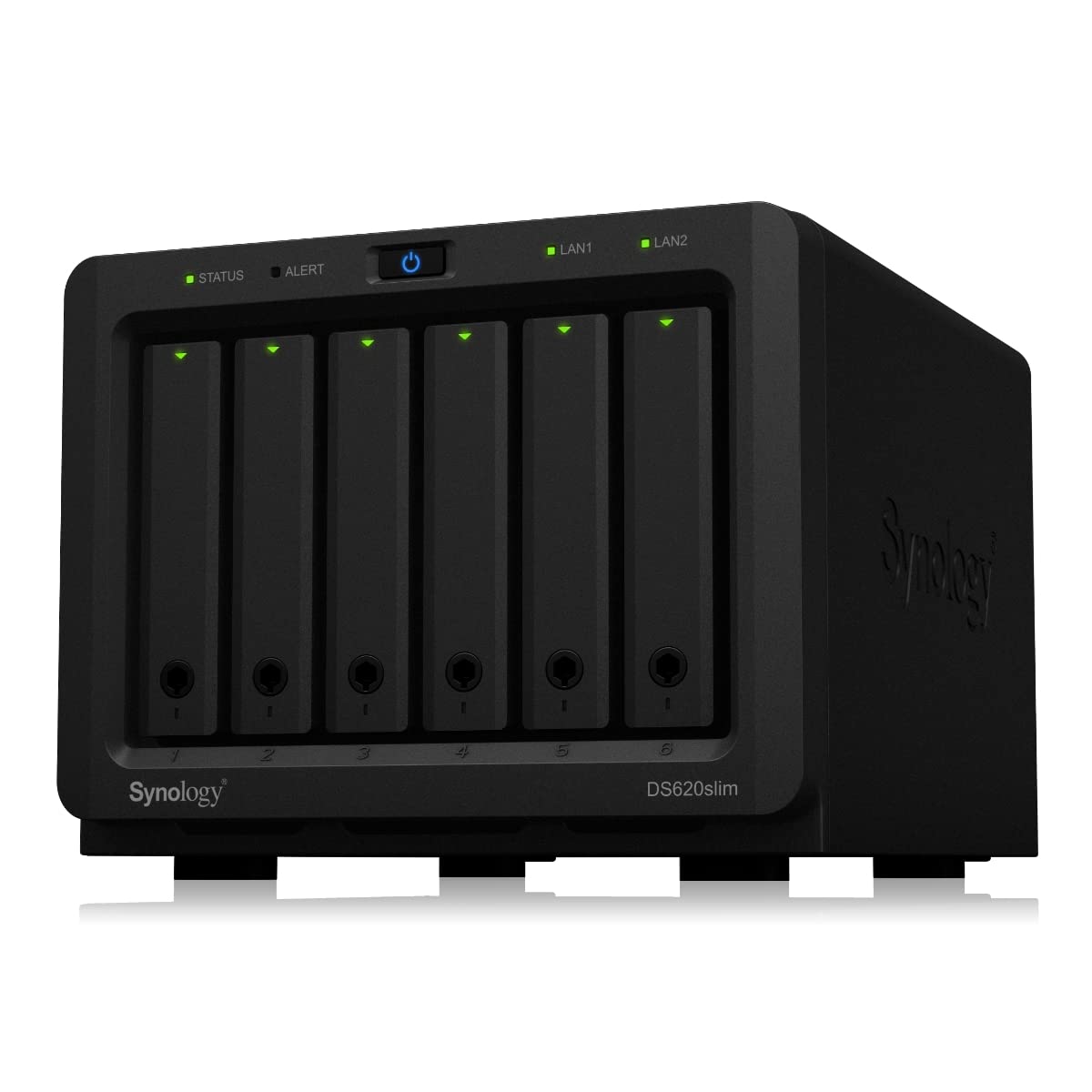
Synology DiskStation DS1821+ 8 Bay NAS
Looking for a high-performance storage solution that can handle the toughest applications and workloads? Look no further than the Synology DiskStation DS1821+ SAN-NAS Storage System! Built with cutting-edge AMD Ryzen Quad-core 2.2 GHz CPUs and dual M.2 2280 slots for NVMe Cache acceleration, this 8-bay storage system is designed to deliver unbeatable performance and scalability. With up to 113K 4K random read IOPS, the DS1821+ is the perfect choice for IT enthusiasts and small to medium-sized businesses looking to power through demanding workloads and support a greater number of simultaneous users. But the DS1821+ isn't just a powerhouse on the inside - it's also built for ultimate convenience and ease of use. With expandability of up to 18 drives with two DX517 expansion units, you can supersize your storage capacity to keep up with growing data demands. And with support for advanced protocols like AFP, FTP, iSCSI, NFS, SMB, and WebDAV, you'll have the ultimate flexibility and compatibility to share and manage files like never before. So why wait? Experience faster file indexing in Synology Drive, seamless photo organization in Moments, and lightning-fast web services today with the Synology DiskStation DS1821+ SAN-NAS Storage System!
Looking for a high-performance storage solution that can handle the toughest applications and workloads? Look no further than the Synology DiskStation DS1821+ SAN-NAS Storage System! Built with cutting-edge AMD Ryzen Quad-core 2.2 GHz CPUs and dual M.2 2280 slots for NVMe Cache acceleration, this 8-bay storage system is designed to deliver unbeatable performance and scalability. With up to 113K 4K random read IOPS, the DS1821+ is the perfect choice for IT enthusiasts and small to medium-sized businesses looking to power through demanding workloads and support a greater number of simultaneous users. But the DS1821+ isn't just a powerhouse on the inside - it's also built for ultimate convenience and ease of use. With expandability of up to 18 drives with two DX517 expansion units, you can supersize your storage capacity to keep up with growing data demands. And with support for advanced protocols like AFP, FTP, iSCSI, NFS, SMB, and WebDAV, you'll have the ultimate flexibility and compatibility to share and manage files like never before. So why wait? Experience faster file indexing in Synology Drive, seamless photo organization in Moments, and lightning-fast web services today with the Synology DiskStation DS1821+ SAN-NAS Storage System!
Looking for a high-performance storage solution that can handle the toughest applications and workloads? Look no further than the Synology DiskStation DS1821+ SAN-NAS Storage System! Built with cutting-edge AMD Ryzen Quad-core 2.2 GHz CPUs and dual M.2 2280 slots for NVMe Cache acceleration, this 8-bay storage system is designed to deliver unbeatable performance and scalability. With up to 113K 4K random read IOPS, the DS1821+ is the perfect choice for IT enthusiasts and small to medium-sized businesses looking to power through demanding workloads and support a greater number of simultaneous users. But the DS1821+ isn't just a powerhouse on the inside - it's also built for ultimate convenience and ease of use. With expandability of up to 18 drives with two DX517 expansion units, you can supersize your storage capacity to keep up with growing data demands. And with support for advanced protocols like AFP, FTP, iSCSI, NFS, SMB, and WebDAV, you'll have the ultimate flexibility and compatibility to share and manage files like never before. So why wait? Experience faster file indexing in Synology Drive, seamless photo organization in Moments, and lightning-fast web services today with the Synology DiskStation DS1821+ SAN-NAS Storage System!
Looking for a high-performance storage solution that can handle the toughest applications and workloads? Look no further than the Synology DiskStation DS1821+ SAN-NAS Storage System! Built with cutting-edge AMD Ryzen Quad-core 2.2 GHz CPUs and dual M.2 2280 slots for NVMe Cache acceleration, this 8-bay storage system is designed to deliver unbeatable performance and scalability. With up to 113K 4K random read IOPS, the DS1821+ is the perfect choice for IT enthusiasts and small to medium-sized businesses looking to power through demanding workloads and support a greater number of simultaneous users. But the DS1821+ isn't just a powerhouse on the inside - it's also built for ultimate convenience and ease of use. With expandability of up to 18 drives with two DX517 expansion units, you can supersize your storage capacity to keep up with growing data demands. And with support for advanced protocols like AFP, FTP, iSCSI, NFS, SMB, and WebDAV, you'll have the ultimate flexibility and compatibility to share and manage files like never before. So why wait? Experience faster file indexing in Synology Drive, seamless photo organization in Moments, and lightning-fast web services today with the Synology DiskStation DS1821+ SAN-NAS Storage System!
in 4 offers
The lowest price for Synology DiskStation DS1821+ 8 Bay NAS right now is $1,662.84 at eSaitech, compared across 3 retailers.
The all-time low was $1,458.09 on 27 Feb 2026 — today's price is 14% above the lowest ever. That's a little above the best price we've seen.
Prices last updated 28 July 2026.
Last updated at 28/07/2026 15:30:42
Synology DS1821+ 8-Bays 4-Core 2.20GHz Network Attached Storage Server
Free delivery between Wed – Mon
Synology DiskStation DS1825+ 8 Bay NAS Diskless
Delivery between 30 July – 5 Aug $11.95
1pc Synology Ds1821+ Synology 8 Bay Diskstation Diskless Fast Ship
Free delivery
Affiliate Disclosure: We may receive a small commission for purchases made through this link at no extra cost to you. This helps support our site. Thank you!
1pc?synology Ds1821+ Network Storage Us Free Tax
Free delivery
Affiliate Disclosure: We may receive a small commission for purchases made through this link at no extra cost to you. This helps support our site. Thank you!
originally posted on bhphotovideo.com
My first NAS was a Synology DS918+ purchased from B&H about four years ago. I added a Synology DX-517 expansion unit two years ago, also purchased from B&H. This combination served me well for my large Plex library and for general files sharing. My only regret was the two 1G network connections for the DS918+. I tried 2.5G via USB on the DS918+ and it doubled my file transfer speeds, but I wanted more. I wanted 10G and the drive capacity in one NAS to provide 10G throughput. This brought me to the DS-1821+ I just got from B&H.To max out this new unit's capabilities, I added a two port 10G card (Mellanox ConnectX-3 Pro), two 2TB NVME drives (Samsung 970 EVO Plus), two 2TB SSDs (Crucial MX500), six 14TB drives (Seagate EXOS X14), 32 GB of ECC RAM (Samsung) and I ... MoreMy first NAS was a Synology DS918+ purchased from B&H about four years ago. I added a Synology DX-517 expansion unit two years ago, also purchased from B&H. This combination served me well for my large Plex library and for general files sharing. My only regret was the two 1G network connections for the DS918+. I tried 2.5G via USB on the DS918+ and it doubled my file transfer speeds, but I wanted more. I wanted 10G and the drive capacity in one NAS to provide 10G throughput. This brought me to the DS-1821+ I just got from B&H.To max out this new unit's capabilities, I added a two port 10G card (Mellanox ConnectX-3 Pro), two 2TB NVME drives (Samsung 970 EVO Plus), two 2TB SSDs (Crucial MX500), six 14TB drives (Seagate EXOS X14), 32 GB of ECC RAM (Samsung) and I added another sine wave UPS (Cyberpower) for power protection.I found a means through Reddit (Synology) to use the NVME drives for storage rather than just cache, so one remains read cache, while the other became a storage drive. I set the two SSDs in RAID 0, so now I can fully use the 10G from the NVME, the SSD pair or the six spinning drives.Can pigs fly? I don't know for sure, but I am getting the performance I was after with this freshly configured DS1821+. The DS-918+ and DX-517 are now my primary backup for the DS1821+. I have several external WD drives of varying capacities that are used to provide backup for both NAS units. These are rotated off-site to minimize potential data loss. I thank Synology and B&H for providing dependable storage that meets or exceeds my expectations.
originally posted on bhphotovideo.com
I'm setting up a shared video drive for editing. Purchased this unit based off of reviews and the software suite it comes with. Looked like a very capable unit and it is!I loaded it up with eight 10 TB drives, two 1 TB SSD cache drives, and 32 GB of RAM. After everything I have 63TB of storage with in the SHR mode with 1 drive fault tolerance.Setup is very easy, I'm tech savvy but not an IT pro and I didn't find it challenging. There are a couple of steps that could be clearer if you're starting 100% from scratch. Some steps it will ask you to sign in but not give you links to create a new account, you just have to figure it out with some Googling. Once you have accounts created though, and everything is signed in, it's very easy.I set it up as a Synology ... MoreI'm setting up a shared video drive for editing. Purchased this unit based off of reviews and the software suite it comes with. Looked like a very capable unit and it is!I loaded it up with eight 10 TB drives, two 1 TB SSD cache drives, and 32 GB of RAM. After everything I have 63TB of storage with in the SHR mode with 1 drive fault tolerance.Setup is very easy, I'm tech savvy but not an IT pro and I didn't find it challenging. There are a couple of steps that could be clearer if you're starting 100% from scratch. Some steps it will ask you to sign in but not give you links to create a new account, you just have to figure it out with some Googling. Once you have accounts created though, and everything is signed in, it's very easy.I set it up as a Synology Hybrid RAID (the default) which easily allows you to change the volume size for example. Unless you have a specific reason to set it up differently, just do this method. I had drives that shipped and arrived later than the unit. This method let me start the setup with the 4 drives I had then add the other 4 when they showed up, not losing any data in the process and still having one large volume.As far as add on apps, Teamviewer is great, it just doesn't work with the iPad app to remote in. Also the Google Drive integration is awesome. Now everything is automatically backed up. Tons more apps are available for different needs.I bought the extra RAM as I saw some reviews say it was needed. Got 32 gigs which is the max. As of now, I'd say that's not needed. I've yet to use more than 3% RAM, or about 1 GB, stock is 4 GB of RAM. Unless you start to run lots of other apps, then you may need it. But if it's just for storage, I don't think it's needed.I also got the 2 NVMe SSD slots filled just for max performance. I didn't use the unit without those drives so I can't compare with or without the SSD cache. But the drive is very fast and always transferring files at the max speed of the network connection which is 1 gig. Compared to another storage device on our network, this is much faster.If I had one drawback it would be that the ports are not 10 gig ethernet. That might allow for some faster speeds. My video editing workstation has a 10 gig port so I would be able to take advantage of the speeds if the drive allowed it.End of the day, it's a great drive with lots of features beyond simply shared storage.
originally posted on bhphotovideo.com
The DS1821 I initially received failed after less than 10 days of use (it appeared to be a faulty power supply or main board). The RMA process with Synology went smoothly and I had a brand new unit within a few days.The replacement had been running for a couple weeks now without issue (it was even able to recover all data from the first unit despite the failure happening during an array expansion).As far as connectivity goes, the link aggregation has been great and definitely speeds up access across my network. I've also added a dual port 10GbE adapter to allow even faster transfers to a couple of workstations.Lastly, the visualization features are working well. W With a few virtual machines running, I'm seeing virtually no interruptions to the ... MoreThe DS1821 I initially received failed after less than 10 days of use (it appeared to be a faulty power supply or main board). The RMA process with Synology went smoothly and I had a brand new unit within a few days.The replacement had been running for a couple weeks now without issue (it was even able to recover all data from the first unit despite the failure happening during an array expansion).As far as connectivity goes, the link aggregation has been great and definitely speeds up access across my network. I've also added a dual port 10GbE adapter to allow even faster transfers to a couple of workstations.Lastly, the visualization features are working well. W With a few virtual machines running, I'm seeing virtually no interruptions to the storage.Overall, this was a worthwhile purchase and Synology's support was very responsive.
| General | |
| Device Type | NAS server |
| Host Connectivity | Gigabit Ethernet |
| Total Storage Capacity | 0 GB |
| Installed Devices / Modules Qty | 0 (installed) / 8 (max) |
Synology DS1821+ 8-Bays 4-Core 2.20GHz Network Attached Storage Server
Free delivery between Wed – Mon
Synology DiskStation DS1825+ 8 Bay NAS Diskless
Delivery between 30 July – 5 Aug $11.95
1pc Synology Ds1821+ Synology 8 Bay Diskstation Diskless Fast Ship
Free delivery
Affiliate Disclosure: We may receive a small commission for purchases made through this link at no extra cost to you. This helps support our site. Thank you!
1pc?synology Ds1821+ Network Storage Us Free Tax
Free delivery
Affiliate Disclosure: We may receive a small commission for purchases made through this link at no extra cost to you. This helps support our site. Thank you!
My first NAS was a Synology DS918+ purchased from B&H about four years ago. I added a Synology DX-517 expansion unit two years ago, also purchased from B&H. This combination served me well for my large Plex library and for general files sharing. My only regret was the two 1G network connections for the DS918+. I tried 2.5G via USB on the DS918+ and it doubled my file transfer speeds, but I wanted more. I wanted 10G and the drive capacity in one NAS to provide 10G throughput. This brought me to the DS-1821+ I just got from B&H.To max out this new unit's capabilities, I added a two port 10G card (Mellanox ConnectX-3 Pro), two 2TB NVME drives (Samsung 970 EVO Plus), two 2TB SSDs (Crucial MX500), six 14TB drives (Seagate EXOS X14), 32 GB of ECC RAM (Samsung) and I ... MoreMy first NAS was a Synology DS918+ purchased from B&H about four years ago. I added a Synology DX-517 expansion unit two years ago, also purchased from B&H. This combination served me well for my large Plex library and for general files sharing. My only regret was the two 1G network connections for the DS918+. I tried 2.5G via USB on the DS918+ and it doubled my file transfer speeds, but I wanted more. I wanted 10G and the drive capacity in one NAS to provide 10G throughput. This brought me to the DS-1821+ I just got from B&H.To max out this new unit's capabilities, I added a two port 10G card (Mellanox ConnectX-3 Pro), two 2TB NVME drives (Samsung 970 EVO Plus), two 2TB SSDs (Crucial MX500), six 14TB drives (Seagate EXOS X14), 32 GB of ECC RAM (Samsung) and I added another sine wave UPS (Cyberpower) for power protection.I found a means through Reddit (Synology) to use the NVME drives for storage rather than just cache, so one remains read cache, while the other became a storage drive. I set the two SSDs in RAID 0, so now I can fully use the 10G from the NVME, the SSD pair or the six spinning drives.Can pigs fly? I don't know for sure, but I am getting the performance I was after with this freshly configured DS1821+. The DS-918+ and DX-517 are now my primary backup for the DS1821+. I have several external WD drives of varying capacities that are used to provide backup for both NAS units. These are rotated off-site to minimize potential data loss. I thank Synology and B&H for providing dependable storage that meets or exceeds my expectations.
I'm setting up a shared video drive for editing. Purchased this unit based off of reviews and the software suite it comes with. Looked like a very capable unit and it is!I loaded it up with eight 10 TB drives, two 1 TB SSD cache drives, and 32 GB of RAM. After everything I have 63TB of storage with in the SHR mode with 1 drive fault tolerance.Setup is very easy, I'm tech savvy but not an IT pro and I didn't find it challenging. There are a couple of steps that could be clearer if you're starting 100% from scratch. Some steps it will ask you to sign in but not give you links to create a new account, you just have to figure it out with some Googling. Once you have accounts created though, and everything is signed in, it's very easy.I set it up as a Synology ... MoreI'm setting up a shared video drive for editing. Purchased this unit based off of reviews and the software suite it comes with. Looked like a very capable unit and it is!I loaded it up with eight 10 TB drives, two 1 TB SSD cache drives, and 32 GB of RAM. After everything I have 63TB of storage with in the SHR mode with 1 drive fault tolerance.Setup is very easy, I'm tech savvy but not an IT pro and I didn't find it challenging. There are a couple of steps that could be clearer if you're starting 100% from scratch. Some steps it will ask you to sign in but not give you links to create a new account, you just have to figure it out with some Googling. Once you have accounts created though, and everything is signed in, it's very easy.I set it up as a Synology Hybrid RAID (the default) which easily allows you to change the volume size for example. Unless you have a specific reason to set it up differently, just do this method. I had drives that shipped and arrived later than the unit. This method let me start the setup with the 4 drives I had then add the other 4 when they showed up, not losing any data in the process and still having one large volume.As far as add on apps, Teamviewer is great, it just doesn't work with the iPad app to remote in. Also the Google Drive integration is awesome. Now everything is automatically backed up. Tons more apps are available for different needs.I bought the extra RAM as I saw some reviews say it was needed. Got 32 gigs which is the max. As of now, I'd say that's not needed. I've yet to use more than 3% RAM, or about 1 GB, stock is 4 GB of RAM. Unless you start to run lots of other apps, then you may need it. But if it's just for storage, I don't think it's needed.I also got the 2 NVMe SSD slots filled just for max performance. I didn't use the unit without those drives so I can't compare with or without the SSD cache. But the drive is very fast and always transferring files at the max speed of the network connection which is 1 gig. Compared to another storage device on our network, this is much faster.If I had one drawback it would be that the ports are not 10 gig ethernet. That might allow for some faster speeds. My video editing workstation has a 10 gig port so I would be able to take advantage of the speeds if the drive allowed it.End of the day, it's a great drive with lots of features beyond simply shared storage.
The DS1821 I initially received failed after less than 10 days of use (it appeared to be a faulty power supply or main board). The RMA process with Synology went smoothly and I had a brand new unit within a few days.The replacement had been running for a couple weeks now without issue (it was even able to recover all data from the first unit despite the failure happening during an array expansion).As far as connectivity goes, the link aggregation has been great and definitely speeds up access across my network. I've also added a dual port 10GbE adapter to allow even faster transfers to a couple of workstations.Lastly, the visualization features are working well. W With a few virtual machines running, I'm seeing virtually no interruptions to the ... MoreThe DS1821 I initially received failed after less than 10 days of use (it appeared to be a faulty power supply or main board). The RMA process with Synology went smoothly and I had a brand new unit within a few days.The replacement had been running for a couple weeks now without issue (it was even able to recover all data from the first unit despite the failure happening during an array expansion).As far as connectivity goes, the link aggregation has been great and definitely speeds up access across my network. I've also added a dual port 10GbE adapter to allow even faster transfers to a couple of workstations.Lastly, the visualization features are working well. W With a few virtual machines running, I'm seeing virtually no interruptions to the storage.Overall, this was a worthwhile purchase and Synology's support was very responsive.
The NAS itself is great, but the support is absolutely terrible. I've had a few issues getting Synology's own software working but when I've called in, the people answering their phones don't seem to know how their software actually works. Be prepared to go it alone if you have any problems.The reason you buy a product isn't just because of the hardware itself, but the software and support too. There are a lot cheaper NAS devices out there but I chose Synology because of their software and support. I could have bought a Dell server with 18x drive bays for not much more than this device cost, but it wouldn't have had Synology's software like Active Backup for Business or their Drive software. Also, getting support from Dell is like pulling teeth.I will say that ... MoreThe NAS itself is great, but the support is absolutely terrible. I've had a few issues getting Synology's own software working but when I've called in, the people answering their phones don't seem to know how their software actually works. Be prepared to go it alone if you have any problems.The reason you buy a product isn't just because of the hardware itself, but the software and support too. There are a lot cheaper NAS devices out there but I chose Synology because of their software and support. I could have bought a Dell server with 18x drive bays for not much more than this device cost, but it wouldn't have had Synology's software like Active Backup for Business or their Drive software. Also, getting support from Dell is like pulling teeth.I will say that Synology does answer their phones, but they really need to train their support agents in how their software actually works. Even basic questions such as if/when database maintenance is performed on the backups were outside the scope of their knowledge. A backup is only as good as it's reliability and it's ability to be restored successfully. It's important that I understand the limitations of the software so I don't end up with useless backups.
This NAS cost $1100+ with tax and shipping. And to buy the additional network card, ram, and NVMe's it costs an additional $1500 plus shipping.Synology 16GB DDR4 ECC SO-DIMM $348.81 x2Synology E10G21-F2 Dual Port 10G SFP+ $269.99Synology 800GB SNV3400 NVMe M.2 $279.99 x2That brings the price closer to $2700 and for that price I could have a prebuilt TrueNas or its equivalent. But I already have time and cash invested in Synology, and for what it is worth I like the UI. So I thought I would give trying to upgrade this on the cheep a try. I got some used items on eBay and will try installing them to see if the Synology can get a stable up-grade for less.Mellanox CX311A 10GbE SFP+ Network Adapter $35 ebay usedNEMIX 4ECSO-2666-16G PC4-21300 ECC SODIMM $99 x2 ... MoreThis NAS cost $1100+ with tax and shipping. And to buy the additional network card, ram, and NVMe's it costs an additional $1500 plus shipping.Synology 16GB DDR4 ECC SO-DIMM $348.81 x2Synology E10G21-F2 Dual Port 10G SFP+ $269.99Synology 800GB SNV3400 NVMe M.2 $279.99 x2That brings the price closer to $2700 and for that price I could have a prebuilt TrueNas or its equivalent. But I already have time and cash invested in Synology, and for what it is worth I like the UI. So I thought I would give trying to upgrade this on the cheep a try. I got some used items on eBay and will try installing them to see if the Synology can get a stable up-grade for less.Mellanox CX311A 10GbE SFP+ Network Adapter $35 ebay usedNEMIX 4ECSO-2666-16G PC4-21300 ECC SODIMM $99 x2 ebay newSAMSUNG 970 EVO Plus SSD 1TB $115 x2 B&H newTotal cost for upgrades with tax and shipping $479.Total saving over new Synology gear. Over $1k.I will update this review after installing the above items. Thanks for reading.
This is my third Synology NAS. This 1821+ now sits alongside an 1819+ (same unit, previous model year). I migrated the drives from the older 1819+ into this 1821+, upgraded to DSM 7.0 (was forced to by the migration process, but so far, no issues). I also added a 10Gbe network card to this 1821+ and now get read/write speeds of 1000MBs / 730MBs, respectively. And those speeds are while it's still rebuilding the RAID array, so the write speed should go up a bit. The read speed is already maxing out the 10Gbe network.If anyone cares, I use the older 1819+ solely as a backup. So I setup Hyper Backup (Synology built-in app) on the main 1821+ to backup, with versioning, to the 1819+ nightly. Both are attached to a MicroTik 10Gbe 4-port switch (which has 4 SPF+ ports). ... MoreThis is my third Synology NAS. This 1821+ now sits alongside an 1819+ (same unit, previous model year). I migrated the drives from the older 1819+ into this 1821+, upgraded to DSM 7.0 (was forced to by the migration process, but so far, no issues). I also added a 10Gbe network card to this 1821+ and now get read/write speeds of 1000MBs / 730MBs, respectively. And those speeds are while it's still rebuilding the RAID array, so the write speed should go up a bit. The read speed is already maxing out the 10Gbe network.If anyone cares, I use the older 1819+ solely as a backup. So I setup Hyper Backup (Synology built-in app) on the main 1821+ to backup, with versioning, to the 1819+ nightly. Both are attached to a MicroTik 10Gbe 4-port switch (which has 4 SPF+ ports). From that 10Gbe switch, I ran a DAC cable from the MicroTik to a Sonnet 10Gbe Thunderbolt network adapter that plugs directly into my MacBook Pro. And then a regulat Cat 6 cable also runs from the MicroTik switch to my main router, so that way my computer has internet access through that 10Gbe connection, and both NASs are available via WiFi if I'm not plugged in via Thunderbolt at my desk. I skipped the Nvme SSD cache option after reading about various issues regarding reliability and data loss. For me, data loss it the #1 importance, #2 is speed. And in any case, I'm maxing out read speeds on 10Gbe anyway, so an SSD is not going to make that any faster.
If you are, like me, used to the DSM Operating system interface that Synology has developed then you are likely not just shopping across brands for the most powerful NAS. Because Synology is a big wimpy at times.BUT their software is great and their hardware nothing to sneer at albeit not leading edge.The DS1821+ Has strong expansion options. I added 2 x sn700 nvme cache modules. And 2x 32gb ecc memory and it recognizes it all and runs excellent.What took days on my DS1517 now takes mere minutes. My DSM is always available whereas I used to get tons of time outs.I also added 1 DS517 expansion module and a 10GbE. Mellanox ConnectX3 low profile card. Zero issues.Note that Synology lists compatible hardware but it doesn?t means that if things aren?t on the list ... MoreIf you are, like me, used to the DSM Operating system interface that Synology has developed then you are likely not just shopping across brands for the most powerful NAS. Because Synology is a big wimpy at times.BUT their software is great and their hardware nothing to sneer at albeit not leading edge.The DS1821+ Has strong expansion options. I added 2 x sn700 nvme cache modules. And 2x 32gb ecc memory and it recognizes it all and runs excellent.What took days on my DS1517 now takes mere minutes. My DSM is always available whereas I used to get tons of time outs.I also added 1 DS517 expansion module and a 10GbE. Mellanox ConnectX3 low profile card. Zero issues.Note that Synology lists compatible hardware but it doesn?t means that if things aren?t on the list it?s not compatible. They simply didn?t test it.Overall this machine w 320$ in extra upgrades (2x nvme and 2 x 32 gb ram) is top end speed. I recommend 2x16gb and save yourself some money. I used basic ecc and it works despite they claiming non-ecc is needed (non-ecc is junky).Great buy for years to come. High speed and expandable power specs.
Noisy cheap-ass fans. Corporate greed at its finest. They put cheap 5 USD fans in 1000 CHF/EUR/USD unit designed for home users (It's not rack is it?). That's what I call corporate stupidity.Vibrations will also ruin your media server experience. The solutions are there - like velcro pads - but I guess, its too much to ask. Would cost them 15 dollars and reduce profit for shareholders.I am also pretty sure that if you attempt to upgrade the fans - you'll risk your warranty becoming void.
Editing/coloring full time off a QNAP TS-H886 via 10Gbe for the last year or so, decided to expand/switch to Synology and see how it was. I connected them via ethernet at my router, and it took about 8 days to copy just over over 10TB. Slow but very stable. Main working connection is still 10Gbe direct into my Mac Studio. While it started, I had every setting on this thing done in less than an hour, from creating a Synology account to my file sharing prefs. It's a MUCH more responsive and intuitive UI/UX than the QNAP and that had better guts on paper. Definitely feels like the Windows/macOS paradigm. Much less fuss for those who just want it to work and aren't trying to run a security command and media center from their home office.
I am completely delighted with this NAS.The USB ports and two ESATA ports make it easy to add several external hard drives.Included with the purchase are licenses for a PC backup program that could replace a backup program that you purchase for your PCs. This software seems to work well, although I must admit I have not yet needed to restore any backups made using this software.The MariaDB database server can be added via Synology's app library, so you can have a decent database server without having to hire a DBA!Disks can be added and replaced without taking the offline or rebooting it.Synology offers a program to synchronize files between the NAS and your PCs, essentially doing the same thing as DropBox or MS OneDrive, but without the cost.Overall, ... MoreI am completely delighted with this NAS.The USB ports and two ESATA ports make it easy to add several external hard drives.Included with the purchase are licenses for a PC backup program that could replace a backup program that you purchase for your PCs. This software seems to work well, although I must admit I have not yet needed to restore any backups made using this software.The MariaDB database server can be added via Synology's app library, so you can have a decent database server without having to hire a DBA!Disks can be added and replaced without taking the offline or rebooting it.Synology offers a program to synchronize files between the NAS and your PCs, essentially doing the same thing as DropBox or MS OneDrive, but without the cost.Overall, this is an outstanding unit. I am confident this unit would perform well in a production business environment, and because it's so easy to set up, you save $$ on hiring a server administrator!
| General | |
| Device Type | NAS server |
| Host Connectivity | Gigabit Ethernet |
| Total Storage Capacity | 0 GB |
| Installed Devices / Modules Qty | 0 (installed) / 8 (max) |