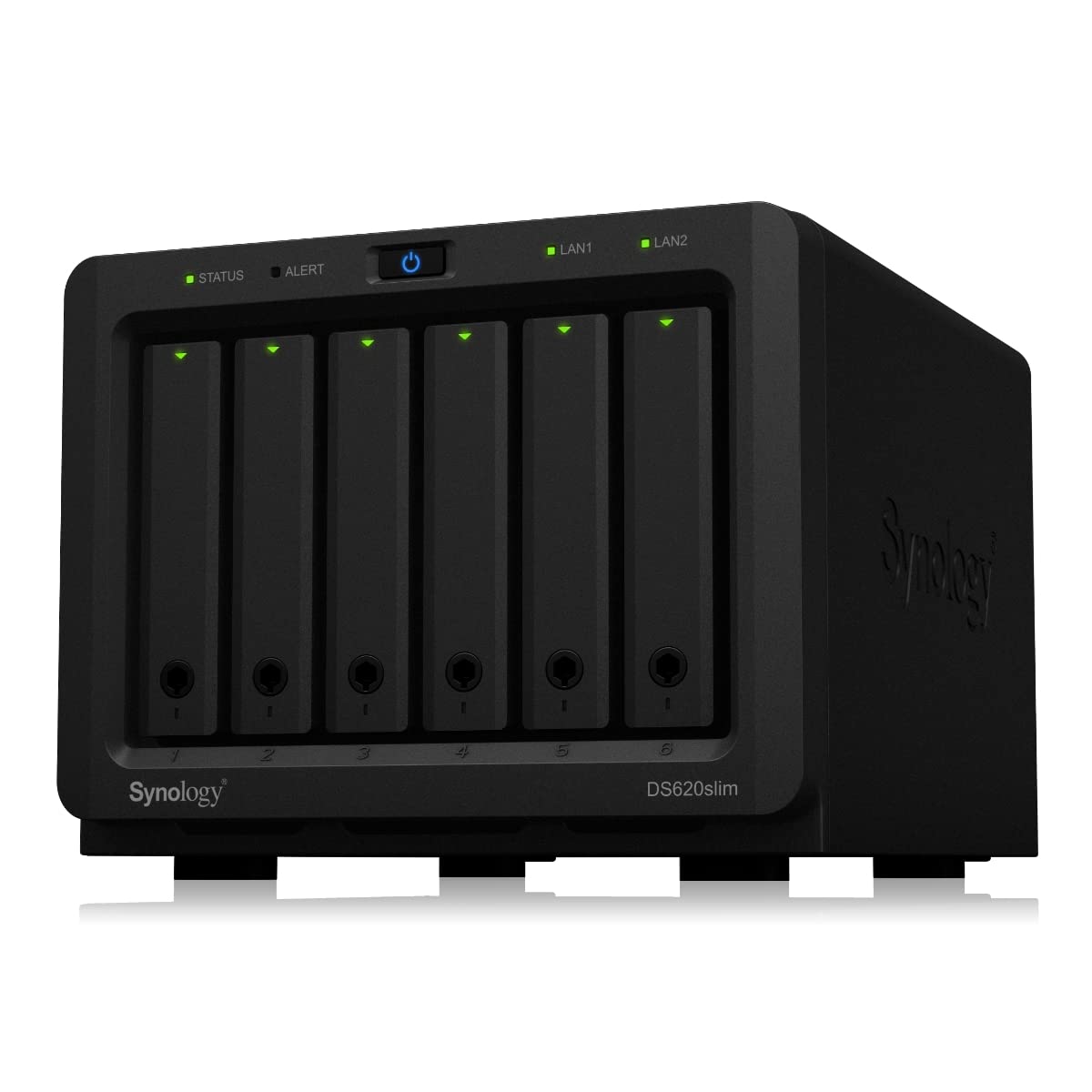
Synology DS118 DiskStation 1-Bay NAS
Versatile powerful and compact storage server Synology DS118 comes with a new 64-bit quad-core processor delivering excellent data transfer speed and 10-bit 4K H.265 video transcoding on the fly. Ultimate file management and sharing File Station is a web-based fast and secure management tool built to allow easy drag-and-drop operation without requiring any complex setup on Mac or PC. Advanced search and filtering tools allow for easy organization and sharing of files with just a link. Supports SMB FTP AFP NFS WebDAV compatible with any environment. Synchronize files across your devices Cloud Station Suite provides real-time data synchronization across all your devices such as computers mobile devices and other Synology NAS whenever a file is modified. "Intelliversioning" keeps the most important file versions to better utilize storage space. Easy file access with QuickConnect Access files on your Synology NAS over the Internet without the hassle of setting up port forwarding rules DDNS or other complicated network settings. 4K Multimedia Server Access and stream your favorite 4K content anywhere anytime. DS118 supports 10-bit 4K H.265 online transcoding via Video Station and DS video allowing 4K videos to be converted and played on your computers mobile devices or other media players that don't support Ultra HD formats.
Versatile powerful and compact storage server Synology DS118 comes with a new 64-bit quad-core processor delivering excellent data transfer speed and 10-bit 4K H.265 video transcoding on the fly. Ultimate file management and sharing File Station is a web-based fast and secure management tool built to allow easy drag-and-drop operation without requiring any complex setup on Mac or PC. Advanced search and filtering tools allow for easy organization and sharing of files with just a link. Supports SMB FTP AFP NFS WebDAV compatible with any environment. Synchronize files across your devices Cloud Station Suite provides real-time data synchronization across all your devices such as computers mobile devices and other Synology NAS whenever a file is modified. "Intelliversioning" keeps the most important file versions to better utilize storage space. Easy file access with QuickConnect Access files on your Synology NAS over the Internet without the hassle of setting up port forwarding rules DDNS or other complicated network settings. 4K Multimedia Server Access and stream your favorite 4K content anywhere anytime. DS118 supports 10-bit 4K H.265 online transcoding via Video Station and DS video allowing 4K videos to be converted and played on your computers mobile devices or other media players that don't support Ultra HD formats.
Versatile powerful and compact storage server Synology DS118 comes with a new 64-bit quad-core processor delivering excellent data transfer speed and 10-bit 4K H.265 video transcoding on the fly. Ultimate file management and sharing File Station is a web-based fast and secure management tool built to allow easy drag-and-drop operation without requiring any complex setup on Mac or PC. Advanced search and filtering tools allow for easy organization and sharing of files with just a link. Supports SMB FTP AFP NFS WebDAV compatible with any environment. Synchronize files across your devices Cloud Station Suite provides real-time data synchronization across all your devices such as computers mobile devices and other Synology NAS whenever a file is modified. "Intelliversioning" keeps the most important file versions to better utilize storage space. Easy file access with QuickConnect Access files on your Synology NAS over the Internet without the hassle of setting up port forwarding rules DDNS or other complicated network settings. 4K Multimedia Server Access and stream your favorite 4K content anywhere anytime. DS118 supports 10-bit 4K H.265 online transcoding via Video Station and DS video allowing 4K videos to be converted and played on your computers mobile devices or other media players that don't support Ultra HD formats.
Versatile powerful and compact storage server Synology DS118 comes with a new 64-bit quad-core processor delivering excellent data transfer speed and 10-bit 4K H.265 video transcoding on the fly. Ultimate file management and sharing File Station is a web-based fast and secure management tool built to allow easy drag-and-drop operation without requiring any complex setup on Mac or PC. Advanced search and filtering tools allow for easy organization and sharing of files with just a link. Supports SMB FTP AFP NFS WebDAV compatible with any environment. Synchronize files across your devices Cloud Station Suite provides real-time data synchronization across all your devices such as computers mobile devices and other Synology NAS whenever a file is modified. "Intelliversioning" keeps the most important file versions to better utilize storage space. Easy file access with QuickConnect Access files on your Synology NAS over the Internet without the hassle of setting up port forwarding rules DDNS or other complicated network settings. 4K Multimedia Server Access and stream your favorite 4K content anywhere anytime. DS118 supports 10-bit 4K H.265 online transcoding via Video Station and DS video allowing 4K videos to be converted and played on your computers mobile devices or other media players that don't support Ultra HD formats.
in 4 offers
The lowest price for Synology DS118 DiskStation 1-Bay NAS right now is $299.00 at Netplus Computers, compared across 4 retailers.
The all-time low was $179.00 on 30 June 2025 — today's price is 67% above the lowest ever. It has been notably cheaper before — worth setting a price alert.
Prices last updated 14 Sept 2026.
Last updated at 14/09/2026 11:29:38
Synology DiskStation DS118 NAS Server with RTD1296 1.4GHz CPU, 1GB Memory, 16TB HDD Storage, 1 x 1GbE LAN Port, DSM Operating System
Affiliate Disclosure: We may receive a small commission for purchases made through this link at no extra cost to you. This helps support our site. Thank you!
Synology DiskStation DS118 1-Bay 3.5' Diskless 1xGbE NAS (Tower) (HMB), Realtek RTD1296 quad-core. 1.4GHz, 1GB RAM, 2xUSB3 - 2 year Warranty
Delivery $18
Synology DiskStation DS118 1-Bay 3.5' Diskless 1xGbE NAS (Tower) (HMB), Realtek RTD1296 quad-core.64-bit 4-core 1.4, 1GB RAM, 2xUSB3 - 2 year Warranty
Delivery between 16–21 Sept $20
Synology SYN-DS118
Delivery $20
originally posted on cclonline.com
Very quiet when not being used. This is a big plus. Sadly it's not as fast as the now defunct Buffalo LinkStation. I could only get 60~70MB/s, whereas the Buffalo does 110MB/s. Tedious when copying around virtual machine backups (50GB+).But it is QUIET. And that makes up for the lack of performance.
originally posted on cclonline.com
For someone whose never had a NAS before, this is perfect. Installation and setup was really easy. It didn't pick up automatically on the detection software, which may affect some less technical users but once you're into the installation it was a breeze. It makes a little bit of noise but it works nicely
originally posted on scorptec.com.au
A (very) big step up from the "entry" level NAS devices such as the old WD MyCloud, and a huge step up from the sadly very limited WD MyCloud Home. The interface takes some getting used to, and it is worth spending time on the forums to understand the best approach for setup. My use case is for storing and managing a large portfolio of photographs, as well as running a PLEX server to host all my movies and TV shows. I do find that the Synology mobile apps could use a little work, but having said that they are far ahead of competitor offerings. Specifically, it would be great if the apps were more intuitive about connecting to the NAS.Finally, if you are uploading a lot of photos (in my case about 50,000) then plan for an initial period of the NAS being almost ... MoreA (very) big step up from the "entry" level NAS devices such as the old WD MyCloud, and a huge step up from the sadly very limited WD MyCloud Home. The interface takes some getting used to, and it is worth spending time on the forums to understand the best approach for setup. My use case is for storing and managing a large portfolio of photographs, as well as running a PLEX server to host all my movies and TV shows. I do find that the Synology mobile apps could use a little work, but having said that they are far ahead of competitor offerings. Specifically, it would be great if the apps were more intuitive about connecting to the NAS.Finally, if you are uploading a lot of photos (in my case about 50,000) then plan for an initial period of the NAS being almost unusable as it "converts" these pictures (and videos) for use with Synology's apps. This process would be my only negative comment about the device, but I think that, once "converted and indexed" the NAS will be very responsive.Some of the things I learnt, to save yourself many hours of pain:***PLEX***Before you do anything, see this: https://forums.plex.tv/t/synology-faqs-read-this-first/274891andhttps://nascompares.com/synology-ds118-plex-installation-guide-step-by-step/*If you're installing PLEX, do not store your movies, music, and TV shows in Synology's default folders "PHOTO, VIDEO". Rather create a new folder (eg. "MEDIA") that has subfolders for movies, TV Shows and music.*Do not forget to give the "Plex" user RIGHTS to this folder (by default, users do not have rights to folders, so plex will not be able to access your content.*Ideally, give the NAS a static IP address on your router.
| Environmental Parameters | |
| Min Operating Temperature | 5 °C |
| Max Operating Temperature | 40 °C |
| Humidity Range Operating | 5 - 95% |
| Sound Emission | 19.3 dBA |

Synology DiskStation DS118 NAS Server with RTD1296 1.4GHz CPU, 1GB Memory, 16TB HDD Storage, 1 x 1GbE LAN Port, DSM Operating System
Affiliate Disclosure: We may receive a small commission for purchases made through this link at no extra cost to you. This helps support our site. Thank you!
Synology DiskStation DS118 1-Bay 3.5' Diskless 1xGbE NAS (Tower) (HMB), Realtek RTD1296 quad-core. 1.4GHz, 1GB RAM, 2xUSB3 - 2 year Warranty
Delivery $18
Synology DiskStation DS118 1-Bay 3.5' Diskless 1xGbE NAS (Tower) (HMB), Realtek RTD1296 quad-core.64-bit 4-core 1.4, 1GB RAM, 2xUSB3 - 2 year Warranty
Delivery between 16–21 Sept $20
Synology SYN-DS118
Delivery $20
Very quiet when not being used. This is a big plus. Sadly it's not as fast as the now defunct Buffalo LinkStation. I could only get 60~70MB/s, whereas the Buffalo does 110MB/s. Tedious when copying around virtual machine backups (50GB+).But it is QUIET. And that makes up for the lack of performance.
For someone whose never had a NAS before, this is perfect. Installation and setup was really easy. It didn't pick up automatically on the detection software, which may affect some less technical users but once you're into the installation it was a breeze. It makes a little bit of noise but it works nicely
A (very) big step up from the "entry" level NAS devices such as the old WD MyCloud, and a huge step up from the sadly very limited WD MyCloud Home. The interface takes some getting used to, and it is worth spending time on the forums to understand the best approach for setup. My use case is for storing and managing a large portfolio of photographs, as well as running a PLEX server to host all my movies and TV shows. I do find that the Synology mobile apps could use a little work, but having said that they are far ahead of competitor offerings. Specifically, it would be great if the apps were more intuitive about connecting to the NAS.Finally, if you are uploading a lot of photos (in my case about 50,000) then plan for an initial period of the NAS being almost ... MoreA (very) big step up from the "entry" level NAS devices such as the old WD MyCloud, and a huge step up from the sadly very limited WD MyCloud Home. The interface takes some getting used to, and it is worth spending time on the forums to understand the best approach for setup. My use case is for storing and managing a large portfolio of photographs, as well as running a PLEX server to host all my movies and TV shows. I do find that the Synology mobile apps could use a little work, but having said that they are far ahead of competitor offerings. Specifically, it would be great if the apps were more intuitive about connecting to the NAS.Finally, if you are uploading a lot of photos (in my case about 50,000) then plan for an initial period of the NAS being almost unusable as it "converts" these pictures (and videos) for use with Synology's apps. This process would be my only negative comment about the device, but I think that, once "converted and indexed" the NAS will be very responsive.Some of the things I learnt, to save yourself many hours of pain:***PLEX***Before you do anything, see this: https://forums.plex.tv/t/synology-faqs-read-this-first/274891andhttps://nascompares.com/synology-ds118-plex-installation-guide-step-by-step/*If you're installing PLEX, do not store your movies, music, and TV shows in Synology's default folders "PHOTO, VIDEO". Rather create a new folder (eg. "MEDIA") that has subfolders for movies, TV Shows and music.*Do not forget to give the "Plex" user RIGHTS to this folder (by default, users do not have rights to folders, so plex will not be able to access your content.*Ideally, give the NAS a static IP address on your router.
Very low power consumption. Mainly used for backup without need to rely on Google or someone else's machine to store data. However, still need to rely on Synology for DSM updates which is probably forked from TrueNAS. Yet to explore the option for media server, vpn, etc.
I literally just wanted a film library to watch on my TV without having the PC on 24/7, and it's perfect for that. In a silent room you can hear the hdd sometimes but once a film is streaming you can't hear it. I put no for is it fast but it's no slouch either and moves films from the PC (ethernet connected) to the NAS. Not tried connecting externally as yet.
Pros: So much quicker than the old My Cloud. And stays connected. Given 10 for reliability, but only 2 weeks in, so don't really knowCons: Matt finish feels a bit plasticky.
Wow, I cannot believe how many features this thing has. I am using it for an Emby media server and it works flawlessly. I connected the share to my Linux machine and transferring to it is very easy. Definitely recommend.Pros:Easy setupFast transfersCan manage from anywhereMade me want to buy the next higher model.Cons:Single drive bay. I use it for movies, so I'm not worried about losing files. If I used it for a backup drive, I would have purchased a dual bay for Raid capabilities. Not really a con, just worth mentioning.
Although many small NAS units allow for file and print sharing both locally and via the internet, Synology is SOOO MUCH more. It's a media server, backup system, web server, mail server, camera surveillance system, VPN, Torrent downloader, etc. It can be used to store contacts, calendars, and files as well as chat between desktops, laptops, phones, and tablets. These devices can also make use of your DiskStation via multiple apps.....play your music, videos, and view pictures anywhere (the Videostation is almost like running your own Netflix). All this usually comes with complex setups but Synology makes it as easy as it can be without sacrificing functionality. This unit has features I didn't know I wanted but can no longer live without. Once you add a hard disk ... MoreAlthough many small NAS units allow for file and print sharing both locally and via the internet, Synology is SOOO MUCH more. It's a media server, backup system, web server, mail server, camera surveillance system, VPN, Torrent downloader, etc. It can be used to store contacts, calendars, and files as well as chat between desktops, laptops, phones, and tablets. These devices can also make use of your DiskStation via multiple apps.....play your music, videos, and view pictures anywhere (the Videostation is almost like running your own Netflix). All this usually comes with complex setups but Synology makes it as easy as it can be without sacrificing functionality. This unit has features I didn't know I wanted but can no longer live without. Once you add a hard disk and USB drive for backup it becomes a bit pricier than other NAS systems but, for what it offers, it's worth every dollar and more.
The more I'm using it, the more I like it. Basic setups are easy. Even the more advanced functions like LDAP, DHCP, Radius server, etc. are not that difficult to configure. The management level of access to the unit is also good enough for normal user like me. I also like the security advisor function, that keeps the unit safe and secured (configuration wise). Functionality wise, it works great. Everything works perfectly. I can't find any faults with the DS118. For backups, I use external HDDs via USB. So don't let the single bay put you off. If you're looking for your first NAS, get the Synology DS118.
I started receiving emails that my wd nas drive was going to stop receiving updates and to buy another nas from them.I instead found this one drive nas enclosure, backed up my wd hdd data, opened up my wd nas and took out the drive, and installed it into the synology ds118. Super easy, it formats and prepare the drive and the software it has is much powerful than the wd crappy one .Very happy with my purchase and bh photo delivered super fast.
| Environmental Parameters | |
| Min Operating Temperature | 5 °C |
| Max Operating Temperature | 40 °C |
| Humidity Range Operating | 5 - 95% |
| Sound Emission | 19.3 dBA |