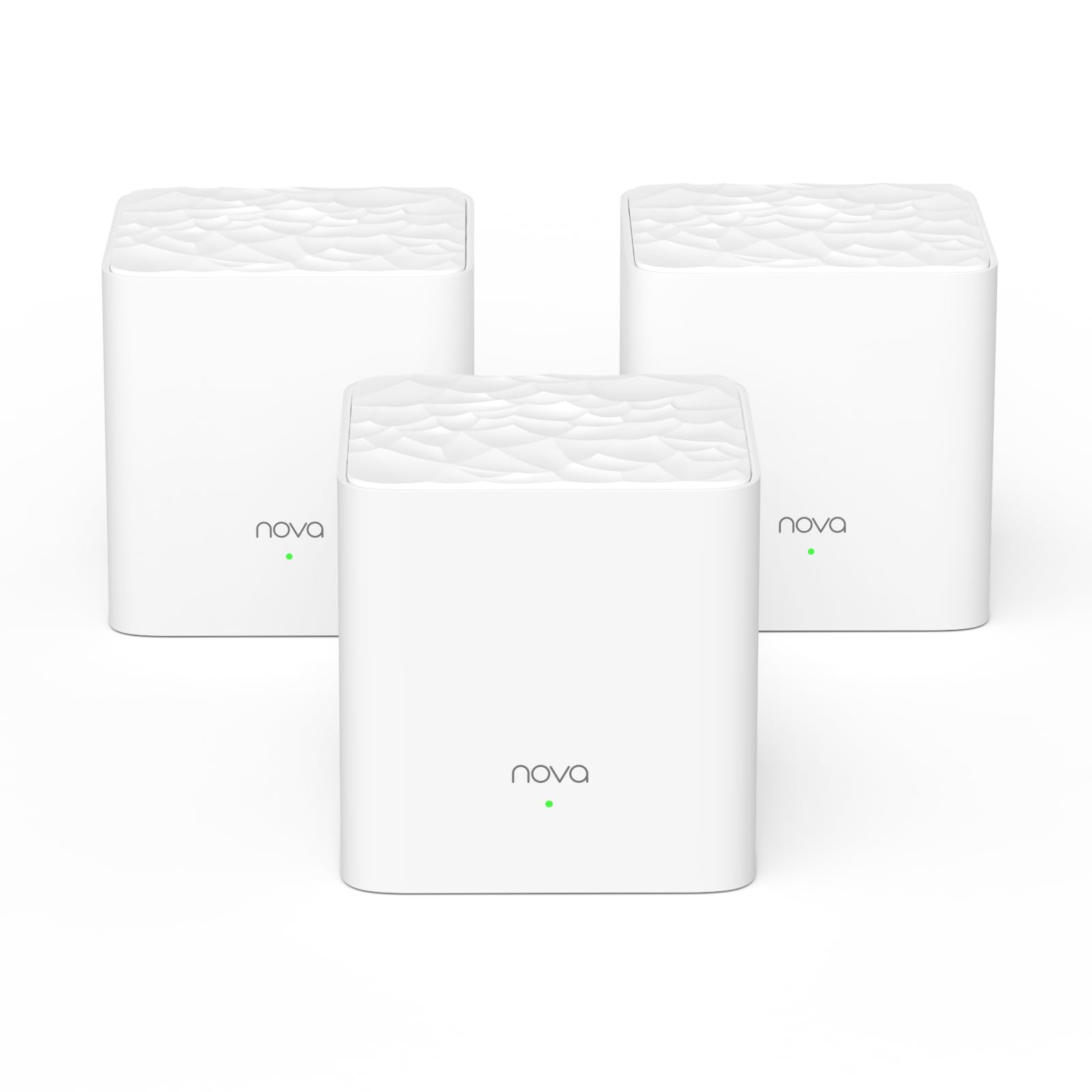
Blanket your three-storey house in reliable WiFi Still frustrated with buffering, drop-offs at your home where WiFi signal is weak or cannot reach? With the mesh technology, MW3 creates a distributed WiFi network that covers up to 300m2, eliminating WiFi dead zones at your home. Hassle free gaming and streaming experiece simultaneously With MU-MIMO technology, MW3 supports more WiFi-enabled devices. And the smart QoS intelligently allocates bandwidth to ensure smooth streaming, gaming, downloading and uninterrupted video chat at the same time. Uninterrupted video chat while moving across your home With one single SSID and password, MW3 automatically performs handover without interrupting services to ensure that the devices are always connected to the WiFi network with stronger signals. Gigabit speed for smooth 4K videos MW3 offers a data rate up to 1200Mbps and prioritizes 5 GHz network access, allowing you to enjoy lag-free 4K HD videos. Easy and fast setup with pre-configuration Pre-paired from factory settings makes setup of MW3 a breeze, letting you go from burden of cabling connections. Management with Tenda WiFi App The easy-to-use Tenda WiFi App allows you to block unauthorized users with a single tap. It also supports Parental Control to help your kids surf internet safely, and Guest Network to protect your personal privacy.
Blanket your three-storey house in reliable WiFi Still frustrated with buffering, drop-offs at your home where WiFi signal is weak or cannot reach? With the mesh technology, MW3 creates a distributed WiFi network that covers up to 300m2, eliminating WiFi dead zones at your home. Hassle free gaming and streaming experiece simultaneously With MU-MIMO technology, MW3 supports more WiFi-enabled devices. And the smart QoS intelligently allocates bandwidth to ensure smooth streaming, gaming, downloading and uninterrupted video chat at the same time. Uninterrupted video chat while moving across your home With one single SSID and password, MW3 automatically performs handover without interrupting services to ensure that the devices are always connected to the WiFi network with stronger signals. Gigabit speed for smooth 4K videos MW3 offers a data rate up to 1200Mbps and prioritizes 5 GHz network access, allowing you to enjoy lag-free 4K HD videos. Easy and fast setup with pre-configuration Pre-paired from factory settings makes setup of MW3 a breeze, letting you go from burden of cabling connections. Management with Tenda WiFi App The easy-to-use Tenda WiFi App allows you to block unauthorized users with a single tap. It also supports Parental Control to help your kids surf internet safely, and Guest Network to protect your personal privacy.
in 1 offers
The lowest price for Tenda WLAN - Router NOVA MW3-2 right now is $118.00 at Amazon.com.au.
The all-time low was $68.00 on 7 Jan 2026 — today's price is 74% above the lowest ever. It has been notably cheaper before — worth setting a price alert.
Tenda WLAN - Router NOVA MW3-2
Blanket your three-storey house in reliable WiFi Still frustrated with buffering, drop-offs at your home where WiFi signal is weak or cannot reach? With the mesh technology, MW3 creates a distributed WiFi network that covers up to 300m2, eliminating WiFi dead zones at your home. Hassle free gaming and streaming experiece simultaneously With MU-MIMO technology, MW3 supports more WiFi-enabled devices. And the smart QoS intelligently allocates bandwidth to ensure smooth streaming, gaming, downloading and uninterrupted video chat at the same time. Uninterrupted video chat while moving across your home With one single SSID and password, MW3 automatically performs handover without interrupting services to ensure that the devices are always connected to the WiFi network with stronger signals. Gigabit speed for smooth 4K videos MW3 offers a data rate up to 1200Mbps and prioritizes 5 GHz network access, allowing you to enjoy lag-free 4K HD videos. Easy and fast setup with pre-configuration Pre-paired from factory settings makes setup of MW3 a breeze, letting you go from burden of cabling connections. Management with Tenda WiFi App The easy-to-use Tenda WiFi App allows you to block unauthorized users with a single tap. It also supports Parental Control to help your kids surf internet safely, and Guest Network to protect your personal privacy.
Blanket your three-storey house in reliable WiFi Still frustrated with buffering, drop-offs at your home where WiFi signal is weak or cannot reach? With the mesh technology, MW3 creates a distributed WiFi network that covers up to 300m2, eliminating WiFi dead zones at your home. Hassle free gaming and streaming experiece simultaneously With MU-MIMO technology, MW3 supports more WiFi-enabled devices. And the smart QoS intelligently allocates bandwidth to ensure smooth streaming, gaming, downloading and uninterrupted video chat at the same time. Uninterrupted video chat while moving across your home With one single SSID and password, MW3 automatically performs handover without interrupting services to ensure that the devices are always connected to the WiFi network with stronger signals. Gigabit speed for smooth 4K videos MW3 offers a data rate up to 1200Mbps and prioritizes 5 GHz network access, allowing you to enjoy lag-free 4K HD videos. Easy and fast setup with pre-configuration Pre-paired from factory settings makes setup of MW3 a breeze, letting you go from burden of cabling connections. Management with Tenda WiFi App The easy-to-use Tenda WiFi App allows you to block unauthorized users with a single tap. It also supports Parental Control to help your kids surf internet safely, and Guest Network to protect your personal privacy.
Prices last updated 16 Sept 2026.
Last updated at 16/09/2026 16:33:27
Tenda Nova MW3 Mesh WiFi System - Up to 2500 sq.ft. Whole Home Coverage, WiFi Router and Extender Replacement, AC1200 Mesh Router for Wireless
Affiliate Disclosure: We may receive a small commission for purchases made through this link at no extra cost to you. This helps support our site. Thank you!
originally posted on shopee.ph
Product Quality:Been a TENDA user for quite some time and so far some routers are giving me the expectations I'm looking for.Best Feature:Easy to install and setup.Performance:CONS: MW3 can only get 100MBPS CAP as its limitation (CAT5/6 tested). TENDA website shows false AD that we can get up to 1200Mbps when in fact it's not. We have a 600MBPS PLDT plan and can only get 80-90+ MBPS on each node. Will not recommend thisI'm left with no choice but to give out a review as seller doesn't have a chat function to let them know. Anyhow thank you for this product, just not what I expect.
originally posted on cclonline.com
Cracking kit for the low price. Being one of (if not) the cheapest mesh wifi systems out there I was a bit sceptical, but all the YouTube reviews made it out to be just as good as any or at least most or any of the others. Set up was easy, took about 10 to 15 minutes (took longer to change the wifi passwords on all our devices) and so far our range has improved and there have been no signal drop outs. The app to manage the mesh router and all the connected devices is straightforward and easy to use. It manages the traffic so you don't need to worry about what connects to each node. It runs both 5ghz and 2.4ghz frequency and if you have devices that only use the 2.4ghz frequency the app has a mode to switch to before connecting it to ensure it connects properly. It ... MoreCracking kit for the low price. Being one of (if not) the cheapest mesh wifi systems out there I was a bit sceptical, but all the YouTube reviews made it out to be just as good as any or at least most or any of the others. Set up was easy, took about 10 to 15 minutes (took longer to change the wifi passwords on all our devices) and so far our range has improved and there have been no signal drop outs. The app to manage the mesh router and all the connected devices is straightforward and easy to use. It manages the traffic so you don't need to worry about what connects to each node. It runs both 5ghz and 2.4ghz frequency and if you have devices that only use the 2.4ghz frequency the app has a mode to switch to before connecting it to ensure it connects properly. It has helped to improve the broadband speeds available in the far bedroom so my daughter is happier with the speed of internet in her room.I'd recommend this to anyone looking extend the range of there home wifi, help in decongesting your wifi traffic and improve speeds in rooms distant from your router. I've had no issues at all so far and the delivery of the item was fast as promised.
originally posted on cclonline.com
Excellent value and works well when set up.But the default Internet Setting option may not suit many people and the instructions are not clear when to use which setting.Also the app present a security risk.The setup options are:-PPPoEDHCP (the default)Static Ip addressBridge.The default is DHCP but if you plug the MW3 into the LAN port of a typical UK router and have a home network which is a mixture of devices connected by ethernet to the router and by wifi to the MW3, then the former will not be able to talk to the latter as both the router AND the MW3 would be handing IP addresses so effectively they would be separate networks. If ALL your network devices are connected to the MW3 then the problem will not arise.Using it in Bridge mode would avoid ... MoreExcellent value and works well when set up.But the default Internet Setting option may not suit many people and the instructions are not clear when to use which setting.Also the app present a security risk.The setup options are:-PPPoEDHCP (the default)Static Ip addressBridge.The default is DHCP but if you plug the MW3 into the LAN port of a typical UK router and have a home network which is a mixture of devices connected by ethernet to the router and by wifi to the MW3, then the former will not be able to talk to the latter as both the router AND the MW3 would be handing IP addresses so effectively they would be separate networks. If ALL your network devices are connected to the MW3 then the problem will not arise.Using it in Bridge mode would avoid that problem, although in Bridge mode you lose a number of features.The user manual, such as it is, has NO information on when to use which setting.The user guide needs improving, also it would be handy if they advised you to switch off the wifi on your router once you've set it all up.SECURITY RISKIf you have put the app on (eg) your iPhone under settings the app displays the MW3 WiFI name and underneath a series of dots in the wifi password field. BUT if you click the little symbol on the right it shows your wifi password in CLEAR TEXT.So if you lose your phone and it is not password/fingerprint protected it is possible for the finder to log into your network if happens to be nearby.My advice is if you have the app on your phone make sure you have the phone password protected.Tenda really should modify the app so that you cannot display the wifi password in clear text with out entering a further password.
| General | |
| Device Type | Wi-Fi system - mesh |
| Wi-Fi System Components | 2 routers |
| Wi-Fi System Coverage | Up to 300 sq.m |
| Enclosure Type | Desktop |

Tenda Nova MW3 Mesh WiFi System - Up to 2500 sq.ft. Whole Home Coverage, WiFi Router and Extender Replacement, AC1200 Mesh Router for Wireless
Affiliate Disclosure: We may receive a small commission for purchases made through this link at no extra cost to you. This helps support our site. Thank you!
Product Quality:Been a TENDA user for quite some time and so far some routers are giving me the expectations I'm looking for.Best Feature:Easy to install and setup.Performance:CONS: MW3 can only get 100MBPS CAP as its limitation (CAT5/6 tested). TENDA website shows false AD that we can get up to 1200Mbps when in fact it's not. We have a 600MBPS PLDT plan and can only get 80-90+ MBPS on each node. Will not recommend thisI'm left with no choice but to give out a review as seller doesn't have a chat function to let them know. Anyhow thank you for this product, just not what I expect.
Cracking kit for the low price. Being one of (if not) the cheapest mesh wifi systems out there I was a bit sceptical, but all the YouTube reviews made it out to be just as good as any or at least most or any of the others. Set up was easy, took about 10 to 15 minutes (took longer to change the wifi passwords on all our devices) and so far our range has improved and there have been no signal drop outs. The app to manage the mesh router and all the connected devices is straightforward and easy to use. It manages the traffic so you don't need to worry about what connects to each node. It runs both 5ghz and 2.4ghz frequency and if you have devices that only use the 2.4ghz frequency the app has a mode to switch to before connecting it to ensure it connects properly. It ... MoreCracking kit for the low price. Being one of (if not) the cheapest mesh wifi systems out there I was a bit sceptical, but all the YouTube reviews made it out to be just as good as any or at least most or any of the others. Set up was easy, took about 10 to 15 minutes (took longer to change the wifi passwords on all our devices) and so far our range has improved and there have been no signal drop outs. The app to manage the mesh router and all the connected devices is straightforward and easy to use. It manages the traffic so you don't need to worry about what connects to each node. It runs both 5ghz and 2.4ghz frequency and if you have devices that only use the 2.4ghz frequency the app has a mode to switch to before connecting it to ensure it connects properly. It has helped to improve the broadband speeds available in the far bedroom so my daughter is happier with the speed of internet in her room.I'd recommend this to anyone looking extend the range of there home wifi, help in decongesting your wifi traffic and improve speeds in rooms distant from your router. I've had no issues at all so far and the delivery of the item was fast as promised.
Excellent value and works well when set up.But the default Internet Setting option may not suit many people and the instructions are not clear when to use which setting.Also the app present a security risk.The setup options are:-PPPoEDHCP (the default)Static Ip addressBridge.The default is DHCP but if you plug the MW3 into the LAN port of a typical UK router and have a home network which is a mixture of devices connected by ethernet to the router and by wifi to the MW3, then the former will not be able to talk to the latter as both the router AND the MW3 would be handing IP addresses so effectively they would be separate networks. If ALL your network devices are connected to the MW3 then the problem will not arise.Using it in Bridge mode would avoid ... MoreExcellent value and works well when set up.But the default Internet Setting option may not suit many people and the instructions are not clear when to use which setting.Also the app present a security risk.The setup options are:-PPPoEDHCP (the default)Static Ip addressBridge.The default is DHCP but if you plug the MW3 into the LAN port of a typical UK router and have a home network which is a mixture of devices connected by ethernet to the router and by wifi to the MW3, then the former will not be able to talk to the latter as both the router AND the MW3 would be handing IP addresses so effectively they would be separate networks. If ALL your network devices are connected to the MW3 then the problem will not arise.Using it in Bridge mode would avoid that problem, although in Bridge mode you lose a number of features.The user manual, such as it is, has NO information on when to use which setting.The user guide needs improving, also it would be handy if they advised you to switch off the wifi on your router once you've set it all up.SECURITY RISKIf you have put the app on (eg) your iPhone under settings the app displays the MW3 WiFI name and underneath a series of dots in the wifi password field. BUT if you click the little symbol on the right it shows your wifi password in CLEAR TEXT.So if you lose your phone and it is not password/fingerprint protected it is possible for the finder to log into your network if happens to be nearby.My advice is if you have the app on your phone make sure you have the phone password protected.Tenda really should modify the app so that you cannot display the wifi password in clear text with out entering a further password.
Tenda Nova was my families first mesh wifi system, prior to that we had a nighthawk and a netgear extender to carry our network across our home as a result of our isp putting the router at the very end of the house. The result is even with the nighthawk, it still wasn't enough.My budget was very limited due to what I do, Tenda Nova mesh router wifi system was my last resort, though many of my friends were cautious of it due to how off brand it was. Though clearly I had to take the chance as everything else was way out of my price range and I needed 3 nodes.To my huge surprise Tenda Nova was extremely easy to set up, and the next day I took down the nighthawk and replaced them with the mesh wifi completely. This mesh wifi system increased my internet speeds 90% ... MoreTenda Nova was my families first mesh wifi system, prior to that we had a nighthawk and a netgear extender to carry our network across our home as a result of our isp putting the router at the very end of the house. The result is even with the nighthawk, it still wasn't enough.My budget was very limited due to what I do, Tenda Nova mesh router wifi system was my last resort, though many of my friends were cautious of it due to how off brand it was. Though clearly I had to take the chance as everything else was way out of my price range and I needed 3 nodes.To my huge surprise Tenda Nova was extremely easy to set up, and the next day I took down the nighthawk and replaced them with the mesh wifi completely. This mesh wifi system increased my internet speeds 90% more than the netgear or the nighthawk ever did.I had no idea how much our network was being crippled by outdated routers and extenders, this for as cheap and off brand as it is, was EXTREMELY helpfully, and it allowed my to actually use my internet better than I had in over 6 years.The only reason I am giving it 4 stars is the result of Tenda Nova only being configured by a app, instead of a traditional router website, which means this would be useless for anything more than a simple home network.At the end of the day I would recommend this product as something you should not hesitate to get if your on a budget, I looked for days, and I am very satisfied with my purchase.
We live in an old cottage with 14" thick walls and poor wifi signal throughout the house has been a continous bugbear ... I have accumulated numerous gadgets from modems, boosters & extenders that I have bought over the years..but all still left wi-fi dead spots throughout the house. It seemed we were doomed to forever be attached to an ethernet cable !!! So when the mesh kits appeared on the market I was more than interested.... many other suppliers are selling these mesh kits at double the price and above... I decided to try the Tenda Nova due mainly to price and not wanting to cash out on yet another gadget that only "might" work for us. To say we are delighted with the Tenda Nova Mesh Kit would be an understatement !!! This is an amazing product... we now have ... MoreWe live in an old cottage with 14" thick walls and poor wifi signal throughout the house has been a continous bugbear ... I have accumulated numerous gadgets from modems, boosters & extenders that I have bought over the years..but all still left wi-fi dead spots throughout the house. It seemed we were doomed to forever be attached to an ethernet cable !!! So when the mesh kits appeared on the market I was more than interested.... many other suppliers are selling these mesh kits at double the price and above... I decided to try the Tenda Nova due mainly to price and not wanting to cash out on yet another gadget that only "might" work for us. To say we are delighted with the Tenda Nova Mesh Kit would be an understatement !!! This is an amazing product... we now have full wi-fi signal throughout our house... there is not a dead spot to be found.... we have all the usual mobile phones, tablets & laptops and other wi-fi devices including Alexa, Security Cameras, TV's & Games Consoles...it copes with them all, we have no lag, no loss of signal, and no more ethernet cables tying us to the one spot !!! The Tenda phone App is also really useful, and lets you monitor your Nova Box signal and all your devices, add parental controls etc. The one & only tiny issue I have found isthat when moving or say dusting around the Nova Tenda boxes, the power wire from the back is easily unseated... a better fit would remedy this, but then it is quickly highlighted if the power light goes off or via the Tenda app. However I do not feel this should detract from this excellent piece of kit. So If like me, you are in despair of ever receiving full wi-fi coverage throughout your home, I would highly recommend this kit, you will not be disappointed. I am so pleased to finally find a solution that I want to tell the world !!!!
I bought 6 routers from makro and over many months the product does not perform as expected does not matter how many times you reboot, reinstall or move them around.I think the firmware is the problem because its ancient.1) The routers DO NOT hand over devices to another router with a better signal or faster speed. I have never seen it happen, I always have to put the device/phone wifi on and off to join a closer router. On fixed devices like cameras you have to switch off routers that further away (20m) to force it joining one that is sometimes 4m away.2) Routers also do not connect with each other effectively. One router would run at 50Mbps and another one 9m away in open space would run at 1Mbps while saying reception is excellent.3) No indication if ... MoreI bought 6 routers from makro and over many months the product does not perform as expected does not matter how many times you reboot, reinstall or move them around.I think the firmware is the problem because its ancient.1) The routers DO NOT hand over devices to another router with a better signal or faster speed. I have never seen it happen, I always have to put the device/phone wifi on and off to join a closer router. On fixed devices like cameras you have to switch off routers that further away (20m) to force it joining one that is sometimes 4m away.2) Routers also do not connect with each other effectively. One router would run at 50Mbps and another one 9m away in open space would run at 1Mbps while saying reception is excellent.3) No indication if backhauling is working or not. No indication on app and no lights at back of router.4) Ethernet ports are not precisely made. I have broken a few cable male connectors to get it out of the router. They are also slow and would rather go for gigabit ports available on other routers.5) Very very basic app that does very little for fault finding. App and firmware seriously needs update and improvement.Cannot recommend unless you use it as a dumb range extender.
Pros: This was bought to solve the issue of inconsistent WiFi across our house. We had an extension built two decades ago and had problems getting the WiFi across the cavity wall into the office. We had tried using a ring main booster and a second router with limited success. These boxes have eradicated the issue. I don’t know how they get through the cavity wall, but they do! We get the same top speeds across the whole house now. Also, we have no issues with our gaming son sucking the system dry. He has reported some packet loss in gaming, but I’m told this is variable and may be due to the distance from the server. I’m going to upgrade the cable from the wall socket to the modem to a twisted, shielded CAT6 one to eliminate any interference causing problems there ... MorePros: This was bought to solve the issue of inconsistent WiFi across our house. We had an extension built two decades ago and had problems getting the WiFi across the cavity wall into the office. We had tried using a ring main booster and a second router with limited success. These boxes have eradicated the issue. I don’t know how they get through the cavity wall, but they do! We get the same top speeds across the whole house now. Also, we have no issues with our gaming son sucking the system dry. He has reported some packet loss in gaming, but I’m told this is variable and may be due to the distance from the server. I’m going to upgrade the cable from the wall socket to the modem to a twisted, shielded CAT6 one to eliminate any interference causing problems there (our WiFi was so dodgy before that we probably couldn’t see these issues!). The system was super easy to set up (scan the qr code to get the app, plug in the boxes and orientate to get a green light). An additional benefit is the enhanced security of a customised password, guest network and basic parental controls! Fantastic product, especially given that our internet provider just recommended a new router and was going to charge £12 per month for it, with no guarantees of solving the problem. Very happy customer.Cons: The box by the TV had to be moved to prevent interference with the TV picture. The parental controls are extremely basic (I can only turn one user off overnight really, when I would prefer to be able to set several periods of use/inactivity and different settings for different users) and easily circumvented by him cloning his computer! Also, oddly, there is no password on the app itself. However, I guess that if you want these features you can always buy the Orbi system for six times the price!
Since I moved the home PC through into an extension I have had poor signal reception largely due to 20" solid stone walls that my house is built from. So I decided to invest in a mesh network rather than wifi extenders having done some research on which is/seems to to be the better solution. I then set about looking for something cost effective and found this NOVA MW3 network which is significantly cheaper than most - I also opted for a UK product with 3 pin power adapters rather that mess around with converters - it looks better but did cost a bit more or rather the non UK versions were a little cheaper so it's your call. I was going to give this only 4 stars but because of the price performance elected to give it 5. Quite simply is does what is says on the tin. ... MoreSince I moved the home PC through into an extension I have had poor signal reception largely due to 20" solid stone walls that my house is built from. So I decided to invest in a mesh network rather than wifi extenders having done some research on which is/seems to to be the better solution. I then set about looking for something cost effective and found this NOVA MW3 network which is significantly cheaper than most - I also opted for a UK product with 3 pin power adapters rather that mess around with converters - it looks better but did cost a bit more or rather the non UK versions were a little cheaper so it's your call. I was going to give this only 4 stars but because of the price performance elected to give it 5. Quite simply is does what is says on the tin. Since installation which took all of 15 minutes to do and configure - opening the pack took longer !! - I have significant improvement on the speed of my PC connection to the web. It's back to being almost instant. So this system does work. Set is is sooooooo easy. but you do need a smart phone or tablet to download the Tenda configuration app to. So presuming you have one, it dead simple. The app also lets you name/rename your devices. If one box fails you simply reconfigure your network with 2 and carry on. Additional units can also be configured if you need more. So it is modular in design which I am sure others are too but at least you now know this is. So a bit about setup. You connect the primary unit to your hub/router (in my case a BT home hub) by way of the included Ethernet cable. Switch it on and hey presto. Place the other units around you building and switch them on and they auto connect with each other. So now you have two wireless networks you original in my case BT network and overlayed on top of that is your NOVA network which is then connected to the web via the Ethernet cable. So you can connect your devices to either to access the web but as you have bought a mesh network you'll no doubt be using that especially in dead spots around your building. Using the app you can then change the name and password access of your NOVA system - sensible idea - and name the units which appear on the network plan shown in the app. So all in all this has been a great cost effective investment and I would recommend this mesh network 100%
I had a customer where regular extenders just didn't cut it. Ranch house with few outlets made placement difficult. The Tenda MW3's were the solution. You MUST use the Tenda app on a smartphone or iOS device only. (Tenda promises there is a web interface coming.) I plugged one of the (identical) modules into their Arris cable modem/router/switch combination and expected to put the Tenda gateway in bridge mode to have the cable modem assign IP addresses smoothly. (The app has a setting for this). But surprise, it works fine and autoconfigured itself on a subnet. I plugged the second cube in and hit the "next" button. The app said it couldn't find it and returned to the home page which showed it was already connected, without intervention! I plugged in the 3rd one, ... MoreI had a customer where regular extenders just didn't cut it. Ranch house with few outlets made placement difficult. The Tenda MW3's were the solution. You MUST use the Tenda app on a smartphone or iOS device only. (Tenda promises there is a web interface coming.) I plugged one of the (identical) modules into their Arris cable modem/router/switch combination and expected to put the Tenda gateway in bridge mode to have the cable modem assign IP addresses smoothly. (The app has a setting for this). But surprise, it works fine and autoconfigured itself on a subnet. I plugged the second cube in and hit the "next" button. The app said it couldn't find it and returned to the home page which showed it was already connected, without intervention! I plugged in the 3rd one, searched and had to scan the QR code on bottom. The app said it couldn't find that one either. But returning to the home page showed desired network topology "triangle" with all 3 working and connected. The moral of the story: before futzing around too much, check to see if they are connected first if you get a "can't find" or other error on the app. Also, make sure you plug them in 1 at a time. I checked the wireless signals and they all are definitely working. The beam forming is effective and the signals are stronger than the original wireless AP even comparing Tenda gateway at the cable modem. If you need gigabit connections, go up to the MW5's. Understand that the first cube must be plugged in (ethernet cable incl.) right at the router or cable modem, so the first box may not extend your signal farther. The "4,000 sq ft." claim is probably accurate, if you have a 2 story house. Clients are very pleased with them. The user manual has grammar issues, but the app is very configurable and should be able to do what you need.
| General | |
| Device Type | Wi-Fi system - mesh |
| Wi-Fi System Components | 2 routers |
| Wi-Fi System Coverage | Up to 300 sq.m |
| Enclosure Type | Desktop |