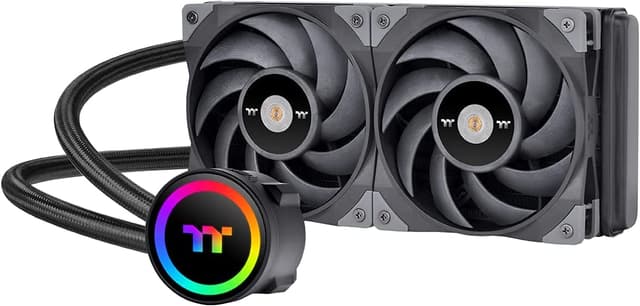
Thermaltake (CL-P064-AL12SW-A) UX100 ARGB CPU Cooler
UX100 ARGB Lighting CPU Cooler
UX100 ARGB Lighting CPU Cooler
UX100 ARGB Lighting CPU Cooler
UX100 ARGB Lighting CPU Cooler
in 22 offers
The lowest price for Thermaltake (CL-P064-AL12SW-A) UX100 ARGB CPU Cooler right now is $18.26 at eBay.com.au, compared across 18 retailers.
The all-time low was $18.17 on 6 May 2026. That's the lowest price we've ever tracked — a great time to buy.
Prices last updated 3 Sept 2026.
Last updated at 03/09/2026 18:40:43
Thermaltake Ux100 5v Motherboard Sync High Airflow Hydraulic Bearing
Delivery $59.11
Affiliate Disclosure: We may receive a small commission for purchases made through this link at no extra cost to you. This helps support our site. Thank you!
Thermaltake UX100 ARGB Lighting CPU Cooler
Delivery between Mon – Wed $15
Thermaltake UX100 ARGB Lighting CPU Cooler (CL-P064-AL12SW-A)
Thermaltake UX100 ARGB CPU Air Cooler 120x120x25mm Fan Hydraulic Bearing Compatible Intel AMD
Free delivery between 7–14 Sept
Thermaltake UX100 ARGB Lighting CPU Cooler CL P064 AL12SW A - CPU Cooling
Delivery $12.37
Thermaltake UX100 ARGB Lighting CPU Cooler CL P064 AL12SW A - CPU Cooling
Delivery $12
Thermaltake UX100 - ARGB Low Profile CPU Cooler
Delivery between 7–16 Sept $11.64
Thermaltake UX100 ARGB Lighting CPU Cooler (CL-P064-AL12SW-A)
Delivery $18.99
Thermaltake UX100 ARGB Lighting CPU Cooler
Delivery between Mon – Thu $10
Thermaltake UX100 ARGB CPU Air Cooler CL-P064-AL12SW-A
originally posted on microcenter.com
If you can find this as an open box deal, GO FOR IT! Even new, the price is so good you just can't pass it up. I personally don't care about RGB colored lights on my computer, but if that's your thing then more power to you. This heatsink and fan combo cools effectively for a low priced item, and more importantly, it is extremely low-profile. You could get the classic poorman's choice: the Hyper 212 EVO, but then you'd have a big doink sticking out of your mobo. I get around 35C idle temps on a gen 1 ryzen and that's just fine for my purposes. Thanks for reading, I hope you take the plunge and take Thermaltake's advice: COOLall YOUR LIFE
originally posted on microcenter.com
So, first off I was testing this fan on a 9900k on a cheap H310 motherboard... just for giggles. No OC (obviously), everything stock, open air test bench (no case = not optimal air flow). Under a HeavyLoad (CPU stress test) where all 8 cores were at 100% for over 30 min, the temps stayed at an average of 68~70 deg with a couple cores peaking at 81 occasionally (not sustained). Needless to say no CPU throttling was experienced and system performed flawlessly. So yes, in a pinch when spending $40 or more on a higher end cooler is not an option this is a fine alternative. Couple things to consider: you may have issues with some larger RAM heatsinks. I actually had to remove heatsink off the stick closest to CPU. Also, the header is a 3-pin design so it will not run in ... MoreSo, first off I was testing this fan on a 9900k on a cheap H310 motherboard... just for giggles. No OC (obviously), everything stock, open air test bench (no case = not optimal air flow). Under a HeavyLoad (CPU stress test) where all 8 cores were at 100% for over 30 min, the temps stayed at an average of 68~70 deg with a couple cores peaking at 81 occasionally (not sustained). Needless to say no CPU throttling was experienced and system performed flawlessly. So yes, in a pinch when spending $40 or more on a higher end cooler is not an option this is a fine alternative. Couple things to consider: you may have issues with some larger RAM heatsinks. I actually had to remove heatsink off the stick closest to CPU. Also, the header is a 3-pin design so it will not run in PWM. This means that the fan will run at 100% speed on motherboards that only support PWM on the CPU fan header. It's not super loud, but it gets annoying after a while. I had to connect it to Chassis Fan header (supports DC fan control) and change the sensor type to CPU in BIOS for that header.
originally posted on microcenter.com
Replaced my bulky heatsink for a more practical one. This was easy to install. Just verify which orientation the mounting bracket is when installing so you can easily clip the latch.-SideNote: Despite no RGB header it still has RGB but in a spinning rotation just like the factory pic. The header simply let's you customize it.-Minor Con: if using more than 2 sticks of ram install the ram first (taller sticks probably won't fit). I have no room to install additional ram without reinstalling the heatsink.
| Manufacturer Warranty | 1 Year |
| DIMENSIONS | 122.3 x 122.3 x 66.1 mm(L x W x H) |
| HEATSINK MATERIAL | Aluminum Fins |
| FAN DIMENSION | 120 x 120 x 25 mm(L x W x H) |
| FAN QUANTITY | 1pcs |
Thermaltake Ux100 5v Motherboard Sync High Airflow Hydraulic Bearing
Delivery $59.11
Affiliate Disclosure: We may receive a small commission for purchases made through this link at no extra cost to you. This helps support our site. Thank you!
Thermaltake UX100 ARGB Lighting CPU Cooler
Delivery between Mon – Wed $15
Thermaltake UX100 ARGB Lighting CPU Cooler (CL-P064-AL12SW-A)
Thermaltake UX100 ARGB CPU Air Cooler 120x120x25mm Fan Hydraulic Bearing Compatible Intel AMD
Free delivery between 7–14 Sept
Thermaltake UX100 ARGB Lighting CPU Cooler CL P064 AL12SW A - CPU Cooling
Delivery $12.37
If you can find this as an open box deal, GO FOR IT! Even new, the price is so good you just can't pass it up. I personally don't care about RGB colored lights on my computer, but if that's your thing then more power to you. This heatsink and fan combo cools effectively for a low priced item, and more importantly, it is extremely low-profile. You could get the classic poorman's choice: the Hyper 212 EVO, but then you'd have a big doink sticking out of your mobo. I get around 35C idle temps on a gen 1 ryzen and that's just fine for my purposes. Thanks for reading, I hope you take the plunge and take Thermaltake's advice: COOLall YOUR LIFE
So, first off I was testing this fan on a 9900k on a cheap H310 motherboard... just for giggles. No OC (obviously), everything stock, open air test bench (no case = not optimal air flow). Under a HeavyLoad (CPU stress test) where all 8 cores were at 100% for over 30 min, the temps stayed at an average of 68~70 deg with a couple cores peaking at 81 occasionally (not sustained). Needless to say no CPU throttling was experienced and system performed flawlessly. So yes, in a pinch when spending $40 or more on a higher end cooler is not an option this is a fine alternative. Couple things to consider: you may have issues with some larger RAM heatsinks. I actually had to remove heatsink off the stick closest to CPU. Also, the header is a 3-pin design so it will not run in ... MoreSo, first off I was testing this fan on a 9900k on a cheap H310 motherboard... just for giggles. No OC (obviously), everything stock, open air test bench (no case = not optimal air flow). Under a HeavyLoad (CPU stress test) where all 8 cores were at 100% for over 30 min, the temps stayed at an average of 68~70 deg with a couple cores peaking at 81 occasionally (not sustained). Needless to say no CPU throttling was experienced and system performed flawlessly. So yes, in a pinch when spending $40 or more on a higher end cooler is not an option this is a fine alternative. Couple things to consider: you may have issues with some larger RAM heatsinks. I actually had to remove heatsink off the stick closest to CPU. Also, the header is a 3-pin design so it will not run in PWM. This means that the fan will run at 100% speed on motherboards that only support PWM on the CPU fan header. It's not super loud, but it gets annoying after a while. I had to connect it to Chassis Fan header (supports DC fan control) and change the sensor type to CPU in BIOS for that header.
Replaced my bulky heatsink for a more practical one. This was easy to install. Just verify which orientation the mounting bracket is when installing so you can easily clip the latch.-SideNote: Despite no RGB header it still has RGB but in a spinning rotation just like the factory pic. The header simply let's you customize it.-Minor Con: if using more than 2 sticks of ram install the ram first (taller sticks probably won't fit). I have no room to install additional ram without reinstalling the heatsink.
While This has many horrible reviews on many sites I found it to work fine for a 14 year old CPU Core 2 Quad Q9550. It may be less useful for anything remotely new. like any air cooler installing in an already built system is "challenging" Apart from the typical struggle of installing it with the Motherboard inside the case it was easy to follow the instructions and everything went together as expected.
I like this cpu cooler. I think it does the job well enough and adds a bit of bling to my case.The only issue I have with it is that the pins that are supposed to connect to the RGB pins on my motherboard do not fit very well. Instead of a 4 pin connector, they went with single pin connectors, so I had some trouble getting the RGB to actually work since the pins wouldn't sit still.The cooler also requires the plastic motherboard standoffs to be mounted to an AMD motherboard. I bought this as a replacement cooler for the in the box cooler that came with my Ryzen cpu. Given that that cooler didn't need the motherboard standoffs, I had thrown them away and had to buy new ones to mount this cooler.After finally getting it installed though, it works great and looks ... MoreI like this cpu cooler. I think it does the job well enough and adds a bit of bling to my case.The only issue I have with it is that the pins that are supposed to connect to the RGB pins on my motherboard do not fit very well. Instead of a 4 pin connector, they went with single pin connectors, so I had some trouble getting the RGB to actually work since the pins wouldn't sit still.The cooler also requires the plastic motherboard standoffs to be mounted to an AMD motherboard. I bought this as a replacement cooler for the in the box cooler that came with my Ryzen cpu. Given that that cooler didn't need the motherboard standoffs, I had thrown them away and had to buy new ones to mount this cooler.After finally getting it installed though, it works great and looks super nice in my pc.
ok, look main, erry one want you to be cool...get water cooling, it look cool. and yeah, they not wrong. it does look boss, boss. but don't knock direct air cooling. especially on something that is subject to such subtle temp changes. i'm say'en doe. she cheap and she all dolled up...look at dem led's, main. look at 'em! for a dub spot? she shaved 20 degs off my old phenom II dat's a dollar a degree son. but if you smart like me you got dat open box doe, 15 bux. you spend mo den dat on starbux, main, while yer cpu juss dieing from an old over worked fan all clogged w/ dust.
Excellent product with some more or less minor issues that could do with a design pass on TT's part. If there's ever an updated version of this cooler that addresses the issues I listed under "Cons," I would be very interested in upgrading. Those issues being that if the RAM slots are fully populated, the leftmost stick collides with the cooler's radiator fins, bending the ram stick very slightly to the side. Nothing fatal, but still concerning. And yes, that's with me using low profile RAM sticks with no RGB fanciness or tall heat spreaders. WITH higher profile heat spreaders, I don't see how it would be possible to mount this cooler without cutting away its radiator fins to accomodate the RAM. Even with my low profile sticks, I probably should've filed away at ... MoreExcellent product with some more or less minor issues that could do with a design pass on TT's part. If there's ever an updated version of this cooler that addresses the issues I listed under "Cons," I would be very interested in upgrading. Those issues being that if the RAM slots are fully populated, the leftmost stick collides with the cooler's radiator fins, bending the ram stick very slightly to the side. Nothing fatal, but still concerning. And yes, that's with me using low profile RAM sticks with no RGB fanciness or tall heat spreaders. WITH higher profile heat spreaders, I don't see how it would be possible to mount this cooler without cutting away its radiator fins to accomodate the RAM. Even with my low profile sticks, I probably should've filed away at least a mm or two from a couple of the fins that are fighting with my RAM for real estae. The second issue being that, for some reason, the contact plate on the cooler is not circular. Which... why not? It can be mounted orthogonally or diagonally. If there are issues with clearance around the CPU, you're gonna have to mount diagonally, but that introduces other issues with contact plate coverage. In my case, the corners of the CPU chip are left exposed because of the oddly shaped rectangular contact plate. There's really no reason for this odd shape - it'd be much more useful with a circular shape that gives full coverage to the CPU in all of the cooler's possible orientations.
Cool temps and a cool look, and cool functionality! If you you just want a little bit of color to spice things up, this is it! But what you don't know, is you can practically see the status of your pc's booting process by the colors displayed! Very helpful for when you're building a pc and the bios settings aren't working. If the cooler turns half blue, half red, it's not going to boot and there's an issue with the gpu. If it's multi color, and flashing, there's a problem with a setting in the bios. Great price to keep my cpu at 26 Celsius!
I just picked this CPU cooler up yesterday for an older Intel gaming rig I built and it works super well. I can now game on that system without Core Temp complaining of 95 deg C under a simple light gaming load. The installation though I would not recommend for a beginner. It's not that it's difficult... it's just tedious due to how you need to stretch the mounting arms (lack of a better term) to link onto the ring you need to install to your CPU socket (if using Intel). If you're on AMD AMx then it should be easier. Once installed it performs well. At idle it maintains a 32-40 deg C temp and for my uses under the loads I put on it it hits around 60 Deg C, which is high, but nowhere near the 95 deg C with my previous "solution".. Anyway, great product if you can ... MoreI just picked this CPU cooler up yesterday for an older Intel gaming rig I built and it works super well. I can now game on that system without Core Temp complaining of 95 deg C under a simple light gaming load. The installation though I would not recommend for a beginner. It's not that it's difficult... it's just tedious due to how you need to stretch the mounting arms (lack of a better term) to link onto the ring you need to install to your CPU socket (if using Intel). If you're on AMD AMx then it should be easier. Once installed it performs well. At idle it maintains a 32-40 deg C temp and for my uses under the loads I put on it it hits around 60 Deg C, which is high, but nowhere near the 95 deg C with my previous "solution".. Anyway, great product if you can manage to get it installed and I highly recommend it for the price.
this is good for cheap low cost systems, i wouldnt use it on more then a 4 core/8 thread system as more then that will overwelm the cooler. i had very little options to fix a prebuilt computer for a customer that had limited space. this cooler does better then a amd cooler but not by much. if you have room in your case that doesnt require such a little cooler i look for something else. need something to replace the factory amd cooler....this will get you around 5c lower...also dont recommmend using the thermal paste that comes with it.
| Manufacturer Warranty | 1 Year |
| DIMENSIONS | 122.3 x 122.3 x 66.1 mm(L x W x H) |
| HEATSINK MATERIAL | Aluminum Fins |
| FAN DIMENSION | 120 x 120 x 25 mm(L x W x H) |
| FAN QUANTITY | 1pcs |