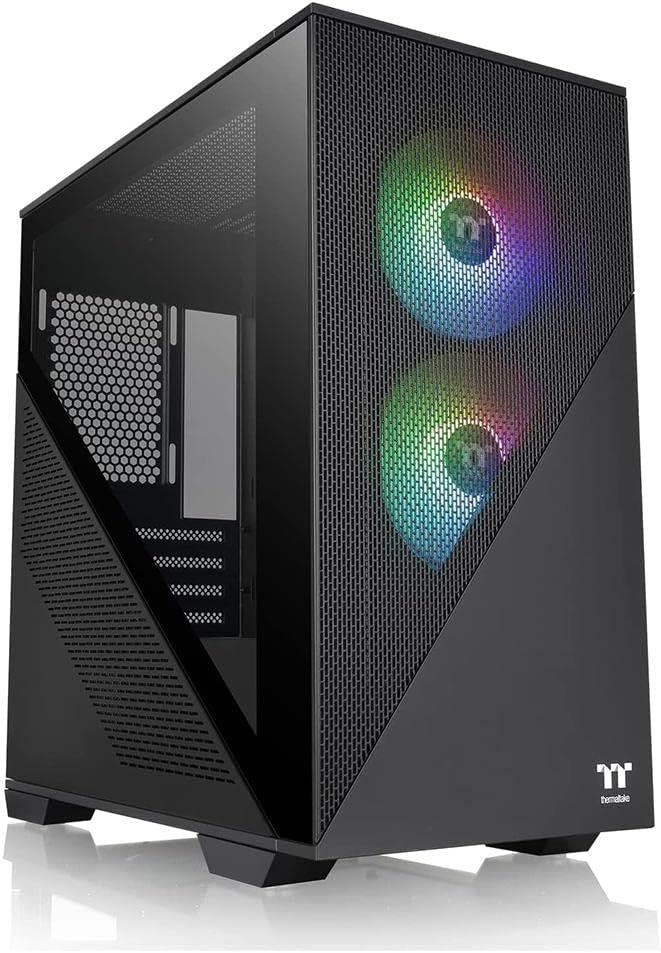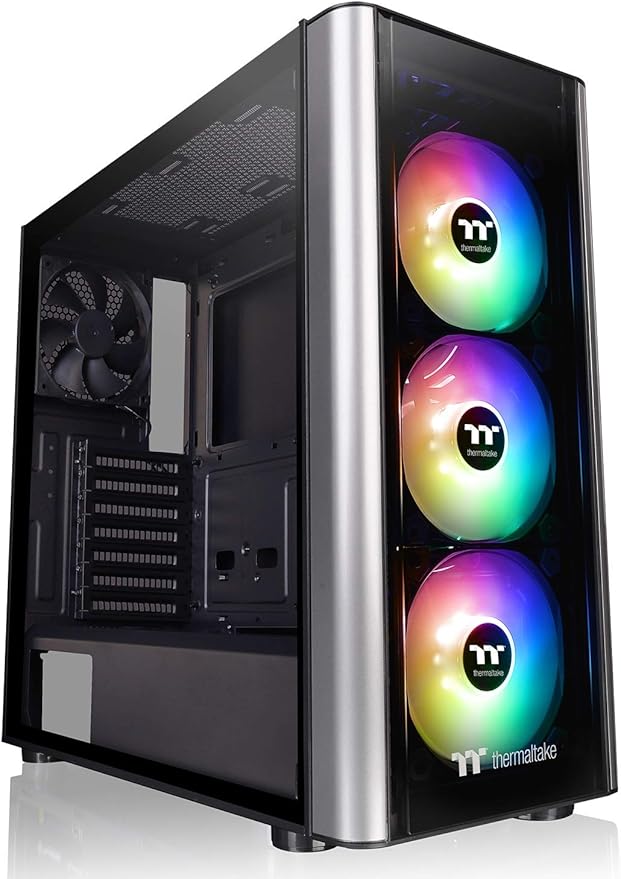
Thermaltake Level 20 MT ARGB is the premium mid tower synchronized with motherboard in the level 20 family. Level 20 MT ARGB features enlarged side panel window, ATX motherboard support and a power cover. The Level 20 MT ARGB comes preinstalled with three 120mm 5V ARGB LED front fans and one 120mm rear fan. The front fans are addressable to deliver 16.8 million-color RGB illumination and unparalleled ventilation. This model comes ready to sync with RGB capable motherboards from Asus, Gigabyte, MSI and AsRock. The Level 20 MT ARGB takes our latest case innovations and wraps them in an ultra-modern style that’s utterly unique in the case market today. Stand out from the crowd with the Level 20.
Thermaltake Level 20 MT ARGB is the premium mid tower synchronized with motherboard in the level 20 family. Level 20 MT ARGB features enlarged side panel window, ATX motherboard support and a power cover. The Level 20 MT ARGB comes preinstalled with three 120mm 5V ARGB LED front fans and one 120mm rear fan. The front fans are addressable to deliver 16.8 million-color RGB illumination and unparalleled ventilation. This model comes ready to sync with RGB capable motherboards from Asus, Gigabyte, MSI and AsRock. The Level 20 MT ARGB takes our latest case innovations and wraps them in an ultra-modern style that’s utterly unique in the case market today. Stand out from the crowd with the Level 20.
in 3 offers
The lowest price for Thermaltake Level 20 MT ARGB Mid Tower ATX Case TG CA-1M7-00M1WN-00 right now is $129.00 at Amazon.com.au, compared across 3 retailers.
The all-time low was $95.00 on 27 May 2026 — today's price is 36% above the lowest ever. It has been notably cheaper before — worth setting a price alert.
Prices last updated 7 June 2026.
Thermaltake Level 20 MT ARGB Mid Tower ATX Case TG CA-1M7-00M1WN-00
Thermaltake Level 20 MT ARGB is the premium mid tower synchronized with motherboard in the level 20 family. Level 20 MT ARGB features enlarged side panel window, ATX motherboard support and a power cover. The Level 20 MT ARGB comes preinstalled with three 120mm 5V ARGB LED front fans and one 120mm rear fan. The front fans are addressable to deliver 16.8 million-color RGB illumination and unparalleled ventilation. This model comes ready to sync with RGB capable motherboards from Asus, Gigabyte, MSI and AsRock. The Level 20 MT ARGB takes our latest case innovations and wraps them in an ultra-modern style that’s utterly unique in the case market today. Stand out from the crowd with the Level 20.
Thermaltake Level 20 MT ARGB is the premium mid tower synchronized with motherboard in the level 20 family. Level 20 MT ARGB features enlarged side panel window, ATX motherboard support and a power cover. The Level 20 MT ARGB comes preinstalled with three 120mm 5V ARGB LED front fans and one 120mm rear fan. The front fans are addressable to deliver 16.8 million-color RGB illumination and unparalleled ventilation. This model comes ready to sync with RGB capable motherboards from Asus, Gigabyte, MSI and AsRock. The Level 20 MT ARGB takes our latest case innovations and wraps them in an ultra-modern style that’s utterly unique in the case market today. Stand out from the crowd with the Level 20.
Last updated at 07/06/2026 23:59:35
Thermaltake Level 20 MT ARGB Tempered Glass Mid Tower Case
Affiliate Disclosure: We may receive a small commission for purchases made through this link at no extra cost to you. This helps support our site. Thank you!
Thermaltake Level 20 MT Tempered Glass ARGB Case with 3 RGB Fans CA 1M7 00M1WN 00 - Thermaltake Cases
Delivery $29.41
Thermaltake Level 20 MT ARGB Glass Case
Delivery $38
originally posted on umart.com.au
Good for its price, looks good with the added fans and RGB.The glass panel is nice. The cable management at the back is really small i had to basically organise it with cable ties and other bits, and still I had to press the back panel and swash the cables. Also the dust filters keep moving because it uses a weak magnet, so if you put your feet on top of your case like i do so i had to tape that shut aswell.Other than the cable management it is a solid case and good for its price, I dont really care about RGB so i didnt sync it up,
originally posted on umart.com.au
Although this case looks great and comes with good ARGB front fans, it really isn't what it is cracked up to be.It comes with an ARGB Sync controller that boasts compatibility with all the major Motherboard manufacturers. I found that it only worked on it's own and would in no way known, sync with the Motherboard. The fans are only compatible with the onboard controller so cannot be used elsewhere.Cable management is ridiculously tight with only 12mm of room behind the motherboard plate.Front dust filters are non-existentThe one I bought came with a blemish in the pain of the front panel that was not from a scratch but more like a factory defect. I definitely would NOT recommend one of these cases!
originally posted on microcenter.com
Its a good quiet case with plenty of room for whatever you are doing. Great quality feel with nothing being flimsy or cheap feeling. RGB can be plugged into your motherboard for controlling in software, but don't expect corsair RGB fans. They do the job and look good cycling through colors or just being solid colored. Only complaint is that if you're like me and the cables normally bundle around one central area in the center, the back cover doesn't leave much room to leave it a mess. Plenty of room to cable manage, just not a lot of room to cable manage thick bundles if that's your style. Otherwise this is a great case with good airflow and nice magnetic filter screens
| Case Type | Mid Tower |
| Dimension (H x W x D) | 455 x 204 x 471mm; (17.9 x 8.0 x 18.54 inch) |
| Net Weight | 6.75 kg / 14.88 lb |
| Side Panel | 4mm Tempered Glass x 2 (Left & Front) |
| Expansion Slots | 7 |
Thermaltake Level 20 MT ARGB Tempered Glass Mid Tower Case
Affiliate Disclosure: We may receive a small commission for purchases made through this link at no extra cost to you. This helps support our site. Thank you!
Thermaltake Level 20 MT Tempered Glass ARGB Case with 3 RGB Fans CA 1M7 00M1WN 00 - Thermaltake Cases
Delivery $29.41
Thermaltake Level 20 MT ARGB Glass Case
Delivery $38
Good for its price, looks good with the added fans and RGB.The glass panel is nice. The cable management at the back is really small i had to basically organise it with cable ties and other bits, and still I had to press the back panel and swash the cables. Also the dust filters keep moving because it uses a weak magnet, so if you put your feet on top of your case like i do so i had to tape that shut aswell.Other than the cable management it is a solid case and good for its price, I dont really care about RGB so i didnt sync it up,
Although this case looks great and comes with good ARGB front fans, it really isn't what it is cracked up to be.It comes with an ARGB Sync controller that boasts compatibility with all the major Motherboard manufacturers. I found that it only worked on it's own and would in no way known, sync with the Motherboard. The fans are only compatible with the onboard controller so cannot be used elsewhere.Cable management is ridiculously tight with only 12mm of room behind the motherboard plate.Front dust filters are non-existentThe one I bought came with a blemish in the pain of the front panel that was not from a scratch but more like a factory defect. I definitely would NOT recommend one of these cases!
Its a good quiet case with plenty of room for whatever you are doing. Great quality feel with nothing being flimsy or cheap feeling. RGB can be plugged into your motherboard for controlling in software, but don't expect corsair RGB fans. They do the job and look good cycling through colors or just being solid colored. Only complaint is that if you're like me and the cables normally bundle around one central area in the center, the back cover doesn't leave much room to leave it a mess. Plenty of room to cable manage, just not a lot of room to cable manage thick bundles if that's your style. Otherwise this is a great case with good airflow and nice magnetic filter screens
I bought this case to replace an old case (2010). Besides the criteria of being an upgrade, I wanted a case that added decoration to my wife's office. This one fit the bill with the RGB fans in the front and the easy-to-use connections for the fans included with the case (front and rear). I added a water cooler with a RGB fan mounted on the screen at the top of the case and voila - one happy wife when we finished. I really like the storage compartments and the direct mounting of the SSD drives. There is plenty of room for a micro ATX board, and I am sure an ATX board will fit. Air flow is good for my system and noise level from the fans is not noticeable. Bottom line, my wife likes the colors (critical item) and I am happy with the layout and near-silent fans.
This case has been interesting to build in! I down sized from a server case (ThermalTake MK Chaser 2) and a crap ton of air flow!.This case disappointed me during unpackaging! The box was dented, scratched, etc and upon unboxing? I discovered on the right side plate (where you manage wire routes) what looks like it was dropped before packaging or pressed on something hard, also, the 4 case screws had to be bent straight because they were screwed in at an angle! After this, wires were not in a zip lock bag and they were just tossed I to the case and the plastic protection over the glass on the front and side looked like it caught on something or a three year old picked at it! I was very disappointed when unpackaging this case. But to the pros and cons!Pros:#1: ... MoreThis case has been interesting to build in! I down sized from a server case (ThermalTake MK Chaser 2) and a crap ton of air flow!.This case disappointed me during unpackaging! The box was dented, scratched, etc and upon unboxing? I discovered on the right side plate (where you manage wire routes) what looks like it was dropped before packaging or pressed on something hard, also, the 4 case screws had to be bent straight because they were screwed in at an angle! After this, wires were not in a zip lock bag and they were just tossed I to the case and the plastic protection over the glass on the front and side looked like it caught on something or a three year old picked at it! I was very disappointed when unpackaging this case. But to the pros and cons!Pros:#1: Side panel Cable Management: managing cable route were easy! Alot of working room in the back!#2: SSD & HDD Mounting: it has two quick disconnects for SSDs and 2 places for SSD's on the side or top (unless you want Fans there) also has 2 slots in the back for HDD's with plenty of room for airflow..Cons:#1: E-ATX Cable connections: If you have an Extended ATX board like myself? You WILL NOT be able to use straight SATA cables if you have an AIO to the right of the MoBo! You will have to use 90 degree plugs from the MoBo and you can't do it if the Radiator is already mounted, it has to come off and move away to utilize the plugs.#2: Fan Mounting: it's hard! Barely any room for any additional fans even tho the mounts are there! So just be careful and make sure you install fans after you do the MoBo and AIO and make sure you do it before you install the GPU.#3: GPU mounting: mounting the GPU was hard since the Radiator is to the right of the Motherboard (Gigabyte GTX 1060-6GB, Corsair h100i pro RGB), had to squeeze the GPU past a part of the fan to get it in but it fits perfect after that and just touches the fan caseing which I do like cause it prevents sagging.#4: Air flow: omg, air flow/cooling sucks! Make sure you plan your fans accordingly and get good quiet high speed fans, if you don't buy any right off? Make your Radiator fans high speed and ejecting out, three fans in front are already intake and make your rear fan ejection high speed max fixed through Bios.#5: I do not recommend a modular PSU for this case! If you use one? Either connect all cables needed before installing PSU, or do what I did and take the right HDD bracket off.I hope this helps.
I purchased the level 20 MT and im still happy with it. **For anyone wondering, the fans provided are the Thermaltake ARGB Pure Pro fans.** At first glance, this was the perfect case. I did over a months worth of research to find a case that fit my needs and wants and this was the one. I'll start with the positives:1. The fans are really nice in my opinion even though they have proprietary plugs. (6pin) They have awesome effects and move a lot of air around my case.2. The "side exhaust" has proven to be a much better spot for "side air intake". When the air is pulled in, it is immediately moved over the components because of the front 3 fans. So you basically get amazing airflow as long as you can fill your intake/exhaust spots. Which, including your 3 provided ... MoreI purchased the level 20 MT and im still happy with it. **For anyone wondering, the fans provided are the Thermaltake ARGB Pure Pro fans.** At first glance, this was the perfect case. I did over a months worth of research to find a case that fit my needs and wants and this was the one. I'll start with the positives:1. The fans are really nice in my opinion even though they have proprietary plugs. (6pin) They have awesome effects and move a lot of air around my case.2. The "side exhaust" has proven to be a much better spot for "side air intake". When the air is pulled in, it is immediately moved over the components because of the front 3 fans. So you basically get amazing airflow as long as you can fill your intake/exhaust spots. Which, including your 3 provided fans, takes 8 fans. 3 in front, 2 side intakes, 2 top exhaust and 1 rear exhaust.3. The metal feels like quality material, it doesn't feel cheap.There are only a few things I would have liked to see change.1. On top of the PSU shroud you have 2 mounting spots for 120mm fans. These are almost impossible to use if you put a full size atx motherboard in here. Depending on the board, almost all connections run along the bottom where you plug in wiring from your case, fans, etc. The fans almost touch the board and block the sockets. (Would have maybe needed 25mm more clearance from shroud to the bottom of the mobo)2. Cable management was the most time consuming task because of the flat back panel, integrated RGB fan controller, and already barely any room to work with.3. Finally, a changeable front panel would be nice to have so you aren't forced to have the choking glass. A lot of case manufacturing companies are going for this option because not everyone wants to fill their case with expensive fans to make up for the lost air flow.Overall, if you want a simple design and are comfortable with managing your cables correctly, I HIGHLY recommend this case.
I accidentally stumbled upon this when I was looking at GPUs and motherboards the day I came in and ended up getting the case rather than what I came in for. Here are the pros and cons to what I learned:PROS:- very quiet but my case is near the ground away from my monitors- three 120mm RGB thermaltake fans, aura sync ready (and whatever other RGB software is available)- two mesh magnetic dust covers (top and side)- a heavy, yet sturdy glass pane to see the inside of the case- multiple mounting points for fans/radiators (the side mount being my favorite especially if your fans are RGB)-plenty of space to fit any size Motherboard- comes with all the screws needed for fans and motherboardCons:- The glass in front of the rgb fans to the front is not ... MoreI accidentally stumbled upon this when I was looking at GPUs and motherboards the day I came in and ended up getting the case rather than what I came in for. Here are the pros and cons to what I learned:PROS:- very quiet but my case is near the ground away from my monitors- three 120mm RGB thermaltake fans, aura sync ready (and whatever other RGB software is available)- two mesh magnetic dust covers (top and side)- a heavy, yet sturdy glass pane to see the inside of the case- multiple mounting points for fans/radiators (the side mount being my favorite especially if your fans are RGB)-plenty of space to fit any size Motherboard- comes with all the screws needed for fans and motherboardCons:- The glass in front of the rgb fans to the front is not detachable (from my experience anyways) and doesnt have a magnetic dust cover mesh for front either- airflow is decent, could be better but due to the glass pane in front of the fans, the air comes in around the glass and to the sides of the fans as opposed to direct airflow.- there is not alot of space for cable management, you literally have to push firm on the side panel in order for secure it in.- more zip ties are needed especially for cable managementRecommendations:Make the glass in front of fans detachable as well as add a dust cover feature as an option. Or make the air flow entries bigger for better airflow.Redesign side panel for cable managementAdd more zip ties
Purchased the case back in early Nov. Within the first week, one of the front fans flickered out. Submitted it for RMA ticket. Still pending approval to proceed for exchange. Month later, all fans on the front only show blue. Controller for the fans does not respond to interactions from software or hardware.Should of returned it when the fan was bad in the first place.
This is a horrendous case. Cheaply made, every screw feels like you are about to strip it. Made it 1/4 through my build and just removed everything. During removal i was blessed to have a standoff un-thread instead of the motherboard screw had to hold the standoff with pliers to get the screw out of it while it was through the motherboard. Also, cable management is a nightmare and i had to dry run all the PSU wires with the power supply not screwed in, connect all the modular cables, and then screw it in. The USB 3.0 cable is so thick on the case you have no other option but to just have it showing in the case since you cannot bend it enough without it putting tremendous pressure on the usb 3.0 header.... Microcenter also advertises that a 280mm radiator will fit in ... MoreThis is a horrendous case. Cheaply made, every screw feels like you are about to strip it. Made it 1/4 through my build and just removed everything. During removal i was blessed to have a standoff un-thread instead of the motherboard screw had to hold the standoff with pliers to get the screw out of it while it was through the motherboard. Also, cable management is a nightmare and i had to dry run all the PSU wires with the power supply not screwed in, connect all the modular cables, and then screw it in. The USB 3.0 cable is so thick on the case you have no other option but to just have it showing in the case since you cannot bend it enough without it putting tremendous pressure on the usb 3.0 header.... Microcenter also advertises that a 280mm radiator will fit in it, but of course it doesnt, and the box says that it doesnt but hey....Supported Radiator Sizes1 x 120 mm Front Internal1 x 240 mm Front Internal1 x 280 mm Front Internal1 x 120 mm Rear Internal1 x 240 mm Top Internal1 x 120 mm Top Internal1 x 140 mm Top Internal1 x 140 mm Front Internal1 x 360 mm Front InternalOnly supports 240, 360, and 120mmI now have to drive 27 miles back to microcenter to exchange it for a case that supports a 280mm radiator/cooling loop now. Avoid this case at all costs.
For my first pic the case was great,the fans are very nice with there rgb lighting with them. The one thing that I do not like is the front panel to move the fans you have to use so much force on them that I thought it was going to break but I managed to take it off. Everything else is great I love the glass screen so you could see inside. This case is great for starters.
| Case Type | Mid Tower |
| Dimension (H x W x D) | 455 x 204 x 471mm; (17.9 x 8.0 x 18.54 inch) |
| Net Weight | 6.75 kg / 14.88 lb |
| Side Panel | 4mm Tempered Glass x 2 (Left & Front) |
| Expansion Slots | 7 |