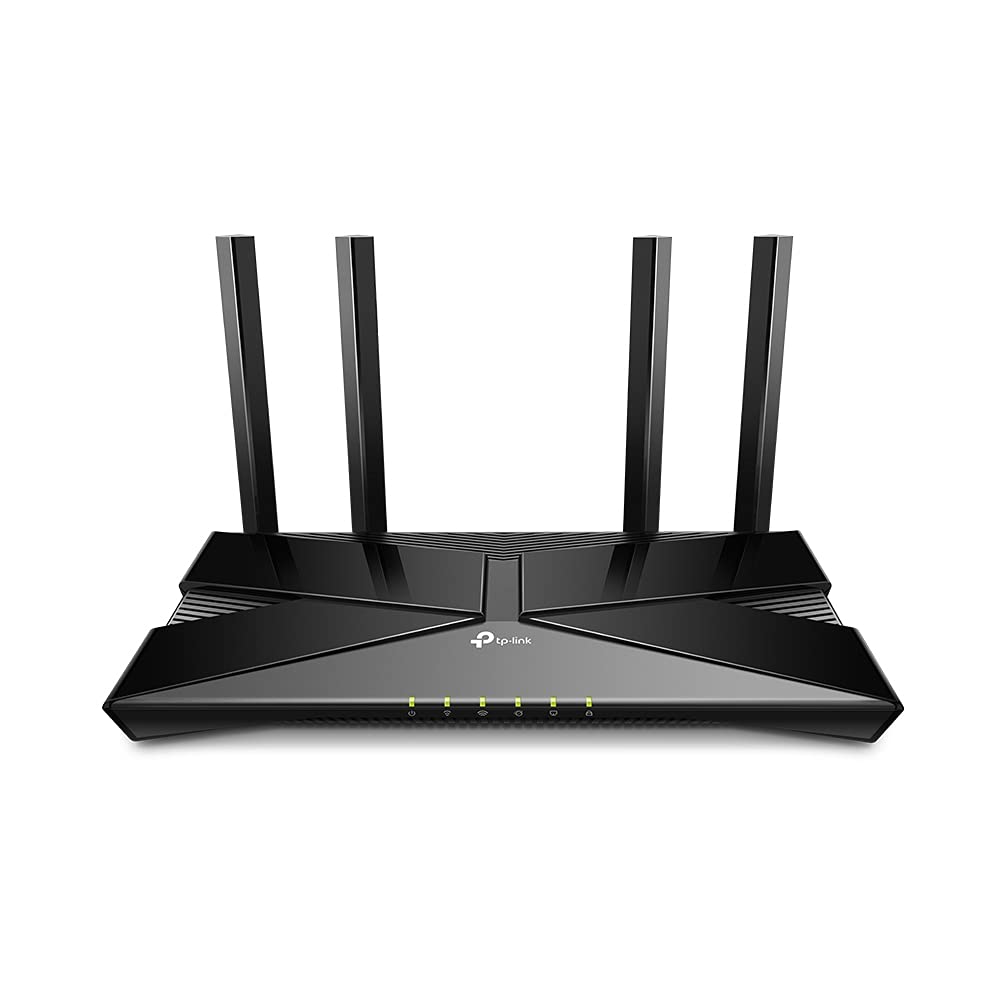
TP-Link Archer AX20 AX1800 Dual Band Wi-Fi 6 Router
The latest generation of WiFi technology brings faster speeds, less lag, and higher capacity, enabling more simultaneous connections on your home network. OFDMA strengthens your WiFi by allowing multiple clients to share one band at the same time, cutting latency and jitter. Enjoy the most versatile yet free parental controls features among all routers, including URL blocking, profile management, pausing, and more. Use with OneMesh extenders to get whole-home coverage and enjoy smooth roaming between signals. Set up your router in minutes with the powerful TP-Link Tether App. Boost WiFi signals throughout your home. Beamforming technology detects devices and concentrates wireless signal strength towards them, especially for previously hard to reach outlets. Archer AX1800 is easy to place vertically on a desktop or mount to a wall. With a horizontal dimension of 150 × 130 × 40.3 mm, it can fit in narrow spaces for more flexibility. If you have any dead zones at home, just add another Easymesh-Compatible router/range extender to further form your whole home multi-gigabit mesh WiFi. No more searching for a stable connection.
The latest generation of WiFi technology brings faster speeds, less lag, and higher capacity, enabling more simultaneous connections on your home network. OFDMA strengthens your WiFi by allowing multiple clients to share one band at the same time, cutting latency and jitter. Enjoy the most versatile yet free parental controls features among all routers, including URL blocking, profile management, pausing, and more. Use with OneMesh extenders to get whole-home coverage and enjoy smooth roaming between signals. Set up your router in minutes with the powerful TP-Link Tether App. Boost WiFi signals throughout your home. Beamforming technology detects devices and concentrates wireless signal strength towards them, especially for previously hard to reach outlets. Archer AX1800 is easy to place vertically on a desktop or mount to a wall. With a horizontal dimension of 150 × 130 × 40.3 mm, it can fit in narrow spaces for more flexibility. If you have any dead zones at home, just add another Easymesh-Compatible router/range extender to further form your whole home multi-gigabit mesh WiFi. No more searching for a stable connection.
The latest generation of WiFi technology brings faster speeds, less lag, and higher capacity, enabling more simultaneous connections on your home network. OFDMA strengthens your WiFi by allowing multiple clients to share one band at the same time, cutting latency and jitter. Enjoy the most versatile yet free parental controls features among all routers, including URL blocking, profile management, pausing, and more. Use with OneMesh extenders to get whole-home coverage and enjoy smooth roaming between signals. Set up your router in minutes with the powerful TP-Link Tether App. Boost WiFi signals throughout your home. Beamforming technology detects devices and concentrates wireless signal strength towards them, especially for previously hard to reach outlets. Archer AX1800 is easy to place vertically on a desktop or mount to a wall. With a horizontal dimension of 150 × 130 × 40.3 mm, it can fit in narrow spaces for more flexibility. If you have any dead zones at home, just add another Easymesh-Compatible router/range extender to further form your whole home multi-gigabit mesh WiFi. No more searching for a stable connection.
The latest generation of WiFi technology brings faster speeds, less lag, and higher capacity, enabling more simultaneous connections on your home network. OFDMA strengthens your WiFi by allowing multiple clients to share one band at the same time, cutting latency and jitter. Enjoy the most versatile yet free parental controls features among all routers, including URL blocking, profile management, pausing, and more. Use with OneMesh extenders to get whole-home coverage and enjoy smooth roaming between signals. Set up your router in minutes with the powerful TP-Link Tether App. Boost WiFi signals throughout your home. Beamforming technology detects devices and concentrates wireless signal strength towards them, especially for previously hard to reach outlets. Archer AX1800 is easy to place vertically on a desktop or mount to a wall. With a horizontal dimension of 150 × 130 × 40.3 mm, it can fit in narrow spaces for more flexibility. If you have any dead zones at home, just add another Easymesh-Compatible router/range extender to further form your whole home multi-gigabit mesh WiFi. No more searching for a stable connection.
in 5 offers
The lowest price for TP-Link Archer AX20 AX1800 Dual Band Wi-Fi 6 Router right now is $78.00 at eBay.com.au, compared across 5 retailers.
The all-time low was $49.48 on 11 Feb 2026 — today's price is 58% above the lowest ever. It has been notably cheaper before — worth setting a price alert.
Prices last updated 29 Sept 2026.
Last updated at 29/09/2026 19:48:35
TP-LINK Archer AX20 AX1800 Dual-Band Wi-Fi 6 Router
Affiliate Disclosure: We may receive a small commission for purchases made through this link at no extra cost to you. This helps support our site. Thank you!
TP-Link AX1800 WiFi 6 Router, Smart WiFi Router | | Archer AX20
Delivery between 2–9 Oct $36.14
TP-Link Archer AX20 - AX1800 Dual-Band Wi-Fi 6 Router, MU-MIMO, OFDMA, 4 Fixed Omni Directional Antenna, Wi-Fi 6
Delivery between Thu – Tue $10
TP-Link Archer AX20 AX1800 Dual-Band Wi-Fi 6 Router
Delivery $18.32
TP Link AX1800 2.4/5GHz Dual Band Wi-Fi 6 Wireless Gigabit Router Archer AX20 BK
Free delivery between 2–7 Oct
originally posted on pbtech.co.nz
I have used this router for about two weeks so far and am very much satisfied till now. The overall internet speed is significantly boosted and the connection is much more stable. The only drawback is the USB 2.0 port. I have connected an external hard drive to the USB port and used it as a media server, and it is just OK. However, the loading time takes a bit, and it lags if I jump to another time point in the movie player. Therefore, if you consider using this for the NAS server, you'd better buy the upper version.
originally posted on pbtech.co.nz
This replaced my d-link nighthawk that randomly stopped working and required regular reboots. This router has now been running for over 9 months with no problems at all.Easy setup. Plugged directly into fibre terminal. Setup on 2 degrees no problems. Range is ok. User interface and mobile app is good. Wifi6 is great.
originally posted on pbtech.co.nz
I purchased this router as a replacement for the default router that came with my Starlink kit. I was looking for a relatively standard set of features that were missing in the default router, mostly:- DHCP IP reservation- Guest networks- Additional LAN portsThe set up was very easy and I really like the admin interface (+ the Tether app) - they look great and simplify tasks like creating MAC/IP mapping from the list of already connected clients a breeze.It is also provides slightly better WiFi coverage (with the router sitting right in the middle our 3.5 bedroom house gets good coverage in every corner) and is much more stable that the old router going for weeks without a need to reboot. It also copes well with a relatively high number of concurrent ... MoreI purchased this router as a replacement for the default router that came with my Starlink kit. I was looking for a relatively standard set of features that were missing in the default router, mostly:- DHCP IP reservation- Guest networks- Additional LAN portsThe set up was very easy and I really like the admin interface (+ the Tether app) - they look great and simplify tasks like creating MAC/IP mapping from the list of already connected clients a breeze.It is also provides slightly better WiFi coverage (with the router sitting right in the middle our 3.5 bedroom house gets good coverage in every corner) and is much more stable that the old router going for weeks without a need to reboot. It also copes well with a relatively high number of concurrent connections (we get up to 20 devices connected on a busy day) and handles situations with concurrent video conferencing and video streaming well.I've been using the router for a month and haven't identified any significant disadvantages so far.Great choice for a simple home internet setup.
| General | |
| Device Type | Wireless router - 4-port switch (integrated) |
| Enclosure Type | Desktop |
| Connectivity Technology | Wireless, wired |
| Data Link Protocol | Ethernet, Fast Ethernet, Gigabit Ethernet, IEEE 802.11b, IEEE 802.11a, IEEE 802.11g, IEEE 802.11n, IEEE 802.11ac, IEEE 802.11ax (Wi-Fi 6) |
TP-LINK Archer AX20 AX1800 Dual-Band Wi-Fi 6 Router
Affiliate Disclosure: We may receive a small commission for purchases made through this link at no extra cost to you. This helps support our site. Thank you!
TP-Link AX1800 WiFi 6 Router, Smart WiFi Router | | Archer AX20
Delivery between 2–9 Oct $36.14
TP-Link Archer AX20 - AX1800 Dual-Band Wi-Fi 6 Router, MU-MIMO, OFDMA, 4 Fixed Omni Directional Antenna, Wi-Fi 6
Delivery between Thu – Tue $10
TP-Link Archer AX20 AX1800 Dual-Band Wi-Fi 6 Router
Delivery $18.32
TP Link AX1800 2.4/5GHz Dual Band Wi-Fi 6 Wireless Gigabit Router Archer AX20 BK
Free delivery between 2–7 Oct
I have used this router for about two weeks so far and am very much satisfied till now. The overall internet speed is significantly boosted and the connection is much more stable. The only drawback is the USB 2.0 port. I have connected an external hard drive to the USB port and used it as a media server, and it is just OK. However, the loading time takes a bit, and it lags if I jump to another time point in the movie player. Therefore, if you consider using this for the NAS server, you'd better buy the upper version.
This replaced my d-link nighthawk that randomly stopped working and required regular reboots. This router has now been running for over 9 months with no problems at all.Easy setup. Plugged directly into fibre terminal. Setup on 2 degrees no problems. Range is ok. User interface and mobile app is good. Wifi6 is great.
I purchased this router as a replacement for the default router that came with my Starlink kit. I was looking for a relatively standard set of features that were missing in the default router, mostly:- DHCP IP reservation- Guest networks- Additional LAN portsThe set up was very easy and I really like the admin interface (+ the Tether app) - they look great and simplify tasks like creating MAC/IP mapping from the list of already connected clients a breeze.It is also provides slightly better WiFi coverage (with the router sitting right in the middle our 3.5 bedroom house gets good coverage in every corner) and is much more stable that the old router going for weeks without a need to reboot. It also copes well with a relatively high number of concurrent ... MoreI purchased this router as a replacement for the default router that came with my Starlink kit. I was looking for a relatively standard set of features that were missing in the default router, mostly:- DHCP IP reservation- Guest networks- Additional LAN portsThe set up was very easy and I really like the admin interface (+ the Tether app) - they look great and simplify tasks like creating MAC/IP mapping from the list of already connected clients a breeze.It is also provides slightly better WiFi coverage (with the router sitting right in the middle our 3.5 bedroom house gets good coverage in every corner) and is much more stable that the old router going for weeks without a need to reboot. It also copes well with a relatively high number of concurrent connections (we get up to 20 devices connected on a busy day) and handles situations with concurrent video conferencing and video streaming well.I've been using the router for a month and haven't identified any significant disadvantages so far.Great choice for a simple home internet setup.
I decided to finally replace the ISP-issued router from Spark for my fibre broadband service and chose this as it has had good reviews and the price is not much different from getting one from the ISPs anyway. I am very happy with the router and it's showing really good connectivity with all my devices, including 5 phones, 4 laptops, a smart tv, PS3, 2 CCTV cameras and 2 smart bulbs. Download speeds are 2-3 times faster on WiFi as compared to the router given by Spark (which is about 3-4 years old). Set up was simple and the advice from one of the other reviewers is bang on what to look out for when clicking through the settings.
Great product, easy to set up. I originally purchased another brand from a different vendor but returned it as it was impossible to set up. Even the maker's help centre couldn't get it to work. This router was such a joy after that experience. Scan the barcode which downloads the app, follow step by step instructions and ten minutes later everything works. Would highly recommend. Also great service from PB Tech.
Very user friendly to install. One of the best interfaces via TCP/IP . Once you have the settings/codes for your ISP requirements using the TCP/IP avenue is quite intuitive.Happy with performance - experienced a double of wifi speed and stability compared to unit from ISP.!!Would buy again.
Download and latency improved noticeably; upload stayed about the same. Connections rarely drop on either frequency, and range seems somewhat improved. Interface is average, but at least I don't have to use the phone app. All things considered, I'd buy it again.
This product is brilliant. From the packaging to performance, ease of setup and more, just buy it already. The webserver is awesome, the android app is awesome, the router is awesome. Took me 5 minutes to setup this unit, and switch all my WiFi devices to use it. Zero issues.
works well ,good price great range ,it connects well using the TP link Program and Makes the NBN router gateway look quite sad . I bought it because the Optus NBN router was never connecting regularly and the 5 mt distance was terrible . This has fixed all the problems and I get 13mbs at over 10mts through 2 walls and a steel shed
| General | |
| Device Type | Wireless router - 4-port switch (integrated) |
| Enclosure Type | Desktop |
| Connectivity Technology | Wireless, wired |
| Data Link Protocol | Ethernet, Fast Ethernet, Gigabit Ethernet, IEEE 802.11b, IEEE 802.11a, IEEE 802.11g, IEEE 802.11n, IEEE 802.11ac, IEEE 802.11ax (Wi-Fi 6) |